Posts in roundups

April 2012 In Review

April was a little bit of a slower month, with no keynotes or big announcements from Apple - with the exception of yet another huge earnings call. However, MacStories did celebrate its third birthday on April 20th, and welcomed our seventh MacStories writer, Lukas Hermann, who is focused on reviewing some great apps with Inspiring UIs - you’ll see a list of those articles below the break. In news, we did see the announcement of WWDC this month (it sold out in less than 2 hours) and some incredibly successful Kickstarter projects. On the apps front there continued to be a number of app updates for the new iPad, two Tweetbot updates, Clear 1.1 and Read It Later relaunching as Pocket. Lastly, we had a number of great stories this month including a great one on iCloud in which Federico interviewed some of the developers who have implemented it and what their thoughts on it are.
WWDC 2012

On April 25th, Apple “finally” announced WWDC 2012, to be held over June 11th to 15th this year in San Francisco. The $1599 tickets went on sale immediately at around 8:30am EDT and promptly sold out in less than 2 hours. Along with the WWDC dates and tickets, Apple also announced that nominations for the 2012 Apple Design Awards were open - so if you are a developer an want to suggest an app for the award you can do that here. If you’re a student and missed out on WWDC tickets (or they were too expensive), you have until tomorrow May 2nd to lodge an application for a WWDC Student Scholarship.

Apple’s Q2 2012 Earnings Call

Yet again, Apple had a stunning quarter - its second best ever, only beaten by the last (holiday) quarter. Apple sold 35.1 million iPhones, 11.8 million iPads and saw $39.2 billion in revenue for the quarter. Our full post includes the usual graphs that really highlight the growth Apple has had in nearly all aspects of their business over the past few quarters and even years.

Flashback

April saw what was perhaps the most serious malware incident the Mac has ever seen with ‘Flashback’. Apple, after taking some time to respond, eventually revealed they will provide a Flashback removal tool - which they soon did, as well as provide a Java update to remove various Flashback variants. F-Secure also released an automated Flashback removal tool (and did so before Apple released their tool).

Kickstarter Projects

The Pebble e-paper watch saw an absolute explosion of support when it launched on Kickstarter this month. As of today, about $7.5 million has been pledged to the project - far exceeding the initial goal of $100,000. Then there is the Bydge, an iPad dock that’ll turn your iPad into somewhat of a MacBook look-a-like. Not everyone is a fan of the premise, and it hasn’t set the world on fire, but it has also easily surpassed the $90,000 goal on Kickstarter with about $360,000 pledged so far (and there’s still a month to go).

Everything Else:


The Really Big Reviews

Everything Else

Lukas’ Inspiring UI Series


iPad Third-Generation Review Roundup

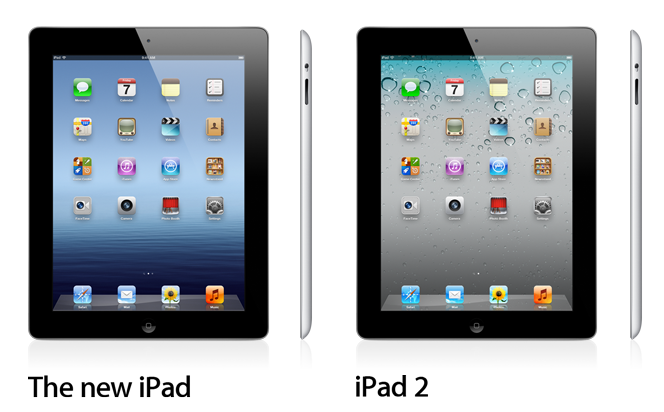
With lines starting to form around the world for the launch of the new iPad, journalists with access to review units of the device have been given the go-ahead by Apple to publish their impressions of the device. With a Retina display described as “glowing paper”, same 10 hours of battery life and faster 4G connectivity, the new iPad is off to very positive reviews.

Below, we’ve collected some key points from the reviews that have been published today. Make sure to follow the source links, and look for more coverage of the new iPad on MacStories later this week.

On the Retina display

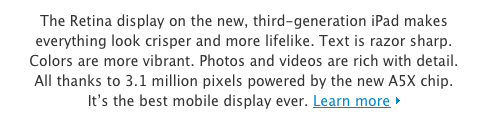
The Retina display is, quite possibly, the biggest reason to consider an upgrade to the new iPad. Reviews focus on the incredible quality of the display, which makes for sharper text, more vibrant colors, and an overall better visual experience when compared to the iPad 2.

Jim Dalrymple

I struggled after the event to put the right words together to describe the display and a week later I’m still lost for the proper analogy. The only thing I can think of that comes close is comparing it to the first time you ever saw an HDTV. Remember how startling it was to go from one of those giant standard definition projector TVs to an HDTV? That’s what this is like.

Jason Snell

The effect is even more dramatic with photos and video. Pictures reveal small details that simply weren’t there before. A photo that looks just fine on an iPad 2 looks almost undefinably better on the new iPad. It’s the same image, but all of a sudden, there’s much more information there—small textures and tiny details that were previously omitted.

Walt Mossberg

My epiphany came when I placed my iPad 2 next to the new model, with the same text on the screen. Letters and words that had seemed sharp on the older model five minutes earlier suddenly looked fuzzier.

MG Siegler

Even if you have perfect vision, indulge me here for a second. You know when you go in for an eye exam and you’re asked to look at a combination of letters and numbers on a chart against a far wall? You read the first few lines, then realize you actually can’t go any further. Then you get prescribed glasses (or contacts) and you can all of a sudden read every letter and number. And even the ones you could read before are now so much clearer.

That’s what it’s like looking at the new iPad versus the older iPads.

On the A5X processor

The new iPad’s dual-core A5X isn’t a revolution coming from the iPad 2’s dual-core A5, at least in terms of initial impressions with apps that haven’t been updated to take advantage of it. With quad-core graphics, however, expect a lot more games and apps to gain powerful new functionalities soon.

Jason Snell

That power comes from the X factor in the A5X processor—a new quad-core graphics engine. And sure enough, the third-generation iPad blows away every other iOS device in terms of graphics performance. In our tests using the GLBench 3D graphics testing app, the third-generation iPad could draw a complex 3D scene at the full frame rate of its display, 60 frames per second, without breaking a sweat. And in GLBench offscreen tests, which aren’t constrained by the display’s frame rate, the third-generation iPad had a frame rate 1.6 times that of the iPad 2 (and 13 times that of the original iPad).

Joshua Topolsky

The fact that the new iPad touts an A5X SoC versus a completely new generation of chip may give some buyers pause, but in my testing I see no evidence that the processor in the iPad isn’t every bit as powerful as it should be. While there’s not some obvious speed boost in comparison to the previous generation iPad, there’s certainly no stutter, stagger, or delay when using the tablet. Apps opened and closed quickly and without issue, app switching was efficient, and graphically-intensive games played smoothly on the device.

On cameras

The new iPad shoots better pictures, but don’t expect 4S-quality photos. The front-facing camera is still VGA.

Vincent Nguyen

Apple says it has borrowed the camera technology and optics from the iPhone 4S for the new iPad, though still the 5-megapixel images the tablet is capable of do lag behind the 8-megapixel examples from the smartphone. There’s more visible noise and chromatic aberrations at full zoom, though the quality is far, far better than any stills the iPad 2 can achieve. You also get face recognition for up to ten people per frame, automatically adjusting focus and exposure, but the camera app UI itself is no more complex than before.

On LTE

From the reviews, LTE seems fast, at least for those who have been able to try it in the US.

MG Siegler

Yesterday, I clocked the new iPad using LTE at over 40 mbps down and 20 up on Verizon’s network. That’s about twice as fast as my current home cable broadband. For good measure, I tethered the new iPad to my iPhone 4S to compare it to Verizon’s 3G speeds. It’s about 40x faster for downloading.

[…]

One other slight downside which I have to assume is related to either the battery or the LTE functionality is that unlike previous iPad models, the new iPad does get noticeably warm in the lower left corner after prolonged use. It’s never hot, just warm. But again, I never noticed this on other models.

Joshua Topolsky

In terms of raw speeds, I saw downloads hit more than 22Mbps, while upstream data topped out around an outrageous 21Mbps — and that was in mid-town Manhattan. Of course, a lot of this depends on your coverage and how many people around you are on the network. One other small thing: I did notice the device getting a bit warm when I was using LTE for extended periods of time, but that’s pretty common for most 4G products I’ve tested.

On iPhone apps in 2x mode

It appears iPhone apps running in “1x mode” on the new iPad can use Retina assets, but they still look pixelated if brought in 2x mode.

Vincent Nguyen

Interestingly, it’s not just native third-party iPad apps that are improved with the Retina Display technology. iPhone titles used in the “2x doubling” mode look considerably better than on either of the previous iPad versions, with the new smoothing technology being brought to bear to make them feel less obviously magnified.

Jason Snell

If you’re running an iPhone app on the new iPad, it will display it in high-resolution Retina detail—but in a small compatibility window in the center of the iPad screen. (You can, as always, tap a 2x button to make iPhone apps bigger but more pixelated.)

The new iPad goes on sale on Friday, March 16th, at 8 A.M. local time in 10 countries.


New iPad Keynote: Miscellaneous Tidbits & Information

Yesterday’s Apple event was packed with information and new product releases. From a new iPad to software updates and a new Apple TV, March 7th can easily go down in the company’s history as one of the biggest rollouts ever, perhaps only second to October 12th, 2011. In this post, we have collected some miscellaneous tidbits and pieces of information that we missed or only briefly mentioned in our coverage of the event.

The Verge suggests the new iPad has 1 GB of RAM, as previously rumored:

One piece of information that wasn’t mentioned, however, was RAM. Sources have informed us that Apple’s latest has indeed received an upgrade in that area as well, and will ship with 1GB of RAM — double that of its predecessor.

The new iPad is using Qualcomm’s MDM9x00 Baseband, according to AnandTech:

Now that the restore .ipsw images have been posted and are available for download, I took a peek inside and did a little bit of forensics. It turns out that Apple has gone with Qualcomm’s MDM9600, and has given the device codename Maverick (as opposed to Trek for MDM6610). This part still contains UE Category 3 LTE, CDMA2000 1x/EVDO Rev.A (and B), GSM/EDGE, and WCDMA/HSPA+ all the way through DC-HSPA+ 42 Mbps. It’s a 45nm 13x13mm part we’ve seen in numerous other 4G LTE devices thus far.

Stephen Hackett at 512 Pixels was first to report that OpenStreetMap has wrote a blog post claiming Apple is using OSM’s data with no credit, but not the tiles:

The OSM data that Apple is using is rather old (start of April 2010) so don’t expect to see your latest and greatest updates on there. It’s also missing the necessary credit to OpenStreetMap’s contributors; we look forward to working with Apple to get that on there.

It looks like iTunes 10.6 now lets you keep apps on a device, if you don’t want to sync them with a computer.

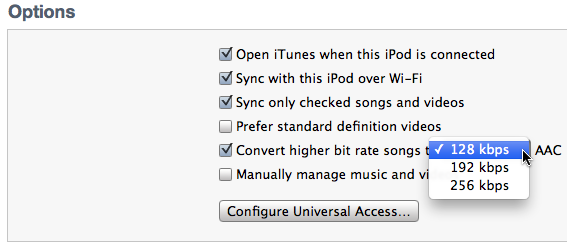
Also new in iTunes 10.6: automatic conversion of songs to more bit rates. Obviously, unless you want to save space or are converting from a lossless format, transcoding music isn’t generally a good idea.

iTunes 10.6 was released yesterday, and there’s one new feature which will, I think, please a number of the readers of this blog. As you may know, when you sync an iPod, you can have iTunes automatically convert your music files to a lower bit rate, so you can save space on a portable device. Previously, the only choice you had was 128 kbps. But iTunes 10.6 offers three choices: 128, 192 and 256 kbps.

Square’s Louie Mantia has created a nice iOS app icon template that also works with icons for the new iPad.

AirPlay Mirroring on the new iPad continues to be 720p, but AirPlay video streaming is 1080p to a 3rd gen Apple TV, 720p to a second-gen Apple TV. Video mirroring and video out support 1080p.

New iPad has a “Built-in 42.5-watt-hour rechargeable lithium-polymer battery”; iPad 2 has a “Built-in 25-watt-hour rechargeable lithium-polymer battery”.

Missing some movies from your new iTunes in the Cloud? CNET says Fox and NBC Universal will soon join other providers:

AllThingsD reported yesterday that Fox and NBC Universal are holdouts and that the reason has to do with exclusive licenses that those studios have with Time Warner’s HBO. This is the same contractual obligation that plagued the UltraViolet platform from signing some of the labels. HBO has exclusive licensing rights for electronic sales of films from NBC Universal, Warner Bros. and Fox. This is a minor holdup my film industry sources said.

As Shawn Blanc notes, the only way for Apple to give the idea of a Retina display is to make non-Retina screenshots look blurry and fuzzy.

As a sign of the times, the iPhoto for iOS app icon doesn’t contain a camera, but just a lens.

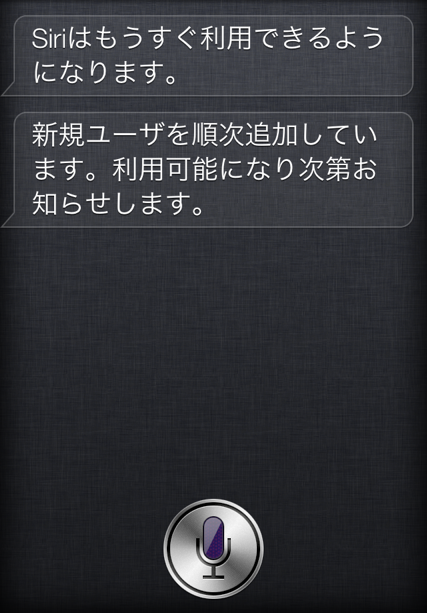
Apple published a support document on ”Siri: Japanese language availability”, saying:

After updating to iOS 5.1, Japanese customers will be prompted to enable Siri. During the initial rollout, availability may be limited and Siri may not be immediately usable.

Apple is calling the new iPad in a variety of ways. On its website, the company uses “iPad”, “the new iPad”, “third-generation iPad” and “iPad (3rd generation)” depending on what section you are visiting. Apple PR says it’s simply called iPad.

Unless they are calling it “the new iPad”, Apple (as usual) prefers to call the device “iPad” – without “the” – in almost every sentence. Example:

Now for the first time, you can share the high-speed data connection on your iPad. If your carrier supports it, iPad can act as a personal hotspot for connecting up to five devices — such as a MacBook Air, an iPod touch, or another iPad — over Wi-Fi, Bluetooth, or USB.

The new Apple TV has a single-core A5 chip.

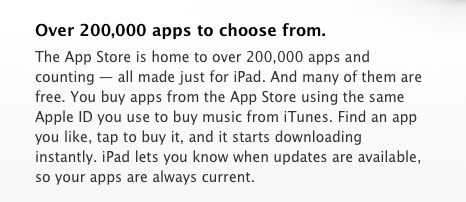
Apple says there are over 200,000 apps for iPad, but the App Store (as of today) disagrees.

MacStories’ March 7th Coverage

In case you missed it, you can catch up on our iPad keynote coverage with these links:

This Is The New iPad: Our Complete Overview

The Apple TV Gets A Refresh: New UI, 1080p Playback, Available on March 16 [Photos]

New iPad & Tablet Comparison Chart

Apple Releases iOS 5.1 [Direct Links, Screenshots]

Apple Updates Most of Its iOS Apps for the new iPad

iPhoto for iOS Review

The New iPad Keynote Roundup


The New iPad Keynote Roundup

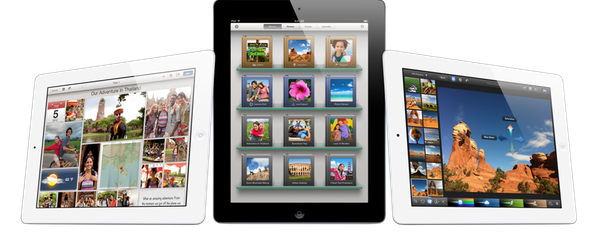
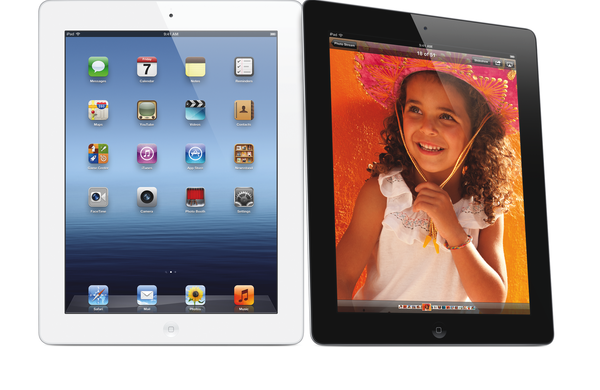
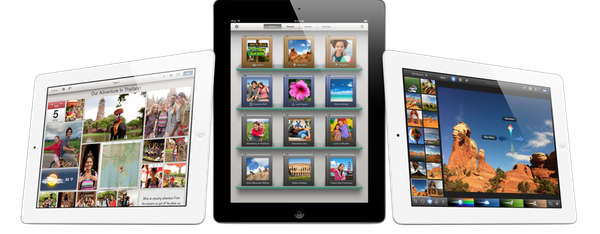
iLife on 3 3rd Gen iPads

iLife on 3 3rd Gen iPads

Today’s one of those days when I can sit happily at my desk and know that the tech press didn’t win. Despite the mounting evidence, the alleged photographs of bits and pieces, and the last minute rumors of x-chip and y-feature for a gadget we seemingly knew everything about, Apple still managed to pull a fast one that was so obvious it makes even the most certain journalists curse under their breaths. iPad. You should have seen it coming right? Even the iPad 2 was simply referred to as the iPad on its aluminum shell. iPad. Even if it was just a little surprise, it’s a simple reminder that not even those with the best sources can fully beat Apple at its own game. As long as this continues to be true, I’m pretty sure that means Apple is doing alright.

With that said, let’s check out all of the great stuff Apple just launched.

Read more


February 2012 In Review

February sure went by quickly, but that certainly doesn’t mean there was a shortage of news, reviews and editorials - in fact it was quite the opposite. After a pretty big January with their education announcement and financial earnings, Apple didn’t slow down in February. They released new ads, previewed Mountain Lion, continued the PR battle over supplier responsibility and confirmed the (presumed iPad keynote) media event for March 7th. February was also a big month for Apps with an updated Tweetbot for iPhone and new Tweetbot for iPad, Clear, Photoshop, Vimeo 2.0 and VLC amongst others. Whilst we continued to focus on providing you, our readers, with great editorial content we discussed topics such as the iPad as a PC, supplier responsibility, greed and iOS 6 wishes amongst others.

Jump the break to view the full review of February 2012. You can also view January 2012 in Review here.

Read more


The Thunderbolt Accessories of CES 2012

The Thunderbolt ports on our new MacBook Airs and MacBook Pros didn’t receive a lot of attention in 2011, with tech demos still carrying on through the mid-year as LaCie and Promise flexed their muscles at Computex. Seven months later at this year’s Consumer Electronics Show, several companies were finally prepared to unveil their products integrated with Thunderbolt technologies on the show floor (and we expect to see more at the upcoming Macworld | iWorld). Past the break we’ll take a look at ten new Thunderbolt accessories that offer connected solutions, speedy storage, and new possibilities for stellar gaming performance.

Read more


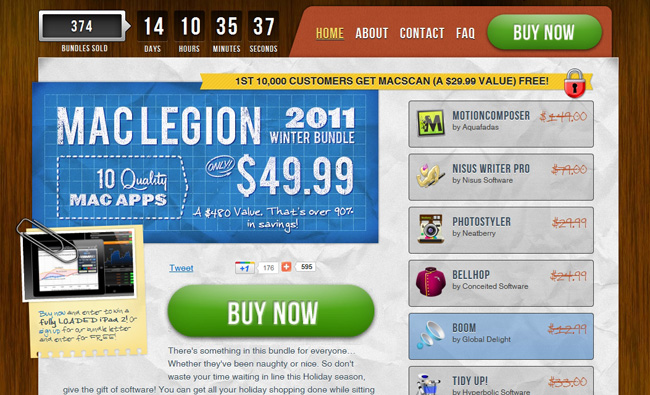
The MacLegion Winter Bundle 2011

I stumbled onto MacLegion earlier this year when they offered their first bundle back in April. They offer very good bundles with quality Mac apps at great bundled prices. Their new bundle is just as great. The MacLegion Winter Bundle 2011 consists of 10 quality Mac apps for $49.99 (a $480 value). We’ve seen a lot of bundles similar to this price point, but this one stands out above many of the others.

As always, MacLegion bundles focus on quality, practical and every-day apps that people enjoy using. The hand-picked line-up ensures that all applications featured within it are the latest versions each developer has to offer. Read more


iPhone 4S Review Roundup

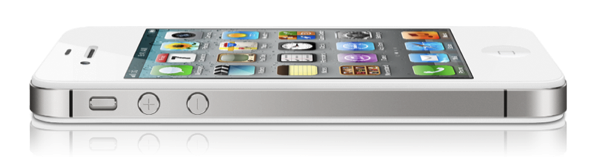
What’s the overall consensus of the iPhone 4S? Photos are noticeably superior to the iPhone 4, Siri works well (though has some limitations), and the phone itself is a whole lot faster thanks the A5 chip. Combine that with the dual antenna (the first of its kind) that’s eliminated previous problem areas for the reviewers, and we have a spectacular upgrade.

Brian X. Chen:

And then there’s the antenna. Now that metal band surrounding the iPhone contains two antennae for your cellular services, and when you’re on a call, the handset will automatically switch to the antenna that’s pulling a stronger signal.

From my experience, talking on an iPhone 4S on AT&T sounds noticeably clearer than it did on past iPhones I’ve owned. In areas with good reception, the handset still hasn’t dropped a call. And no, I haven’t experienced any degraded call performance when holding the phone “the wrong way.”

David Pogue:

Speech recognition. Crazy good, transformative, category-redefining speech recognition.

Apple won’t admit that it’s using a version of Dragon Dictation, the free iPhone app, but there doesn’t seem to be much doubt; it works and behaves identically. (For example, it occasionally seems to process your utterance but then types nothing at all, just as the Dragon app does.) This version is infinitely better, though, because it’s a built-in keyboard button, not a separate app.

M.G. Siegler:

Apps that used to take a longer time to perform a task — applying a filter in Camera+, for example — now work much faster. More generally, every app seems to load quite a bit faster. The best way to see this is to load the Settings app that is built into iOS. On the iPhone 4, it can take up to 3 seconds to load. On the iPhone 4S, it loads in less than a second. And the 4S is faster at switching between apps when multi-tasking.

Jason Snell:

The iPhone 4 antenna issue probably garnered more attention than the true scope of the problem deserved. Lots of cell phones have attenuation issues. In more than a year of heavy iPhone 4 use, I’ve rarely changed how I held the phone in hopes of getting a better cellular signal. It happened, yes, but no more than a half-dozen times. Still, I am happy to report that it seems that Apple has eradicated this problem entirely. If you shied away from the iPhone 4 because of attenuation issues, it’s safe to go back in the water.

Jim Dalrymple:

One thing I particularly noticed was the animations when launching and switching apps. When an app is launched or closed, it is supposed to zoom in or out — this wasn’t always evident in previous versions of the iPhone.

The iPhone 4 would sometimes show animations, but a lot of the time, an app would just appear.

The increased performance of the iPhone 4S is great news for developers. They have been pushing the envelope of Apple’s hardware, releasing more complex, graphics intensive apps that require this power.

Joshua Topolsky:

The iPhone 4S took some of the nicest, cleanest photos I’ve ever seen from a mobile device. If you’ve ever thought about using a phone as a replacement for your point and shoot, feel free to start taking that concept seriously. The 4S produced crisp, balanced, colorful photos that were surprisingly low-noise and never over-saturated.

Vincent Nguyen:

The result is video you might not think has been filmed on a phone. One of the issues users often experience when filming on their handsets is jerkiness in the final clip, with the quest to make a lighter smartphone also creating one which is too easy to move around in video mode. Apple’s digital image stabilization does a great job of smoothing things, though, without leaving things over-processed. Add in the on-device editing – either basic trimming as standard, or using the optional iMovie for iPhone app – and the iPhone 4S proves itself more than worthy of a place in the photographer’s pocket.

Walt Mossberg:

The system understands multiple, colloquial forms of a question. I asked, “Will the weather get worse today?” and Siri answered, “I don’t think the weather is going to get worse” and displayed a weather chart. You can check stock prices, addresses, map directions and much more. It also answers in a friendly fashion, saying things like “Coming right up” or “I’m not sure what you said, Walt.” And it has some cute answers built in. When I asked it “What’s the best phone?” it said, “Wait… there are other phones?”