Posts tagged with "iOS 26"

Apple Releases 26.1 Updates to Its Operating Systems

Today, Apple released version 26.1 of its full family of OSes. Every platform received attention, including the proverbial “bug fixes and feature enhancements,” but it was iOS 26.1 and iPadOS 26.1 that received the most changes that are likely to be noticed by users.

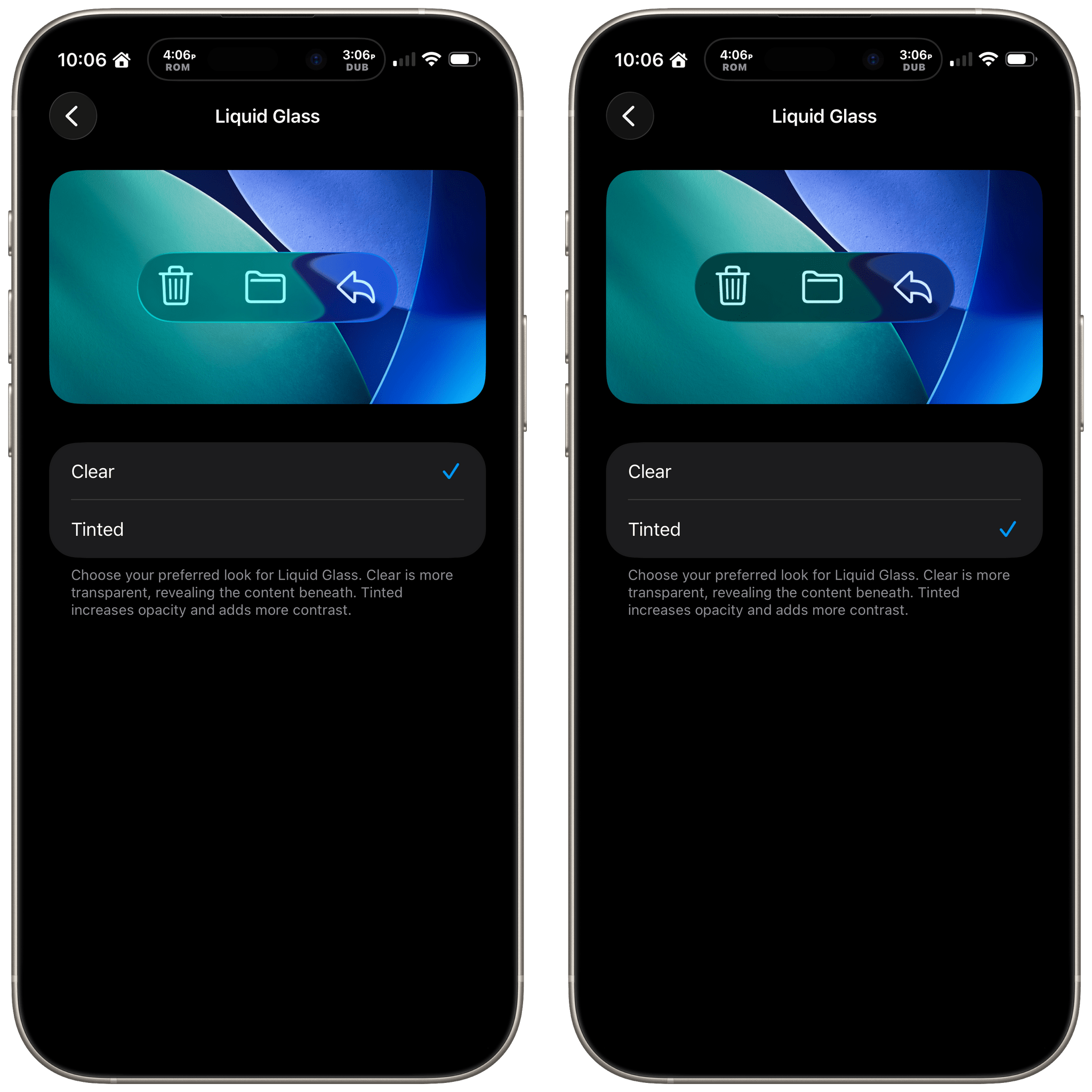
Liquid Glass: Tinted

Liquid Glass: Clear or Tinted.

Liquid Glass: Clear or Tinted.

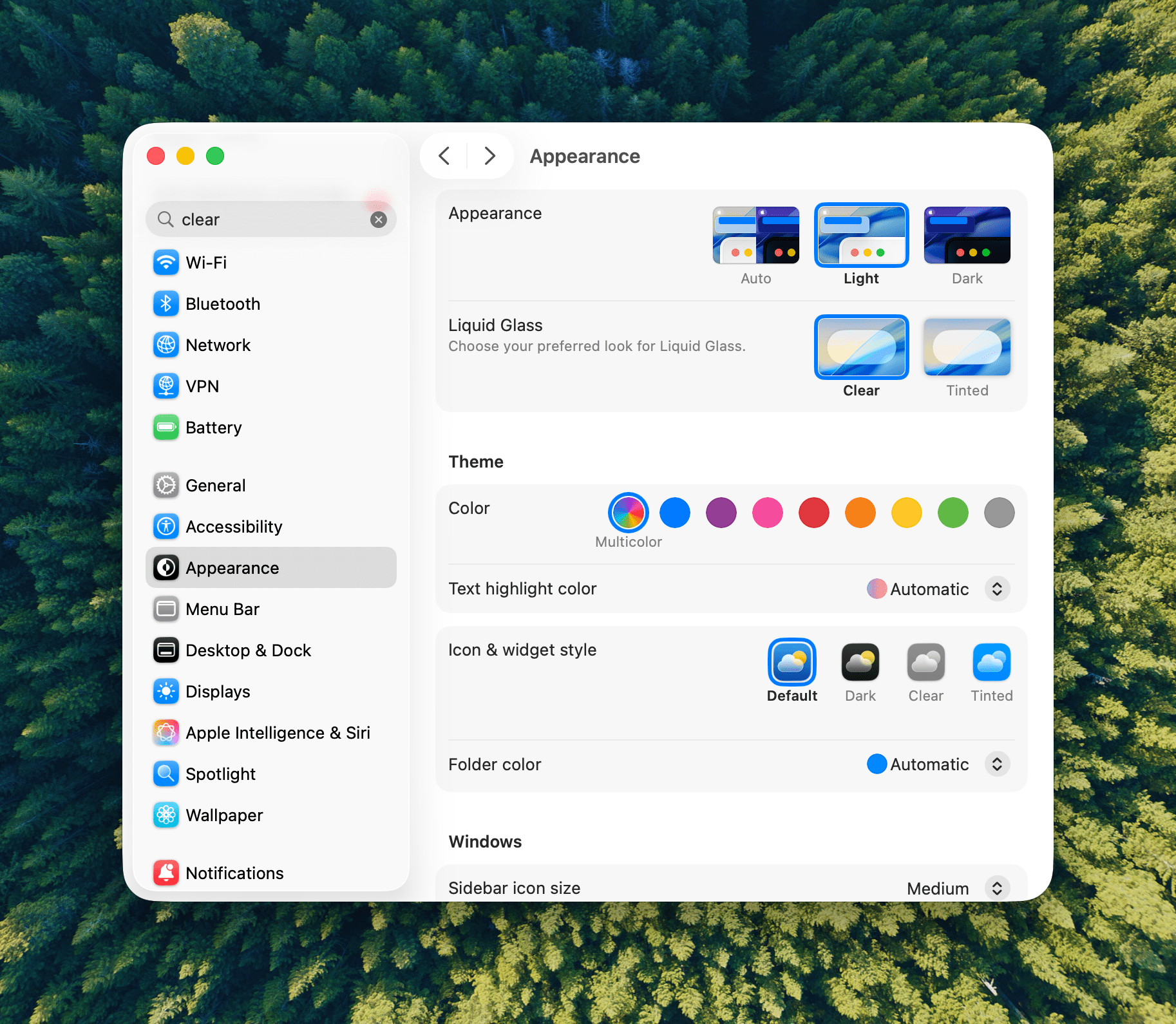
Let’s start with iOS 26.1 because most of the changes to it are reflected in iPadOS, too. Probably the biggest news is a new setting that allows users to choose between Clear and Tinted versions of Apple’s signature Liquid Glass design. Many readers we’ve heard from like Liquid Glass or didn’t notice a substantial difference when they updated to iOS and iPadOS 26, but for some, the design change was a regression in readability. With iOS, iPadOS, and macOS 26.1, users can opt for a Tinted version of Liquid Glass that reduces transparency, increasing the design’s opacity and enhancing contrast.

Liquid Glass is an opinionated design, so I’m a little surprised at this change. I like Liquid Glass in more places than I don’t, but given the readability issues some people experienced, this change is a good one. If you like Liquid Glass or barely noticed it to begin with, you’re fine. However, if it rubbed you the wrong way, check out the Liquid Glass setting in the Display & Brightness section of Settings, which has a helpful before-and-after preview of what the change looks like.

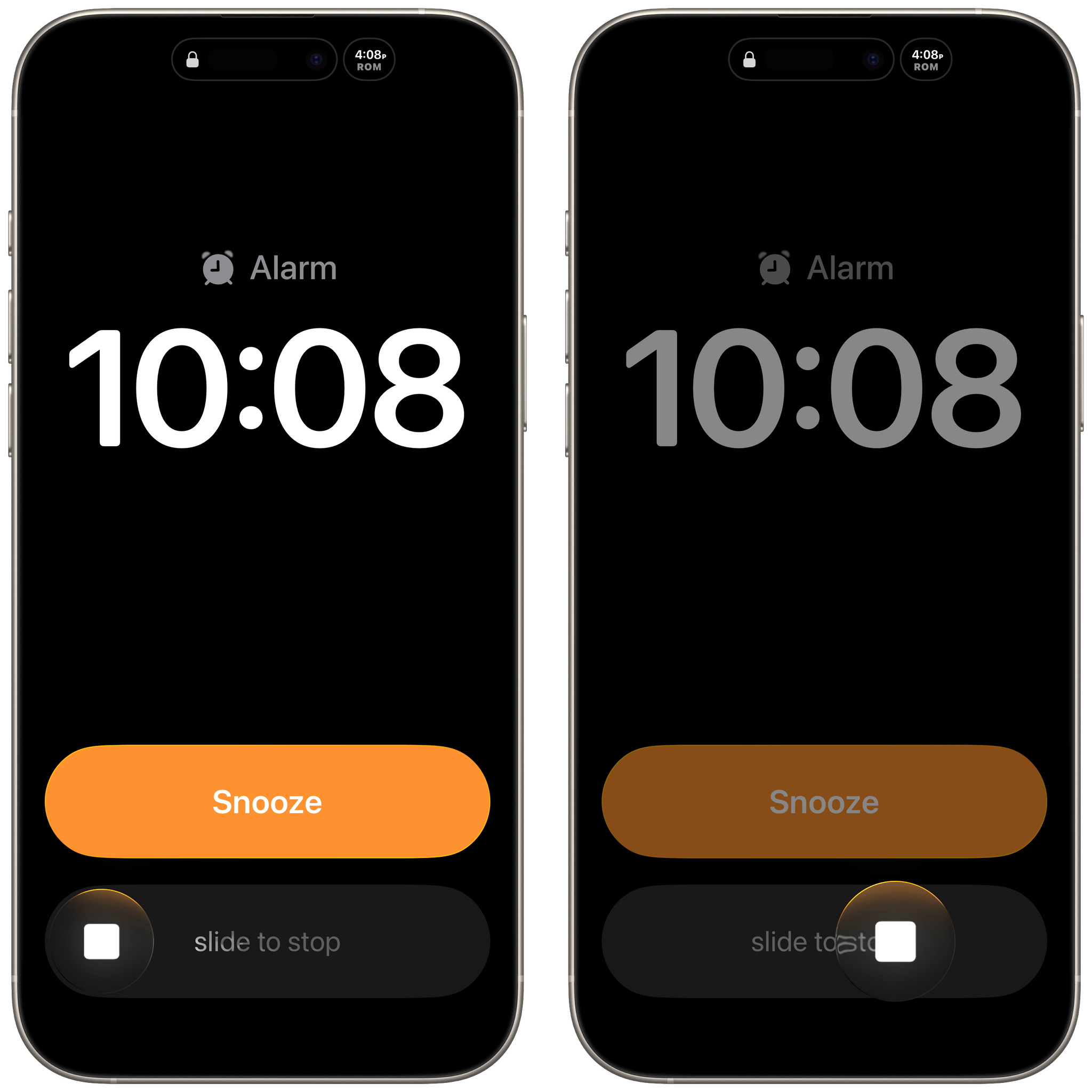
Slide to Stop

Slide to stop alarms.

Slide to stop alarms.

With iOS 26, Apple placed two big buttons onscreen when an alarm went off. One was for stop and the other snooze. That wasn’t a big deal for many of the alarms you set throughout the day, but when you’re waking up in the morning blurry-eyed, two big buttons stacked on top of each other weren’t ideal. For a lot of users, it was a toss-up whether stabbing at their iPhone through a morning haze would stop their alarm or snooze it.

With iOS and iPadOS 26.1, the ‘Stop’ button for an alarm set in the system Clock app now requires a slide to stop gesture, which echoes the Slide to Unlock gesture of the original iPhone. The more deliberate gesture is a good move on Apple’s part. I can’t imagine someone tapping and sliding their finger to stop an alarm by accident.

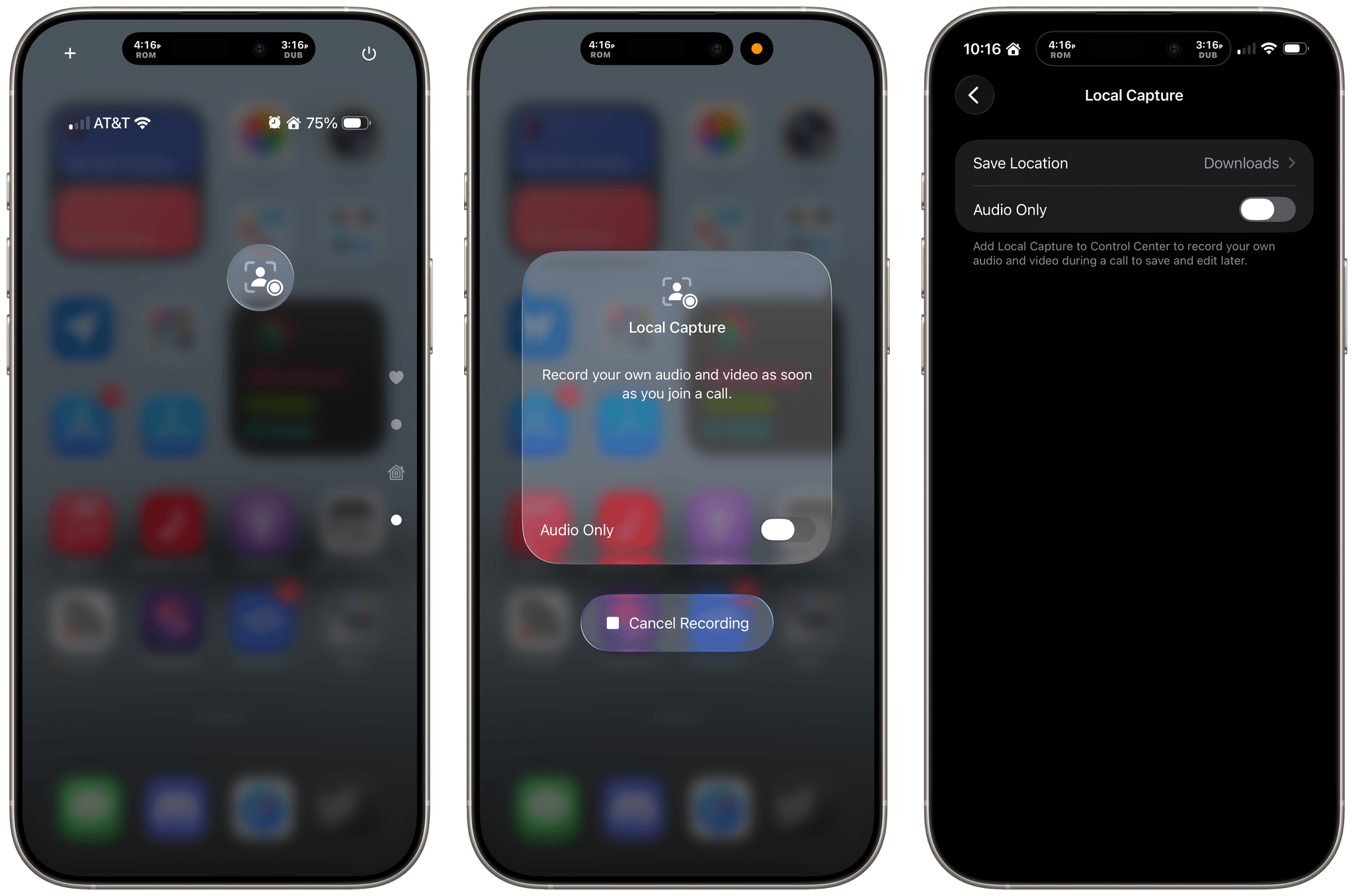
Local Capture Refined

Apple has also refined Local Capture for the iPhone and iPad, which is great. Local capture allows you to record high-quality audio and video from an iPhone or iPad, while simultaneously on a video call using a service like Zoom. It’s a feature that podcasters wanted for many years, and although I was excited to find that Apple had listened to our annual requests with iOS and iPadOS 26, the implementation fell a little short because it didn’t allow for gain control, making it difficult to get a properly balanced recording with some microphones. Likewise, there was no option in the first iteration of the feature to pick where your recording was saved.

With iOS and iPadOS 26.1, both issues have been addressed sooner than many of us expected, which is fantastic. Now, you can adjust gain and pick a save location for the files you record from Settings. It’s great to see Apple react so quickly to the feedback it received on this feature. The feature fell just short enough in its original implementation that I had decided not to rely on it unless I had no choice. However, although it’s not how I’m going to record most of the time, local recording now has sufficient settings that I will feel a lot more comfortable relying on it in the future.

Camera and Photos

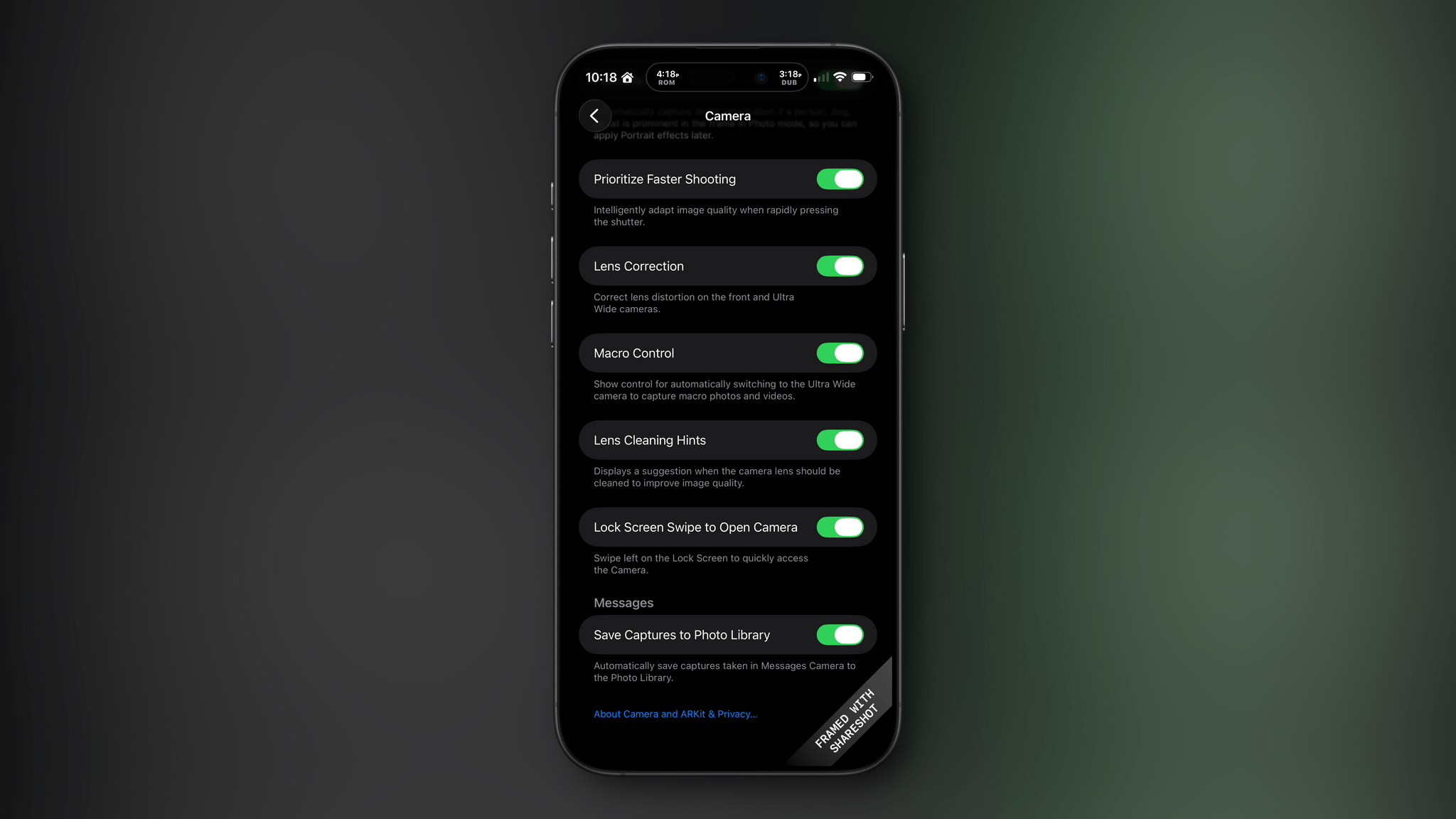
I don’t know about you, but it’s not uncommon for me to accidentally activate my iPhone’s camera by inadvertently swiping left on my Lock Screen. For me, it’s a once-in-a-while thing, but if it happens to you a lot, you can now deactivate the gesture in Settings under the Camera section.

There are relatively minor changes to Photos, too. The interface elements for playing multiple selected images as a slideshow, marking them as favorites, or hiding them are now at the top of the Photo app’s three-dot “More” menu.

Everything Else in iOS

The iOS update includes a bunch of other small changes:

  • A new accessibility setting to “Display Borders” around buttons, which replaces the old “Button Shapes” setting;
  • The Lock Screen wallpaper picker includes new prompts to help users through the setup process;
  • Rapid Security Responses has been replaced by a toggle in Settings that allows users to choose whether automatic security updates are applied to their iPhone or iPad;
  • The Fitness app has gained new custom workout options for workout type, estimated Active Calories, effort, duration, and start time;
  • Many interface elements in Settings are now left-aligned;
  • The color backgrounds of events in Calendar have been reverted to their pre-iOS and iPadOS 26 look;
  • Swiping on the mini-player in Music now skips forward and back among tracks in your queue;
  • Apple Intelligence is now available in Danish, Dutch, Norwegian, Portuguese (Portugal), Swedish, Turkish, Chinese (Traditional), and Vietnamese. Also, AirPods Live Translation now has support for Japanese, Korean, Italian, and both Mandarin Traditional and Simplified Chinese; and
  • The Vision Pro app includes a 3D model of your Vision Pro.

iPadOS 26.1: Slide Over and New Window Management Options

The lion’s share of changes to iOS are carried over to iPadOS 26.1, but there are a couple of revisions to the iPad’s OS that are unique to it.

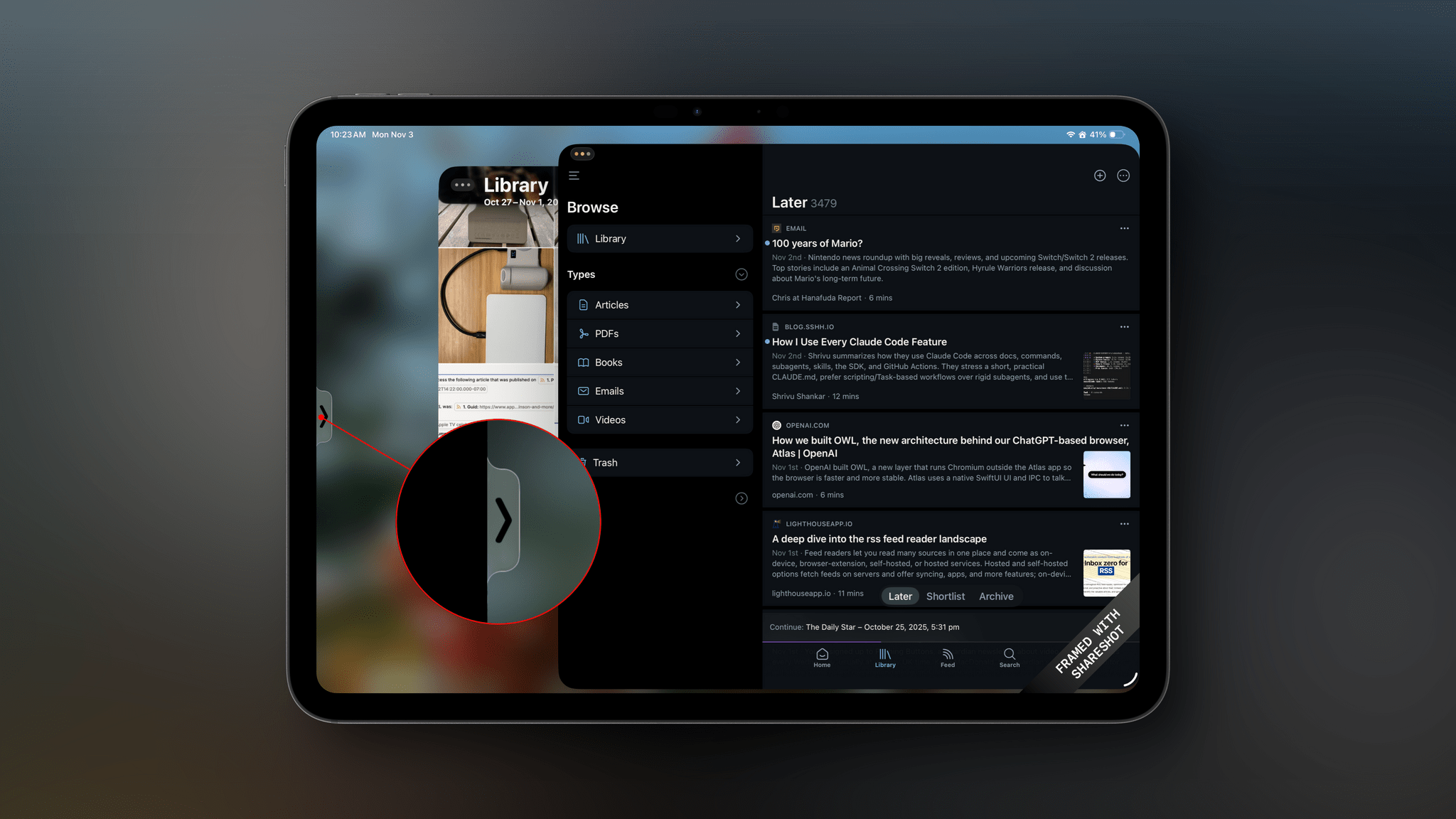
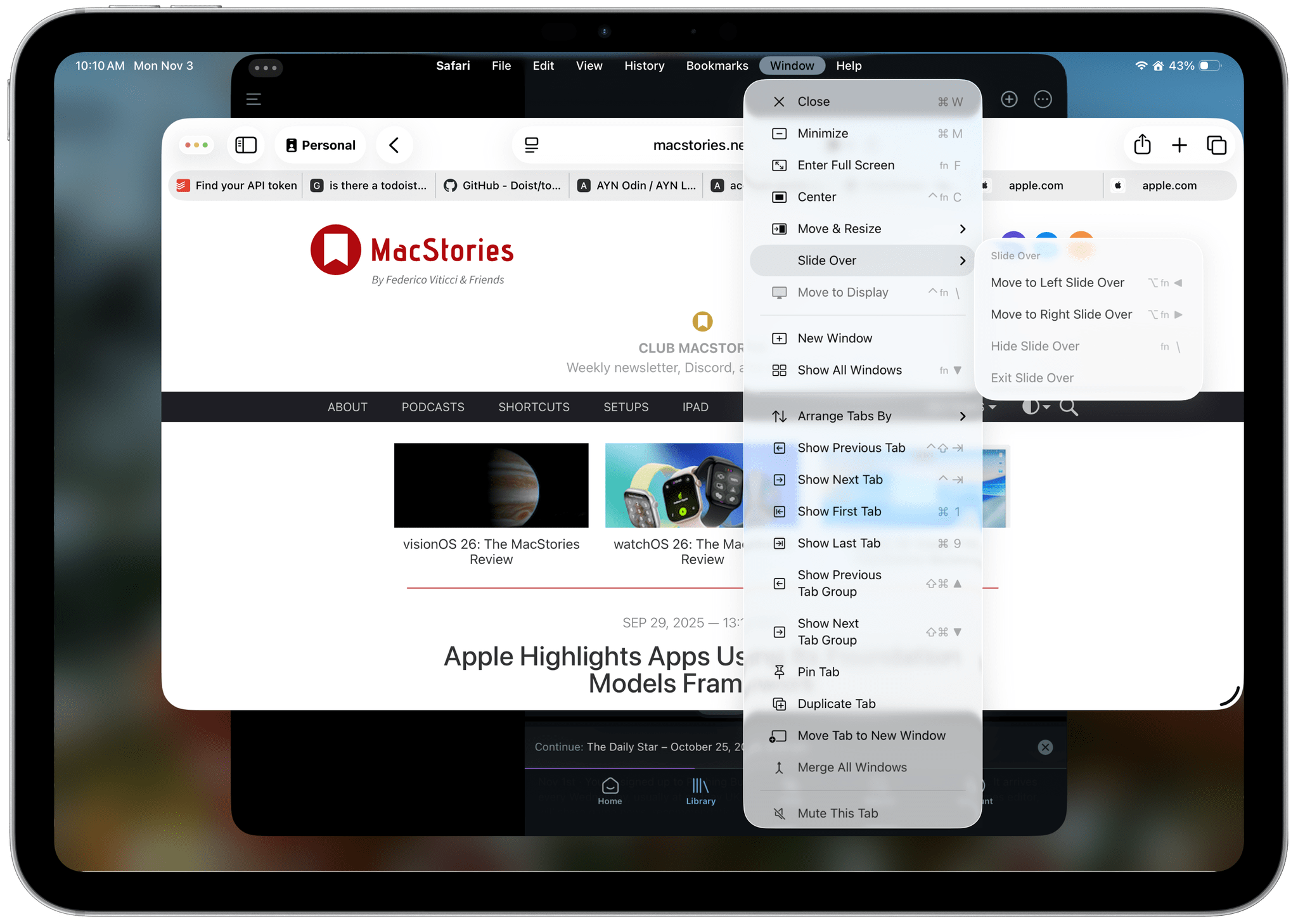
First, Slide Over is back. Apple heard from a vocal group of iPad users who relied on Slide Over to get their work done and has added the feature back to the OS with a twist. The new Slide Over supports a single app tucked just offscreen with a little Picture-In-Picture style indicator along the edge of your iPad’s screen. Previously, you could switch between multiple apps using a dedicated Slide Over switcher interface. However, now, your Slide Over window can be resized to any size, which wasn’t possible before. Also, the single Slide Over app is a per-display restriction, meaning that if you use an external display with your iPad, you get a second Slide Over app.

Second, Apple has added some new menu items for managing window. There are now options to hide your current window, hide your other windows, and close all of your windows, all of which close gaps between how windows work on the iPad and Mac.

macOS 26.1 Tahoe

Like iOS and iPadOS 26.1, macOS Tahoe has gained a tinted version of Liquid Glass. If Apple is intent on preserving maximum transparency in Music and Photos, I may give the “tinted” version a try. I generally like Liquid Glass on the Mac, but it’s not perfect, and “tinted” mode may help.

Finally, AutoMix, the feature that uses Apple Intelligence to transition tracks of a playlist by matching their beats, now works with AirPlay. When I first tested this feature over the summer, I assumed AutoMix would work automatically with my Bluetooth speakers that I use at my desk, but that wasn’t the case. Now, however, whether you use AirPlay speakers or wired speakers, AutoMix will work.

Sadly, there’s not much to report about visionOS, watchOS, or tvOS. Each undoubtedly received under-the-hood improvements, but you’ll have to wait for substantive new features from them.


If there’s a theme surrounding the 26.1 updates to Apple’s OSes, it’s that the company is listening to its users. Tinted Liquid Glass, the return of Slide Over, and the updates to the very niche Local Capture feature are all great examples of Apple’s engineering teams turning around meaningful updates to its OSes based on feedback from users. That’s great to see, and a trend that I hope continues long into the future.


CarPlay in iOS 26: The MacStories Review

When CarPlay Ultra was announced… checks notes… three years ago, it was a bold vision for the future of in-car displays. There was as much drooling over the new designs as there was skepticism over whether any car manufacturer would agree to such an extensive display overhaul.

Underneath all that, there were also some concerns about where this left regular, vanilla CarPlay. The kind that many people had fallen in love with, and which was often a prerequisite when buying a new car. Was this going away, or would it just be left to wither on the vine?

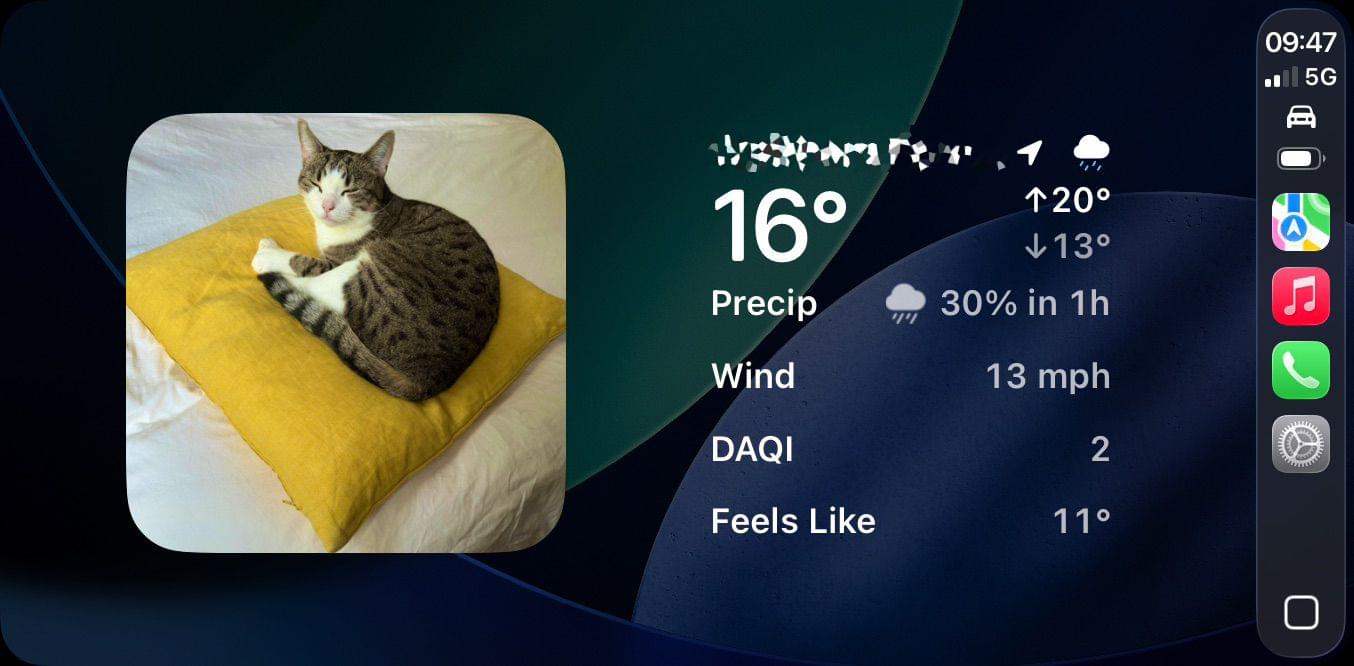
Thankfully, with iOS 26, the answer seems to be a firm “no” as Apple brings much more customization to our in-car displays, mainly by letting the much heralded features of CarPlay Ultra trickle down to regular CarPlay. There’s more than you’d think, so let’s take a look.

Read more


iOS and iPadOS 26 Review Extras: eBooks, Drafts Actions, Apple Intelligence Shortcuts, and a Special Edition of MacStories Weekly

Today’s the day! This morning, Federico published his comprehensive review of iOS and iPadOS 26, covering the systems’ design, new app features, and more – including, of course, big changes to iPadOS. His review kicks off a really fun week here at MacStories, and we’re making it extra special with exclusive perks for Club MacStories members. Here’s what’s in store.

For Club MacStories members, we’ve got some exciting perks to help you dive deeper into Federico’s review:

  • An eBook edition of iOS and iPadOS 26: The MacStories Review that you can download and read on your favorite device or app
  • A behind-the-scenes making-of story in the next MacStories Weekly with details on how Federico researched, wrote, and compiled the review

If you’re not already a member, you can join Club MacStories for $5/month or $50/year using the buttons below:

Read more


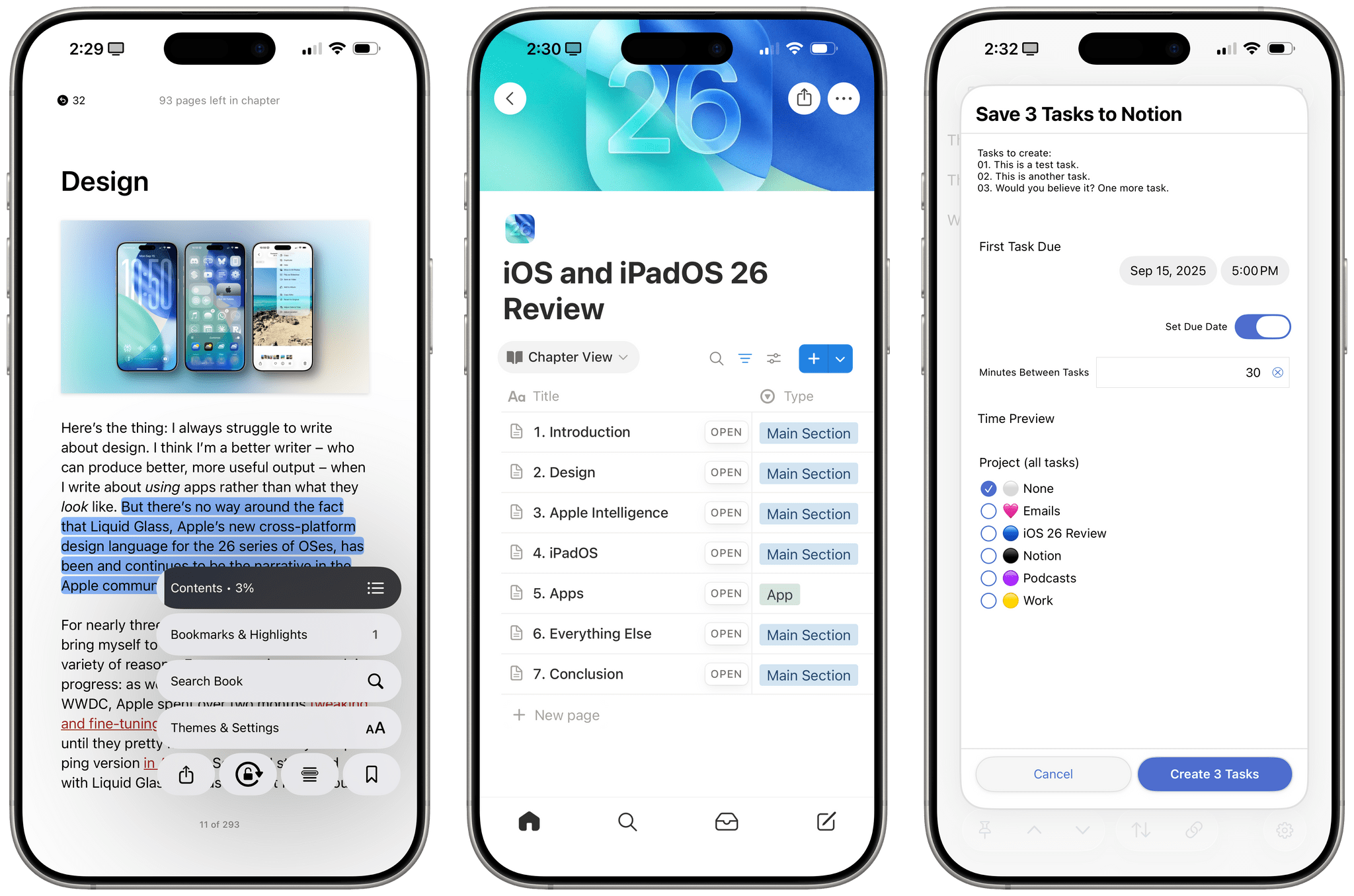
iOS and iPadOS 26: The MacStories Review

Old and new through the liquid glass.

My first job, I was in-house at a fur company with this old pro copywriter, Greek, named Teddy. And Teddy told me the most important idea in advertising is “new”. Creates an itch. You simply put your product in there as a kind of calamine lotion. But he also talked about a deeper bond with the product: nostalgia. It’s delicate, but potent.

– Don Draper (Mad Men Season 1, Episode 13 – “The Wheel”)

I was reminded of this Don Draper quote from one of my all-time favorite TV scenes – the Kodak Carousel pitch – when reflecting upon my contrasting feelings about iOS and iPadOS 26 a few weeks ago. Some of you may be wondering what I’m doing here, starting my annual review of an operating system with a Mad Men reference. But here we are today, with an eye-catching iOS update that, given the circumstances, is betting it all on the glittering allure of a new visual design, and a tablet operating system that comes full circle with old, almost nostalgic functionalities repurposed for the modern age.

I’ve spent the past three months using and working with iOS and iPadOS 26, and there’s this idea I keep coming back to: the old and new coexist in Apple’s software strategy this year, and they paint a hyperrealistic picture of a company that’s stuck in a transition phase of its own making.

Read more


Who Is Liquid Glass For?

The Iconfactory’s Craig Hockenberry had an interesting post over the weekend on Furbo.org that struck a chord with me. The post explores the ‘why’ surrounding Liquid Glass contrasting the upcoming iOS 26 changes with the transition from iOS 6 to iOS 7. That earlier change was driven by a need to make app design accessible to more people, which, as Hockenberry explains, seems different from the motivation behind Liquid Glass:

I’m unaware of anyone outside of Apple who’s thinking “we really need to have more fluid glass in our designs”. Of particular note during the introduction is how much time they spend showing off glass blocks and talking about the physical effect itself. While not addressing the most important question: “why do we need this?”

And I’m pretty sure the answer is “we don’t”. The answer is “Apple does.”

Hockenberry thinks the switch to Liquid Glass is being driven by unreleased hardware very much like the iOS 11 safe areas that were instituted before the iPhone X’s notch and Home indicator debuted. It’s a great theory that could easily have people facepalming in the not-too-distant future. I hope he’s right.

Permalink

The iOS 26 Features Not Coming to Older iPhones

Source: Apple.

Source: Apple.

Each fall’s major iOS update and its accompanying set of new features have become a staple of the iPhone user experience. iPhone owners – even those who don’t keep up with all the latest Apple news – expect and anticipate these enhancements every year. However, for those who aren’t on the latest-generation devices, it may not always be clear which of this year’s new features you’ll have access to. Even if a device supports iOS 26, that doesn’t necessarily mean it will be able to run every system feature.

To save you from having to comb through a bunch of footnotes on Apple’s website or, worse, wait until this fall to find out which capabilities your device will support, I’ve compiled a list of all the iOS 26 features that are limited to newer iPhones. Here’s what you can expect based on the model you’re using.

Read more


Testing AirPods 4’s Beta Update and Improved Recording Quality for Voice Notes

Earlier today, I updated my AirPods 4’s firmware to the beta version, which Apple released yesterday. I was curious to play around with the software update for two reasons:

  1. AirPods are getting support for automatically pausing media playback when you fall asleep, and
  2. Apple is advertising improved “studio quality” recording on AirPods 4 and AirPods Pro 2 with this update.

I’ll cut to the chase: while I haven’t been able to test sleep detection yet since I don’t take naps during the day, I think Apple delivered on its promise of improved voice recordings with AirPods.

Read more


I Have Many Questions About Apple’s Updated Foundation Models and the (Great) ‘Use Model’ Action in Shortcuts

Apple's 'Use Model' action in Shortcuts.

Apple’s ‘Use Model’ action in Shortcuts.

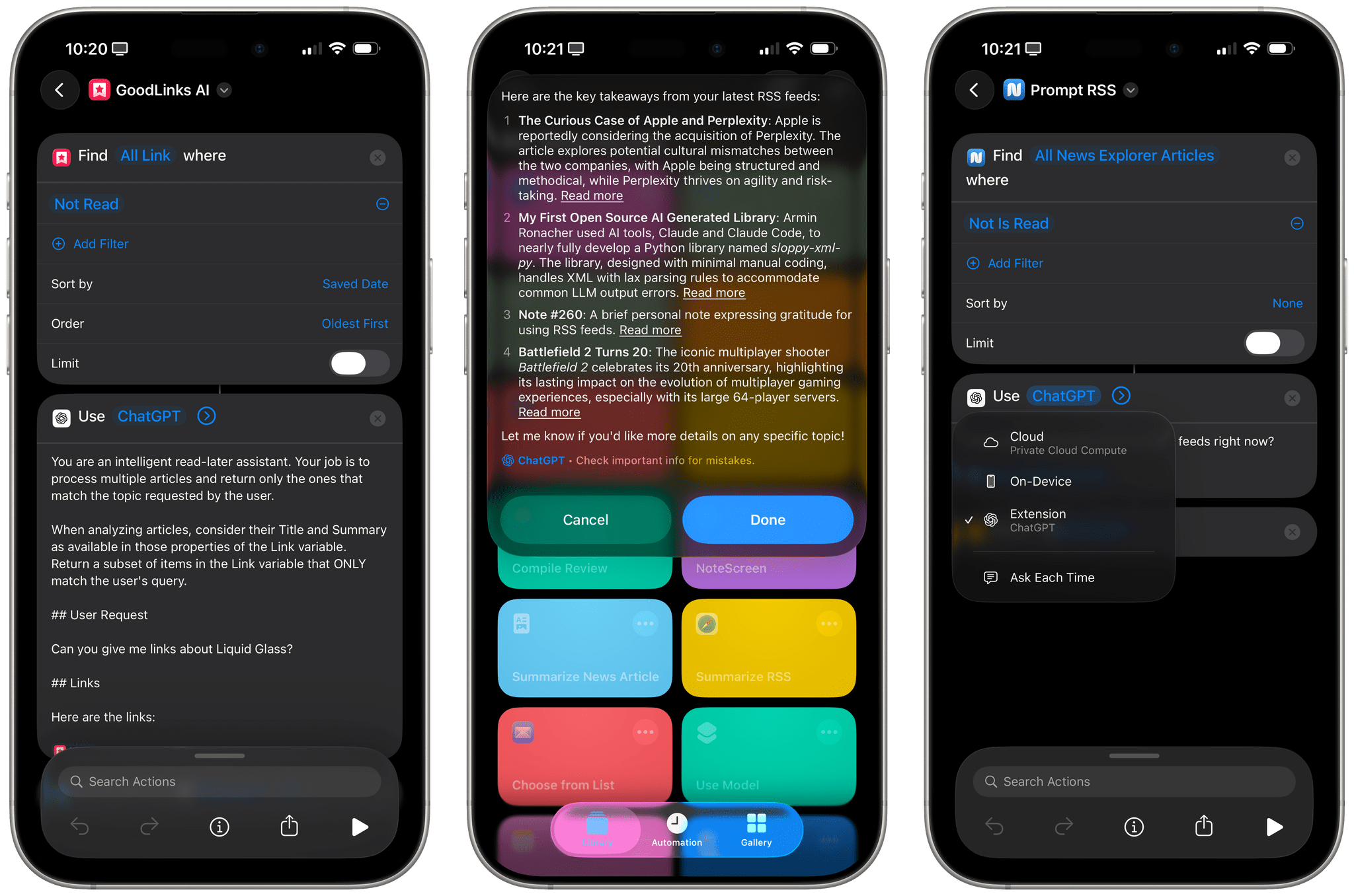
I mentioned this on AppStories during the week of WWDC: I think Apple’s new ‘Use Model’ action in Shortcuts for iOS/iPadOS/macOS 26, which lets you prompt either the local or cloud-based Apple Foundation models, is Apple Intelligence’s best and most exciting new feature for power users this year. This blog post is a way for me to better explain why as well as publicly investigate some aspects of the updated Foundation models that I don’t fully understand yet.

Read more


“Opinionated Design”: Early Reactions to Apple’s Liquid Glass Design Language

If there was one thing you could guarantee to come out of a major OS redesign, it’s that people would have opinions, and lots of them. Combine that with the fact that the new Liquid Glass design stretches across every Apple platform, and you’ve got a recipe for many, many hot takes.

Amidst the big reactions, both positive and negative, there has been some excellent commentary on not just the content of this new design, but also the whys and wherefores of one of the largest redesigns Apple has ever carried out.

One thing I think we should all be reminded of is the fact that this is the very start of the beta period. This is a time when much is broken, and a lot will change before the update is released to the general public. What is clear about Liquid Glass is that it is an opinionated design that, certainly at this point of development, will not please everyone.

Read more