Posts in Featured

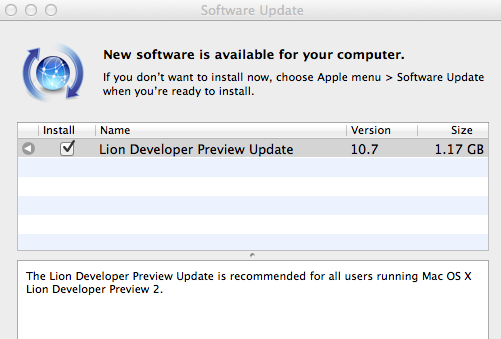
Apple Releases New Update for Lion Developer Preview 2

Alongside Xcode 4.1 Developer Preview 4, Apple also released another update for OS X Lion Developer Preview 2. The update weighs at around 1.17 GB and it’s available now in the Software Update control panel. It is recommended for all users running Lion DP 2.

Two weeks ago, Apple did the same and released a new build of Xcode 4.1 and the first update to Lion DP 2. The original Lion Developer Preview 2 was released in late March, and we’re expecting another major update before the WWDC, with a GM seed being seeded to developers in June. If you spot anything new in this update, leave a comment below. We’ll update this post with more notes as further details come in.

Update: MacRumors reports Lion build 11A444d has been seeded to developers.

Update #2: We’re hearing the new Lion update has a snappier Finder, a better UI for deleting apps from the Launchpad, and lots of design tweaks to changes introduced in the previous DP builds.

Access Extra Content and Perks

Founded in 2015, Club MacStories has delivered exclusive content every week for nearly a decade.

What started with weekly and monthly email newsletters has blossomed into a family of memberships designed for every MacStories fan.

Learn more here and from our Club FAQs.

Club MacStories: Weekly and monthly newsletters via email and the web that are brimming with apps, tips, automation workflows, longform writing, early access to the MacStories Unwind podcast, periodic giveaways, and more;

Club MacStories+: Everything that Club MacStories offers, plus an active Discord community, advanced search and custom RSS features for exploring the Club’s entire back catalog, bonus columns, and dozens of app discounts;

Club Premier: All of the above and AppStories+, an extended version of our flagship podcast that’s delivered early, ad-free, and in high-bitrate audio.

Learn more here and from our Club FAQs.


Terra Is A Powerful, Free Alternative To iPad’s Safari

Currently the #1 free app in the iPad App Store, Terra Web Browser is one of those apps I didn’t know if I should take for a spin at first. There’s no shortage of alternative browsers for iPad: from the excellent iCab Mobile (which I use on a daily basis) to more innovative solutions like Sleipnir, it’s very easy to achieve the perfect browsing experience on the tablet if you think Safari is too limited and you’re willing to spend a few extra bucks. It needs to be mentioned, however, that unofficial browsers don’t get access to the latest Nitro Javascript engine goodness, and there’s no way on iOS to set a default browser other than Safari. Still, many users like me feel like having a (perhaps slower as far as webpage rendering goes) browser companion to Safari is necessary for more complex tasks like saving files locally, or displaying open pages as tabs under the main app’s toolbar. Again, iCab is quite possibly the perfect app if you’re looking for desktop-like interactions on the iPad.

Back to Terra, it comes from the guys behind ReaddleDocs and Calendars, and it’s free. I was a little skeptical at first because I really don’t need another browser on my iPad, but for what it does and for its current price, I have to say Terra is a really good app. All those positive ratings in the App Store can’t be completely wrong, after all. The app’s got a minimal interface with tabs, and you can go fullscreen with the tap of a button. Unlike many, many other apps that try to replicate fullscreen mode with semi-transparent icons on top of a webpage, Terra places a single button in the upper right corner. If you want to focus on something you want to read, hit fullscreen and forget about it. Thanks to the implementation of multitouch gestures, you can switch between open tabs with a three-finger swipe. The top toolbar gives you access to the usual functionalities of an iOS browser, such as address bar, refresh button, Google search, settings, bookmarks and action button. In the settings you can set a passcode for the app, choose to navigate in incognito mode (your cookies and history won’t be saved), change the user agent and modify the selected search engine. You can also import bookmarks from your computers, but you’ll have to use iTunes File Sharing for that. Bookmarks, history and “saved files” are located in a bookmarks popover on the left, but I couldn’t figure out how to export my Chrome’s bookmarks bar to Terra. I guess I’ll have to properly edit my exported .html file to make it work. The action button has got some interesting features as well: you can create a new bookmark, AirPrint a page, save a page locally for offline access, mail a link or forward to Safari.

What most impressed me about Terra, though, is how it handles tabs. Not only the app is stable and can handle dozens of open pages just fine (tested last night, 13 open tabs and none of them reloaded after several minutes of navigation), it’s also got a nice popup menu that will show a webpage’s full title as you tap & hold a tab. If you have a lot of open tabs and you can only see the favicons, that’s quite handy. Switching between tabs is not as fast as iCab, but it’s more than acceptable. The animations are smooth and, overall, the system works well.

Terra for iPad was a surprise. The app is free, but it does a lot of things better than many apps priced at $2.99 and above, without sacrificing its minimal approach to UI and responsiveness. Get it here.

Access Extra Content and Perks

Founded in 2015, Club MacStories has delivered exclusive content every week for nearly a decade.

What started with weekly and monthly email newsletters has blossomed into a family of memberships designed for every MacStories fan.

Learn more here and from our Club FAQs.

Club MacStories: Weekly and monthly newsletters via email and the web that are brimming with apps, tips, automation workflows, longform writing, early access to the MacStories Unwind podcast, periodic giveaways, and more;

Club MacStories+: Everything that Club MacStories offers, plus an active Discord community, advanced search and custom RSS features for exploring the Club’s entire back catalog, bonus columns, and dozens of app discounts;

Club Premier: All of the above and AppStories+, an extended version of our flagship podcast that’s delivered early, ad-free, and in high-bitrate audio.

Learn more here and from our Club FAQs.


The White iPhone Is Actually Thicker Than The Black iPhone

The white iPhone 4 came out earlier today, and it looks just like a regular black iPhone 4…only in white. While Apple doesn’t list any size difference in their Tech Specs page, Ryan Cash of Marketcircle notes on his personal blog that the white iPhone is actually slightly thicker than the black iPhone. As you can see from the photo above, and others after the break Ryan kindly sent us, it’s not the steel enclosure that’s thicker on the white version, it’s the plastic. Sure, it’s a very minimal difference that may not even be spotted from these photos, but it’s there and it may cause problems when trying to fit the white iPhone in older iPhone cases. I’m sure not so many cases will have this problem, but the difference is visible when comparing the devices.

A colleague of mine just picked up a 16 GB iPhone 4 in white. I was a bit surprised when I picked it up off his desk (I had my black 32 GB in my other hand at the same time) – it immediately felt thicker.

We placed them side-by-side on his desk, and sure enough, the white iPhone was a hair thicker.

Have you purchased a white iPhone today, and it doesn’t fit in the case you already have? Let us know in the comments. More photos below.

Update: TiPB notes the white iPhone is 0.2mm thicker than the black iPhone. They’re testing different cases updating with results in their post.

Read more

Access Extra Content and Perks

Founded in 2015, Club MacStories has delivered exclusive content every week for nearly a decade.

What started with weekly and monthly email newsletters has blossomed into a family of memberships designed for every MacStories fan.

Learn more here and from our Club FAQs.

Club MacStories: Weekly and monthly newsletters via email and the web that are brimming with apps, tips, automation workflows, longform writing, early access to the MacStories Unwind podcast, periodic giveaways, and more;

Club MacStories+: Everything that Club MacStories offers, plus an active Discord community, advanced search and custom RSS features for exploring the Club’s entire back catalog, bonus columns, and dozens of app discounts;

Club Premier: All of the above and AppStories+, an extended version of our flagship podcast that’s delivered early, ad-free, and in high-bitrate audio.

Learn more here and from our Club FAQs.


Apple Showcases Subscription-based Magazines In The App Store’s Homepage

Since the launch of iTunes subscriptions for apps in February, adoption of the new service from magazine and newspaper publishers has been growing at a somewhat slow rate. Following the controversy that sparkled after launch – which was quickly dismissed by Steve Jobs himself in an (alleged) email that confirmed subscription were meant for “publishing apps” – only a handful of publishers decided to implement the system which, as you may remember, requires publishers to give up a 30% of revenue off every subscription sold in-app, through iTunes. Those who implemented subscriptions in their apps, however, posted some interesting results: Popular Science, for example, sold roughly 10,000 subscriptions in 6 weeks. On the other end of the spectrum, though, many speculated that the highly promoted, long anticipated The Daily – a joint collaboration of Murdoch’s News Corp. and Apple – saw a decline in sales and user engagement, although we (and many others) assume that’s because of some poor editorial choices and the very nature of the app, rather than a flaw in Apple’s system. Overall, iTunes subscriptions seem to be working for those that chose to test them: the problem is trying to convince publishers to test them. And as the iPad keeps selling well and the App Store userbase grows, there’s no doubt Apple wants to get more publishers on board. Perhaps a lot will come by June. We’ll see.

In the meantime, Apple also wants to let iOS users know about subscriptions, and the magazines that allow them to subscribe with just one click, with their iTunes accounts. That’s exactly what they’re doing with their latest App Store homepage refresh: in a new section called “Magazines - Subscribe to your Favorites”, Apple is showcasing apps that are powered by subscriptions. This section includes – you guessed it – The Daily, alongside Bloomberg Businessweek (they’re very “pleased” with Apple’s terms), Popular Science, SPIN Play, Popular Photography, Elle, and Nylon. Seven apps aren’t much, but Apple’s goal is different here: they’re not betting on numbers, they want people to know about their “favorite magazines” that now come with the best way to subscribe to digital content. You can check out the App Store section here.

Of course, there are some big names missing from the list. Businessweek is there, but the Financial Times refused to accept Apple’s subscription terms. The Daily provides fresh, downloadable content on a daily basis, but The New York Times still has to flip the switch on Apple’s in-app subscriptions (but, eventually, they will). And so does the Wall Street Journal, which keeps on relying on embedded browser sessions to let users log in & subscribe.

A new version of iOS is expected to be previewed at the WWDC in June, and publishers will be forced to update their existing iOS applications with Apple’s subscriptions by June 30. If the rumors are true and iOS 5 will really feature a completely new notification system, Apple could come up with some intriguing ways to let magazine apps download content in the background, automatically, all day, and let users know about news and fresh content through the new notifications. I’m just speculating here, but a new OS (with betas during summer, and a planned launch in September) might be a great way to tell publishers that iOS is the platform to invest on. Or, Apple could bundle iOS 5 and the new Xcode 4.1 with new tools for publishers to design and develop magazines and newspapers for the iPad. They did it for advertisers. As it stands now, Apple cares about letting people know that magical subscriptions exist. The next step is tell every publisher that iTunes is the only way to go in the digital newsstand era.

Access Extra Content and Perks

Founded in 2015, Club MacStories has delivered exclusive content every week for nearly a decade.

What started with weekly and monthly email newsletters has blossomed into a family of memberships designed for every MacStories fan.

Learn more here and from our Club FAQs.

Club MacStories: Weekly and monthly newsletters via email and the web that are brimming with apps, tips, automation workflows, longform writing, early access to the MacStories Unwind podcast, periodic giveaways, and more;

Club MacStories+: Everything that Club MacStories offers, plus an active Discord community, advanced search and custom RSS features for exploring the Club’s entire back catalog, bonus columns, and dozens of app discounts;

Club Premier: All of the above and AppStories+, an extended version of our flagship podcast that’s delivered early, ad-free, and in high-bitrate audio.

Learn more here and from our Club FAQs.


Our Choice, Proving Push Pop Press Will Revolutionize Digital Publishing

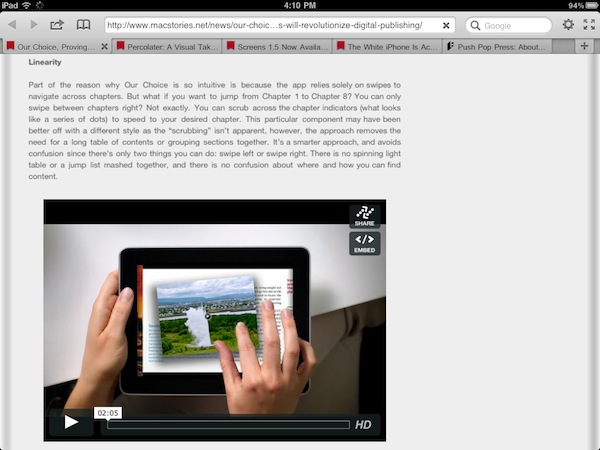
When Co-Founders Mike Matas and Kimon Tsinteris set out to change the world of digital publishing, not many would have guessed that Al Gore would be at the forefront of their first title until Our Choice was demoed as a TED Talk, where the workings and interactions of the first title built using the new platform were revealed. Today, Our Choice is available at an introductory $4.99 on the App Store for the iPhone and the iPad, delivering rich interactive content via a completely custom app built on a native backbone. The Push Pop Press platform is seeking to revolutionize how content is published and made interactive, and my initial impressions with Our Choice can validate that cause. What’s at stake isn’t just the future of the new digital platform, but a complete rethinking of the traditional digital magazine or newspaper. The App Store is flooded with projects traditionally based on Adobe technologies, and while it was a good first attempt, the content we view needs to be intuitive, interactive, but most importantly fluid and un-static. Push Pop Press is the ideal platform to revolutionize how we think of traditional media, and Our Choice is the launch title proving that this new vision for content is a clear winner.

Read more

Access Extra Content and Perks

Founded in 2015, Club MacStories has delivered exclusive content every week for nearly a decade.

What started with weekly and monthly email newsletters has blossomed into a family of memberships designed for every MacStories fan.

Learn more here and from our Club FAQs.

Club MacStories: Weekly and monthly newsletters via email and the web that are brimming with apps, tips, automation workflows, longform writing, early access to the MacStories Unwind podcast, periodic giveaways, and more;

Club MacStories+: Everything that Club MacStories offers, plus an active Discord community, advanced search and custom RSS features for exploring the Club’s entire back catalog, bonus columns, and dozens of app discounts;

Club Premier: All of the above and AppStories+, an extended version of our flagship podcast that’s delivered early, ad-free, and in high-bitrate audio.

Learn more here and from our Club FAQs.


Screens 1.5 Now Available: Still The Best VNC Client for iOS

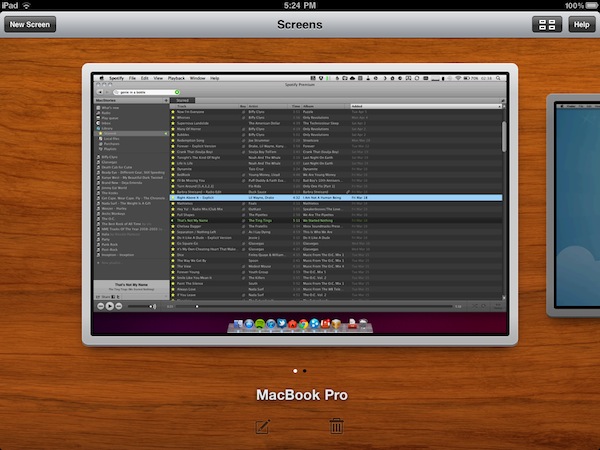
When I first reviewed Screens, a universal VNC client for iOS by Edovia, I was impressed by the speed and elegance of the app, which made it super-simple to connect to Windows PCs or Macs on a local network, as well as remote computers powered by a global dynamic hostname. Together with that, Edovia’s Screens proved that a VNC client for iPhone or iPad didn’t need to completely mimic the functionality of a desktop computer: rather than putting a mouse cursor on screen, the app allowed you to turn a computer’s screen into a multi-touch based experience as if it was built for iOS in the first place. With Screens, you don’t move a cursor like in most VNC clients: you touch the computer’s windows and apps. With gorgeous animations, responsive loading times and a free service called Screens Connect to automatically and easily log into a remote machine without having to fiddle with IP addresses and router ports, Screens managed to become the most popular VNC app for iOS, and one of my favorites overall.

Months after the original release, Screens receives today a major update to version 1.5, which I had the pleasure to beta test and play with for the last couple of weeks. Screens 1.5 introduces a lot of optimizations to the underlying VNC engine to make connections faster, more stable and, based on my tests, more responsive with both PCs and Macs. Minor bug fixes and improvements aside, Screens 1.5 fixes an issue that caused a crash when disconnecting from a computer, and enhances responsiveness with several Windows VNC servers. As far as connecting to a remote computer goes, Screens now displays the Screens Connect status in the Settings, so you can instantly know whether your computer is remotely accessible or not. However, connecting to a machine on your local network is as easy as before – Screens automatically recognizes computers with screen sharing enabled, and all you’ll have to do is enter a password and choose a nickname.

Screens 1.5 also brings a new icon, a revamped UI and a new Grid View on the iPad that will come in handy for those who manage a lot of different computers; if you’re concerned about privacy, Screens now enables you to choose whether or not you want the app to grab a screenshot of your desktop upon disconnecting. If you don’t want to have “real” previews in Screens’ dashboard, a default image will be used. In the Settings, you can also set a computer to open in fullscreen mode, and you can toggle modes (full, partial, off) with a three-finger tap. It works really well.

Screens 1.5 is an important update to a great VNC client for iOS that keeps getting better with lots of options, and a fast engine. The developers didn’t sacrifice usability for options, though, as the app is still very easy to use and provides a simple way to add, modify and delete computers. The update is propagating now in iTunes, and you get the app here at $19.99. Highly recommended. Read more

Access Extra Content and Perks

Founded in 2015, Club MacStories has delivered exclusive content every week for nearly a decade.

What started with weekly and monthly email newsletters has blossomed into a family of memberships designed for every MacStories fan.

Learn more here and from our Club FAQs.

Club MacStories: Weekly and monthly newsletters via email and the web that are brimming with apps, tips, automation workflows, longform writing, early access to the MacStories Unwind podcast, periodic giveaways, and more;

Club MacStories+: Everything that Club MacStories offers, plus an active Discord community, advanced search and custom RSS features for exploring the Club’s entire back catalog, bonus columns, and dozens of app discounts;

Club Premier: All of the above and AppStories+, an extended version of our flagship podcast that’s delivered early, ad-free, and in high-bitrate audio.

Learn more here and from our Club FAQs.


Three Foxconn Employees Arrested for Leaking iPad 2 Design

In the months leading to the iPad 2 announcement, several “leaked” case designs coming from China and Taiwan seemed to provide good indication of what the device would look like. These cases were all based on the same design principles such as tapered edges, thinner body and flat back, clearly suggesting manufacturers had access to the same design documents that were quickly spreading across the tech industry. Digitimes reports today Chinese-language publication sznews.com claims three Foxconn employees were arrested and charged for violating Foxconn’s trade secrets and leaking the iPad 2 design weeks before Apple’s announcement.

Several online shopping retailers in China were able to sell iPad 2’s protective case products before the iPad 2 was even launched, leading Foxconn to suspect that there might have been some employees leaking the design of iPad 2 which it reported to the local police.

The local police on December 26, 2010, arrested three employees that were suspected of leaking the design, and officially charged the three employees for violating the company’s trade secrets on March 23, 2011, the reported added.

Foxconn assembles several Apple products such as iPhones, iPod touches and iPads. It’s not the first time products leaks from China have offered a glimpse of future Apple devices months ahead of the official launch, but you might remember the situation last year with case designs for the iPad 2 coming out every few days was pretty bad for Apple. Foxconn also announced its plans to invest in a $12 billion facility in Brazil, and start iPad production there in November.

Access Extra Content and Perks

Founded in 2015, Club MacStories has delivered exclusive content every week for nearly a decade.

What started with weekly and monthly email newsletters has blossomed into a family of memberships designed for every MacStories fan.

Learn more here and from our Club FAQs.

Club MacStories: Weekly and monthly newsletters via email and the web that are brimming with apps, tips, automation workflows, longform writing, early access to the MacStories Unwind podcast, periodic giveaways, and more;

Club MacStories+: Everything that Club MacStories offers, plus an active Discord community, advanced search and custom RSS features for exploring the Club’s entire back catalog, bonus columns, and dozens of app discounts;

Club Premier: All of the above and AppStories+, an extended version of our flagship podcast that’s delivered early, ad-free, and in high-bitrate audio.

Learn more here and from our Club FAQs.


Apple, Location Services & The “Improved Traffic Service”

In Apple’s official response to the location tracking issue uncovered by security researchers last week, an interesting tidbit seems to confirm that the company is seriously committed to delivering improved mapping and navigation software to iPhone users by focusing on building a new “traffic service” to roll out publicly in the next couple of years. From the Q&A:

What other location data is Apple collecting from the iPhone besides crowd-sourced Wi-Fi hotspot and cell tower data?

Apple is now collecting anonymous traffic data to build a crowd-sourced traffic database with the goal of providing iPhone users an improved traffic service in the next couple of years.

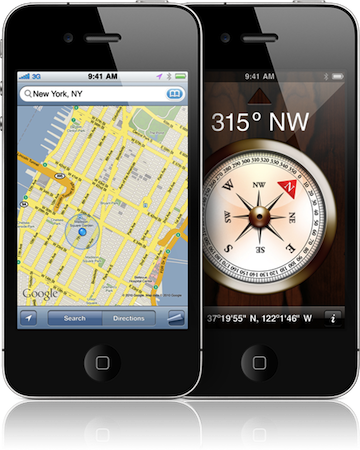
The wording of the statement isn’t clear (some suggest “traffic” may be related to “internet traffic” according to specific locations), but let’s just play along and assume it’s linked to the turn-by-turn navigation software and new mapping features for iOS devices Apple has been rumored to be working on for a very long time. If “traffic” is related to navigation and mobile maps, there’s plenty room for speculation after today’s press release: in the past years, several job listings on Apple’s website hinted at open positions in the iOS team for map engineers and navigation experts, suggesting that Apple was working on its own proprietary solution to ditch Google Maps on the iPhone, iPod touch and iPad. The acquisitions of mapping companies Placebase and Poly9 in 2009 and 2010, respectively, gave some credence to the reports that pointed at Apple willing to become the next major player in the mobile mapping scene. Read more

Access Extra Content and Perks

Founded in 2015, Club MacStories has delivered exclusive content every week for nearly a decade.

What started with weekly and monthly email newsletters has blossomed into a family of memberships designed for every MacStories fan.

Learn more here and from our Club FAQs.

Club MacStories: Weekly and monthly newsletters via email and the web that are brimming with apps, tips, automation workflows, longform writing, early access to the MacStories Unwind podcast, periodic giveaways, and more;

Club MacStories+: Everything that Club MacStories offers, plus an active Discord community, advanced search and custom RSS features for exploring the Club’s entire back catalog, bonus columns, and dozens of app discounts;

Club Premier: All of the above and AppStories+, an extended version of our flagship podcast that’s delivered early, ad-free, and in high-bitrate audio.

Learn more here and from our Club FAQs.


iPad 2 Launching In Twelve More Countries This Week

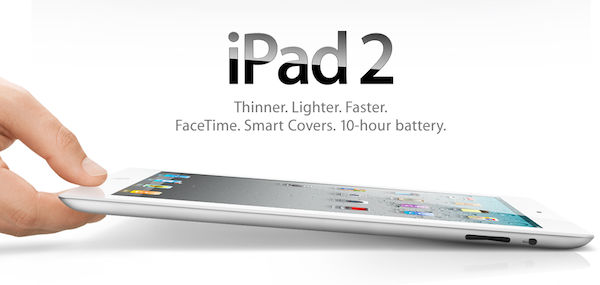
In what is a big morning for Apple Press Releases, Apple has additionally confirmed that the WiFi editions of the iPad 2 will be launching in 12 more countries this week including Japan, Hong Kong, Korea and Singapore. Japan will begin this next phase of the iPad 2 international launches, after being delayed for a month, launching the iPad 2 tomorrow on April 28.

The other eleven countries, including Hong Kong, India, Israel, Korea, Macau, Malaysia, Philippines, Singapore, South Africa, Turkey and UAE will begin selling the WiFi editions of the iPad 2 starting on April 29, this Friday. China will also get the WiFi iPad 2s next week starting May 6th. In all the countries it will be available, as always, in Apple Retail stores, Authorised resellers and online (starting at 1AM).

There is no word on why it is only the WiFi editions of the iPad 2 launching but one would suspect supply constraints, and Apple is promising further international launches of the iPad 2 in the future.

Access Extra Content and Perks

Founded in 2015, Club MacStories has delivered exclusive content every week for nearly a decade.

What started with weekly and monthly email newsletters has blossomed into a family of memberships designed for every MacStories fan.

Learn more here and from our Club FAQs.

Club MacStories: Weekly and monthly newsletters via email and the web that are brimming with apps, tips, automation workflows, longform writing, early access to the MacStories Unwind podcast, periodic giveaways, and more;

Club MacStories+: Everything that Club MacStories offers, plus an active Discord community, advanced search and custom RSS features for exploring the Club’s entire back catalog, bonus columns, and dozens of app discounts;

Club Premier: All of the above and AppStories+, an extended version of our flagship podcast that’s delivered early, ad-free, and in high-bitrate audio.

Learn more here and from our Club FAQs.