Posts in Featured

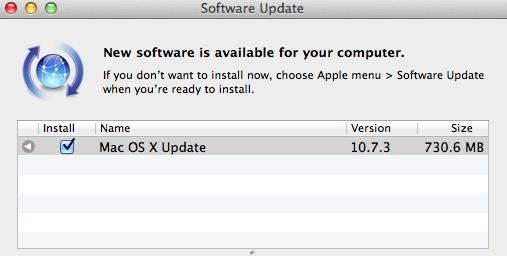
Apple Releases OS X 10.7.3 [Direct Links]


A few minutes ago Apple released an update to OS X Lion, which reaches version 10.7.3 and brings a number of bug fixes and improvements. This new version of Lion includes “general operating system fixes” and support for more languages; 10.7.3 also addresses compatibility issues with Windows file sharing and directory services.

The 10.7.3 update is recommended for all OS X Lion users and includes general operating system fixes that improve the stability, compatibility, and security of your Mac including fixes that:

Add Catalan, Croatian, Greek, Hebrew, Romanian, Slovak, Thai, and Ukrainian language support

Address issues when using smart cards to log into OS X

Resolve issues authenticating with directory services

Address compatibility issues with Windows file sharing

Extended release notes from Apple’s website note that Safari 5.1.3 is included with the update and mention more fixes in detail:

  • Add Catalan, Croatian, Greek, Hebrew, Romanian, Slovak, Thai, and Ukrainian language support
  • Address issues when using smart cards to log into OS X
  • Address compatibility issues with Microsoft Windows file sharing
  • Address an issue printing Microsoft Word documents that use markup
  • Address a graphics performance issue after sleep on some earlier iMacs that use ATI graphics
  • Resolve a Wi-Fi connection issue when waking from sleep
  • Address an issue that may prevent Safari from opening before joining a wireless network
  • Fix a potential issue authenticating to an SMB DFS share
  • Include RAW image compatibility for additional digital cameras
  • Improve binding to read-only Active Directory Domain Controllers
  • Improve binding and login speed for Active Directory users in a domain whose name ends in “.local”
  • Improve reliability of Dynamic DNS (DDNS) updates by Active Directory clients
  • Allow login with an Active Directory username that contains a space
  • Improve compatibility with Active Directory schemas that have been extended with the “apple-user-homeDirectory” and “apple-user-homeurl” attributes
  • Fix home directory Dock item for Active Directory users with mobile accounts
  • Allow NIS users with MD5-hashed passwords to log in

Direct links to the 10.7.3 update below:

Other software updates released today:

Access Extra Content and Perks

Founded in 2015, Club MacStories has delivered exclusive content every week for nearly a decade.

What started with weekly and monthly email newsletters has blossomed into a family of memberships designed for every MacStories fan.

Learn more here and from our Club FAQs.

Club MacStories: Weekly and monthly newsletters via email and the web that are brimming with apps, tips, automation workflows, longform writing, early access to the MacStories Unwind podcast, periodic giveaways, and more;

Club MacStories+: Everything that Club MacStories offers, plus an active Discord community, advanced search and custom RSS features for exploring the Club’s entire back catalog, bonus columns, and dozens of app discounts;

Club Premier: All of the above and AppStories+, an extended version of our flagship podcast that’s delivered early, ad-free, and in high-bitrate audio.

Learn more here and from our Club FAQs.


Launch Center 1.2 Gets All-New App Detection

One of my favorite apps in a long time, App Cubby’s Launch Center (our previous coverage here and here), just got a lot better thanks to an update released on the App Store a few minutes ago, version 1.2. Whilst one wouldn’t normally expect an app to get significant improvements in a 1.2 update, Launch Center’s latest version is, I believe, quite possibly the greatest addition to the app since its release, making it extremely easier to discover new third-party apps that can be integrated with no further configuration in Launch Center.

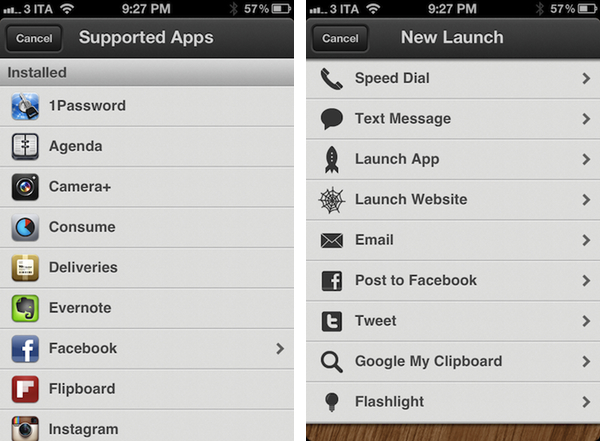
For those who are not familiar with Launch Center already, as we detailed in our previous reviews this utility allows you to set up custom shortcuts on your iPhone to launch common actions or often-used applications with a single tap. Upon firing up Launch Center, you’ll be able to create and manage shortcuts for, say, calling your wife or texting a coworker; you can create a quick action to activate the iPhone’s flashlight, launch a website in Safari, tweet, email someone, or Google your clipboard. As I’ve written before, Launch Center has replaced a bunch of existing apps in my dock thanks to its super-simple approach to aggregating default apps and functionalities that can be triggered through the popular URL schemes you can find documented on websites such as HandleOpenURL. And it’s from this idea of hidden URLs that only a few people know about that App Cubby decided to make Launch Center 1.2 all about app detection and integration.

Launch Center 1.2 leverages your apps’ internal URL schemes to simplify the process of discovering new shortcuts and speeding up your workflow. Launch Center comes with a new section called “Supported Apps” inside the Launch App menu, which lists third-party apps that can work with Launch Center through a URL. Launch Center organizes this list in Installed Apps (the ones you already have on your device) and Featured Apps (which you don’t have installed, and you can get from the App Store). This list of support apps, it turns out, has been built directly by App Cubby and it is hosted on the developers’ servers alongside links to the icons that, as you can see from the screenshots, are served directly to the iPhone and look great on the Retina Display. The reason behind App Cubby’s decision to keep the list of supported apps on their servers is to encourage more developers to get in touch and ask for integration in Launch Center which, ultimately, has a chance of becoming the de-facto solution for quickly accessing apps’ settings/sections/menus using a technology Apple is (seemingly) okay with.

App Cubby writes:

We’d also appreciate help in spreading the word about URL schemes. It’s surprising how few apps support them, and those that do don’t always go very deep with supported actions. If you have an idea for an app and/or action that would make sense in Launch Center, please contact the developer of that app directly and point them to this page.

Launching an app is great, but the true power of Launch Center is in the ability to trigger specific actions deep within an app. For example, while using Tweetbot, you may leave the app buried deep within a search. To launch the app and tweet might take quite a few taps as you have to back out of the search, tap the compose button, select an account, paste text, etc. Launch Center can make that a reliable 2 taps. 1 to open Launch Center and 1 to trigger the action.

In my Launch Center, I was pleased to see many of my most-used apps were already supported. I have set up shortcuts for 1Password, Instagram’s camera and Facebook; I tweaked Tweetbot’s shortcut to jump directly to my Favorites, and created an OmniFocus launch to create a new task “using clipboard for note”. Other apps I see as supported (and installed on my device) include Agenda, Evernote, Consume, Flipboard, Delivery Status Touch, Camera+, Instapaper, Skype, and Reeder. Hopefully a lot more will be coming soon thanks to App Cubby’s decision to make their iOS App URLs page public.

As I said above, Launch Center has become one of my favorite new apps for iPhone. It speeds up my workflow and looks neat, and I look forward to seeing how many developers will get in touch with App Cubby to formally introduce support for Launch Center in their apps (I also would like to see App Cubby figure out a way to fetch icons for any app).

You can find Launch Center 1.2 in the App Store.

Access Extra Content and Perks

Founded in 2015, Club MacStories has delivered exclusive content every week for nearly a decade.

What started with weekly and monthly email newsletters has blossomed into a family of memberships designed for every MacStories fan.

Learn more here and from our Club FAQs.

Club MacStories: Weekly and monthly newsletters via email and the web that are brimming with apps, tips, automation workflows, longform writing, early access to the MacStories Unwind podcast, periodic giveaways, and more;

Club MacStories+: Everything that Club MacStories offers, plus an active Discord community, advanced search and custom RSS features for exploring the Club’s entire back catalog, bonus columns, and dozens of app discounts;

Club Premier: All of the above and AppStories+, an extended version of our flagship podcast that’s delivered early, ad-free, and in high-bitrate audio.

Learn more here and from our Club FAQs.


January 2012 In Review

Starting this month we’re launching a new, month-in-review feature that will summarize the past month’s big news stories, apps and editorials that we have published on MacStories. Each month we’ll give links to all those big stories and give a summation of the big events: for example, this month we detail Apple’s Education Event and include links to all the important articles related to it. We’ll also include links to new apps, app updates and app reviews that we think are worthy of your attention. Finally, we’ll be including links to our standout editorial stories from the past month - the stories we are most proud of.

We hope you enjoy this new feature and find it useful. Our hope is that it gives some perspective on the events of the past month, particularly when news flows so fast these days.

Apple’s Education Event

The big news of January was probably Apple’s Education Event that was held on January 19th in New York. The education-themed event saw the release of iBooks 2.0 which featured the ability to read new multi-touch books and, specifically, textbooks. In order to promote the creation of these new multi-touch books, Apple also released the free iBooks Author application for OS X, allowing virtually anyone to create a beautiful and interactive book for the iBookstore. The event also saw the release of an iTunes U app for the iPhone and iPad to give students and teachers more control over their courses.

Apple’s Q1 2012 Earnings Call

The other significant piece of news from January was Apple’s Q1 2012 earnings call in which Apple revealed it had just had the best quarter in its history, posting $46.33 billion in revenue, selling 37.04 million iPhones and 15.43 million iPads during the blowout quarter. The Next Web pointed out an interesting statistic that by selling 37.04 million iPhones during the 14 week quarter, Apple had actually sold more iPhones than babies had been born during the same time period. We also posted some of the more interesting details and statistics from the earnings call in a follow-up post which is well worth the read. A final article related to the earnings call is the one about how the iPhone ASP rose in Q1 2012, despite the addition of the “free” iPhone 3GS.

Apple Continued To Rollout Products Internationally

January saw the next big wave of iPhone 4S launches in China and 21 other countries on January 13th, making the 4S available in over 90 countries. Apple’s recently launched iTunes Match also became available in 19 additional countries around Europe and South America - taking the total number of countries with iTunes Match to 37 - making it another quick international rollout.

Supplier Responsibility

This month the issue of working conditions at Apple’s suppliers again came under close inspection. It started with the NPR program ‘This American Life’ investigating the issue in one of its episodes. Apple then released its annual Supplier Responsibility report (earlier than last year) and revealed its list of suppliers for the first time. Towards the end of the month, The New York Times featured an editorial on the issue - focusing on Apple. We also linked to a paidContent article that put the NYT article into perspective and rationally laid out the reality that Apple can’t solely change manufacturing overnight.

Jailbreak

January saw the untethered A5 jailbreak finally being released, to the joy of many iPhone 4S and iPad 2 owners who had been holding out for a jailbreak for quite some months. In fact the demand for the jailbreak saw nearly 1 million downloads of the tool in just the first 24 hours. Jailbreak certainly hasn’t become irrelevant just yet.

New SVP of Retail

On January 31, Apple announced John Browett has been hired as new Senior Vice President of Retail, a position left open since Ron Johnson left Apple to become the new CEO of J.C. Penney. Browett has been the CEO of European technology retailer Dixons and previously held various executive positions at Tesco, including CEO.

Everything Else

New apps, updates to apps and reviews that we published in January 2012.

January Quick Reviews

A selection of the best editorial pieces that we published on MacStories in January 2012.

January MacStories Reading Lists

Access Extra Content and Perks

Founded in 2015, Club MacStories has delivered exclusive content every week for nearly a decade.

What started with weekly and monthly email newsletters has blossomed into a family of memberships designed for every MacStories fan.

Learn more here and from our Club FAQs.

Club MacStories: Weekly and monthly newsletters via email and the web that are brimming with apps, tips, automation workflows, longform writing, early access to the MacStories Unwind podcast, periodic giveaways, and more;

Club MacStories+: Everything that Club MacStories offers, plus an active Discord community, advanced search and custom RSS features for exploring the Club’s entire back catalog, bonus columns, and dozens of app discounts;

Club Premier: All of the above and AppStories+, an extended version of our flagship podcast that’s delivered early, ad-free, and in high-bitrate audio.

Learn more here and from our Club FAQs.


Witness Home Alarm System Gets AppleScript Support, Sneak Peek, Face Detection

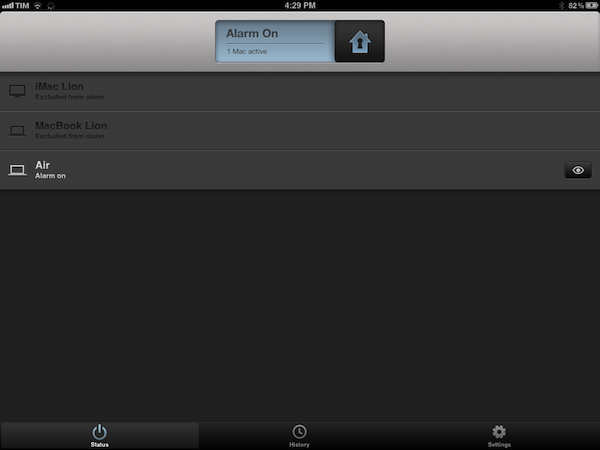
I’ve been a loyal and satisfied Witness customer since the app’s original release last year. Witness, developed by Orbicule (makers of Undercover and Macnification), is a Mac-based home surveillance system that uses your Mac’s built-in FaceTime/iSight camera to snap photos of whoever’s using your computer when you’re not there. This utility, in fact, securely communicates with a web service that’s connected to iOS apps (iPhone and iPad) that enables you to remotely lock your machine as you walk away from your house, and receive push notifications when the camera detects motion in front of your Mac’s screen. Witness sends push notifications, snaps photos and videos that are sent in real-time to your iOS devices (so you know instantly what’s going on), and can lock your computer using Lion’s standard login screen, or the app’s own lock dialog. You can read more about Witness in my review.

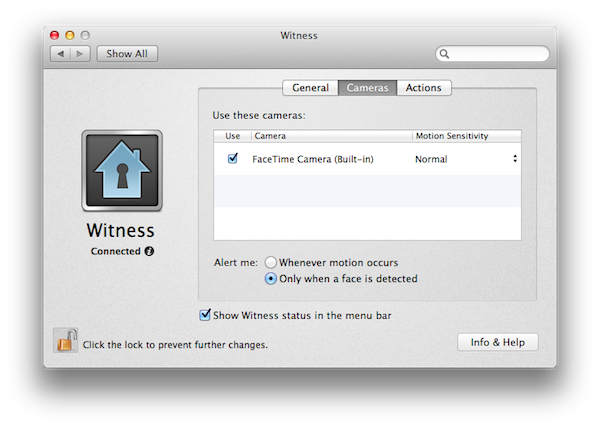
With Witness 2.0, released today, Orbicule has supercharged its home alarm system technology adding a series of functionalities that give more control to users away from their computers, and more issues to (possible) burglars looking to steal your Mac without being seen (or really, just people who want to mess around with your Mac without telling you). Aside from motion detection, which has been improved, Witness 2.0 comes with face detection, allowing you to be notified only when an actual person is sitting in front of your computer’s camera. There are settings to adjust motion sensitivity, and, overall, this feature can really come in handy if you have pets running around the house when you’re not there. I have tried this with my two dogs, and it worked remarkably well with motion sensitivity set to “Normal”: Witness didn’t detect anything with my dogs normally walking around, and I was only sent a notification when I held my dog right in front of the FaceTime camera. Similarly, Witness’ alarm didn’t fire off when I asked my girlfriend to simply walk around the living room, but I did get a notification as she approached my computer.

Next up: multiple cameras and sneak peek. Whereas Witness 1.0 allowed you to set up one camera (the built-in one) and watch images and videos sent after a successfully triggered alarm, Witness 2.0 lets you connect up to 3 cameras (USB or FireWire) and check upon your room from multiple angles. Combined with a new feature called Sneak Peek that lets you load an image from your camera at any time, Witness 2.0 offers a good combination of real-time capturing and multiple angles – I imagine this can be particularly useful for large rooms and office areas.

Last, Witness 2.0 has AppleScript support and auto-activation. You can ask Witness 2.0 to run an AppleScript when an alarm is activated, deactivated, or motion is detected, thus creating a whole new range of possibilities for remote automation. Someone’s using your Mac? Why don’t you tell iTunes to start playing this at the highest volume? Or perhaps open a totally creepy video in the default browser? With AppleScript support, you have endless possibilities for customization and it’s really up to you to find something that might be useful when executed automatically by the system. Even better, with Witness 2.0 you’re given the option to forget about activating your alarm as the iOS app now uses geo-location to see when you’re not near your Mac anymore, and activate the alarm for you. Obviously I still recommend manually activating alarms (especially if you’re working with multiple Macs in different locations) as geo-location can’t always be 100% reliable, but in my tests Witness managed to activate an alarm roughly 2 minutes after I left my house, so I’d say it worked fairly well.

With these new features and optimizations, I highly recommend existing Witness users to upgrade to version 2.o and check it out by themselves today. If you haven’t tried Witness yet, a single user license is available through Orbicule’s website at $39 with a student discount available.

Exclusive offer for MacStories readers: Using this link, you can purchase Witness 2 (single user license) with a 20% discount. The coupon code is directly applied, and it will be valid until February 6.

Access Extra Content and Perks

Founded in 2015, Club MacStories has delivered exclusive content every week for nearly a decade.

What started with weekly and monthly email newsletters has blossomed into a family of memberships designed for every MacStories fan.

Learn more here and from our Club FAQs.

Club MacStories: Weekly and monthly newsletters via email and the web that are brimming with apps, tips, automation workflows, longform writing, early access to the MacStories Unwind podcast, periodic giveaways, and more;

Club MacStories+: Everything that Club MacStories offers, plus an active Discord community, advanced search and custom RSS features for exploring the Club’s entire back catalog, bonus columns, and dozens of app discounts;

Club Premier: All of the above and AppStories+, an extended version of our flagship podcast that’s delivered early, ad-free, and in high-bitrate audio.

Learn more here and from our Club FAQs.


Apple Updates FCP X With Multicam Editing, Enhanced XML

With a press release, Apple today announced a major update to its professional video editing tool Final Cut Pro X. The new version, 10.0.3, available as a free update on the Mac App Store, introduces several highly requested features and fixes, including multicam editing, enhanced XML 1.1 support, and advanced chroma keying. A free trial of Final Cut Pro X is available on Apple’s website.

Following a controversial launch in June (when the company even made an exception with refunds), Apple responded to negative FCP X feedback promising that more functionalities and improvements would be released in the following months. Today’s update brings multicam editing from up to 64 different angles of videos and photos, and XML for advanced interchange with different plugins and applications that support the Final Cut Pro X ecosystem, such as DaVinci Resolve, CatDV (color correction and media management), and the 7toX app from Intelligent Assistance which “uses XML to import Final Cut Pro 7 projects into Final Cut Pro X”.

Final Cut Pro X v10.0.3 includes a collection of groundbreaking new tools for editing multicam projects. Final Cut Pro X automatically syncs clips from your shoot using audio waveforms, time and date, or timecode to create a Multicam Clip with up to 64 angles of video, which can include mixed formats, frame sizes and frame rates. The powerful Angle Editor allows you to dive into your Multicam Clip to make precise adjustments, and the Angle Viewer lets you play back multiple angles at the same time and seamlessly cut between them.

Final Cut Pro X builds upon its robust, one-step chroma key with the addition of advanced controls including color sampling, edge adjustment and light wrap. You can tackle complex keying challenges right in Final Cut Pro X, without having to export to a motion graphics application, and view your results instantly with realtime playback.

The Loop has more details on Apple’s implementation of multicam editing using audio waveforms:

What’s really different in Apple’s implementation of multicam is how the company does its automatic syncing. Of course, you can sync camera angles by using the timecode or the less accurate method of using the time of day, but Apple has a new way of syncing camera angles — audio waveforms.

Townhill explained that with Final Cut Pro X, you can now sync scenes using the audio waveform captured with the camera. This doesn’t have to be the final audio used in the scene, but it can be used for syncing purposes. Of course, manually syncing cameras is still available at any time.

Furthermore, Apple states in the press release that ”broadcast monitoring in Final Cut Pro X is currently in beta and allows you to connect to waveform displays, vectorscopes, and calibrated, high-quality monitors to ensure that your project meets broadcast specifications. Final Cut Pro X supports monitoring of video and audio through Thunderbolt I/O devices, as well as through third party PCIe cards.” This update also allows users to import and edit layered Photoshop graphics, and import/export effect parameters through XML 1.1.

At the moment of writing this, the Mac App Store still reports 10.0.2 as the latest FCP X version available. The update should go live later today at this link.

Access Extra Content and Perks

Founded in 2015, Club MacStories has delivered exclusive content every week for nearly a decade.

What started with weekly and monthly email newsletters has blossomed into a family of memberships designed for every MacStories fan.

Learn more here and from our Club FAQs.

Club MacStories: Weekly and monthly newsletters via email and the web that are brimming with apps, tips, automation workflows, longform writing, early access to the MacStories Unwind podcast, periodic giveaways, and more;

Club MacStories+: Everything that Club MacStories offers, plus an active Discord community, advanced search and custom RSS features for exploring the Club’s entire back catalog, bonus columns, and dozens of app discounts;

Club Premier: All of the above and AppStories+, an extended version of our flagship podcast that’s delivered early, ad-free, and in high-bitrate audio.

Learn more here and from our Club FAQs.


Apple Hires John Browett To Fill Senior Vice President Of Retail Position

Apple has this morning announced that it is hiring John Browett to serve as the company’s senior vice president of Retail - a position that he will fill from late April. Browett has been the CEO of European technology retailer Dixons since 2007 and has considerable experience in the field, also holding executive positions at Tesco including CEO of Tesco.com.

“Our retail stores are all about customer service, and John shares that commitment like no one else we’ve met,” said Tim Cook, Apple’s CEO. “We are thrilled to have him join our team and bring his incredible retail experience to Apple.

Browett will become responsible for the retail strategy at Apple and lead the expansion of Apple retail stores around the world. He will be taking over the position that Ron Johnson had held until he left Apple last November to become chief executive of JC Penney.

Apple’s full press release and Dixons’ full press release are included after the break.

Read more

Access Extra Content and Perks

Founded in 2015, Club MacStories has delivered exclusive content every week for nearly a decade.

What started with weekly and monthly email newsletters has blossomed into a family of memberships designed for every MacStories fan.

Learn more here and from our Club FAQs.

Club MacStories: Weekly and monthly newsletters via email and the web that are brimming with apps, tips, automation workflows, longform writing, early access to the MacStories Unwind podcast, periodic giveaways, and more;

Club MacStories+: Everything that Club MacStories offers, plus an active Discord community, advanced search and custom RSS features for exploring the Club’s entire back catalog, bonus columns, and dozens of app discounts;

Club Premier: All of the above and AppStories+, an extended version of our flagship podcast that’s delivered early, ad-free, and in high-bitrate audio.

Learn more here and from our Club FAQs.


The iOS-ification Of Apple’s Ecosystem

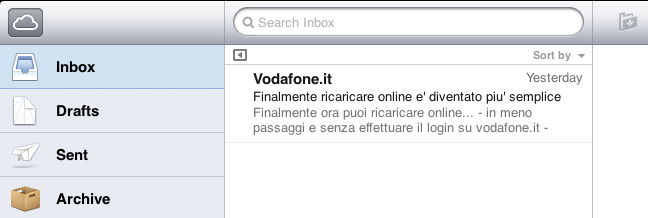
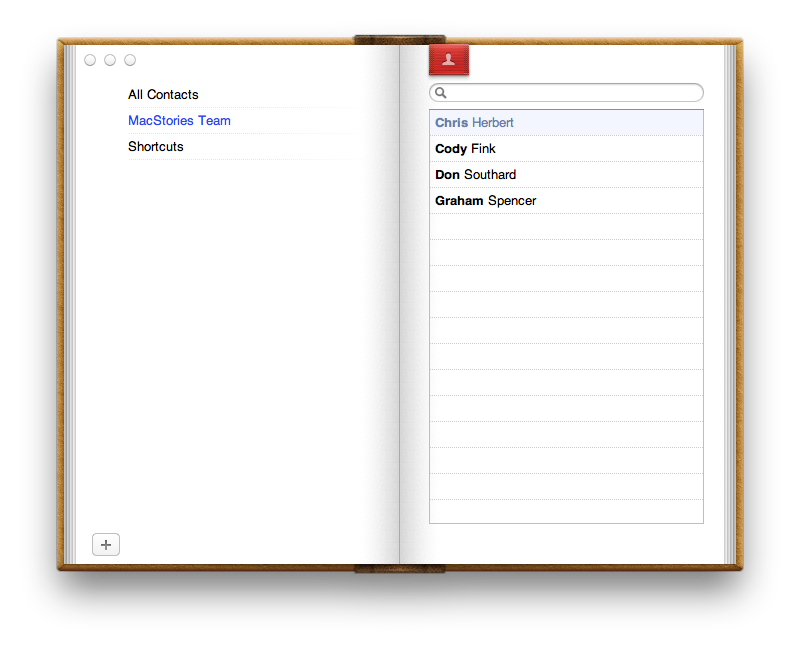
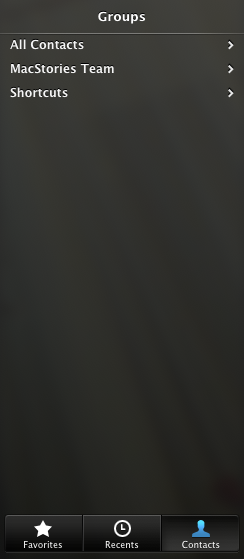
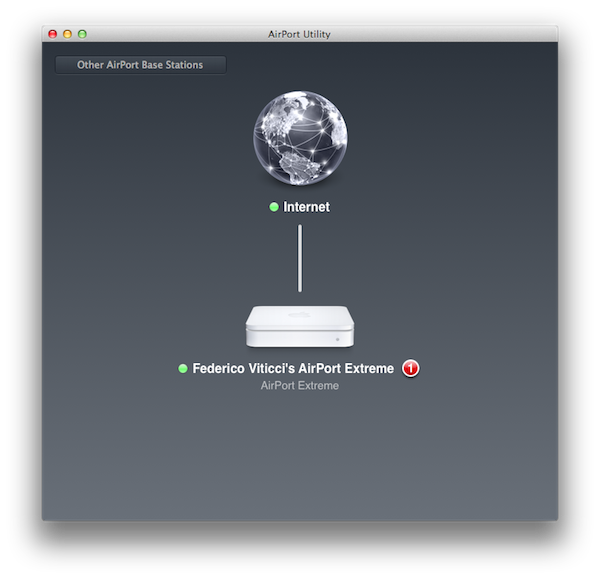
Today’s update to AirPort Utility for Lion reminds me of a topic I was willing to write about but eventually left in my nvALT queue due iOS 5 (review) and iCloud, various app releases, and the usual news from Apple in the past months. The iOS-ification of OS X is, at this point, inevitable, and anyone who doesn’t see it, or tries to neglect, is either software-blind or has some kind of interest in that way of thinking.

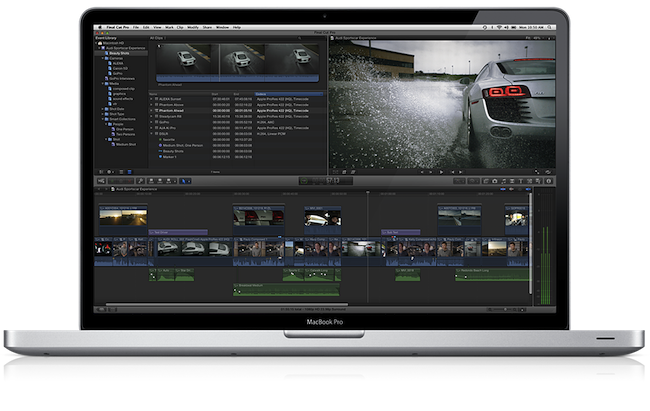
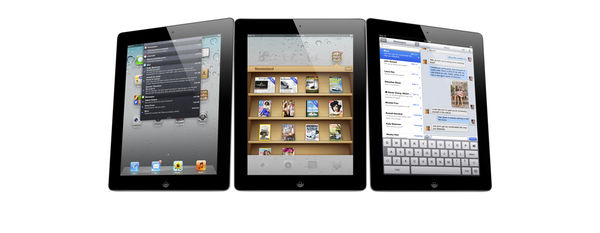
I am looking at my Mac’s screen right now, and I can count dozens of iOS-inspired elements now co-existing with “old school” Aqua interfaces and controls. This transition obviously started years ago, and in retrospect it’s hard to dig up the very first example of iOS-ification on the Mac, so let’s just take a general look at the things we have today:

iPhoto (updated in 2010);

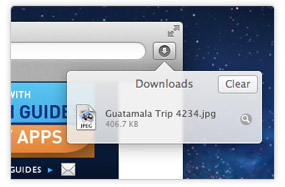
Safari’s popover for Downloads;

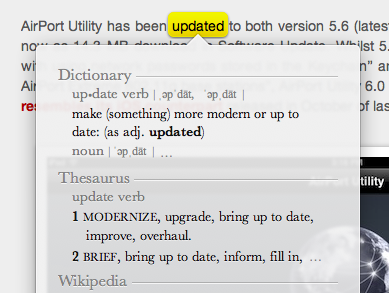
Safari’s tap-to-define;

Launchpad;

Linen;

Settings;

Mail;

iCal;

Address Book;

FaceTime (released in 2010);

And now, the new AirPort Utility.

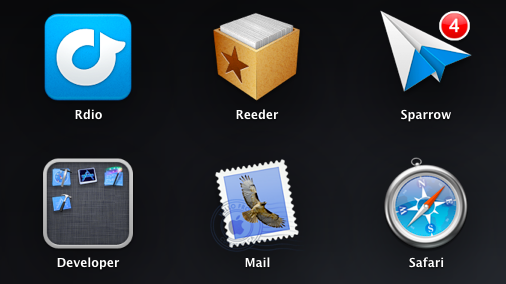
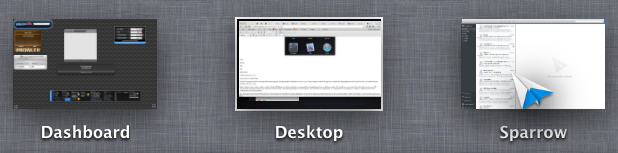
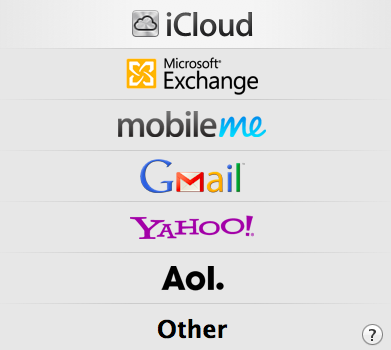
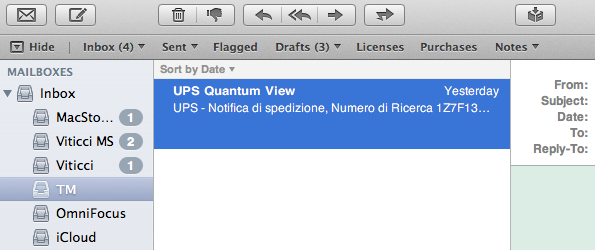
Of course, many great writers have already written about the general concept of graphical resemblance of Lion (our review) to, say, an iPad, noting how several iOS apps and UI schemes have been ported down to the last pixel to OS X. The screenshots above should provide some context.

Today’s (relatively minor) software update reminds me, however, that the iOS-ification goes far beyond simply converting graphics and updating apps from one platform to another. It is actually more a conversion of the entire Apple ecosystem to an iOS-inspired system of graphical elements, user interactions, business models, user experience paradigms, and functionalities. The iOS-ification isn’t simply visual, it’s a fundamental shift of strategy that, ultimately, I believe begins and ends with iCloud – something that I have discussed before.

Sure, many apps look the same across iOS and Lion now. Some features have worked the other way around, finding their way from OS X to iOS, such as Safari Reader and over-the-air software updates. Others weren’t ported – they were released at the same time across two platforms, such as Reading List (which fits in the bigger iCloud plan). From the user experience standpoint, there’s plenty of iOS goodness to go by in Lion: full-screen mode and Auto Save + Resume give users an iOS-like environment for working with apps and never lose data; natural scrolling and gestures have unified the way a user moves content around and interacts with the operating system; the Home user’s Library directory is not visible by default in Lion, eliminating an important piece of filesystem from the default configuration of the OS.

Then there’s the business side of the ecosystem. Both iOS and Mac apps have to be sold through the App Store, with Apple retaining a 30% cut off every transaction (Update: Mac apps can still be sold outside of the Mac App Store. Many have debated, however, that going forward the obvious path is the Mac App Store, with some feature such as iCloud integration being Mac App Store-only). Just like on iOS, Mac developers will soon be forced to implement sandboxing, which limits the access a third-party app has to the filesystem. And, obviously, boxed software is going away, leaving much retail room to Mac and iOS devices showcasing the App Store. Or shelves filled with iOS accessories.

iOS-ification isn’t merely graphical: I believe someday, very soon, almost every aspect of Apple’s operations will be iOS-inspired or iOS-unified: from hardware design to user interfaces and app distribution, from developer guidelines to marketing and the way people “see” Apple these days. Those who got to know Apple in the past five years likely already think of it as “the iPhone company”, and rightfully so for a business largely based on revenue coming from iOS.

There are many questions left unanswered and open to speculation. Will the Mac adopt iOS’ Home screen concept (and shortcomings) in the future? Will the next version of iWork for OS X look something along the lines of this? Will Mac-only applications (and thus Mac-like from a UI standpoint) like Aperture, Final Cut and iBooks Author ever be ported to iOS, triggering an iOS-based rewrite and redesign? We don’t know yet. But soon, maybe?

The complete iOS-ification of the ecosystem will be long and there will still be hardware features and design experimentations that will be tested on the Mac first. We can only assume that Thunderbolt will be made available for iOS devices in the future. Macs are still based on physical keyboards, and even if they (perhaps) don’t want to, Apple’s engineers are forced to test new apps with keyboard shortcuts and a different user interaction. Macs have bigger screens, which can lead to arguable design choices like a comically large Launchpad.

But the seed has been planted, and today’s software release is just another drip of water in a field ready to flourish in iOS-based similarities, like it or not.

Access Extra Content and Perks

Founded in 2015, Club MacStories has delivered exclusive content every week for nearly a decade.

What started with weekly and monthly email newsletters has blossomed into a family of memberships designed for every MacStories fan.

Learn more here and from our Club FAQs.

Club MacStories: Weekly and monthly newsletters via email and the web that are brimming with apps, tips, automation workflows, longform writing, early access to the MacStories Unwind podcast, periodic giveaways, and more;

Club MacStories+: Everything that Club MacStories offers, plus an active Discord community, advanced search and custom RSS features for exploring the Club’s entire back catalog, bonus columns, and dozens of app discounts;

Club Premier: All of the above and AppStories+, an extended version of our flagship podcast that’s delivered early, ad-free, and in high-bitrate audio.

Learn more here and from our Club FAQs.


MacStories Reading List: January 22 - January 29

Another week gone by, another Reading List collection of great articles we’ve found around the web in the past seven days. This week saw the release of Apple’s Q1 2012 results, with an impressive 37 million iPhones sold and over $40 billion in revenue for the quarter. Interesting discussions, however, are still happening around iBooks Author, textbooks, and publishing tools. Not to mention The New York Times’ articles detailing Apple’s supply chain in China, and the experience of an Android user trying an iPhone for two weeks.

It’s time for another Reading List, so curl up with your favorite browser or read-later app, and enjoy the links we’ve collected for you. Read more

Access Extra Content and Perks

Founded in 2015, Club MacStories has delivered exclusive content every week for nearly a decade.

What started with weekly and monthly email newsletters has blossomed into a family of memberships designed for every MacStories fan.

Learn more here and from our Club FAQs.

Club MacStories: Weekly and monthly newsletters via email and the web that are brimming with apps, tips, automation workflows, longform writing, early access to the MacStories Unwind podcast, periodic giveaways, and more;

Club MacStories+: Everything that Club MacStories offers, plus an active Discord community, advanced search and custom RSS features for exploring the Club’s entire back catalog, bonus columns, and dozens of app discounts;

Club Premier: All of the above and AppStories+, an extended version of our flagship podcast that’s delivered early, ad-free, and in high-bitrate audio.

Learn more here and from our Club FAQs.


The Problem With The iOS Home Screen

I’ve been thinking about the problems I have with iOS’ Home screen concept for years now, but I never fully grasped what was, exactly, that with time made using the Home screen – and thus the whole system of Springboard pages – clunky and annoying. Until it hit me earlier today, and suddenly everything started to make sense.

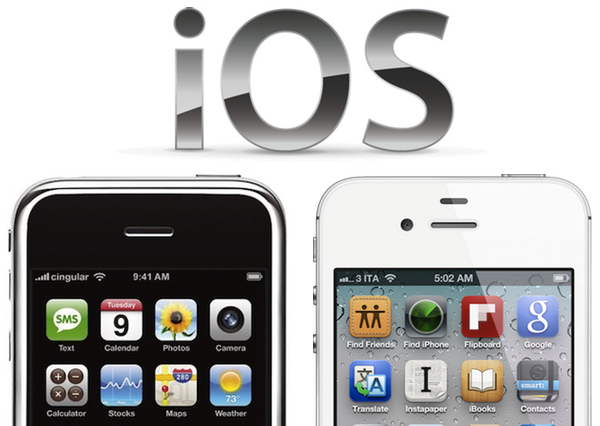
The iOS Home screen is conceptually broken. Not “broken” as in unusable, unstable or technically flawed. From an engineering standpoint, the iOS Home  screen works. The concept of the Home screen we interact with today is broken because the Home screen wants to be a real, physical, tangible surface while providing access to the gates of the intangible: apps. Apps are data, information, connectivity, presentation, media. Digital content isn’t tangible in the sense that it exists in a physical space, unless you count the atoms and the electrons and the bits that make using an app possible. But that’s a long stretch. The iOS Home screen is based on the concept that app icons are objects on top of it;  this has created a series of issues over the years.

Throughout the release history of iOS, Apple had to compromise and, I believe, implement functionalities the original Home screen wasn’t meant to support. First users wanted third-party apps, Apple waited, but eventually allowed developers to create software to install on an iPhone or iPod touch. Apps are the most important addition to the operating system to date, and they kickstarted the App Store revolution we’re witnessing. In allowing third-party developers to create apps, however, Apple essentially lost control over the display of objects on the Home screen – Apple may be able to check upon the inner workings of an app, but they can’t ban apps based on lack of taste in choosing an icon. And with that, developers were free to choose Home screen icons that don’t necessarily resemble real-life objects, thus breaking the metaphor of manipulating “badges on a table”, as I like to think of it. Have you noticed how almost every built-in, Apple-made iOS app has an icon that resembles a real-life object? The only exception? The App Store and iTunes icons. Which are marketplaces for digital content.

Apple states it clearly in the iOS Human Interface Guidelines:

When virtual objects and actions in an application are metaphors for objects and actions in the real world, users quickly grasp how to use the app. The classic example of a software metaphor is the folder: People put things in folders in the real world, so they immediately understand the idea of putting files into folders on a computer.

Think of the objects and scenes you design as opportunities to communicate with users and to express the essence of your app. Don’t feel that you must strive for scrupulous accuracy. Often, an amplified or enhanced portrayal of something can seem more real, and convey more meaning, than a faithful likeness.

Portray real substances accurately. Icons that represent real objects should also look as though they are made of real materials and have real mass. Realistic icons accurately replicate the characteristics of substances such as fabric, glass, paper, and metal, and convey an object’s weight and feel.

Later, users wanted multitasking and folders. Unsurprisingly, Apple gave them implementations of these features that look like objects, in this case objects with linen. Here’s where the situation gets more complex: folders and the multitasking tray, unlike app icons, actively interact with the Home screen, they don’t just sit on top of it. The way Apple designed them, the multitasking tray resides as linen below the Home screen, and folders are tiny containers with a linen background that expands atop of the Home screen. You can see how the entire concept of Home screen as a surface starts crackling under the design weight of  these features: is the Home screen a surface that has another layer underneath? Another one above as well? What do you mean I have music controls in the multitasking tray, too?

Most recently, iOS users began asking more vigorously for a better notification system, a unified reading environment for magazines, and widgets. Apple gave them Notification Center and Newsstand, but didn’t announce anything widget-related, at least for the Home screen. The Home screen, with iOS 5, got two new additions: a new layer, Notification Center, and a new default icon, Newsstand, which isn’t really an icon but it’s a folder with a different background and shelves.

As I said, I believe choosing the right approach to delivering new functionalities and keeping the original Home screen concept got trickier for Apple over the years. What started as a black background with a few default apps turned into a customizable area of hundreds of app icons with folders and multiple pages with a series of additional layers managed by the overly abused linen texture. But the seed of the broken concept can be seen way back into iPhone OS history: think about Spotlight and Springboard page indicators. What are they – how do they fit into the metaphor of a physical surface with objects on top of it? Surfaces don’t have search boxes and indicators. Notebooks have pages, but you have to flip them and turn them and touch them. Websites have search boxes, but they’re bits and lines of code.

If you follow my theory, you can understand how things start making sense from this perspective. You can’t move multiple app icons at once not because of some technical limitation, but because, I believe, in the original Home screen vision inspired by physics apps were meant as a single entity to manipulate, one at a time. On a table, you can’t “select” multiple buttons and pretend they’re all going to move as you touch only one. That doesn’t make any sense in real life. I could expand this concept to the entire skeuomorphism Vs. interface design, but I’ll leave that for another time. My concern right now is the Home screen, the first thing you see when you unlock a device, when you close an app, the place where you manage your apps, your content. There’s a lot of weirdness and inconsistencies going on in some Apple apps and interfaces, but the Home screen is the prime example of a user interface meant for 2007 which was subsequently patched and refined and patched again to accomodate new functionalities introduced in iOS (the same happened with the Home button). You could argue that some proposed features, such as widgets, haven’t been implemented yet because of technical constraints. It’s fair argument, and I’ll take it. Yet I think that, even if complex from an implementation standpoint, it’s the concept itself that makes widgets difficult with the current Home screen.

The problem Apple needs to overcome is that the Home screen tries to be a real object while providing access to the gates of the digital world. To reinvent it, Apple needs to tear apart the whole concept and rebuild it from the ground up.

Access Extra Content and Perks

Founded in 2015, Club MacStories has delivered exclusive content every week for nearly a decade.

What started with weekly and monthly email newsletters has blossomed into a family of memberships designed for every MacStories fan.

Learn more here and from our Club FAQs.

Club MacStories: Weekly and monthly newsletters via email and the web that are brimming with apps, tips, automation workflows, longform writing, early access to the MacStories Unwind podcast, periodic giveaways, and more;

Club MacStories+: Everything that Club MacStories offers, plus an active Discord community, advanced search and custom RSS features for exploring the Club’s entire back catalog, bonus columns, and dozens of app discounts;

Club Premier: All of the above and AppStories+, an extended version of our flagship podcast that’s delivered early, ad-free, and in high-bitrate audio.

Learn more here and from our Club FAQs.