When Apple introduces a fundamental change to how apps interact with iOS (and now iPadOS), it’s always fascinating to see the different ways those changes are adopted by third-party developers. Although Apple sets a baseline for how new frameworks work, it has less control over how they are used, and it’s those implementation details that often have the greatest impact on users.
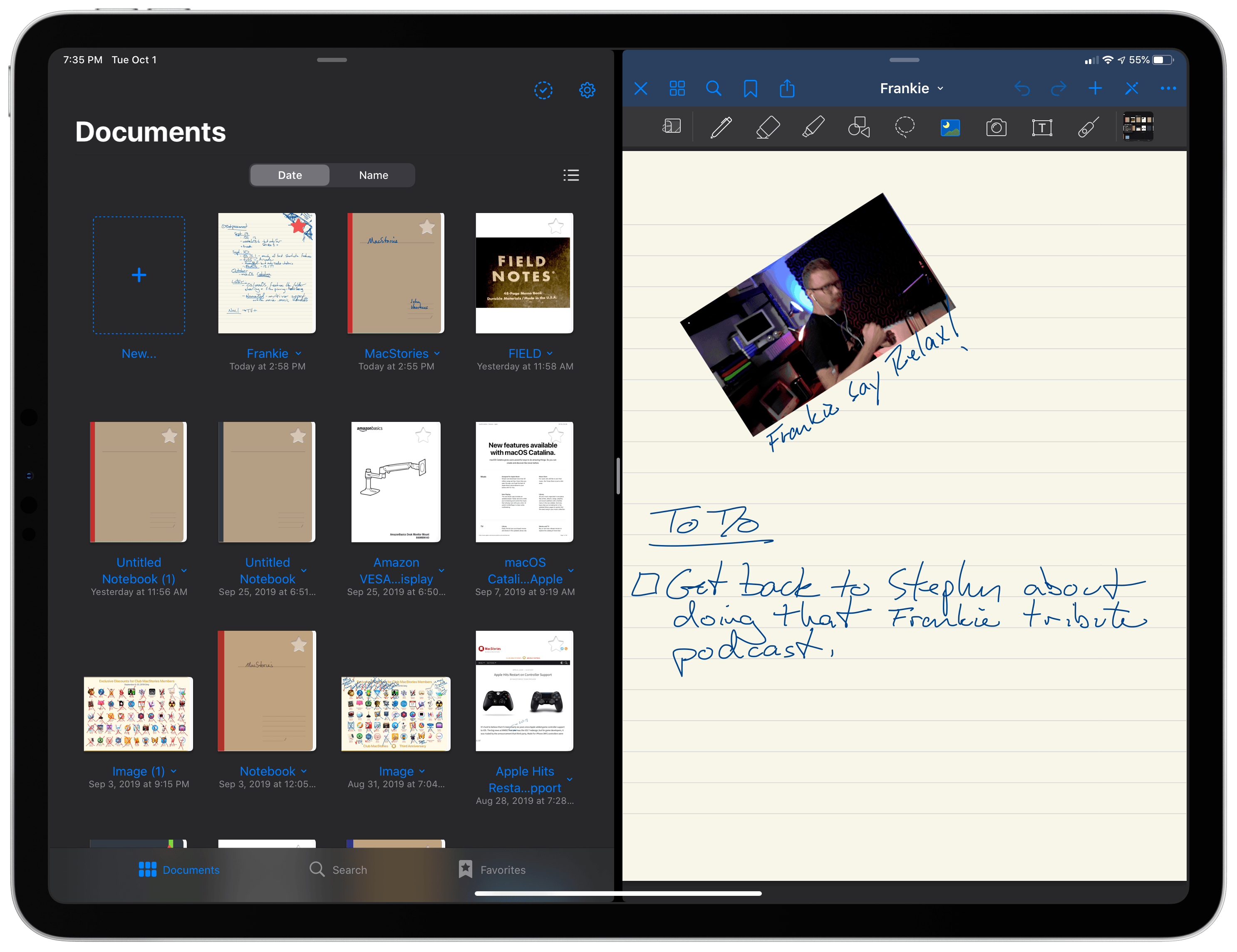
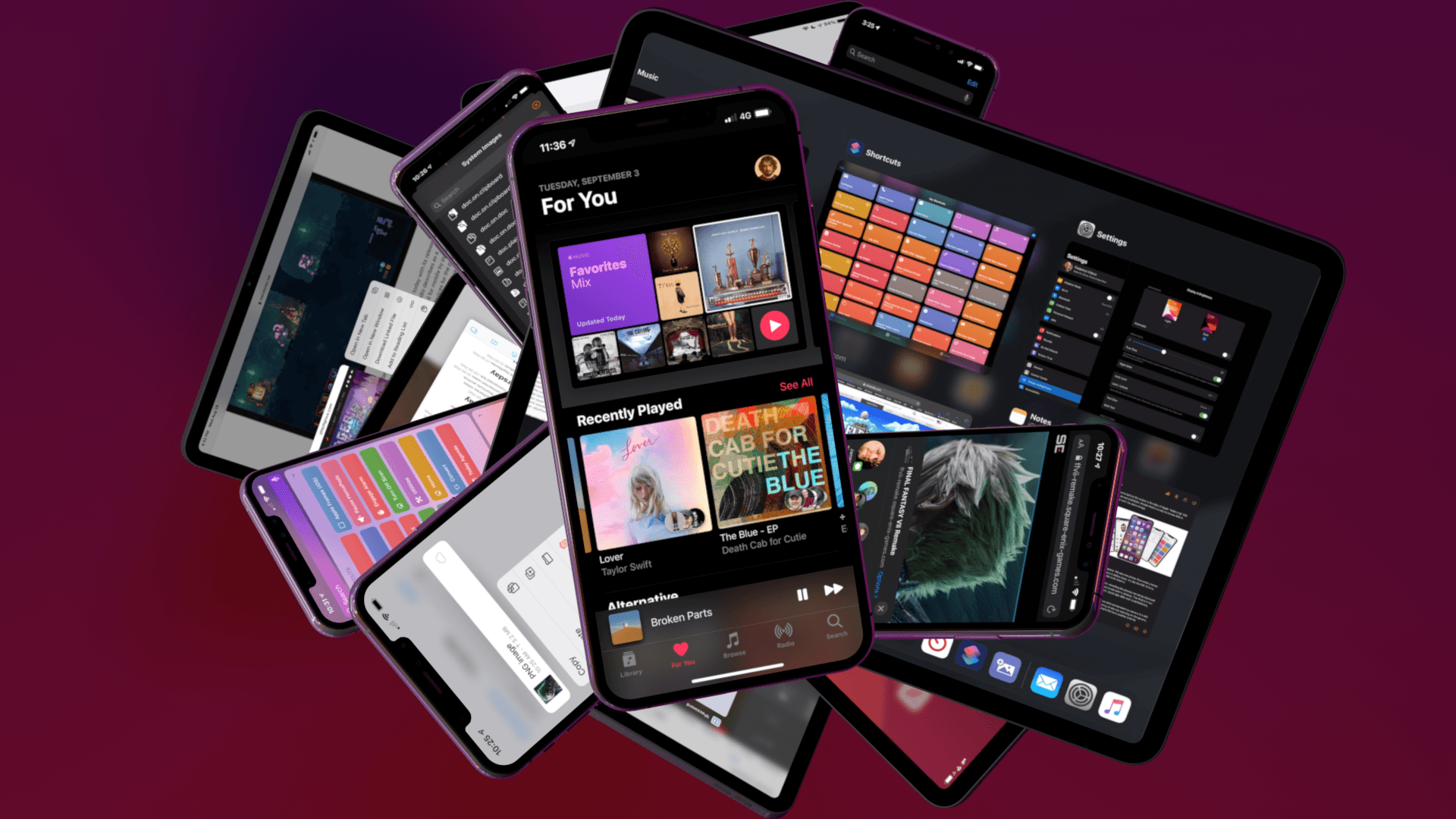
In the inaugural version of iPadOS, that’s been the case for multiwindowing. Many apps stick to the basic built-in ways to open multiple instances of the same app. However, the real power of multiwindowing is revealed by apps like GoodNotes, which goes the extra mile and provides an experience better than any other multiwindow app I’ve tried.
Dragging a PDF into a new window.Replay
What makes GoodNotes special is not just the sheer number of unique ways to open a second window for the app, though that’s impressive in itself, but the thoughtfulness of its execution. In every corner of the app where you might want to move a folder, document, page, or bit of data into a new window or document, you can. The result is a level of flexibility that even Apple’s own iWork suite doesn’t match, further cementing GoodNotes as my favorite app for taking handwritten notes.
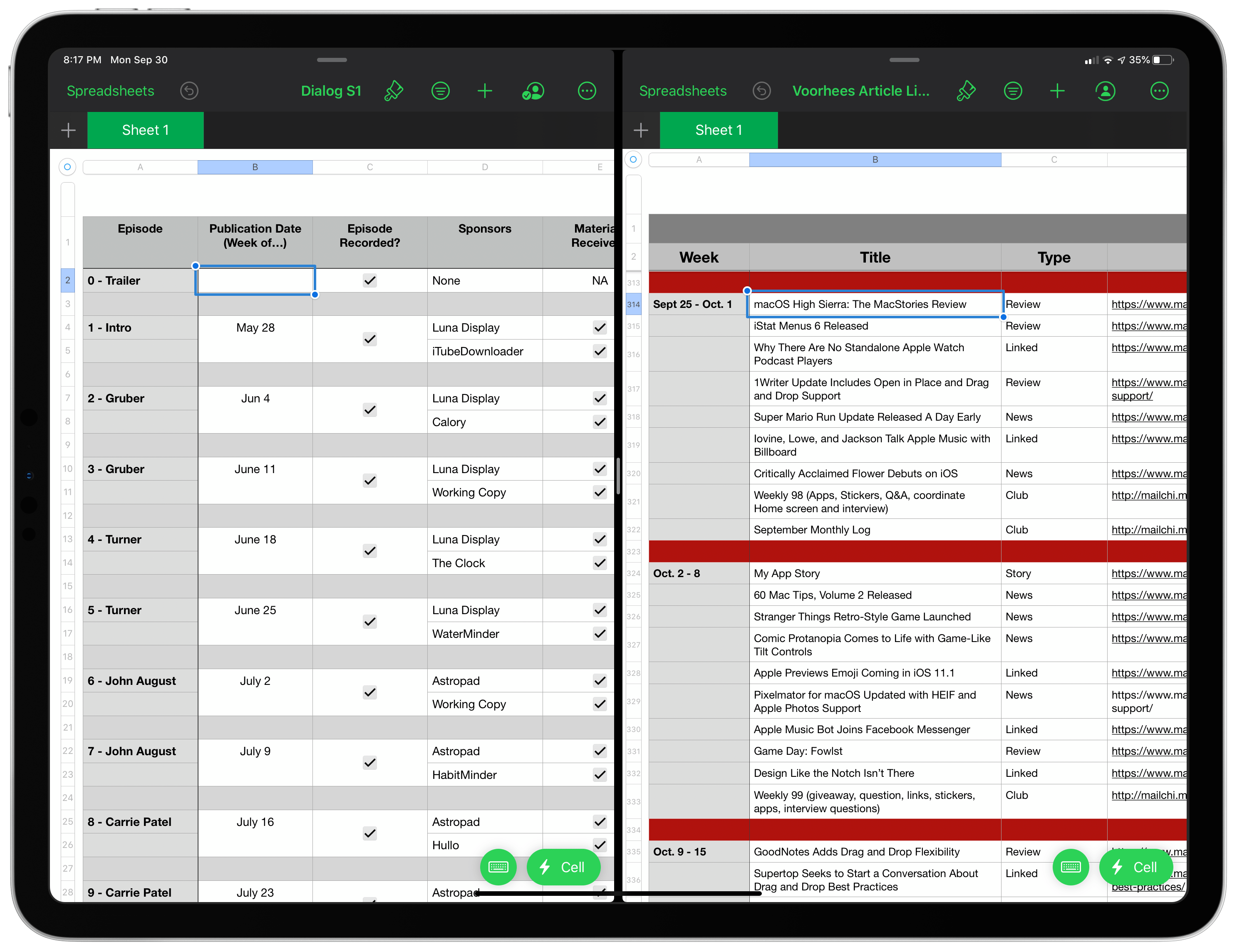
Apple has added several iOS and iPadOS 13 features to its full iWork suite. I’ve spent some time playing with Pages, Numbers, and Keynote, and they are an excellent showcase of some of the highlights of iOS and iPadOS 13 that will change the way many people use each of them.
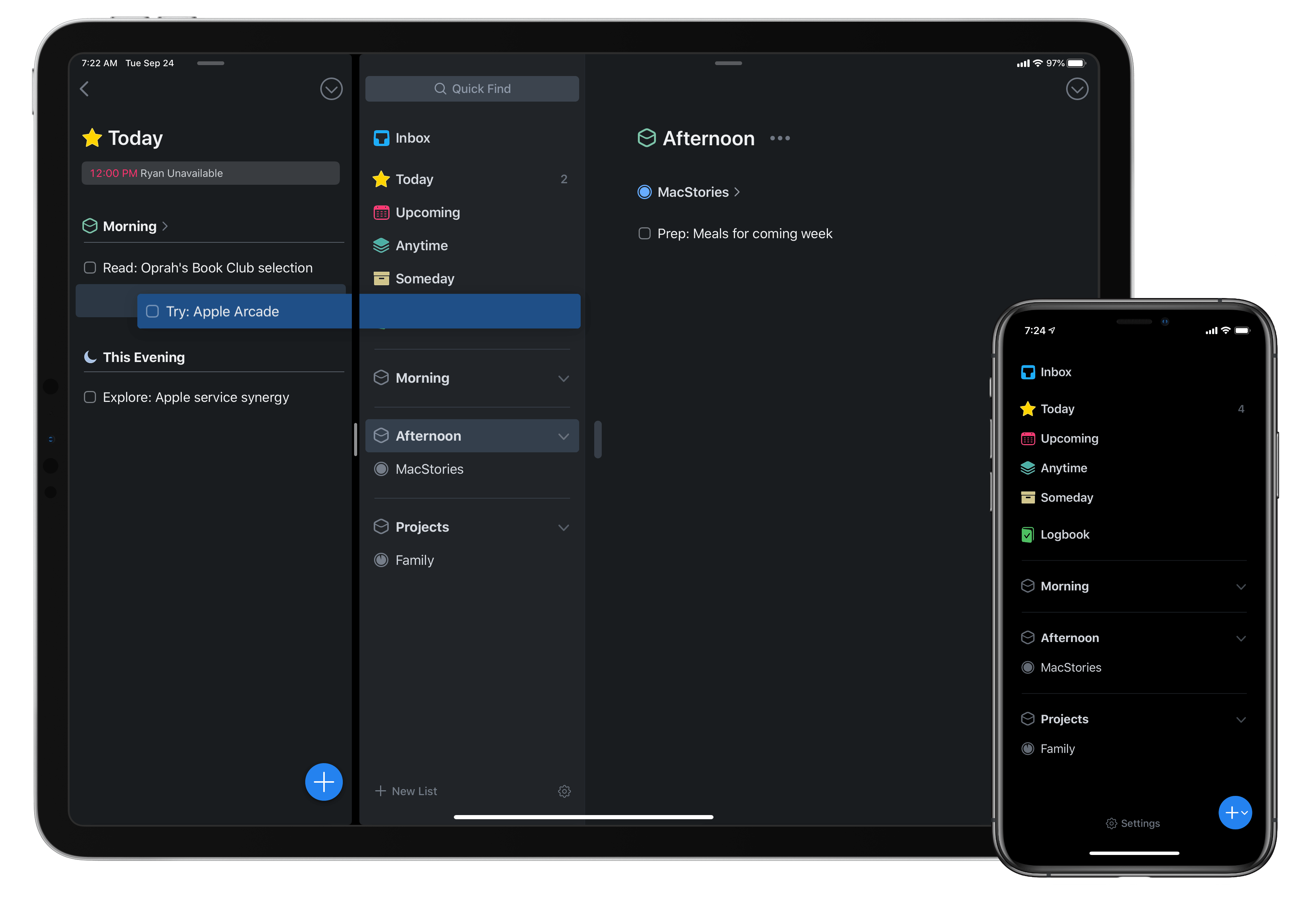
Today as Apple releases iPadOS into the world, Things 3 for both iPad and iPhone has fully updated to add multiwindow functionality on iPad, integration with iOS 13’s system dark mode, shortcuts with parameters, a share extension that introduces key new functionality, and finally a new Reminders Import feature for moving easily all your reminders into Things. There’s a lot to explore, so let’s dive in.
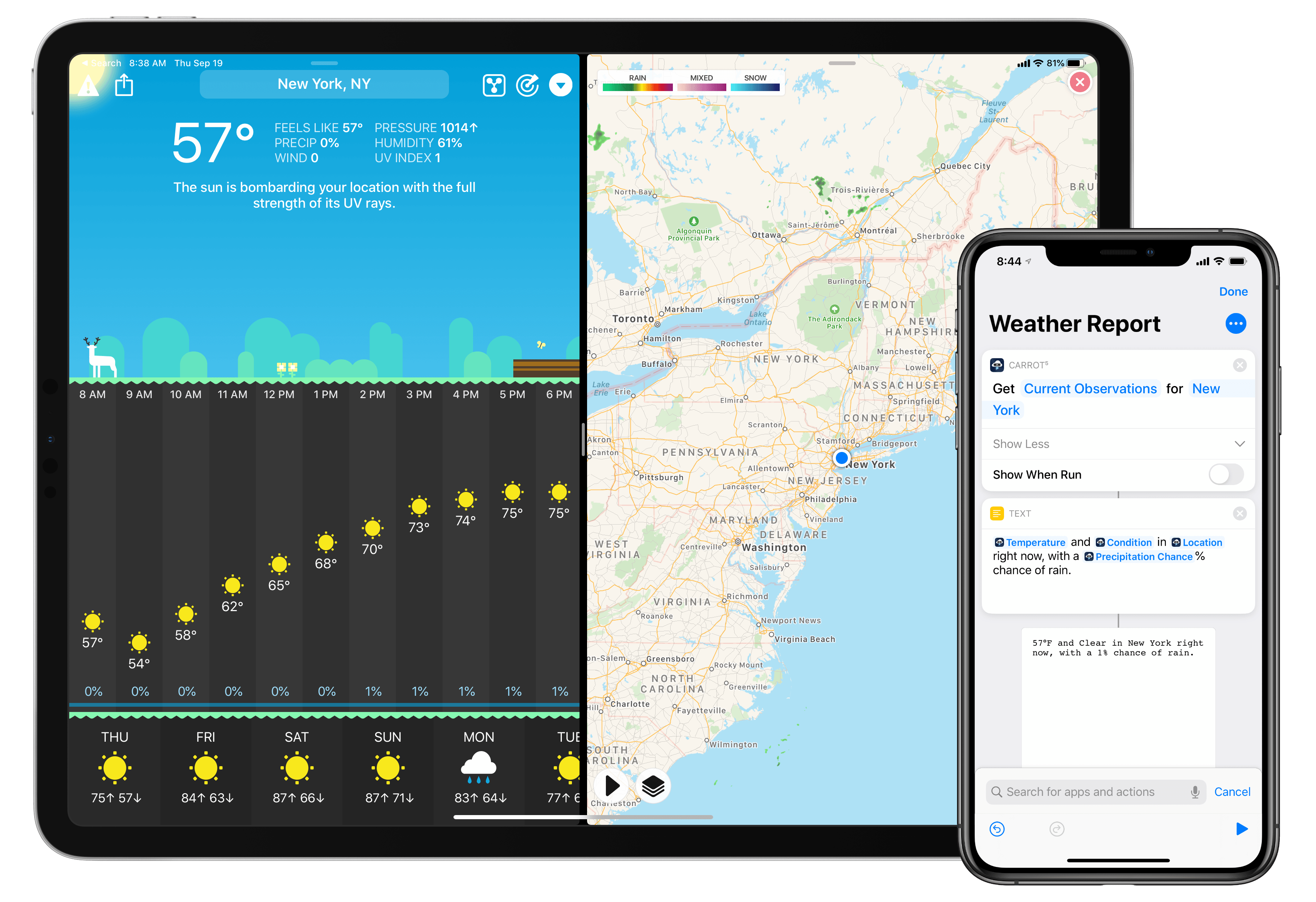
The malevolent weather app CARROT Weather was updated this week to add support for the new capabilities provided by iOS 13 and the forthcoming iPadOS update. This latest version enables more powerful automations in the Shortcuts app, integration with the system dark mode, multiwindow support on iPad, and a fully independent watchOS 6 app. It’s the same CARROT app, but supercharged with all the new possibilities Apple just introduced for its software platforms.
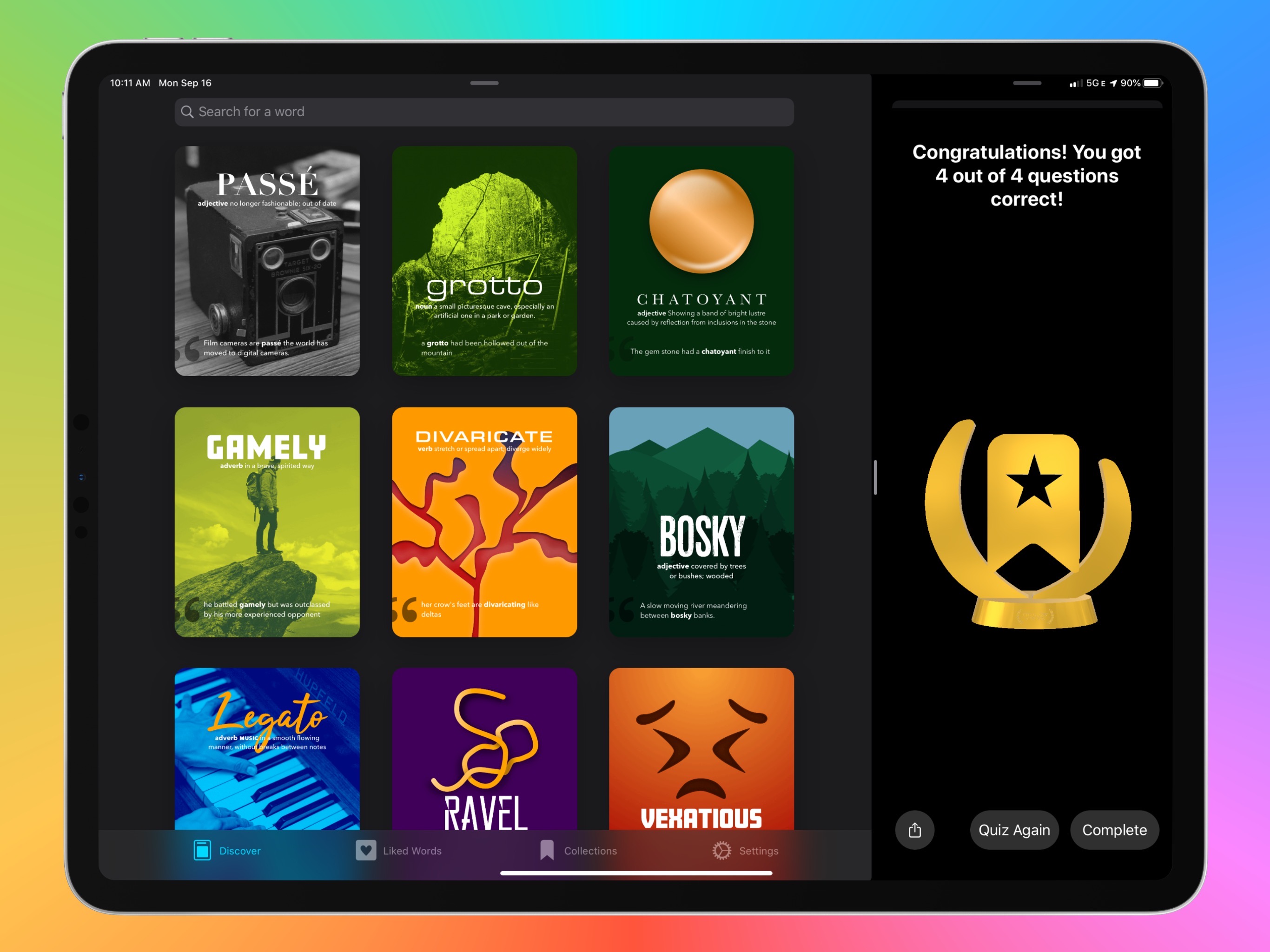
The average life cycle of an app typically consists of two phases: the app’s early days often bring a host of significant updates as it strives toward feature maturity; however, once that level of maturity is achieved, the updates become more iterative and unsurprising, largely aimed at keeping pace with new OS technologies. LookUp 6 defies that normal pattern. The sixth major version of the excellent iOS dictionary app weds two important themes: adopting all the relevant functionality enabled by Apple’s latest OS releases, while simultaneously adding substantial features like quizzes, translation, full navigation via keyboard, and more. Despite how modern and feature-rich LookUp already was, version 6 sets the app on even stronger footing at the dawn of Apple’s latest software releases.
Following years of a judicious union between platforms, it’s time for iPad to embark on its own journey.
In looking back at major iOS releases from the recent past, it’s easy to see how building and positioning these annual updates has become a careful balancing act for Apple.
In last year’s iOS 12, we saw the company focus on improving performance, providing users with tools to understand their device usage habits, and adapting Workflow to the modern era of Siri and proactive suggestions. The strategy was largely successful: iOS 12 was regarded as Apple’s most reliable iOS release of late – a reputation that has resulted in a 90% adoption rate a year later; and the Shortcuts app – the highlight of last year from a user feature perspective – is becoming a built-in (and thus more powerful) app in iOS 13.
For all that Apple accomplished in iOS 12, however, some areas of the experience inevitably had to be put on the back-burner. Besides improvements to Reminders and Files, iOS 12 lacked a long-awaited dark mode (which was rolled out on macOS instead) as well as more substantial tweaks to the ever-evolving iOS 7 design language; chief among iOS 12’s absentee list, of course, was iPad. Even though Apple had trained users to expect major additions to the tablet platform on a biennial schedule (see iOS 9 and iOS 11), the lack of meaningful iPad features in iOS 12 spurred a contentious discussion when it became apparent that new iPad Pro hardware was so far ahead of its software, it legitimized asking whether investing in that hardware was even worth it.
The annual debate that surrounds which features make it into each major iOS release is symptomatic of a complicated truth: iOS isn’t just the operating system that runs on iPhones anymore, and these annual releases are more than a mere collection of updated apps. iOS is the platform for an ecosystem of devices – from our wrists and speakers to cars and TV sets – and its changes have repercussions that ripple far beyond an updated Reminders app or a new icon set.
This, of course, has been the case for a few years at this point, but the nature of iOS as an all-encompassing platform has never been as evident as it is today in iOS 13. For the first time since I started reviewing Apple’s annual iOS updates, it feels like the company is now keenly aware that a new iOS version has to cover an array of themes that can’t be pushed back for scheduling reasons. A single area of attention isn’t enough anymore – not for the Apple of 2019 as an economic, political, and social force, and not for iOS, the engine powering devices that aren’t just screens for apps, but bona fide lifestyle computers.
As a result, there’s something for everyone in iOS 13 and all the recurring themes of Tim Cook’s Apple are touched upon this time around. iOS 13 improves Face ID recognition and promises improvements to app download sizes and performance. Apple is sending strong signals on its commitment to privacy as a feature with a new sign-in framework for apps and enhancements to location tracking controls and HomeKit cameras. iOS’ design language is getting its biggest update in years with dark mode, new tools for developers to express colors and embed glyphs in their user interfaces, updated context menus, and redesigns aimed at facilitating one-handed interactions. We have notable improvements to built-in apps, including the rebuilt Reminders and Health, an overhauled Files app, and hundreds of quality-of-life tweaks that, in big and small ways, make iOS more capable and efficient.
No stone is left unturned in iOS 13 – and that includes iPad too.
The iPad experience has always been largely consistent with the iPhone – particularly since Apple unified core iOS interactions around a screen without a Home button – but also distinct from it. iOS 13 makes this distinction official by splitting itself in a second branch called iPadOS, which uses iOS as the foundation but is specifically optimized and designed for iPad.
It was clear when the new iPad Pro launched in late 2018 that it told only one part of a bigger story about the role of the tablet in Apple’s modern ecosystem. With iPadOS, Apple is ready to tell that full story: while the iPad has always been an extension of iOS, sharing key similarities with the iPhone hardware and software, it’s been evolving – arguably, a bit too slowly – into a different breed of computer that is fundamentally distinct from a phone.
We’ve been able to observe this divergence starting in iOS 9 with Split View multitasking and Apple Pencil, and the transition continued with iOS 11 and its drag and drop-infused environment. It was only natural (and well-deserved) for the iPad to begin advancing in a parallel direction to iOS – informed and inspired by it, but also capable of growing on its own and tackling problems that an iPhone doesn’t have to solve.
From this standpoint, there are two sides to iOS 13: on one hand, an underlying tide that raises all platforms, featuring a distillation of themes Apple comes back to on an annual basis; on the other, a fork in the road, opening a new path for the iPad’s next decade. And against this backdrop, a single question looms large:
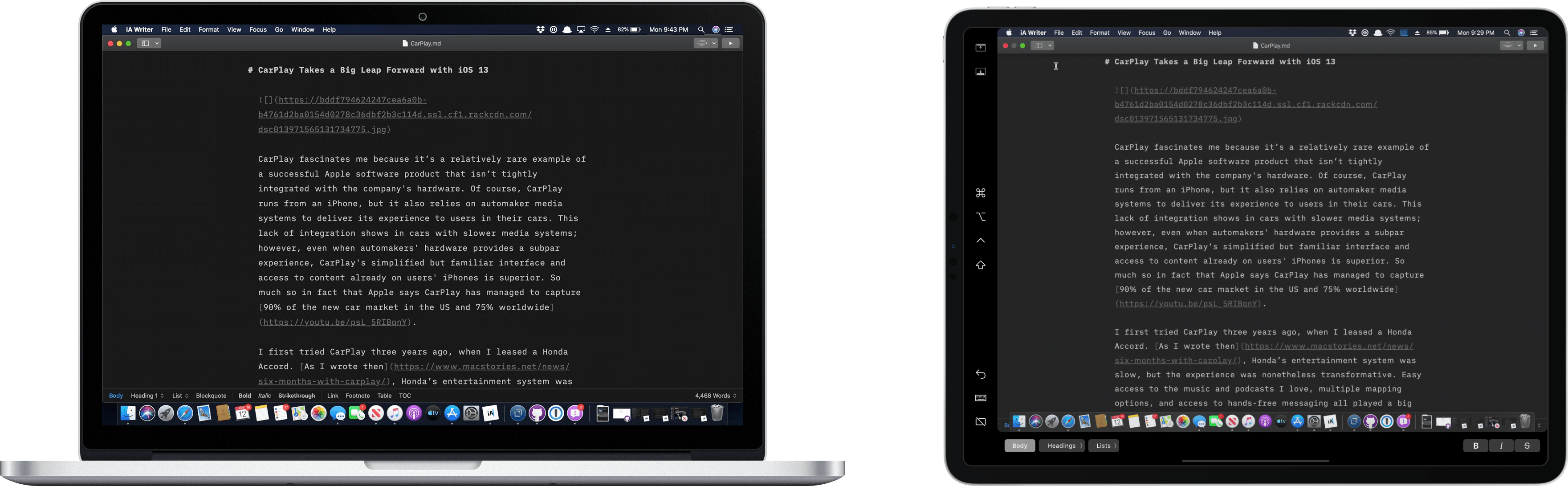
The core experience of using Sidecar is fantastic. Part of the reason is that running an iPad as a second display for a Mac with Sidecar is immediately familiar to anyone who has ever used multiple displays. The added screen real estate, portability, and functionality are part of the appeal too. Of course, there are differences that I’ll get into, but Sidecar is so close to a traditional dual-display setup that I expect it will become a natural extension of the way many people work on the Mac.
There’s more going on with Sidecar though, which didn’t dawn on me until I’d been using it for a while. One of the themes that emerged from this year’s WWDC is deeper integration across all of Apple’s platforms. As I’ve written in the past, SwiftUI is designed to accomplish that in the long-term across all the devices Apple makes. In contrast, Catalyst is a shorter-term way to tie the Mac and iPad closer together by bringing iPad apps to the Mac and encouraging developers to build more robust iPad apps.
Sidecar strikes me as part of the same story. Apple made it clear when they introduced Catalyst in 2018 at WWDC that it’s not replacing macOS with iOS. Some tasks are better suited for a Mac than an iPad and vice versa. Sidecar acknowledges those differences by letting an iPad become an extension of your Mac for tasks best suited to it. At the same time, however, Sidecar takes advantage of functionality that’s unavailable on the Mac, like the Apple Pencil. Combined with the ability to switch seamlessly between using Mac apps running in Sidecar and native iPadOS apps, what you’ve effectively got is a touchscreen Mac.
However, to understand the potential Sidecar unlocks, it’s necessary to first dive into the details of what the new feature enables as well as its limitations.
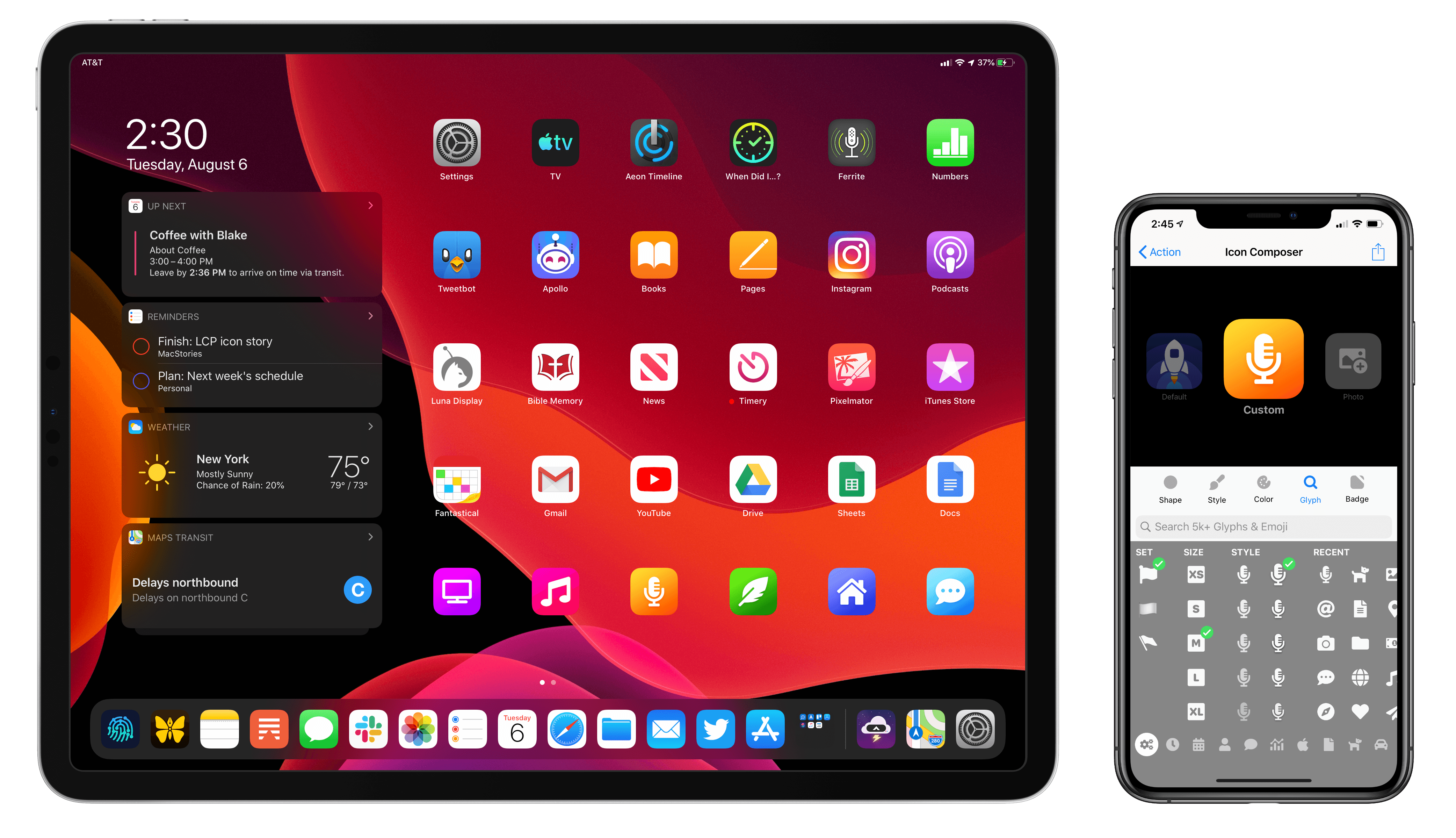
This fall when iPadOS 13 launches, it will bring an updated Home screen that incorporates pinned widgets and a denser arrangement of apps. The changes aren’t as revolutionary as iPad power users may have hoped when they heard whispers of a redesigned Home screen, but they’re a start. While the addition of widgets is valuable in its own right, in my beta testing of iPadOS I’ve also discovered a lot of potential for the larger set of icons the Home screen can now hold – particularly when combined with a new feature just added to Launch Center Pro.
Debuting today, Launch Center Pro 3.1 centers around a major upgrade to the app’s icon composer that provides countless options for creating custom icons. While the use cases for this icon creation tool are vast, I was intrigued by one specific possibility: designing icons that could be exported as image files and used by Apple’s Shortcuts app when adding shortcuts to the Home screen, since Shortcuts allows choosing custom images for Home screen shortcuts. Combined with several key OS changes, and the icon creation tool in Launch Center Pro, it’s a better time than ever to add shortcuts to your iPad or iPhone Home screen.
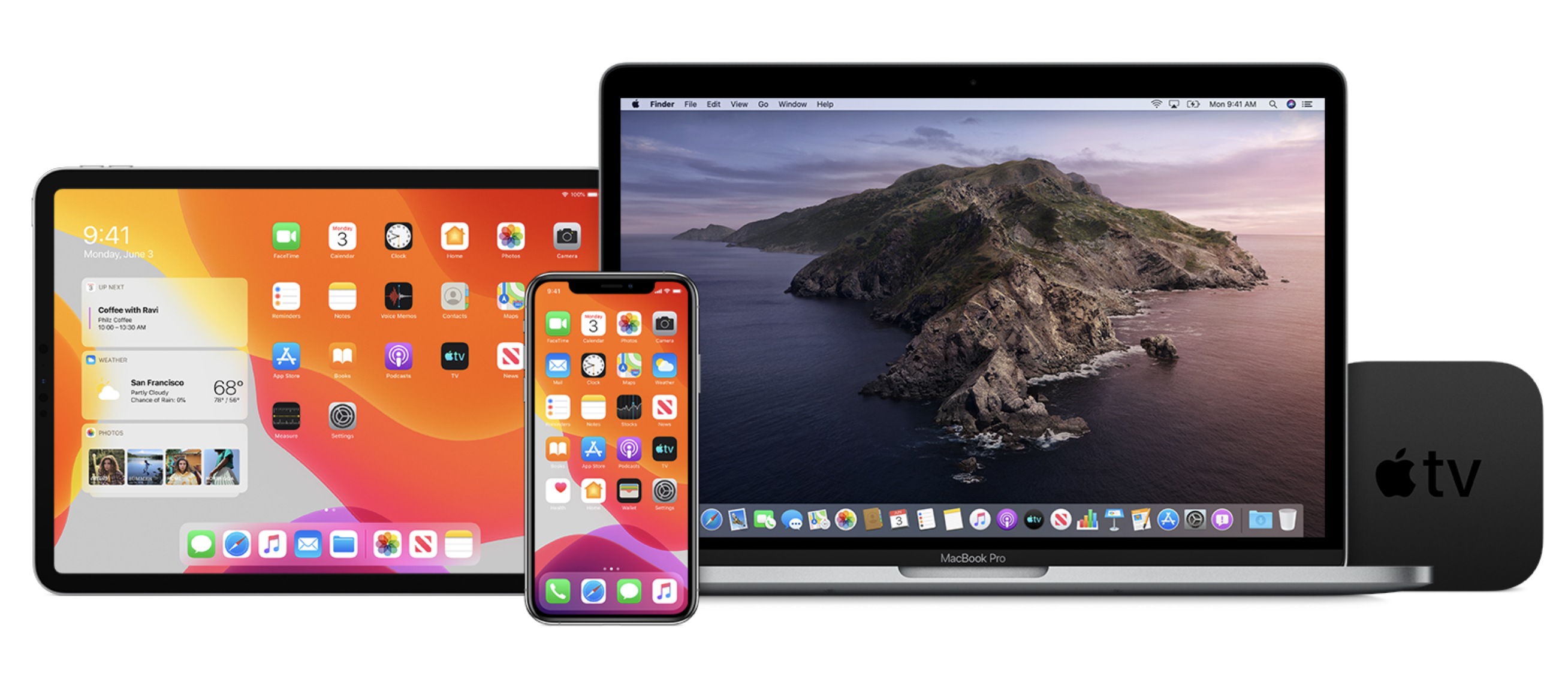
Today Apple has released its first public beta versions of its forthcoming software updates. iOS 13, iPadOS 13, macOS Catalina, and tvOS 13 are all available as public betas. As in years past, there is no public beta available for the Apple Watch or HomePod.
Users interested in trying out the latest versions of Apple’s software platforms can enroll in the beta program at beta.apple.com. However, this should only be done with appropriate caution and a willingness to endure buggy, unreliable software. These first public beta releases come a mere three weeks following the initial wave of developer betas, which themselves were especially unstable; as such, these releases are likely to be less reliable than even the public beta versions of years past.
If you’re wondering what all is new in these beta releases, you can read our full overviews of iOS 13, iPadOS 13, macOS Catalina, and tvOS 13. We’ll have continuing coverage of all the new features coming to Apple’s software platforms throughout the summer, leading up to their release this fall.