Posts tagged with "google"

Native Gmail App From Google Coming To The iPhone Soon?

If you’ve been yearning for a good, native, Gmail app for the iPhone, you might not have to wait much longer. MG Siegler claims that Google “is on the verge of launching their native Gmail app” and have likely already submitted it to Apple for review.

Although Google has a good web version of Gmail that is optimised for the iPhone and is also supported by iOS’ inbuilt Mail app, many have long wanted a fully native Gmail app and experience on iOS. Probably the biggest reason for a native Gmail app is push notifications (in the native Mail app, Gmail only supports fetching every 15, 30 or 60 minutes). Yet according to Siegler’s sources, the app is also “pretty fantastic” - something that many users of Android’s Gmail app have also often commented on. His understanding is that this is Google’s first iOS app since they began their recent commitment to design and that “all indications point to it being a good [app]”.

The native Gmail app will likely bring other key functionality as well: like Priority Inbox and one-click starring of messages. Other possibilities include some of the stuff Google is about to roll out for Gmail proper: like contact icons, better threading, and deep searching functionality. Maybe there will even be some Google+ integration, which Google is also hard at work on for Gmail.

The big question is whether Apple will approve the app, because to date they have rejected alternative email apps that would compete against the native Mail app. However, Siegler believes Apple probably will approve it, in which case it could mean that we could also soon see other third party Mail apps on iOS. One such example could be Sparrow for iPhone, after the developers revealed in August they have started development on such an app. In an interview with Business Insider in August, Dominique Leca from Sparrow noted that it would be highly inconsistent for Apple to continue to reject alternative Mail apps when Apple has since allowed replacements for Safari on iOS in recent months.

[Via parislemon]
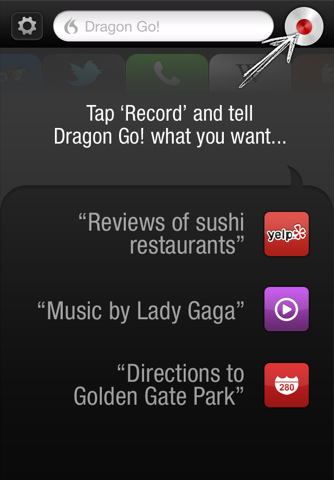

Dragon Go! Update Adds Support For Netflix, Wolfram|Alpha, Google+ And More

Back in July Nuance released a new iOS app, Dragon Go!, that we described as combining “Nuance’s top-notch voice recognition with the intelligence to do what is actually being said”. It will listen to a question or statement you make and then using the number of services it supports (from Yelp to Twitter to the iPod app), complete the task that you invoked.

Today Nuance has released an update to Dragon Go! that, in a sense, upgrades its intelligence that we described. It has improved it’s intelligence by adding support for a number of new services - meaning it can now understand more commands and actually do more things. It has added support for media services Netflix and Spotify, search engines Wolfram|Alpha and Ask.com as well as Google+.

It has also improved the Yelp experience from within the app by allowing users to access a map from within the Yelp tab. You can grab the update now, or if you haven’t yet tried Dragon Go! you can download it for free on the App Store.


Google+ for iOS Update: Mobile Hangouts, New Notification Settings, And More

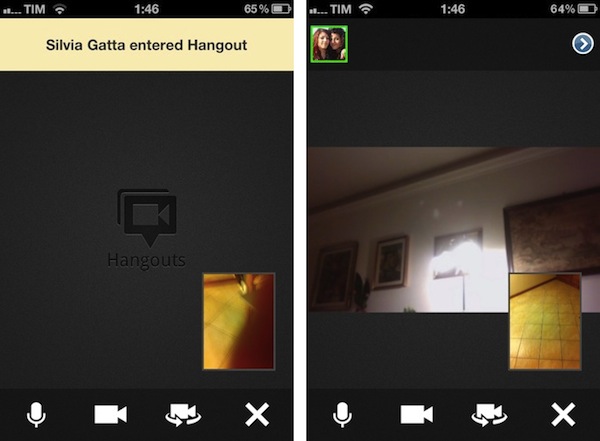
A major update to the official Google+ app for iOS has been released on the App Store, and it adds the features mentioned by Google earlier this week when the service hit official “beta” status (open to everyone) after a limited field-trial period. As previously announced by Google, the mobile app for iOS now comes with Hangouts support – meaning that you’ll be able to join a Hangout directly from your iPhone or iPod touch. I haven’t been able to test this yet as none of my friends is currently streaming a Hangout session, so I can’t comment on the app’s performances with video yet. When covering the functionality for the Android app, however, Google wrote:

In life we connect with others in all sorts of places, at all different times. And the connections you make unexpectedly are often the ones you remember the most. We think Hangouts should keep pace with how you socialize in the real-world, so today we’re launching it on the one device that’s always by your side: your mobile phone. To get started, simply find an active hangout in the Stream, and tap “Join”.

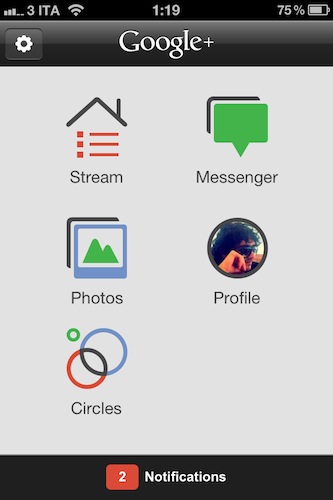
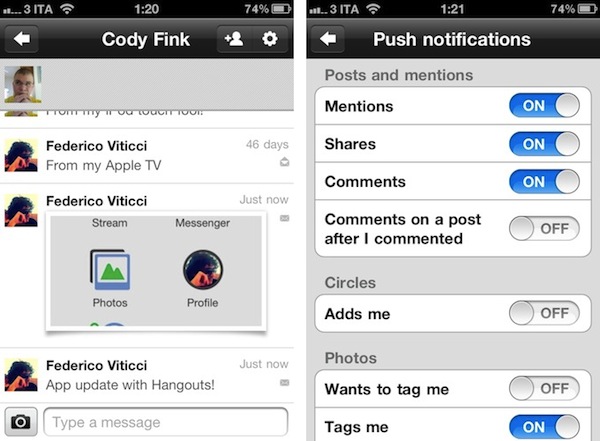
The most notable change as you fire up the updated app is Huddle, which has been renamed to Messenger and now supports photos. You can easily attach photos from your Library or snap new ones within a Messenger thread, and Google claims there have been some reliability improvements as well.

Throughout the app, I’ve spotted several optimizations that should make the mobile Google+ experience more enjoyable. For one, granular controls on notification settings now allow you to selectively receive push notifications for mentions, shares, comments, or comments on a post after you commented. You can also be notified about new people circling you, and new tags or comments on photos. Considering iOS 5’s upcoming Notification Center functionality, these changes should make for an optimal experience when dealing with the incoming stream of notifications from Google+.

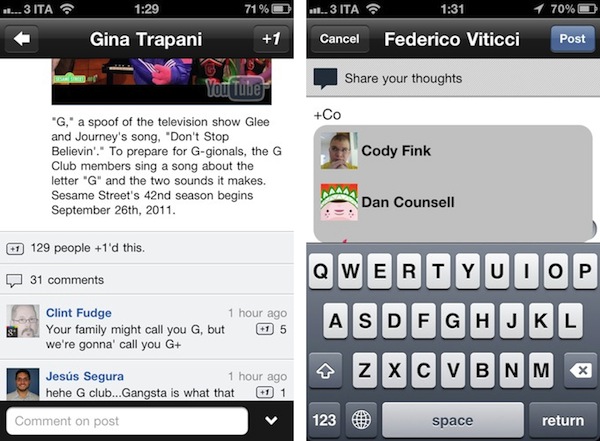
Other improvements in Google+ for iOS include the possibility to +1 comments, a map view in the profile for places you’ve lived, and a new feature to share posts with individuals only, instead of circles. Furthermore, Google mentions improvements to search in the changelog, and better support for +mentions (in the compose view, you’ll get a popup dialog to pick users, similar to Twitter).

The new Google+ update for iPhone feels like an important step forward in bringing the app up to parity with the website, as well as the mobile Android client. You can get it here on the App Store.

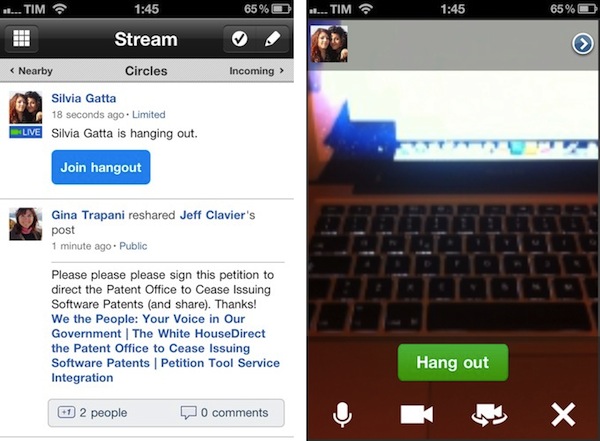
Update: I’ve run some first mobile Hangout tests, and performances seemed pretty reliably on my home network. Video quality was slightly worse than Apple’s FaceTime on the same connection, but it was a very slightly difference. What matters is that you’re able to join a Hangout directly from your stream as one of your friend starts it, and as you click “Join” you’ll be brought to a new dark screen that will load your camera view (front-facing by default), as well as your friend’s. There are notifications for new people joining a Hangout, and as multiple members join you can open a new screen to instantly add them to a circle.  There are buttons in a bottom toolbar to mute audio, freeze the camera, switch between front and rear-facing cameras, and leave the Hangout.

Overall, the process of joining a Hangout from my iPhone was pretty smooth, though on my friend’s end, she told me she was logged out at some time, and had to re-enter the Hangout. During those few seconds, I was left alone with a black screen as you can see in an image below. Hangouts on desktop web browsers have been recently enhanced with new features as you can read in Google’s blog post.


Gmail Mobile Web App Gets Multiple Sign-In

In the past months, Google has released a series of updates to improve the overall experience of the Gmail mobile web app, which works on iOS devices such as the iPhone and iPad, as well as other smartphones and tablets. Google made the mobile web app more accessible and usable with notifications, undo bar, Retina graphics and “pull to refresh”, and today they’ve announced another update that brings Preferences and multiple sign-in to the service when viewed from mobile devices.

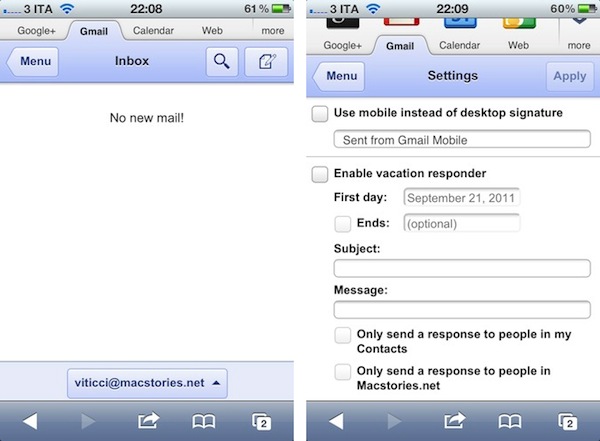
Multiple sign-in has been around in the Gmail desktop website for quite some time, and it’s a useful shortcut to quickly switch between multiple Google accounts (and thus Gmail inboxes or Google+ profiles). Starting today, a new sign-in button will appear at the bottom of the iOS web app, allowing you to jump to another account, which will automatically load its Gmail inbox. The feature is already live in Mobile Safari (tested on an iPhone 4 running the latest iOS 5 beta).

Furthermore, Google is now allowing users to set Preferences directly from the mobile web app. The company is highlighting the possibility to create a mobile-only signature, so your friends will associate typos to a smartphone’s keyboard. Also, the Preferences come with vacation auto-responder settings, and a few more options.

We know that autocorrect and other mobile spell-checks can be frustrating as you are typing on the go. Let your friends know that you are responding via your mobile phone so that they understand why you might have sent a message that you are meeting for “monitors” and not “mojitos”. It’s an easy way to make them understand why your message might be short or have a few typos. To create a mobile signature, from the menu view, press the new settings icon, choose your signature, and then check the box that tells us you want to activate it. If you ever want to disable the mobile signature, you can uncheck the box and we will use your desktop signature instead.

Google notes that each Gmail account can have a separate bookmark. On iOS devices, you can save a Gmail shortcut to the Home screen by tapping on the Action icon in Mobile Safari, and then Add to Home Screen (Gmail’s webclip icon has been optimized for the Retina Display as well).


Latest Chrome Stable Gets Native Lion Scrollbars and Full-Screen

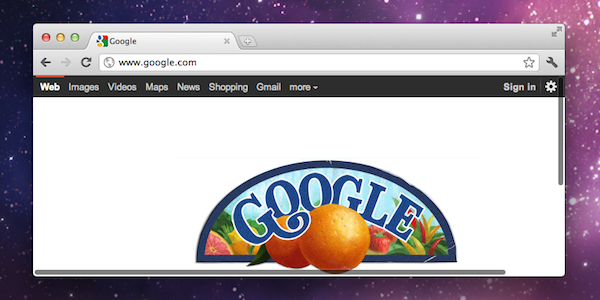
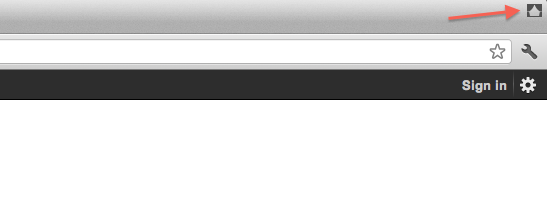
Back in early August we reported the bleeding-edge version of Google Chrome, Chrome Canary, had been updated to include native full-screen mode and scrollbars on OS X Lion, which was released on July 20th on the Mac App Store. The Chrome team rushed to have a version of Canary fully compatible with the new OS, and we noted their implementation of full-screen was different from the average OS X app: Chrome allowed for two different toolbar / no toolbar modes triggered by a “curtain” icon at the top. With such implementation, the Chrome team made sure developers could test “real” full-screen mode with only the actual content of a webpage displayed, and a second option to see content + toolbars (tabs, bookmarks, etc).

The latest stable version of Chrome, released today, brings these Lion changes (and other bug fixes) to regular users, alongside other new features detailed on Google’s official blog. Most notably, Chrome stable has now access to the Native Client, a way for Chrome to execute C and C++ code inside the browser. The Native Client only supports applications from the Chrome Web Store for now, but Google is looking into supporting more platforms. Another technical change in this new stable release is the Web Audio API, which “enables developers to add fancy audio effects such as room simulation and spatialization”.

You can get the latest Chrome stable release here, and check out a brief explanation of the Native Client after the break. Read more


Google Releases Blogger for iPhone

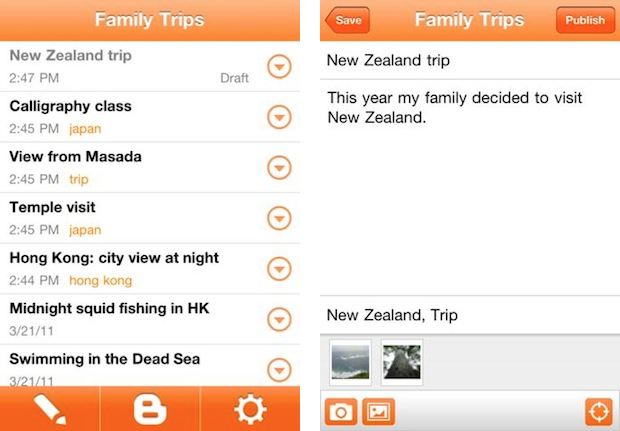
Earlier today Google announced the release of Blogger for iOS, an iPhone app aimed at Blogger users who have been looking for a way to edit or write new blog posts directly from their mobile devices. The app is free, and available on both iOS and Android. Blogger retains the service’s typical orange schemes; Blogger itself recently went under a major redesign for its entire platform. The app allows you to create a new blog post with tags, pictures and plain text, or edit an existing one or draft that you might want to finish on an iPhone.

You can also open a blog post you’ve been working on from your computer and continue editing it while you’re on-the-go. Your blog posts are automatically synced across devices, so you’ll always have access to the latest version. Pictures are worth a thousand words, and the Blogger app makes it easy to add photos either by choosing from the gallery or taking a new photo right within the app. You can also add labels and location to provide more details about the post.

This first version of Blogger runs on the iPhone and iPod touch – there’s no native iPad client yet. You can download Blogger for iPhone here.


Google+ iOS App Adds “Reshare” Option and Fixes

Ever since the official Google+ app for iPhone came out in July, we’ve followed the development as Google’s new social experiment added more features, and seemingly dropped in traffic as the novelty effect wore off for many. I was pretty satisfied with the 1.0 release, albeit the custom UI and lack of functionalities turned an highly anticipated launch into a discussion as to whether Google should be focusing on making its iOS apps more native to iOS and less Android-ish. An update in August brought support for iPod touch and iPad in compatibility mode – two options that were mysteriously absent in the first release.

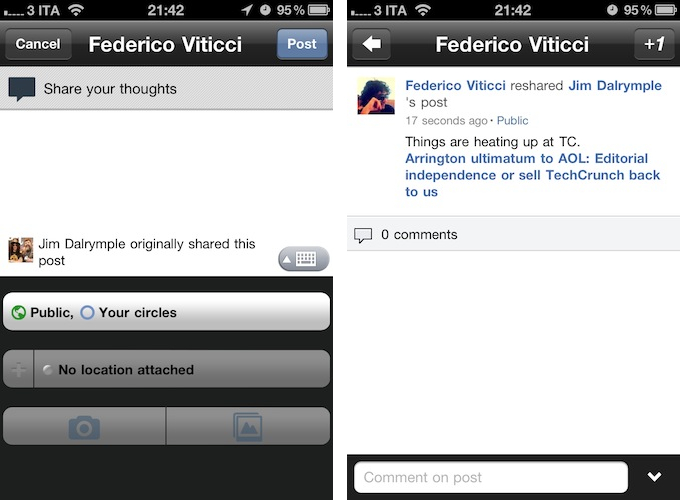
A new version of Google+, as noted by The Next Web, was pushed to the App Store a few minutes ago, adding support for “reshares”, as well as bug fixes and performances improvements. From my first tests, I’m happy to see the app doesn’t crash on iOS 5 beta 7 and everything seems to be quite snappy and responsive while navigating between sections, the stream, and comments. As for resharing others’ posts, it works just like on the Google+ website – once you’ve selected a post, you can hit the “arrow button” at the bottom to bring up a menu to reshare, mute, or report a post. Reshare will open a new window populated with the original post and author, and a text field to add your own thoughts, set location and circles. Reshared posts will be nicely formatted both for the web and iOS app.

From the release notes:

  • Reshare support
  • Set your profile photo
  • Improved autocomplete in Huddle
  • Properly refresh notifications when returning to the app
  • Create new circle from Circles destination
  • Fixed 2-step verification issues

You can download Google+ for iOS for free on the App Store.


Steve Jobs, Google’s Vic Gundotra, And “Icon Ambulance” On A Sunday

Steve Jobs, Google’s Vic Gundotra, And “Icon Ambulance” On A Sunday

Amidst all the speculation and conjectures surrounding Steve Jobs’ resignation as Apple CEO last night, Google’s Vic Gundotra has shared a great little anecdote about the former CEO’s proverbial attention to detail and willingness to get even the smallest wrong piece of interface fixed in order to provide users with a great experience when using Apple devices.

Gundotra recalls an episode from 2008, when he got a phone call from Steve Jobs – Gundotra was head of mobile applications at Google at the time – but he didn’t pick up. Vic was attending religious services when “Caller ID unknown” called, so he chose to ignore the call. The call was from Steve Jobs, who left a message asking to be called back because it was urgent.

The problem Steve Jobs needed to get fixed was a wrong shade of yellow in Google’s webclip icon for the iPhone:

So Vic, we have an urgent issue, one that I need addressed right away. I’ve already assigned someone from my team to help you, and I hope you can fix this tomorrow” said Steve.

“I’ve been looking at the Google logo on the iPhone and I’m not happy with the icon. The second O in Google doesn’t have the right yellow gradient. It’s just wrong and I’m going to have Greg fix it tomorrow. Is that okay with you?”

Of course this was okay with me. A few minutes later on that Sunday I received an email from Steve with the subject “Icon Ambulance”. The email directed me to work with Greg Christie to fix the icon.

You can find Gundotra’s full post over at Google+ – Gundotra eventually became Google’s public face in the iOS/Android clash for the mobile space, but he says that episode taught him a lesson about how CEOs should always care about details. Even shades of yellow, on a Sunday. That’s symbolic of Jobs’ career as a CEO, and a message that will live on as Apple continues down its road with a different chief executive officer.

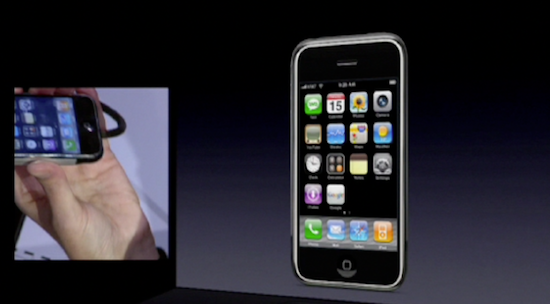
[2008 Macworld keynote image via Arnold Kim]

Permalink

Google’s Photovine App Now Open for All

Back in July we covered the release of Photovine for iPhone, an image sharing app developed by Google’s internal Slide team that, among other things, is also responsible for Disco, a group messaging app, and Pool Party. Powered by a slick design and attention to detail, the Photovine app that was released last month didn’t allow everyone to sign up and start sharing photos as the system was invite-only without an open sign-up. With an update pushed last night on the App Store, Photovine has revamped Facebook and Twitter integration from within the app and finally opened registrations without the need of a beta invite.

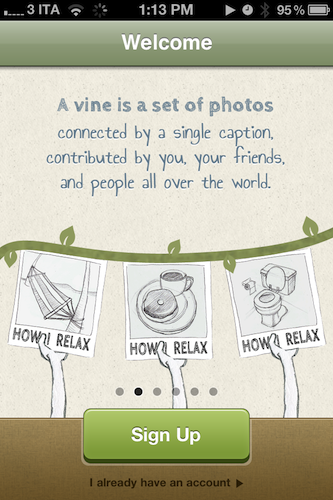
Unlike the popular photo sharing app and iPhone-based social network Instagram, Photovine doesn’t revolve around the simple concept of photos uploaded to a user stream and shared with followers. Rather, Photovine is based on “vines” – photos connected by a caption and contributed by you, your friends, and other people using Photovine. So, for example, say you’d like to share a photo about your newly acquired MacBook Air, you can start a vine called “My new MacBook” and your friends will be able to let the vine “grow” with new photos related to the caption, and the photo you originally posted. This is best explained by Photovine’s promo video, which we’ve embedded after the break.

Photos in a vine can obviously be liked and commented on, each user has its own dedicated page with a profile picture and followers/following/likes counts, and an Inbox tab in the bottom toolbar allows you to check on messages you’ve received from other users, or notifications such as new followers, comments, and likes. This is not too dissimilar from Instagram’s implementation of “activity”. Users can add new photos to an existing vine (or even “watch” a vine if they’re interested in it) or create a new one from scratch – Photovine comes with a beautiful custom camera interface that lets you snap your own photo, or pick one from the Camera roll. Indeed the whole app sports a gorgeous and clean design that makes it easy to jump through vines, user profiles, and comment on photos shared by others.

Photovine for iPhone is an interesting concept with a good-looking interface and additional social functionalities to forward photos to Twitter and Facebook, and find friends on those social networks as well. You can download Photovine for free on the App Store. Read more