Posts tagged with "google"

Google Drive for iOS Now Available

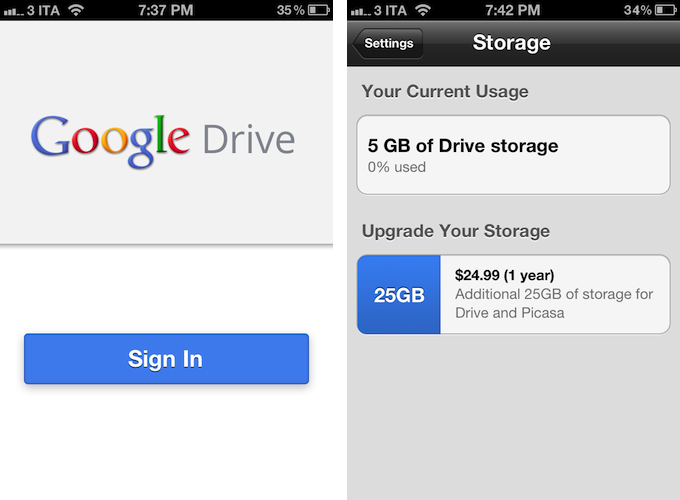
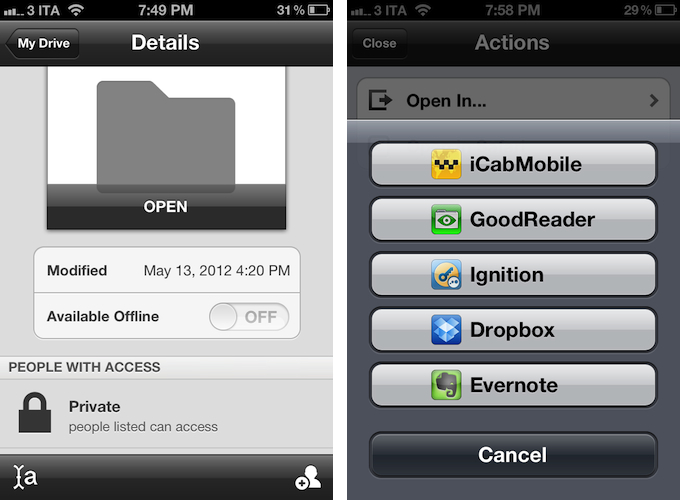
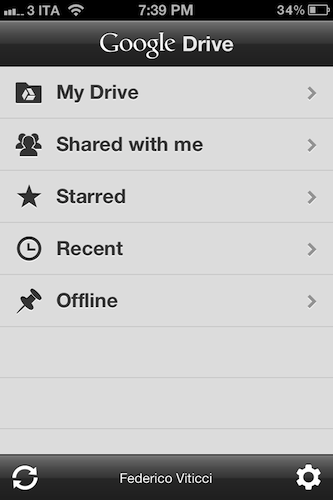
Following a series of announcements at its I/O 2012 event, Google formally introduced the official Drive app for iOS today. Available for free as a universal download for iPhone and iPad, the Google Drive app gives you access to all your documents and folders stored in your Google account, as well as the ones shared with you. Documents can be marked as starred to be easier to find, and made available offline through the details panel of an item view.

Complying with Apple’s terms for in-app purchases, the Google Drive app allows you to purchase additional storage using your iTunes account.

The Google Drive app for iOS doesn’t come with full editing capabilities – instead, Google is pushing the client as a way to “quickly and easily” find and view your files, pictures, and videos stored on Google’s servers. Files can be shared with collaborators from the app and, obviously, synced to desktop devices, but as far as editing capabilities go, it appears Google is only allowing users to forward documents to other installed iOS apps using the standard “Open In…” menu.

The app’s design is largely similar across the iPhone and iPad, relying on the tablet’s larger screen to display more panels at once and bigger media.

Google Drive for iOS is now available on the App Store.


Google+ Coming to iPad Soon

Google+ Coming to iPad Soon

Drew Olanoff writing for The Next Web:

The app is absolutely gorgeous, and it definitely takes some cues from Flipboard’s approach to content display and digesting. I found that after using the app for a few minutes, navigating your way through all of Google+’s features was simple, and more importantly, natural. It’s a hybrid of Flipboard and Apple’s coverflow.

I’m not a Google+ user, but the new social features found in the Android and iPad versions look to imaginative, and in some cases, quite clever. Google+ Hangouts is built in, so you can chat with groups of family and friends — similar to FaceTime. Commenting looks easy, pictures are laid out like magazine images, and Google has seems to have managed to retain a modern and friendly interface that doesn’t feel abstract or robotic. You’ll want to check out The Next Web for more images and hands-on with the tablet app.

Read more


Google Launches Complete Redesign of Search iPhone App

Today, Google launched a major redesign of its official Search app for iPhone, which reaches version 2.0 and is now available on the App Store.

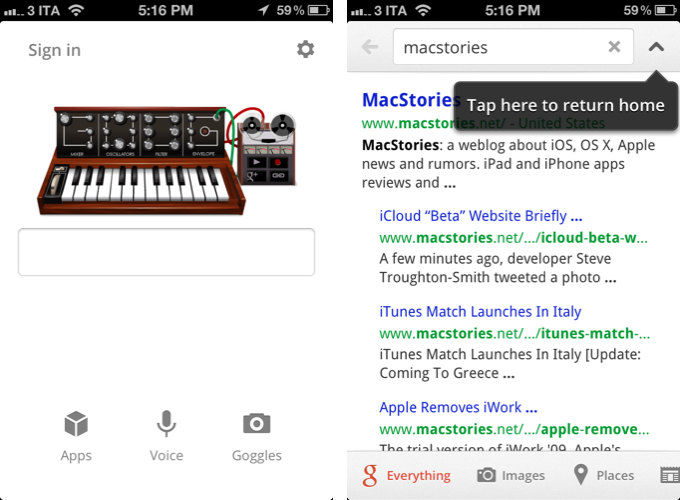
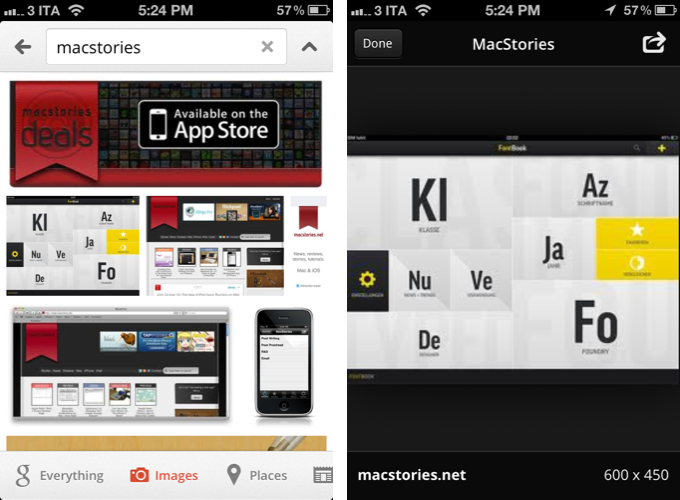
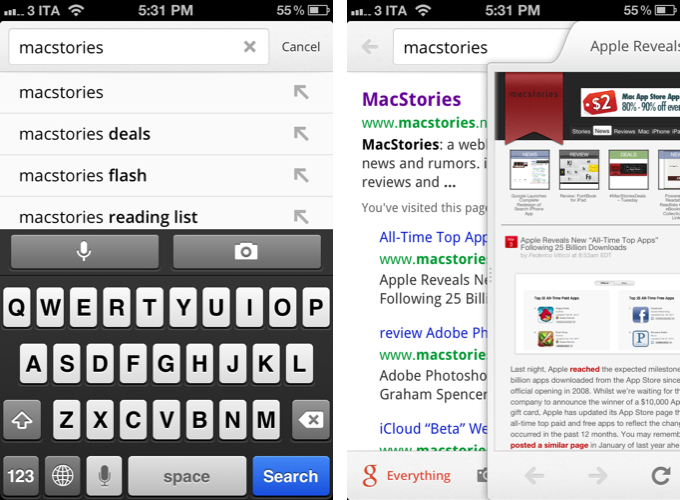
Inspired by the iPad update that was released last year, the new Google Search app for iPhone brings a completely redesigned start screen with options to sign in, search, and access Google apps. A shortcut for settings is available at the top alongside an icon to switch between search results and the search field at any time.

Searches can be performed by typing, or through two new shortcuts for voice and Goggles. These functionalities were already in place, but Google says they are now faster and more accessible thanks to the new interface. Similarly, the standard search results have gone through a major overhaul as well: as you scroll, controls are hidden and results are displayed in full-screen; like on the iPad, results open in a separate panel that you can dismiss at any time with a a single swipe. You can share results via email, open a webpage in Safari, and even search for specific text inside a page. Along the bottom, new tabs for Images, Places, News, and more allow you to easily switch between different types of Google results.

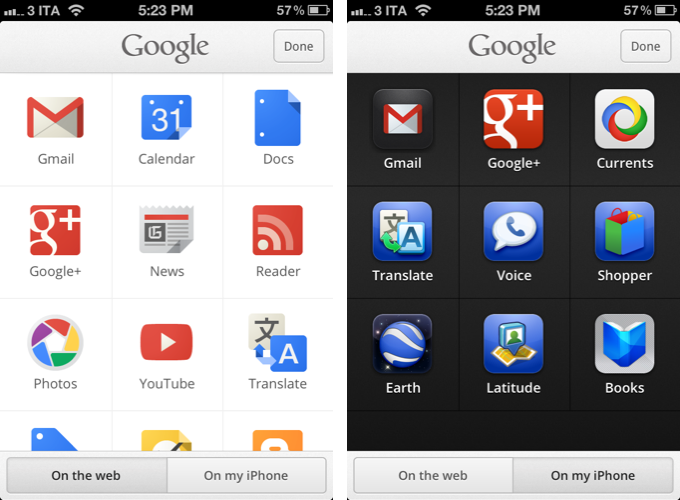
Furthermore, Google has redesigned image results to be displayed in full-screen, and a new Apps tab in the main screen allows you to load Google apps “on the web” or “from your iPhone”. As a side note, the app has also received a slightly redesigned icon, and both the iPhone and iPad version of Search can now save images to the Camera Roll.

Google Search 2.0 is now available on the App Store.


Google Officially Launches Google Drive

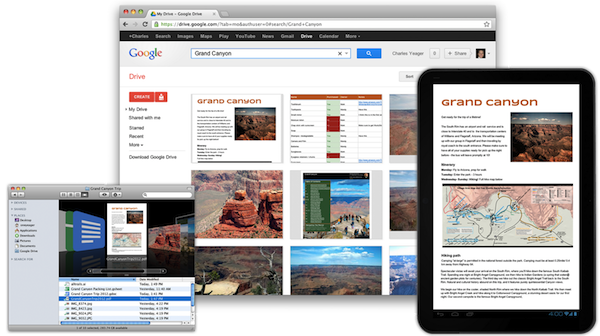
Rumored for years, Google has today officially taken the wraps off Google Drive, the company’s new solution to store, share, and collaborate on documents and files in the cloud. Available at drive.google.com, Google Drive allows users to open more than 30 file types (including video, Adobe Illustrator and Photoshop) directly in the browser even without desktop apps installed; Drive is connected to Google Docs for document editing and collaborative features, albeit Docs storage doesn’t count against Drive’s storage limits.

Today, we’re introducing Google Drive—a place where you can create, share, collaborate, and keep all of your stuff. Whether you’re working with a friend on a joint research project, planning a wedding with your fiancé or tracking a budget with roommates, you can do it in Drive. You can upload and access all of your files, including videos, photos, Google Docs, PDFs and beyond.

With a promised 99.9% uptime guarantee from Google, Drive starts for free at 5 GB of storage:

You can get started with 5GB of storage for free—that’s enough to store the high-res photos of your trip to the Mt. Everest, scanned copies of your grandparents’ love letters or a career’s worth of business proposals, and still have space for the novel you’re working on. You can choose to upgrade to 25GB for $2.49/month, 100GB for $4.99/month or even 1TB for $49.99/month. When you upgrade to a paid account, your Gmail account storage will also expand to 25GB.

Among the Drive features touted by Google, the company announced the service will support OCR (optical character recognition) for scanned documents, image recognition for uploaded pictures (for instance, you’ll be able to search for “Eiffel Tower” and have Drive find a picture of it in your files), and search. As with most Google products, great focus has been put on the search functionality, which will allow users to look for file names, content, activity, and owner information in the Drive accounts. Furthermore, Google says they have worked with a number of third-party developers to enable Drive integration with various online service starting today; similarly, Google Drive will work with other Google apps and services such as Google+ and Gmail to easily share files or attach documents to email messages.

The official Google Drive app for Android has gone live on Google Play, and the company says they are also “working hard” on a Drive app for iOS devices. ReadWriteWeb was provided with screenshots of the Drive iOS app directly from Google.

Check our more links, details, videos, and our first impressions with Google Drive after the break. Read more


Five Ways to Improve Gmail for iOS

Five Ways to Improve Gmail for iOS

Great analysis by Ken Yarmosh:

A native Gmail app on iOS had been anxiously awaited for years but when Gmail for iOS launched back in November 2011, it do so to much berating. The main complaint against the app is that it is basically an iOS wrapper around the standard mobile web app. Personally, I found the criticisms overall harsh but it does need to be improved. In no particular order, here are five ways to do that.

I agree on all the points, and I’ll add that Google might consider picking the team that created the Search app for iPad to improve Gmail for iOS. Google Search for iPad is a great app: fast, stable, responsive, innovative – that’s Google at its best, making a native app that is not cumbersome or underpowered. Gmail, on the other hand, feels like an attempt to “get the job done”: take a web view, throw some native wrapper on top of it, call it a Gmail app. Done. Gmail for iOS disappoints, but I’m still hoping Google is preparing something good for it. If that’s the case, please, Google, follow Ken’s suggestions.

On the other hand though, I can’t stop thinking about Sparrow for iPhone. That’s one of my most anticipated apps of 2012.

Permalink

Google Translate for iOS Updated with iPad Support

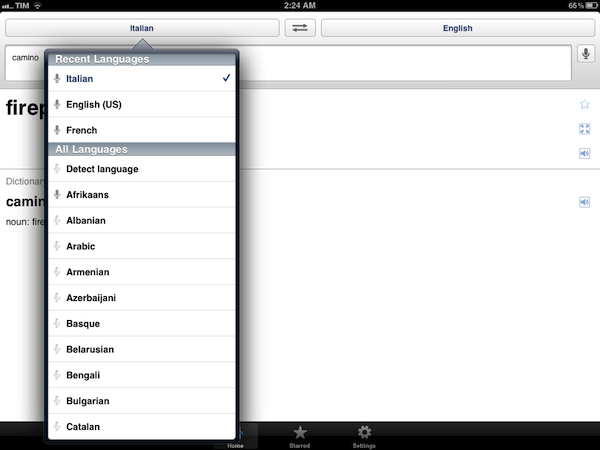
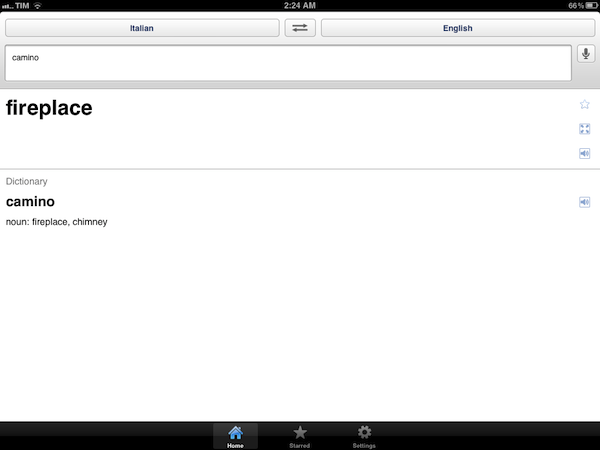
Previously available exclusively for iPhone and iPod touch owners, earlier today Google updated its official Google Translate iOS app to include a native interface for the iPad. The updated Google Translate, available here, heavily resembles its iPhone counterpart with larger interface elements ported to the iPad’s screen – there are three tabs at the bottom to switch between translations, favorite items and Settings, a microphone icon to speak directly into the device’s mic, and you can choose between multiple languages from a popover menu.

Unlike the surprisingly refreshing (for Google’s iOS standards) Google Search app, it appears Google Translate didn’t receive any particular iPad treatment in the conversion process.

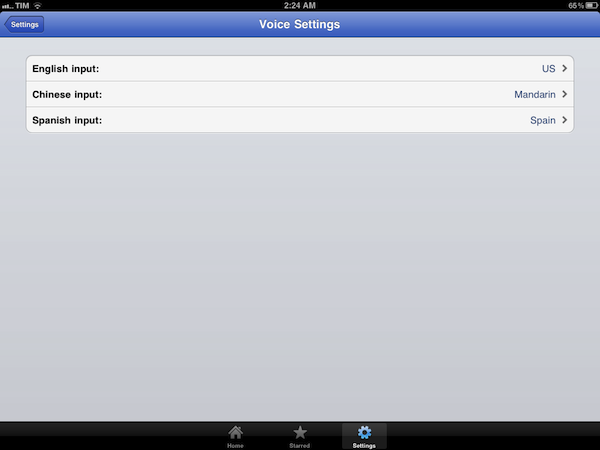
Among the lesser known features of the app, you can specify input for English, Chinese and Spanish languages, display translations in full-screen mode, and tap on results for text-to-speech.

Google Translate 1.3 (changelog simply reads “Added support for iPad”) is available for free on the App Store.


Google Search for iPad Gets New Features and Redesigned UI

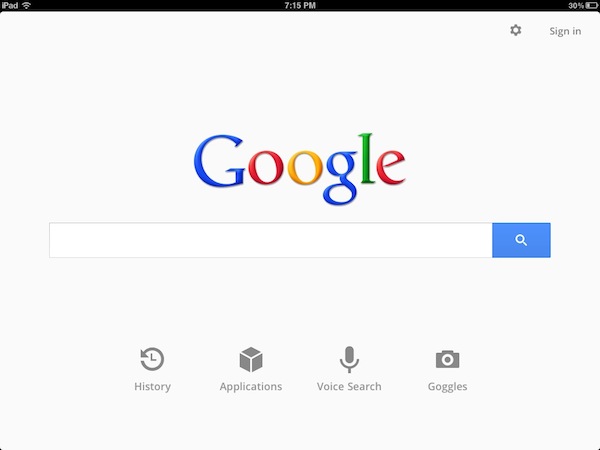
A few minutes ago Google released a new version of its official Google Search app for iOS that, alongside bug fixes and full-screen mode for search results and images on the iPhone, brings a completely overhauled interface, as well as new functionalities, on the iPad. Google Search, available as a universal app, has in fact introduced a redesigned UI that falls in line with Google’s recent updates to its online services like Gmail, Google Reader, Google Calendar and Google+. Google Search on the iPad now sports a series of gray icons in the main page to quickly jump to History, other Google apps, voice search and Goggles, a feature that Google introduced on iOS months ago to search for products just by taking a picture of them. The History page got a visual overhaul, displaying search results as stacks of pages you can swipe through to get your previous search.

Often you may be looking to find something you have seen before again or are continuing research on a topic. But on a tablet, typing can be a challenge. That is why we have created a visual way to explore your search history. Swipe right to view snapshots of pages you’ve visited, stacked and organized by search term. You can also manage your search history from this new view.

Search results are now loaded with Google Instant and Instant Previews, meaning the engine will be able to predict your queries and, at the same time, offer a visual aid to display pages as thumbnails, rather than just text results. The typical search interface is still there, visualized with Google’s recently launched tablet view. The native app has allowed the developers to embed a toolbar at the top, which contains buttons to open voice search, apps, settings, and sign in with your Google account.

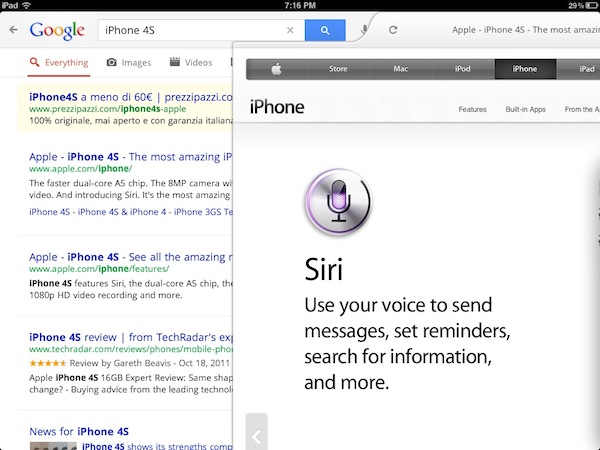
Another big change on the iPad is how results are displayed side-by-side with webpages. As you tap on a link from the search results, Google Search will “slide in” a webpage with a quick animation that enables you to go back at any time with a single swipe gesture. You can adjust the size of the panel and visualize a webpage alongside other search results. Furthermore, the webpage view features another toolbar with buttons to +1 on Google+ and search for a specific word inside the page. With the iPad in landscape mode Google has effectively built a sort of split-browser with search results automatically loading in the resizable panel on the right.

Once you pick a web page to visit, you’ll see the page load on a new, slide-in pane that will layer over the search results. You can slide the pane to the right to get back to your search results, and even keep scrolling through the results as your web page is loading. This allows you to go back and forth from results to web pages quickly to get the information you are looking for.

Especially on the iPad and in landscape mode, the latest Google Search update seems like a step in the right direction to enable users to search faster, switch between results quicker, and have access to search history in a more user-friendly interface. You can get Google Search for free from the App Store.

More screenshots and promo video below.

Read more


Gmail for iOS Is Back In The App Store

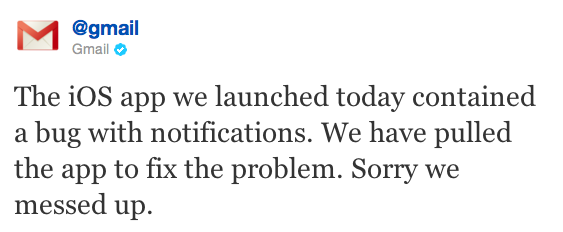
Following an unsuccessful launch on November 2, Google has re-released its official Gmail app for iOS in the App Store, which was pulled due to a bug that affected push notifications. In spite of the criticism received by the app, it appears Google didn’t make any substantial changes, as reported by this version’s changelog:

If you already have the Gmail app 1.0.1 released on 2 Nov, you will need to uninstall or log out of the old app prior to installing the new app.

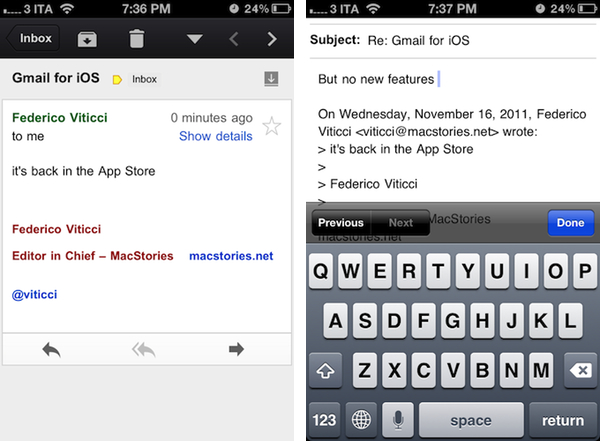
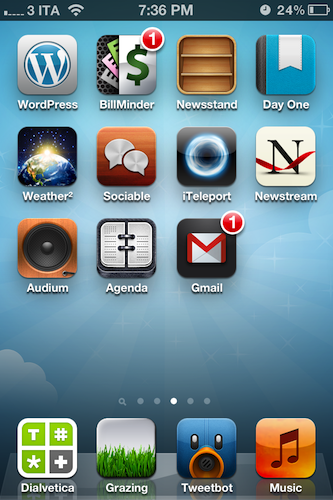
We’re currently re-testing the Gmail app for iOS and we’ll update this post with more details if necessary. Update: push notifications are now working in this version (as you can see I have a badge on my Home screen), but there are no new features. The app is still web-based as in the first version, with no support for multiple accounts and poor scrolling performances, among other issues.

Download Gmail for iOS here.


Google Releases Gmail for iOS

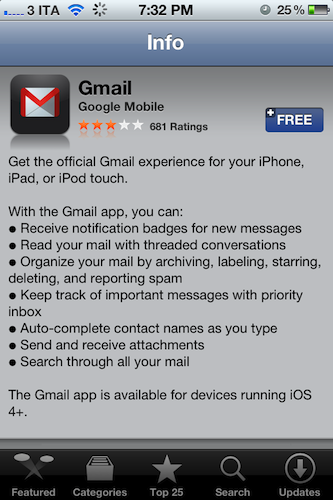
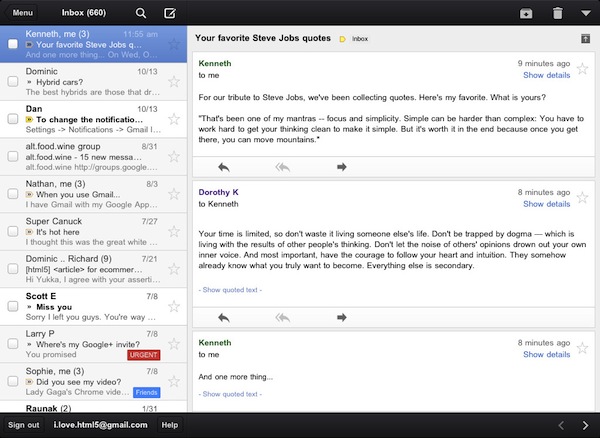
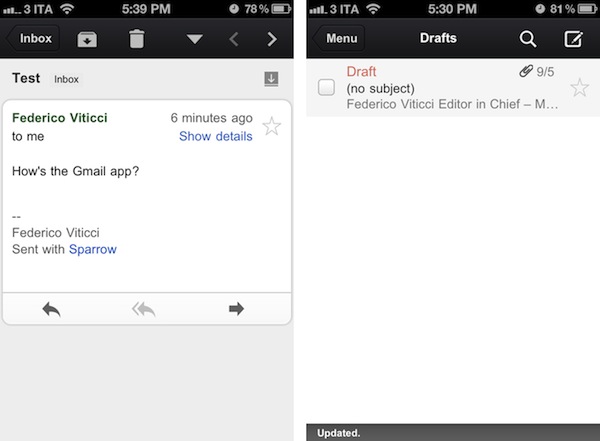
Google has just released its first official Gmail app for iOS, available on the App Store here. The app runs natively on the iPhone and iPad, features notifications, messages threads, Priority Inbox and many other Gmail features from the web interface. In developing Gmail for iOS, Google says they have tried to bring the best features of Gmail for the web – which is also optimized for iOS devices – to the iPhone and iPad while taking advantage of the native capabilities of these devices.

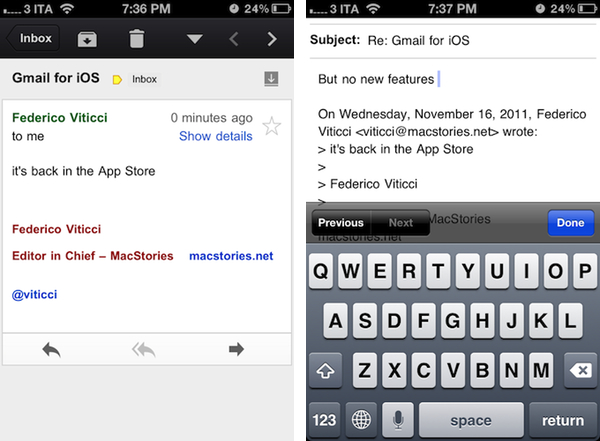
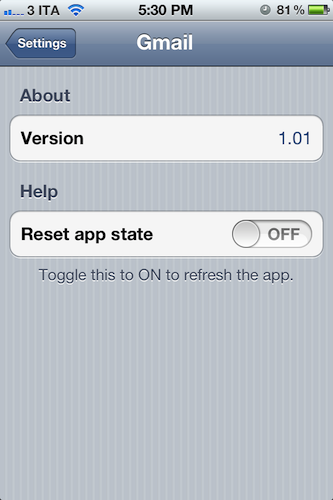
The company has indeed implemented name auto-completion and Camera Roll integration for image attachments, but we couldn’t find support for multiple email accounts in this first version. Also, we were unable to receive “badge notifications” for new messages, although this may be related to the just-launched nature of the app and an error that several users are reporting on Twitter. The lack of multiple account support is disappointing, frankly, as the app simply loads up a web view upon first launch, asking you to log in with a Google account, and that’s it. There are no settings, no account options – there is a “reset app state” button in the iOS Settings app, which will simply reset the app’s state (logging you out of your account) as the name suggests.

As many have already noticed, the interface of the app seems to consist mainly of a web view inside a native environment that guarantees some of the aforementioned features such as attachments from the Camera Roll. Some animations are smoother than Gmail’s web counterpart – such as the swipe-to-reveal Inbox action – and this should be an advantage of the “native” nature of some elements of the app. Other animations and menu, however, are clearly web-based, and not as smooth and responsive as you would expect from, say, Apple’s Mail app. Overall, it appears Google took Gmail’s existing web app for Mobile Safari, added some new features and graphical elements in the inbox and message list, and released it as a free app on the App Store. This app clearly can’t be compared to Android’s native Gmail experience, or Apple’s Mail app for iOS, which still remains a fine and powerful client. If you’re a fan of Gmail’s web app for iOS devices, I believe you’re going to like some improvements of this “native” version, but I can’t imagine any Gmail power-user – people who regularly switch between two or more accounts every day – doing any serious email work with this app.

There are some nice improvements over the Gmail web app for iOS devices, but this is far from the “pretty fantastic” native app many were expecting.

From the feature list:

  • Get alerted to new messages with push notifications and sounds
  • Find an email in seconds with search across your entire inbox
  • Autocomplete email addresses from your Gmail contacts or select from your device’s address book
  • Upload photos with a click using the new attachment button in compose view
  • On iPad, navigate your inbox and read your mail simultaneously with split view

You can find Gmail for iOS on the App Store.

Update: Google had to pull Gmail from the App Store to fix the notification bug mentioned above.