Posts tagged with "google"

YouTube for iOS Gets iPhone 5 and AirPlay Support, iPad Version

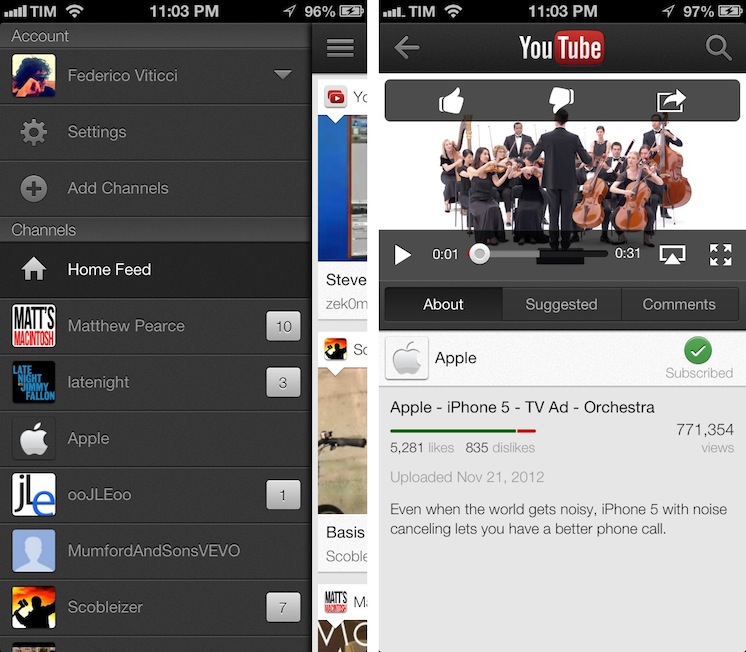
Following a major update to Gmail for iOS, Google has today also released a new version of its YouTube app, which includes AirPlay and iPhone 5 support, as well as an iPad version that makes the app Universal.

One of the new features is the Guide of channels that you can access by tapping on the YouTube logo in the title bar; tap it, and you’ll go back to the app’s main sidebar, listing your account’s options and Channels. On the iPhone 5, YouTube is now optimized for the taller screen – a glaring omission that has annoyed several iPhone 5 users since the device’s release. Among other improvements – including clickable links in video descriptions and ability to add or remove a video from your playlists – a notable addition is AirPlay support: you can now natively stream videos to any AirPlay-compatible device such as the Apple TV or a Mac running Reflection (which is what I tested).

The iPad version of the app is rather obvious, but still welcome: it packs a sidebar on the left side, and main content on the right side of the screen. When you tap on a video, the right portion becomes the main view hiding the sidebar and displaying suggested videos on the right. Interestingly, you can’t browse and watch videos at the same time, as the sidebar will always be hidden after you click a video’s thumbnail.

For everything else, both the updated iPhone app and iPad version share the same features that I covered in my original review of the app, and today’s changes are definitely improvements worth checking out – it’s especially good to see Google supporting AirPlay right after the 1.0 release. Both on the iPhone and iPad, Google offers a feature in the Settings to open links in Chrome, also available for both platforms on the App Store.

The updated YouTube app is available on the App Store. More screenshots of the iPad app are available below. Read more

Siri Vs. Google Voice Search

Clark Goble has posted an excellent review of Siri and Google Voice Search, taking into account the improvements Apple and Google made to their services in the past few weeks. His experience largely reflects mine: Siri is more useful to do stuff, Google is faster at transcribing dictated input and displaying search results.

That said Siri still has places it needs to improve. It really should speak far more results. For certain classes of queries Siri should display a large simple result and speak it rather than the stylized Wolfram result it now provides. Given that Siri already has started speaking more results, I suspect we’ll see that added over the next month. Siri also has a problem of not letting you speak over it. I’d like it to be able to let me answer before I have to listen to every part of the question she’s asking. Finally I think there are several types of queries Siri needs to be optimized for. Temperature conversions, forthcoming movie releases, television schedules, and time series sporting event statistics really are all things Siri needs to do better.

In October, I wrote:

Google Search for iOS doesn’t want to be Siri: after all, it can’t. It has some similar features (“Do I need a raincoat today?”), but it’s not an assistant. It couldn’t be per Apple’s restrictions, and Google isn’t even trying to posit it as a Siri replacement. It’s Voice Search.

I also agree with Clark in regards to the tests many people conduct to compare Siri to Google. I’m not interested in the funny and witty responses – for as much as they’re an entertaining demo – because, after all, I want to know how voice works in real life. I’m always around a computer or iOS device, and the only times when I can’t directly manipulate a UI with my hands is when I’m driving or cooking. I want to know how Siri compares to Google in letting me complete tasks such as converting pounds to grams and texting my girlfriend, not showing me pictures of the Eiffel Tower.

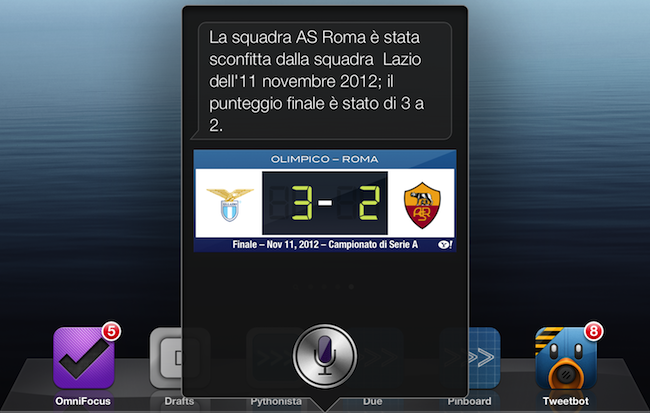
As an Italian user, I have to say Siri has still a long way to go with a language that’s full of variables such as conjugations and pronouns. Some Italian responses are poorly worded (see screenshot above), and sentences containing a “that” are still plainly transcribed. Sports results for Serie A lack player pictures and coach information, and results for the last match are displayed instead of rankings. Siri asks me if I mean “November 19th” or “November 20th” when I ask for “tomorrow” minutes after the midnight of November 19th, but simply replying “the 19th” doesn’t work.

Italian Siri has also been getting better, though. It presents more results for businesses open at night in my area if I ask after 11 PM, and it appears to accept a more variegate vocabulary for Reminders and Calendar integration. I can also attest reliability has improved recently, but it’s still far from perfect.

If you want a balanced and detailed take on the differences between Siri and Google, read Clark’s review here.

Permalink

Google Voice Search for iOS: Not A Siri Competitor, Still A Solid App

Earlier today, Google released an update to its Search app for iOS (a longtime favorite of mine both on the iPhone and iPad) to include an “Improved Voice Search” experience. Apparently, the app had been submitted a while ago, but Apple approved it this week.

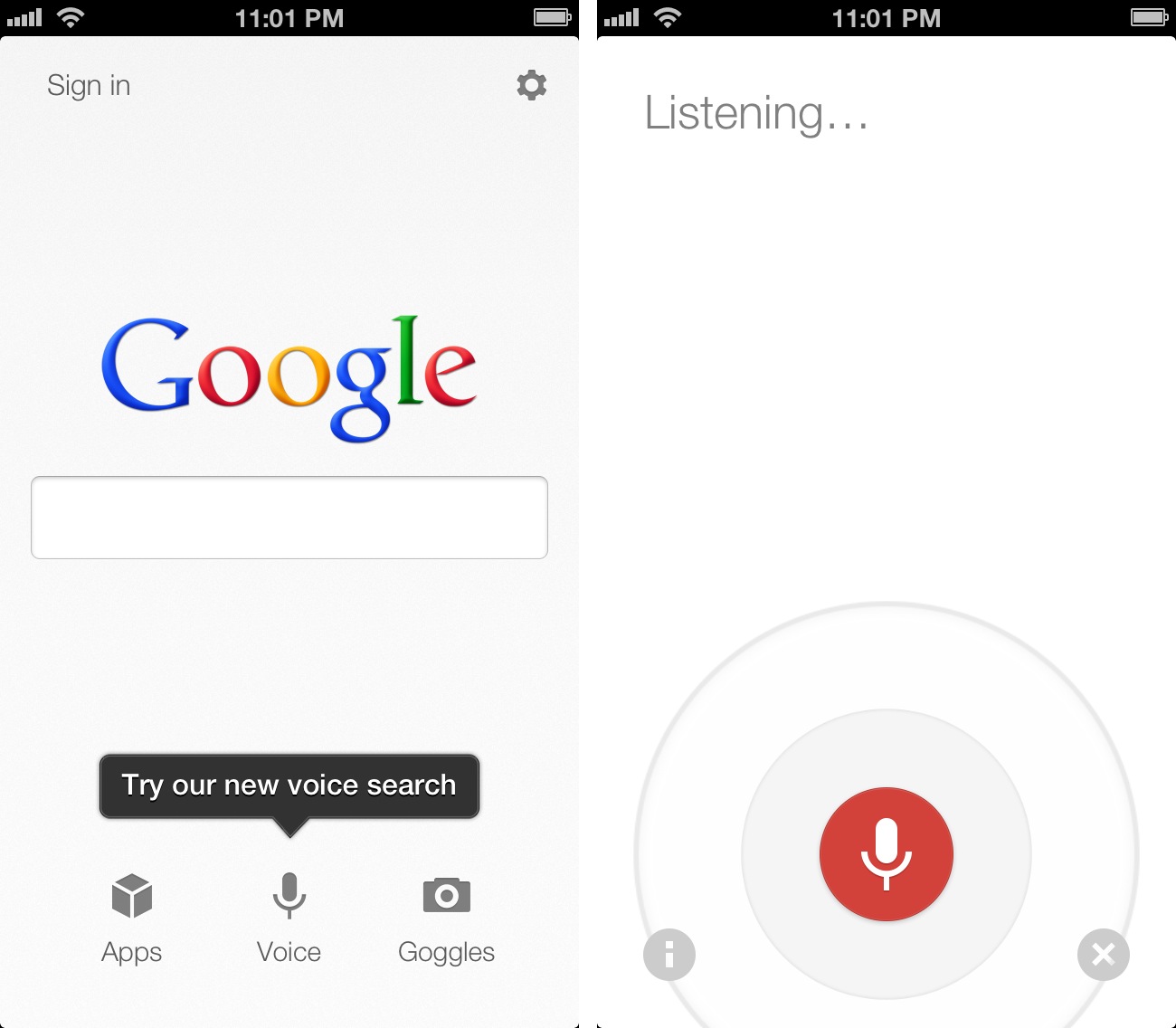
The new Voice Search of the app may seem Siri-like in terms of overall concept. Essentially, it allows you to ask questions in natural language without typing, and get results back. I took some time to test the app, and, in actual usage, the scope is considerably different from Apple’s Siri, at least for now. And, at the same time, the technology behind it is much different. Read more


Mapping The Entertainment Ecosystems of Apple, Microsoft, Google & Amazon

Please note: An update to this article is available here, it includes the December 2012 iTunes expansion (Music & Movies) as well as Xbox Music.


The choice of what phone or tablet to buy is one that often involves many considerations, chief amongst those is the physical device and the operating system that it runs. But I think there is a third fundamental consideration that is growing in importance: what services and entertainment ecosystems you’ll be able to access. You need only look back to the recent criticism of iOS 6, in which Apple replaced Google Maps with their own Maps app. Summing it up generally, Apple’s Maps app is sub-par to what it was replacing and that mattered to people - enough that Tim Cook felt the need to apologise for the frustration the switch caused.

Today I want to focus specifically on the entertainment ecosystems of Apple, Google, Microsoft and Amazon. I’m referring to the various digital content stores that are run by Apple, Microsoft, Google and Amazon - specifically their Music, Movies, TV Shows, eBooks and App stores. In my mind, there are four general aspects that make a good entertainment ecosystem:

  • Wide selection of quality content
  • Competitive prices
  • International availability
  • Interoperable on a user’s devices

I want to explore the third aspect in depth today, because it’s something that I feel is all too often downplayed by the technology press (which, coincidentally, is based predominantly in the US). I’ll also briefly discuss the fourth aspect as well at the end. Why are these two aspects so important? Well, smartphones and tablets are devices that have universal appeal, so for Apple or any of the other three to win the smartphone or tablet “race” - an entertainment ecosystem that is available across the world, not just in the US, isn’t just a cool extra feature, it’s a necessity. The US may be one of the biggest markets for such devices today, but is there any doubt that these devices will rival the prevalence of personal computers (which are everywhere) in years to come?

I’ve collected data on which countries each service is available in and then added in population figures to create many of the graphs and diagrams you’ll see below, mixed in with some of my own analysis and thoughts. Please note that the five HTML5 map diagrams are interactive, click on the logos of the four companies to compare their coverage.

Read more


Getting Google Maps Back On iOS 6

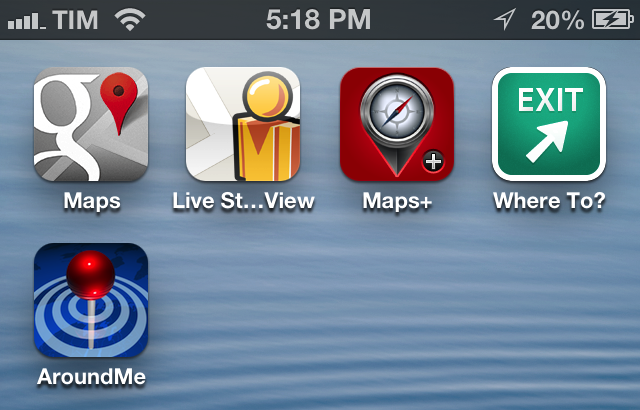
Since the release of iOS 6, I’ve been looking for apps and services to get Google Maps functionality back on my iPhone and iPad. While not as integrated as the previous Maps app of iOS 5, I’ve settled on a combination of various tools to access Google Maps for those times when Apple Maps fail me (unfortunately, most of the time in my area). Read more


The Reality Check Of Google’s New YouTube App

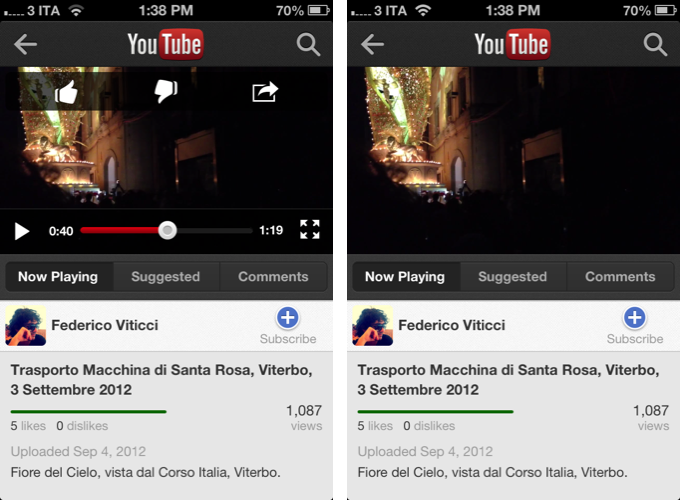
In an unsurprising move considering Apple’s upcoming iOS 6 update, Google released an official YouTube app for iPhone last night. Announced on the YouTube blog, the app is available for free on the App Store, and it runs natively on the iPhone; according to The New York Times, an iPad version is also in the works.

I have taken the YouTube app for a spin, and I was quite impressed with what Google accomplished in this first version. While not excellent in terms of performances, the key to this first release of YouTube for iOS is access.

One of the most controversial aspects of the former, pre-installed YouTube client for iOS was that, as Google started monetizing the YouTube platform with “official” videos from channels like VEVO, the pre-installed iOS client couldn’t display such videos due to a lack of agreement between Apple and Google in regards to ads shown to the users. On the standard desktop YouTube website, users could watch, say, music videos from official channels because the company embedded banners or pre-roll ads to monetize; on iOS devices, official videos were omitted from search results, and links to these videos would return the infamous “this video is not available on mobile” error message. As Google goes free from Apple’s restrictions with standalone apps, this is about to change. Read more


The Rise Of Third Party Services And Fall Of Google In iOS

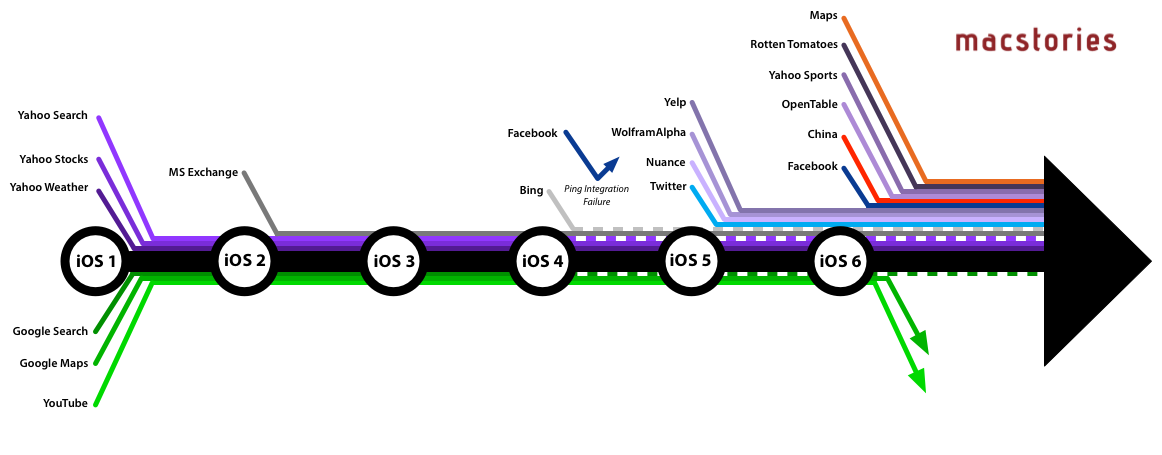
When Apple introduced iOS 6 to the world at this year’s WWDC, one of the most talked about moves was Apple’s decision to step away from their partnership with Google Maps and create their own maps app. In many respects, it wasn’t too surprising given the increasingly strenuous relationship between Apple and Google in the years since the iPhone launched and Google became a competitor with Android, but in recent weeks it was also revealed that YouTube will also no longer be included as a pre-installed app from iOS 6. That leaves Google Search as the only remaining Google service to be integrated into iOS. Yet whilst Apple has been severing its relationship with Google, it has been courting numerous other service providers and integrating them into iOS over the past few years.

Curious to visualise this information, I made a list of every notable service that has been integrated with iOS (and when) and then created the above graphic (click on it to view a larger version). When I had compiled the list, it was pretty compelling (and longer than I had realised), but I think the graphic takes it to the next level and really tells a story about iOS and Apple’s relationship with other services.

Read more


Safari 6.0 and Google Search URLs

Safari 6.0 and Google Search URLs

Brent Simmons writes about the lack of URLs for Google searches in Safari 6.0:

I asked on Twitter. One way is to drag the magnifying glass into whatever text I’m editing. Another way would be a bookmarklet that gets the current page location. A third way would be an AppleScript script.

I ended up writing a Python script.

From my Mountain Lion review:

That said, there is one aspect to the new smart search field I don’t care for: it no longer displays Google Search URLs after you’ve used it to search for something. So if you want to share a direct link to a Google Search, you’ll need to copy it from the share sheet in either Messages or Mail.

In fiddling with Keyboard Maestro, I built a super-quick macro that grabs the URL of the frontmost Safari window through AppleScript. You can download the macro here, or check out the AppleScript itself if you want to create a system Service with Automator.

As pointed out by user @jaydisc on Twitter, some Apple apps on Mountain Lion can receive the copied search terms as clickable URLs in rich text format. In my tests, only Mail was able to receive search terms in RTF and, apparently, this is a known bug.

Permalink

Google Acquires Sparrow

Sparrow, the email client for OS X, just announced they have been acquired by Google. The Sparrow team will join the Gmail team to “accomplish a bigger vision”. Since its release, Sparrow has quickly become one of the most popular mail clients on OS X and, more recently, on the iPhone as well.

From the Sparrow website:

We’re excited to announce that Sparrow has been acquired by Google!

We care a lot about how people communicate, and we did our best to provide you with the most intuitive and pleasurable mailing experience.

Now we’re joining the Gmail team to accomplish a bigger vision — one that we think we can better achieve with Google.

According to the developers, while the product has been acquired by Google, it will continue to be available, and the team will still provide support for its users, at least for the time being.

After the release of the iPhone client, the Sparrow team publicly asked Apple to figure out a solution to let them implement push notifications, which Sparrow wanted to use through a different method than the one enforced by Apple. The Sparrow team stated push was coming with or without Apple, but then suggested push would be coming with a yearly subscription after Apple’s decision not to allow their implementation of push notifications.

Recently, Sparrow also announced they were working on an iPad application. However, in an email the team just sent to existing customers, they wrote:

as we’ll be busy with new projects at Google, we do not plan to release new features for the Sparrow apps.

On the other hand, Google’s own Gmail app has always been heavily criticized (in spite of its improvements) for its performances and reliance on web views instead of “native” code in several interactions with navigation, message search, and more. In theory, the acquisition of Sparrow should hint at a major update to the official Gmail offerings for iOS coming in the future, although, obviously, the details are not clear at this point.

Interestingly enough, while Sparrow does have clients for both iPhone and OS X, Google has never offered an official Gmail application for the Mac. Similarly, one of the most prominent features of Sparrow is its ability to pull contacts’ profile pictures from Facebook, a kind of integration we assume would be going away in an hypothetical Google-owned version of Sparrow, replaced by Google+ support for avatars. Again, the same would apply for Dropbox and CloudApp, both of which are file sharing services supported by Sparrow; theoretically, Google would want to replace those features with Google Drive, their service for sharing and collaborating on documents online.

For a background on Sparrow, check out our latest coverage of the Mac client, our review of Sparrow for iPhone, and initial impressions with the Google Gmail app.

Update: A Google spokesperson has provided MacStories with a statement on Sparrow’s acquisition.

The Sparrow team has always put their users first by focusing on building a seamlessly simple and intuitive interface for their email client. We look forward to bringing them aboard the Gmail team, where they’ll be working on new projects.