Posts tagged with "featured"

Apple Announces Strange New iPad and iPad Pro Lineup

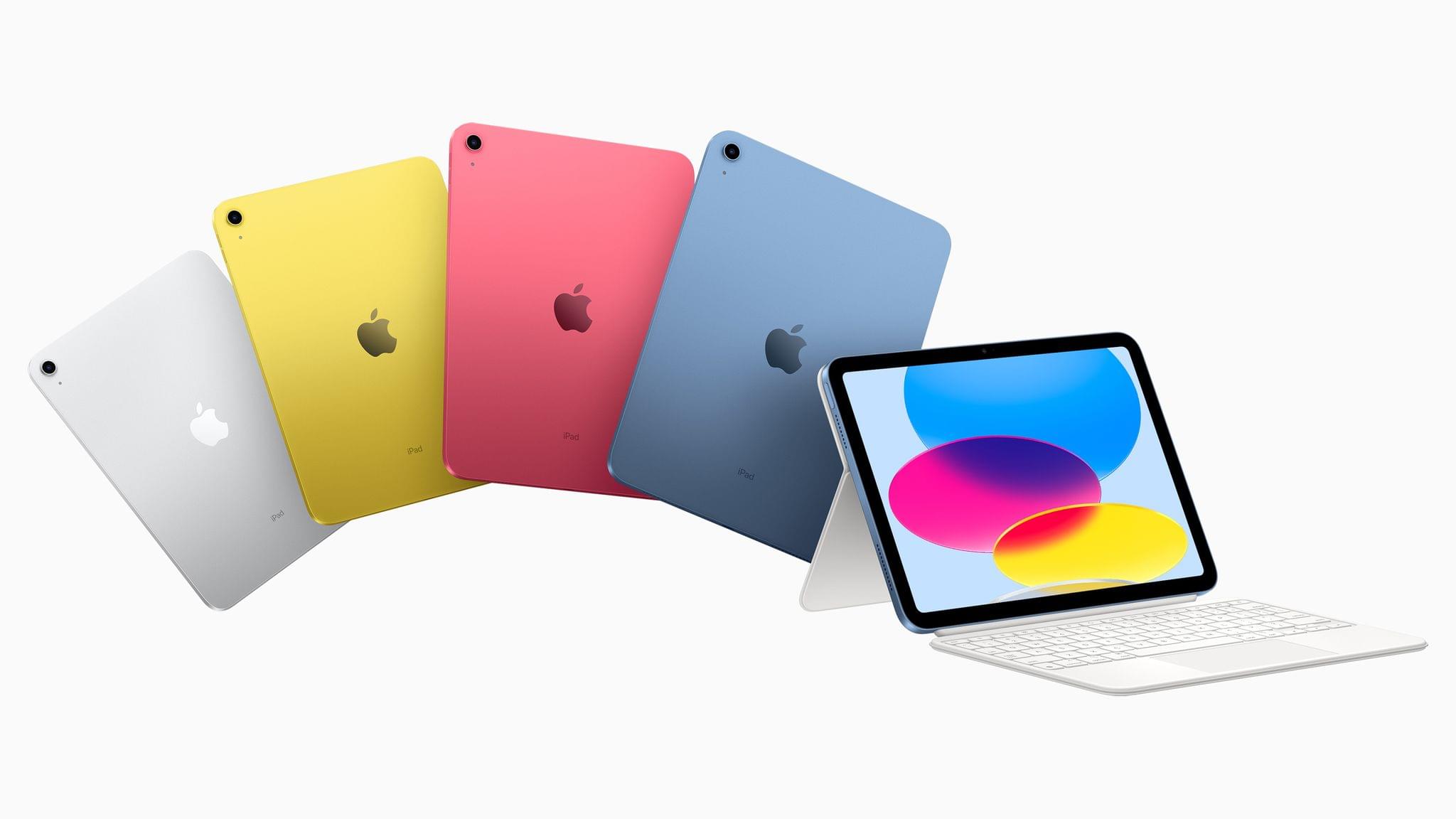
This morning Apple announced their all-new iPad and iPad Pro lineups via press release and a short announcement video. The new iPad (non-Pro) features new colors and an updated square-edge design that brings it in line with the rest of Apple’s modern iPads and iPhones. The iPad Pro has been upgraded to Apple’s M2 chip, and supports a new “hover” mode on the Apple Pencil. Apple also unveiled a new Magic Keyboard Folio accessory, which includes a detachable keyboard with a trackpad and function keys.

There’s a lot to like about each of these new products, but the details reveal some very strange decisions on Apple’s part.

Read more

Access Extra Content and Perks

Founded in 2015, Club MacStories has delivered exclusive content every week for nearly a decade.

What started with weekly and monthly email newsletters has blossomed into a family of memberships designed for every MacStories fan.

Learn more here and from our Club FAQs.

Club MacStories: Weekly and monthly newsletters via email and the web that are brimming with apps, tips, automation workflows, longform writing, early access to the MacStories Unwind podcast, periodic giveaways, and more;

Club MacStories+: Everything that Club MacStories offers, plus an active Discord community, advanced search and custom RSS features for exploring the Club’s entire back catalog, bonus columns, and dozens of app discounts;

Club Premier: All of the above and AppStories+, an extended version of our flagship podcast that’s delivered early, ad-free, and in high-bitrate audio.

Learn more here and from our Club FAQs.


Apple TV 4K Updated with an A15 Bionic Chip, HDR10+, and a Lower Starting Price

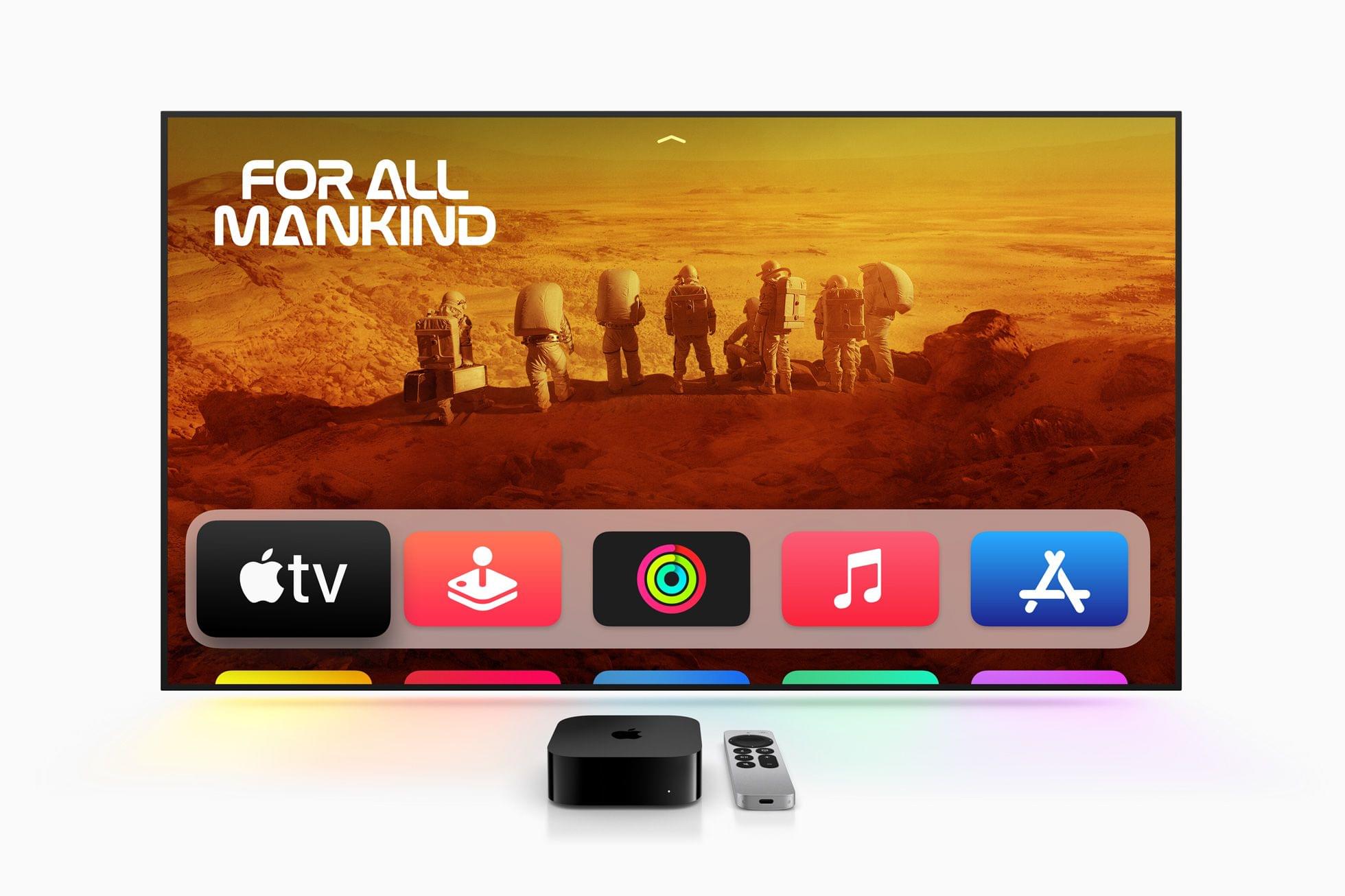
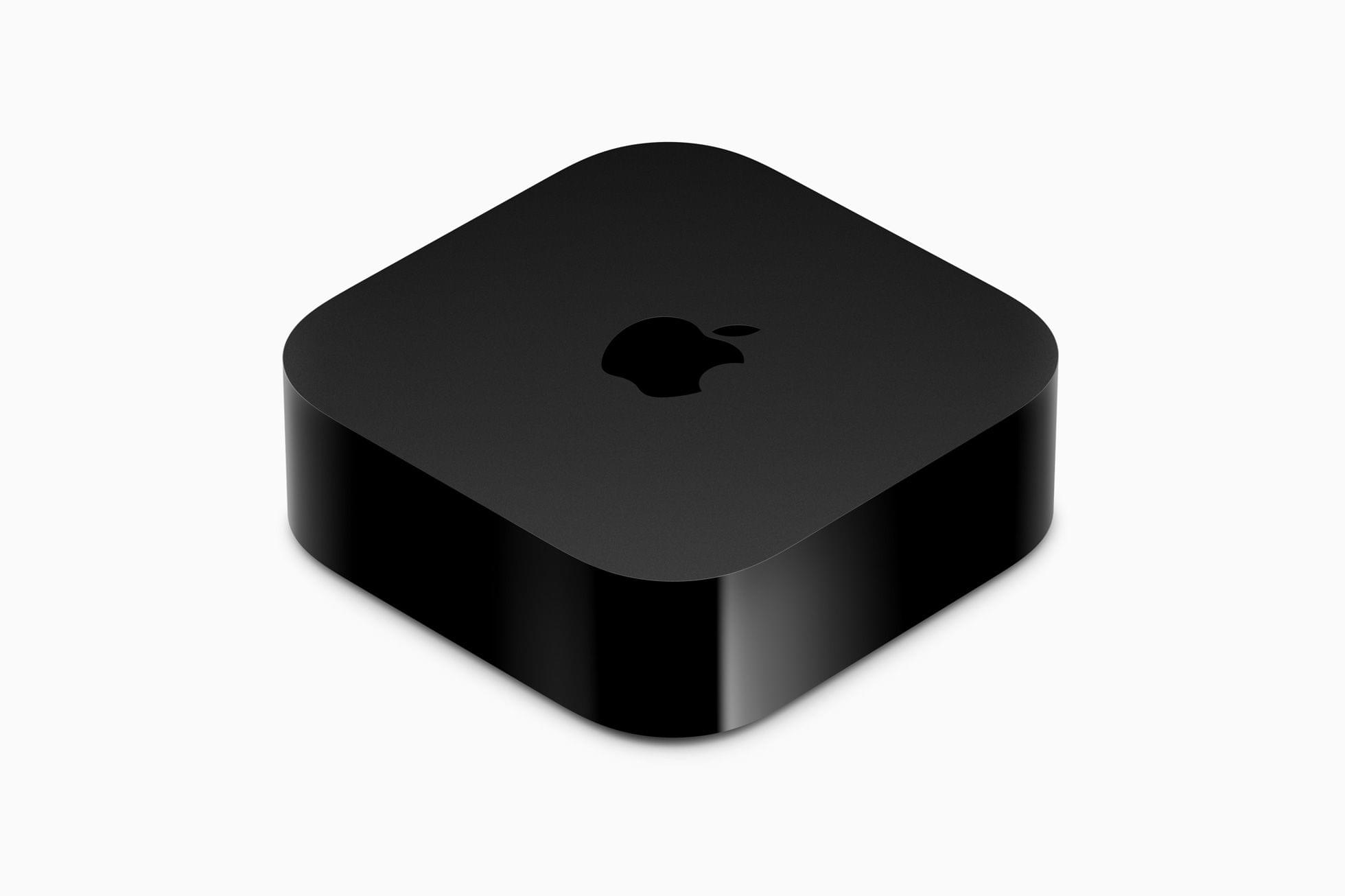
Today, Apple published a press release announcing an update to the Apple TV 4K, which now comes in two configurations that offer different storage capacities and network connectivity. The Apple TV HD is no longer available on Apple’s online store.

The Apple TV 4K has been updated with an A15 Bionic chip and support for HDR10+, which is part of tvOS 16. The base configuration, which is $129, has 64GB of storage and is WiFi-only. The other model adds Gigabit Ethernet and has 128GB of storage for $149. The top-tier Apple TV 4K supports Thread networking too.

Apple says:

CPU performance is now up to 50 percent faster than the previous generation, delivering greater responsiveness, faster navigation, and snappier UI animations. GPU performance is now up to 30 percent faster than the previous generation for even smoother gameplay.

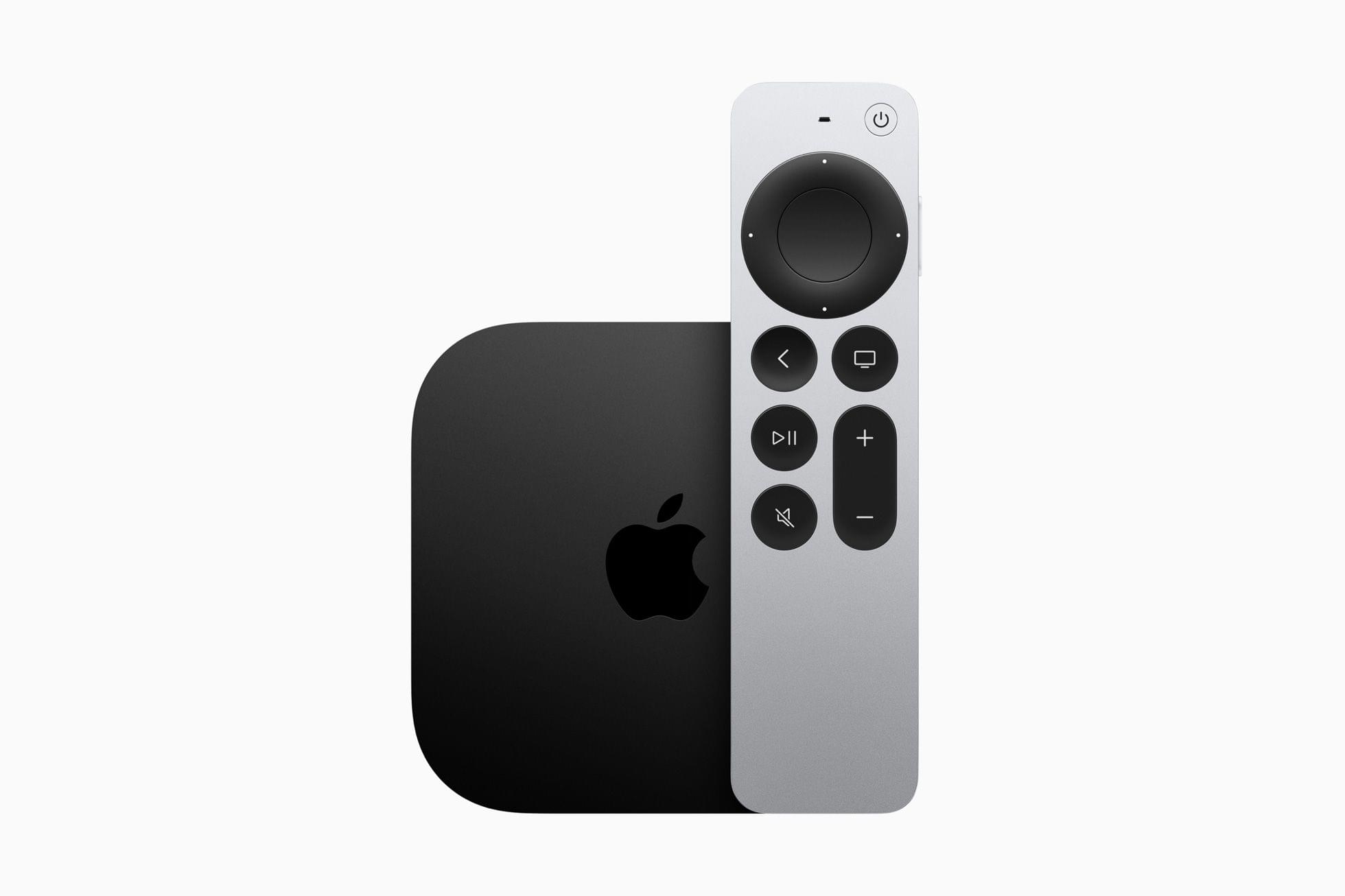
The Siri Remote now charges via USB-C.

The Siri Remote now charges via USB-C.

The Siri Remote has remained mostly the same, except it has added USB-C charging in place of the previous model’s Lightning port. The Siri Remote is included with the Apple TV but can be purchased separately for $59.

Overall, the changes to the Apple TV 4K are fairly minor, notwithstanding the snappier UI the A15 Bionic enables. I don’t see a good reason for most people to upgrade from a previous generation Apple TV 4K unless you play a lot of games on the Apple TV and have run into storage limits. If you have an Apple TV HD before and are planning on buying a 4K TV, the new model will save you some money and offer a few new perks. Although it’s a shame that Ethernet is only available in the more expensive configuration, that’s probably part of how the cost of the base model has been brought down, and I’m sure most people connect their Apple TVs via WiFi anyway.

The new Apple TV 4K is available for pre-order now, with deliveries beginning on Friday, November 4th in 30 countries, including the US.

Access Extra Content and Perks

Founded in 2015, Club MacStories has delivered exclusive content every week for nearly a decade.

What started with weekly and monthly email newsletters has blossomed into a family of memberships designed for every MacStories fan.

Learn more here and from our Club FAQs.

Club MacStories: Weekly and monthly newsletters via email and the web that are brimming with apps, tips, automation workflows, longform writing, early access to the MacStories Unwind podcast, periodic giveaways, and more;

Club MacStories+: Everything that Club MacStories offers, plus an active Discord community, advanced search and custom RSS features for exploring the Club’s entire back catalog, bonus columns, and dozens of app discounts;

Club Premier: All of the above and AppStories+, an extended version of our flagship podcast that’s delivered early, ad-free, and in high-bitrate audio.

Learn more here and from our Club FAQs.


watchOS 9: The MacStories Review

As we enter the ninth iteration of watchOS, I must admit that I sometimes find myself looking back wistfully on the computer watch that the Apple Watch once was. My inner tech nerd misses the wild, blind shots at digital connection and interface design which we were gifted by an Apple that had not yet figured out what the mass market wanted from this device.

In many ways, the early days of the Apple Watch feel like echoes from a bygone era of Apple; an era in which it was more willing to throw things at the wall just to see what stuck. This is, after all, the company which brought us the buttonless iPod shuffle, the hockey puck mouse, brushed metal, the tape-recorder Podcast app, and so much more. We tend to call it Apple’s sense of “whimsy”, and early watchOS had plenty of it.

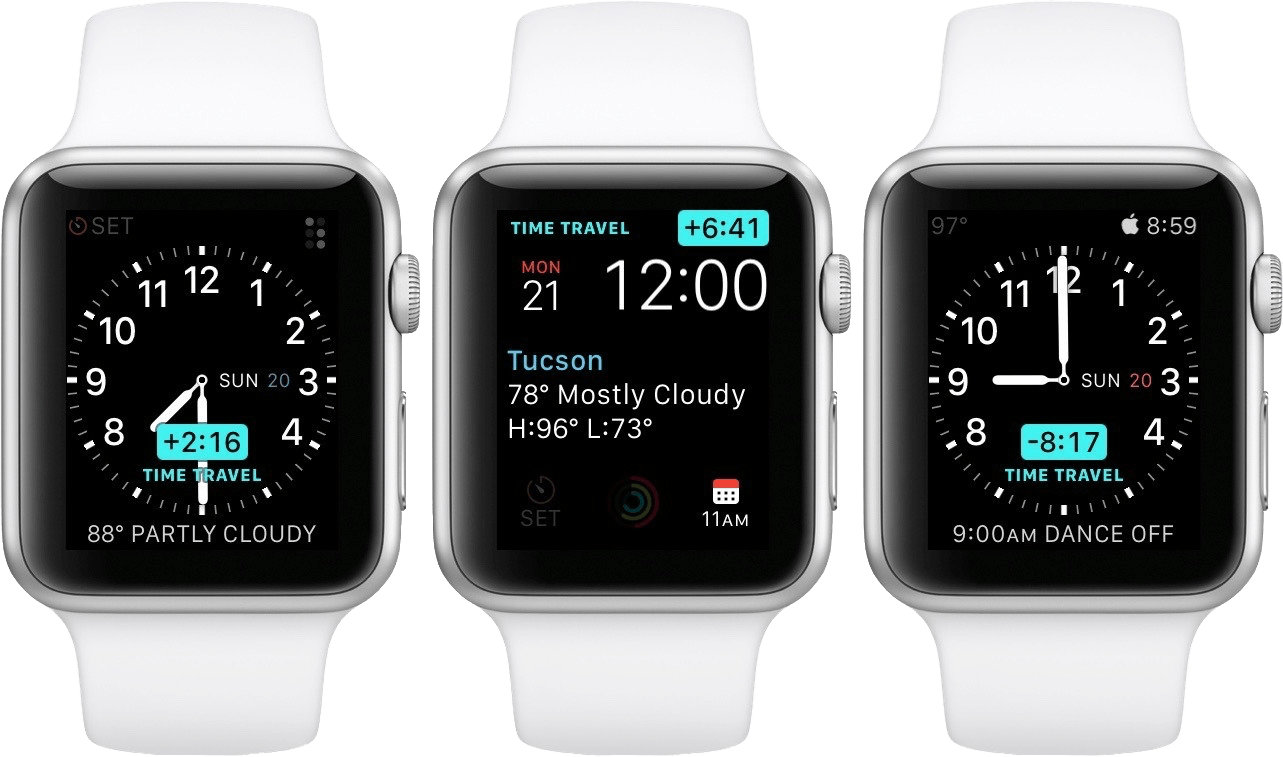
Time Traveling in watchOS 2.

Time Traveling in watchOS 2.

In watchOS 2, Apple shipped a feature called Time Travel where you could spin the Digital Crown to “travel backwards and forwards in time”. Complications would move alongside the watch hands to reflect their past or predicted future values. Time Travel was demoted to a setting in watchOS 3, and quietly removed entirely some time later.

There was also the concept of Glances beginning all the way back in watchOS 1. Glances were single-page app interfaces accessible by swiping up from the watch face, then swiping side-to-side to switch between them. Third-party apps could create these, and the watch supported up to 20 of them. Glances were also canned in watchOS 3. They were replaced by the Dock, which never quite managed to capture the same energy.

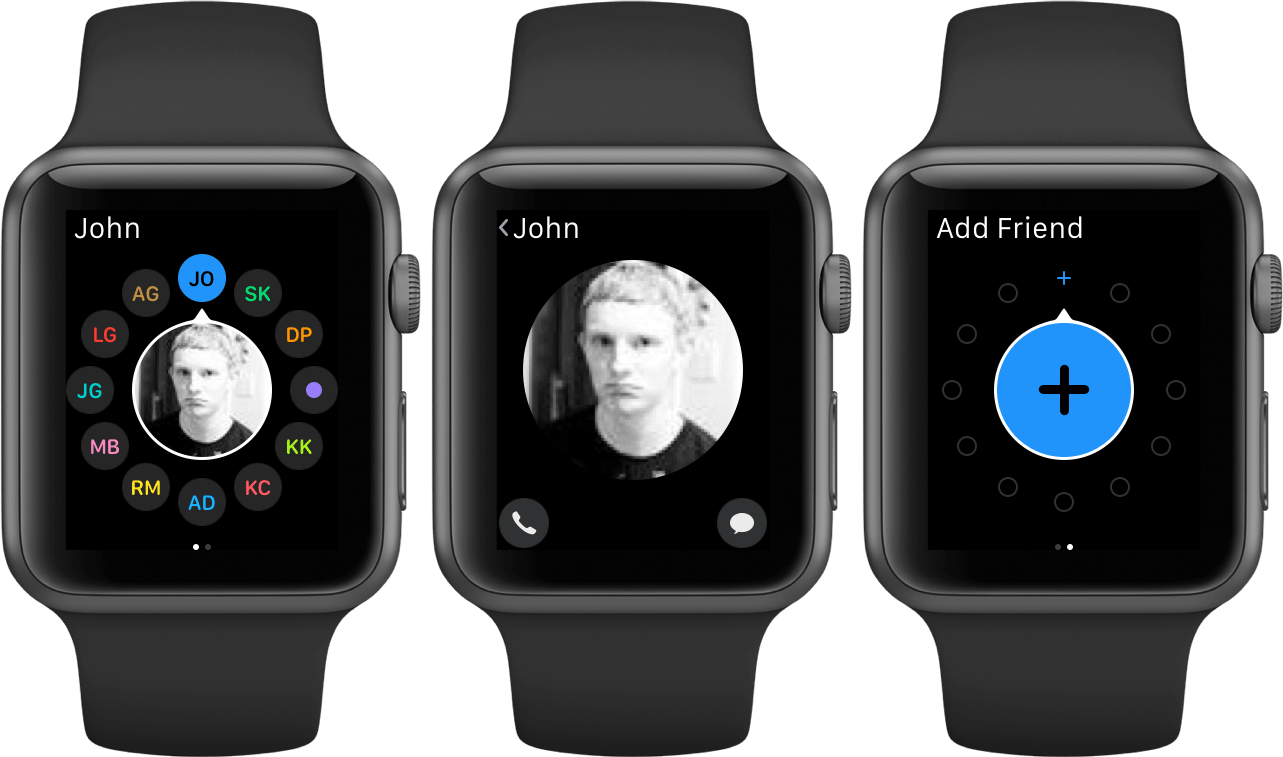
For years, Apple seemed particularly interested in the potential of the Apple Watch to be a core hub for personal communication. Until watchOS 3, the hardware side button on the device was dedicated to opening the Friends interface. When interacting with your friends, you could send giant animated emojis — perhaps a very early precursor to the Memoji that we have today. And of course, no one could forget Digital Touch. Who among us did not feel more connected to our loved ones when tapping out pings and drawing shapes on their wrists1?

The Friends interface in watchOS 2.

The Friends interface in watchOS 2.

What leaves me feeling so conflicted is that, ultimately, all of the above features were pretty bad. No one used the Friends interface, Time Travel wasn’t particularly useful, third-party Glances were kneecapped by their lack of interactivity, and communicating from an Apple Watch has always just been way more work than pulling out your iPhone. Apple was right to kill all of these features in their time, but I still can’t stop missing the days when my Apple Watch was searching for more variety in purpose than it exists with today.

Read more


  1. I imagine Digital Touch is unfazed by my mockery; likely too busy feeling satisfied that it is the only one of the features described above which has (somehow) endured into modern iterations of watchOS. 

Access Extra Content and Perks

Founded in 2015, Club MacStories has delivered exclusive content every week for nearly a decade.

What started with weekly and monthly email newsletters has blossomed into a family of memberships designed for every MacStories fan.

Learn more here and from our Club FAQs.

Club MacStories: Weekly and monthly newsletters via email and the web that are brimming with apps, tips, automation workflows, longform writing, early access to the MacStories Unwind podcast, periodic giveaways, and more;

Club MacStories+: Everything that Club MacStories offers, plus an active Discord community, advanced search and custom RSS features for exploring the Club’s entire back catalog, bonus columns, and dozens of app discounts;

Club Premier: All of the above and AppStories+, an extended version of our flagship podcast that’s delivered early, ad-free, and in high-bitrate audio.

Learn more here and from our Club FAQs.


iOS 16 Review Extras: eBooks, Shortcuts, Making Of, and an Obsidian Plugin

Today, Federico published his iOS 16 review. As in past years, we’re releasing a wide variety of perks exclusively for Club MacStories members throughout the week, including an eBook version of the review, an eBook compilation of our 2022 OS Preview Series, two advanced shortcuts, two behind-the-scenes making of the review stories, and an update to one of our Club-exclusive Obsidian plugin.

What’s more, because Apple won’t be releasing iPadOS 16 until later this fall, we’ll have more perks for Club members when it’s released too.

Read more

Access Extra Content and Perks

Founded in 2015, Club MacStories has delivered exclusive content every week for nearly a decade.

What started with weekly and monthly email newsletters has blossomed into a family of memberships designed for every MacStories fan.

Learn more here and from our Club FAQs.

Club MacStories: Weekly and monthly newsletters via email and the web that are brimming with apps, tips, automation workflows, longform writing, early access to the MacStories Unwind podcast, periodic giveaways, and more;

Club MacStories+: Everything that Club MacStories offers, plus an active Discord community, advanced search and custom RSS features for exploring the Club’s entire back catalog, bonus columns, and dozens of app discounts;

Club Premier: All of the above and AppStories+, an extended version of our flagship podcast that’s delivered early, ad-free, and in high-bitrate audio.

Learn more here and from our Club FAQs.


iOS 16: The MacStories Review

Customization is back, and Apple’s having fun again.

When is the last time your iPhone truly surprised you?

The answer to this question is a fascinating Rorschach test that can say a lot about a person’s relationship with Apple’s mobile platform. Some might say it was over a decade ago, when they feasted their eyes upon the Retina display for the first time in 2010. Some might say it happened when the iPhones got bigger – and sales skyrocketed – with the iPhone 6 lineup in 2014. Others might argue that it happened with Face ID on the iPhone X, or the first time they tried Portrait or Night mode, or perhaps when they first took an ultra-wide shot.

My point is: if you ask someone about the last time an iPhone truly surprised them, chances are they’ll reply with a hardware feature. That’s not a shocker: Apple prides itself upon the tight integration they’ve been able to achieve between the iPhone’s hardware and iOS; they’ve successfully managed to turn their design philosophy into a selling point of their entire ecosystem.

People buy iPhones because they know they’re going to work well for a long time, and, usually, because the model they’re getting has a cool new gimmick they want to try. For this reason, it’s not absurd to postulate that, by and large, the iPhone’s software serves to enable hardware sales and subscriptions. I do not mean this pejoratively: I like Apple’s approach, otherwise I wouldn’t be writing annual reviews about their operating systems. But I also recognize that on the iPhone (the situation is the exact opposite on iPad) the software now largely takes the backseat compared to hardware and services.

Which is why whenever the iPhone’s software truly surprises me, I get excited.

Software-related surprises are more rarefied on iOS these days, but the kind of people who are reading this story can point to a few examples in our recent history. Apple buying Workflow, turning it into a system app, and outright claiming that Shortcuts is the future of automation was a surprise. The extent to which Apple integrated dark mode in iOS 13 was a surprise.1 The arrival of two iPad features – Picture in Picture and inter-app drag and drop – on iPhone felt like a surprise. But, of course, no modern feature comes close to the surprise that we all witnessed with iOS 14 two years ago: a renewed focus on user personalization with custom Home Screen widgets and the ability to create multiple Home Screens.2

That’s why, following last year’s welcome (if perhaps a tad uninspired) quality-of-life update that was iOS 15, I’m excited about a new version of iOS again.

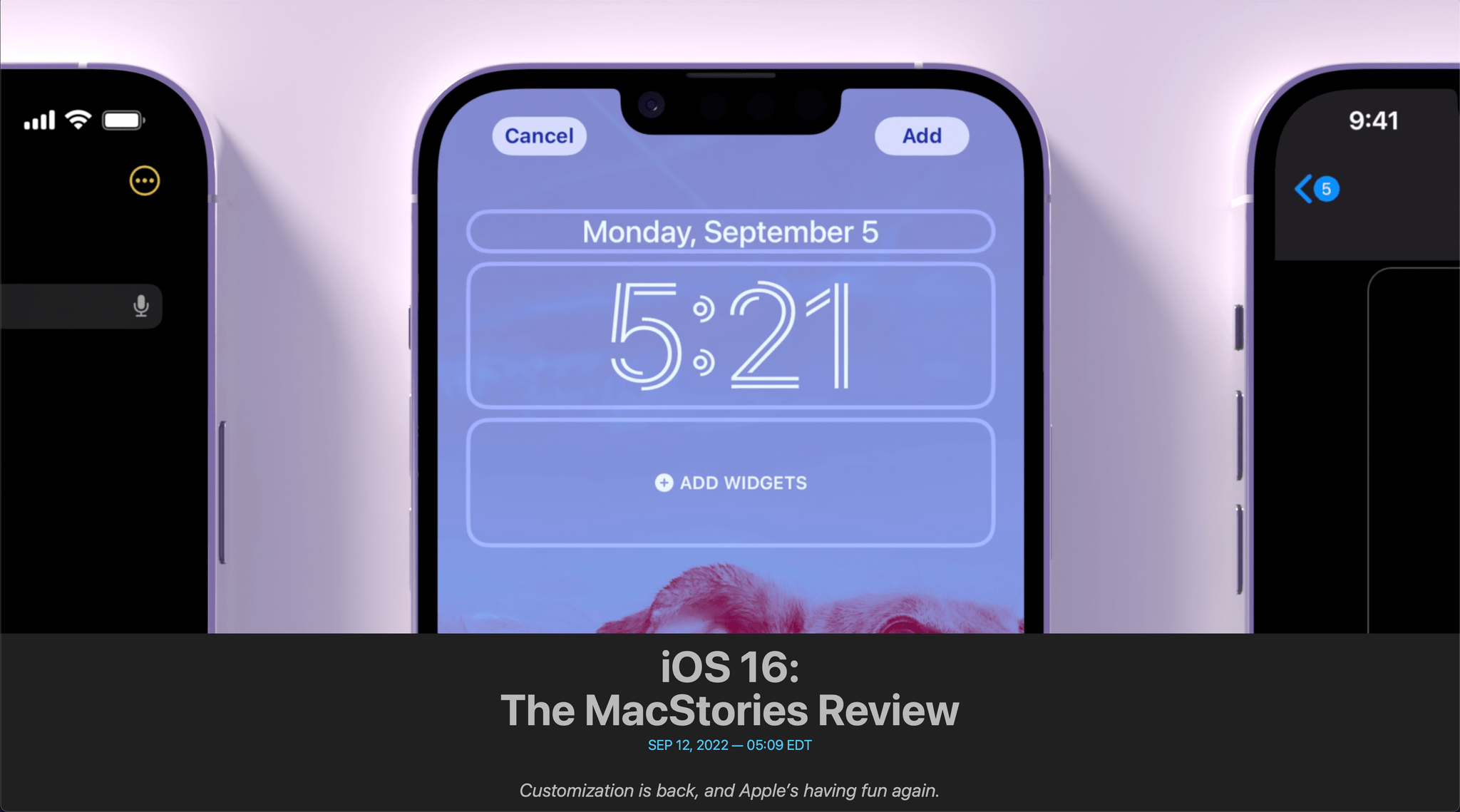
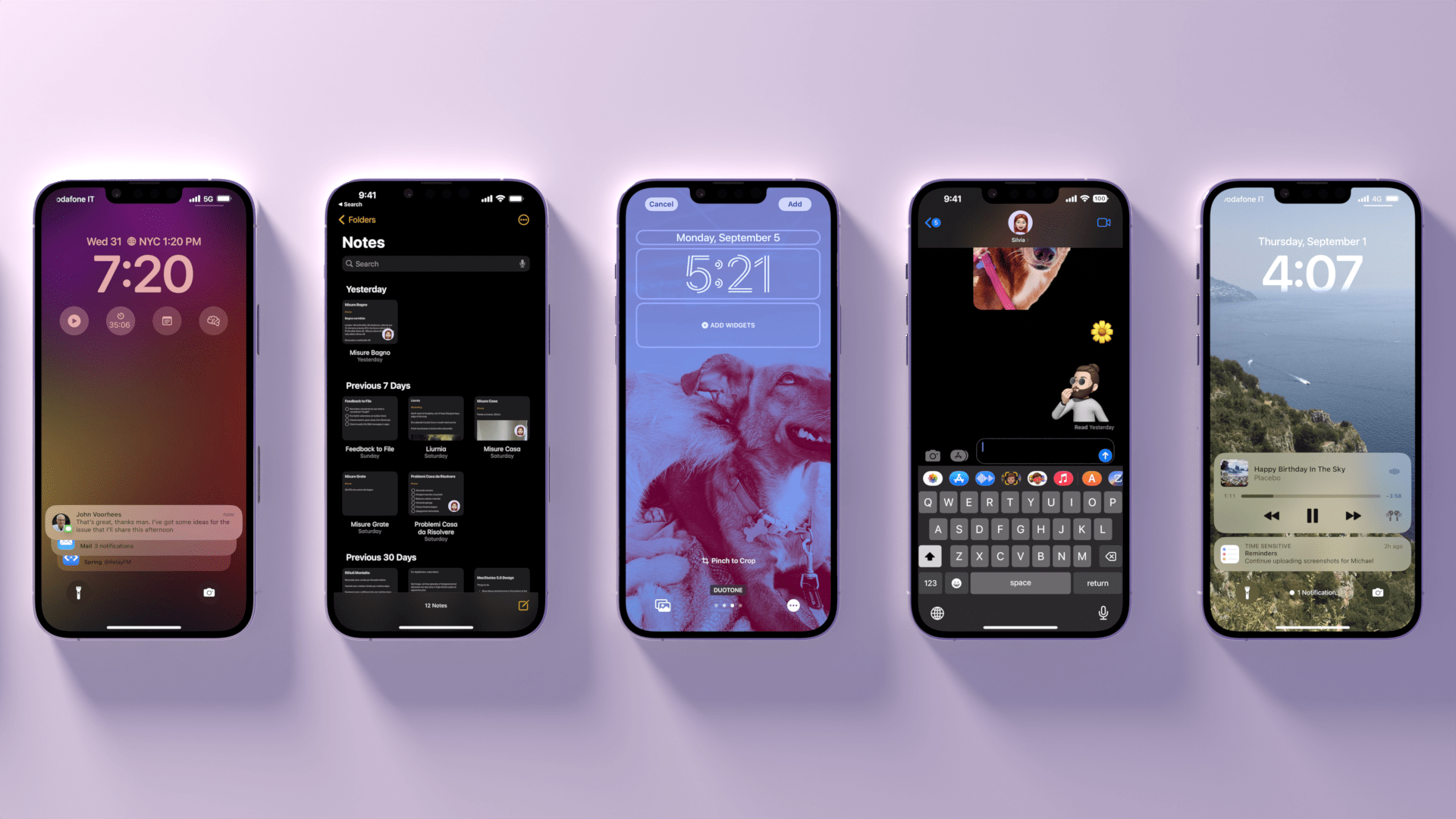
iOS 16, launching today for a variety of iPhone models dating back to the iPhone 8, marks Apple’s triumphant return to user personalization, with a twist: while in 2020 customization might have felt like a happy consequence of Apple’s engineering, this time the company has intentionally marketed iOS 16 as an update that will make an iPhone feel truly your own. As we explored in June and July, the first thing you see on your iPhone – the Lock Screen – is fundamentally changing in iOS 16. With the ability to create multiple Lock Screens, choose from a diverse collection of wallpaper sets, and customize each one with widgets, you’ll now have endless possibilities for the screen you always see when you pick up your iPhone.

Sure, there’s an argument to be made for Lock Screen widgets also being developed in service of new hardware, but I don’t think that takes away from the breadth of this feature and how Apple created a whole narrative around wallpapers, widgets, photos, and Focus modes this year. As you’ll see, the customizable Lock Screen will be the main character of this review: I’ve had a lot of fun exploring different permutations of my Lock Screen this summer, and I’ve been able to test dozens of widgets from third-party developers, which I’ll also showcase in this story.

In keeping with my theory that modern iOS updates always need to have a little bit of something for everyone, there’s a ton of other (some bigger, some smaller) features I’ll be covering in this review.3 Messages, one of my most used apps on iPhone, has received a substantial update with the ability to edit and un-send messages, making it, in some ways, even superior to WhatsApp for me now. Mail – of all apps – has gotten a major upgrade with modern features such as scheduled send and, almost unbelievably, a revamped search that actually works. Reminders has officially turned into a serious task manager with even more filters for smart lists and the ability to create and share templates with others.

The new Lock Screen takes center stage this year and everything else pales in comparison to the massive update it received, but, overall, I find iOS 16 a more fun and useful update than iOS 15.

So, as with every September: let’s dive in.

Read more


  1. Then again, wasn't that in service of OLED displays? 
  2. Perhaps the iPhone 14 Pro's Dynamic Island will be another major surprise for iPhone users. Fascinatingly, it's going to be a unique blend of hardware and software that shows how Apple has been playing the long game with their design strategy for the past few years, which is now paying off. However, the iPhone 14 Pro is not out yet and I haven't tested the Dynamic Island, so that's beyond the scope of this review. 
  3. That's in addition to the apps and features we've already covered in our annual OS Summer Series on MacStories

Access Extra Content and Perks

Founded in 2015, Club MacStories has delivered exclusive content every week for nearly a decade.

What started with weekly and monthly email newsletters has blossomed into a family of memberships designed for every MacStories fan.

Learn more here and from our Club FAQs.

Club MacStories: Weekly and monthly newsletters via email and the web that are brimming with apps, tips, automation workflows, longform writing, early access to the MacStories Unwind podcast, periodic giveaways, and more;

Club MacStories+: Everything that Club MacStories offers, plus an active Discord community, advanced search and custom RSS features for exploring the Club’s entire back catalog, bonus columns, and dozens of app discounts;

Club Premier: All of the above and AppStories+, an extended version of our flagship podcast that’s delivered early, ad-free, and in high-bitrate audio.

Learn more here and from our Club FAQs.


Apple’s iPhone 14 Lineup: The MacStories Overview

Source: Apple.

Source: Apple.

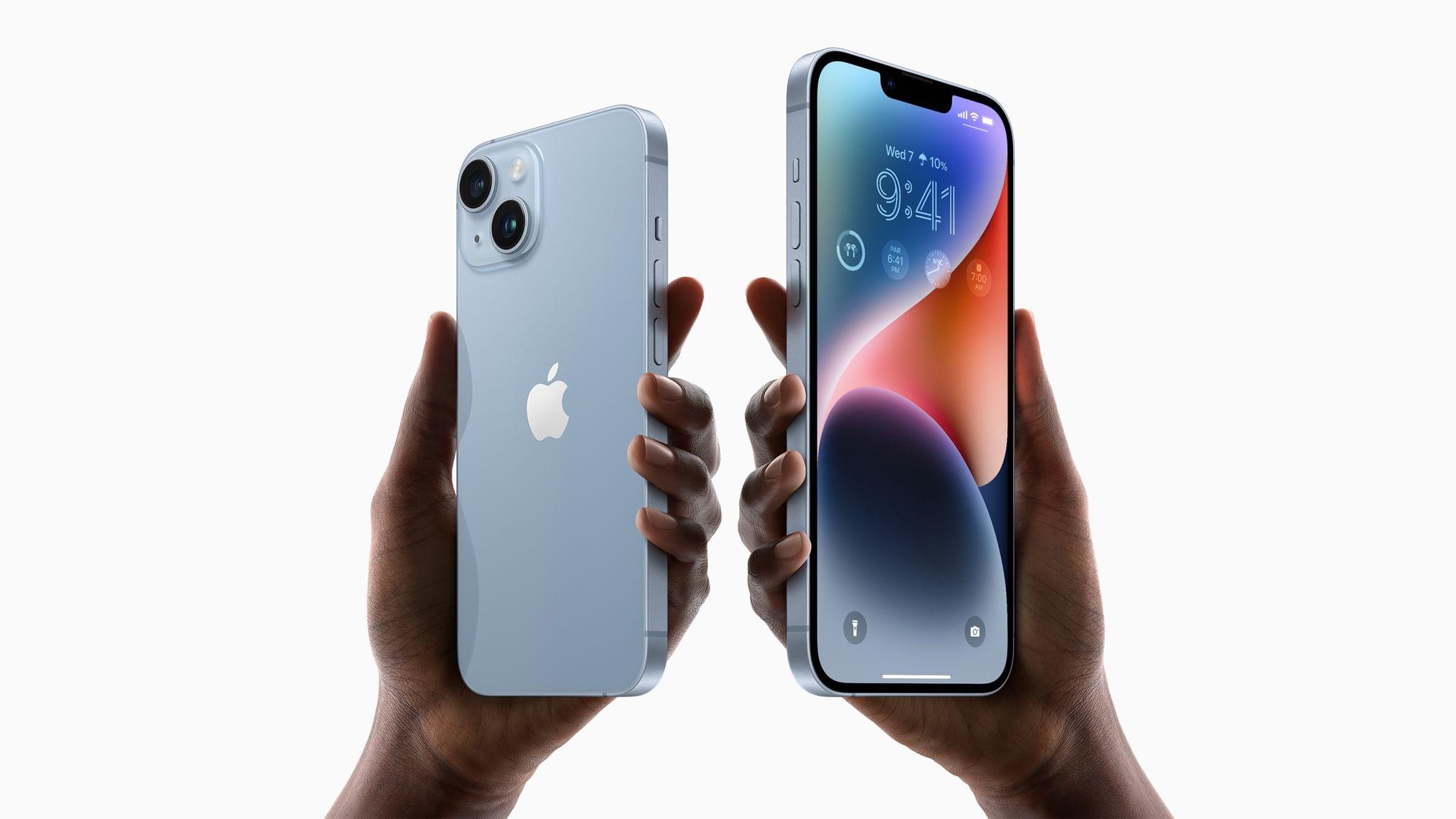
As expected, Apple introduced four new iPhone models today, the iPhone 14, the iPhone 14 Plus, the iPhone 14 Pro, and the iPhone Pro Max. There are a lot of new hardware and software features sprinkled throughout the iPhone lineup this year, so let’s dig in.

Read more

Access Extra Content and Perks

Founded in 2015, Club MacStories has delivered exclusive content every week for nearly a decade.

What started with weekly and monthly email newsletters has blossomed into a family of memberships designed for every MacStories fan.

Learn more here and from our Club FAQs.

Club MacStories: Weekly and monthly newsletters via email and the web that are brimming with apps, tips, automation workflows, longform writing, early access to the MacStories Unwind podcast, periodic giveaways, and more;

Club MacStories+: Everything that Club MacStories offers, plus an active Discord community, advanced search and custom RSS features for exploring the Club’s entire back catalog, bonus columns, and dozens of app discounts;

Club Premier: All of the above and AppStories+, an extended version of our flagship podcast that’s delivered early, ad-free, and in high-bitrate audio.

Learn more here and from our Club FAQs.


Apple Watch Series 8, Ultra, and SE: The MacStories Overview

At today’s Apple event, Director of Apple Watch product marketing Deidre Caldbeck took the stage to introduce the Apple Watch Series 8 and the Apple Watch Ultra. The Series 8 is another solid year-over-year upgrade to the standard Apple Watch line, but the Ultra is an all-new category of watch aimed at high-end sports and rugged outdoor activities.

Read more

Access Extra Content and Perks

Founded in 2015, Club MacStories has delivered exclusive content every week for nearly a decade.

What started with weekly and monthly email newsletters has blossomed into a family of memberships designed for every MacStories fan.

Learn more here and from our Club FAQs.

Club MacStories: Weekly and monthly newsletters via email and the web that are brimming with apps, tips, automation workflows, longform writing, early access to the MacStories Unwind podcast, periodic giveaways, and more;

Club MacStories+: Everything that Club MacStories offers, plus an active Discord community, advanced search and custom RSS features for exploring the Club’s entire back catalog, bonus columns, and dozens of app discounts;

Club Premier: All of the above and AppStories+, an extended version of our flagship podcast that’s delivered early, ad-free, and in high-bitrate audio.

Learn more here and from our Club FAQs.


Hands On: iCloud Shared Photo Library and Family Checklist

iCloud Shared Photo Library

Over the years, I’ve shared family photos with my wife Jennifer in three ways: iMessage, AirDrop, and Shared Albums. However, of those, iMessage won hands down, not because it’s the best way to share photos, but because Messages is an app we already use every day to communicate. Plus, sharing photos with Messages is easy whether you’re already in the app and using the Photos iMessage app or in the Photos app itself and using the share sheet. From conversations with friends and family, I know I’m not alone in my scattershot approach to sharing photos with my family.

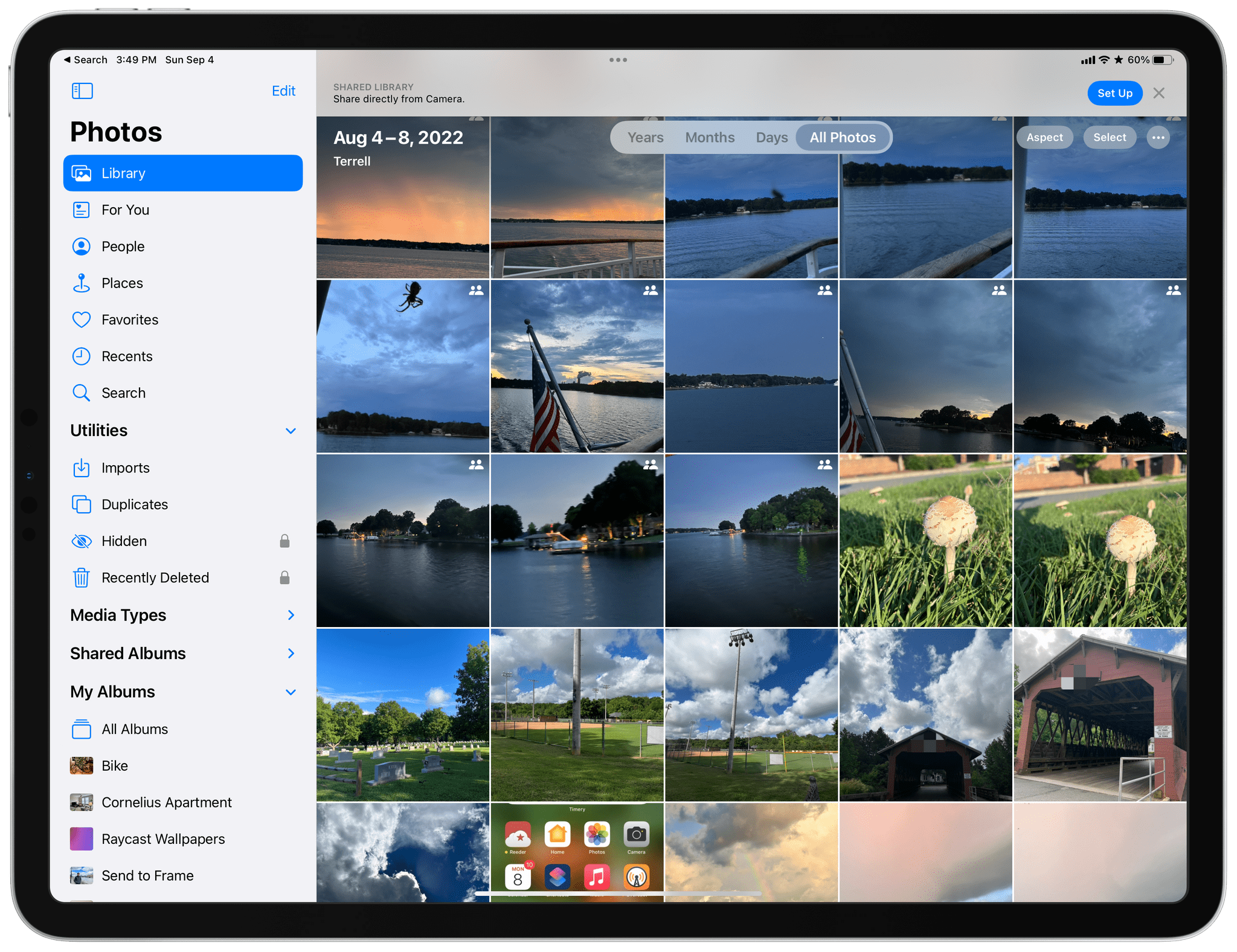
It’s into that chaotic, ad hoc mess and all of its variations that users have improvised over the years that Apple is stepping in with iCloud Shared Photo Library, its marquee new Photos feature for iOS and iPadOS 16 and macOS Ventura. And you know what? It just works.

The feature lets anyone with an iCloud photo library share part or all of their photo library with up to five other people. Once activated, a new library is created that sits alongside your existing one and counts against the iCloud storage of the person who created it.

One critical limitation of iCloud Shared Photo Library is that you can only be a member of one shared library, a restriction that is designed to limit the library to your immediate household. That means I could share photos with my wife and kids because there are fewer than six of us, but I couldn’t set up another library with my siblings or parents for our extended families. Nor could I invite one of my extended family members to use the extra slot I’ve got in my family library unless they were willing to forego being part of any shared library their own family created.

Unwinding a shared library.

Unwinding a shared library.

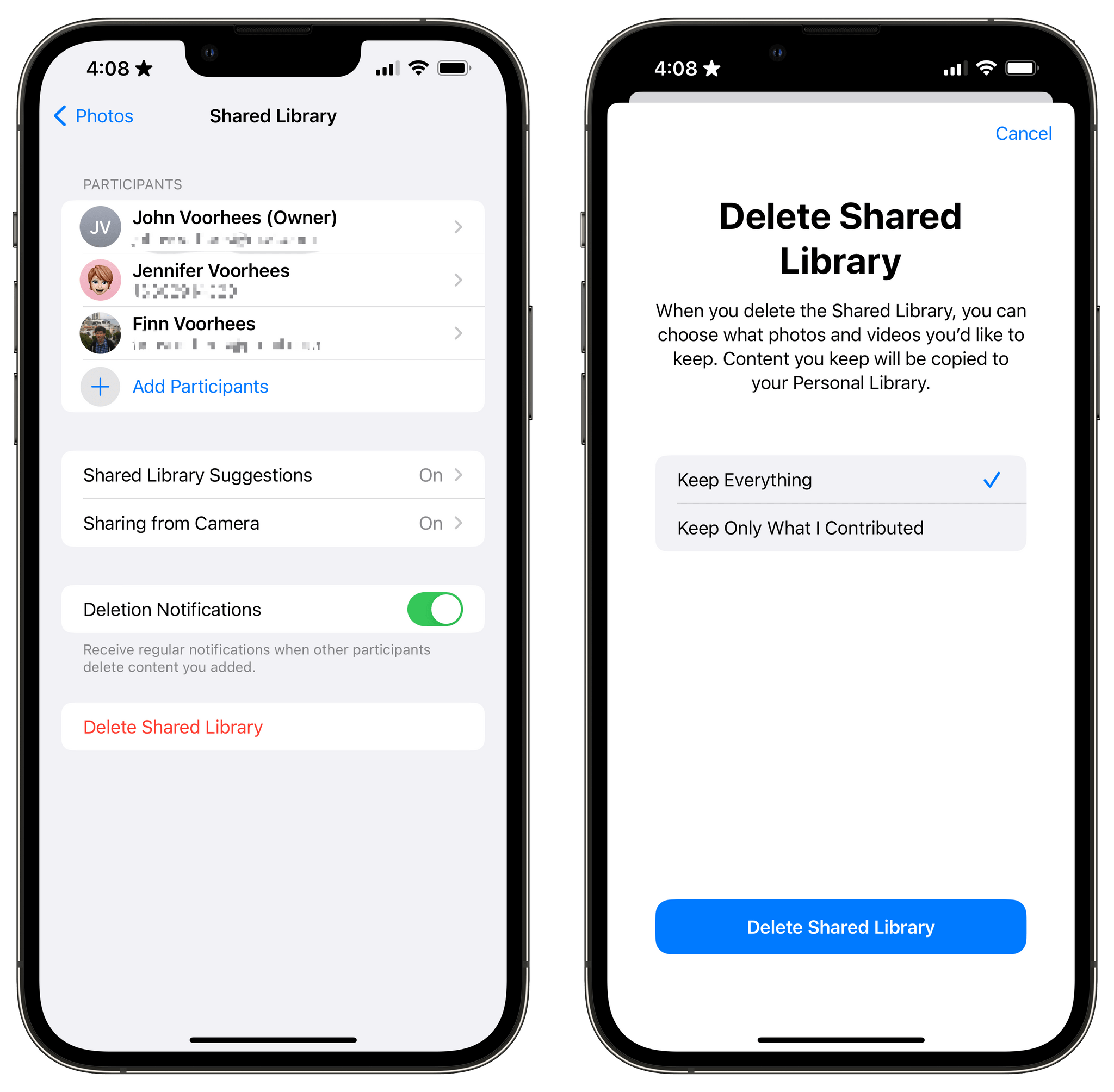
So, what do you do if you’re in a shared library and want to join a different one? There’s a button in the Photos section of Settings to leave a library, so you can do so with one tap, saving all of the photos in the shared library to your personal library or keeping just those you originally contributed to the shared pool. Deleting libraries is possible too, but only by the person who created them, who is given the choice of keeping all images or just the ones they contributed when they do so.

Read more

Access Extra Content and Perks

Founded in 2015, Club MacStories has delivered exclusive content every week for nearly a decade.

What started with weekly and monthly email newsletters has blossomed into a family of memberships designed for every MacStories fan.

Learn more here and from our Club FAQs.

Club MacStories: Weekly and monthly newsletters via email and the web that are brimming with apps, tips, automation workflows, longform writing, early access to the MacStories Unwind podcast, periodic giveaways, and more;

Club MacStories+: Everything that Club MacStories offers, plus an active Discord community, advanced search and custom RSS features for exploring the Club’s entire back catalog, bonus columns, and dozens of app discounts;

Club Premier: All of the above and AppStories+, an extended version of our flagship podcast that’s delivered early, ad-free, and in high-bitrate audio.

Learn more here and from our Club FAQs.


watchOS 9: The MacStories Preview

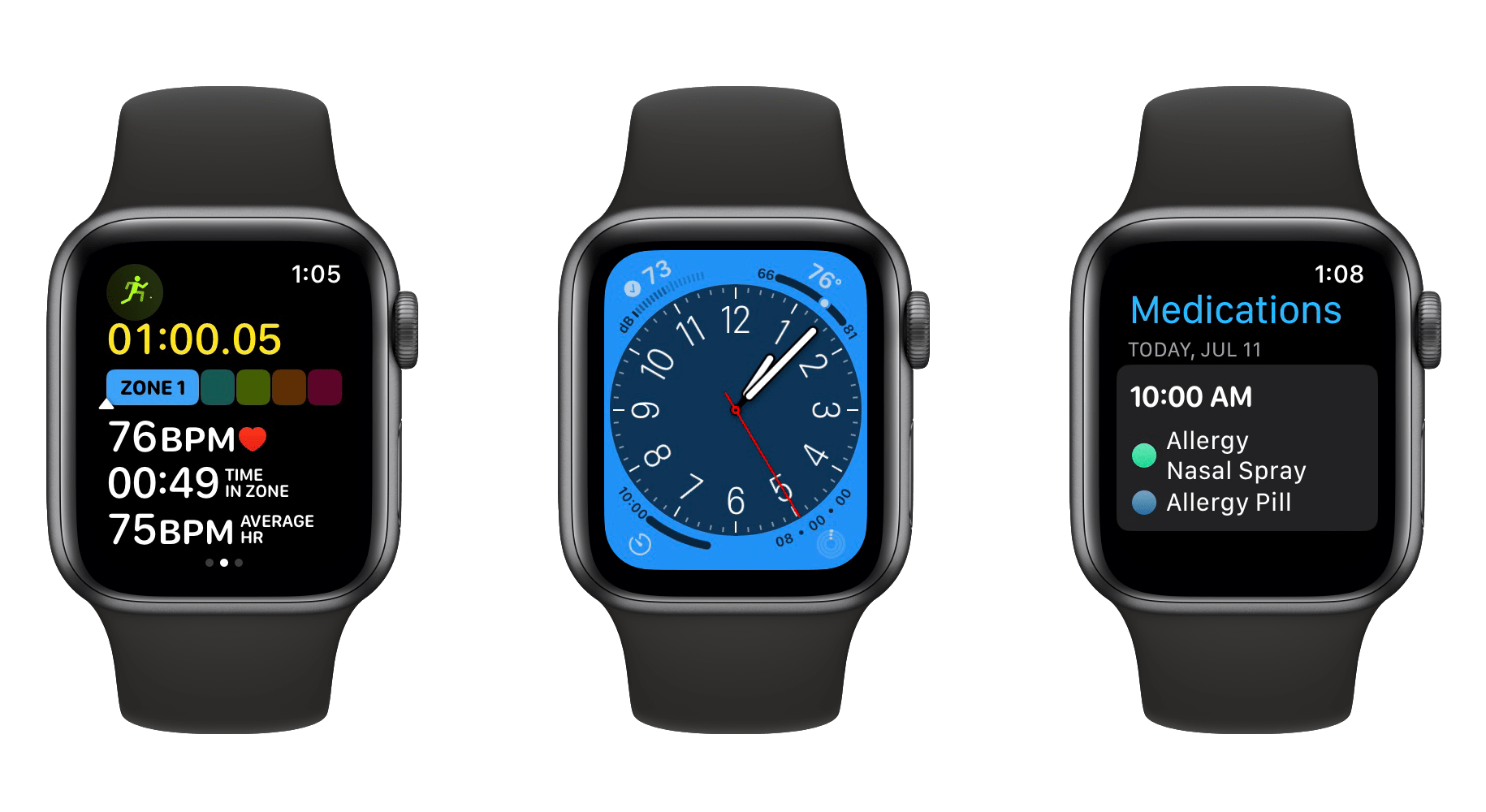
After watching this year’s WWDC keynote in June, my initial impression of the watchOS 9 announcement was that Apple had prepared one of the largest Apple Watch updates in years. While writing my watchOS 9 overview later that day though, it felt like the scope of the changes were less than I originally thought. I needed some hands-on time with the update to know for sure.

I’ve had bad luck installing early watchOS betas in the past, so I’ve been waiting for the public beta to arrive before loading it onto my daily-driver Apple Watch. That said, I installed the developer beta right away onto an extra Apple Watch Series 4 that I’ve kept around, and have been using it as much as possible throughout the past month. I’ve ascertained a good feel for this year’s update, and can confirm that we’re looking at another mild-mannered year for the Apple Watch.

I don’t mean this as an insult at all. Rather, it’s another year of the relentless incremental refinement that Apple has long been known for, but which the company has practically turned into a science for watchOS. The formula looks something like this:

  • A handful of improvements to the Workout app
  • One or two new features targeted at health
  • A handful of new watch faces
  • One or two brand-new first-party apps
  • One or two redesigned first-party apps
  • A system-level feature or improvement

This year’s changes to the Workout app may be more significant than usual, but otherwise watchOS 9 fits this formula quite snugly. While it may not make for the most glamorous year-over-year updates, the strategy has cemented the Apple Watch as the most popular smartwatch in the world — by far. It’s no surprise that Apple sees no need to alter it.

While the formula may have stayed the same, there are still plenty of specifics to dig into. Let’s start with Workout, the app whose changes single-handedly led me to believe that we were getting a bigger-than-usual watchOS update this year.

Read more

Access Extra Content and Perks

Founded in 2015, Club MacStories has delivered exclusive content every week for nearly a decade.

What started with weekly and monthly email newsletters has blossomed into a family of memberships designed for every MacStories fan.

Learn more here and from our Club FAQs.

Club MacStories: Weekly and monthly newsletters via email and the web that are brimming with apps, tips, automation workflows, longform writing, early access to the MacStories Unwind podcast, periodic giveaways, and more;

Club MacStories+: Everything that Club MacStories offers, plus an active Discord community, advanced search and custom RSS features for exploring the Club’s entire back catalog, bonus columns, and dozens of app discounts;

Club Premier: All of the above and AppStories+, an extended version of our flagship podcast that’s delivered early, ad-free, and in high-bitrate audio.

Learn more here and from our Club FAQs.