Tara AI: A Smart and Free Jira Alternative [Sponsor]

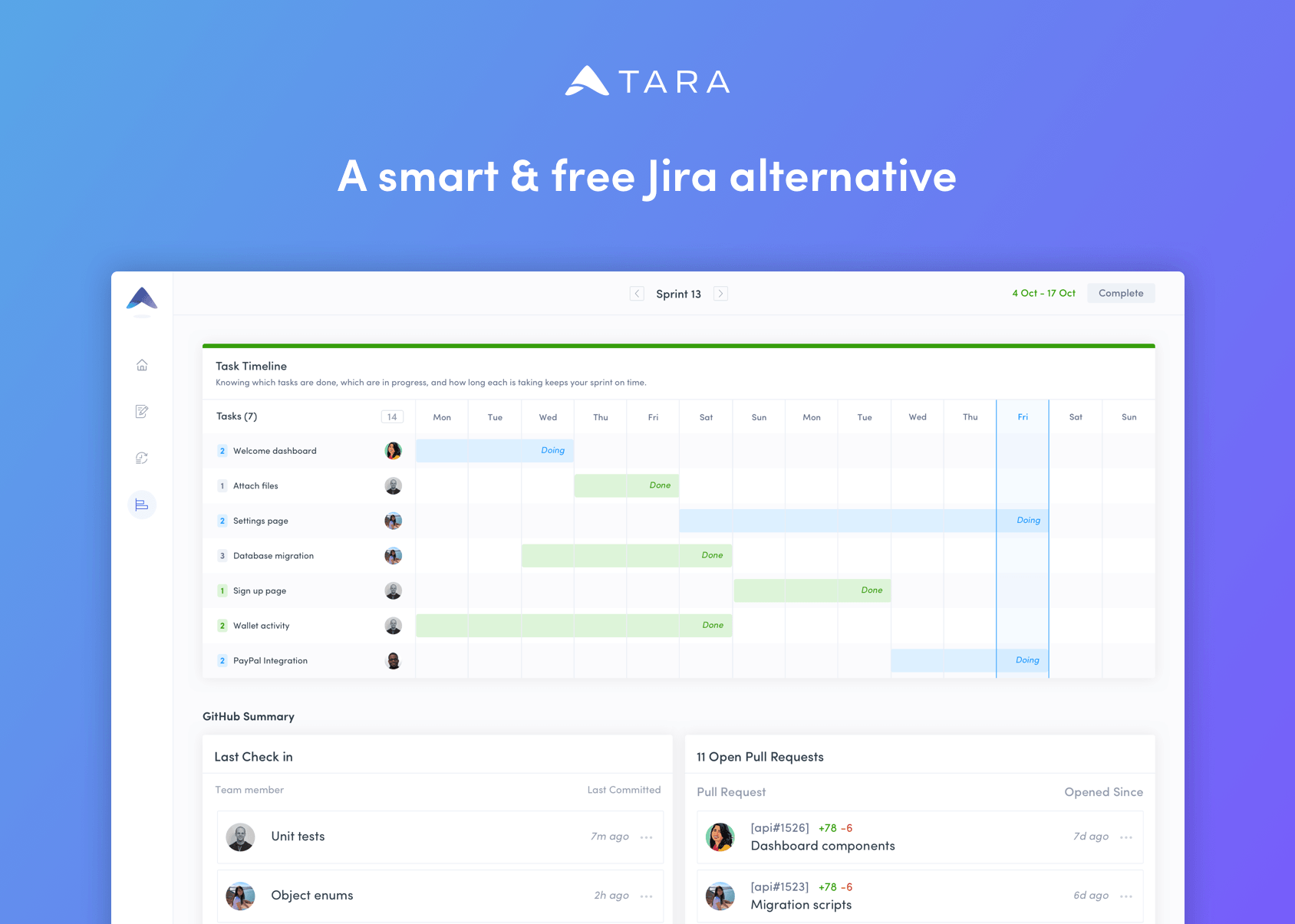
Project management software should work for you, not against you. Tara AI eliminates the configuration nightmares and lack of support for cross-functional teams that can make getting up and running with project management apps a headache. It’s the solution for teams that value their time and are looking for a tool that works with their existing Git workflow.

With Tara AI, engineering teams can reclaim valuable time and effort that would otherwise be wasted sifting through a bottomless pit of tickets. Tara accomplishes that through a simple, modern design that gets out of the way, allowing teams to move quickly and efficiently, delivering releases on schedule. The app combines sprint planning with a unified task view to provide a clear, bird’s eye view of your project and priorities, all synced to Git, so everyone from engineering to sales knows what’s happening and when.

From the time you sign up and create a workspace through every phase of your project, it’s the design of the entire process that sets Tara apart from the pack. Tara is loaded with thoughtfully-considered features like quick stats that show the progress you’re making during sprints with daily and weekly progress insights alongside commits and pull requests. Modern teams move fast and expect their tools to just work. Tara AI 1.0 delivers with no user or task limits, completely free of charge.

To learn more and signup to try Tara AI for free today, visit tara.ai now.

Our thanks to Tara AI for sponsoring MacStories this week.


MacStories Unwind: Apple’s Watch and iPad Event, App Reviews, and Club MacStories 5th Anniversary

AppStories+ Deeper into the world of apps
0:00
36:55

AppStories+ Deeper into the world of apps


Sponsored by: Muse – Tool for Thought on iPad

This week on MacStories Unwind:

MacStories

Club MacStories

  • MacStories Weekly
    * Giveaways
    * A sneak peek at tips from Federico’s upcoming iOS and iPadOS 14 review
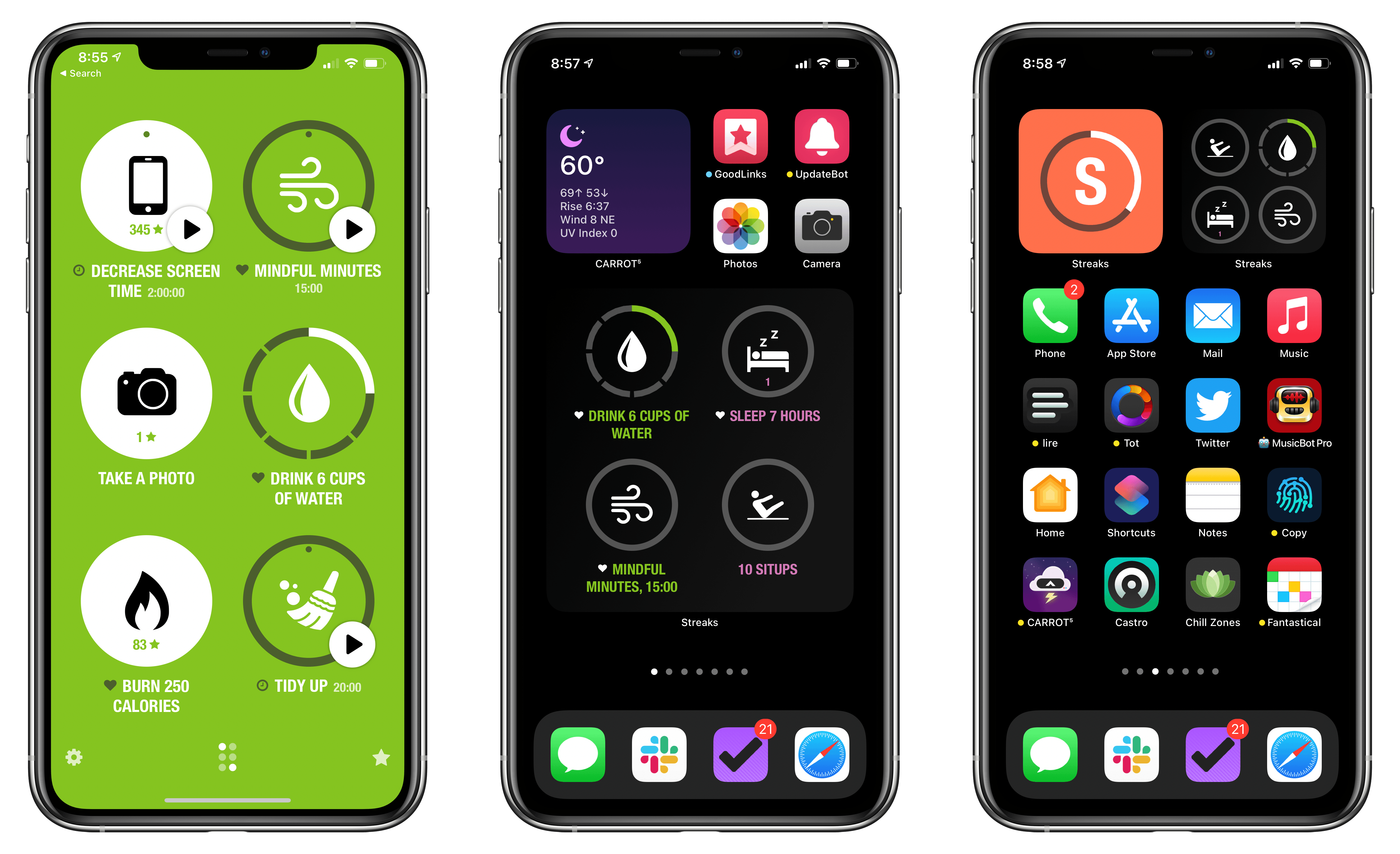
    * A collection of apps with widgets
    * Thoughts on the new iPad Air
    * An interview with Aaron Pearce, the developer of HomeCam, HomeRun, and other HomeKit apps
    * Lots of app updates
  • Join Club MacStories

AppStories

Unwind

  • Federico’s Pick:
    • This week’s app reviews on MacStories
  • John’s Pick:
    • Super Mario All-Stars available as part of Nintendo Switch Online
      • Featuring:
        • Super Mario Bros.
        • Super Mario Bros., The Lost Levels
      • Lost Levels
      • Super Mario Bros. 2
      • Super Mario Bros. 3

Soor Offers Beautiful, Customizable Widgets for Apple Music

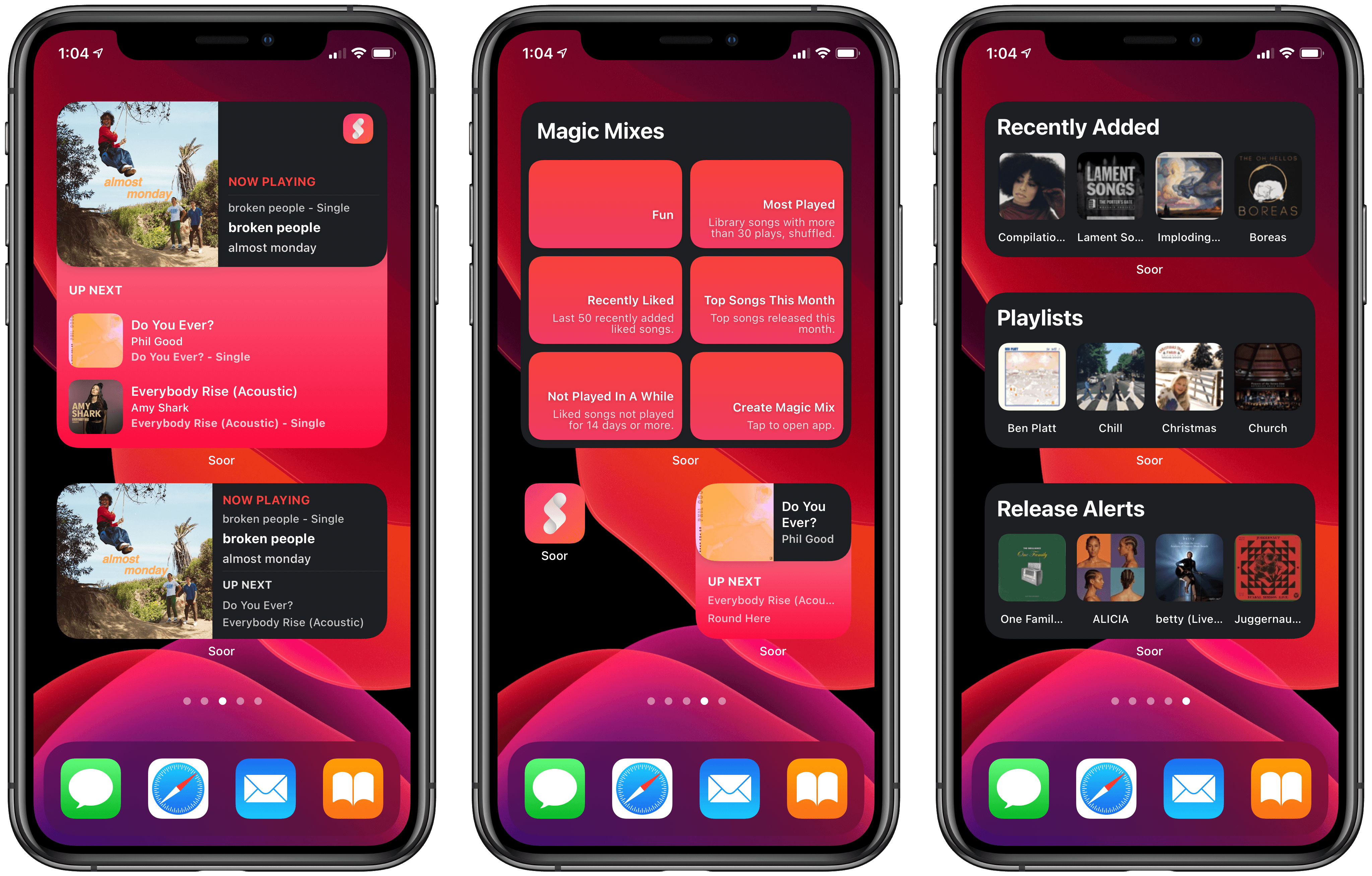
The formula is tried and true: Apple makes quality software that nonetheless leaves a lot of room for third-party developers to build something more powerful and better tailored for specific needs. In iOS 14, the built-in Music widget is a great example of this. I really like Music’s widget, which shows your recently played albums and playlists so you can quickly get some music going; it offers valuable utility. But if I’m frank, there’s a whole lot more that could have been done with widgets for Music.

That’s where Soor comes in. The third-party client for Apple Music that I recently covered offers not one, not two, but three different widgets to satisfy your music needs. And within those three widgets there’s a lot of customization to help account for a wide assortment of user preferences and desires. Every widget is powerful and also just as beautiful as what Apple’s team built, matching the full Soor app’s identity as a whole.

Read more


watchOS 7: The MacStories Review

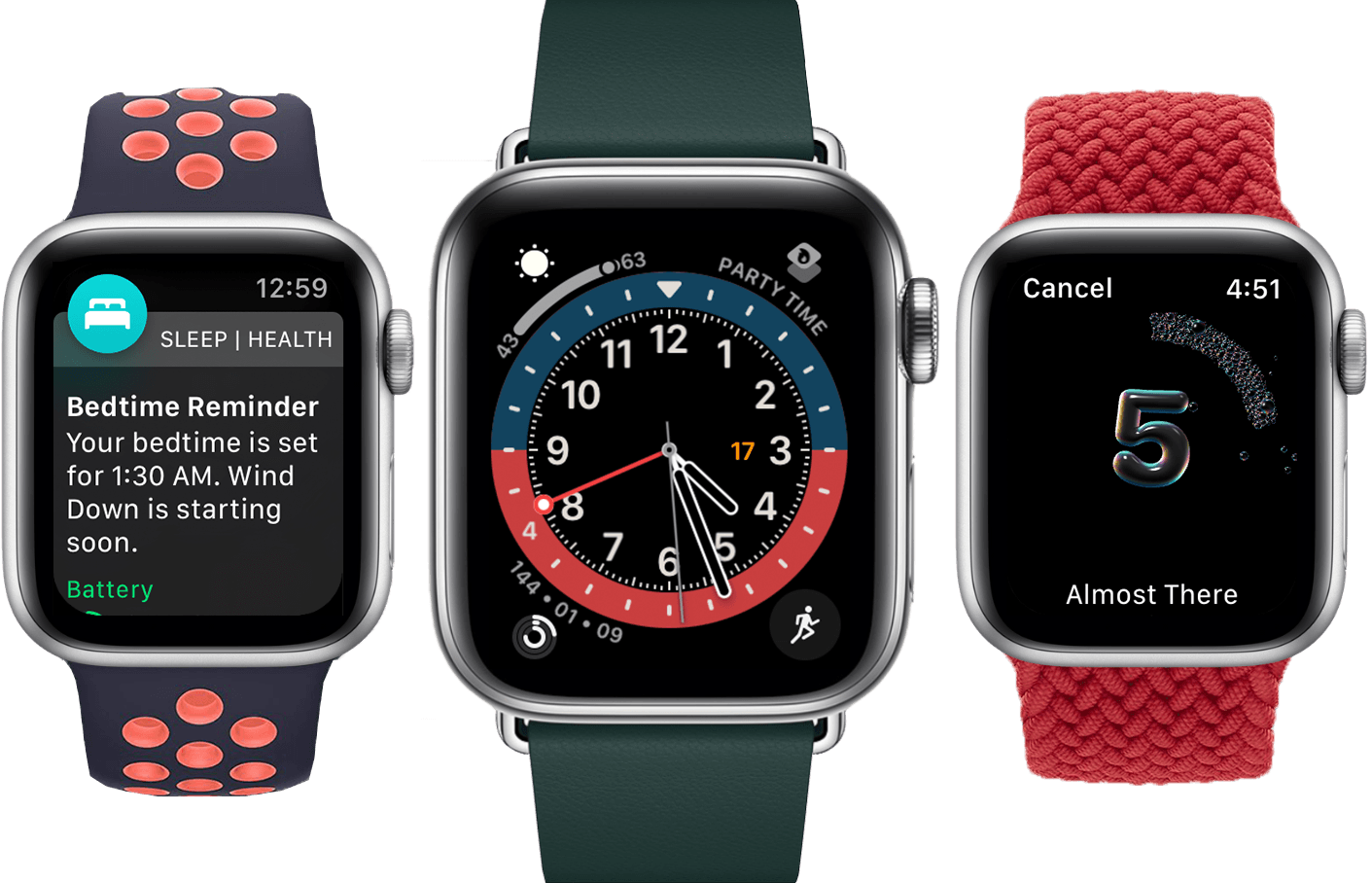
While a tumultuous software release would have been fitting in a year like 2020, watchOS 7 will find no such infamy. Stoically iterative, this year’s update to the Apple Watch operating system is lacking in surprises. But is that such a bad thing?

We spent years on the wild frontier of watchOS design and experience. As fun as it was to deconstruct each year’s crazy changes, the results were a product that didn’t yet know its purpose. These days that’s no longer the case. The Apple Watch exists primarily as a health and fitness device, and secondarily as a lightweight interface for many of the tasks you do on your iPhone each day. Also, it’s a watch.

watchOS 7 is all about health and fitness, plus some love for the Apple Watch’s watch-ness with a big supply of new faces and face-related features. A few more reasons to use your Watch instead of pulling out your iPhone are also sprinkled in, such as the new Shortcuts app and cycling directions in Maps.

While it may not be the most exciting annual update, there’s not much to complain about with the overall direction of watchOS 7. As always though, we can still dive deep into the implementation of the new features. Let’s break them each down and see how Apple did with watchOS 7.

Read more


    Wikipedia’s Widgets Bring Daily Updates to Your iOS 14 Home Screen

    My iPad and iPhone are both important devices in my life, but they serve different roles for me. I use the iPad Pro as a work machine, while my iPhone is set up more for recreation and on-the-go uses. As a result, my approach with widgets has largely differed on each device. One widget I happily keep installed on both, however, is Apple’s Photos widget. I love the surprise and delight element of having the widget update automatically throughout the day, displaying photos I wouldn’t have seen otherwise.

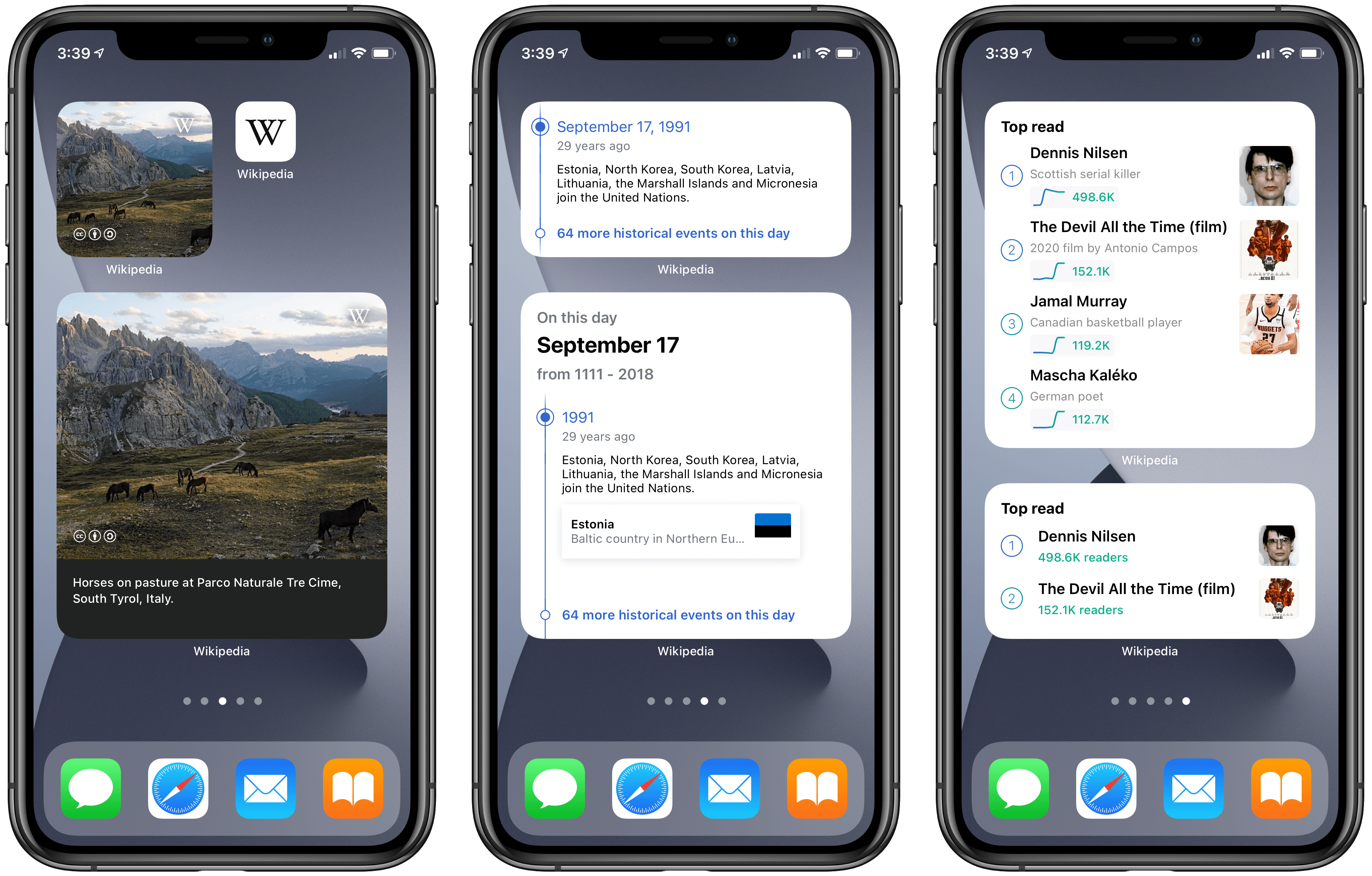
    This sort of passive, but welcome information delivery is at the heart of three separate widgets included in the latest Wikipedia app update:

    • Picture of the day
    • On this day
    • Top read

    The purpose of each widget is pretty self-explanatory: one shows a different beautiful photo each day, another tells you about something that happened on this day in the past, and another shows today’s popular Wikipedia pages.

    Widgets that surface data from one of the largest public information hubs in the world seems like a no-brainer use case, and the Wikipedia app has done a great job here.

    Each widget is available in small, medium, and large sizes, showing more or less information as they’re able. I find the small size a great choice for the picture of the day, though the large is nice too because it includes a caption to accompany the photo. With ‘On this day’ and ‘Top read’ the medium size strikes a great balance of providing just the right amount of information. And if you ever want to learn more, you can always tap on the widget to jump straight to the content you’re interested in.

    Widgets have so many different use cases, but this delivery of information I’d never otherwise see is one of my favorites. Wikipedia is a perfect example of how to do it right, and I’m eager to continue exploring this concept as I build out my ideal iOS and iPadOS 14 Home screens.


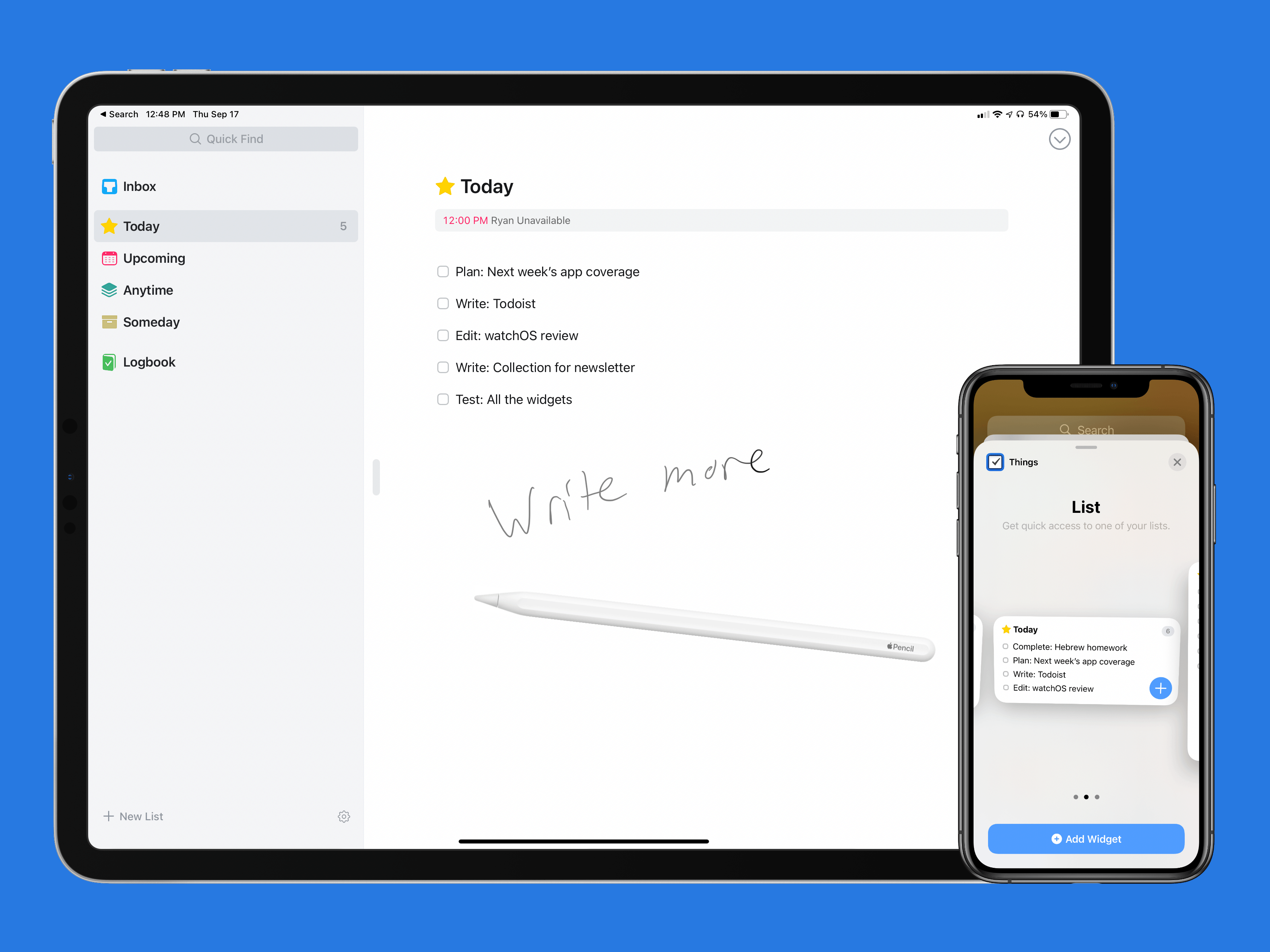
    Things Introduces New Widgets and Scribble for Task Creation on iPad

    I’ve used Things off and on as my primary task manager for as long as I’ve used Apple devices, which is just over a decade now. During that time the app has been remarkably consistent at supporting new OS features as soon as Apple launches them, and this year is no exception. In its latest update, Things has added new widgets for iOS and iPadOS 14 as well as a unique implementation of Scribble for creating new tasks. Apple Watch users will find a couple useful new complication options too.

    On the surface, the update may seem simple and straightforward: new widgets, Scribble support, and new complications. But as the team at Cultured Code has done time and time again, their implementation of new OS technologies is thoughtful and even innovative, especially on iPad.

    Read more