Apple’s 2022 Environmental Progress Report and a Tour of Daisy, the iPhone Recycling Robot

Yesterday, Apple released its 2022 Environmental Progress Report, detailing the progress the company has made in how much of the materials in its products are recycled. According to Apple’s press release, nearly 20% of the material in its products are recycled, and it more than doubled the use of recycled tungsten, rare earth elements, and cobalt.

To celebrate Earth Day, which is Friday, April 22nd, Apple also announced tie-ins in its Maps and App Store apps, as part of its Fitness+ and Apple Pay services, and at retail stores. In addition, the company is featuring Earth Day editorial content in Apple News, Apple Books, Apple Podcasts, and the Apple TV app, along with an interactive augmented reality experience on Snapchat to learn about Daisy, the company’s recycling robot.

Another way to learn about Daisy the robot is in this guided tour by Sara Dietschy, who was given access to Apple’s Texas Material Recovery Lab, where the robot can disassemble up to 1.2 million iPhones per year:

Having followed the Apple’s original robot Liam, and now Daisy, over the past several years, it was fascinating to get an up-close look at how Daisy works.

Access Extra Content and Perks

Founded in 2015, Club MacStories has delivered exclusive content every week for nearly a decade.

What started with weekly and monthly email newsletters has blossomed into a family of memberships designed for every MacStories fan.

Learn more here and from our Club FAQs.

Club MacStories: Weekly and monthly newsletters via email and the web that are brimming with apps, tips, automation workflows, longform writing, early access to the MacStories Unwind podcast, periodic giveaways, and more;

Club MacStories+: Everything that Club MacStories offers, plus an active Discord community, advanced search and custom RSS features for exploring the Club’s entire back catalog, bonus columns, and dozens of app discounts;

Club Premier: All of the above and AppStories+, an extended version of our flagship podcast that’s delivered early, ad-free, and in high-bitrate audio.

Learn more here and from our Club FAQs.


Automation April: Never Forget to Stop a Timery Time Tracking Timer Again

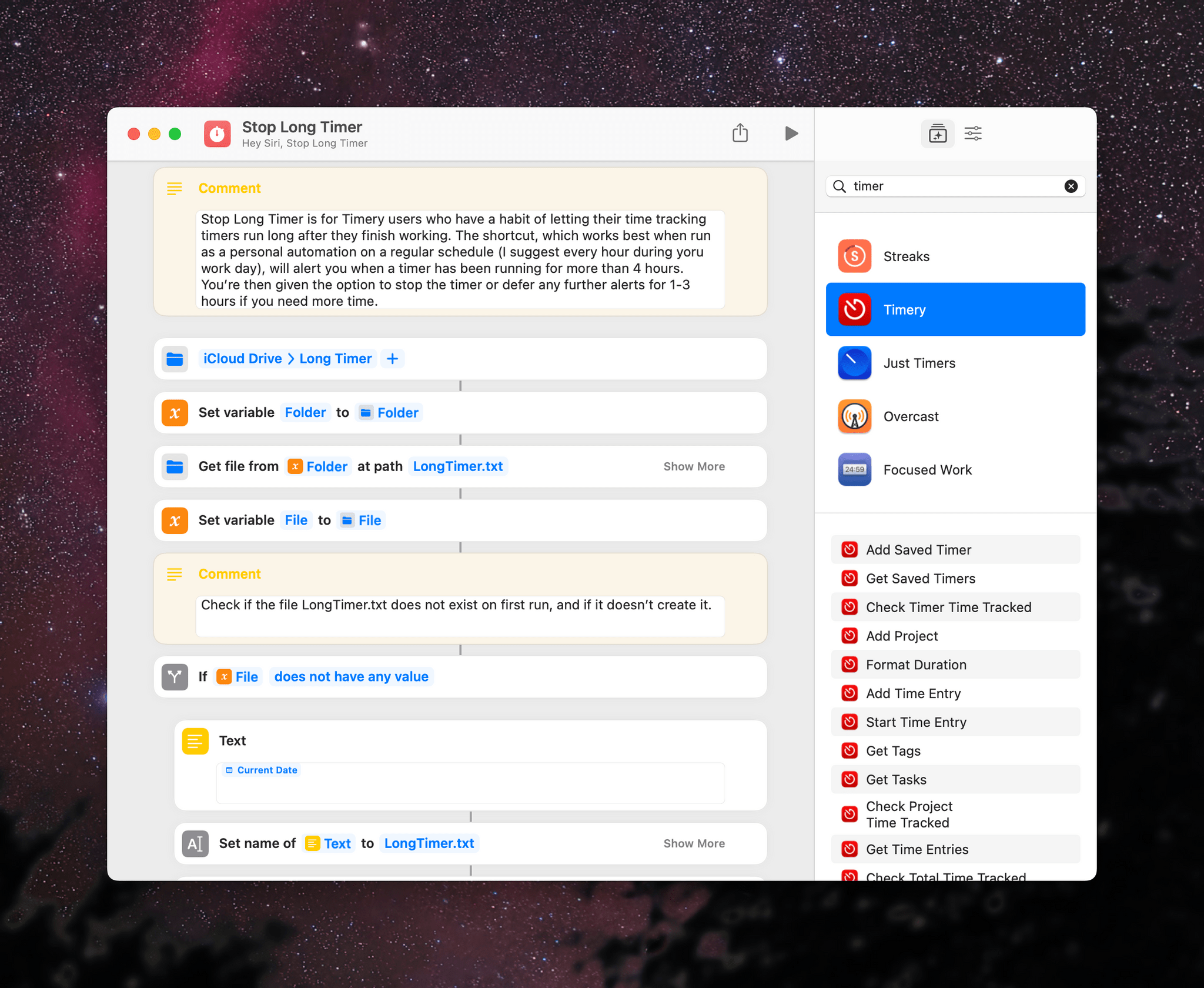
I’ve been using Timery to track my time using the Toggl time tracking service for several years now, and although I’ve gotten better at remembering to stop timers, I still forget sometimes. That’s why I built Stop Long Timer, a shortcut that periodically checks if you’ve had a timer running for a long time and volunteers to stop it. If you decline, Stop Long Timer offers to leave you alone for a while so you can wrap up whatever you’re doing.

Stopping a timer that’s been running for a certain period is the easy part. Timery has an action to check the duration of the current timer and another to stop a timer. What I wanted, though, is something more flexible because sometimes a timer has been running a long time because I’m deep in the middle of a project. In that case, I don’t want to stop the timer. In fact, I don’t want to be bugged again either. That part of Stop Long Timer is a little more complex and is a good example of how you can save data outside a shortcut to use as a reference point.

Read more

Access Extra Content and Perks

Founded in 2015, Club MacStories has delivered exclusive content every week for nearly a decade.

What started with weekly and monthly email newsletters has blossomed into a family of memberships designed for every MacStories fan.

Learn more here and from our Club FAQs.

Club MacStories: Weekly and monthly newsletters via email and the web that are brimming with apps, tips, automation workflows, longform writing, early access to the MacStories Unwind podcast, periodic giveaways, and more;

Club MacStories+: Everything that Club MacStories offers, plus an active Discord community, advanced search and custom RSS features for exploring the Club’s entire back catalog, bonus columns, and dozens of app discounts;

Club Premier: All of the above and AppStories+, an extended version of our flagship podcast that’s delivered early, ad-free, and in high-bitrate audio.

Learn more here and from our Club FAQs.


AppStories, Episode 270 – Our Latest Automation April Shortcuts

This week on AppStories, we dig into the collection of shortcuts that we’ve released during Automation April so far, including Federico’s Split View Presets and Cleanup Twitter Link and John’s Timestamped Notes and myTunes shortcuts.

Sponsored by:

  • Kolide – Endpoint security powered by people. Try Kolide for 14 days free; no credit card required
  • Sourcegraph – Universal Code Search. Move fast, even in big codebases. Try it now.
  • RevenueCat – Subscription management built for mobile apps

On AppStories+, Federico and John give listeners a behind-the-scenes look at judging the Automation April Shortcuts Contest, reflect on how much has changed as MacStories turns 13 and AppStories turns 5, and explain how they deal with app overload anxiety.

We deliver AppStories+ to subscribers with bonus content, ad-free, and at a high bitrate early every week.

To learn more about the benefits included with an AppStories+ subscription, visit our Plans page, or read the AppStories+ FAQ.

Permalink

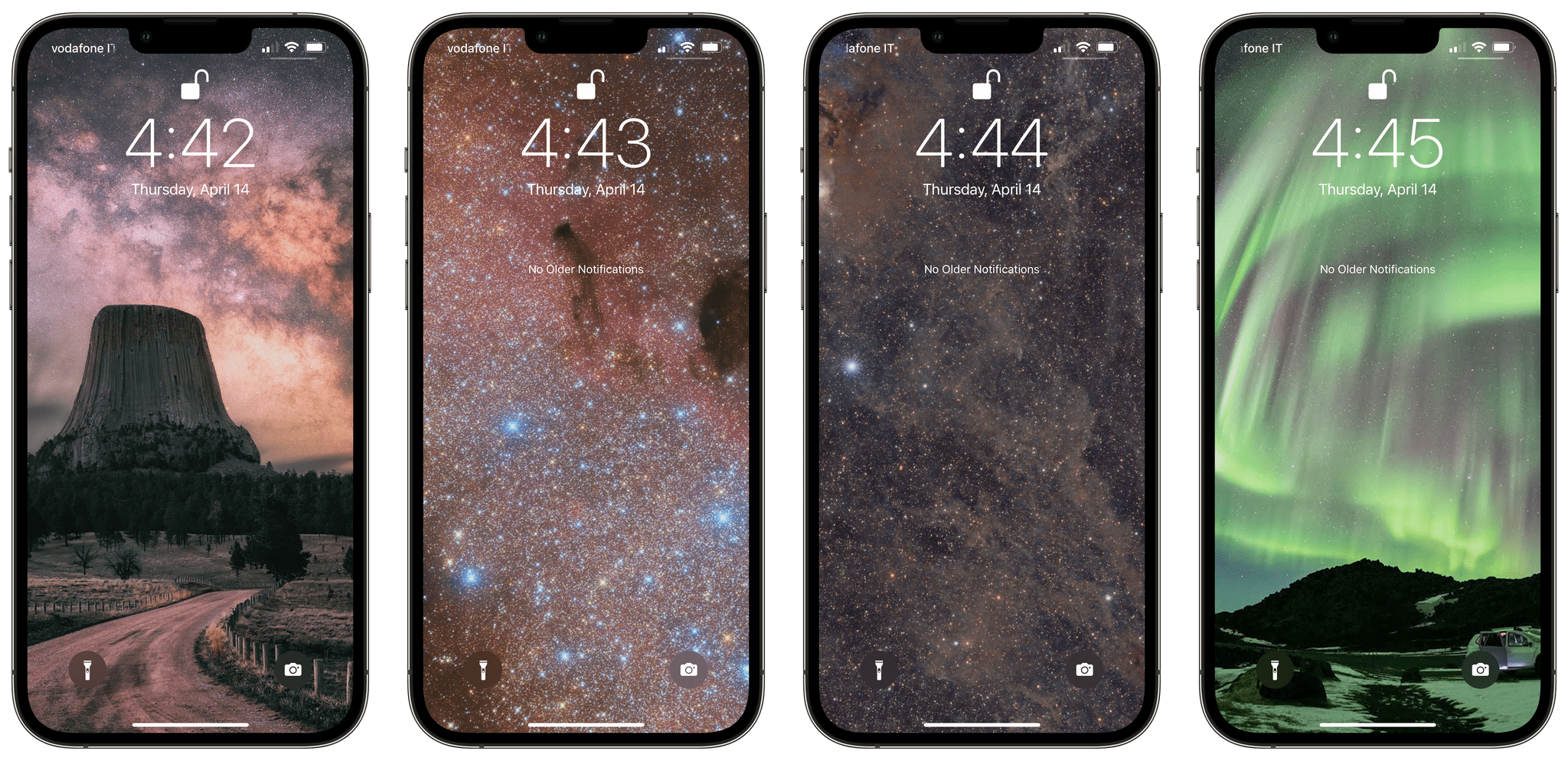
Last Week, on Club MacStories: A Space Wallpaper Shortcut, Developer Interview, Utilities to Extend Shortcuts, and Giveaways

Because Club MacStories now encompasses more than just newsletters, we’ve created a guide to the past week’s happenings along with a look at what’s coming up next:

MacStories Weekly: Issue 316

Up Next

On Tuesday at 12:30 PM Eastern US time, we’ll hold our second Automation April live Shortcuts workshop in the Club MacStories+ Discord community.

Access Extra Content and Perks

Founded in 2015, Club MacStories has delivered exclusive content every week for nearly a decade.

What started with weekly and monthly email newsletters has blossomed into a family of memberships designed for every MacStories fan.

Learn more here and from our Club FAQs.

Club MacStories: Weekly and monthly newsletters via email and the web that are brimming with apps, tips, automation workflows, longform writing, early access to the MacStories Unwind podcast, periodic giveaways, and more;

Club MacStories+: Everything that Club MacStories offers, plus an active Discord community, advanced search and custom RSS features for exploring the Club’s entire back catalog, bonus columns, and dozens of app discounts;

Club Premier: All of the above and AppStories+, an extended version of our flagship podcast that’s delivered early, ad-free, and in high-bitrate audio.

Learn more here and from our Club FAQs.


Kolide: Endpoint Security Powered by People; Try for Free! [Sponsor]

Kolide is a SaaS app that sends employees important, timely, and relevant security recommendations concerning their Mac, Windows, and Linux devices, right inside Slack.

Kolide is perfect for organizations that want to move beyond a traditional lock-down model and move to one where employees are educated about security and device management while fixing nuanced problems. We call this approach Honest Security.

For example, Kolide can:

  1. Instruct developers to set passphrases on the unencrypted SSH keys littered throughout their devices.
  2. Find plain-text two-factor backup codes and teach end-users how to store them securely.
  3. Convince employees to uninstall evil (yet allowed) browser extensions that sell their browser history to marketing companies

You can try Kolide on an unlimited number of devices with all its features for free and without a credit card for 14 days.

Our thanks to Kolide for sponsoring MacStories this week.

Access Extra Content and Perks

Founded in 2015, Club MacStories has delivered exclusive content every week for nearly a decade.

What started with weekly and monthly email newsletters has blossomed into a family of memberships designed for every MacStories fan.

Learn more here and from our Club FAQs.

Club MacStories: Weekly and monthly newsletters via email and the web that are brimming with apps, tips, automation workflows, longform writing, early access to the MacStories Unwind podcast, periodic giveaways, and more;

Club MacStories+: Everything that Club MacStories offers, plus an active Discord community, advanced search and custom RSS features for exploring the Club’s entire back catalog, bonus columns, and dozens of app discounts;

Club Premier: All of the above and AppStories+, an extended version of our flagship podcast that’s delivered early, ad-free, and in high-bitrate audio.

Learn more here and from our Club FAQs.


MacStories Unwind: WeCrashed and Wet Leg

AppStories+ Deeper into the world of apps
0:00
27:42

AppStories+ Deeper into the world of apps


This week on MacStories Unwind, Federico recommends WeCrashed on Apple TV+, and John has had the new Wet Leg album on repeat since its release a week ago.

Kolide: Endpoint security for teams that Slack. Try Kolide for 14 days free; no credit card required.

Federico’s Pick:

John’s Pick:

Access Extra Content and Perks

Founded in 2015, Club MacStories has delivered exclusive content every week for nearly a decade.

What started with weekly and monthly email newsletters has blossomed into a family of memberships designed for every MacStories fan.

Learn more here and from our Club FAQs.

Club MacStories: Weekly and monthly newsletters via email and the web that are brimming with apps, tips, automation workflows, longform writing, early access to the MacStories Unwind podcast, periodic giveaways, and more;

Club MacStories+: Everything that Club MacStories offers, plus an active Discord community, advanced search and custom RSS features for exploring the Club’s entire back catalog, bonus columns, and dozens of app discounts;

Club Premier: All of the above and AppStories+, an extended version of our flagship podcast that’s delivered early, ad-free, and in high-bitrate audio.

Learn more here and from our Club FAQs.


Automation April: 10 Shortcuts for Mac Multitasking, Markdown, Reminders, Music Lyrics, Twitter, and More

10 shortcuts for Automation April.

10 shortcuts for Automation April.

Automation April is well underway: we’ve entered the second week of our month-long special event about automation on Apple platforms, and – in case you haven’t noticed – things are happening everywhere. We’ve published Shortcuts-focused articles on MacStories; interviewed developers of Shortcuts-compatible apps on AppStories; we’ve hosted a Town Hall Workshop on our Discord along with giveaways. And, of course, our panel of judges is now busy testing and evaluating shortcuts submitted by people for the Automation April Shortcuts Contest. If you haven’t yet, now would be a great time to start following @AutomationApril on Twitter to keep up with everything we’re doing.

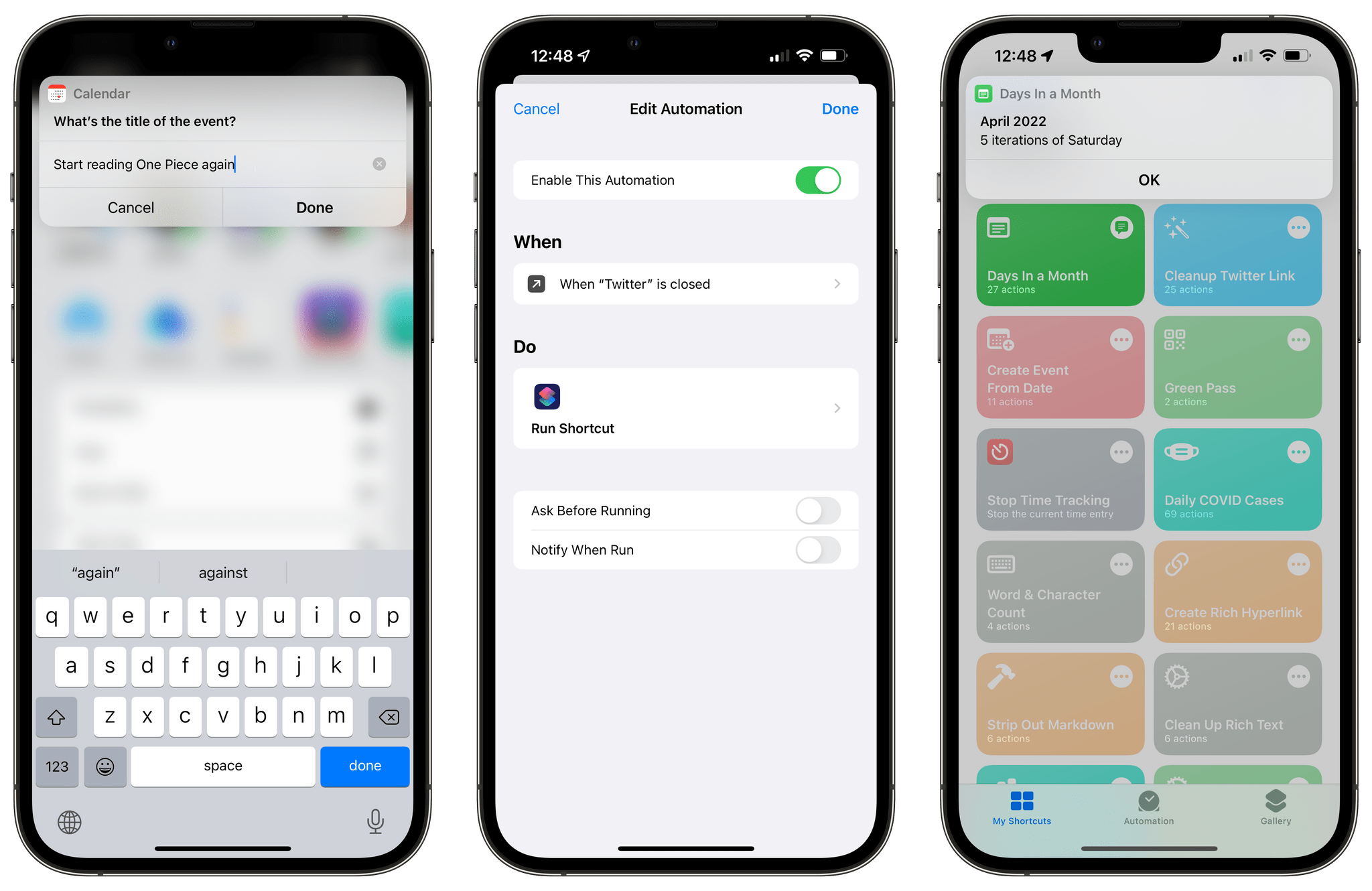
Last week, I shared an initial batch of 10 shortcuts I prepared for Automation April here on MacStories. I’m back this week with another set of 10 shortcuts that encompass a variety of platforms, app integrations, and functionalities. In this week’s collection, you’ll find even more shortcuts to speed up macOS multitasking; a shortcut that makes it easy to create a calendar event starting from a date; there will be a couple of shortcuts for Markdown and Obsidian users too.

I’m having a lot of fun sharing these sets of shortcuts for Automation April. So once again, let’s dive in.

Read more

Access Extra Content and Perks

Founded in 2015, Club MacStories has delivered exclusive content every week for nearly a decade.

What started with weekly and monthly email newsletters has blossomed into a family of memberships designed for every MacStories fan.

Learn more here and from our Club FAQs.

Club MacStories: Weekly and monthly newsletters via email and the web that are brimming with apps, tips, automation workflows, longform writing, early access to the MacStories Unwind podcast, periodic giveaways, and more;

Club MacStories+: Everything that Club MacStories offers, plus an active Discord community, advanced search and custom RSS features for exploring the Club’s entire back catalog, bonus columns, and dozens of app discounts;

Club Premier: All of the above and AppStories+, an extended version of our flagship podcast that’s delivered early, ad-free, and in high-bitrate audio.

Learn more here and from our Club FAQs.