Posts in news

MacStories Unwind – MacStories Shortcuts Icons Updated, a New App for Music Nerds, and a Drafts Update

0:00
35:14


This week on MacStories Unwind:

MacStories

Club MacStories

  • MacStories Weekly
    • NetNewsWire
    • Creating file launchers with GizmoPack and Shortcuts
    • Member shortcut requests answered
    • A research workflow using Instapaper, IFTTT, and Shortcuts
    • Safari tab controls in iPadOS
    • Q&A, links, and more

AppStories

Unwind Picks


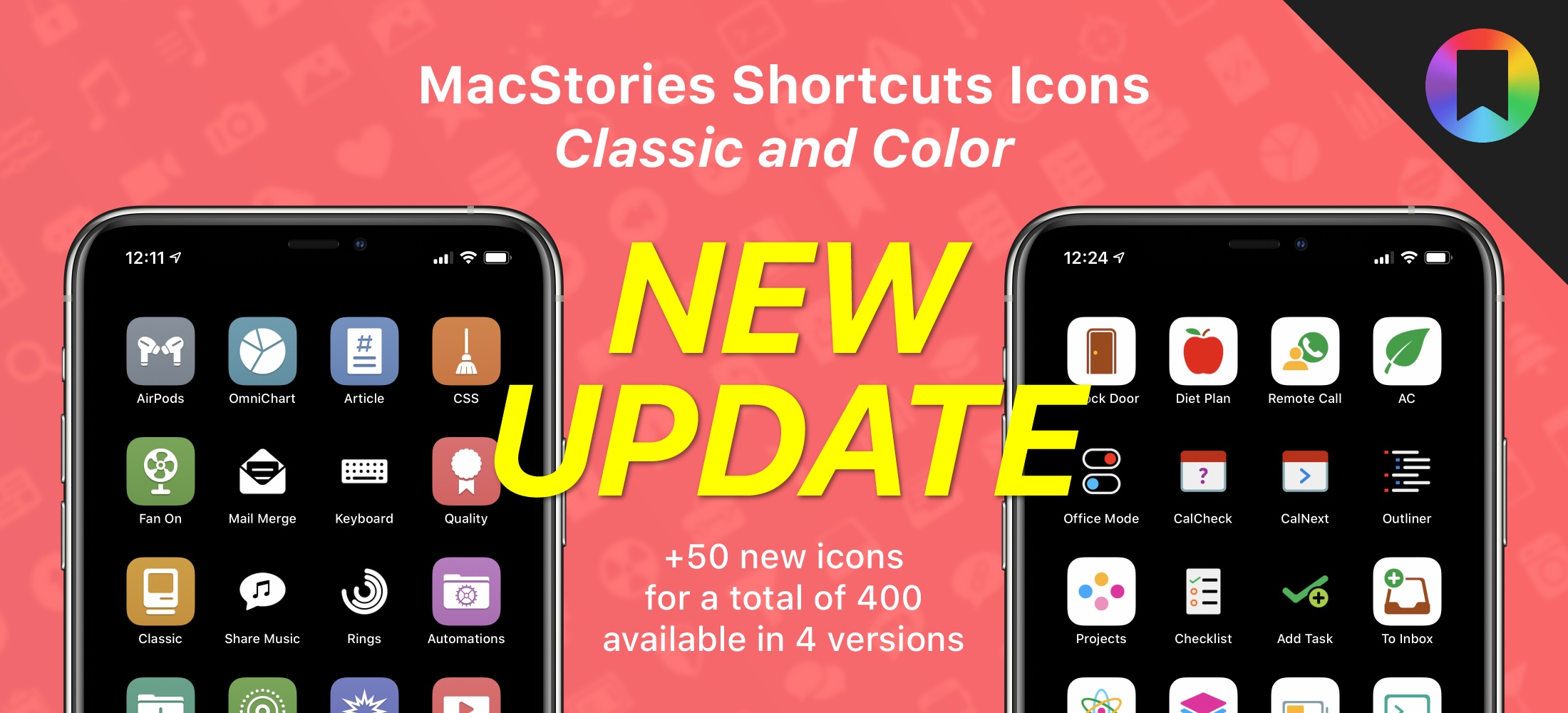
MacStories Shortcuts Icons Receives Second Free Update with 50 New Glyphs, Reaching 400

Some of the new icons included in the latest MacStories Shortcuts Icons update.

Some of the new icons included in the latest MacStories Shortcuts Icons update.

I’m happy to announce that MacStories Shortcuts Icons, our custom icon set for adding shortcuts to the Home screen, has received a free update today that adds 50 new glyphs. With this second free update, the set has reached 400 unique glyphs available in four versions for a total of 1,600 icons included in the complete Bundle edition.

The update is now available, free for existing customers (just download the file again); for new customers, the update is part of the standard purchase for all editions of MacStories Shortcuts Icons: Bundle, Color, and Classic.


All sales are final. Read our terms of use here.

For those who may have missed it last year: MacStories Shortcuts Icons lets you customize the look of your shortcuts added to the Home screen by choosing from hundreds of glyphs designed specifically with Shortcuts users in mind, going beyond what’s provided by Apple in the Shortcuts app. The icons are available in two versions – Classic and Color – and a Bundle edition containing both (and discounted by 40% right now) is available as well.

Read more


Apple Releases iOS 13.5 with COVID-19 Exposure Notifications, Face ID Bypass for Masks, FaceTime Setting, and Apple Music Stories Sharing

Today Apple released what is essentially a COVID-19 update for iPhones. iOS 13.5 includes several features specifically designed for our current global pandemic, including exposure notifications, mask detection for bypassing Face ID, and a new prominence setting for FaceTime, along with a nice new Apple Music sharing feature optimized for Instagram Stories. With WWDC and iOS 14’s reveal only a month away, this is likely the last major update to the current OS release cycle.

Read more


Drafts 20 Introduces Advanced Wiki-Style Linking

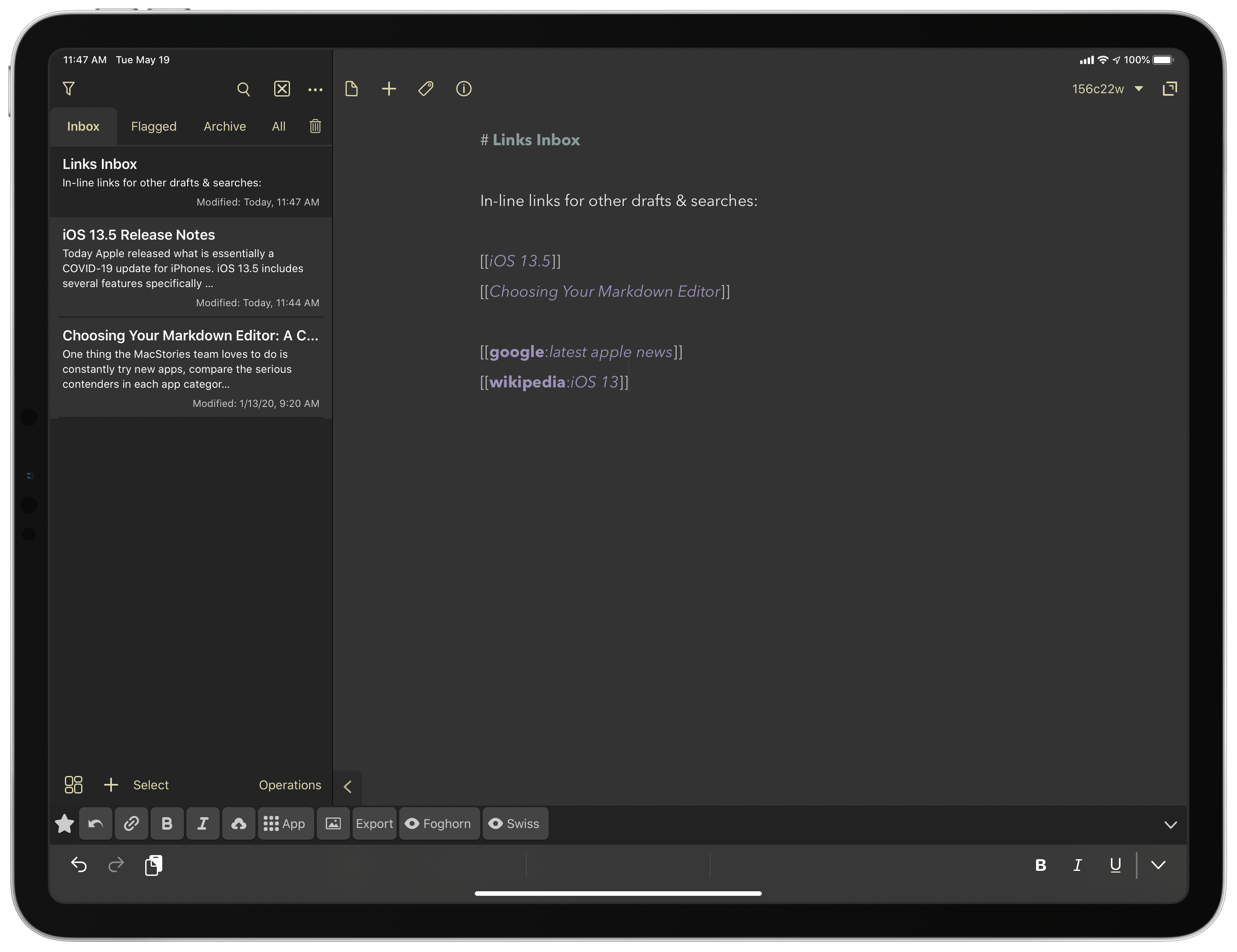
Drafts 20, the latest update to the powerful text editor and capture tool, introduces an excellent feature for creating in-line links to other drafts, workspaces, or even searches.

I’ve always appreciated the ability to link notes inside of other notes, like what’s available in Bear, and that’s exactly the behavior that Drafts 20 enables. By typing an existing draft’s title inside of double brackets (e.g. [[Draft Title Here]]), you can create a Wiki-style link to that draft that can be tapped or clicked for instant access. For research purpose especially, I’ve found this functionality useful in the past, and I’m glad to see it in Drafts.

One nice detail of Drafts’ implementation is that you can use the same syntax to create links to brand new drafts; if you type a title in brackets that doesn’t currently exist, the app will automatically create a new draft with that title. The system is smart enough, too, to work with only partial titles entered. For example, with an old draft titled “Apple Card Now Available for All US Customers,” all I had to type in brackets was ‘Apple Card’ for the link to be created. The only enhancement I hope to see in a future update is auto-complete suggestions when typing a draft’s title so you can ensure you’ve entered the correct one.

Linking to other drafts is certainly the primary appeal of the new bracketing syntax, but developer Greg Pierce has included a handful of advanced options too that make the feature even more valuable. As detailed in the update’s release notes, you can bracket not just other draft titles, but also links to your existing workspaces, a search term inside the app, or even a Bear note. My favorite options, however, enable creating one-tap links to Google or Wikipedia searches. By typing google: or wikipedia: then a search term, all inside double brackets, Drafts will create links to initiate those types of searches. The added flexibility afforded by these links, alongside the new links to other drafts, makes Drafts a strong research and database tool, alongside all the other things the app’s great at.

Drafts 20 is available on the App Store.


Apple Releases New Pride Edition Watch Bands Ahead of Pride Month, New Watch Faces Coming Soon

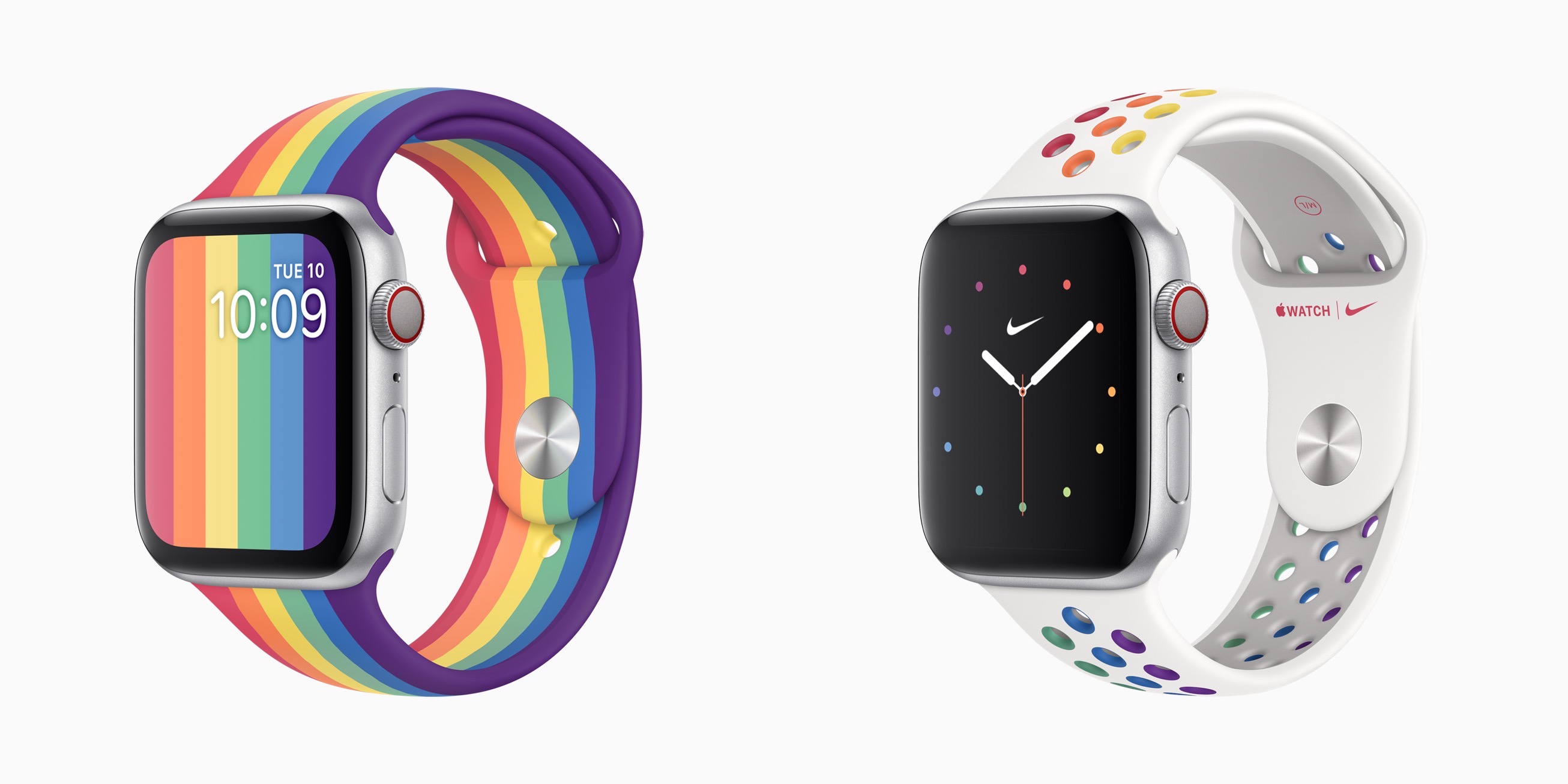
In anticipation of Pride month in June, Apple today has announced the release of two new Pride Edition bands for the Apple Watch, and new Pride watch faces that will be available soon as part of the watchOS 6.2.5 release.

It’s become an annual tradition for Apple to debut a new Pride band for Apple Watch and an accompanying watch face, but this is the first time there have been two new options launching. The Pride Edition Sport Band features the traditional rainbow pattern similar to last year’s offering, though that previous band was a Sport Loop, rather than the first-time Sport Band option available this year. The Nike Pride Edition Sport Band follows the unique design style of Nike’s other bands, but with its rainbow colors adorning the white band’s holes. The Nike Pride face arriving in the next watchOS update is unique as well, with colored dots representing the face’s hour markings.

The new Watch bands will be available today from the Apple Store, and watchOS 6.2.5 is anticipated to release some time in the next month leading up to WWDC.


MacStories Unwind – Noto, iA Writer, and a New Maintenance Task Manager

0:00
34:00


This week on MacStories Unwind:

MacStories

Club MacStories

  • MacStories Weekly
    • DaisyDisk
      • A tip from John on an easy way to create good-looking, text-searchable PDFs of webpages on iPadOS and iOS
      • Loads of Shortcuts requests answered by Federico
        • OmniChart and TimeChart using Charty
        • PDFs from URLs
        • Mail Merge
        • Safari Reader Article to PDF
        • Reminders to OmniFocus
      • Interview with Zac Cohan, developer of Soulver
      • A story about a News+ audio rumor by Ryan
  • MacStories Unplugged
    • Federico and John continue to refine their research strategies for this year’s review season, John shares a PDF tip with Federico, and then they compare notes on baking pizza and bread during the lockdown.

AppStories

Unwind


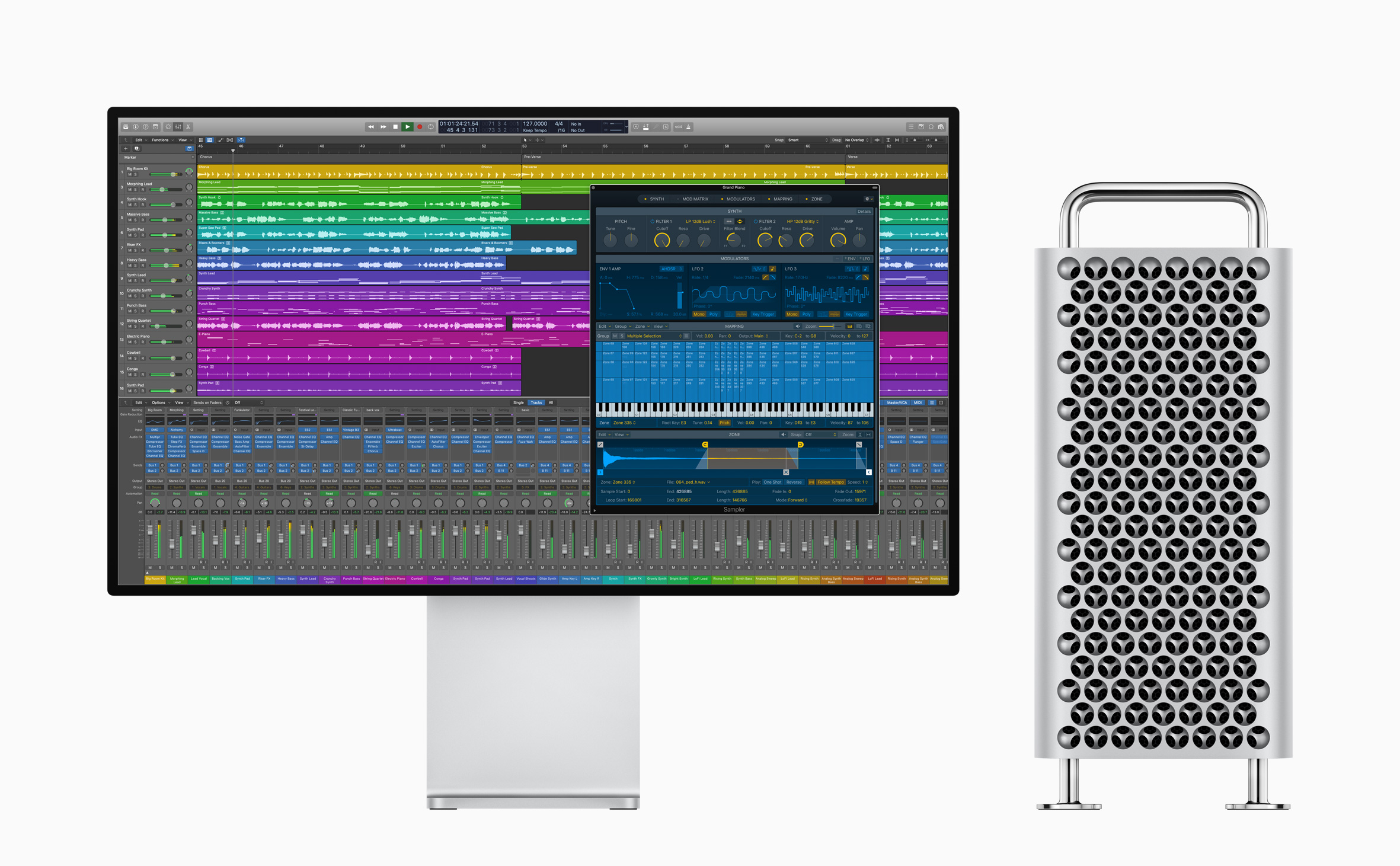
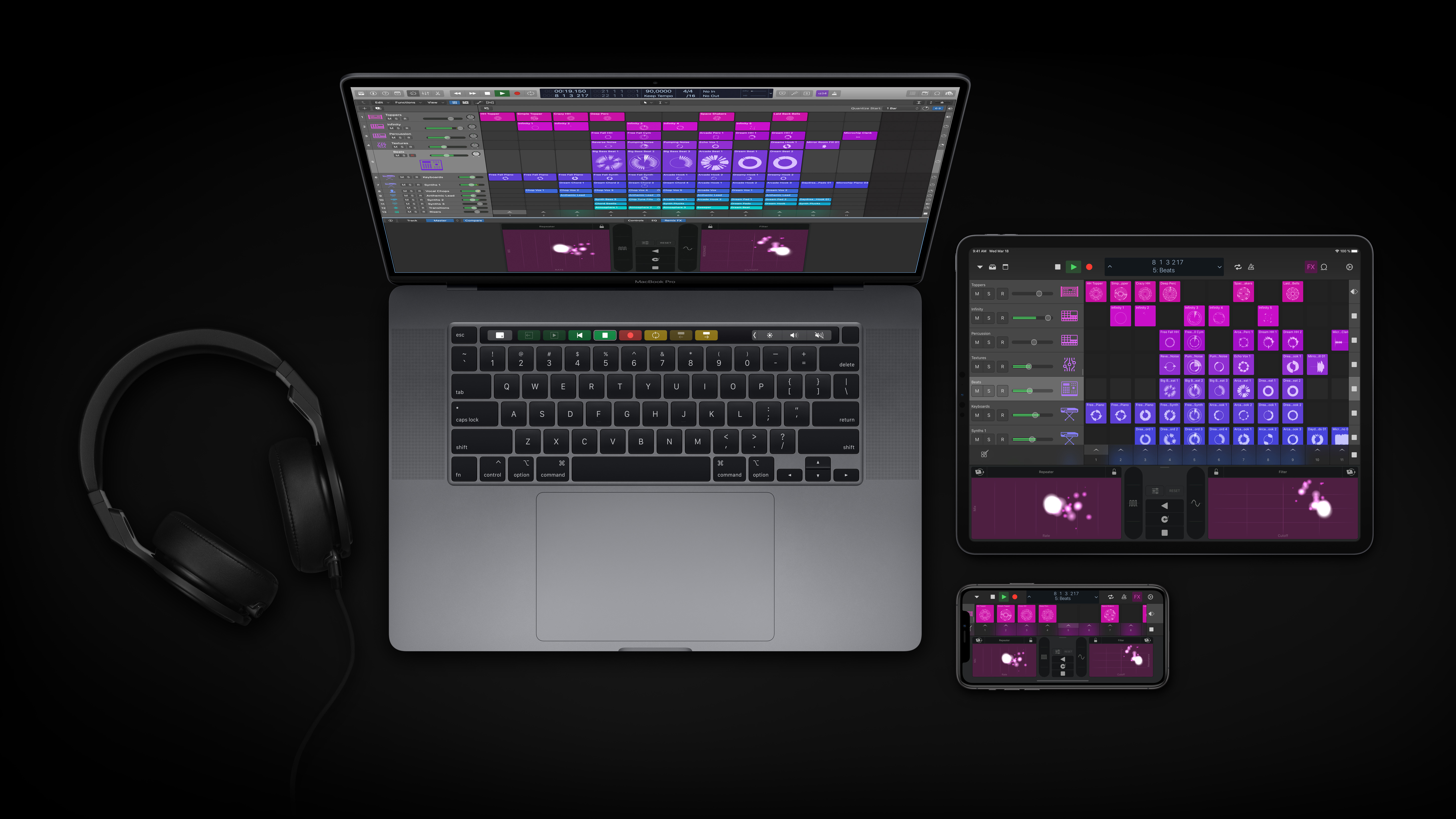
Apple Releases Substantial Update to Logic Pro X and Logic Remote

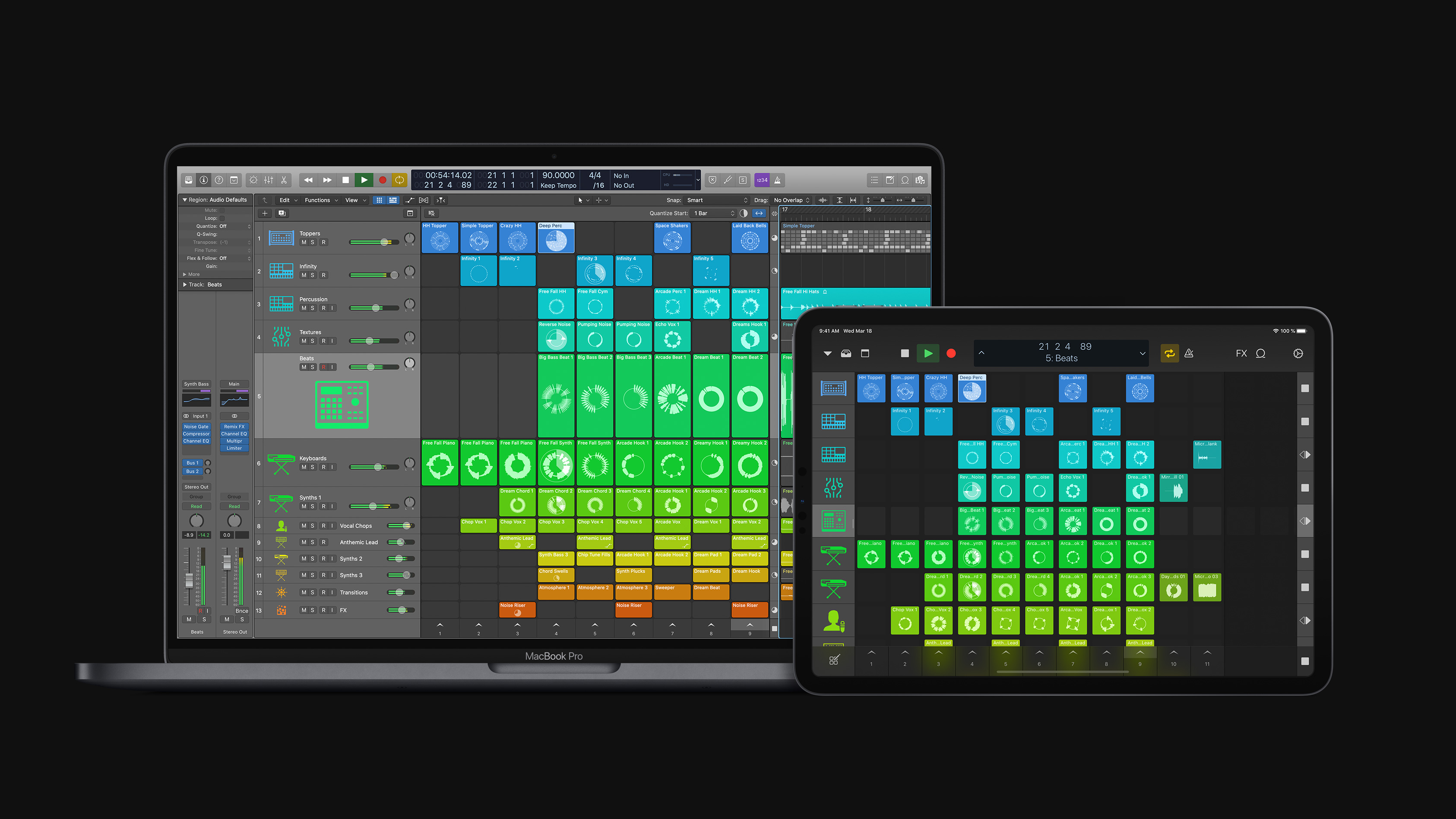
Apple has released a substantial update to Logic Pro X for macOS and the Logic Remote companion app for iOS and iPadOS that is focused on loops, sampling, and beat creation. According to Susan Prescott, Apple’s vice president of Apps Product Marketing:

Logic Pro X 10.5 represents the biggest update to Logic since the launch of Logic Pro X, with powerful new tools that will inspire every artist — from those just getting started with Logic, to those already using it to produce Grammy Award-winning albums.

Finneas O’Connell, Billie Eilish’s producer, says:

Logic Pro X has always been my one and only DAW. The workflow is unmatched, and the built-in sound libraries have been essential to my music from the beginning. Now with the addition of Quick Sampler and Drum Machine Designer, I’m getting back hours I used to spend in the studio building sounds and kits. This lets me spend more time writing new verses and editing 70-take vocals.

Source: Apple

Source: Apple

The update emphasizes non-linear production workflows that rely on loops, samples, and drum machine design, a departure from Logic Pro X’s historically timeline-focused approach.

With the new Live Loops tools, Apple says:

Loops, samples, and recordings can be organized into a new musical grid, where musicians can spontaneously perform and capture different arrangement ideas into the timeline. From there, tracks can be further refined using all of the professional production features in Logic.

Sampler is a backward-compatible, redesigned expansion of existing Logic tools to “edit sophisticated multisampled instruments, using elegant drag-and-drop workflows that automate complex production tasks.”

For beat creation, Logic offers Step Sequencer, Drum Synth, and Drum Machine Designer. Step Sequencer is an editor that Apple describes as inspired by drum machine workflows, Drum Synth is a collection of software-generated beats, and Drum Machine Designer is Logic’s drum kit tool that now integrates with both Quick Sampler and Drum Synth, providing more control over editing kits and integrating with the new Step Sequencer.

Source: Apple.

Source: Apple.

Finally, Apple is updating Logic Remote, the free iOS and iPadOS companion apps to Logic Pro X. The update will allow musicians to browse and add loops, trigger Live Loops, and apply Remix FX to a session.

Logic is available on the Mac App Store for $199.99. Additional information about the update is available on Apple’s dedicated Logic webpage.



MacStories Unwind: An Interview with Craig Federighi and Picking an iPad Pro

0:00
25:02


This week on MacStories Unwind:

MacStories

Club MacStories

AppStories

Unwind


Sponsored by:

SoundSource – Superior sound control from Rogue Amoeba