Posts in news

MacStories Unwind: WWDC, OmniFocus Custom Perspectives, and New Read-It-Later and Camera Apps

0:00
27:03


This week on MacStories Unwind:

MacStories

Club MacStories

  • MacStories Weekly
    • Federico shares a shortcut for browsing articles by topic and domain in Reeder and GoodLinks
    • Ryan highlights apps with great implementations of features announced at WWDC 2019
    • John imagines what better external display support for the iPad Pro might look like
    • Plus lots of apps, Q&A, Links and more
  • MacStories Unplugged
    • John travels west and Federico reveals his fascination with small town America before they dive into a discussion of optimism in technology writing and explore a new trend they are seeing emerge in the App Store.

AppStories

Unwind Picks


Apple Shares WWDC Details Including Keynote Time, Developer Forums, 1-on-1 Developer Labs, and More

Little more than a week away from Apple’s first all-online WWDC, the company today revealed the full details for how this new virtual conference format will work.

While the full conference will span June 22-26, the two biggest events will be held on kickoff day, as per tradition. The Special Event Keynote will stream directly from Apple Park starting at 10 a.m. PDT on Monday, while the Platforms State of the Union will follow a few hours later at 2 p.m. PDT. The former will offer a wide variety of options for viewing, including apple.com, the Apple Developer app and website, the Apple TV app, and YouTube; the latter will be limited to the Apple Developer app and website.

Apple will also offer over 100 engineering sessions throughout the week. Rather than having these sessions at different times throughout each day, as usual, Apple will instead drop a new batch of videos every day at 10 a.m. PDT, which developers can view via the Apple Developer app or website.

Perhaps the biggest question marks about the conference have been what opportunities for interaction with Apple engineers will be made available. The company is addressing this in two ways: with brand new Apple Developer Forums and by offering reservation-only 1-on-1 Developer Labs. Through forums Apple will enable over 1,000 of its engineers to interact with the developer community in a more public way, while developers can get private help from an engineer through a 1-on-1 lab. More information about how to sign up for a lab slot will be forthcoming.

While this will certainly be a WWDC unlike any before, it sounds like Apple is doing everything it can to ensure developers get as much value out of conference participation as possible. Whether you’re a developer or not, there’s surely a lot of exciting things the week will bring.


Apple Announces iTunes U and iBooks Author Will Be Discontinued

iBooks Author will become unavailable soon.

iBooks Author will become unavailable soon.

Today through two new support pages that have been posted on Apple’s website, the company announced that iTunes U will be discontinued at the end of 2021 and iBooks Author will become unavailable much sooner: on July 1, 2020.

While both announcements are noteworthy since they concern software with long histories, signs of these moves have been visible for years. iTunes U has received minimal investment of late as Apple has redirected resources to its Classroom and Schoolwork platforms. iBooks Author, similarly, has grown stagnant as many of its features have made their way into recent Pages updates.

Apple is recommending that publishers of public iTunes U content move their content over to Apple Podcasts or Apple Books, as appropriate. Private content, on the other hand, is better suited for moving to Schoolwork.

iBooks Author won’t receive any more updates and will become unavailable for download altogether as of July 1. Anyone who already owns the app will be able to continue using it, but Apple encourages everyone to move book creation to Pages. According to the company:

If you have iBooks Author books you’d like to import into Pages, a book import feature is coming to Pages soon. It will allow you to open and edit iBooks Author files (.iba) in Pages.

Hopefully this forthcoming update will also bring Pages’ book creation tools closer to feature parity with what currently exists in iBooks Author, but it’s possible that may not happen for some time.

With WWDC 2020 drawing ever closer, Apple is clearly trying to get any pre-announcements out of the way so the big show can focus on the future rather than the past. In this context, we may see more app- or developer-related announcements over the next couple of weeks.


MacStories Unwind: A Message from MacStories, Apple’s Response to Racism, Notes Shortcuts, and a New HomeKit Camera

0:00
29:38


This week on MacStories Unwind:

MacStories

Club MacStories

  • MacStories Weekly
    • Tempo for Runners
    • Apple TV Channels: A Great TV Experience That’s Failing by Ryan
    • A new webpage to PDF workflow from Federico
    • Q&A, links, apps, and more

AppStories

Unwind Picks


Apple Watch Activity Challenge Coming June 5 for World Environment Day

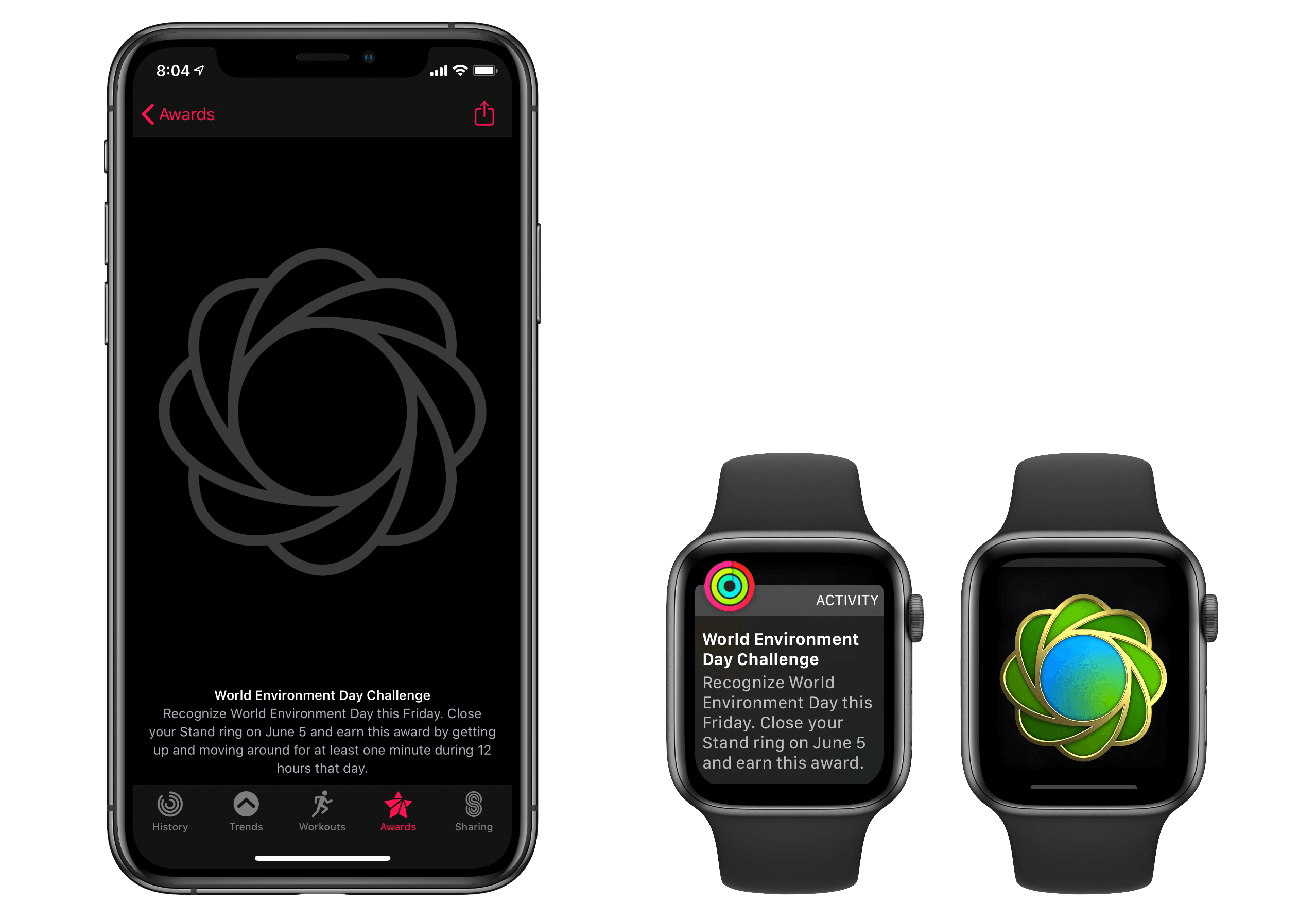
Apple Watch owners will have the chance to earn perhaps their most attainable special Activity award yet. On Friday, June 5 the World Environment Day Challenge will call Apple Watch users to close their Stand ring for the day to earn a unique award badge. From the Activity app:

Recognize World Environment Day this Friday. Close your Stand ring on June 5 and earn this award by getting up and moving around for at least one minute during 12 hours that day.

Presumably for wheelchair users, the award can be earned as well by closing the Roll ring, which follows the same basic parameters as the Stand ring.

I always enjoy earning additional awards related to Activity challenges, so I’m glad Apple is continuing to offer these options and adapt them to the restrictions of the ongoing pandemic.


Preorders Begin for Eve Cam the HomeKit Secure Video-Enabled Indoor Camera

Source: Eve Systems.

Source: Eve Systems.

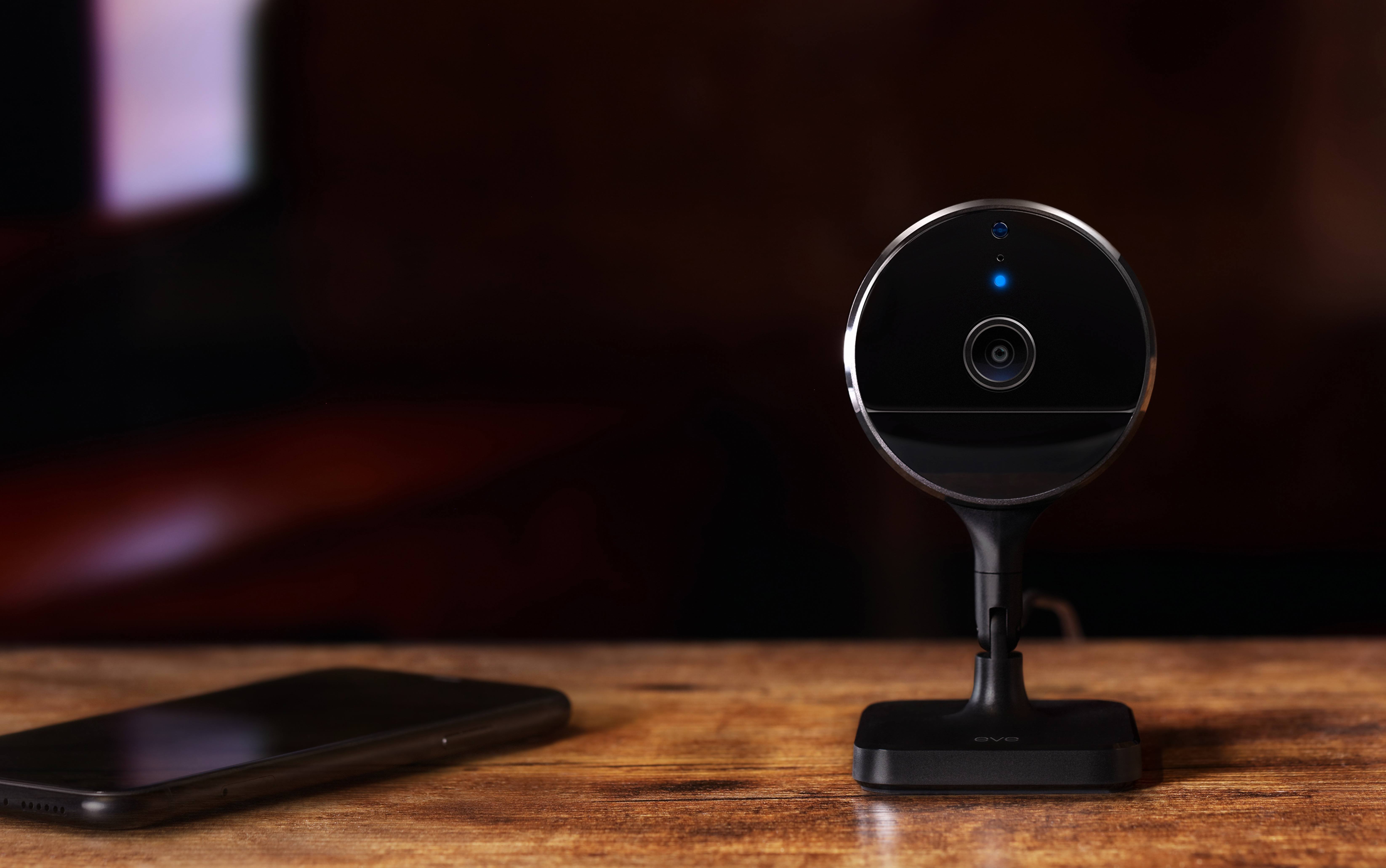
The devices I previewed in January during CES continue to trickle out with the HomeKit-enabled Eve Cam becoming a little more concrete today. The $150 indoor camera isn’t out just yet, but it is available for preorder with shipments to begin June 23rd.

In a press release issued today the camera’s maker, Eve Systems, is touting the privacy of the HomeKit Secure Video-only device:

Eve Cam offers a state-of-the art feature set and user experience, ranging from seamless installation and rich notifications to fully automatic, presence-based operation that allows the camera to deactivate when everyone is home. Eve Cam is made exclusively for Apple HomeKit Secure Video, delivering data security and privacy by design. Live images are never streamed through a server, and recordings are stored securely and fully encrypted in the user’s iCloud.

Because the camera only works with Apple’s HomeKit Secure Video solution, it requires a 200GB or greater iCloud storage plan. A 200GB plan, which costs $2.99 per month, can be connected to one camera at no additional charge, while a $9.99 per month 2TB plan is required for up to five cameras.

The Eve Cam shoots video in 1080p at 24fps, has a night vision range of 5 meters, a 150-degree field of vision, two-way communication, a motion sensor, and can be wall-mounted using a magnetic plate that can be attached to a wall with adhesive. The device connects to iCloud using WiFi, requires a wired electrical connection, and is compatible with wall outlets in the US, UK, EU, and Australia.

I haven’t had an opportunity to try the Eve Cam, but I have owned electrical plugs and motion sensors from Eve Systems and have been impressed with their quality and reliability. The camera’s relatively slim profile and feature set make it look like it could be a good indoor alternative to the Logitech Circle 2 camera, though for outdoor use, you’ll still need something that can withstand the elements. Preorders can be placed on Eve System’s website.


Apple Music Honors Black Out Tuesday with Awareness Efforts, Alternate Programming

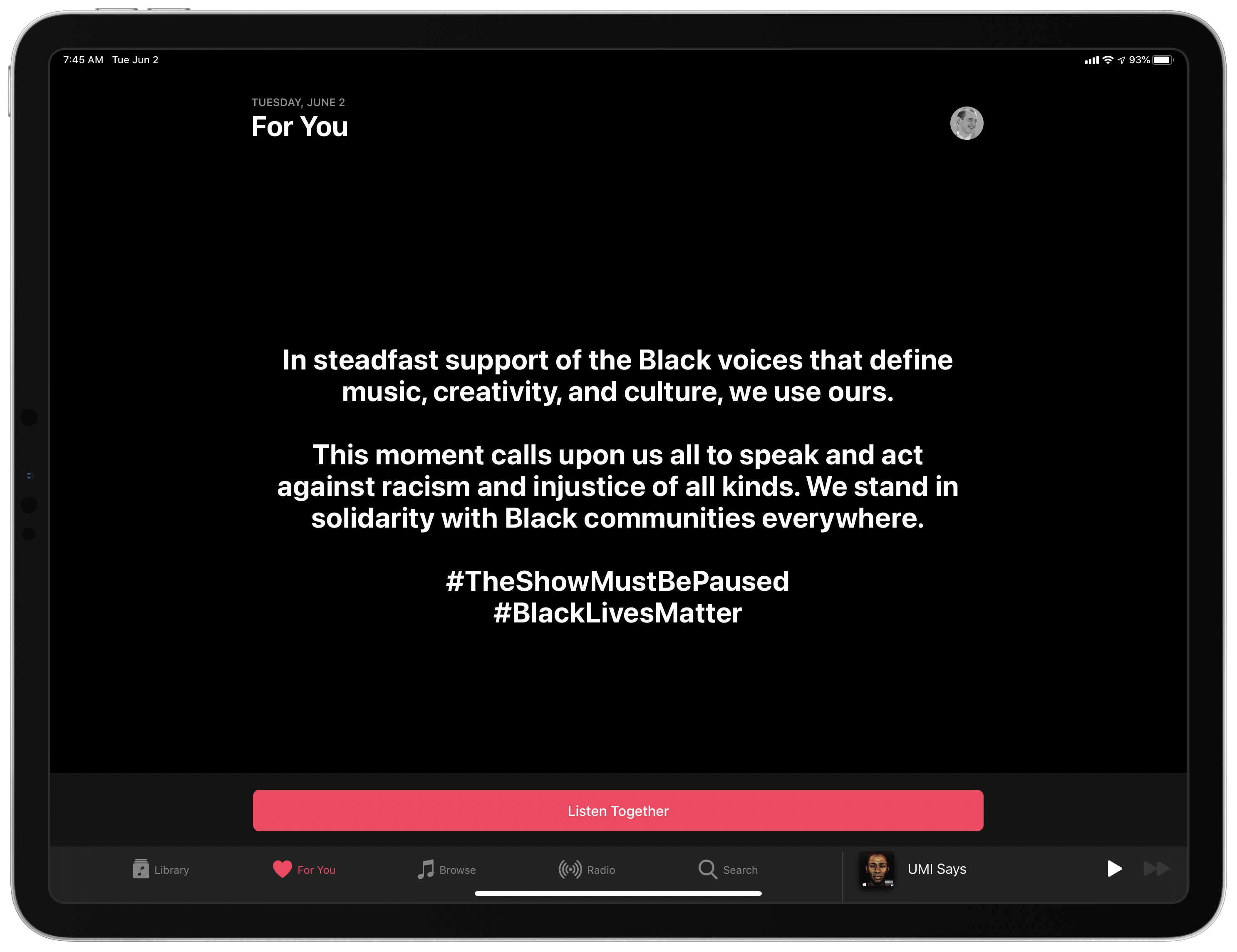
Today Apple Music has joined a unified effort in the music industry to raise awareness about the injustice of racism and show support for Black communities around the world. Black Out Tuesday is being observed in different ways by different organizations, but Apple Music’s approach involves a full-page takeover of the For You and Browse sections in the app, which currently feature a message of solidarity and a single option: Listen Together. Selecting this will begin playing a special radio stream celebrating Black artists.

Apple Music users will still be able to access their full Library today, as well as use the search option to discover new music. But for the remainder of the day, the standard recommendations from Apple’s staff, algorithmic playlists, and any other radio content including normal Beats 1 programming will all be unavailable.


MacStories Unwind: MacStories Perspective Icons, a Big Spend Stack Update, and a New Read-It-Later App

0:00
33:30


This week on MacStories Unwind:

MacStories

Club MacStories

  • MacStories Weekly
  • MacStories Unplugged

AppStories

Unwind Picks


Introducing MacStories Perspective Icons: 20,000 Custom Perspective Icons for OmniFocus Pro

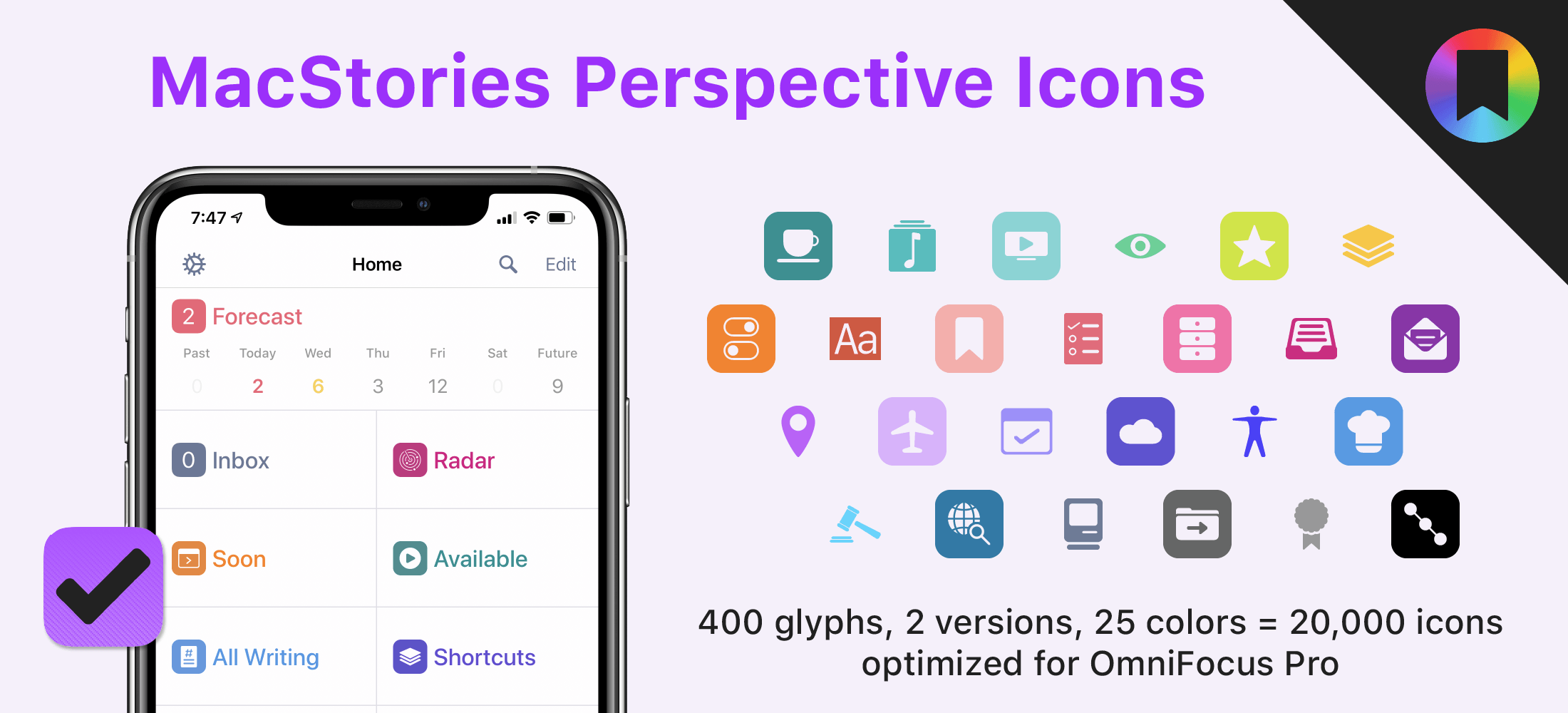
Today, I’m thrilled to announce MacStories Perspective Icons, a set of 20,000 icons for custom perspectives in OmniFocus Pro.

Here’s the short version of this story: our brand new Perspective Icons offer 400 unique glyphs with two distinct icon shapes available in 25 different colors, for a total of 20,000 icons included in the set. Yes, you read that number right. The icons can be easily installed in OmniFocus Pro for Mac, iPad, and iPhone using Finder or the Files app; all the icons and colors have been optimized for OmniFocus and designed to look like native additions to the app.

For a limited time, you can get the set at $17.99, down from the regular price of $24.99.


All sales are final. Read our terms of use here.

Read more