Federico Viticci

10767 posts on MacStories since April 2009

Federico is the founder and Editor-in-Chief of MacStories, where he writes about Apple with a focus on apps, developers, iPad, and iOS productivity. He founded MacStories in April 2009 and has been writing about Apple since. Federico is also the co-host of AppStories, a weekly podcast exploring the world of apps, Unwind, a fun exploration of media and more, and NPC: Next Portable Console, a show about portable gaming and the handheld revolution.

1Password for Mac Adds OS X Lion Support

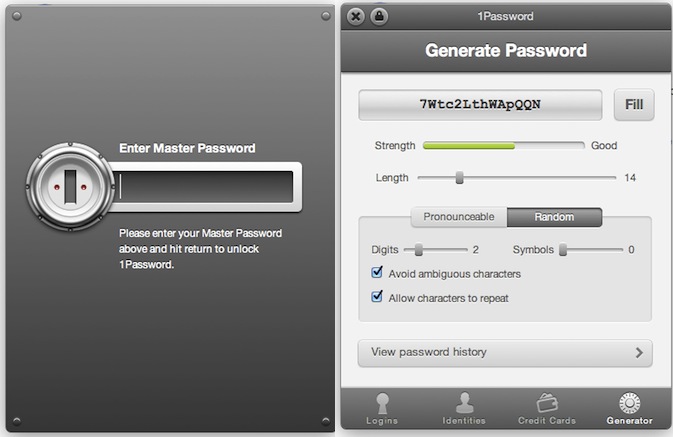
1Password for Mac, the must-have utility we at MacStories use on a daily basis to manage and organize our web logins, credit card data and anything else that can go into AgileBits’ secure and encrypted database, was updated a few minutes ago to include support for OS X Lion and Mozilla’s latest desktop browser, Firefox 5. For those who have been keeping an eye on 1Password’s releases, you might have noticed the developers put great effort into building an amazing Google Chrome extension that allows you to easily access your web logins, identities, or generate passwords for new accounts. The Google Chrome extension was far superior to the Safari 4 counterpart, which was stuck on old interface schemes with less features and a clunky menu to fill web fields and account credentials. 1Password 3.6 finally brings the same extension seen on Chrome to Safari 5.1 on Lion and, after a quick test, I can say the extension looks even better than Chrome’s version as it’s powered by a neat animation for opening / closing. Overall, the new 1Password extension on Lion looks great, it’s fast and, from what I’ve seen so far, very stable when browsing around, filling logins and generating new passwords.

1Password 3.6 also adds support for apps created with Fluid 1.0, as well as Firefox 5. As AgileBits have added support for OS X 10.7 and Mozilla’s new browsers, the developers recommend people willing to use Leopard or older versions of Firefox to stay on 1Password 3.5.9. Support for new OSes and browsers aside, 1Password 3.6 is filled with welcome minor changes and bug fixes: whilst you can see the full list when upgrading from 3.5.9 to 3.6 in the built-in changelog screen, let me highlight that the new 1Password supports the latest Dropbox file configuration for sync, and it brings improved backups to detect problems with the app’s backup folder. On top of that, Lion-specific improvements will make the app a joy to use for those who have already made the jump on Apple’s new big cat.

1Password is a priceless utility that at $39.99 (Mac version) will change the way you manage, save, organize and keep data safe on your computers. The Mac app can be downloaded here, and you can find iOS counterparts for iPhone and iPad (with sync) here, here, and here.


New MacBook Airs To Feature Black Case Option?

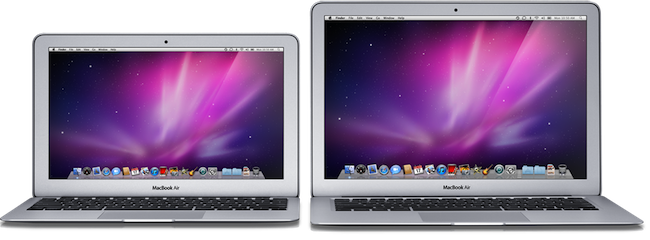
With increasing speculation and reports claiming that Apple is putting the final touches to the new MacBook Air line set for a late June or July refresh, MacRumors now suggests the new models may come with a black option for the aluminum case in the high-end configuration. According to various anonymous tips they received, the new black finish would come with an anodized aluminum case that would be a departure from Apple’s recent design standard for notebooks.

Over the past week, we’ve received several anonymous tips claiming that at least some models of the next-generation MacBook Air will be be available with a black finish, different from the aluminum case used on the current MacBook Air and most of Apple’s other Macs. The most specific of the claims suggests that a black anodized aluminum case would be available on a top-end MacBook Air model, in much the same way as Apple once offered a high-end black MacBook on top of the standard white offerings.

As widely reported over the past months, the new MacBook Airs are rumored to receive a substantial hardware update with Sandy Bridge processors replacing the outdated Core2 Duo CPUs, as well as Thunderbolt connectivity following the implementation in the MacBook Pros and iMacs earlier this year. As for the black color, Apple used to offer a black version of the MacBook a few years ago (the plastic model), and a MacBook Air prototype with a bottom black case was sold on eBay two years ago. The MacBook Pros released in February were also rumored to be getting an all-new black design based off Apple’s Liquid Metal acquisition, though that obviously didn’t happen and Apple decided to go with the classic unibody aluminum design, first launched in late 2008. A few days later, a report claimed a new design for the MacBook line is expected in 2012, starting with new MacBook Pro models. Meanwhile, 9to5mac says their sources haven’t heard anything about the alleged black MacBook Airs.

Update: MacRumors is now reporting an alleged email from an Apple employee who claims black MacBooks were indeed produced, but didn’t get Steve Jobs’ approval in the end.

The rumors that the next iteration of the MBA’s will have an optional black finish is grounded in truth.

We tried to powder coat the Air’s (and Pro’s for that matter) in black as a test run. There are more than a few floating around campus.

The coating looks good and holds up well, but it also soaks up body oils, making the palm rest look pretty gross. Ultimately that is the reason that the top brass (Jobs) killed the idea… it was just too easy to make the computer look like crap. At some point we may offer a black coating, but it won’t be powder coat, and it won’t be anytime soon.


CleanShot Removes The Clutter From Your Mac Screenshots

How many times have you found yourself taking a screenshot of your Mac, only to realize that all that clutter on your desktop won’t make any good once the picture goes online, straight to Twitter or any other service where people can take a peek at your icons and apps? Let’s be clear about this: if you’re one of those people who care about the elegance and minimalism of your Mac desktop, being able to take perfect screenshots is nice; but you’re a blogger and you write about apps on a daily basis, you need to be able to take clear, simple screenshots that put the focus on the app, rather than those PDF documents and folders sitting behind the app’s main window. For this very reason, developer Stefan Fuerst at Media Atelier has created CleanShot, a $4.99 Mac utility that will help you grab better screenshots without the clutter of all your open apps, documents, and desktop folders.

CleanShot basically allows you to take a screenshot of your default desktop at different resolutions, with one app at the time in the foregound if you want. Once launched, CleanShot pops up as an overlay to your current desktop setup, removing all the apps from your view, focusing on the one you were working on. In addition to displaying one app and the default OS X background, CleanShot removes all desktop folders and icons, strips away content from the menubar and lets you even choose what default icons to display up there, such as AirPort, battery and Spotlight. In this way, you’ll be able to create “default” screenshots that don’t come with your personal stuff like documents, apps, and so forth.

As for the resolutions available in CleanShot, you can tweak them in the settings, but by default the app comes with standard ones like 1024x768, 1280x800, as well as the one currently set on your machine. In the settings, you can choose a custom desktop background; upon exporting, CleanShot will allow you to choose between a standard file saving menu, or a “copy to clipboard” action.

At $4.99 on the Mac App Store, CleanShot is an indispensable tool for bloggers, and a useful addition for those users constantly willing to take perfect screenshots without any clutter. Give it a try.


Mac mini and Mac Pro Refresh In August?

According to Cnet’s Brian Tong, sources have confirmed that updated models of the Mac mini and Mac Pro will come out in August. With a series of tweets on his profile Tong says the “all new” Mac minis and Mac Pros with Sandy Bridge processors and Thunderbolt technology will be released towards the end of July or first week of August. A report from two weeks ago claimed that Apple was looking to refresh the Mac mini and Mac Pro server line-up in July, though Tong seems to believe both the consumer and server lines will receive the much anticipated CPU and Thunderbolt upgrade to follow changes in the MacBook Pros and iMacs.

Tong correctly pinpointed the changes in the 2011 iMac refresh months ago and was the first one to claim back in February that the MacBook Air family was on track for a June update. Several rumors from different publications in the past months have indicated Apple was working on new MacBook Airs with faster processors and Thunderbolt, and the most recent theories suggest the update will come out either in late June or July.

Another report from last week also claimed Apple won’t release new Macs until OS X Lion comes out, and considering Lion’s scheduled July release, it would make sense for Apple to put new Airs for sale (the MacBook Air is now Apple’s most popular notebook) with the new OS preinstalled. In other tweets, Tong also confirms Lion will come pre-installed on new Macs this summer.


Apple Posts New iPad 2 Commercial: “Now”

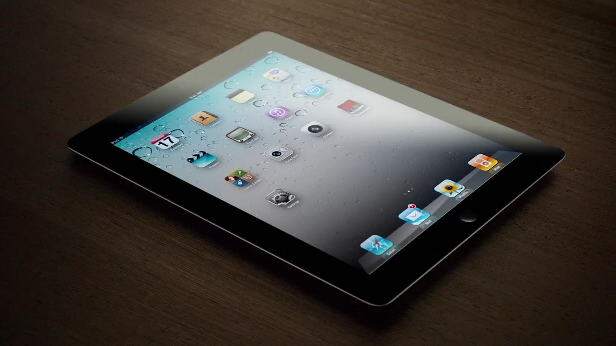
Apple has posted a new iPad 2 commercial on its website and official YouTube channel entitled “Now”. Similarly to previous commercials, “Now” puts the focus on what is possible to do with an iPad 2, things like holding a book store in your hands, “listen to a magazine” or “touch the stars”. Apple’s short, elegant and concise iPad commercials want to capture the essence of the iPad as a personal device to do things that were impossible before.

Now, we can watch a newspaper; listen to a magazine; curl up with a movie; and see a phone call. Now, we can take a classroom anywhere; hold an entire book store; and touch the stars.

Because now, there’s this.

Among the featured apps, FaceTime, Spin Magazine, iBooks and the award-winning Star Walk. Apple’s previous iPad 2 commercials were called “We Believe” and “If You Asked”. Check out the new video below.
Read more


Apple and Samsung Execs In Talks Over Lawsuits, U.S. Judge Asks Them “To Get Along”

The patent litigation between Apple and Samsung revealed interesting details at a hearing on Friday in a San Jose, Calif. federal court, where U.S. Judge Lucy Koh asked representatives of the two companies if it was possible to “get along”, ironically promising to send them a box of chocolate, Reuters reports. In mentioning the relationship between the two companies (Samsung provides electronic components for some of Apple devices including the iPhone and iPad), Judge Koh also asked if there was a chance to get executives from Apple and Samsung in a meeting, with Apple attorney Harold McElhinn effectively confirming that the case got the attention of high-level executives, who have been meeting and talking over the lawsuits filed against each other in Europe, Asia, and the United States.

At a hearing on Friday in a San Jose, Calif. federal court, U.S. District Judge Lucy Koh referenced the close business relationship between the two companies. ”Can’t we all just get along here?” asked Koh, who suggested the companies try to resolve the case through alternative dispute resolution outside of court.

“I will send you with box of chocolates, whatever,” Koh said.

Additional details weren’t provided by Apple or Samsung attorneys. The patent litigation between the two companies started back in April, when Apple sued Samsung over the look and feel of the Galaxy devices running the Android operating system with Samsung’s custom graphical skin. As Samsung began filing countersuits in Asia, Europe and later the United States, Apple then asked the court Samsung should hand over prototypes of the Droid Charge, Galaxy Tab 8.9, Galaxy Tab 10.1, Infuse 4G and Galaxy S 2 to Apple’s external legal team for evaluation in regards to the lawsuit. Samsung fired back by asking to see production units of the unannounced and unreleased iPhone 5 and iPad 3. Most recently, Apple extended the patent infringement claims to other Samsung devices and said the company (described as “the copyist”) is trying to harass Apple by demanding production of trade secrets.


iCloud To Avoid File Conflicts with Versioning

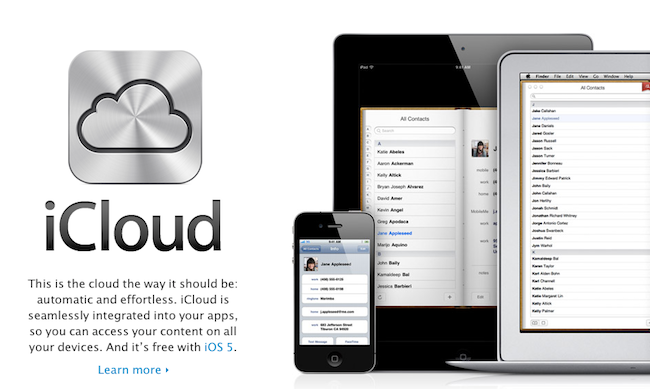
In the latest episode of The Talk Show with Dan Benjamin, Daring Fireball’s John Gruber hints at a basic versioning system that will be built in iCloud to avoid the file conflict dialog boxes that have been one of the major issues with the existing MobileMe service. In MobileMe, if things go wrong and the system thinks you have two different versions of the same file, a dialog box will ask you to manually choose one and resolve the conflict. According to Gruber, that will change with iCloud: rather than ask users to choose a file and resolve the conflict, the system will always decide which version of an item (Address Book entry, bookmark, and so forth) is the right one. Users won’t be asked to manually resolve an issue by picking the version they think is right. Furthermore, unlike MobileMe Gruber says iCloud will have a versioning system with an interface that will allow users to “go back in time” and choose another version – think of Time Machine or Versions, as implemented in Lion.

Here’s our transcript of the most important parts – make sure to listen to the full episode here:

Gruber: The new way does not involve merging and conflicts. […] It doesn’t mean that Apple has magically solved the tech difficulties of syncing. […]

You’ve got 3 devices let’s say. Server-side data stored somewhere on a server, and you’ve got an iPhone and you’ve got a Mac. All data is up to date, say Address Book. You have an entry for Dan Benjamin and all it has is an email address. In all three places it’s the same and I sit down at my Mac, I add your home phone # to your contact and then I sit down with my iPhone at the same time (say everything’s offline) and enter Dan’s home # manually, but I enter it wrong. What happens when you sync? You’ve entered two phone numbers in two places, and at the server there’s no phone number. As it stands now MobileMe often will offer you a dialog box telling you that there is a conflict. It presents it to you and you have to pick which one is right. […]

In iCloud I believe you will never be presented with such a dialog, no matter how much has changed in one of the instances while it was “offline”. The server-side iCloud, when there seemingly is a conflict, will make a decision and it will decide which one is the best (in Apple’s terms the “truth”). That is what Steve Jobs means when he says “The Truth is in the Cloud.” iTunes will decide which one is right and that’s it. iCloud will push that right one to any device that has this account that has a different version. But, here’s the trick - what happens if it’s not the right one? On the server side, it will remember all of the other ones, almost like versioning. There will be some sort of interface like “go and look at your contacts.” There will be some sort of way to say “show me previous versions and let me pick the one that is right”. You pick it and push it back up into the cloud and tell it “that’s the truth” and Apple will push it out.

Dan Benjamin: Whatever is the most recent change will propagate but here are previous versions to pick from if you want.

Gruber: Apple won’t reveal it but iCloud, on the server, will determine the truth when it detects a conflict that will never be published. It will act like a “black box”. Most cases it will go by the most recently implemented change – it will be undefined. The key is that if there is a conflict, they will remember the different conflicting versions. If it picks the “wrong truth” it will be able to go back and get the right one. That’s what I mean when I say no more merging or conflicts. iCloud will make its best guess at merging & conflicts other than having you pick it.

Dan Benjamin: Do you know this or is it just a theory?

Gruber: I know this. What I don’t know but I beleeve, again, is that I think iBooks is an example of this in action. If you have the same iBook on the iPhone and iPad and take them both offline and flip a couple of pages on the iPhone then flip a different number of pages on the iPad, and them put them both online and they go to sync their “read state” or “current page state” to iTunes servers, iBooks never presents you a dialog. […]

iBooks is and has been one of the testbeds for what Apple is now calling iCloud.

iBooks has indeed been capable of automatically choosing bookmarks, notes and read state for quite some time, even before iOS 5 beta and iCloud. Apple has made no official mention of iCloud web apps or versioning features yet, but the possibility of choosing past versions of a file seems to fall in line with Apple’s recent developments in basic, easy to use versioning for everyone as seen in the Lion developer previews.


Apple Details Lion Upgrade For Education and Business

TUAW reports an Apple Sales document released today details the upgrade process for business and education customers willing to purchase OS X Lion when it comes out in July. Apple has already outlined the Lion Up-to-Date program, which will allow customers who have purchased a Mac from Apple or authorized reseller to get the new OS for free, by filing a request within 30 days of Lion’s release. According to the Sales document, the upgrade path for business customers will be the following: by calling 1-800-854-3680 or using the Business Store, a minimum purchase of 20 license will cost customers $29.99 per license. With the same minimum purchase of 20 licenses, Apple is offering “maintenance contracts” (which will ensure a free upgrade to the next version of OS X) at $49.99 per license.

As for education, schools will get Lion at $39.99 per license with a minimum order of 25 licenses as part of the Apple Software Collection package, which includes OS X, iLife and iWork. TUAW also explains other licensing and deployment options:

Existing Volume License, Maintenance, and Apple Education Licensing Program customers will receive one redemption code for each contract that can be used to download Lion from the Mac App Store. That single copy of the Install Mac OS X Lion application is used to install Lion on other Mac systems at the school or business.

Once the install app has been downloaded, administrators just copy it to the target systems and run the installer. Administrators can use the System Image Utility in OS X Lion Server to build NetInstall (link to PDF) or NetRestore images to assist in performing mass deployments.

Apple has announced OS X Lion will come out in July at $29 exclusively on the Mac App Store as digital download. More details on the upgrade process and re-installation options due to the lack of physical media will likely be posted soon after the launch of the OS.


Video Of iOS 5 AirPlay Mirroring

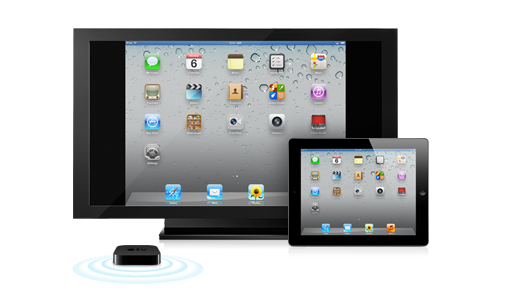
One of the big features coming with iOS 5 on the iPad 2 is AirPlay mirroring, a new functionality that, using the AirPlay technology for streaming content introduced in iOS 4.2, will allow users to beam their iPad’s screens directly to an Apple TV without the need for a cable. In spite of the iPad being capable of mirroring its screen through HDMI to a TV, Apple has decided to step its game up and allow Apple TV owners with a decent local network to stream apps, games, and whatever it is people do on an iPad without anything but a WiFi connection and a control button in the multitasking tray.

TUAW points today to a video posted by Apple’n’Apps that details how AirPlay mirroring will work with the iPad 2. The setup is very easy: once you’ve made sure both the iPad and Apple TV are running iOS 5, all you have to do is enable AirPlay Mirroring from the switcher’s controls and check out the iPad’s screen on the TV right away. In the video, you can see the Springboard, as well as regular apps and games being beamed from the tablet to the Apple TV. Scrolling doesn’t look as smooth as it is on the device when you’re directly interacting with it, but we assume it depends on the kind of wireless connection you have.

In a similar post, Engadget shows AirPlay Mirroring with Angry Birds Rio HD for iPad and Real Racing 2 HD.

For this game (and we imagine many more to come), you use the iPad as the controller – both while navigating through menus and in race mode – while the game appears only on your TV (though the tablet does display some vitals, and a map of the track). There’s noticeable lag between the iPad and Apple TV when using AirPlay, which may be an issue for games where timing is important, such as Rock Band, but didn’t seem to set us back while playing Firemint’s racing game.

Firemint has announced that Real Racing 2 HD will support AirPlay Mirroring once iOS 5 comes out this Fall, and it appears that the feature is already enabled in the first beta of iOS 5 available now to developers. Check out the videos after the break. Read more