Game Day: Good Sudoku

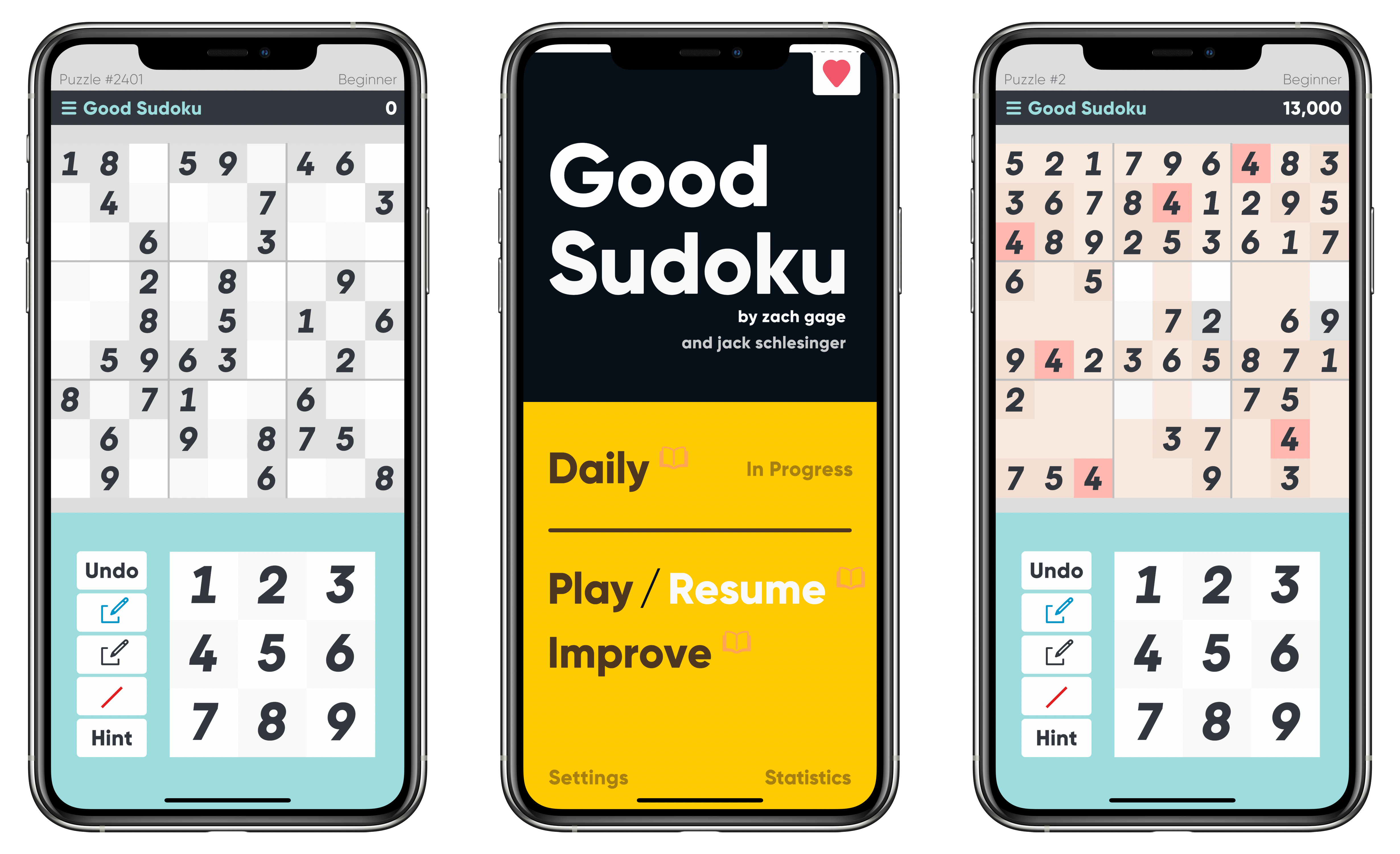
Zach Gage has a knack for giving classic games an interesting twist. Sometimes that means turning the rules upside down and inside out like Flipflop Solitaire or Really Bad Chess. Other times, it means removing the tedious and boring parts of games to breathe new life into them, which is precisely what he and Jack Schlesinger have accomplished with Good Sudoku.

I started with Good Sudoku as a novice. I’ve played sudoku before and knew the rules, but it’s not a game that has ever grabbed me and stuck. As a result, as much as I’ve enjoyed Gage’s other games, I approached Good Sudoku with a healthy dose of skepticism. However, after several days of playing the game, I’ve found that stripped of its tedious aspects, sudoku is engaging to the point of being addicting and a whole lot of fun.
Read more


Soor 2 Review: Magic Mixes and Release Alerts Elevate the Beautiful Apple Music Client

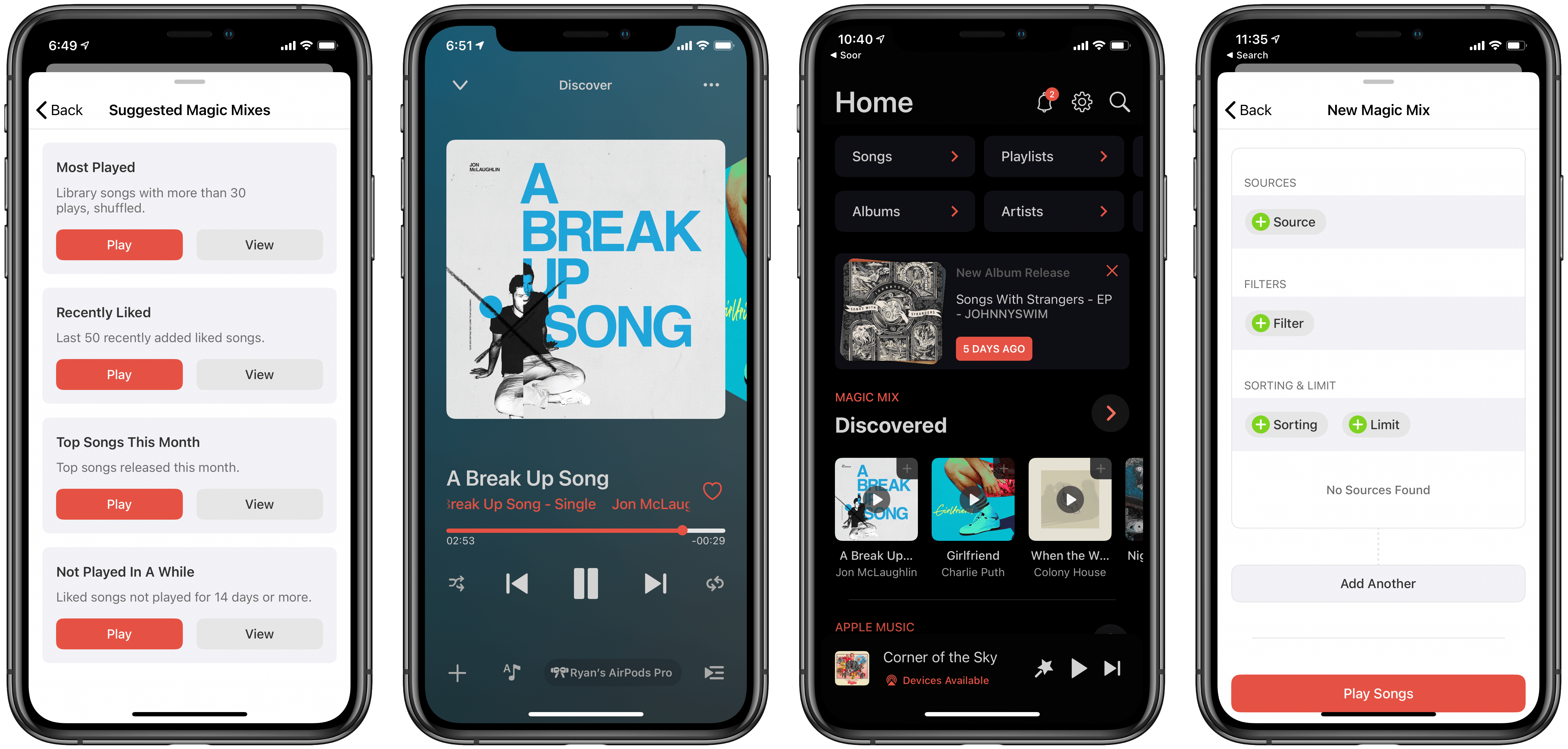
Following the debut of Apple’s MusicKit API, which enables third parties to build apps and web experiences that directly integrate with Apple Music, 2019 was a big year for third-party Apple Music clients on the App Store. We’ve written about several of these apps, but the earliest and highest profile debut of the year was Soor, a meticulously designed client that distinguishes itself with a fully customizable Home view for displaying only the content sections you care about – choosing from things like Recently Added, Playlists, Recently Played, New Releases, For You, and more. Federico reviewed the launch version of Soor and found a lot to like about its unique approach, but he ultimately was disappointed by the absence of certain functionality that’s readily available in Apple’s first-party Music app.

In the nearly 18 months since launch, Soor has improved in significant ways. I adore the throwback Cover Flow-inspired playback screen, where you can smoothly swipe through a horizontal row of artwork, and time-synced lyrics are now available via a tight Musixmatch integration. There are still certain functions you’ll need to pop into Apple’s Music app for, sometimes due to Apple Music API limitations that Soor’s developer can do nothing about, and other times because the app simply doesn’t offer certain features yet – AirPlay 2, for example, is still unsupported. Overall though, for my uses at least, Soor covers enough core Apple Music functionality that there’s very little I need the first-party client for. The biggest absent feature on my wishlist is an iPad app, which I’m glad to see is on the roadmap, especially since iPadOS 14 will soon offer a much-improved first-party Music app.

Soor’s improvements have made it a truly compelling alternative to the first-party Music app, and today’s 2.0 update continues that trend by offering two big new features: magic mixes and release alerts. The latter is a nice addition, but the real pillar of this update is magic mixes.

Read more


Apple Commits to 2030 Carbon Neutrality Across Full Business

Every year Apple releases a new environmental report showing the company’s progress in environmental efforts, and alongside the release of this year’s report, the company has announced a new commitment for the decade ahead:

Apple today unveiled its plan to become carbon neutral across its entire business, manufacturing supply chain, and product life cycle by 2030. The company is already carbon neutral today for its global corporate operations, and this new commitment means that by 2030, every Apple device sold will have net zero climate impact.

“Businesses have a profound opportunity to help build a more sustainable future, one born of our common concern for the planet we share,” said Tim Cook, Apple’s CEO. “The innovations powering our environmental journey are not only good for the planet — they’ve helped us make our products more energy efficient and bring new sources of clean energy online around the world. Climate action can be the foundation for a new era of innovative potential, job creation, and durable economic growth. With our commitment to carbon neutrality, we hope to be a ripple in the pond that creates a much larger change.”

Achieving carbon neutrality for its corporate operations was a nice milestone for the company, but this new commitment appears far more challenging. Apple works with third-party suppliers and manufacturers all around the world to build its devices, and fulfilling this new goal depends a lot on those third parties. It will be interesting to see over the next decade all of the different actions that will be taken to find success in carbon neutrality, but the report of Apple including fewer accessories in the box with new iPhone purchases certainly seems like it would help.

Permalink

The Developer Debrief on WWDC 2020

Weeks removed from Apple wrapping up its first all-virtual WWDC, many of us are still digesting what the conference’s announcements mean for the future of our favorite products.

Federico, John, and I have all shared various takeaways from the conference, and I’m sure we’ll have a lot more to report as we continue using the betas this summer and review Apple’s OS updates this fall. But our perspective is limited to our profession as journalists, so we also wanted to hear from the people this conference was really built for: developers.

WWDC has grown into an exciting conference for Apple users all around the globe, but its core identity is still ultimately an event for app developers. As a result, I wanted to speak with a variety of developers to get their reactions to the conference. These included:

My sincere thanks to these developers for taking the time to share their thoughts, and for their years of valuable contributions toward making Apple’s app ecosystem as strong and robust as it is today.

Interview questions for each developer ranged from the things that most excited them at the conference to surprises and disappointments, their read on how in-touch Apple is with the developer community, the current evolution of software development, and each developer was also generous enough to share a sneak peek at new technologies they’re working to implement in their apps.

Read more


Dark Noise 2 Review: Sound Mixing, New Noises, iPad Cursor Support, and More

Last summer developer Charlie Chapman launched Dark Noise, an ambient noise app for iPhone and iPad that’s packed with delightful design details and key system integrations. My initial review praised how Chapman was able to take an otherwise standard utility app and build a standout experience which, from day one, raised itself above a crowded market of competitors.

The main reasons I loved Dark Noise from the start had little to do with the app’s basic utility: playing ambient noise. The app has always had a good selection of noise options, but nothing in the sound department made it truly special to me. It was the other areas of the app experience, everything surrounding that basic utility of ambient noise playing, that was so great. Icon animations, buttery smooth panel transitions, haptic feedback, strong iPad support, alternate app icons, Shortcuts support, a customizable widget, and more all made for a compelling product.

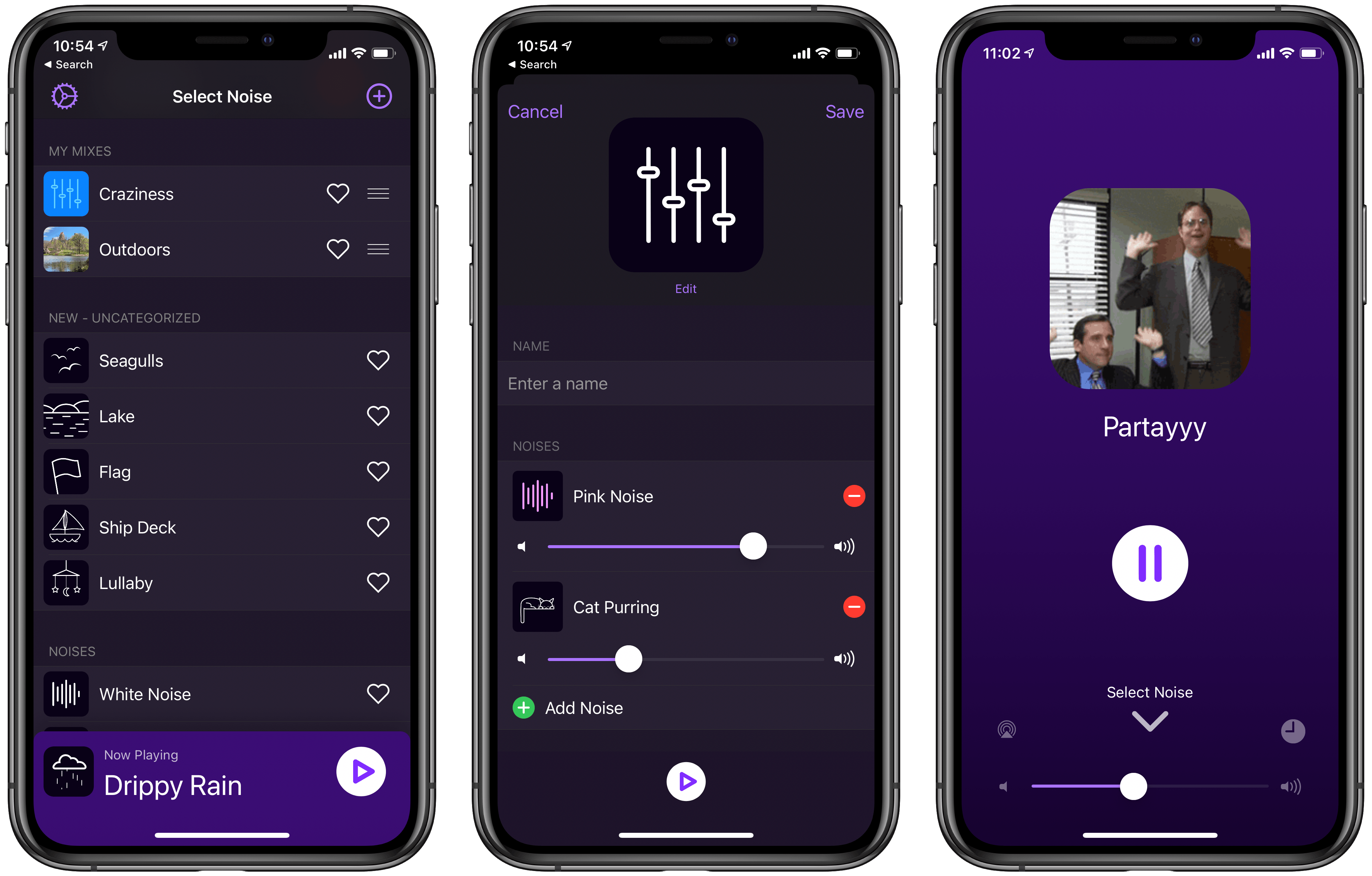
One of my only disappointments with Dark Noise was the inability to mix different noises together. Each noise could only be played in isolation, never more than one at a time, which proved a disadvantage compared to other ambient noise apps I’d used that enabled mixing different noises to create a custom soundscape. I’m happy to say that Dark Noise 2, released today, adds this functionality at last.

In Dark Noise 2 not only can you mix different sounds to create custom noises, but there are also eight new sound options to choose from, iCloud sync has been added for syncing your favorite sounds and custom mixes, and there’s optimized support for the iPadOS cursor. It’s a big release that retains the design elegance Dark Noise has had from day one, but expands the app’s usefulness in key ways.

Read more


Overdrop Weather: Weather Simplified [Sponsor]

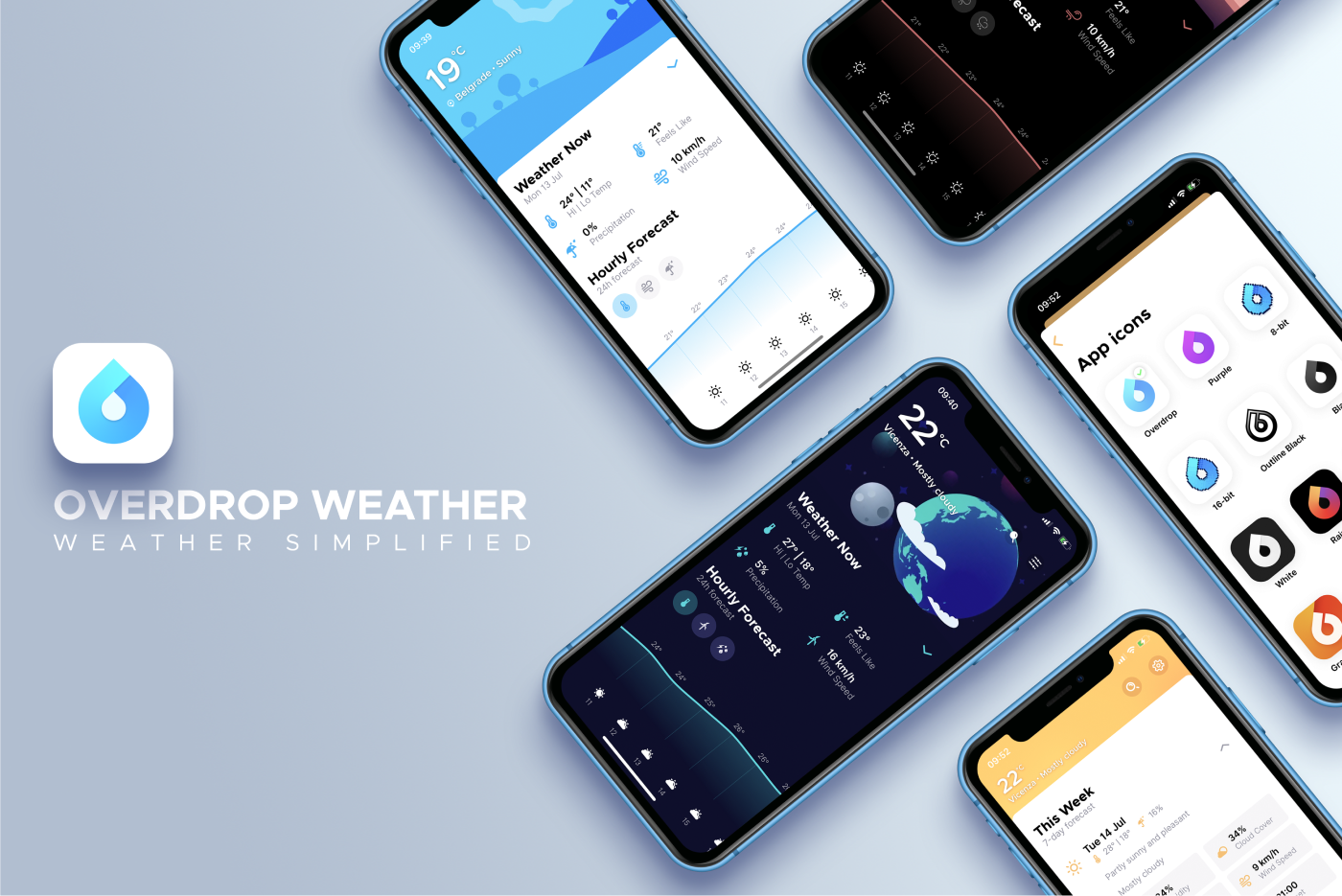
Weather might be the dreaded theme no conversation should reach, but how the tables turn when you start reciting temperature, wind speed, precipitation, the UV index, cloud cover, pressure, and humidity from the top of your head. You’re updated on all that and much else, live with ​Overdrop –​ a beautiful weather app for iPhone, powered by leading forecast providers.

Launch O​verdrop, and key information is elegantly displayed on an animated illustrated landscape that matches what you see out the window (save, perhaps, the noisy dog and grocery store that should offer disinfectant but doesn’t). A daily overview includes an exhaustive collection of live metrics – including the aforementioned – and a weather graph with temperature, wind speed, and precipitation, helps you stay one 24-hour step ahead.

The advanced quad-layer radar map with a time-travel bar predicts weather changes four days in advance, and if even that isn’t enough, plan up to a week in advance with a detailed 7-day weather forecast.

Turn on notifications, and alerts for severe weather can be delivered to Notification Centre. A sizeable set of themes – some dark – lets you customise icons, colours, and illustrations. And on iOS 14, ​Overdrop will offer beautiful, data-rich Home Screen widgets for ever quicker use.

So break the ice with a chat about the weather.

Our thanks to Overdrop for sponsoring MacStories this week.


MacStories Unwind: Pixelmator Pro and Ulysses Updates, Plus a HomeKit Camera

AppStories+ Deeper into the world of apps
0:00
37:08

AppStories+ Deeper into the world of apps


Sponsored by Magic Lasso Adblock – Block Ads, Trackers and Pop-Ups on Your iPhone, iPad, and Mac

This week, Federico and John celebrate World Emoji Day with big updates to Pixelmator Pro and Ulysses, a rundown of iOS 13.6 features, the Eve Cam, plus YouTube creator and movie Unwind picks.

MacStories

Club MacStories

  • MacStories Weekly
    • Favorite: GoodLinks
    • Shortcuts: Federico’s Reminders shortcuts
    • Extension Column: Ryan on Widgets
  • MacStories Unplugged, a Club-exclusive podcast
    • A porcupine story leads to bigger and better animal stories and Federico’s brush with the police for trespassing on an abandoned golf course. Plus, John provides an update on his macOS Big Sur review, including the apps he’s using as he finalizes his research and outlines the review.
  • Join Club MacStories

AppStories

Unwind Picks


Apple Shares Preview of Upcoming Emoji with Emojipedia

Source: Emojipedia.org

Source: Emojipedia.org

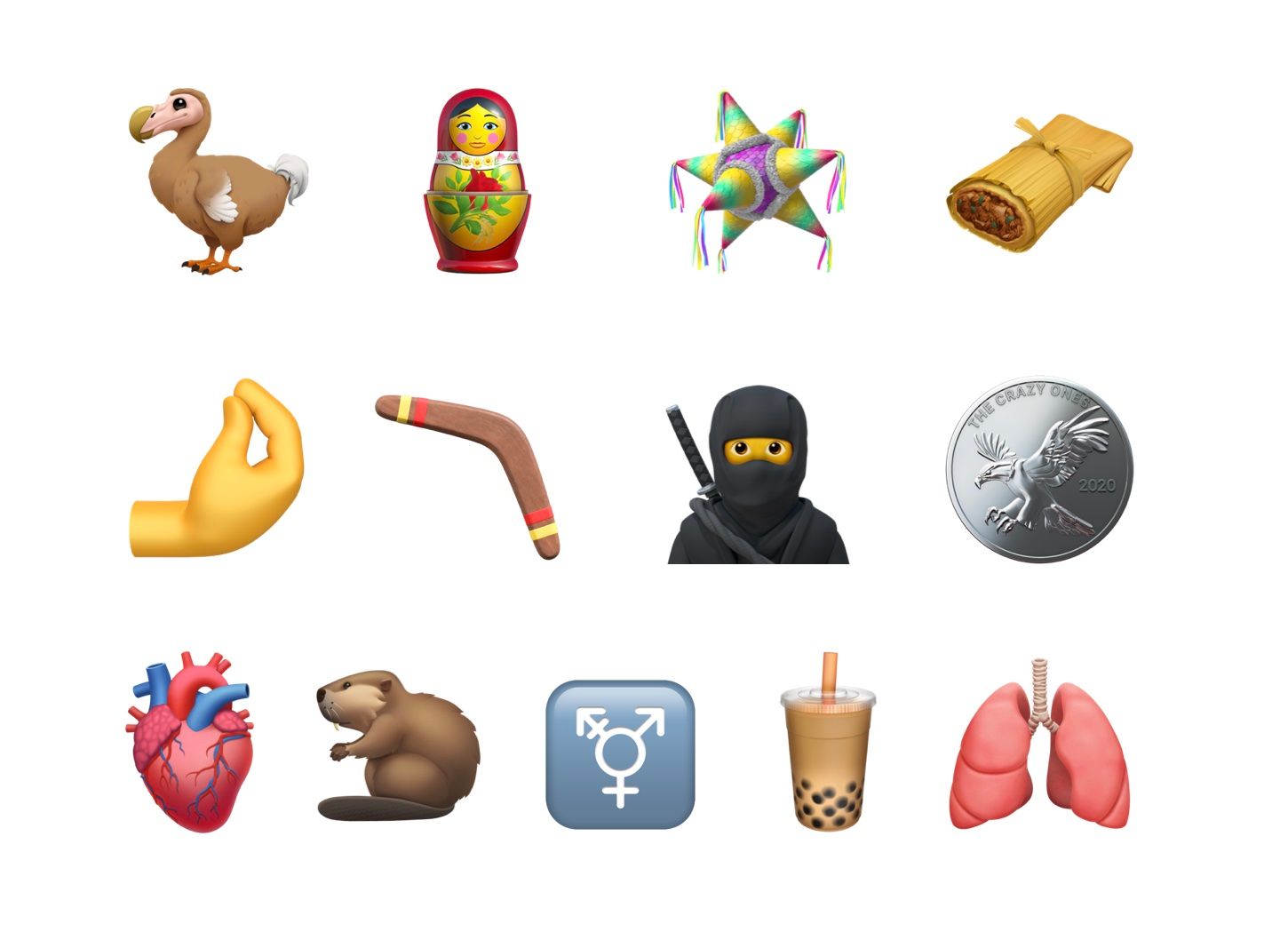
Back in January, the Unicode Consortium approved Emoji 13.0, which is used by companies like Apple to create new emoji designs. In Apple’s case, new emoji are expected to ship in a point update to the company’s OSes in the fall. In the meantime, though, Apple has shared a preview of its upcoming designs with Emojipedia.

The new designs include a wide variety of images including a ninja, a dodo bird, a boomerang, nesting dolls, pinched fingers, a tamale, bubble tea, and others. If past years are any indication, the new emoji will we released with iOS and iPadOS 14.1 or 14.2 and with a macOS update sometime in October.

For a run-down on all of the upcoming emoji, be sure to visit Emojipedia.

Permalink