vjay: Impressive, Fun Real-Time Video Mixing On iPad

In late 2010, German software maker Algoriddim released djay for iPad, a powerful portable audio mixing solution that went on to win an Apple Design Award at last year’s WWDC. With a combination of advanced features, intuitive UI design, and a care for attention to detail, djay became one of the most well-known DJ solutions with seamless interoperability across the Mac and iOS. However, because I am no audio professional, I sometime found myself slightly overwhelmed by the feature set of djay – the app certainly requires a bit of basic audio knowledge to get the most out of its settings such as visual mixing with waveforms, beat-matched looping, and pre-cueing.

For the past week, I have been testing Algoriddim’s new iPad app, vjay, and not only I haven’t found myself scratching my head in front of some complex setting or obscure audio terminology – I had fun using the app, taking advantage of the complex tech that the developers embedded in a $9.99 package to, ultimately, provide an engaging experience for the users. vjay is powerful, but, in a way, more accessible than djay.

As the name suggests, vjay works with videos. And perhaps it is the app’s focus on visuals, rather just waveforms, that increases its “wow” factor and accessibility to users who, like me, aren’t exactly mixing and syncing tempos on a daily basis. Furthermore, I also believe that, from a mere technological standpoint, vjay’s video capabilities offer a more tangible, visibly outstanding showcase of the iPad’s engine. More than djay, I found vjay to be a perfect mix – no pun intended – of powerful technology and user-friendliness.

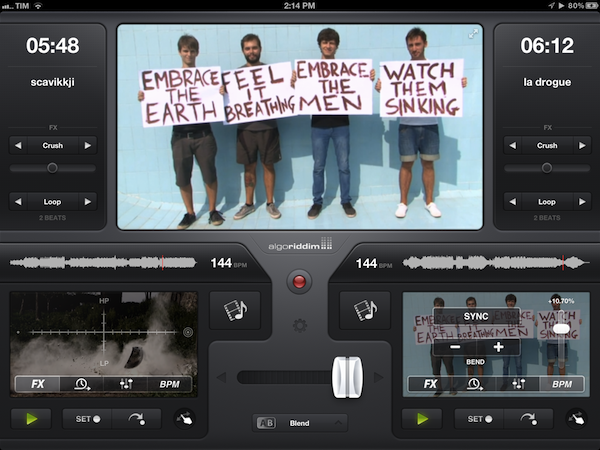
vjay can mix videos in real-time. Taking the underlying concept of djay and bringing it to a different type of media, vjay comes with a split interface displaying two content sources at the bottom, and a large, central visual preview at the top. At the bottom, you can pick videos (and even audio) from two separate “add media” buttons that are directly connected with your Camera Roll, video and music library, iTunes Store, and pre-bundled content offered by Algoriddim as a demo to get you started. In my tests, I decided to pick two .mp4 videos from my friends @AldrinBand that I had previously synced to my iPad, and see what vjay would allow me to do with them. Read more

Hands On: OmniPlan for iPad


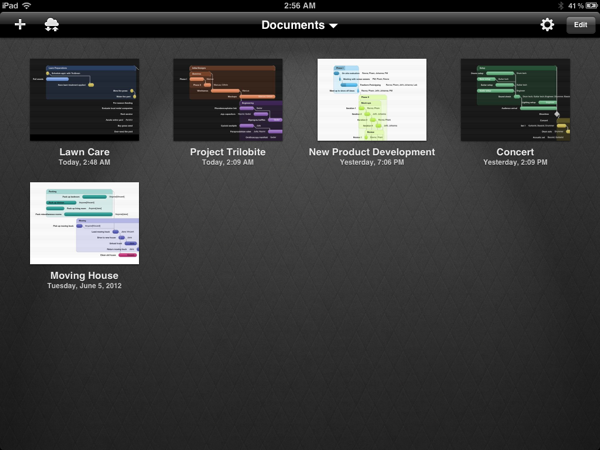
Back in February, I had the opportunity to talk with The Omni Group’s CEO Ken Case about their next iPad venture, OmniPlan. OmniPlan is a well known and powerful project management software that includes features like Gantt charts, smart scheduling, change tracking, team collaboration, and so much more. Today The Omni Group is releasing a full featured version of OmniPlan specifically designed and optimized for the iPad.

I remember asking Ken if the iPad version of OmniPlan was intended to be used in addition to the Mac version for complete project management; however, he was adamant that the iPad app would be “as complete as possible”. From the screenshots he provided at that time, it definitely seemed as if all the features that serious project managers would need were already finding their way in to the app. Three and half months later, the app is complete and it truly came together beautifully. Read more


Airfoil Speakers Touch is Back in the App Store, But…

Paul Kafasis on Apple’s takedown of Airfoil Speakers Touch and its reintroduction into the App Store:

We’re pleased that Airfoil Speakers Touch is once again available in the iOS App Store, enabling you to use Airfoil to send audio from your Mac or PC to Airfoil Speakers Touch running on your iPhone, iPod Touch, or iPad. However, in order to get Airfoil Speakers Touch back into the store as a receiver for Airfoil, we had to remove its ability to receive audio directly from iOS and iTunes via AirPlay. This was quite disappointing to us, as we’d provided a feature that thousands of users found quite useful.

Airfoil Speakers Touch was removed from the App Store on May 24th, specifically for its Enhanced Audio Receiving feature which turned your iPhone or iPod into an AirPlay receiver. For instance, you could stream audio from iTunes to an iOS device that was connected to your home audio equipment. The feature was sold as an in app purchase — Kafasis states that over 7,000 customers paid extra for the functionality.

We now know that Apple’s issue with Airfoil Speakers Touch was specifically related to its recently-added ability to receive audio directly from iOS devices and iTunes. This was not properly conveyed in our initial conversations prior to the removal of Airfoil Speakers Touch from the store, and Apple’s representatives apologized for the fact that the entire process was “poorly handled”.

Apple’s problem with Enhanced Audio Receiving stems from Rogue Amoeba’s use of AirPlay in the app — Apple hasn’t made available any APIs for iOS devices to act as AirPlay receivers. Rogue Amoeba made clear that they weren’t using any Private APIs in their implementation. As John Gruber speculated, perhaps it wasn’t the issue of an API, but rather that Apple simply didn’t want a high profile AirPlay Receiver in their App Store.

John Gruber:

I think the bottom line is that Apple is saying that apps are not allowed to act as AirPlay receivers on iOS, but there’s no App Store guideline that explicitly forbids that. So they’re citing App Store Review Guideline 2.5:

Apps that use non-public APIs will be rejected.

Kafasis specifies what guidelines Apple used to remove Airfoil Speakers Touch from the App Store:

Regardless, Apple is using the authority they provide themselves in the guidelines and program license agreement to remove apps they don’t like. Specifically, they cited a provision in the App Store Review Guidelines which allows them to reject apps “for any content or behavior [they] believe is over the line”. That’s certainly disappointing, and frustrating, but it’s the nature of the system Apple has created.

Kafasis is upset, and rightfully upset, this his customers paid for a feature that was swiftly taken away without good reason. It’s also frustrating for customers, who may have specifically downloaded the app to pay for and use this feature. Instances like this can have negative impacts on the reputation of the developer if customers are unaware that the removal of a feature they paid for was mandated by Apple. Kafasis writes that Apple licenses AirPlay to lots of vendors, and that Apple might not want their own products to compete with AirPlay enabled hardware sold in stores. Rogue Amoeba had no choice but to comply and do the best they can to provide the remainder of the app’s functionality for existing customers. As far as outcomes go, I think it was the best compromise, but certainly not ideal.

[via Rogue Amoeba, The Next Web]


Can a command line shell be Mac-like?

Can a command line shell be Mac-like?

Introducing a new command line shell from Ridiculous Fish (@ridiculous_fish):

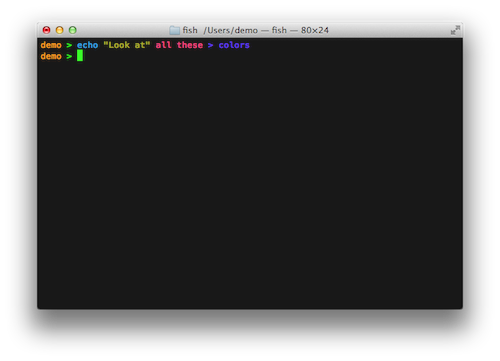
The new fish is a POSIX command line shell with delightful, intuitive features like autosuggestions, 256 color syntax highlighting, web based configuration, and lots more. Best of all, these features just work, out of the box. No arcane syntax, no twiddling obscure knobs.

It’s easy to install and integrates seamlessly into iTerm or Apple’s Terminal. Fish (fishfish) is optimized for speed and is packed with easy-to-use features that allow newbs like me to customize my environment to my liking. Setting up and using fish is simple:

Edit /etc/shells as root, and add the line (if missing): /usr/local/bin/fish
Then run: chsh -s /usr/local/bin/fish

You can download fish here.

Permalink

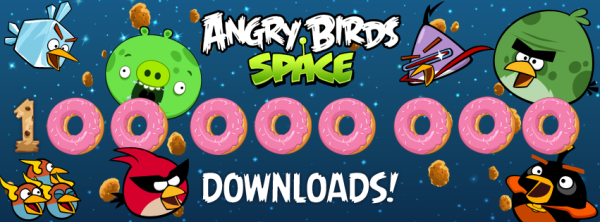
Angry Birds Space Downloaded 100 Million Times in 76 Days

This morning, Rovio Entertainment (@RovioHQ) tweeted that their latest franchise hit, Angry Birds Space, has been downloaded 100 million times in just over a period of two months.

When we last heard from Rovio, Angry Birds Space was touted as the “fastest growing mobile game” after hitting 50 million downloads within the first 35 days, and 10 million downloads within the first 3 days. Comparatively, when Angry Birds first launched in December of 2009, it took until June, 2010, to reach 5 million downloads.

As the popularity of the iPhone and Angry Birds has exponentially increased, Angry Birds fans are more than happy to get a dose of the kid and adult friendly gameplay. Rovio recently reported that Angry Birds was downloaded one billion times in May, after reporting 648 billion downloads in December. Apple’s all time record charts noted Angry Birds as the top paid iPhone app, with an HD version on the iPad being the second top paid app.

When we looked at Angry Bird’s success last November, we charted its exponential growth and made note of its addictive gameplay. At the time, gamers were racking up more than 300 million minutes per day playing Angry Birds, putting in well over 200,000 years of pig crushing, crate smashing, and star collecting fun.

[Rovio via iDownloadBlog]


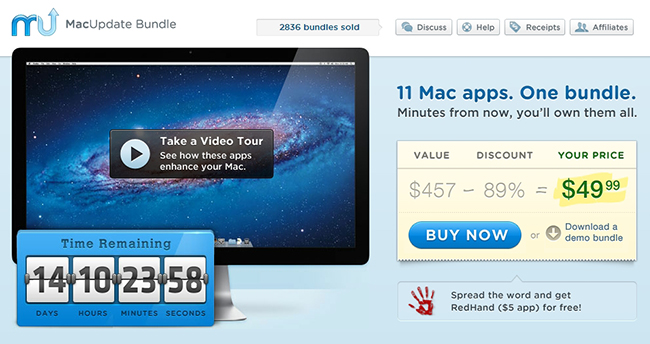
MacUpdate June 2012 Bundle: 11 Mac Apps for $49.99

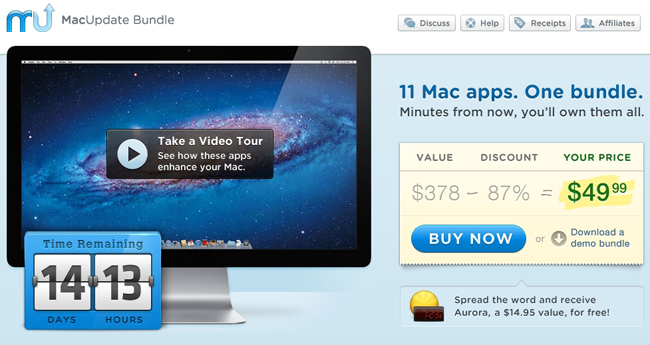
Today, there is a new MacUpdate Bundle that comes with a selection of top-notch Mac productivity apps, utilities, and games for just $49.99. The MacUpdate June 2012 bundle includes some of MacStories’ favorite Mac apps including the excellent Espionage (our review) and the ultimate calendar and to-do list manager for your Mac in BusyCal. If you tried purchasing the included apps individually you’d be paying nearly $450, so if you’re looking to beef up your collection of Mac apps this is a terrific deal at just $49.99.

The MacUpdate June 2012 Bundle includes:

  • Parallels Desktop 7 - The most trusted solution for running Windows applications on your Mac, as well as other operating systems.
  • BusyCal - The ultimate calendar and to-do list manager for your Mac.
  • ScreenFlow - A powerful, easy-to-use screencasting software for your Mac.
  • Civilization V - the latest installment of the legendary turn-based strategy game.
  • Jaksta - Capture audio and video from the Web with unprecedented ease.
  • Espionage - A data security solution that protects your files and folders in a unique and convenient way.
  • Speed Download - A lightning-fast download manager that ensures your Internet connection is utilized to its full extent.
  • Attachment Tamer - Gives you complete control over your Apple Mail attachments.
  • KeyCue - A handy utility for learning and memorizing keyboard shortcuts.
  • A Better Finder Rename - The most complete renaming solution available on the market today.
  • My Living Desktop - Transform your desktop into a moving, living environment.
  • If you help spread the word about this bundle, MacUpdate will give you a copy of RedHand, a $5 value, for free.

Disclaimer: For every bundle purchased through MacStories, we receive a small kickback. If you’re interested in the bundle and supporting the MacStories crew, please use the link here or any of the affiliate links above.


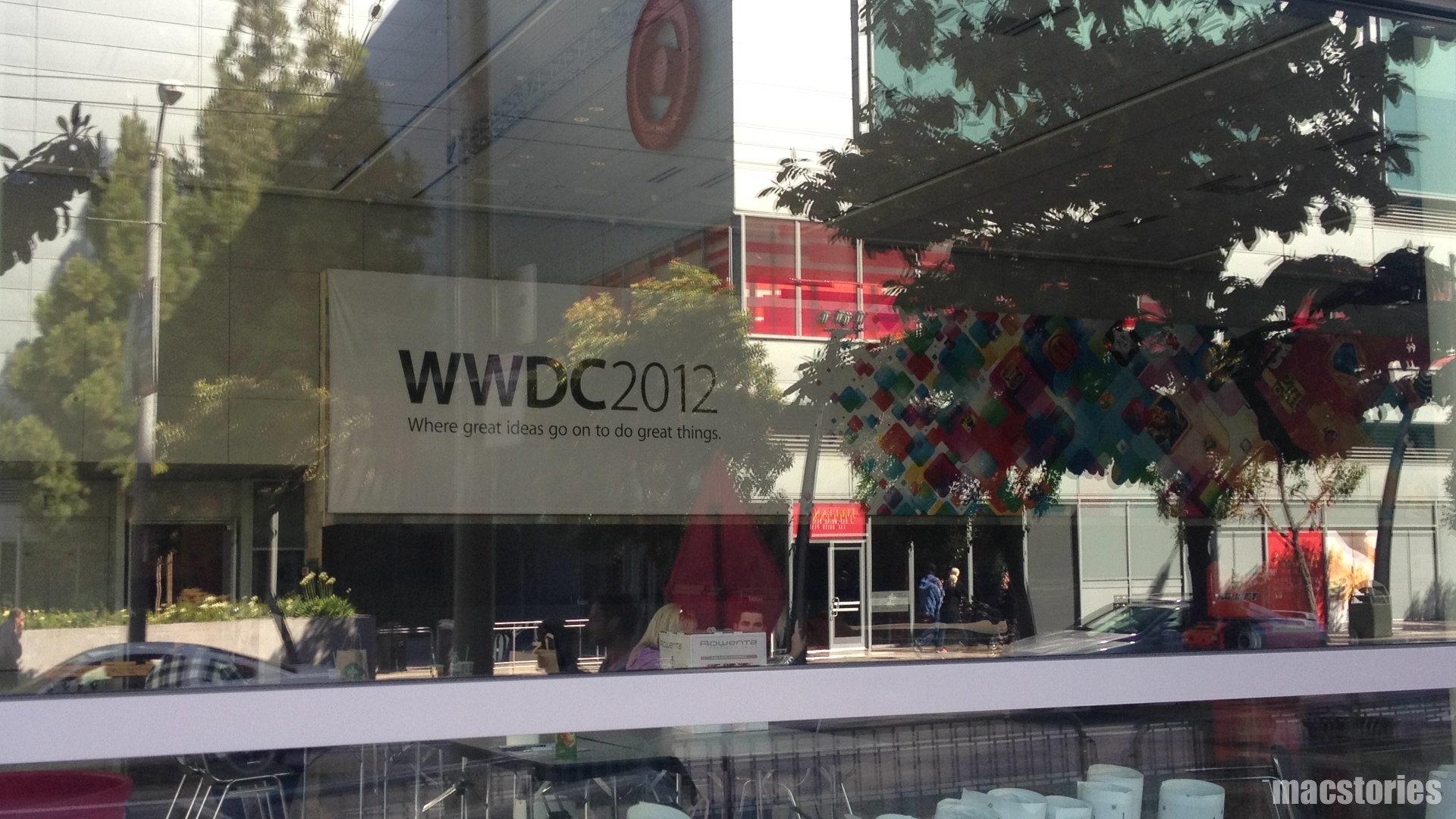
Apple Starts Decorating Moscone West with WWDC 2012 Banners

A few days earlier than expected, Apple has started decorating the Moscone West in San Francisco for its upcoming WWDC 2012, which kicks off on Monday, June 11. Last year, with WWDC 2011 set for June 6, Apple started decorating Moscone on June 2, famously showing the previously unseen iCloud logo ahead of the event.

Like last year, our friend @SteveStreza has managed to capture a series of photos of the work in progress at Moscone West. Right now, it appears only a large banner has been put in place, highlighting the focus on third-party apps with a “Where great ideas go on to do great things” tagline. The first banner, using the same colorful background seen on the official WWDC website, shows icons for various third-party apps and games including Tweetbot, Foursquare, Path, Hulu+, Instagram, SpellTower, Twitter, TED, Evernote, Facebook, CNN, and StockTouch.

We have received the first photos of Moscone West, and included them after the break.We will update this post with more photos as we receive them throughout the day.

Read more


Agenda 3.0: Fast Event Creation, Custom Repeats and More

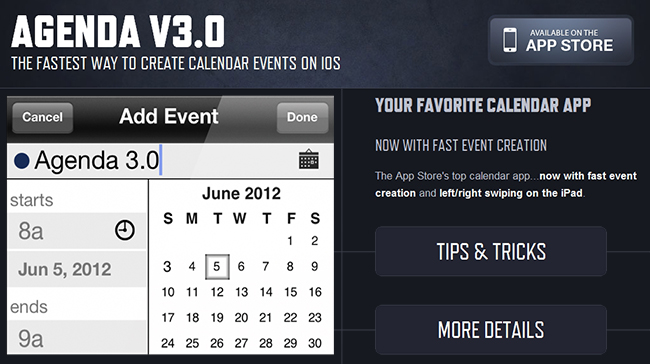
Agenda, by Savvy Apps, is a fantastic and minimal calendar replacement for iOS (universal) with many built-in options. We’ve covered Agenda a few times already but the new 3.0 update adds some excellent new features and updates.

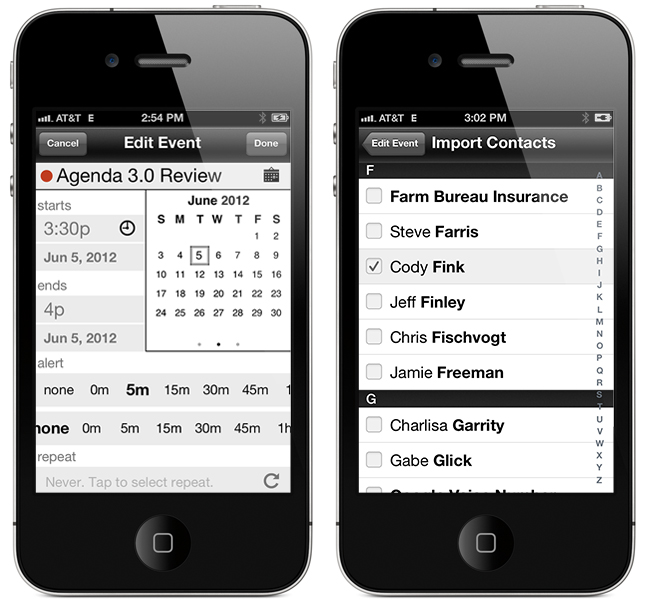
The first, and most important update is a custom event creation screen that’s much faster than the default iOS one. It has a simplified layout that lets you access event elements without going into second and third screens. This means you only need to tap once to access the event title, start & end time, alerts, location, and notes. You can swipe between calendar months and the animation is very slick!  The dots beneath the calendar identify what month you are in - past, present or future. Agenda now imports your contacts from iOS so once an event is created, you can attach them by tapping the calendar icon and choosing what contacts you want to add to your event for things such as text, email, calls, or status taps.

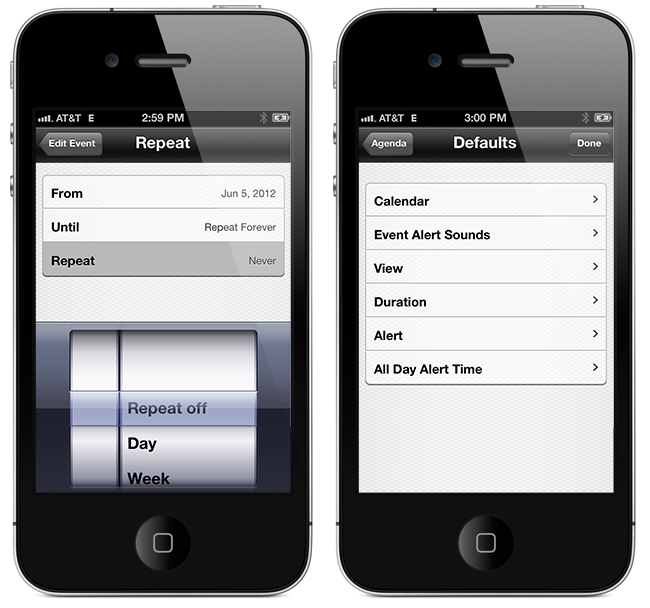
Another great feature that Agenda now has is a set of customizable repeat options. While on the event creation screen, tap the icon next to the repeat section to choose dates for ending repeating events, create repeating events for specific days or dates of the month, and much more.

Defaults, defaults, defaults! I wish more apps had a larger set of defaults — it makes data entry much easier if there is a predefined set of options. You can now pick defaults for calendar, event alert sounds, view, duration, alert, and all day alert time via Agenda’s built-in Settings > Defaults menu.

iPad users also get a few new options: swiping right or left will now change views, year and week view now move up or down instead of right or left and you can now change settings to a smaller modal view.

To read the complete release notes for Agenda 3.0, Savvy Apps has a listing for your viewing pleasure. They also have a great little Tips & Tricks section on the Agenda page to help you enter events even faster. If you don’t like the new “Fast Event Creation” screen you can always toggle back to the native iOS event creation from Agenda’s settings, but the new way is so much easier and more fun!

Agenda 3.0 is a great upgrade to a great product — anytime you can streamline manual data entry into one screen gets a big thumbs up from me. The Tips & Tricks are worth 2 minutes of your time to read so that you can fully understand the new “Fast Event Creation” screen. Agenda is a universal app and available in the App Store for 99¢, while existing users get the 3.0 update for free.