Posts in news

Apple Announces Partnership with (RED) to Combat HIV/AIDS and COVID-19 and Highlights Its PPE Donations in Zambia

Apple announced today that it is expanding its partnership with (RED), a relationship that spans fourteen years and has raised nearly $250 million to fund HIV and AIDS programs around the world, offering prevention, testing, and counseling services.

The COVID-19 pandemic has disrupted HIV/AIDS programs around the world, so earlier this year, Apple’s (RED) contributions were redirected to the Global Fund’s COVID-19 Response to mitigate the impact of COVID-19 on HIV/AIDS programs.

According to Apple’s press release:

These funds have allowed for additional contact tracing in South Africa, helped secure critical personal protective equipment (PPE) for health workers and emergency medical equipment in Ghana, and enabled the purchase of motorbikes to deliver HIV treatment to local communities that have been unable to seek in-person health services due to COVID-19. Apple also donated millions of PPE units to the Ministry of Health in Zambia, including both surgical masks sourced from its supply chain and face shields designed and produced by Apple.
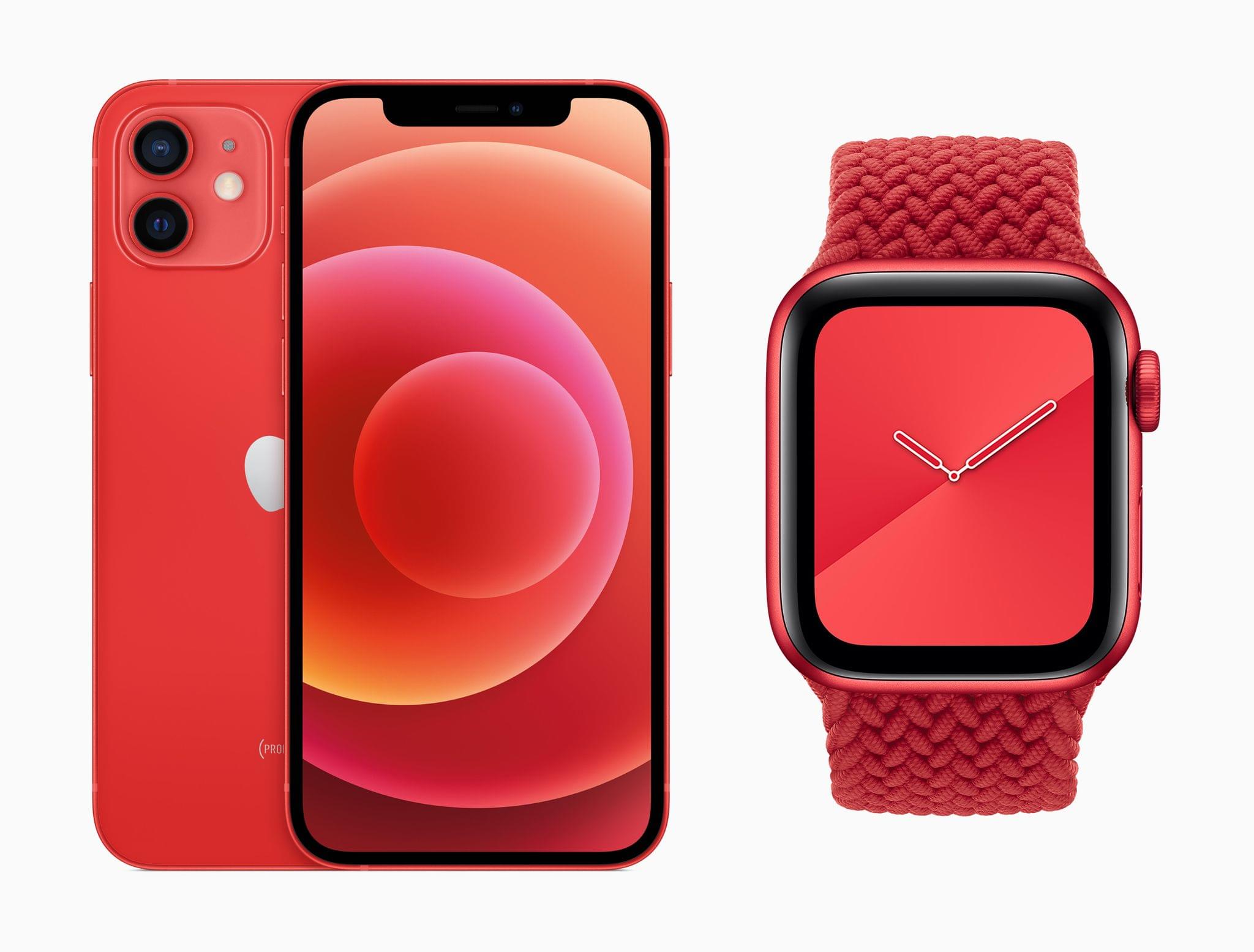
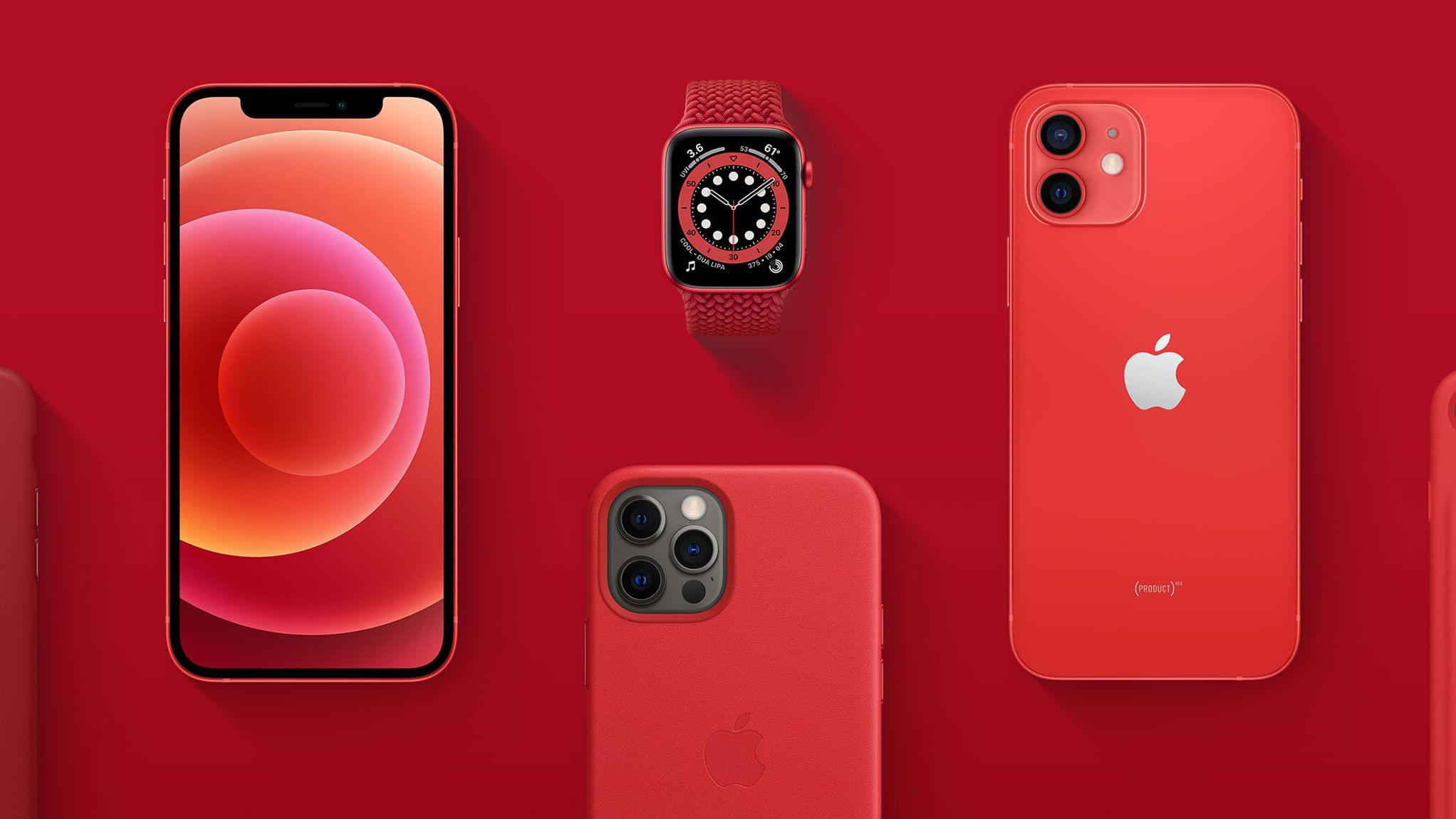
The PRODUCT(RED) iPhone 12 and Apple Watch Series 6.

The PRODUCT(RED) iPhone 12 and Apple Watch Series 6.

Apple’s support of (RED) continues this year with donations of 100% of all eligible proceeds from PRODUCT(RED) devices to the Global Fund’s COVID-19 Response through June 30, 2021. The company will also donate $1 of every purchase made using Apple Pay on apple.com, or in the Apple Store app or an Apple retail store through December 7, 2020.

Apple is working to raise awareness of World AIDS Day too with red logos and window displays in retail stores, features on the App Store, tie-ins with Apple Music and The Ebro Show on Apple Music 1, and a special Watch Now collection in the Apple TV app.

A Zambian healthcare worker wearing an Apple-produced face shield.

A Zambian healthcare worker wearing an Apple-produced face shield.

Separately, Apple issued a press release about its donation of PPE to healthcare workers in Zambia to help them combat COVID-19 and HIV. Working with Zambia’s Ministry of Health, Apple donated:

millions of units of personal protective equipment (PPE) to the Ministry of Health in Zambia. That includes both surgical face masks Apple sourced from its supply chain as well as face shields designed and produced by Apple.

As the press release explains, the donations have protected front-line healthcare professionals and provided patients with the confidence to continue their treatments for HIV.


MacStories Unwind: Big Sur Widgets, Our Big Icon Sale, a MacStories Weekly Milestone, Plus Bonus Unwind Picks

0:00
33:17


Sponsored by: Permute: Quick Image, Audio, and Video Conversion

This week on MacStories Unwind:

MacStories

Club MacStories

  • MacStories Weekly
    • John’s Holiday Gift Guide
    • Reading DRM-Free EPUBs in MarginNote for iPad
    • Tips for Remote Tech Support
    • Mac Dictation and Big Sur beta tips
  • MacStories Unplugged: The Year in Music, 2020 Edition
    • Federico and John share their Apple Music playlists, collecting their favorite songs of 2020, pick their albums of the year, second-guess the Grammy nominations, and each chooses five bands that define their tastes in music.

AppStories

Unwind


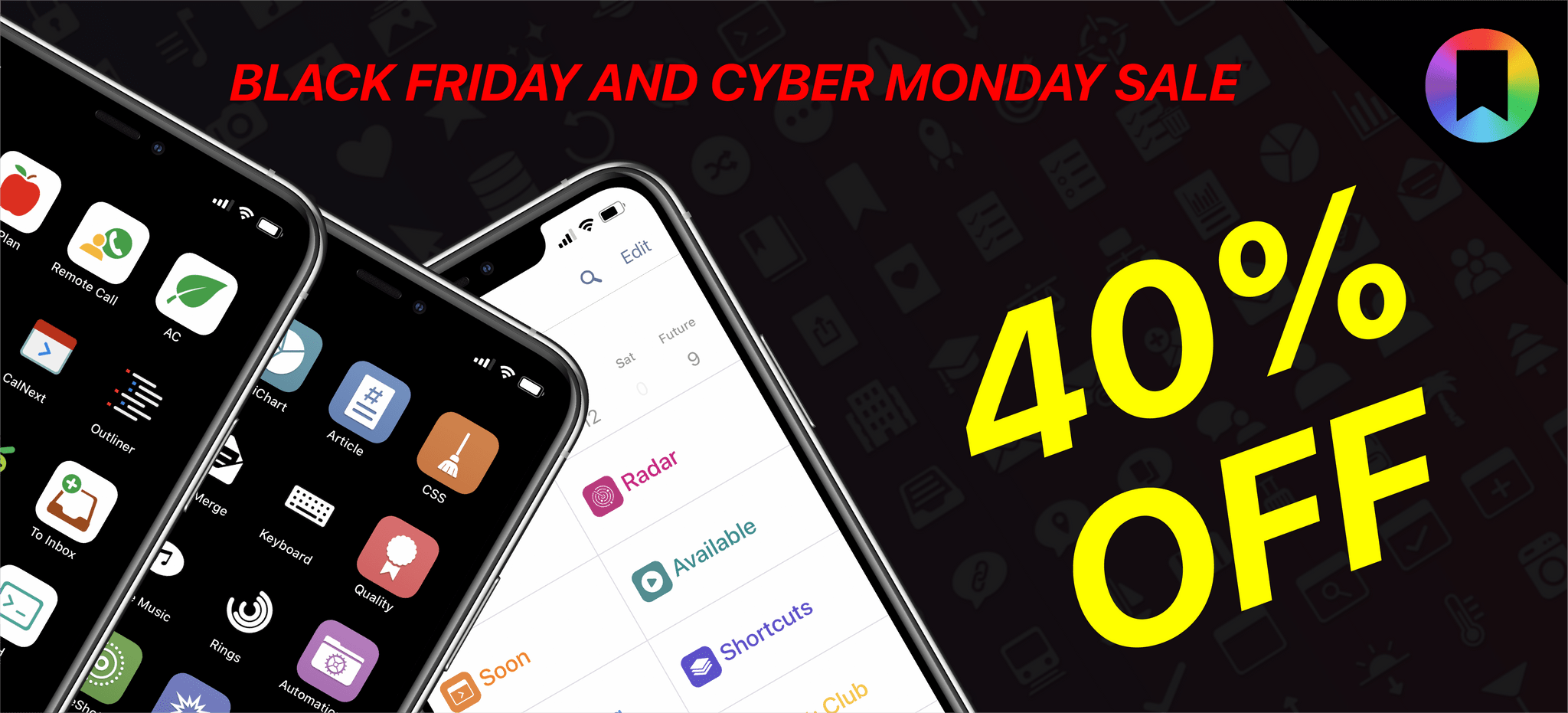
MacStories Shortcuts Icons and Perspective Icons: 40% Off from Black Friday to Cyber Monday

MacStories Shortcuts Icons and Perspective Icons are 40% off for Black Friday and Cyber Monday.

MacStories Shortcuts Icons and Perspective Icons are 40% off for Black Friday and Cyber Monday.

Black Friday and Cyber Monday are upon us, and we’ve prepared something truly special to celebrate the occasion at MacStories: starting today through Monday, November 30, MacStories Shortcuts Icons and Perspective Icons are available at 40% off their regular price.

To purchase MacStories Shortcuts Icons at $17.99 rather than the usual $29.99, click the ‘Buy’ button below:

Similarly, to purchase our Perspective Icons at $14.99 rather than the usual $24.99, click the ‘Buy’ button below:

All sales are final. You can read our license and terms of use here and here.

Read more


MacStories Unwind: The App Store Small Business Program, M1 Macs, Music Awards, Photography, and Home Screen Shortcuts

0:00
35:41


Sponsored by Downie – Easily Download Videos From YouTube and Thousands of Different Sites

This week on MacStories Unwind:

MacStories

Club MacStories

  • MacStories Weekly
    • Crossy Road
    • Today ReScheduler shortcut updated to take advantage of ‘native’ edit reminder action
    • Big Sur widget tips (John)
    • What the M1 means to the native vs. web app debate

AppStories

Unwind


Pixelmator Pro 2.0 Released with M1 Mac Support, An Updated Design, and New Effects and Presets

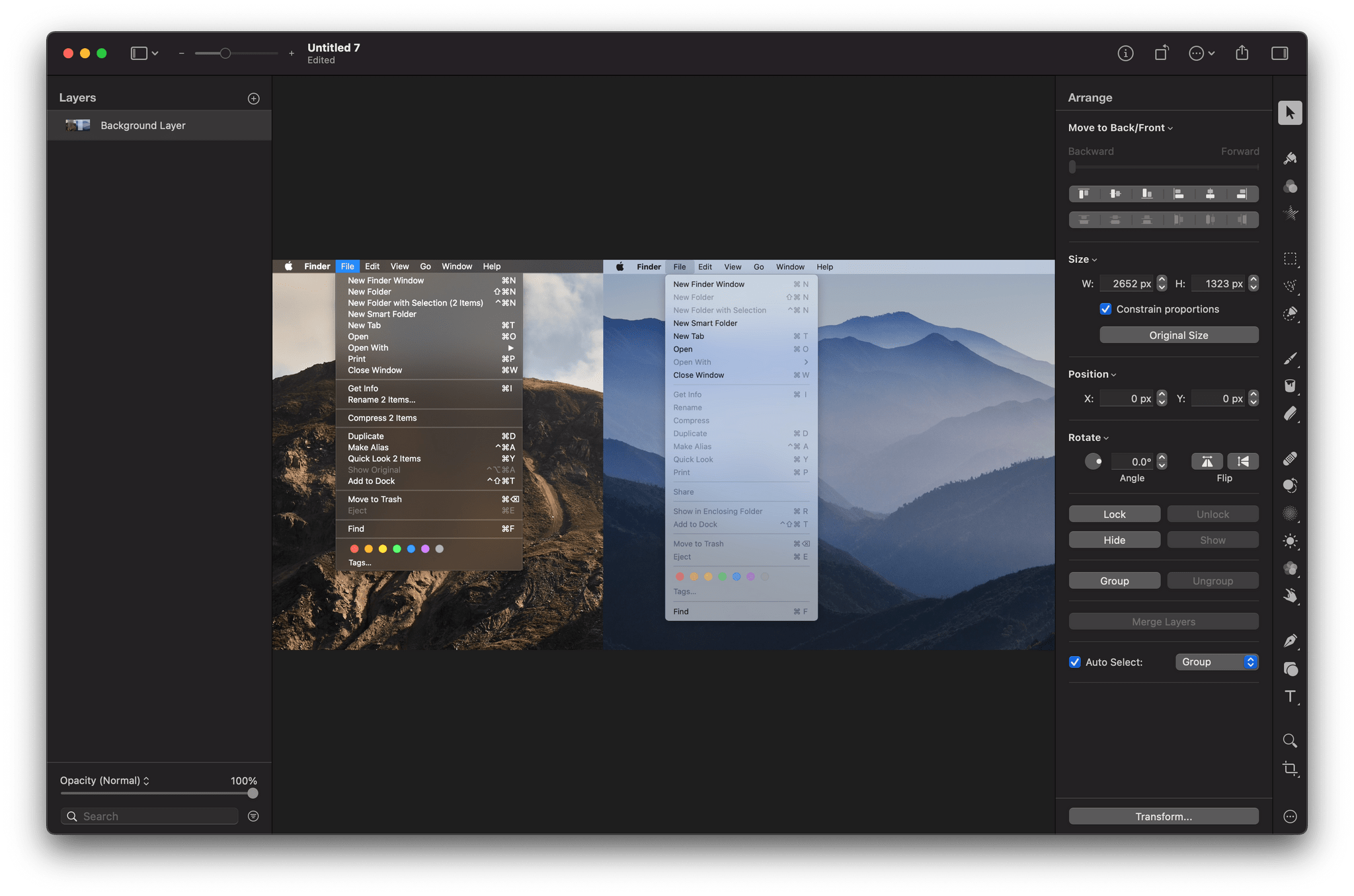
The Pixelmator team has released an extensive update to its image editing app, Pixelmator Pro. Version 2.0 is a Universal Mac app that supports both Intel and M1-based Macs. In addition to the under-the-hood support for Apple’s new SoC architecture, the update has an all-new Big Sur-style design and a host of new features like redesigned effects and presets browsers, the ability to customize the app’s layout, and a new app icon.

Pixelmator Pro’s new design is terrific, right down to its new Big Sur-style app icon. The app already featured a design with minimal chrome that stayed out of the way, focusing attention on the content, which is also a hallmark of Big Sur’s design. As a result, the update will look familiar to existing users but also fits right in with other apps designed for the latest version of macOS.

Changes big and small have been made throughout Pixelmator Pro’s UI. For example, like the Finder and Apple’s other system apps, button outlines are highlighted only when the pointer hovers over the icons in the app’s toolbar. The name of the document you’re working on has been left-justified too. Pixelmator Pro has also added a new zoom control to the toolbar for fast access to zooming in and out of an image using the pointer instead of a trackpad gesture or keyboard shortcut.

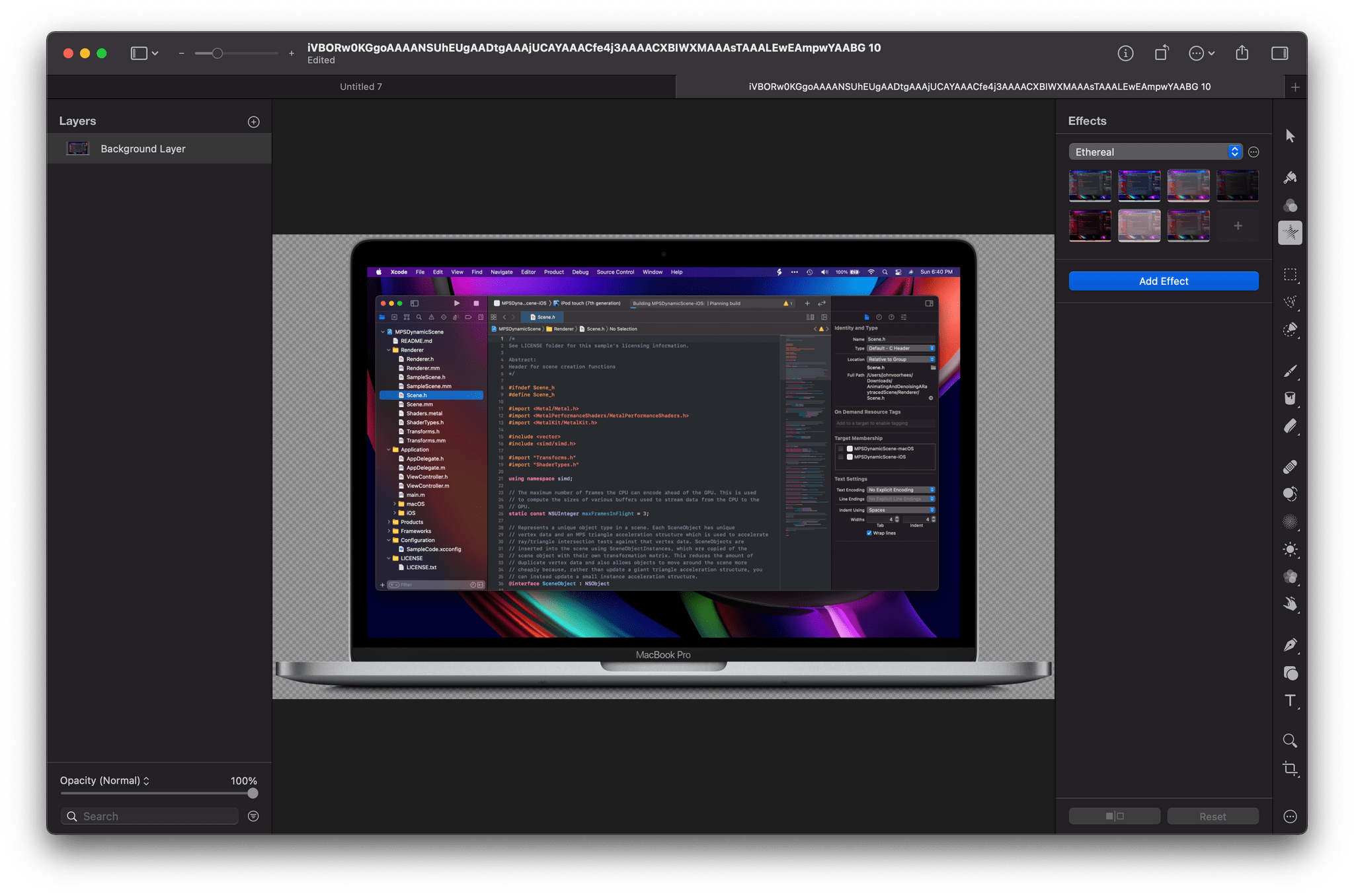
Pixelmator Pro's new effects UI.

Pixelmator Pro’s new effects UI.

Although the order of the tools along the right edge of Pixelmator Pro is customizable, the default position of the effects tool has been moved near the top of the window. When active, the effects tool opens a panel that is divided into six default categories of image effects, which can be modified by the user. The design is more compact than before and provides a live thumbnail preview of what the effect will look like if applied, making it easier to find the look you’re after. With the addition of even more effects, the new UI is a much more efficient way to browse through them.

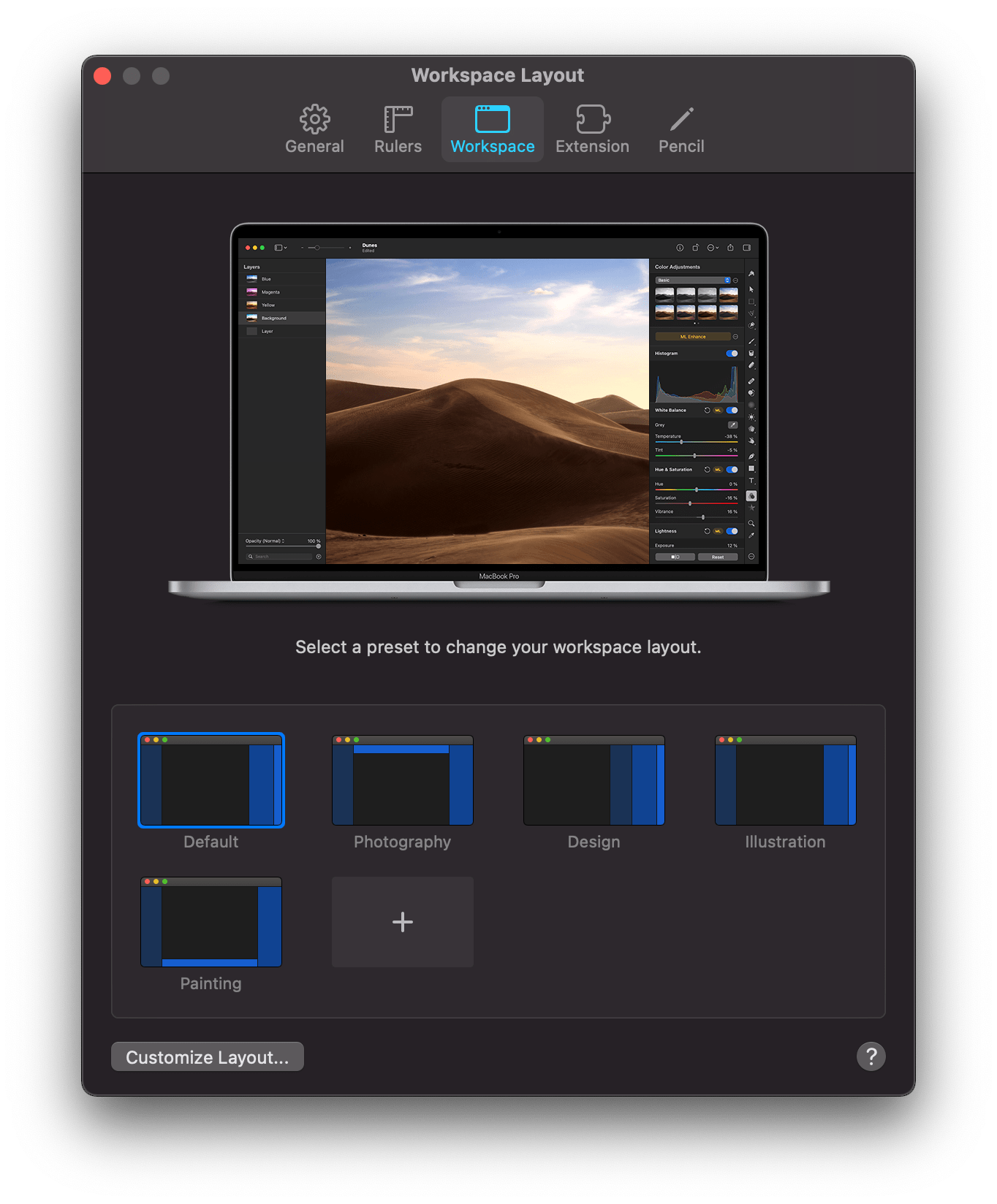
Pixelmator Pro features preset workspaces.

Pixelmator Pro features preset workspaces.

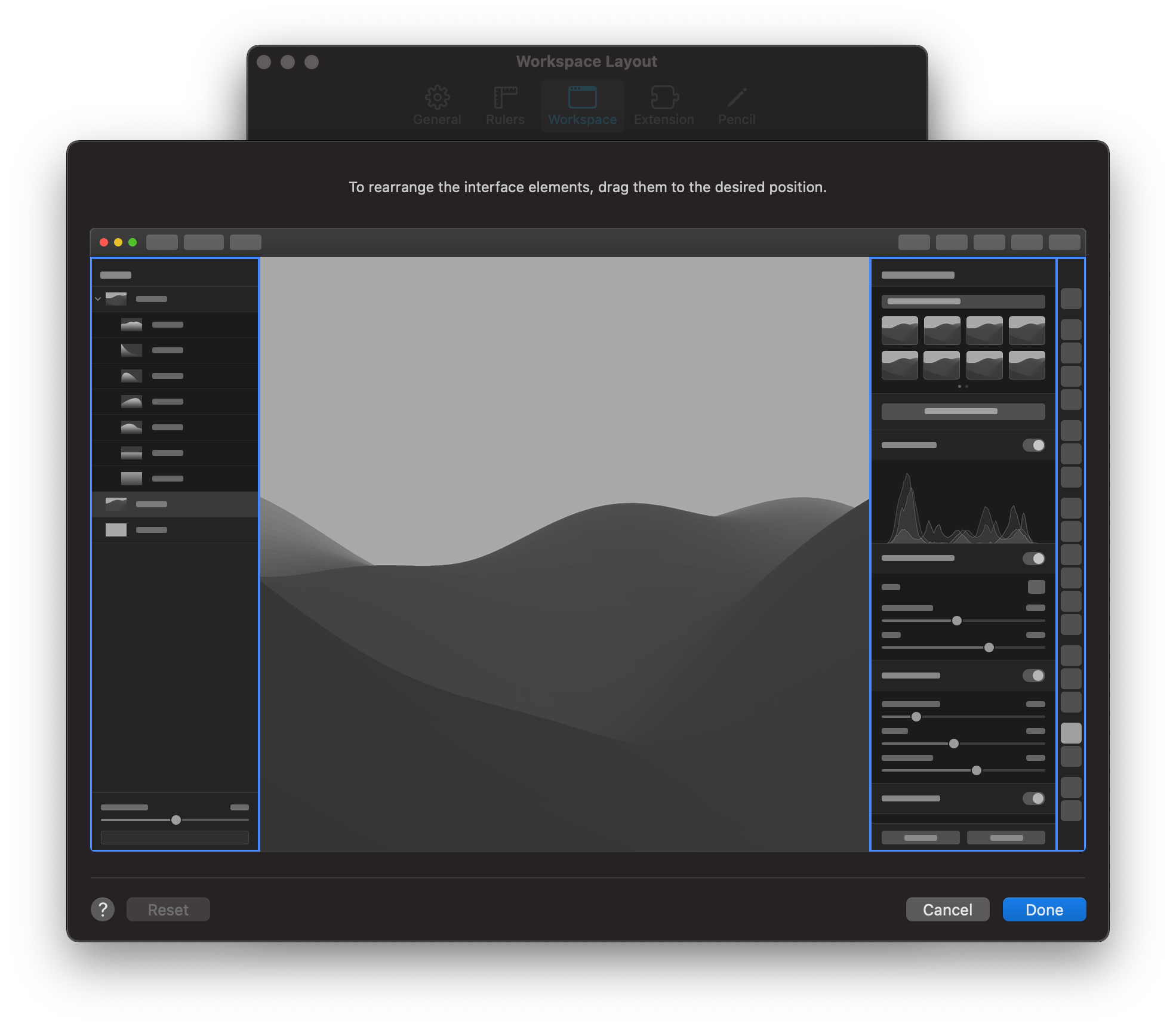
The update also features four preset workspaces in addition to the app’s default configuration, which each move the toolbar and panels to different positions in the app’s window to accommodate photography, design, illustration, and painting workflows. You can also design and save your own setup dragging the app’s two panels and toolbar into positions that suit you.

You can define your own workspaces.

You can define your own workspaces.

Presets have been greatly expanded and enjoy the same sort of compact UI as effects too. The Pixelmator team says it has added over 200 new presets for photography, design, and illustration use cases, which allow users to work more efficiently. The app also has more than 50 new vector shapes in five categories from which to choose.

On the new M1 Macs, Pixelmator Pro benefits from its use of Apple’s Metal frameworks. The M1 Macs are designed to take advantage of Metal, which accelerates tasks in Pixelmator Pro like upscaling images using the app’s ML Super Resolution feature. The Pixelmator team says ML Super Resolution can be accomplished up to 15 times faster on an M1 Mac than was possible before.

I’ve said many times before that Pixelmator Pro is the image editor I use most often for my work at MacStories. The app is powerful but easy to use, dispensing with the steep learning curves of many other pro-level image editors. With version 2.0, the Pixelmator team continues to push the app forward with a design and underlying technologies that are perfectly aligned with where the Mac is heading, which is a reassuring indication that the app will continue to be one of the premier Mac image editors for a long time to come.

Pixelmator Pro 2.0 is available on the Mac App Store to existing users as a free update and new customers for $39.99.


Winners of the Second Annual Apple Music Awards Announced

Last year, Apple announced the winners of its first-ever Apple Music Awards, honoring artists in five categories who received a unique award featuring a 12-inch silicon wafer suspended between a sheet of glass and anodized aluminum. The announcement of last year’s awards was followed by a performance by Billie Eilish at the Steve Jobs Theater in Cupertino, California.

The Apple Music Awards are back for 2020 with the same award categories as 2019. According to Apple’s press release:

The Apple Music Awards honor achievements in music across five distinct categories, and winners are chosen through a process that reflects both Apple Music’s editorial perspective and what customers around the world are loving most. The winners for global Artist of the Year, Songwriter of the Year, and Breakthrough Artist of the Year were hand-selected by Apple Music’s global editorial team of world-class experts and tastemakers, and the awards for Top Song of the Year and Top Album of the Year are based on streaming data that is reflective of what Apple Music subscribers have been listening to this year.

The 2020 Apple Music Awards winners are:

Apple has more in store for music fans in December. To celebrate the Apple Music Awards, the company has it will kick off “a week of special performances, fan events, interviews, and more, streaming worldwide on Apple Music, Apple Music TV, and the Apple TV app” beginning December 14, 2020.

The Apple Music Awards strike a nice balance between editorial picks and awards based on streaming statistics. I’m eager to see what Apple has planned for December because last year’s performance by Billie Eilish was excellent. Although Apple’s press release is short on specifics, it suggests music fans are in for a treat with an expansion of last year’s festivities.


This Holiday Season, Give the Gift of Club MacStories

The holiday season is just around the corner, and as you shop for gifts for friends and family, we wanted to remind everyone that Club MacStories memberships can be given as gifts all year long. The Club extends what we publish at MacStories, which makes it the perfect gift for someone who wants more of the kind of in-depth app, automation, and other coverage you find on the site every day. It’s also a great time to join the Club because we have a lot planned for 2021.

Better yet, it’s a gift that can be enjoyed every week all year long, with great exclusive content, including:

  • MacStories Weekly, our weekly newsletter that’s sent on Fridays and packed full of our favorite apps, themed collections, tips, Shortcuts automations, answers to reader questions, featured Home screens, interviews, and much more.
  • The MacStories Unplugged podcast, a bi-monthly show featuring a discussion of what’s going on behind the scenes at MacStories, articles we’re working on, the gear we’ve been testing, and more.
  • The Monthly Log, a monthly newsletter that includes long-form and behind-the-scenes stories.
  • Access to giveaways, discounts, and other treats like eBook versions of Federico’s annual iOS review, John’s macOS review, and other long-form stories.
  • The full archive of over 300 issues of MacStories Weekly and the Monthly Log.

All told, that’s around 60 newsletters and lots of other perks over the course of a year.

So, if you have a MacStories reader on your holiday shopping list this season, consider a Club MacStories membership that they can enjoy all year long. Monthly ($5/month) and annual ($50/year) memberships can be given using the following links:

Finally, thanks to all our loyal Club members who have joined since the Club’s debut in 2015. You’re an essential part of what we do here at MacStories, and we hope you’ve enjoyed the Club as much as we enjoy creating its special content for you every week.

Happy Holidays!

  • The MacStories Team

Apple Reduces App Store Commissions to 15% for Small Businesses Starting Next Year

Today, Apple announced a reduction in App Store commissions that will substantially benefit a large part of the developer community. Starting January 1, 2021, developers who earn up to $1 million per year from their apps will have the commission paid to Apple cut in half, reducing it from 30% to 15%. Apple CEO Tim Cook said of the new App Store Small Business Program in an Apple press release:

Small businesses are the backbone of our global economy and the beating heart of innovation and opportunity in communities around the world. We’re launching this program to help small business owners write the next chapter of creativity and prosperity on the App Store, and to build the kind of quality apps our customers love.

Cook continued:

The App Store has been an engine of economic growth like none other, creating millions of new jobs and a pathway to entrepreneurship accessible to anyone with a great idea. Our new program carries that progress forward — helping developers fund their small businesses, take risks on new ideas, expand their teams, and continue to make apps that enrich people’s lives.

Apple says that it will provide additional details about the new program in December, but here’s what we know so far:

  • Developers who made up to $1 million on all their apps in 2020 after subtracting Apple’s commissions will qualify for the program and its reduced commissions beginning January 1, 2021.
  • New developers are eligible to participate in the App Store Small Business Program beginning January 1, 2021, too.
  • If a developer who is part of the App Store Small Business Program makes more than $1 million during a year, the commissions paid for the remainder of the year will be at the 30% rate paid outside the program and the developer won’t be eligible for the program the following calendar year.
  • A developer that is not eligible for the App Store Small Business Program will be eligible the calendar year following any calendar year that they earn less than $1 million.

For example, a developer that earns less than $1 million in 2020 on all of their apps after subtracting the amount paid to Apple for App Store commissions is eligible for the program and would pay a 15% commission on App Store earnings beginning January 1, 2021. Hypothetically, if the same developer has post-commission earnings of greater than $1 million in aggregate on all of their apps by, for example, September 1st, their App Store commission rate (assuming a paid-up-front app) would increase to 30% for the remainder of the year. That same developer would continue to pay 30% in 2022 but would be eligible for the 15% rate again in 2023 if their 2022 post-commission earnings fell below $1 million. It is our understanding that App Store earnings of all kinds count toward the $1 million total regardless of whether the source is a paid-up-front app, In-App Purchase, or a subscription.

Read more


Apple M1 Mac Review Roundup: Big Performance and Battery Gains

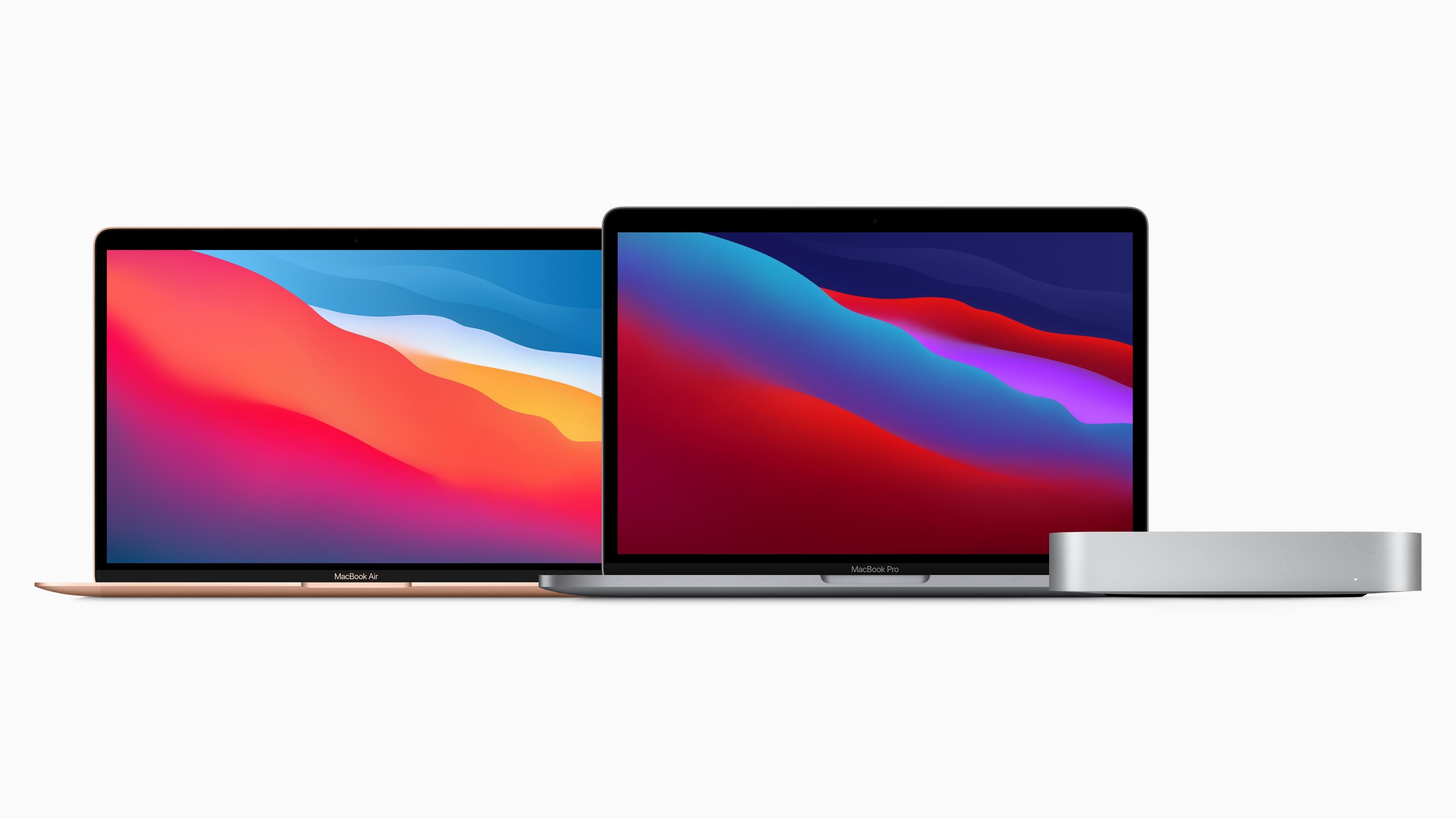
Last week, Apple unveiled M1-based models of the MacBook Air, MacBook Pro, and Mac mini. With deliveries of the computers beginning to arrive around the world, reviews are out, and I’ve rounded up some of the most interesting tidbits from them.

The reviews are overwhelmingly positive with a few caveats. However, reviewers were universally impressed by the new Macs’ performance and the laptops’ battery life. The experience of Wired’s Julian Chokkattu was common:

Spend a day with the new MacBook Air and the improvements are immediately noticeable. The thing’s as powerful as many of the higher-end Intel-powered Macs, blowing past the speed limits of the higher-tier MacBook Air from earlier this year. The M1 is no Mac evolution, it’s a Mac revolution.

What’s especially remarkable about these Macs is that they are low-end models as Jason Snell observes on Six Colors:

It’s all too easy to overlook the fact that these are low-end models, given how fast they are. But this is just Apple’s first step in what the company says is a two-year-long transition. The M1 chip, which appears to be a next-generation riff on the A12X processor in that 2018 iPad Pro, has a bunch of limitations that will undoubtedly not exist on future Apple-designed Mac processors: It only supports two Thunderbolt ports and up to 16GB of RAM. It has no support for external GPUs or discrete graphics of any kind. It can drive a maximum of two displays. It is, by every definition, a low-end chip, the slowest and least capable Mac chip Apple will ever make.

And yet…

Based on my testing, it’s also safe to say that all three M1-based Macs, these low-end systems at the bottom of Apple’s price lists, are among the fastest Macs ever made.

Jason and Myke Hurley also interviewed Apple’s Tim Millet and Tom Boger on Upgrade about the M1 Macs.

Read more