According to several discussion threads posted on Apple Support Communities, a new malware called MacDefender.app is quickly spreading among Mac users using the Safari browser to visit certain websites, especially Google Images. The application, disguised as a virus scanning tool and completely unrelated with the official MacDefender software, gets installed automatically without a user’s consent upon opening a webpage, although it’s not clear what kind of websites allow this kind of installation, and whether MacDefender “phones home” once running on a Mac to download additional pieces of code (like most malwares on Windows do). Some users are reporting they found the app installed on their Macs after visiting webpages linked on Google Images, some say it’s only happening with the Safari desktop browser, others claim the app can’t be removed with a simple drag & drop to the system’s Trash as, once installed, the process will beging running automatically on OS X. Again, it’s not clear what kind of malware MacDefender.app is and the proportion of this “spreading” across Mac OS X machines, but the number of threads on Apple Support Communities seems to suggest at least hundreds of people have experienced the issue in these past few days. Read more
The Maglus Is An iPad Stylus That Attaches To The Smart Cover
I’m not a huge fan of styluses and capacitive pens for iOS devices, but I can recognize an interesting project when I see one. The biggest problem with a stylus, in my opinion, is that most of the times the design is hideous and there’s no way to keep it handy for whenever you need it. The Maglus, a product that needs funding to come to life, aims at combining design and usability with the use of magnets. Just like Apple bet on design and magnets for the iPad 2, the creators of the Maglus think a stylus that attaches to the iPad and the Smart Cover is the best way to turn a stylus into a 24/7 companion for your digital drawing and sketching needs. The Maglus attaches anywhere on your Smart Cover, including the back when the cover’s folded to prop your iPad up in typing mode. Clearly, Apple’s use of magnets and cover is opening to a lot of possibilities when it comes to third-party accessories.
The project has 24 days ago, and so far €3,159.00 have been raised out of the initial €15000 target. You can check out all the product’s information and pledge here. Check out the demo video below. [TUAW via RazorianFly] Read more
Time Inc. Reaches Deal with Apple, Lets Print Subscribers Download Issues for Free
Amidst all the debates surrounding the implementation of subscriptions for App Store apps (which are based on iTunes payments, and require publishers to give a 30% cut off every transaction to Apple), Apple is still in talks with major publishers to reach a deal before the rumored June 30th deadline, when developers of existing “publishing apps” will be forced to flip the switch on native subscriptions if they want to keeps their magazines and digital newspapers in the Store. We’ve seen Apple is trying to push their effort of building better subscriptions for everyone among the general public, but so far the sheer volume of publishers jumping on board hasn’t played in favor of Apple: a very few of them have agreed to Apple’s terms, but those who did are seemingly happy with their decisions. And according to a new report by the Wall Street Journal, a new deal between Time Inc. (publisher of iPad magazine apps like Fortune, Sports Illustrated, and Time) should move adoption of subscriptions forward as Apple now allows to give away single-magazine issues away for free to existing print subscribers, directly from the iPad app.
Time Inc., the country’s largest magazine publisher, has reached a deal with Apple Inc. to make all its iPad editions free for print subscribers, marking a break in the impasse between publishers and Apple and lending support to Time’s contention that it’s business-as-usual after the ouster of its chief executive.
Starting Monday, subscribers to Sports Illustrated, Time and Fortune magazines will be able to access the iPad editions via the apps, which will be able to authenticate them as subscribers. Time Inc.’s People magazine already had such an arrangement, but readers of most publications have had to pay separately for the iPad version regardless of their subscriber status.
The WSJ also reports Time’s general counsel Edelson has been meeting with Apple’s VP of Internet Services Eddy Cue recently to reach a deal for print subscriber access and subscriptions, and in spite of the lack of subscriptions in Time Inc.’s magazines, sources say negotiations are moving forward as the June deadline approaches. Publishers are still asking Apple to revise its policy on opt-in sharing of personal information (a vital aspect for publishers’ targeted advertising), but as more magazines and newspapers will become available in the next weeks, the quick adoption of subscriptions is looking good for Jobs and Cue.
Mr. Reader 1.1: Now With OmniFocus Support, Better Services, Readability
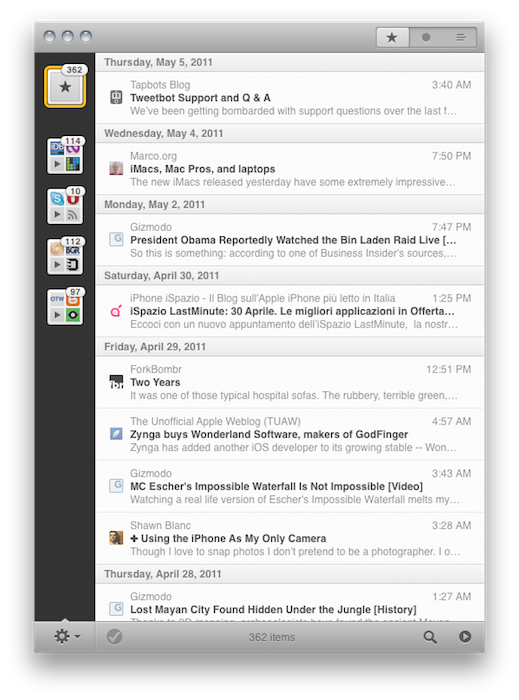
Mr. Reader, the RSS app I reviewed earlier this month, keeps getting better and aims at becoming the most powerful, yet elegant Google Reader client available on the iPad. The first version of Mr. Reader was so full-featured for being a 1.0 release that it made me consider placing it on my homescreen to see how I would go by in my daily workflow (which implies dealing with at least 500+ articles per day) without Reeder, the app I’ve used for months. Mr. Reader wasn’t perfect – it still isn’t – but it was one of those promising pieces of software that showed great things to come. The developer announced a major update was already in the works, and as I kept using Mr. Reader as the only feed reading app on my iPad I wondered would could get better, and whether my main complaints with the initial version would be addressed or not. The modal window for sync is still there, but Mr. Reader 1.1 is a huge update overall that makes navigating between unread feeds and getting things done with the app a more pleasing, productive experience.
Mr. Reader 1.1 can now send articles as “tasks” to OmniFocus and Things. In OmniFocus, you’ll get a task with the title already filled in, and the article’s URL in the notes. Mr. Reader is now deeply integrated with other iOS apps and web services: the app can forward items to iCab, Mercury and Atomic Web Browser, send articles to Diigo and, more importantly, it allows you to read in Readability view. Articles can be read in fullscreen mode (you can change this in the settings), Instapaper and Read It Later got an option to remove the confirmation dialog, and switching between the unread list and a single article has been improved with the implementation of the “pinch” gesture. I find myself really digging the possibility to tap on a headline to read the article in fullscreen, then pinch to go back to the main list – it feels very natural. As far as marking items as read goes, a new tap & hold action on the “mark as read” button allows you to automatically hide items older than 1,2,3 days or 1,2 weeks.
There are several minor improvements throughout the whole app as well. For instance, images can be saved to the camera roll, and the settings have been redesigned to host cleaner service configuration options (admittedly, Mr. Reader has a lot of services to play with). The reading panel in portrait has been tweaked to automatically slide back after hitting the “mark as read” button (a minor annoyance in the first version), and the font family can now be changed in the article view.
As I said above, Mr. Reader is definitely en route to become the most powerful RSS application on the iPad, and the most-integrated with third-party apps and services. If you didn’t try version 1.0, perhaps now it’s time to consider following this link and click the Buy button.
TweetyPop Is Like Time Machine For Twitter
Released yesterday in the App Store at $1.99, TweetyPop wants to offer a different way to read your Twitter timeline and interact with status updates. While regular Twitter clients like Twitter for iPad, Twitterrific and Osfoora are focused on empowering you to read tweets in a vertical timeline which you can interact with to reply, fave tweets, or just discover cool links to check out later, TweetyPop resembles the Mac’s Time Machine in the way it operates: tweets are placed on a three-dimensional space, and you have to move the tweet “bubbles” with your finger to fling them off the screen and move forward in the timeline. Just like Time Machine, you make progress in time: only you have tweets instead of files and you can do stuff with these tweets, too.
The app’s got a traditional list view as well, but that’s not really the point. What TweetyPop wants to achieve – and I guess the reason why the developers created it in the first place – is being the alternative app that lets you sit down and explore Twitter in time. A scrollbar on the right lets you quickly move to a couple of hours ago or a just a few minutes back; big arrows at the bottom allow you to dismiss old tweets and load new ones, or go back in time again. The concept’s really simple if you’re used to Time Machine or Lion’s Versions. In fact, the app’s even got the same space-inspired background that you can’t change. Once you get the hang of it – you can scroll, move tweets around, reply, fave and follow links – you might want to check out the additional icons along the top. These buttons enable you to use Twitter’s usual functionalities like replies, DMs and favorite tweets, as well as lists, trends, or search. In every section, tweets are displayed as bubbles against a Time Machine-esque timeline like in the main page. This might be a little disorienting at first for mentions and direct messages, but I believe TweetyPop wants to disorient you, in a good way. It’s very, very different from anything else I’ve tried on the iPad in a year of existence of the platform.
I also like the fact that the app’s got some interesting options to play with. You can send items to Instapaper or OmniFocus, filter the timeline by “all tweets” or “new tweets only” and enable auto-play to let the app automatically scroll for you and create a slideshow for your tweets. The slideshow speed is configurable in the settings.
At $1.99, I’d give TweetyPop a try if only because it’s different. Sure, it won’t replace Twitter for iPad or Twitterrific, but it has the chance to become that alternative Twitter app that does one thing well and surprises you with its original ideas and interactions. Plus, the time exploration effect for tweets is just neat. Go download the app here. Promo video below.
Apple Releases New Update for Lion Developer Preview 2
Alongside Xcode 4.1 Developer Preview 4, Apple also released another update for OS X Lion Developer Preview 2. The update weighs at around 1.17 GB and it’s available now in the Software Update control panel. It is recommended for all users running Lion DP 2.
Two weeks ago, Apple did the same and released a new build of Xcode 4.1 and the first update to Lion DP 2. The original Lion Developer Preview 2 was released in late March, and we’re expecting another major update before the WWDC, with a GM seed being seeded to developers in June. If you spot anything new in this update, leave a comment below. We’ll update this post with more notes as further details come in.
Update: MacRumors reports Lion build 11A444d has been seeded to developers.
Update #2: We’re hearing the new Lion update has a snappier Finder, a better UI for deleting apps from the Launchpad, and lots of design tweaks to changes introduced in the previous DP builds.
Xcode 4.1 Developer Preview 4 Released
A few minutes ago Apple released an update to Xcode 4.1, which is required to build apps for OS X Lion. Xcode 4.1 Developer Preview 4 is available now in the Mac Dev Center, and we’re hearing Interface Builder added support for NSPopover and NSWindow animations in this build, among other enhancements and bug fixes.
The first build of Xcode 4.1 was released in February soon after the original Lion Developer Preview, with new builds following the schedule of Lion DP releases and updates.
Terra Is A Powerful, Free Alternative To iPad’s Safari
Currently the #1 free app in the iPad App Store, Terra Web Browser is one of those apps I didn’t know if I should take for a spin at first. There’s no shortage of alternative browsers for iPad: from the excellent iCab Mobile (which I use on a daily basis) to more innovative solutions like Sleipnir, it’s very easy to achieve the perfect browsing experience on the tablet if you think Safari is too limited and you’re willing to spend a few extra bucks. It needs to be mentioned, however, that unofficial browsers don’t get access to the latest Nitro Javascript engine goodness, and there’s no way on iOS to set a default browser other than Safari. Still, many users like me feel like having a (perhaps slower as far as webpage rendering goes) browser companion to Safari is necessary for more complex tasks like saving files locally, or displaying open pages as tabs under the main app’s toolbar. Again, iCab is quite possibly the perfect app if you’re looking for desktop-like interactions on the iPad.
Back to Terra, it comes from the guys behind ReaddleDocs and Calendars, and it’s free. I was a little skeptical at first because I really don’t need another browser on my iPad, but for what it does and for its current price, I have to say Terra is a really good app. All those positive ratings in the App Store can’t be completely wrong, after all. The app’s got a minimal interface with tabs, and you can go fullscreen with the tap of a button. Unlike many, many other apps that try to replicate fullscreen mode with semi-transparent icons on top of a webpage, Terra places a single button in the upper right corner. If you want to focus on something you want to read, hit fullscreen and forget about it. Thanks to the implementation of multitouch gestures, you can switch between open tabs with a three-finger swipe. The top toolbar gives you access to the usual functionalities of an iOS browser, such as address bar, refresh button, Google search, settings, bookmarks and action button. In the settings you can set a passcode for the app, choose to navigate in incognito mode (your cookies and history won’t be saved), change the user agent and modify the selected search engine. You can also import bookmarks from your computers, but you’ll have to use iTunes File Sharing for that. Bookmarks, history and “saved files” are located in a bookmarks popover on the left, but I couldn’t figure out how to export my Chrome’s bookmarks bar to Terra. I guess I’ll have to properly edit my exported .html file to make it work. The action button has got some interesting features as well: you can create a new bookmark, AirPrint a page, save a page locally for offline access, mail a link or forward to Safari.
What most impressed me about Terra, though, is how it handles tabs. Not only the app is stable and can handle dozens of open pages just fine (tested last night, 13 open tabs and none of them reloaded after several minutes of navigation), it’s also got a nice popup menu that will show a webpage’s full title as you tap & hold a tab. If you have a lot of open tabs and you can only see the favicons, that’s quite handy. Switching between tabs is not as fast as iCab, but it’s more than acceptable. The animations are smooth and, overall, the system works well.
Terra for iPad was a surprise. The app is free, but it does a lot of things better than many apps priced at $2.99 and above, without sacrificing its minimal approach to UI and responsiveness. Get it here.
Epic Games’ Mike Capps: “Dollar Apps Are Killing Us”→
Epic Games’ Mike Capps: “Dollar Apps Are Killing Us”
If there’s anything that’s killing us [in the traditional games business] it’s dollar apps,” he lamented. “How do you sell someone a $60 game that’s really worth it … They’re used to 99 cents. As I said, it’s an uncertain time in the industry. But it’s an exciting time for whoever picks the right path and wins.
I think that there’s a fundamental difference between gamers who want to spend $60 on the next Mass Effect or Gear of War, and casual users who are looking forward to the next Angry Birds update. I used to play a lot of console games, but now I’m one of those addicted to the .99 cent apps. On the other hand, a friend of mine who didn’t abandon console gaming bought an iPad last year and now he plays both the latest Xbox hits and Angry Birds.
I think Capps he’s right when he says apps have changed the market, but I disagree with him as far as “killing” games goes. It’s all about value: those who care about high-profile console games will keep buying them. Let’s face it: there’s no Mass Effect or Halo on iOS devices. Those people who don’t recognize the value of console – or simply don’t have the time and resources for another device in their lives – will be just fine with Angry Birds and Cut the Rope.
I think the real problem for game developers like Capps is that the number of these users who prefer quick, mobile gaming has turned out to be larger than expected. For the same reason why I disagree with Nintendo about the culture of disposability, I believe the issue is not the association of portable games with low prices: it’s about the time users are ready to invest on a platform.
I’m one of those who think console games won’t go away anytime soon. But at the same time, I wonder: what’s going to happen when the iPad will be capable of running Metal Gear Solid 4?