Federico Viticci

10874 posts on MacStories since April 2009

Federico is the founder and Editor-in-Chief of MacStories, where he writes about Apple with a focus on apps, developers, iPad, and iOS productivity. He founded MacStories in April 2009 and has been writing about Apple since. Federico is also the co-host of AppStories, a weekly podcast exploring the world of apps, Unwind, a fun exploration of media and more, and NPC: Next Portable Console, a show about portable gaming and the handheld revolution.

This Week's Sponsor:

HomeSnap

A Private, Read-Only Window Into Your HomeKit Home


Rumor: Apple Working on “Apple Store 2.0” Launch

Speculation around Apple’s May 22 retail meetings is running wild these days, and following reports of NFC-equipped tables, the return of the Back to School program and iPads being shipped to Apple Stores for retail specialist usage through RetailMe, 9to5mac is now reporting Apple’s retail plans for this weekend are much bigger than previously expected. According to the website, Apple has been busy working on a major Apple Store 2.0 launch, an internal name for what supposedly is a complete overhaul of the Apple Store experience that saw direct input by Steve Jobs, Jonathan Ive and Senior VP of Retail Ron Johnson.

Apple Store 2.0 is said to give more importance to Personal Setups, a new initiative launched by Apple a few months ago that allows users to be assisted with the purchase of a new Mac in the creation of a new iTunes account, first App Store run and Mac App Store purchases. Personal Setup is rumored to be relocated in new areas inside the Apple Store called Startup Sessions which, among other things, will feature interactive iPads for signage instead of paper. Whether or not these could be the same iPads AppleInsider is reporting on is unknown at this point. 9to5mac also posted more details of this alleged Apple Store 2.0 plan:

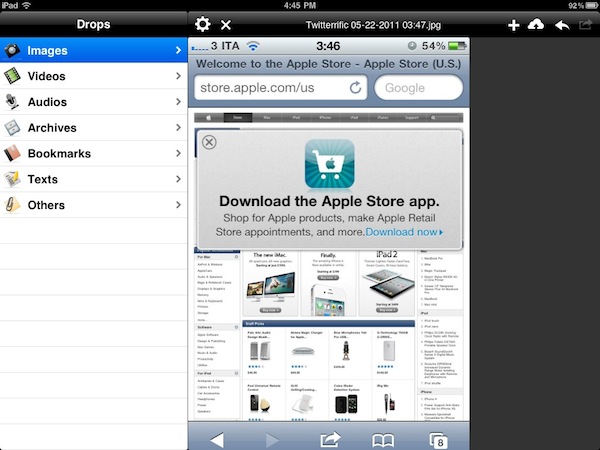
Next, these new Apple Stores – at least in some locations – will feature beefed up displays, which are described as “huge,” in addition to brand-new sound systems. Besides those in-store changes, Apple is set to release a brand-new Apple Store iOS application – possibly on Sunday – that is even more interactive. For example, a user with the app can walk into the store and the app will know which location the user is at. The app can even ask the user if they’d like to speak to a specialist, for example.

Details on the new Apple Store app are unclear, however, as the app was already updated months ago to include check-ins, as we reported, and the possibility to see a photo of the employee that will assist you was included, but apparently never effectively used by Apple. Perhaps the rumored Apple Store 2.0 experience will unlock more functionalities in the Apple Store app, and if so we’ll definitely know more on Sunday, May 22, after the retail meetings end.


Apple Equipping Stores with iPads Running New RetailMe?

Amidst all the speculation surrounding Apple’s all-hands meetings for retail employees and store leaders set for Sunday, May 22, AppleInsider reports this weekend’s retail plans might not be about a new product launch, 10th anniversary celebration or NFC payments, as the rumors suggested, but rather a series of trainings for employees using iPads running the new custom RetailMe software. According to AppleInsider, retail stores have been receiving stockpiles of iPad 2 featuring black leather Smart Covers, with these iPads being meant for on-the-job use by retail specialists.

People familiar with Apple’s retail operations revealed that stores across the U.S. have been stocked with dozens of iPads that are being prepared for use by employees. Training and utilization of the hardware could begin as soon as this weekend.

It’s not clear whether the iPads are destined to replace Apple’s current in-store payment system based on EasyPay and the iPod touch, but it’s likely that they will be used alongside the portable POS system to better showcase products and features to customers. Apple deployed the iPad 1 in its retail operations last year to allow employees to manage and schedule appointments for people waiting at the Genius Bar (I saw one myself at Rome Apple Store); the new iPad 2 shipments, though, might be linked to the internal release of an updated RetailMe software.

The delivery of iPads to stores around the country comes as Apple is apparently prepared to release an iPad version of its proprietary in-house communications client known as RetailMe. The RetailMe service offers information about products and training videos for retail employees.

One person privy to the workings of Apple’s brick-and-mortar stores suggested that the RetailMe software for iPad could turn out to be the be the password protected gigabytes of corporate training data that employees were recently issued. Still, as usual, employees have been kept in the dark, leaving them to put pieces together and draw conclusions based on the available evidence.

Indeed, BGR reported a few days ago employees were asked to download from Apple’s corporate servers a folder called “training” containing GBs worth of information and material. AppleInsider also reported last night this weekend’s meeting could be used to launch the 2011 Back to School program.


Apple Temporarily Freezing In-App Purchase Approvals?

TUAW reports a number of iOS developers have been unable for over a week now to get their in-app purchase content approved by Apple, as the company requires in the iTunes Connect developer portal to test IAP with a test user account, but this account has been offline with no explanation from Apple.

As a matter of policy, Apple requires developers to test in-app purchases (IAP) with a test user account before the application in question can be approved. Unfortunately, this test account has been offline for a week now with no word as to why. If you are a developer, you can see the relevant thread on Apple’s own developer forums here.

Whilst the impossibility to test in-app purchases and thus get the additional content approved may simply be a technical error on Apple’s side, it looks rather curious considering the recent debate surrounding Lodsys and its patent infringement claims against independent iOS developers. As TUAW notes, this can be a simple coincidence that has nothing to do with Lodsys, but The Guardian reported yesterday Apple was “actively investigating” the claims that hit iOS devs, so there’s a chance Apple might have suspended IAP approvals before a decision is made.

If you’re a developer and have encountered a similar error, let us know in the comments. More information is available on the Dev Forums.

Update: the iTunes Connect Developer Guide was updated on 5/11 including some changes to in-app purchases, but we can’t confirm whether these changes are related to the inability of testing in-app purchases with a test user account. The ITC Developer Guide can be found here.

Improvements to In-App Purchase creation and edit flow. The Manage Your In-App Purchases module is no longer available on the homepage of in iTunes Connect. In-App Purchases can now be managed from the app summary page for a specific app within the Manage Your Applications module.

[Thanks, Jason]

Update #2: TUAW reports the issue seems to be resolved.


New MacBook Airs Coming In June / July

A new report from Digitimes seems to corroborate rumors we’ve heard in the past weeks about a MacBook Air refresh this summer, featuring Intel’s Sandy Bridge processors and Thunderbolt technology:

The Taiwan-based supply chain for Apple products will begin shipments of new 11.6-inch and 13.3-inch MacBook Air models featuring Sandy Bridge platform and Thunderbolt interface in late May for launch in June or July, according to makers in the supply chain. While Apple’s PR representatives in Taiwan have neither confirmed nor responded to the report, it has long been understood that Apple always keeps silent about its new products not yet launched, the sources emphasized.

Earlier reports about the new MacBook Airs (last updated in October at the Back to the Mac event) suggested production would start later this month for a June release. Cnet was first to report in February the MacBook Airs would receive an upgrade; there’s a lot of anticipation when it comes to the MacBook Airs thanks to their super-thin design, native SSD and screen resolution, with analysts claiming the line could become a $2.2 billion annual business for Apple.


Going to WWDC? Find The Perfect Party With This App

In about 20 days from now, the city of San Francisco will see thousands of knowledge-hungry Mac and iOS developers arriving from all parts of the globe to attend the WWDC, Apple’s annual developer event that this year officially kicks off on June 6. With Apple showcasing the next version of iOS and Mac OS X Lion on stage, plus other cloud-related services we’ve heard about in the past weeks, there’s the chance this year’s WWDC is going to be one of those to be remembered for years to come. Not to mention the Apple Design Awards, for the first time counting both Mac and iOS applications that provided an example of excellence and developer craftsmanship throughout the past months of App Store availability.

I’ve never been to WWDC, but I have a pretty solid feeling it’s not just about Steve Jobs, Forstall’s perennial surprised face, Cocoa and sessions. From what I hear, there are some wild parties and dinners going down in San Francisco during the WWDC. After all, those tired developers deserve some fun after a day of CoreAnimation training and ADAs tension, right? Meet Party List, a free iPhone app that everyone who’s going to WWDC this year should download. The app? It basically gives you a list of ”all the hippest, kewlest, craziest, and down right awesomest parties” happening during WWDC. Then, you save a party to your favorites and you go there – simple. To promote and event you’re organizing, just get in touch with the developers and ask them to include it in the app. That’s it.

Party List is free – attending the WWDC, of course, is not. I won’t be in San Francisco to record my experiences with developers, parties and drinks with Scott Forstall, but if I could come, I’d certainly put Party List on my homescreen. The app even supports push notifications – now, here’s something I wish Apple will fix come June 6.


OmniFocus for iPad Gets Calendar Integration

The Omni Group’s flagship GTD application, OmniFocus, received an update earlier today in its iPad version to include a number of new functionalities, bug fixes, and miscellaneous improvements to the interface. Widely regarded as the best version of OmniFocus currently available on all platforms, OmniFocus for iPad managed to win the hearts of The Omni Group’s loyal user base thanks to a clean and elegant design, a powerful sync engine that keeps tasks, projects and contexts always available across the Mac and iOS, but most of all the Forecast view, a slimmed down version of the popular Due perspective, which on the iPad has been completely reimagined as a timeline of sorts with the upcoming week’s days sitting in a top toolbar, listing all your next actions for quick reviewing and rescheduling. Coming soon on the iPhone as well and rumored to be part of OmniFocus for Mac 2.0 big upgrade (expected later this year), the Forecast view in OmniFocus 1.3 for iPad now allows you see items with a start date and, more importantly, calendar events.

Calendar integration in OmniFocus for iPad will display all events for one day through a bar along the bottom that, among other things, allows you see events in popover menus, and change your availability status. You can’t edit events within OmniFocus, as I guess the developers wanted to offer a way to see what’s going on. The addition is very welcome for users like me, who keep an organized set of tasks and projects in OmniFocus, but save other things like reminders and meetings in iCal. At first, however, I was a little disoriented by the changelog of version 1.3 that illustrated the new feature:

OmniFocus for iPad 1.3 updates Forecast Mode: Never spread yourself too thin. Enable Calendar integration to see your hard landscape events alongside your overdue and due soon OmniFocus actions. Use the View options menu to show your items with a start date. Reschedule your projects and actions—with just a tap or two—to keep your days balanced.

Forecast mode now integrates calendar events into a convenient timeline. Use the View options menu to configure which calendars appear on the timeline, and the range of hours for which events are displayed.

Because I keep my OmniFocus for iPad in sync with the Mac version through the Omni Sync Server beta, I initially thought enabling calendar integration would require me to open the desktop app and fiddle with the iCal tab in the Preferences. I clearly read the changelog wrong (and didn’t really remember iCal’s send-to functionalities on OS X), because OmniFocus for Mac doesn’t let you import events, it lets you publish tasks and contexts to a calendar. Instead, what The Omni Group is doing here is different: they’re letting you see calendar events in OmniFocus for iPad alongside tasks in the Forecast view. How does it work? Simple: by relying on the iOS calendar API, any calendar that’s already been configured on an iPad can be displayed out of the box in OmniFocus. Just tap the view icon in the upper right corner, select Calendar Events, and choose a calendar from the Calendars tab. Select a day’s start and end times and you’ll be able to view events at the bottom. Events are color-coded depending on your calendar’s settings, and like I said above you can’t edit them. I wish the developers implemented a way to see events for the next weeks as well (as I treat events differently than most of my tasks and I need to know with weeks in advance about that meeting in Rome), but I guess that breaks the whole purpose of the Forecast view. Anyway, well done.

OmniFocus for iPad 1.3 also packs other interesting features. For one, I love the new fullscreen mode for editing notes in a task’s panel. Or the fact that the app’s badge counts due, overdue and flagged items, but items that are both overdue and flagged aren’t counted twice anymore. Another new neat functionality is video mirroring: by taking advantage of the iPad 2 hardware, The Omni Group now allows you to mirror OmniFocus on a second display, with viewers being able to see gestures, taps and swipes on screen. This will be huge for OmniFocus users like Merlin Mann having a presentation about OF in the future – and it’s something more developers should support.

OmniFocus 1.3 is a huge update with lots of additional fixes and enhancements you can check out in detail here. The app is available at $39.99 in the App Store – it was worth it before, and with calendar integration in the latest version it’s simply become a must-have.


Apple’s 2011 “Back to School” Program To Launch Next Week?

Following speculation on what Apple employees and store managers will discuss at the all-hands meetings set for Sunday, May 22, AppleInsider reports one of the subjects of discussion may be Apple’s new Back to School program.

People familiar with the Apple’s retail operations have told AppleInsider that the company is currently gearing up for its yearly educational promotion. The news comes as numerous reports have revealed that Apple has scheduled early 7 a.m. store meetings with employees this coming Sunday, May 22.

But with the annual back-to-school sale set to kick off as soon as next week, the educational promotion is potentially a more likely subject for Sunday’s meetings. Additionally, other people familiar with next week’s plans say some of the materials and shipments rumored to be making their way to stores around the same time will be part of ‘procedural changes’ to the way the shops run or operate, rather than new products customers could buy.

The Back to School program usually runs until the first week of September – before Apple’s music event – and in the past allowed students to get a free 8 GB iPod touch with the purchase of a new Mac. The timing of this report sounds appropriate, with rumors running wild about an Apple 10th anniversary of retail event and new product launches, but with Back to School seemingly ready to be launched considering the company followed a late May / early June timeframe in the past years. The current iPod touch family – assuming Apple is following its tradition of giving away free iPod touches to new Mac owners – starts at $229 with the 8 GB model, featuring Retina Display and FaceTime HD camera.


Screenstagram: An Instagram Screensaver On Your Mac

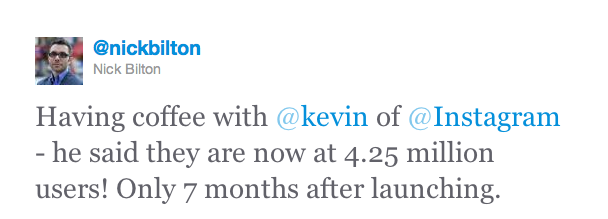
After the release of an official API months ago, Instagram has become a ubiquitous service that already has a plethora of third-party tools for Mac, Windows and iOS devices in spite of the lack of a website to browse photos and the fact that it still is ”just an iPhone app.” The ecosystem built by Instagram is amazing, especially considering the kind of growth the developers had to face and the number of devs that suddenly signed up for the API to start creating external tools and toys like Postagram, an iPhone app that sends you real postcards based off Instagram photos. Like I said multiple times in the past, Instagram’s success on the iPhone has no equal. And we have seen there are some pretty good clients on the Mac, too.

If you feel like there’s never enough Instagram around, perhaps you should check out this new utility called screenstagram, a Mac screensaver based on, you guessed it, Instagram pictures. That’s it: just photos rotating on a grid once your Mac is in screensaver mode. The cool thing the developers added? You can log in with your account and have the screensaver serve photos found in your feed. Otherwise, screenstagram will simply use Instagram’s popular feed to deliver its magic to a sleeping OS X. The developers write on their blog:

It took us a while to figure out what to build with the new web service. We’re no strangers to leveraging that kind of resource, but it’s generally for data-driven services, like Twitter or Foursquare. It’s not too often that a visually rich system like Instagram comes along and releases an API. We wanted to do something that took advantage of the eye candy, something beyond a web-based photo browser – something to really showcase our friends’ grainy, bar room photography. A way we could sit with the photos and soak them in longer than usually allowed by the ephemeral, wham-bam-thank-you-ma’am approach taken by the feed in the Instagram iPhone app. Once those photos are out of your friends’ feed, they’re sort of gone, never to be seen again without some digging on your part. So we decided on an old fashioned screen saver, a medium that doesn’t get much love these days.

The idea is very neat and well-implemented. We recommend you check it out here, as it’s a free and lightweight download. Read more


Digital Camera RAW Compatibility Update 3.7 and ProKit 7.0 Released

As part of their usual weekly software update cycles, Apple today released ProKit 7.0, improving performances and enhancing stability in Pro applications like Final Cut Pro, Motion, Soundtrack Pro, DVD Studio Pro, iPhoto and Aperture, and Digital Camera RAW Compatibility Update 3.7, adding support for more cameras in Aperture and iPhoto. Changelogs below.

ProKit 7.0

  • Improved support for PopOver style tooltips.
  • Improved support for Font Smoothing.
  • Addresses an issue with an unwanted gap between a menu and submenu.
  • Fixes leaks and improves stability for the color picker and timecode interface in Final Cut Pro and Motion.
  • Improved compatibility when importing assets from older versions of Soundtrack Pro.
  • Fixes an issue with the scrubber appearance in Logic Express and Logic Pro.
  • Addresses AppKit related crashes in Motion.

Digital Camera RAW Compatibility Update 3.7

  • Fujifilm FinePix X100
  • Nikon D5100
  • Olympus E-PL2
  • Olympus XZ-1
  • Samsung GX-1S

As usual, software updates can be viewed and directly downloaded on Apple’s website, or from the Software Update control panel.