Federico Viticci

10767 posts on MacStories since April 2009

Federico is the founder and Editor-in-Chief of MacStories, where he writes about Apple with a focus on apps, developers, iPad, and iOS productivity. He founded MacStories in April 2009 and has been writing about Apple since. Federico is also the co-host of AppStories, a weekly podcast exploring the world of apps, Unwind, a fun exploration of media and more, and NPC: Next Portable Console, a show about portable gaming and the handheld revolution.

Invite-only Photovine Now Available On The App Store

Photovine, an image sharing service with a strong social component that is trademarked and registered by Google, has released its first official iPhone app in the App Store, which is available now for free. Described as a “fun way to learn more about your friends, meet new people, and share your world”, Photovine is backed by a beautiful user interface design to share your moments and photos with your friends, and watch other photo replies coming into your social stream. Photovine is developed by Google’s subsidiary Slide, which has also created other apps for Google like Disco and Pool Party. Photovine revolves around the concept of adding a tag (or caption) to a photo, and explore other photos with that specific tag in the “photovine”.

Details are scarce for now, but the iTunes description reports:

It all starts with what we call a photovine: a group of photos around a single, shared caption. Start a new vine with a photo and caption of your own or add your photo/take on someone else’s vine.

Photovine is invite-only for now, and upon first launch the app will ask you to enter an email address to use the service – this has to be the same email address you received an invite to. You can request an invite at Photovine.com, and we’ll update this story with more details once we get the chance to try the app. In the meantime, you can check out the teaser video after the break. [via iClarified]
Read more


Spotify Launching Today In The US, iPhone App Available In US App Store

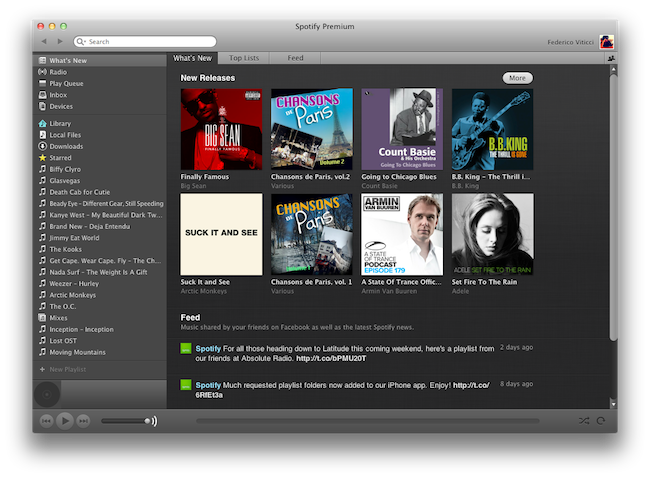
Popular music streaming service Spotify, after much speculation and rumors, is launching today in the United States with an invite-system (for those who signed up last week) and subscriptions to access the various functionalities offered by the European company. Unlike the iTunes Store, or Amazon’s MP3 Store, Spotify allows you to stream a catalog of songs you don’t own, and in spite of the latest version introducing a purchase option, the focus of the service clearly is on streaming, rather than downloading. You can create playlists online, share them with your friends, mark songs as favorite, and browse the latest releases from Spotify, which thanks to support of major music labels happen to be the same of other marketplaces like iTunes. Spotify runs on a variety of platforms including the Mac, and you can read more about the desktop client’s features in our previous coverage.

Whilst Spotify has announced that the service will be open for business today in the US starting at 8 AM ET, the iPhone app, previously available exclusively in some European countries, is now available in the US App Store as well. The app is free, it’s got no iPad counterpart yet, but it lets you stream all the songs you have in your Spotify library, provided you subscribe to Premium plan ($9.99 per month) that gives you access to ad-free music with offline caching capabilities and mobile app support. Read more


Apple Updates Prices Of International iTunes Stores

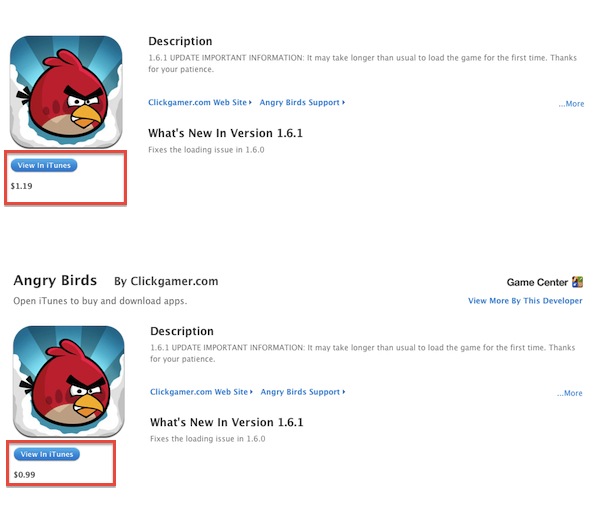
As we reported earlier today, the downtime of the iTunes Store last night and iTunes Connect today seems to be bringing along some interesting price changes for apps and other material available in the iTunes Store worldwide. Whilst we’re still examining the changes (which are rolling out as we speak), we’re getting the first reports of increased prices in the UK for apps (from £0.59 to £0.69 for apps sold at $0.99 in the United States) and lower prices in the Australian iTunes Store. The change for UK customers is a rather important one, raising prices for “cheap apps” – it’ll be interesting to notice how this will affect sales, as writer Craig Grannel points out.

Read more


Apple Releases Aperture 3.1.3 Update

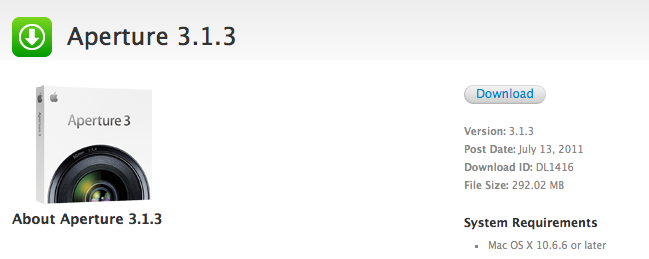
Released a few minutes ago on Apple’s Software Update and Downloads website, Aperture 3.1.3 is slowly rolling out to users with several bug fixes, minor enhancements, and performance improvements. Among the list of changes, Apple has improved support for gestures with a new checkbox in the Preferences to enable or disable them, and fixed an issue that caused Aperture to crash when trimming audio in full-screen mode. Various fixes all around should make the app more stable and reliable ahead of Lion’s release, rumored to be scheduled for tomorrow.

Full changelog below:

  • Improves reliability and performance when syncing web-published albums
  • Slideshow exports are now handled as a background operation
  • Crop tool now correctly supports use of gestures to define crop size
  • Gesture support can now be enabled or disabled in Preferences
  • Fixes an issue that could cause a blank sheet to display when placing a book or print order
  • Published MobileMe, Facebook and Flickr albums now appear in a Web section in the Projects Inspector
  • Shift-clicking snapshots on the Faces corkboard now allows you to make contiguous selections
  • Metadata presets are now correctly applied to imported audio files
  • Fixes an issue that could cause Aperture to quit unexpectedly when trimming audio in full screen mode
  • Resolves various issues when adding names to Faces using accented, Japanese, Korean or Simplified Chinese characters
  • Improves stability when browsing video clips
  • Addresses reliability of library repair and rebuild

Unlike with the latest iLife ‘11 updates, the new version of Aperture appears to be available only through Software Update and Apple’s website for now. The Mac App Store, in fact, at the moment of writing this still reports version 3.1.2 as the latest one available. Full release notes after the break.
Read more


Review: Play by AOL Aggregates Music, Lets You Share & Discover

Play by AOL, the latest contendant in the social music discovery and sharing space, aims at providing a streamlined solution to what could be considered a common problem among iPhone and Android users: there is no unified system to share what you’re listening to and discover new music through the songs and albums your friends are liking. Ping by Apple failed at offering a solution truly meant for mobile with quick, instant access by being nothing but a mere social layer on top of the iTunes Store; on the other hand, apps like NowPlayer could be regarded as social attempts to get the music out of your device and onto the Internet (e.g. where your friends are), yet there’s always the issue with people finding tweets about #nowplaying annoying and, most of the times, out of context. Imagine if I tweeted all day about the music I’m listening to. That wouldn’t work. So that’s why in the past months we’ve seen the rise of SoundTracking (our review), a clever utility and social network by itself that lets you quickly share what’s playing on your device and send it off to an Instagram-like stream made by people you decided to follow within the app itself. Soundtracking can send items to Twitter and Facebook, but you don’t have to, as the app can live as a network on its own. Furthermore, sharing is made simple by a button that integrates with the iOS Music app to grab what’s playing in seconds, artist’s info and album artwork included. Read more


PDF Converter for iPad Creates New PDFs Off Webpages, Contacts, Docs, More

iOS comes with a fast and elegant built-in PDF viewer (in fact, the latest JailbreakMe 3.0 is largely based upon a security hole in the PDF display engine), but unlike Mac OS X the options to convert documents into new PDF files are limited. PDF Converter, a new app by Readdle (the makers of PDF Expert and Terra web browser, among others), aims at providing an easy to use yet powerful solution to turn almost anything on your iPad (webpages, documents, clipboard contents, even photos) into new PDF documents to save locally or send to an external physical or virtual printer.

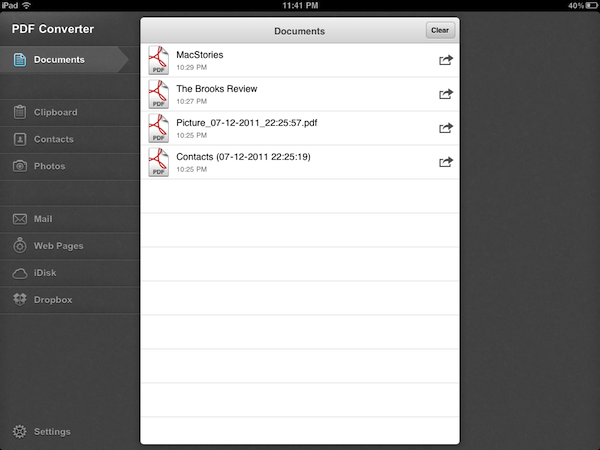
Released earlier today at $6.99 on the App Store, PDF Converter runs as an iPad-only application for now. The interface resembles Readdle’s previous works for the iPhone and iPad – namely ReaddleDocs and PDF Expert – with a narrow sidebar on the left side of the screen allowing to switch between the different types of content you can convert to PDF. The app supports PDF creation off clipboard contents, Address Book contacts, photos, webpages and just about any document that can be sent to third-party apps using iOS’ native “Open In” menu. By opening a document into PDF Converter, in fact, the app will take care of turning it into a properly formatted PDF document that keeps pagination and line breaks (as well as layout and graphics) intact, while making the doc’s text entirely selectable as you would expect from a PDF. Unlike ReaddleDocs and PDF Expert the app doesn’t come with direct iDisk and Dropbox access, but the developers recommend you use the “Open In” menu in those apps if you wish to get documents into PDF Converter.

In my tests, I’ve found PDF Converter to perform reliably with a variety of content and clipboard contents sent from iOS apps to Readdle’s utility. The built-in Address Book integration will allow you to print out contacts in a simple plain-text layout with all available fields (email, phone, address), but more importantly full clipboard integration means you’ll be able to, say, copy a web address from Safari into your system’s clipboard, launch PDF Converter and have the webpage you just visited available as a PDF you can print, email, or open into another app (you can’t rename PDF files in the current version of the app, but Readdle says that’s coming with an update soon). Furthermore, the developers have enabled a unique URI shortcut system for PDF Converter that will let you send a webpage from Safari to the app by simply adding “pdf” (without quotes) before the http:// string of a webpage, in the address bar. Change a URL to “pdfhttp://”, wait a few seconds, and the webpage will become a new document in PDF Converter. I tried this by saving MacStories’ and Brooks Review’s homepages as new docs in PDF Converter, and then I sent them off to a virtual printer on my Mac using the amazing Printopia desktop printing tool. Not only did the PDF transfer just fine, unlike other solutions to generate PDFs off webpages, PDF Converter’s engine kept the layout of both sites exactly the way I’m used to see it in Safari. For offline reading and webpage archiving (perhaps paired with Evernote on the Mac, or other apps like Yojimbo and DEVONthink), this is very useful.

At $6.99, with PDF Converter you get a powerful tool to create new PDFs on your iPad, and share them with other apps that support document interaction with iOS’ built-in features. The price may be a little steep and the app definitely isn’t for everyone – it’s a rather niche software that, however, addresses a common complaint with elegance, and good interoperability with Readdle’s other PDF app, PDF Expert. Read more


Grazing 2.0: Once Again, My Favorite iOS Browser

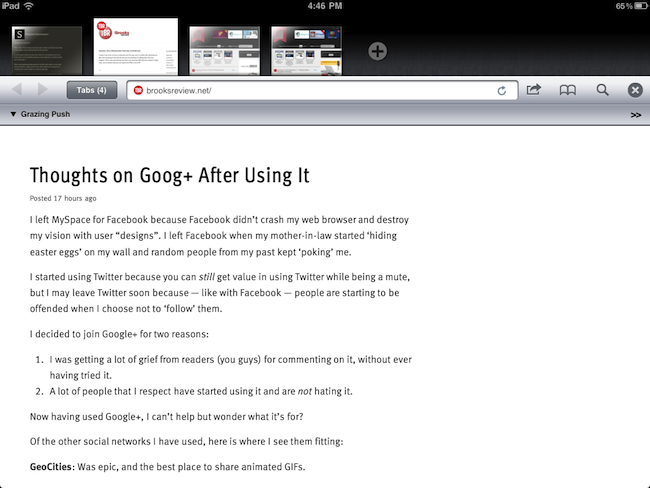
Back in September I first reviewed Grazing, an alternative web browser for the iPad that came out a few weeks after I complained about the average alternative browser for the iPad lacking the ideas, feature set or implementation to properly compete with Safari. Lots of things have changed since then, both with iOS Safari and the third-party development scene. Safari for iPhone and iPad got faster with the Nitro engine, received AirPlay support for any video found on the web and, with iOS 5, is also getting a major facelift with tabs on the iPad and other welcome additions such as tab undo and history right from the toolbar. On the other hand, the past few months have seen an explosion of alternative browsers that, in spite of the lack of Nitro JavaScript engine, are playing around with the craziest ideas when it comes to re-inventing web browsing on the tablet. I was impressed by the feature set of iCab Mobile (perhaps the most popular 3rd party browser for iOS), the UI of Sleipnir and the underlying concept of Portal, without a doubt the most innovative iPhone browser to date. There are dozens (if not hundreds) of alternative browsers for iOS now, and unlike last year many of them are really, really good. Apple still doesn’t allow iOS users to set a different default browser other than Safari, but third-party support has increased in the past months, so we’re starting to see integration with alternative browsers (usually iCab) in apps like Handoff and Mr. Reader.

Developers realized there could be so much more besides copying Safari and putting a sharing menu and tabs in an “alternative” browser. We have seen experiments with visual tabs, gestures, tab re-organization, and more. Is there still room for innovation? With iOS 5 bringing a slew of enhancements to Safari (including direct Twitter integration) and titles like iCab, Portal, Sleipnir, Skyfire and iChromy already available on the App Store, what’s next for third-party iOS browsers?

Grazing 2.0, a major update to the app I reviewed in September, provides an answer to this question by offering an interesting mix of features aimed at turning the app into a multitouch-enabled, platform-connected browsing experience for iOS. Read more


New MacBook Airs To Feature Backlit Keyboard

The new MacBook Airs expected to launch this week alongside OS X Lion may feature a return of the backlit keyboard that was omitted from the October 2010 redesign of the popular line. According to AppleInsider, people familiar with the matter have indicated that this month’s refresh will see the return of the backlit keyboard, together with new hardware improvements such as Sandy Bridge processors, Thunderbolt technology, and faster flash memory.

With the release of new models later this month, Apple is set to reinstate a feature to its MacBook Airs that went missing when the company overhauled the ultra-thin notebooks into more cost-affordable products late last year, AppleInsider has learned.

According to people familiar with the matter, backlit keyboards will join the string of hardware enhancements planned for the new 11.6- and 13.3-inch notebooks, which are also expected to adopt high-speed Thunderbolt ports, an upgrade to Intel’s Sandy Bridge architecture, and possibly high-speed 400MBps flash memory.

The lack of a backlit keyboard in the 2010 redesign of the MacBook Air family generated quite a backlash online, especially considering the previous iterations of the MacBook Air came with a backlit option by default. Many speculated Apple had to remove the backlit keyboard due to design issues and battery life constraints; the upcoming refresh is said to feature the same design of the 2010 MacBook Air, thus suggesting Apple has either figured out a way to implement the backlit system in the ultra-thin chassis of the machine, or listened to customers’ feedback and decided the feature had to return. A backlit keyboard helps in low-light conditions, and it’s currently implemented in all versions of Apple’s MacBook Pro line.

The new MacBook Airs’ part numbers have already leaked online, suggesting an upcoming refresh for the entry/upgraded 11-inch and 13-inch models. No details on whether Apple will tweak pricing of the line have surfaced yet, however, based on recent speculation, it seems fairly certain that the new machines will come with Lion pre-installed on a possible July 14th launch.

[Old-gen MacBook Air keyboard image via]


Screens for iOS Now Lets You Log Into Lion Computers

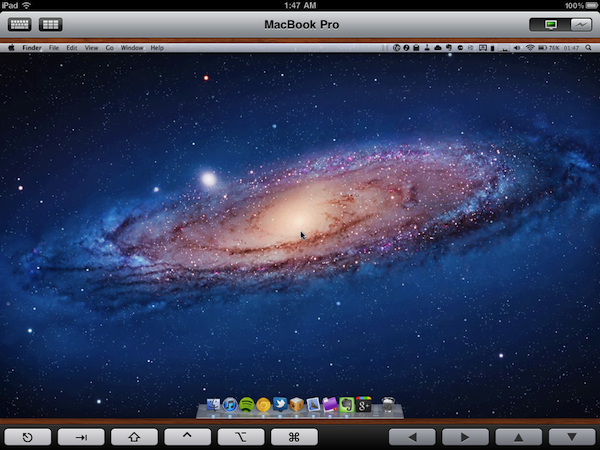
Screens, Edovia’s VNC client for the iPhone and iPad we’ve reviewed a couple of times on MacStories in the past, has been just updated to version 1.6 which, alongside a series of speed and performance improvements, brings full compatibility for machines running OS X Lion. With Mac OS X 10.7, Apple has changed a few things with VNC and remote user authentication, enabling features like Apple ID support and possibility of logging into a separate account while a machine is active on a different one.

The new Screens 1.6 allows you to log into a computer running Lion avoiding the additional login prompt you’d get when logging in with a VNC password (if you’ve tried VNC apps that haven’t been updated for Lion, you should be familiar with the login prompt). Screens, in fact, has a new OS authentication method that, by logging into a machine with your OS account name and password, skips the VNC prompt altogether and directly takes you to your desktop, with whatever is on screen, just like with previous versions of the app on Snow Leopard. Current Screens users willing to connect to a Lion computer should switch to the new setting for an optimal experience (that is, unless you want an additional login dialog). Bug fixes aside, Screens 1.6 brings keyboard support for more languages, and Windows VNC servers.

You can download Screens at $19.99 on the App Store. Read more