Workouts and Fitness
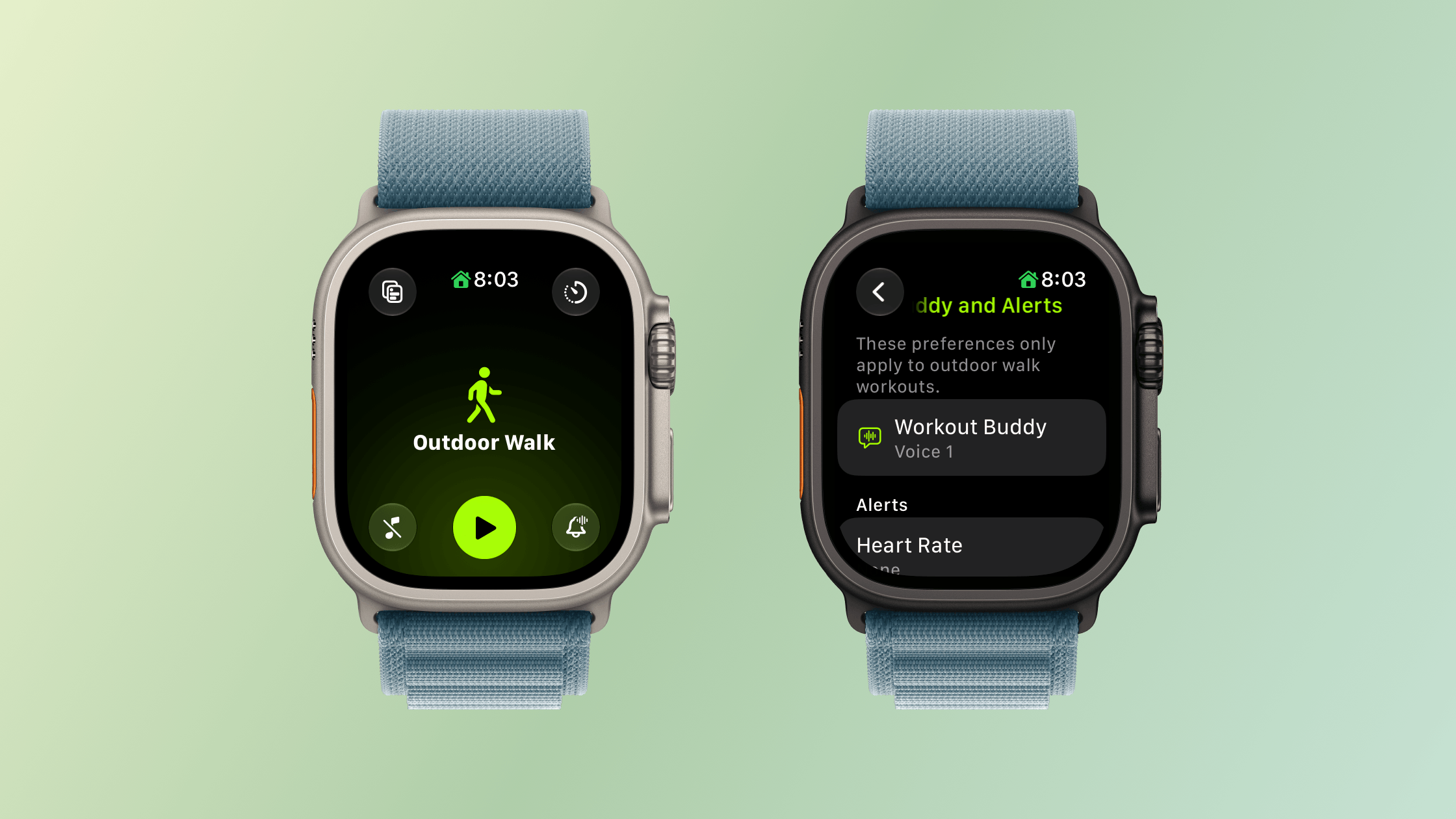
I’m happy to be the one who gets to tell you that Workout Buddy has been freed from the requirement that you carry your iPhone with you. Users tend to love or hate Workout Buddy. Personally, I love it. Sure, its incredibly chipper voice can grate if you’re heading out for a long walk and aren’t feeling it, but that’s sort of the point. Once enabled, Workout Buddy is there to encourage you with no judgment. It’ll tell you you’re below your average targets with the same cheerfulness as when you’re crushing it.
When Workout Buddy debuted, my disappointment wasn’t with its voice, personality, or the information it offers. My issue was that the time I need a pep talk when exercising is when I’m out on a long run by myself suffering in the summer heat. The problem is that until watchOS 27, Workout Buddy was only available if you had your iPhone with you. That was fine when I went on a long walk, and I’m sure many cyclists were fine, but one of the reasons I got an Apple Watch was to never lug an iPhone with me while I ran, especially an iPhone like my iPhone 17 Pro Max.
With watchOS 27, I’m pleased to report that Workout Buddy works as well over a Wi-Fi or cellular connection as it does tethered to your iPhone and is compatible with walking, running, cycling, hiking, elliptical, stair stepper, HIIT, and functional and traditional strength training. Workout Buddy speaks Mexican Spanish now, too. In fact, it’s an Apple Intelligence feature that works without your iPhone nearby, which gives me hope for more iPhone-independent Apple Intelligence features in future releases.
Workout Buddy also offers more insights about your workout by comparing pace, distance, and workout duration to your recent fitness history. Today, just before I wrote this section, I went for a walk to get some fresh air and was cheerfully told how little I’ve exercised during this crazy iPhone event and OS review writing week. What I appreciate most, though, is that overall, Workout Buddy isn’t significantly more chatty. I don’t want it to turn into a podcast; I just want brief, periodic updates, which it delivers well.
The Workout app’s scrolling has been improved too. I know a lot of people who felt it was too easy to scroll past their intended workout type. That’s generally not a problem for me since I only use a few workout types, but even then, I sometimes overshot my mark. With watchOS 27, there’s a little less momentum built into the scrolling. Even if I swipe as fast as I can muster, I can only manage to move five workouts. A normal, calm swipe advances me just one workout.
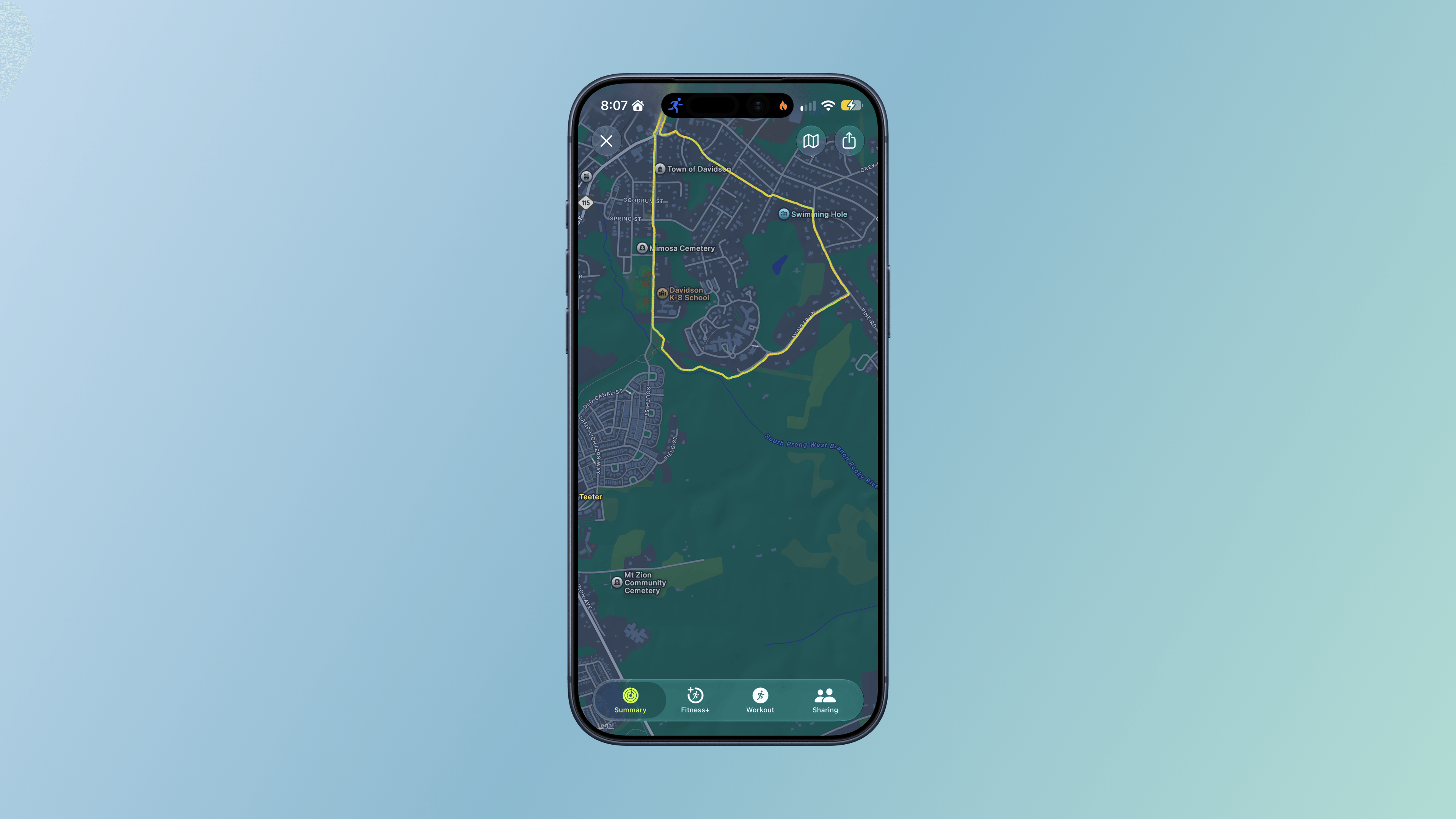
Additional Workout and Fitness improvements include:
- more precise post-workout route maps, which, based on my walks and runs, have been very accurate whether I’m among buildings, under trees, or out in the open,
- more accurate measurement of treadmill distances, which I haven’t tried personally, and
- step counts in the Fitness app that now synchronize with those recorded in Health.
There may not be many changes to the workout and fitness features of the Apple Watch in watchOS 27, but I’m nonetheless pleased that I’ve been able to turn on Workout Buddy for my morning runs to help motivate and inform me about my progress.