Posts tagged with "apple watch"

Apple Upgrade Trades Ownership for Lower Monthly Payments

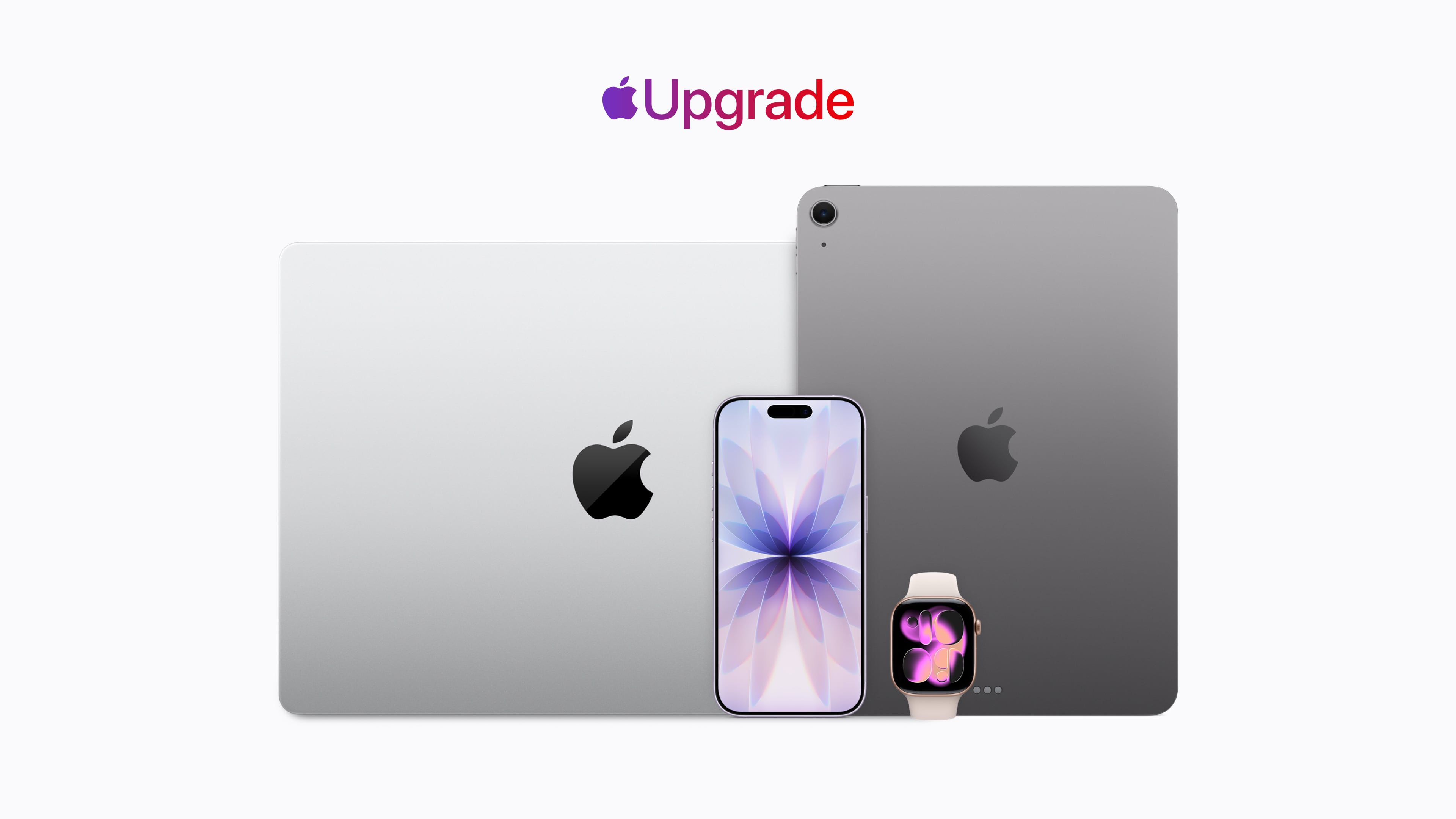
Apple has revealed its new hardware leasing program called Apple Upgrade, which is being offered in collaboration with Klarna. This is Apple’s pitch:

Introducing Apple Upgrade, a new way to always have the Apple products you love. Lease a new iPhone, iPad, Mac, or Apple Watch with pocket-friendly payments and terms that work for you. Then easily upgrade to something new at the end of your lease, and return your current device. It’s that simple.

That pitch comes with a footnote that includes other details worth considering:

  • The program is U.S. only (excluding U.S. territories).
  • You need to be a U.S. resident who is at least 18 years old, or whatever the legal age is where you live.
  • There are eligibility and credit approval requirements and you must have a credit or debit card and an Apple ID.
  • When a device is returned, it must be in good condition or damage fees will be assessed.
  • Upgrades require a new lease subject to whatever eligibility and credit requirements apply at that time.
  • For iPhones, you have to have a carrier and can’t use a prepaid plan.
  • The program isn’t available for refurbished devices or through the Apple Employee Purchase Plan, corporate Employee Purchase Plans, Apple at Work, Government, Education, or Veterans and Military Purchase Programs.

Okay, so maybe it’s not “that simple” after all.

The program is available for the iPhone, iPad, Mac, and Apple Watch product lines. For the iPhone, monthly payments start at $17.99 for an iPhone 17e and start at $34.99 for an iPhone 17 Pro Max, for leasing periods of either 12 months or 24 months.

For iPads, the starting prices range from $12.99/month to $24.99/month, Macs range from starting prices of $24.99/month to $48.99/month, and the Apple Watch ranges from starting prices of $11.99/month to $47.03/month. But again, these are just starting prices. You can configure a fully loaded 16-inch MacBook Pro that is just under $230/month, and it won’t include AppleCare.

As a point of comparison, under the current program that is being discontinued, I pay $69.50/month for an iPhone 17 Pro Max, but I have a 512GB model, so my lease price for the same phone would be $40.83/month, significantly lower, but keep in mind that doesn’t include AppleCare+, which would add $13.99/month or $139/year for that iPhone. On a monthly basis, that puts a new iPhone 17 Pro Max with 512GB of storage and AppleCare+ at just under $55/month. Still a superior deal, but not nearly as good as the landing page might initially lead you to believe.

At the end of your lease you’ll have six months to decide to return the leased device, during which you’ll continue to make monthly payments, or pay a fee equal to the difference between the original purchase price and your lease payments to buy it outright. Your other option is to enter into a lease for a new device. If you return your leased device in poor condition, Klarna will charge you a damage fee. You can also terminate your lease early if you pay the remaining lease payments in full plus any taxes and fees.

If you lease accessories for your device, those don’t have to be returned. Why? Presumably because they have no value to Apple or Klarna.

Of course, if you have a device to trade in, that monthly figure could be significantly reduced. If I had the iPhone 16 Pro Max I had last year to trade in and leased a 17 Pro Max for 12 months, my monthly payments would be under $1. However, keep in mind that once you’re on the leasing train, you no longer own your iPhone, so future upgrades won’t reduce your payments the next time you swap your device for a new model. If you don’t own it, the value isn’t yours to trade in.

If you’re on the existing iPhone Upgrade Program like me, it’s being discontinued, but Apple has a transition offer for you. The old program spread payments over 24 months with the option to turn in an iPhone for a new one after 12 months. That’s not changing. If you’re paid in full on your first 12 months of an iPhone, you can sign up for the new program, get a new iPhone, and return your old iPhone to Apple, which will close your old account but won’t reduce your lease payments. You’re not obligated to join the new leasing program, though. You can also trade in your old iPhone, ending your finance contract, and buy a new full price iPhone.


As you may have figured out by now, I’m not a fan of this program, though I expect it will be successful.

Apple products, like all consumer electronics, are getting more expensive every day. The monthly payments on a leased device look very attractive compared to the pay-up-front price. For years, car leases have induced people into monthly payments that can become a burden when their financial situation changes. Now the same will be true of iPhones, iPads, Macs, and Apple Watches.

Maybe as a practical matter this program isn’t that different from the old financing program, but at least there, you owned your device at the end and could just keep using it indefinitely. With the new program, that’s not an option. When your lease is over, you’re empty-handed and faced with leasing again, buying out the lease, or buying at full price with no trade-in, which is objectively worse.

Ultimately, Apple isn’t responsible for customers’ bad financial decisions, but this program feels like Apple is putting its customers in harm’s way.

Apple Releases Watch Band, Watch Face, and Wallpapers to Celebrate Pride Month

Source: Apple.

Source: Apple.

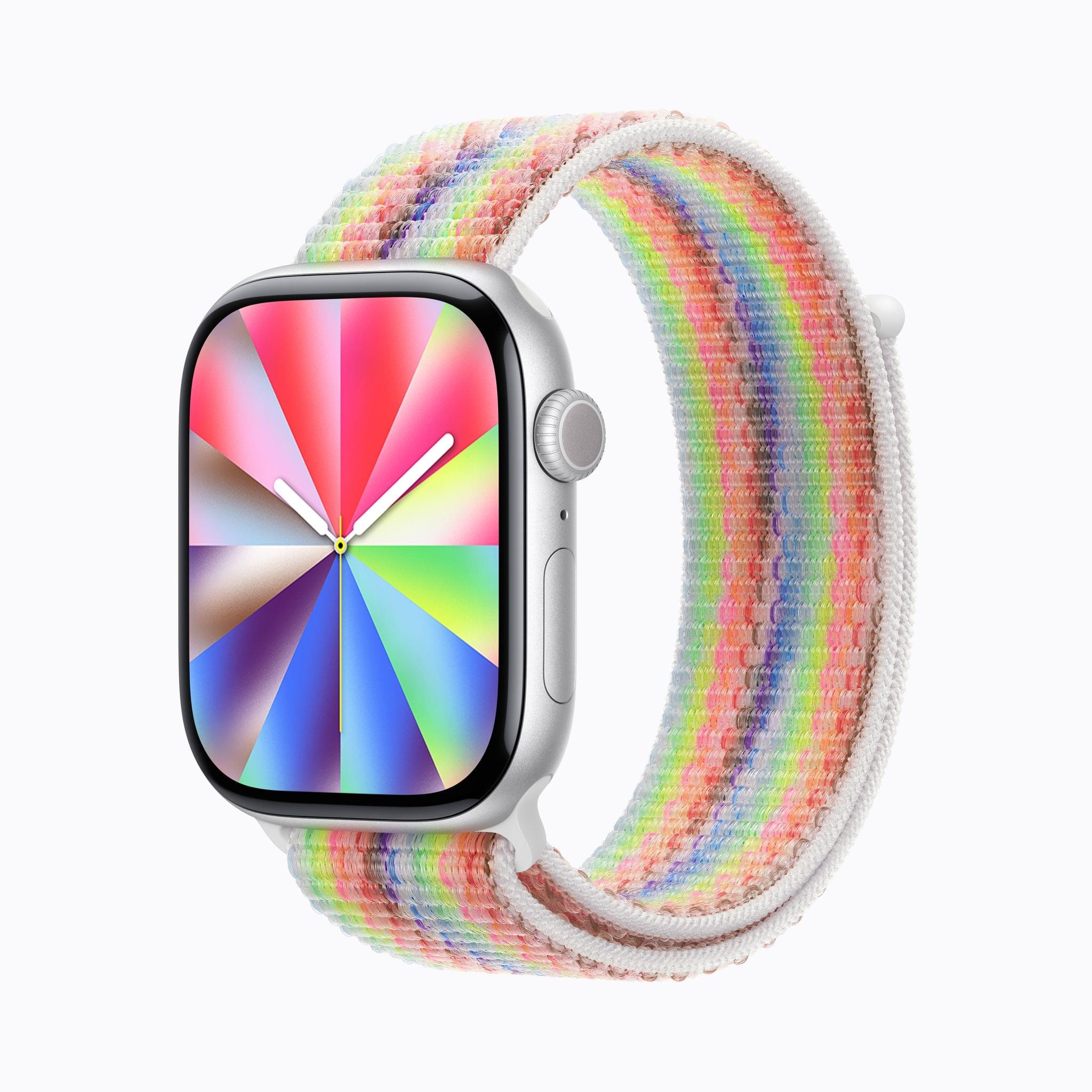
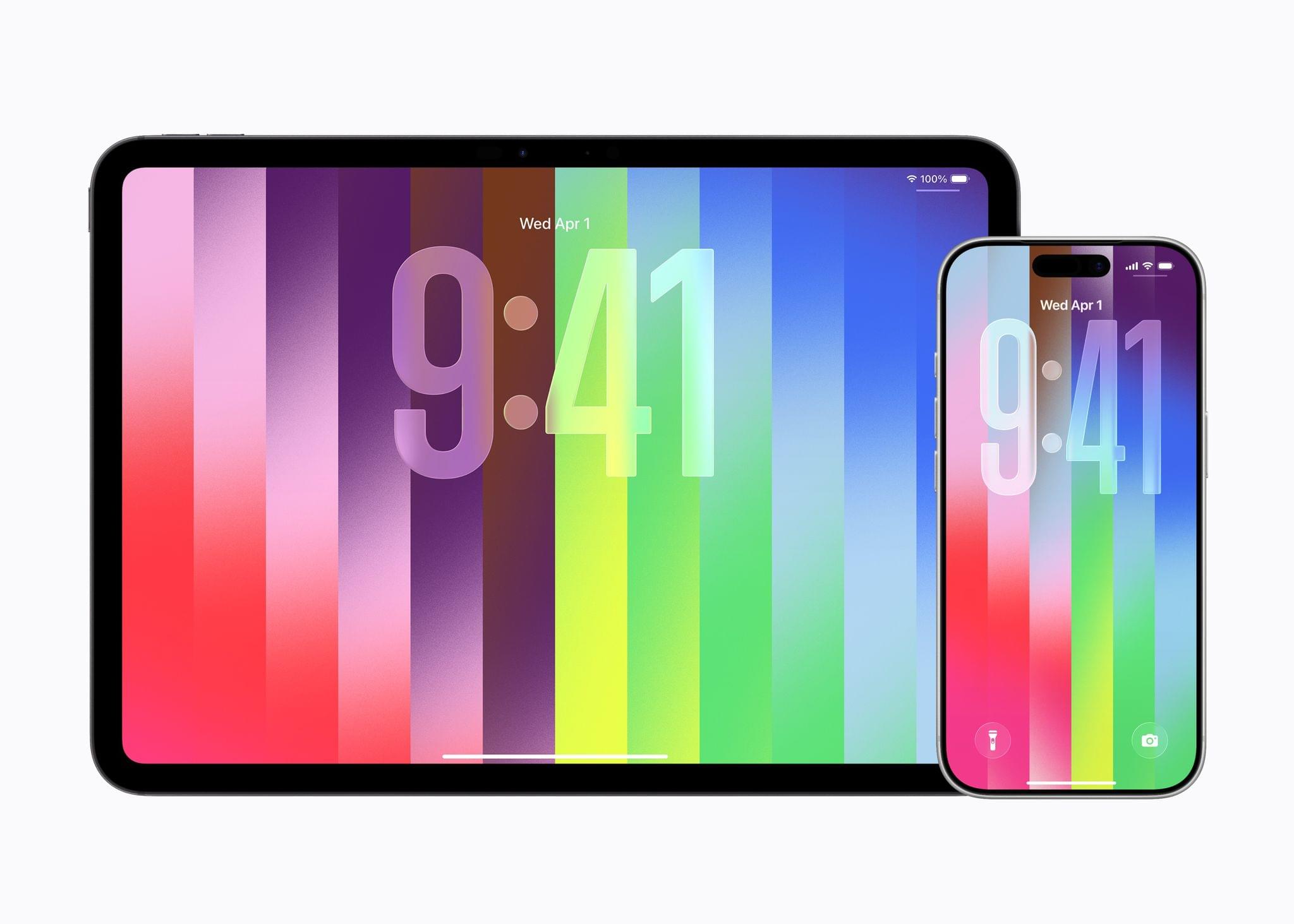
Apple has released its annual Pride Collection, including a new Apple Watch Pride Edition Sport Loop band, watch face, and iPhone and iPad wallpapers celebrating LGBTQ+ communities.

The commemorative Sport Loop uses 11 colors of nylon thread that blend the colors together in a unique way. As Apple’s press release puts it:

The intricate weaving blends one color into the next, creating depth and movement across the band. The resulting design is joyful and vibrant, showcasing a full spectrum of colors that reflect the unique identities that shape LGBTQ+ communities worldwide.

Source: Apple.

Source: Apple.

The watch face and wallpapers share a similar style of gradient strips of bright colors radiating out from the watch face’s analog clock design and in vertical strips on the wallpapers.

As usual, Apple’s designers have done great work with the band, watch face, and wallpapers. There’s a vibrancy and energy to them that brings them to life.

The Apple Sport Loop is available to order today online and in the Apple Store app for $49 and will be in retail stores later this week. The watch face and wallpapers will be available as soon as the 26.5 releases of watchOS, iOS, and iPadOS are released to the public.


Finding the Best Sleep Tracker

Earlier this year, Andrej Karpathy wrote an in-depth analysis of four sleep tracking methods that Federico recently recommended I read. I’m glad he did, Karpathy, an AI researcher who has worked at OpenAI and Tesla, took the kind of nerdy, data-driven approach that I love.

Over the course of two months, Karpathy plotted sleep tracking results from:

Karpathy got the best results from the Whoop band and Oura ring, but just as interesting were how the data correlated to how he felt after a good night’s sleep:

…my sleep scores correlate strongly with the quality of work I am able to do that day. When my score is low, I lack agency, I lack courage, I lack creativity, I’m simply tired. When my sleep score is high, I can power through anything. On my best days, I can sit down and work through 14 hours and barely notice the passage of time. It’s not subtle.

I recommend reading the entire post for all the details of how each tracking method compared on variety of metrics. I’ve long been intrigued by the Whoop band and Oura ring as a companion to the Apple Watch. There’s overlap between the devices, but Karpathy has planted a seed in my brain that may lead to my own multi-device experiments.

Permalink

Hands-On with the Kuxiu X40 Turbo Qi 2.2 3-in-1 Travel Charger

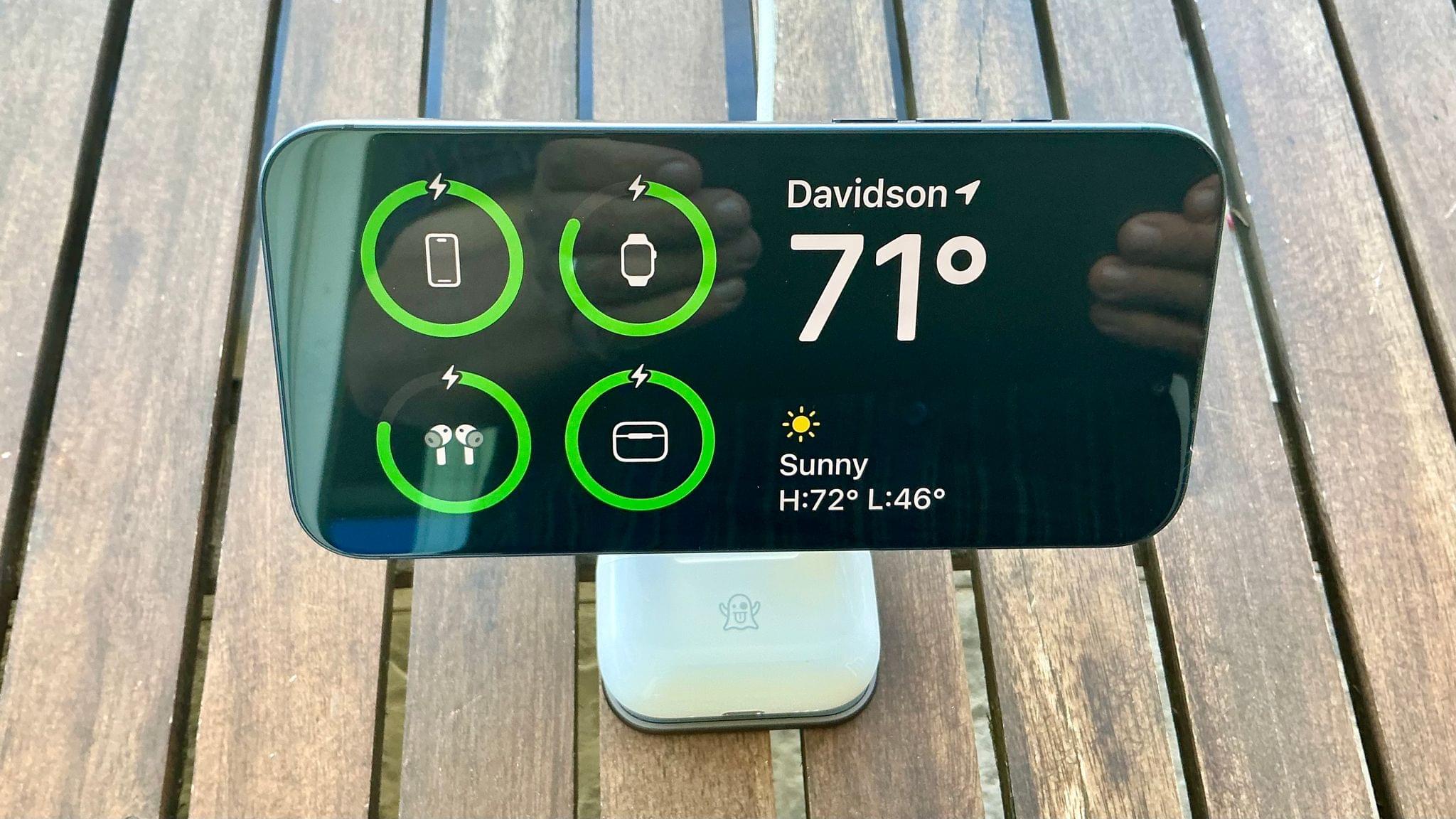
Wireless charging is great, but historically it’s been slow. That’s starting to change for the iPhone with Qi 2.2, the latest wireless charging standard that the iPhone 16 and 17 series phones support. With Qi 2.2, a compatible iPhone charges wirelessly at 25W. By comparison Qi 1 charged at 5–7.5W and Qi 2.0 and the original MagSafe charged at 15W.

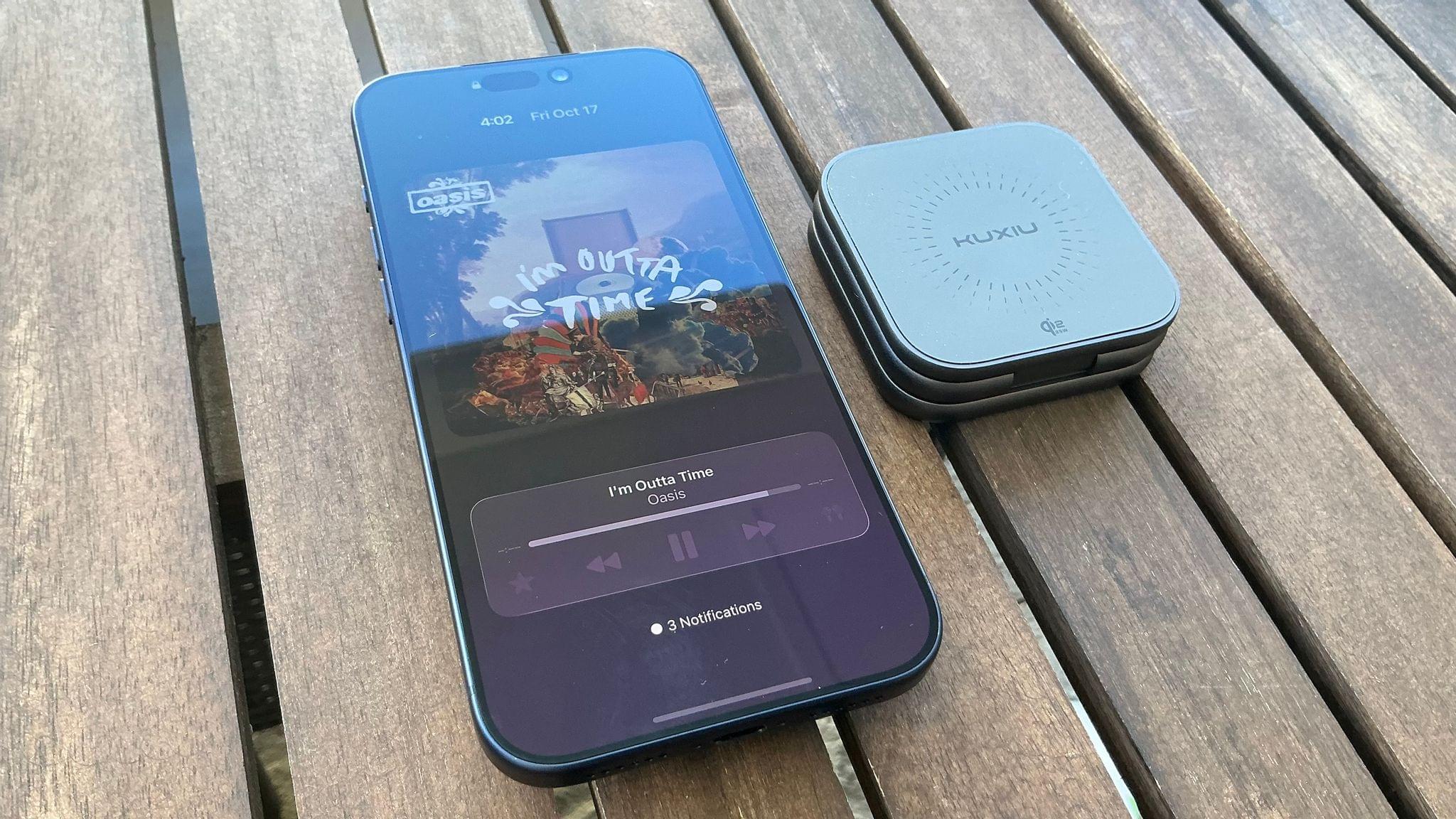
So far, though, there have been precious few chargers, besides Apple’s MagSafe puck charger, that support Qi 2.2’s faster charging, which is why I was interested in trying the Kuxiu X40 Turbo, when Kuxiu offered to send me a review unit. As advertised, the compact 3-in-1 charger delivers the fastest wireless iPhone charging around, but that’s not its only selling point.

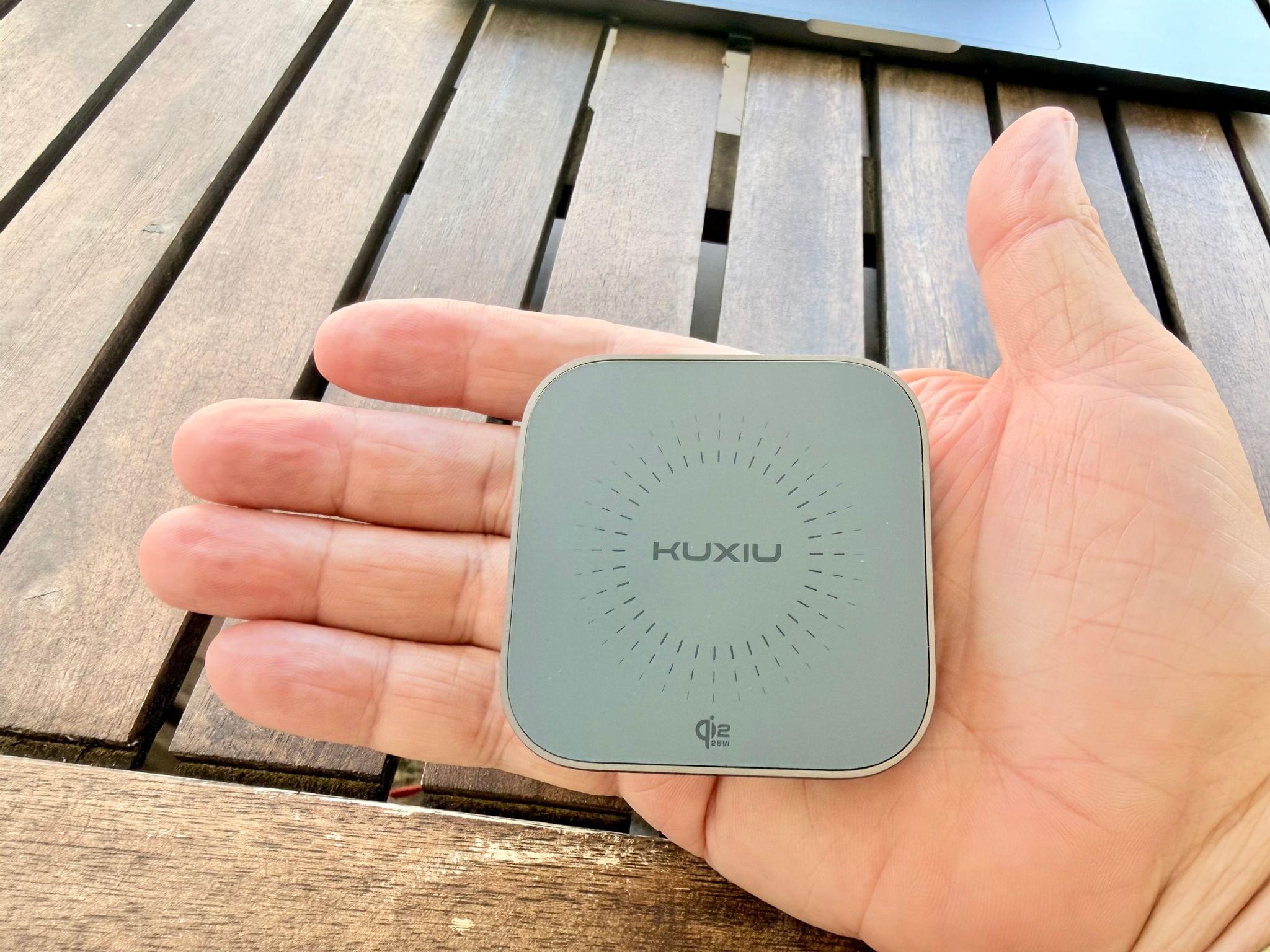
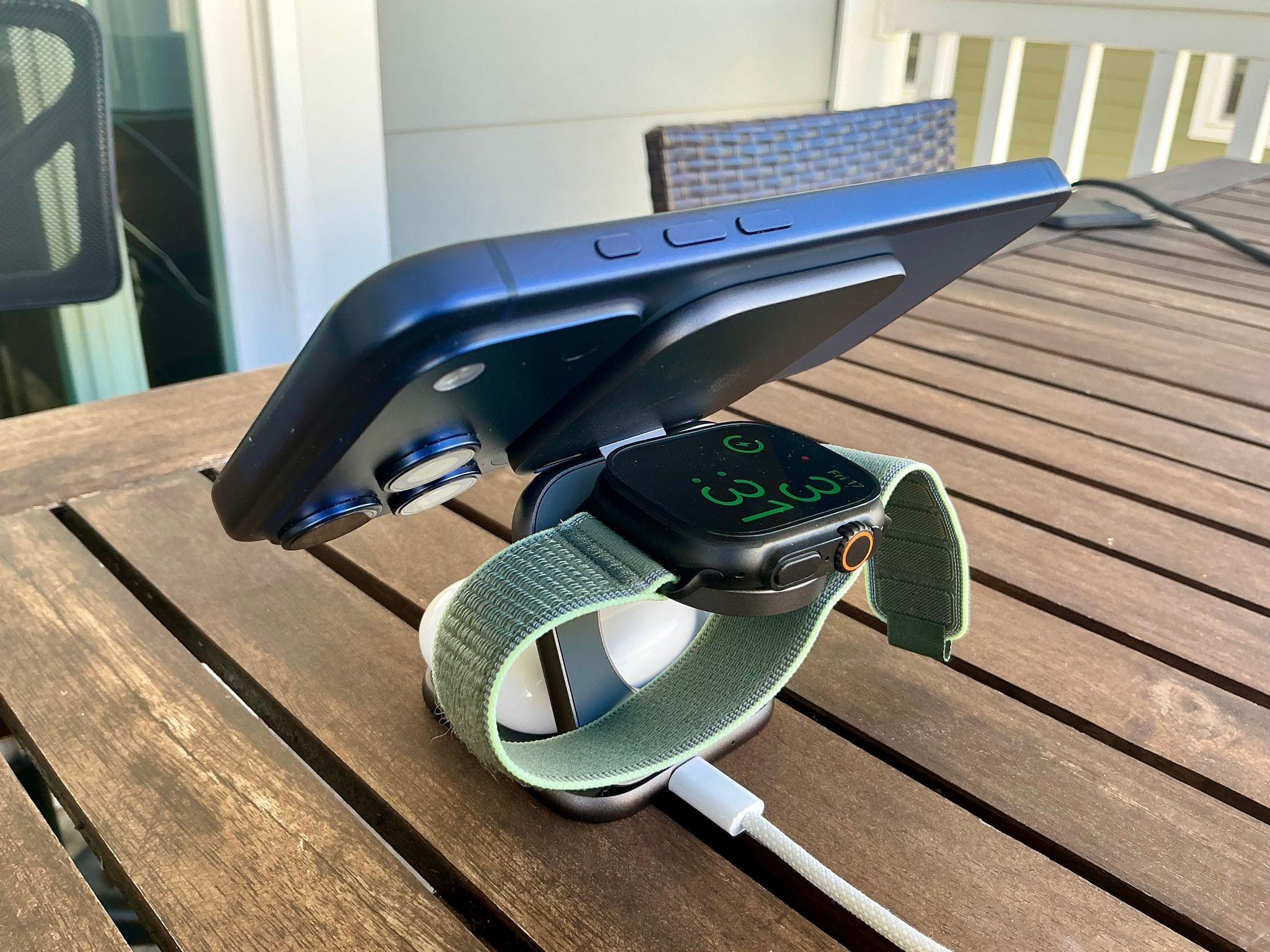
In addition to fast charging an iPhone 16 or 17 series phone at 25W, the X40 Turbo, which retails for around $80, charges AirPods and an Apple Watch at 5W. However, what I wasn’t expecting was just how small the X40 Turbo is when folded for travel. The entire package is about twice as thick as an iPhone 17 Pro Max and fits neatly into the palm of your hand. At the same time, though, the X40 Turbo feels sturdy. It’s made of metal with soft-touch pads to avoid scratching your devices or tabletop. Here’s a closer look at what Kuxiu sent me:

When it’s time to charge your iPhone, AirPods, and Apple Watch, the X40 Turbo unfolds into a z-shaped configuration from which the Watch pad flips down horizontally. So far, I’ve used the X40 Turbo on my nightstand and at my desk, where it takes up minimal space. I also plan to take the X40 Turbo on my next trip because it takes so little room in my bag.

Kuxiu isn’t the first company to make a charger in this form factor, but the X40 Turbo is one of the best built that I’ve tried, and as one of the first Qi 2.2 models, it’s notable, and a great upgrade to your charging setup.

The Kuxiu X40 Turbo is available directly from Kuxiu and Amazon.


watchOS 26: The MacStories Review

Last year was my first covering the watchOS beat with version 11. It turned out to be a trial by fire, with the annual software update for the world’s most popular smartwatch proving to be both sizable and significant.

While controversy reigned over iOS, iPadOS, and macOS regarding new Apple Intelligence features, watchOS took an exit off of that highway to a more peaceful, focused road that contained real, tangible updates. There were long-requested customizations to Activity Rings, as well as added power and functionality in the Smart Stack. Brand new features like Training Load and the Vitals app started to hint that Apple was maybe, finally, getting serious about, well, serious athletes.

If I’m being honest, I expected more of the same this year. The watchOS team seemed to be on a roll. Unfortunately, that hasn’t come to pass with watchOS 26, which – unlike watchOS 11 with Apple Intelligence – has been brought along for the ride with this year’s big controversy: Liquid Glass.

Can watchOS 26 handle this big UI overhaul and still deliver some tangible additions in this, the year of the Apple Watch’s tenth anniversary? Let’s take a look.

Read more


Apple Announces Apple Watch Series 11, Apple Watch Ultra 3, Apple Watch SE, and New Health Features

Source: Apple.

Source: Apple.

While most of the focus going into today’s event was on the heavily boosted iPhone lineup, predictions were cool for new Apple Watches. When the new lineup was unveiled, the upgrades were mostly spec bumps for the Series 11, while the Apple Watch Ultra finally got a proper update, and the SE got a notable bump. Apple also announced a potentially groundbreaking new health tracking feature. Let’s take a look.

Apple Watch Series 11

Yes, the Series 11 looks identical to the Series 10. Source: Apple.

Yes, the Series 11 looks identical to the Series 10. Source: Apple.

The updates to the flagship Apple Watch are simple but noticeable quality-of-life improvements. First, there’s battery life, which jumps from 18 hours on a single charge to a whopping 24 hours. Additionally, Low Power Mode adds an extra 2 hours over the Series 10 to reach 38 hours of battery life. Then, while the fast-charging capability remains at 0–80% in 30 minutes, you can now add 8 hours of charge in just 15 minutes.

Read more


Apple’s September 2025 Event: All the Small Things (Bento Box Version)

Several things are ubiquitous with Apple Events. Tim Cook’s “Good Morning!”, Craig Federighi being, well, Craig Federighi, and the keynote bento boxes. Offering up a summary to each keynote section, these bento box slides provide a great way to recap a new product.

So, after today’s bumper announcements, let’s take a look at today’s bento box slides.

iPhone 17

iPhone Air

iPhone 17 Pro

Read more