Posts in reviews

Screenbot Brings Droplr File Sharing to Slack

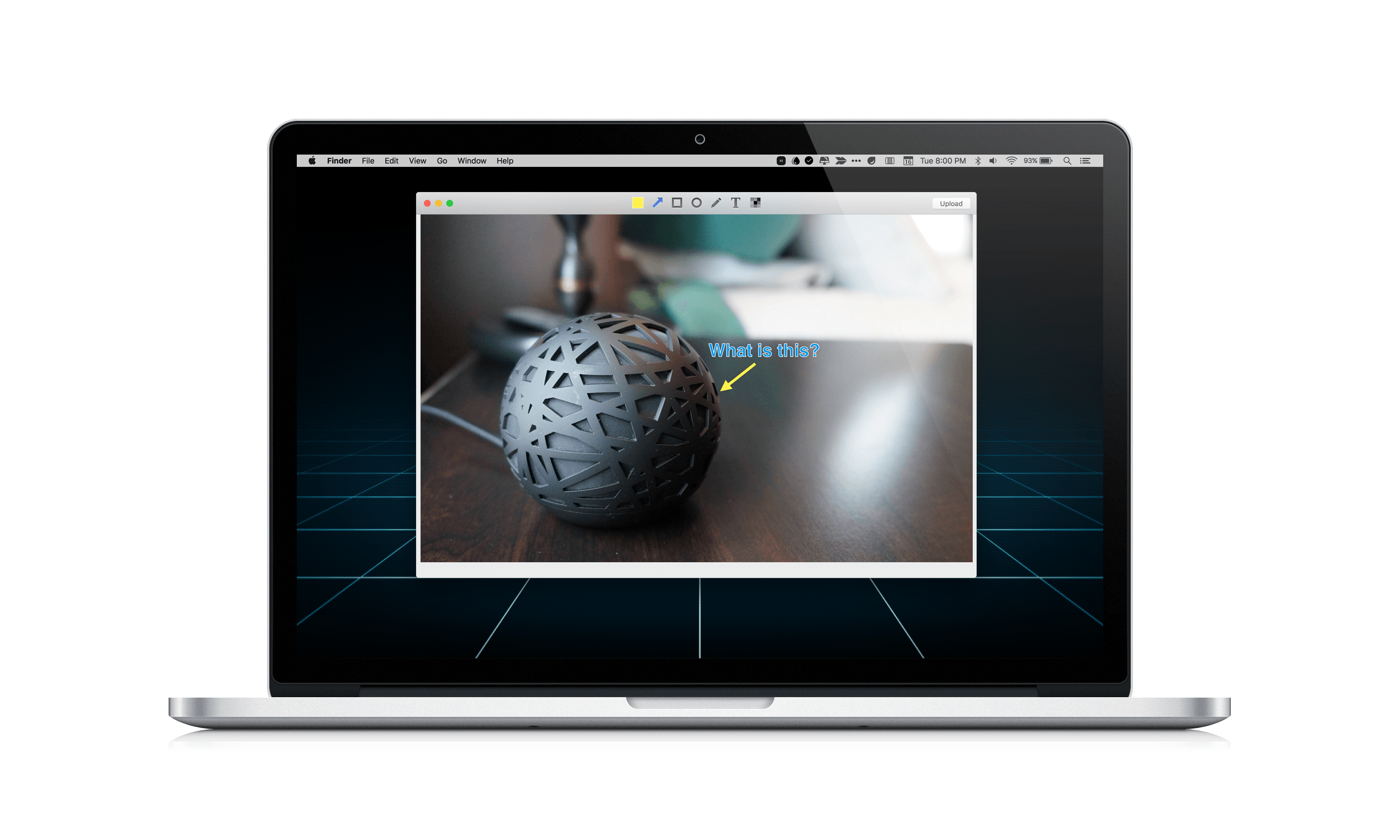
Yesterday, Droplr released a version of its online file sharing service as a Mac-only integration with Slack called Screenbot. Like Droplr, which I covered in my roundup of Mac and iOS screenshot apps, Screenbot makes it easy to share screenshots, screencasts, the clipboard, and other items.

Screenbot has a free tier that permits you to share a rather anemic 20 items per month. For unlimited sharing, you will need to pay $5 per Slack user, per month, which could get expensive fast if you have a lot of users. Given the amount of time so many teams spend in Slack, Screenbot is a smart move by Droplr, but I am skeptical about whether it is economical, unless you have a big budget and your file sharing needs are simple.

Read more

Access Extra Content and Perks

Founded in 2015, Club MacStories has delivered exclusive content every week for nearly a decade.

What started with weekly and monthly email newsletters has blossomed into a family of memberships designed for every MacStories fan.

Learn more here and from our Club FAQs.

Club MacStories: Weekly and monthly newsletters via email and the web that are brimming with apps, tips, automation workflows, longform writing, early access to the MacStories Unwind podcast, periodic giveaways, and more;

Club MacStories+: Everything that Club MacStories offers, plus an active Discord community, advanced search and custom RSS features for exploring the Club’s entire back catalog, bonus columns, and dozens of app discounts;

Club Premier: All of the above and AppStories+, an extended version of our flagship podcast that’s delivered early, ad-free, and in high-bitrate audio.

Learn more here and from our Club FAQs.


Monthly: Simple, Quick Budgeting

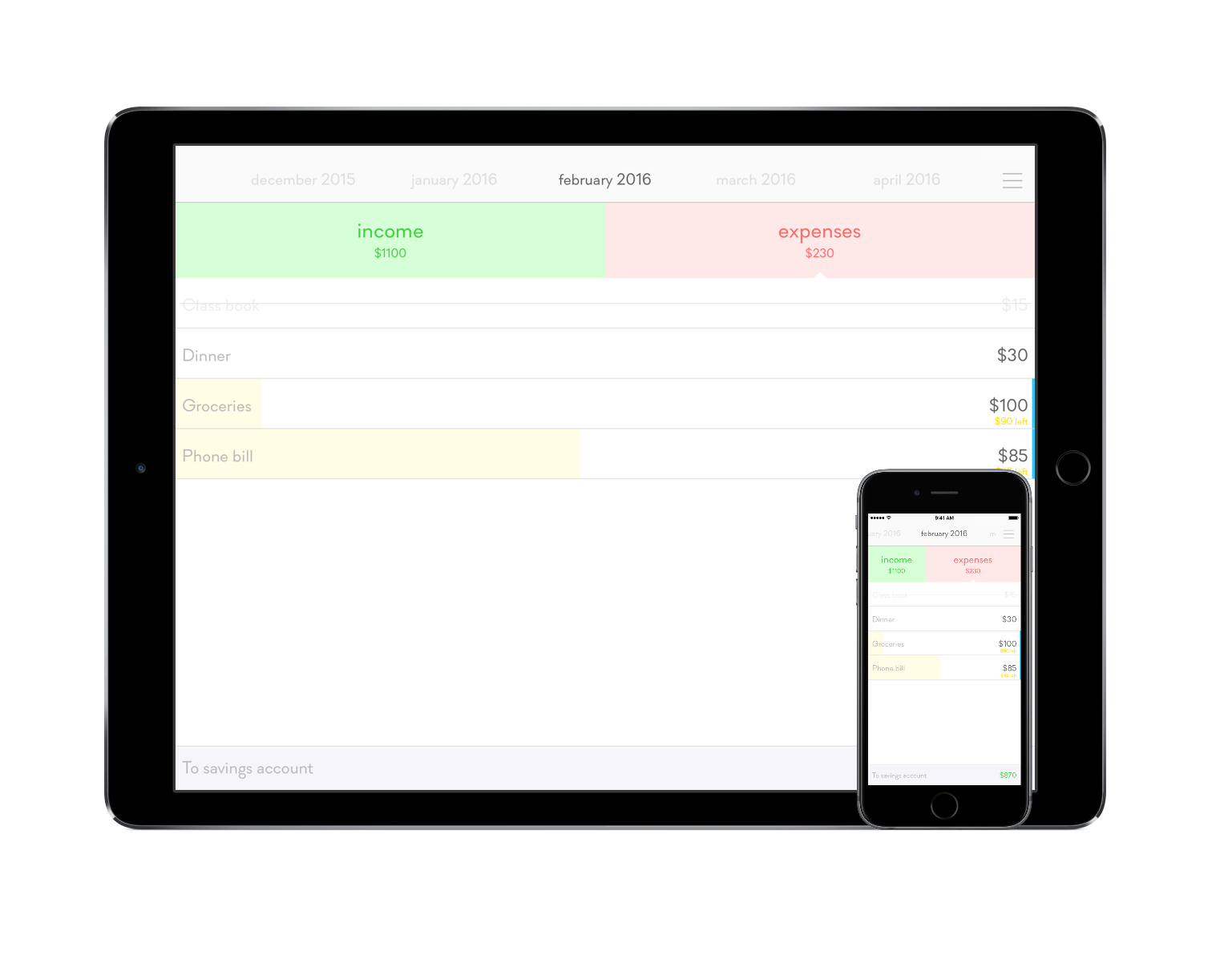
Monthly is a money-tracking app aimed at helping you budget and manage your expenses.

The above sentence is notably simple – I wanted to write it that way so that you can understand the philosophy behind Monthly before you even launch it. You’ll find that Monthly funnels itself into one area and doesn’t budge; for most apps, the reality behind that fact is a kiss of death. But Monthly, in all of its simplicity and speed, stands on its own as an app that does its one job incredibly well.

Read more

Access Extra Content and Perks

Founded in 2015, Club MacStories has delivered exclusive content every week for nearly a decade.

What started with weekly and monthly email newsletters has blossomed into a family of memberships designed for every MacStories fan.

Learn more here and from our Club FAQs.

Club MacStories: Weekly and monthly newsletters via email and the web that are brimming with apps, tips, automation workflows, longform writing, early access to the MacStories Unwind podcast, periodic giveaways, and more;

Club MacStories+: Everything that Club MacStories offers, plus an active Discord community, advanced search and custom RSS features for exploring the Club’s entire back catalog, bonus columns, and dozens of app discounts;

Club Premier: All of the above and AppStories+, an extended version of our flagship podcast that’s delivered early, ad-free, and in high-bitrate audio.

Learn more here and from our Club FAQs.


Dropshare 4 is a Great Alternative to File Sharing Services

I have tried a bunch of file sharing services over the years and many of them are good, including Droplr and CloudApp. These services have the advantage of being dead simple to set up and use, but they also happen to be subscription services. Over time, the expense adds up. The tools that come with those services are also limited.

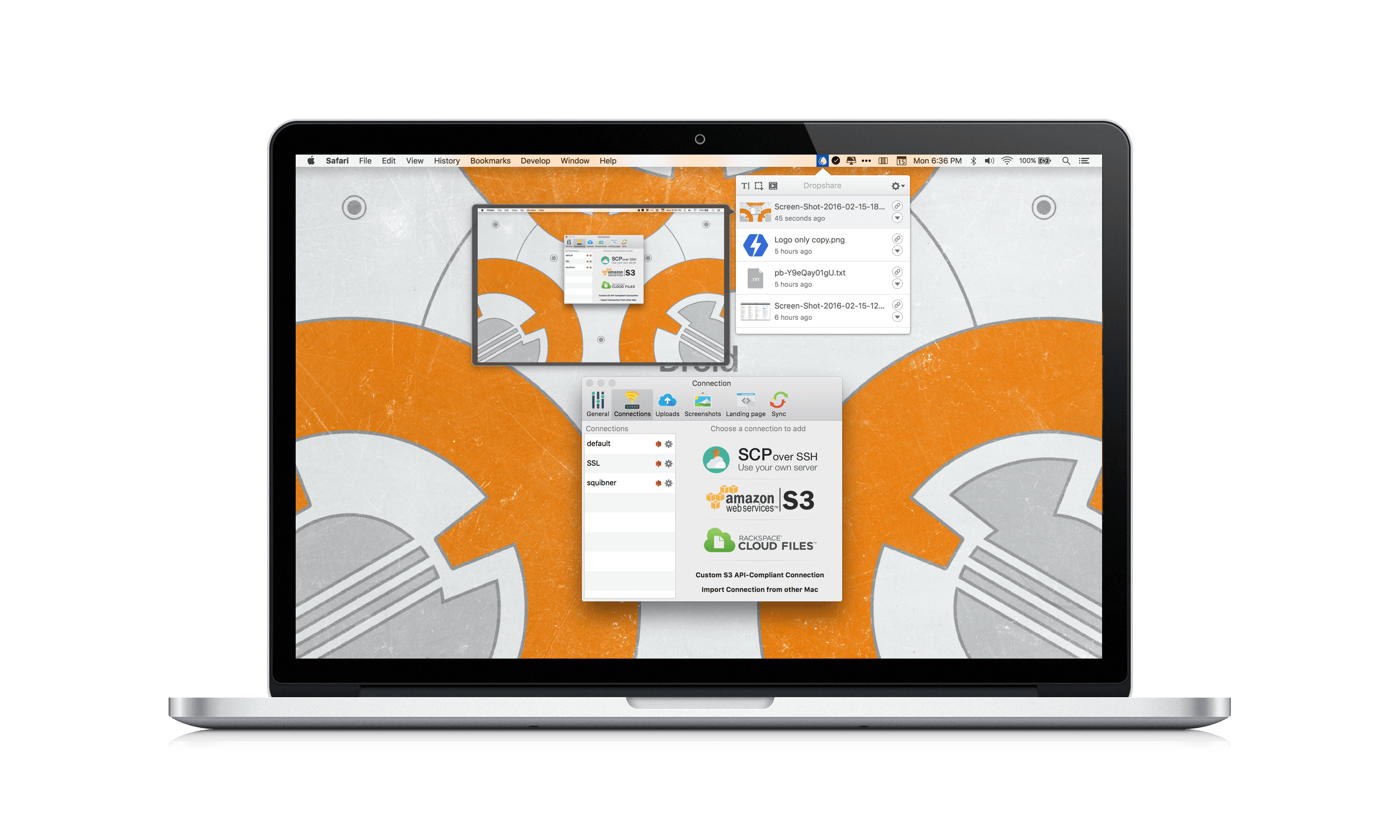
Recently, Timo Josten released Dropshare 4 for Mac, an app that helps you create your own file sharing by connecting to services like Amazon S3, Rackspace Cloud Files, or your own server. I was skeptical about whether setting up Dropshare with one of these services would be worth the trouble, but I knew Amazon S3 has a generous free tier, so I thought I would give it and Dropshare for iOS a shot. The setup process was much easier than I anticipated and now with Dropshare I’m spending less, and can do more, with the files I share.

Read more

Access Extra Content and Perks

Founded in 2015, Club MacStories has delivered exclusive content every week for nearly a decade.

What started with weekly and monthly email newsletters has blossomed into a family of memberships designed for every MacStories fan.

Learn more here and from our Club FAQs.

Club MacStories: Weekly and monthly newsletters via email and the web that are brimming with apps, tips, automation workflows, longform writing, early access to the MacStories Unwind podcast, periodic giveaways, and more;

Club MacStories+: Everything that Club MacStories offers, plus an active Discord community, advanced search and custom RSS features for exploring the Club’s entire back catalog, bonus columns, and dozens of app discounts;

Club Premier: All of the above and AppStories+, an extended version of our flagship podcast that’s delivered early, ad-free, and in high-bitrate audio.

Learn more here and from our Club FAQs.


HeartWatch 2 Review

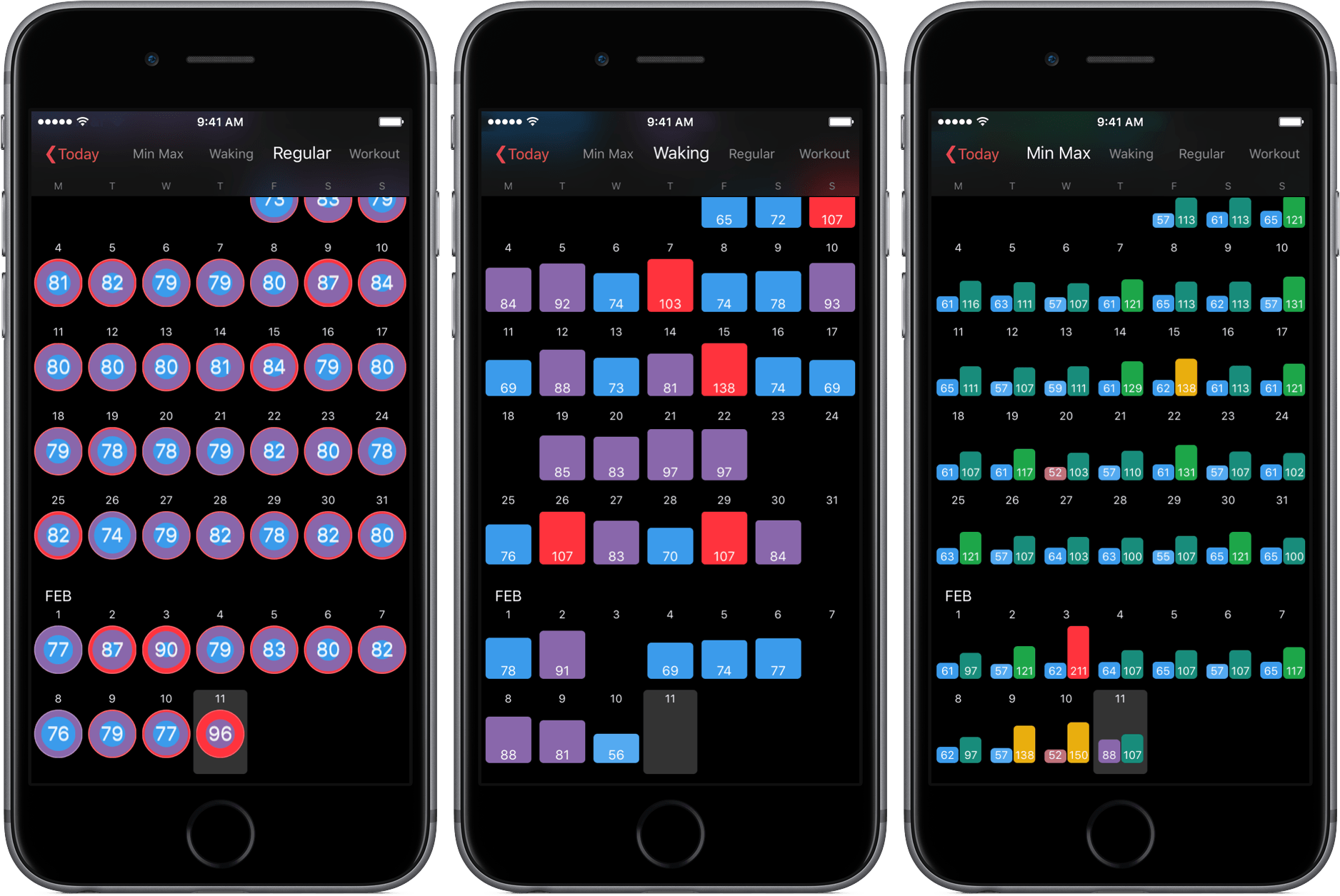
A couple of months ago, Federico linked to David Walsh’s Medium post detailing HeartWatch, a deeply functional heart monitoring app. HeartWatch, according to Walsh, is a better way to visualize heart rate data pulled from your Apple Watch.

Now in version 2.0, HeartWatch looks to be a more all-encompassing aggregator of your heart information. After spending some time with the newest version of the app, I can highly suggest HeartWatch – not only for its capabilities but also for its potential.

Read more

Access Extra Content and Perks

Founded in 2015, Club MacStories has delivered exclusive content every week for nearly a decade.

What started with weekly and monthly email newsletters has blossomed into a family of memberships designed for every MacStories fan.

Learn more here and from our Club FAQs.

Club MacStories: Weekly and monthly newsletters via email and the web that are brimming with apps, tips, automation workflows, longform writing, early access to the MacStories Unwind podcast, periodic giveaways, and more;

Club MacStories+: Everything that Club MacStories offers, plus an active Discord community, advanced search and custom RSS features for exploring the Club’s entire back catalog, bonus columns, and dozens of app discounts;

Club Premier: All of the above and AppStories+, an extended version of our flagship podcast that’s delivered early, ad-free, and in high-bitrate audio.

Learn more here and from our Club FAQs.


Day One 2 Review

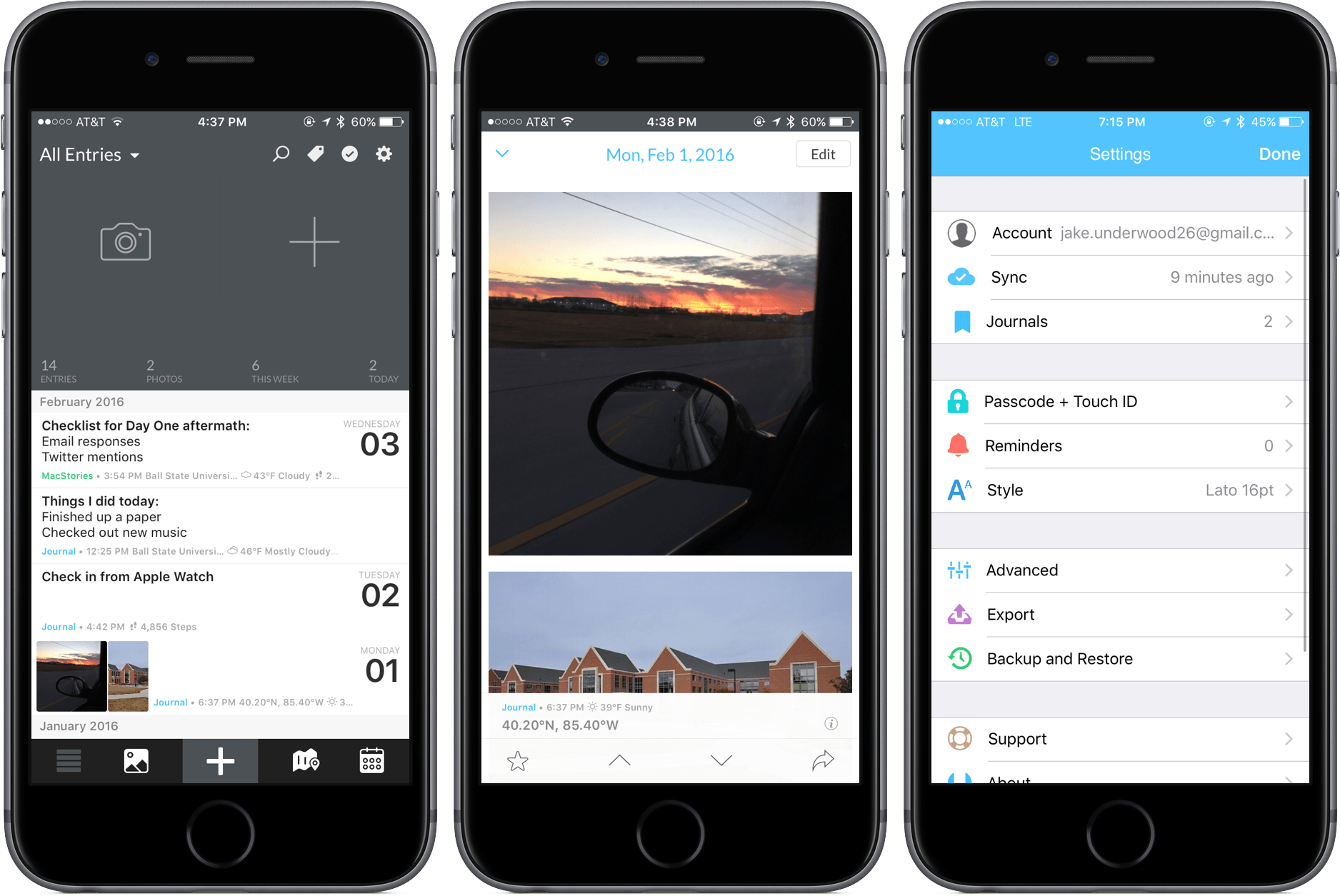
Day One, the well-known journaling app by Bloom Built, was an unmistakable success. On both iOS and Mac, it amassed multiple awards for both its design and quality of the experience. Through positive reviews and loyal users, Day One rose to the top of the charts and received recognition from Apple’s App Store team.

Although one might think that Bloom Built would be content to sit back and let the success continue, Day One 2 shows that this assumption is far from the truth. Through some added features and fresh coat of paint, Day One 2, launching today, is definitely an improvement – but with today’s App Store littered with text editors, can Day One still hold its place and purpose?

Read more

Access Extra Content and Perks

Founded in 2015, Club MacStories has delivered exclusive content every week for nearly a decade.

What started with weekly and monthly email newsletters has blossomed into a family of memberships designed for every MacStories fan.

Learn more here and from our Club FAQs.

Club MacStories: Weekly and monthly newsletters via email and the web that are brimming with apps, tips, automation workflows, longform writing, early access to the MacStories Unwind podcast, periodic giveaways, and more;

Club MacStories+: Everything that Club MacStories offers, plus an active Discord community, advanced search and custom RSS features for exploring the Club’s entire back catalog, bonus columns, and dozens of app discounts;

Club Premier: All of the above and AppStories+, an extended version of our flagship podcast that’s delivered early, ad-free, and in high-bitrate audio.

Learn more here and from our Club FAQs.


Airmail for iPhone Review: Power User Email

If you want to drive an average tech nerd crazy, try to talk about email clients.

Over the course of (almost) seven years of writing for MacStories, I’ve seen email pronounced dead (multiple times), reinvented, redesigned, and, most recently, made smarter with machine learning and cloud services. Email has been deemed unfixable, unmanageable, and unhealthy. And yet, for better or worse, we keep using it.

Despite its archaic nature and stale protocols, email works – it’s the closest thing to a common standard for digital communication we have. Messaging services may rise and grow and fall and shut down, but email will always be there, humbly humming along, hoarding thousands of unread messages in your inbox. You have to believe that, if this planet were to end tomorrow, cockroaches and IMAP would survive it.

I have written my fair share of email client reviews since 2009, and I’ve made my stance on what I’m looking for abundantly clear. I like my email client to bear the speed and polish of Microsoft’s Outlook, the clever touches and integrations of Dispatch, and, if possible, the smart options of Inbox and Spark. The fact that, eight years into the App Store, I’m still cherry-picking my ideal set of features for an email client says a lot about the landscape. Every time a new email client is released, you will find users who are perfectly content with it, others who prefer the built-in app on their devices, and some who are intrigued, but still unhappily waiting for the email client of their dreams to be made.

In case you’re wondering, I’m that guy in the last group, assembling yet another email client review, making a list of ideal email features for an iOS app.

And I actually love it, because the past 12 months have brought a ton of interesting changes in the email market for iPhone and iPad. Perhaps most notably, Microsoft surprised iOS users with a solid client, evolved from an acquisition and quickly improved to accommodate fast search and notifications, calendar integration, and full iOS 9 support. Outlook – a runner-up to my App of the Year in 2015 – is the email app I recommend to anyone who wants to try something different than Mail. Spark, launched by Readdle last year, has received a series of improvements with the promise of future Mac and iPad versions. The power-user oriented Dispatch has also continued to grow, with an eye for iPad users adopting iOS 9. And, reinvigorated by the demise of Mailbox, dozens of other developers have tried (or have kept trying) their hand at improving email on iOS. There was a time when Apple didn’t even accept third-party email clients on the App Store; today, you can find hundreds of similar and drastically different takes on email on the Store.

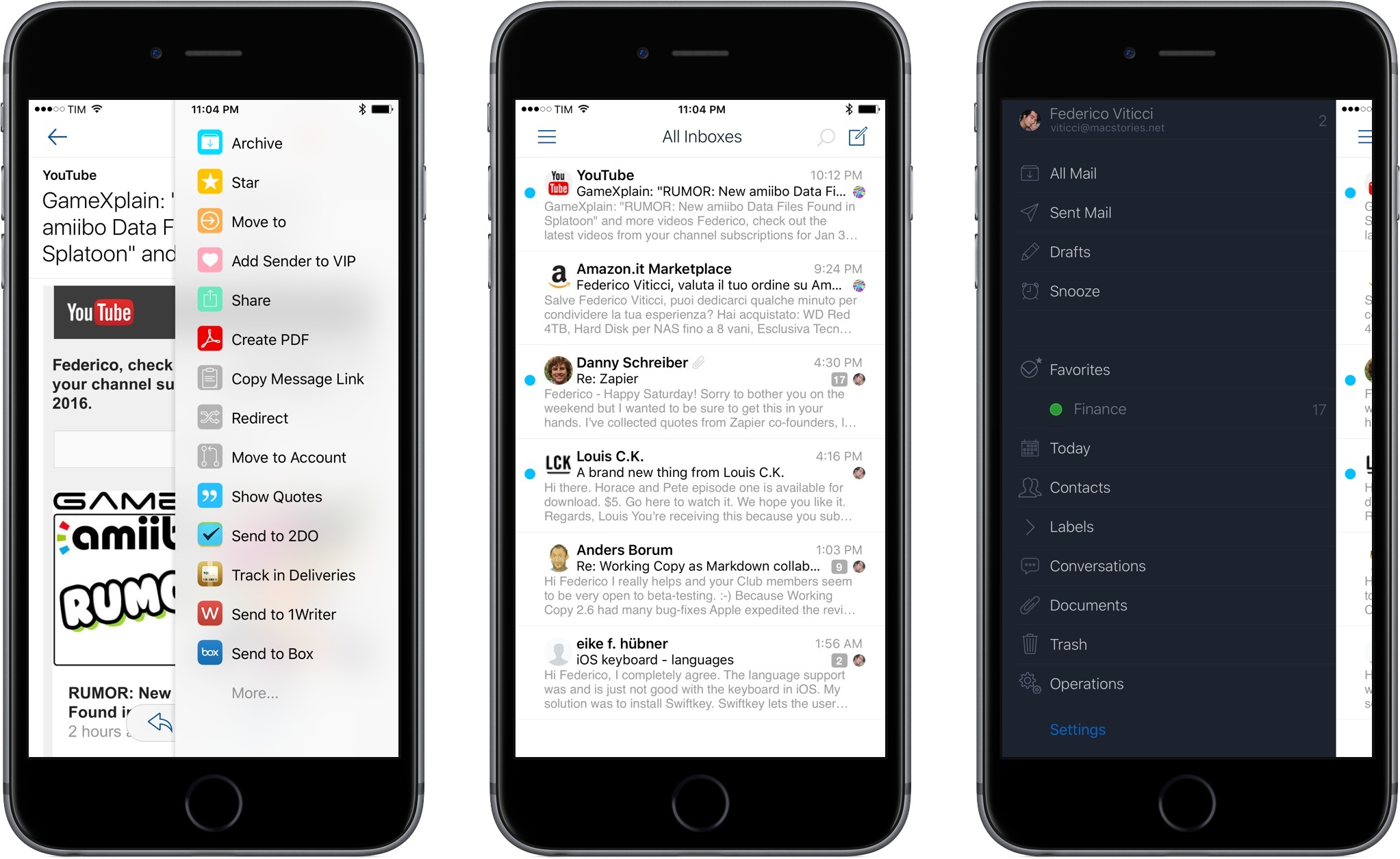
Developed by Italian indie studio Bloop, Airmail was first released on OS X in early 2013, capitalizing on the shutdown of Sparrow with a design reminiscent of that popular client acquired by Google (which, in turn, borrowed heavily from Loren Brichter’s Tweetie, the grandfather of those kinds of interfaces). Through the years, Airmail has become one of the most powerful email apps for the Mac, with support for multiple accounts, keyboard shortcuts, and a long list of preferences to tweak the app to your needs. Airmail is up there with MailMate in the club of desktop email clients that allow you to configure and fiddle with settings to make email as welcoming as it could possibly be.

Bloop is hoping to replicate its desktop success with Airmail for iPhone, launching today on the App Store at $4.99. I’ve been trying Airmail for the past couple of months, and it brings some unique features and options to the table, but, as usual, the road ahead is going to be long.

Read more

Access Extra Content and Perks

Founded in 2015, Club MacStories has delivered exclusive content every week for nearly a decade.

What started with weekly and monthly email newsletters has blossomed into a family of memberships designed for every MacStories fan.

Learn more here and from our Club FAQs.

Club MacStories: Weekly and monthly newsletters via email and the web that are brimming with apps, tips, automation workflows, longform writing, early access to the MacStories Unwind podcast, periodic giveaways, and more;

Club MacStories+: Everything that Club MacStories offers, plus an active Discord community, advanced search and custom RSS features for exploring the Club’s entire back catalog, bonus columns, and dozens of app discounts;

Club Premier: All of the above and AppStories+, an extended version of our flagship podcast that’s delivered early, ad-free, and in high-bitrate audio.

Learn more here and from our Club FAQs.


Chapters Makes Quick Work of Adding Chapter Markers to Podcasts

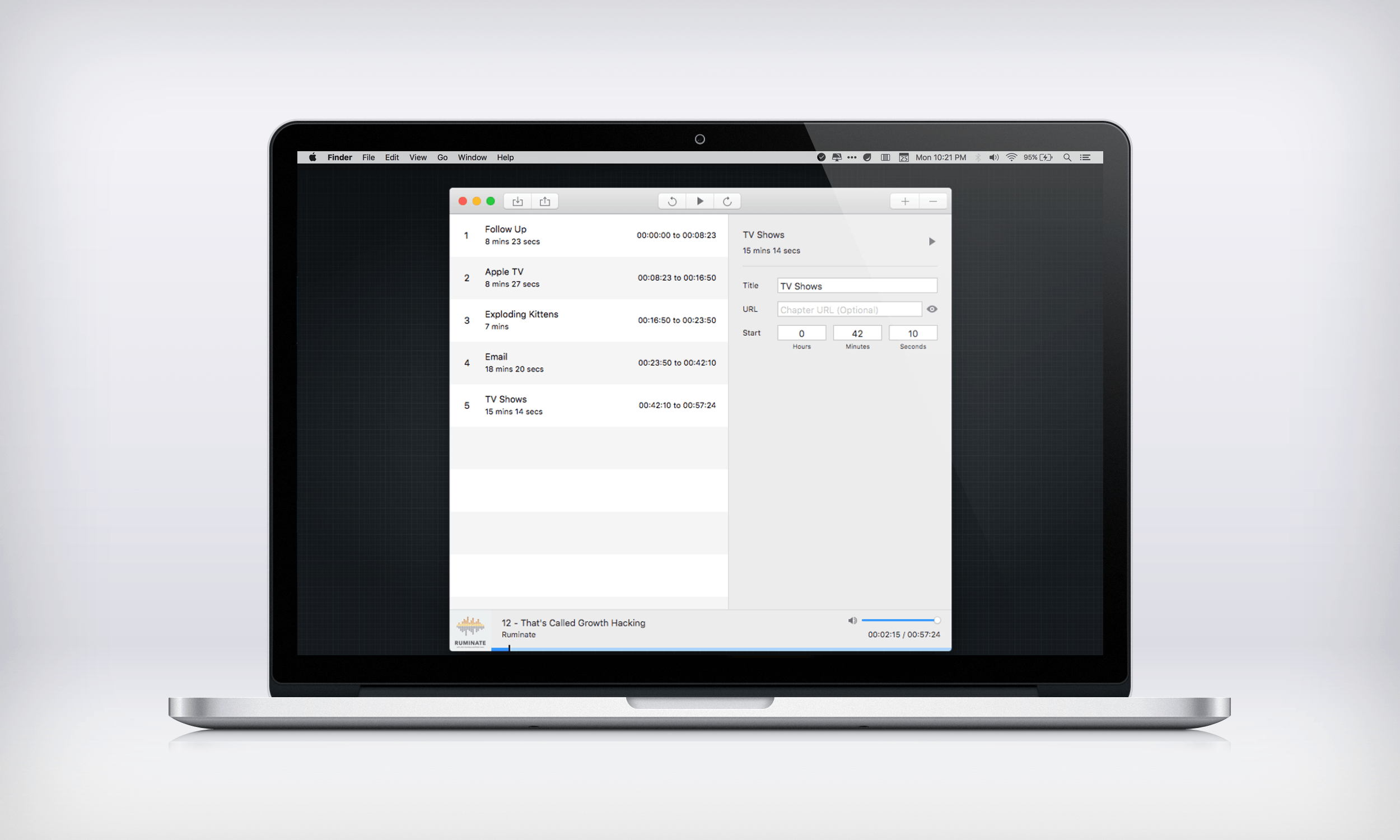
Historically, adding chapter markers to a podcast has been more trouble than it is worth for many podcasters. The ‘hassle factor’ is a legitimate concern. Producing a podcast can be a lot of work even without chapter markers, but that is beginning to change with the introduction of tools like Chapters, a new Mac utility from Thomas Pritchard that makes adding chapter markers a breeze.

Read more

Access Extra Content and Perks

Founded in 2015, Club MacStories has delivered exclusive content every week for nearly a decade.

What started with weekly and monthly email newsletters has blossomed into a family of memberships designed for every MacStories fan.

Learn more here and from our Club FAQs.

Club MacStories: Weekly and monthly newsletters via email and the web that are brimming with apps, tips, automation workflows, longform writing, early access to the MacStories Unwind podcast, periodic giveaways, and more;

Club MacStories+: Everything that Club MacStories offers, plus an active Discord community, advanced search and custom RSS features for exploring the Club’s entire back catalog, bonus columns, and dozens of app discounts;

Club Premier: All of the above and AppStories+, an extended version of our flagship podcast that’s delivered early, ad-free, and in high-bitrate audio.

Learn more here and from our Club FAQs.


Carbo: Digital Storage and Editing for Handwritten Notes

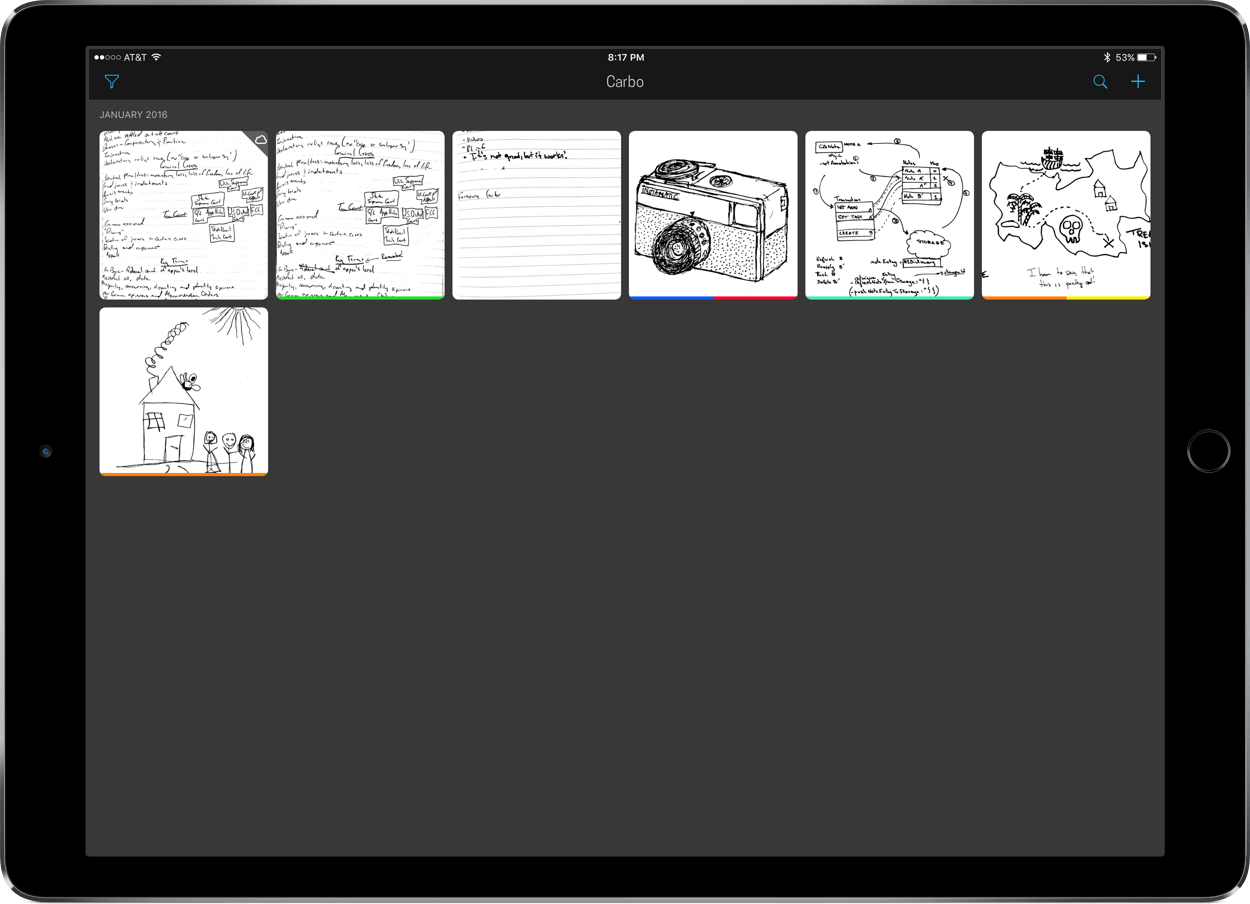
“Handwriting in the digital age.” It was such a claim, along with its feature in Apple’s productivity sale, that drew my attention to Carbo. From reading the app’s description, developers Creaceed seemed confident in the app’s handwriting altering and organization. After spending some time with Carbo and thoroughly enjoying the experience, I now understand their confidence.

Read more

Access Extra Content and Perks

Founded in 2015, Club MacStories has delivered exclusive content every week for nearly a decade.

What started with weekly and monthly email newsletters has blossomed into a family of memberships designed for every MacStories fan.

Learn more here and from our Club FAQs.

Club MacStories: Weekly and monthly newsletters via email and the web that are brimming with apps, tips, automation workflows, longform writing, early access to the MacStories Unwind podcast, periodic giveaways, and more;

Club MacStories+: Everything that Club MacStories offers, plus an active Discord community, advanced search and custom RSS features for exploring the Club’s entire back catalog, bonus columns, and dozens of app discounts;

Club Premier: All of the above and AppStories+, an extended version of our flagship podcast that’s delivered early, ad-free, and in high-bitrate audio.

Learn more here and from our Club FAQs.


MailButler Adds New Tools to Apple Mail

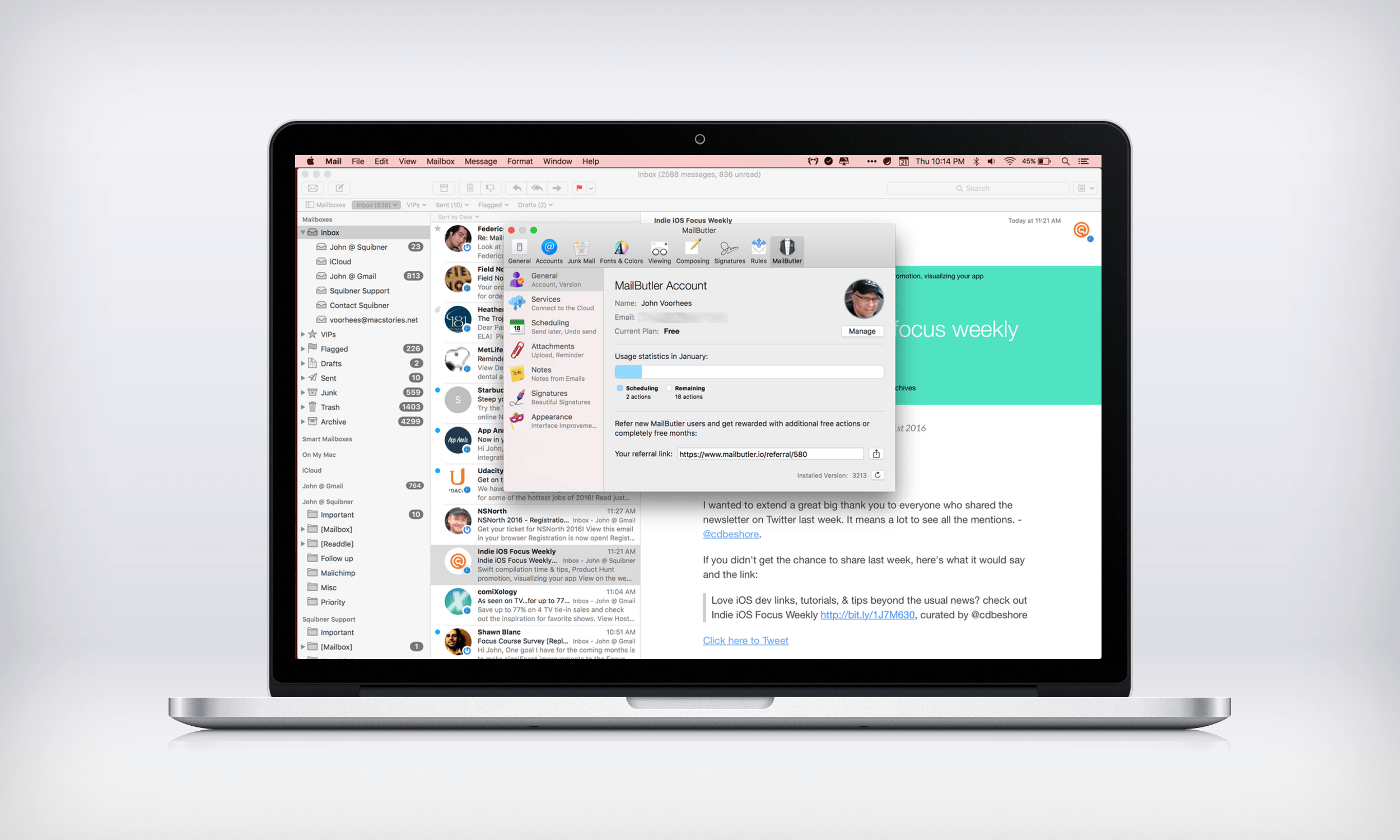
Like many of Apple’s stock Mac apps, Mail gets the job done without many bells and whistles. That leaves gaps for third-party developers to fill with their own apps and plugins. MailButler does just that – it’s a plugin for Apple Mail from Berlin-based Feingeist Software that adds six tools to Mail that are especially useful if you send a lot of email.

Read more

Access Extra Content and Perks

Founded in 2015, Club MacStories has delivered exclusive content every week for nearly a decade.

What started with weekly and monthly email newsletters has blossomed into a family of memberships designed for every MacStories fan.

Learn more here and from our Club FAQs.

Club MacStories: Weekly and monthly newsletters via email and the web that are brimming with apps, tips, automation workflows, longform writing, early access to the MacStories Unwind podcast, periodic giveaways, and more;

Club MacStories+: Everything that Club MacStories offers, plus an active Discord community, advanced search and custom RSS features for exploring the Club’s entire back catalog, bonus columns, and dozens of app discounts;

Club Premier: All of the above and AppStories+, an extended version of our flagship podcast that’s delivered early, ad-free, and in high-bitrate audio.

Learn more here and from our Club FAQs.