Posts in news

Apple Celebrates 5 Years of App Store With Free App Promotion, Timeline

Ahead of the App Store’s fifth anniversary on Wednesday, July 10, Apple has launched a new promotion that includes five “groundbreaking” iOS apps and five “landmark” iOS games; these apps will be available for free for a limited time to celebrate the first five years of App Store. Apple has posted an official page with links to download the apps and games on iTunes.

From the 500 apps available at launch in 2008 to the more than 900,000 at your fingertips today, it’s been a remarkably prolific five years for the App Store. To celebrate, we’re giving everyone five landmark games and five groundbreaking apps for a limited time. Plus, look back at the key moments that have made the App Store the world’s most innovative destination for apps.

The apps and games picked by Apple include Day One (a journaling application with an OS X counterpart that was named “Mac App of the Year” in 2012), award-winning game Badland, Infinity Blade II, Superbrothers: Sword and Sworcery EP, Over, and Traktor DJ. Read more


Kickstarter: Snuglet Keeps the Latest MagSafe in Place

Apple’s MagSafe 2 connectors and are probably the best thing we have going for laptops right now. Your dog can trip over the cable, get run over by the vaccum, or yanked out by kids running around the house, and the cord just magically detaches itself from the MacBook without sending the machine to the floor. Which is great — that’s exactly what we want.

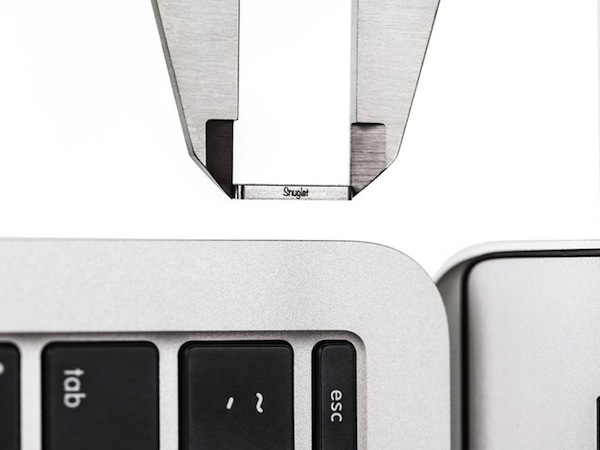
Unlike their first generation counterparts, the redesigned MagSafe connectors are not very forgiving when charging a laptop in your lap, on the bed, or on the sofa. In attempt to better balance the strength of the MagSafe connector, Tetrio has developed the Snuglet, a small ring that tightens the MagSafe connector just enough so that it stays in place when we’re using it, but is still supposed to come out of the laptop when it accidentally gets pulled. It pops into the charging port on your MacBook and is later removed with a removal tool (it looks kinda like a SIM tray ejector tool).

I won’t lie. I’m admittedly super skeptical of this particular KickStater because if it fails to prevent a falling MacBook then it’s really not that useful. I would love to see a proper demo video showing that the MagSafe 2 still works to save your MacBook’s skin when the cord is tripped on, especially with a laptop as light as the MacBook Air.

Tetrio are asking for $9,000 for their campaign, raising $2,977 so far. The first 250 backers can pre-order a pair of Snuglets for $12, while the second batch of 250 can pre-order it for $15. Everyone else can pledge $19 for their very own pair of Snuglets. Learn more about this Kickstarter and back the Snuglet here.


Apple’s 2013 ‘Back to School’ Promotion

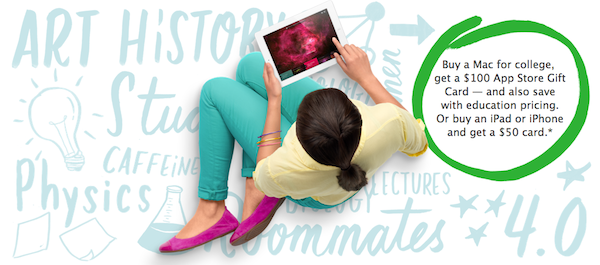
Apple’s ‘Back to School’ promotion is live in the United States for the 2013 school year, offering incentives in the form of App Store gift cards to students who purchase a Mac, iPad, or iPhone. In addition to an education discout for qualifying Macs, students who purchase a Mac will receive a $100 gift card, and students who purchase an iPad, iPad mini, or iPhone will receive a $50 gift card. You can use these gift cards for iTunes purchases, to buy things like text books in the iBookstore, or to purchase apps from the App Store.

The promotion is open to any student, parent or staff member or a K-12 or higher education school with any purchase made between July 2nd and September 6th, 2013. If you order online, Apple is offering free shipping on orders over $50. Apple is also suggesting various back to school accessories like backpacks and cases on the ‘Back to School’ promotional page.


Sponsor: ReadKit

Our thanks goes out to Webin for sponsoring MacStories this week with ReadKit.

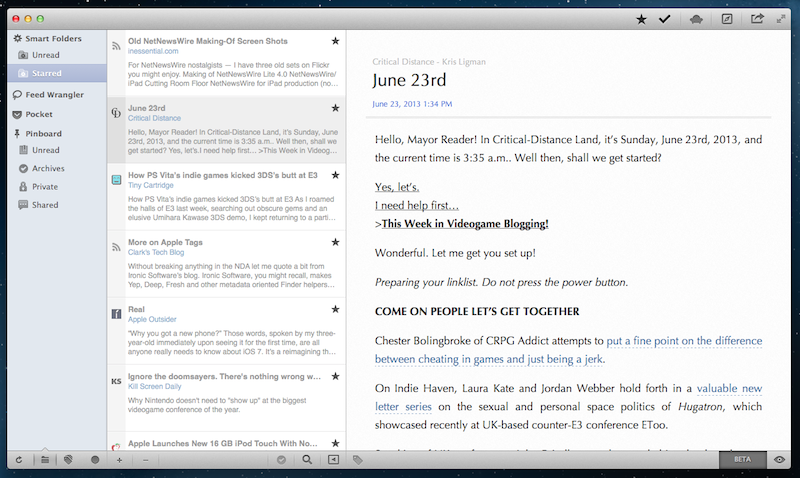
If you want to read articles from Instapaper, Pinboard, and your favorite site feeds all in one place, look no further than ReadKit on the Mac. ReadKit supports read later apps like Pocket and Readability, and connects with feed readers like NewsBlur, Newsbin, Fever, and Feed Wrangler. Plus ReadKit has its own feed engine for reading your favorite sites locally. Not only is it versatile, but it’s beautiful as well. ReadKit looks like it was built just for the Mac, and lets you read articles without page elements like spammy links with Focus mode. One of our favorite features is smart folders, which let you group together related articles from your feeds based on a custom set of rules. You can even tag articles and bookmarks to find related things later.

ReadKit manages to bring together the web’s best services for saving and sharing the articles, images, and videos you save online under one roof. Download ReadKit from the Mac App Store for $4.99, or learn more here.


Reeder 3.2 Brings Feedly, Feed Wrangler Sync

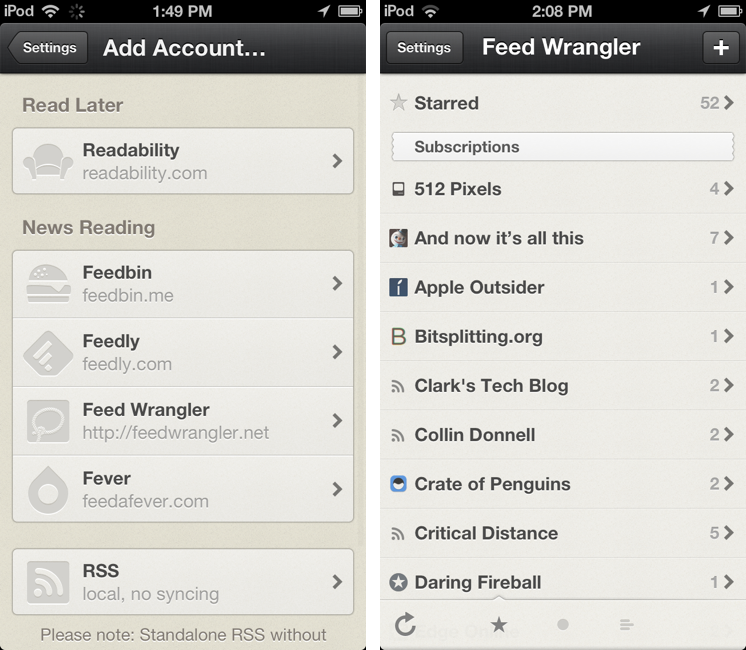
As announced last month, an update to RSS client Reeder for iPhone has been released today on the App Store, adding support for Feedly and Feed Wrangler. Arriving just in time for Google’s shutdown of Reader, the latest Reeder update for iPhone brings the app’s supported sync services to four (previously added Feedbin, Feedly, Feed Wrangler, and Fever) and removes Google Reader from the “Add Account” screen (existing accounts won’t be deleted from the app).

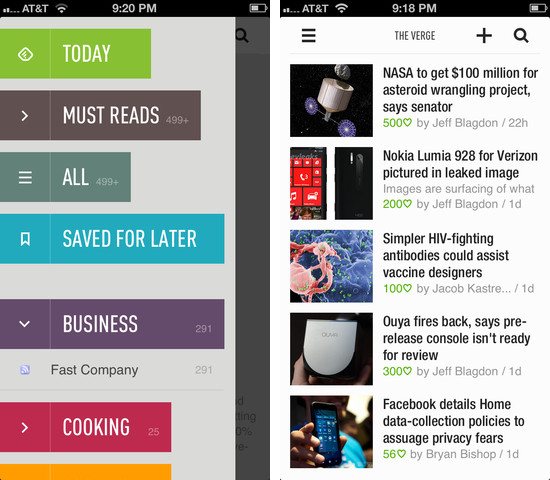
Feedly and Feed Wrangler integration in Reeder is solid, but it lacks some features. While I have been generally happy with Reeder’s speed in syncing with Feedly and Feed Wrangler, the app lacks support for Smart Streams – a key functionality of Feed Wrangler that’s already supported by clients like ReadKit and Mr. Reader. To access Smart Streams on the iPhone, my recommendation still goes to Feed Wrangler’s official app, which may not be as polished as Reeder, but that works perfectly with the service’s Smart Streams.

Reeder, a longtime MacStories favorite, is moving into the post-Reader era with an iPhone update that should work for most people and major iPad and OS X updates on the horizon. Developer Silvio Rizzi hasn’t provided a release date yet, but he announced the iPad version will be a completely redesigned app. Due to the lack of compatibility updates, both Reeder for iPad and Reeder for Mac have been removed from the App Store.


Apple Announces Q3 2013 Conference Call for July 23

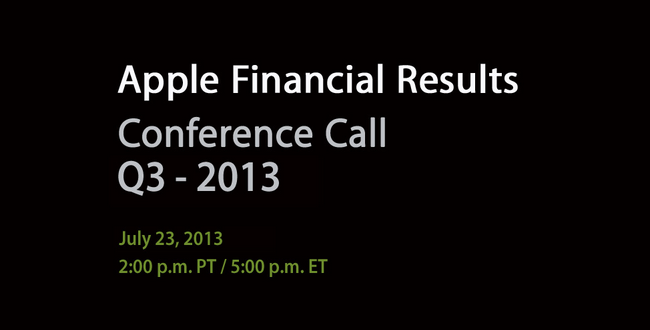
Apple’s third quarter earnings report and conference call will take place on July 23rd, 2013, according to an Investor Relations update on Apple’s website first noted by 9to5mac. Apple will provide a live audio webcast of the event.

Apple plans to conduct a conference call to discuss financial results of its third fiscal quarter on Tuesday, July 23, 2013 at 2:00 p.m. PT / 5:00 p.m. ET.

In the second quarter (which ended on March 30, 2013), Apple posted revenue of $43.6 billion. The company sold 19.5 million iPads, 37.4 million iPhones, and  ”just under” 4 million Macs, earning a quarterly net profit of $9.5 billion. The company ended the quarter with a cash balance of $145 billion.

In April, Apple posted its guidance for the third quarter, with revenue set between $33.5 billion and $35.5 billion and operating expenses between $3.85 billion and $3.95 billion. During the quarter, Apple hit the milestone of 50 billion apps downloaded from the App Store, introduced a new low-end iPod touch, and held its annual Developers Conference in San Franisco, where it released an updated line of MacBook Airs and announced new versions of iOS and OS X coming this Fall. Apple also previewed the new Mac Pro, a completely redesigned new machine coming later this year.

In the year-ago quarter, Apple posted revenue of $35 billion, with 17 million iPads, 26 million iPhones and 4 million Macs sold. Last year, Apple held its Q3 2012 earnings call on July 24, and released OS X Mountain Lion on July 25. Apple’s Q3 2013 call will provide insight into sales of the iPhone and iPad over the past months, which lacked updates to both lines. On July 23, the iPhone 5 will reach the 305th day of its cycle, and the iPad mini its 263rd.

We will provide live updates from the conference call on our site’s homepage on July 23rd starting at 2 PM PT.


Feedly and Digg Reader For Most People

If I had to choose two alternatives to Google Reader, I’d pick Feedly or Digg Reader for most people. Moving to either service takes seconds since you sign into these services with your existing Google account credentials, after which they import your existing feeds with little fuss. Neither Feedly or Digg Reader require you to pay a subscription fee, making them good choices for casual readers and those who won’t get the value out of an alternative with pro features.

Google Reader will no longer be active after July 1st, and you’ll have until July 15th to export your existing feeds. I recommend following this guide by Katie Floyd if you want to back up your current subscriptions.

Why Feedly

Feedly is my reader of choice. Feedly has a solid web app that works in all major browsers from Google Chrome to Opera, plus they have great Android and iOS apps, making it one of the few alternatives that’s already available on most devices. It’s integrated with IFTTT, and there’s an open API so you can still use your favorite apps like Reeder. There will be a subscription for people who want more features down the road.

Feedly’s mobile apps are put together like a magazine, but they’re not as deliberate as an app like Flipboard. Folders are eschewed for colorful headers, and the endless feed of articles is replaced by covers and article groupings that can be flicked away like turning a page. It’s an app made for skimming, for picking and choosing, and the result is something that feels fresh and not boring.

You can share articles to Pocket or Instapaper, to Twitter or Facebook or Google+, to Buffer or your device’s clipboard so you can paste a link into a chat app like I sometimes do. There’s a section that only shows you the most popular stuff from your feeds for the day, and then there’s a section for browsing everything all at once. You can search for sites you like and subscribe to them, or browse general categories for things like technology and games to discover something new. There’s lots of swooshing and swiping gestures throughout the app; when browsing articles, swiping left and right advances to the next or previous article, and pulling up closes them so you can continue perusing. If you’re reading in the dark, you can change the theme from white to black.

My favorite feature is the giant button at the end of each section that lets you mark everything as read. It’s super clever.

You can download Feedly for iOS here.

Why Digg Reader

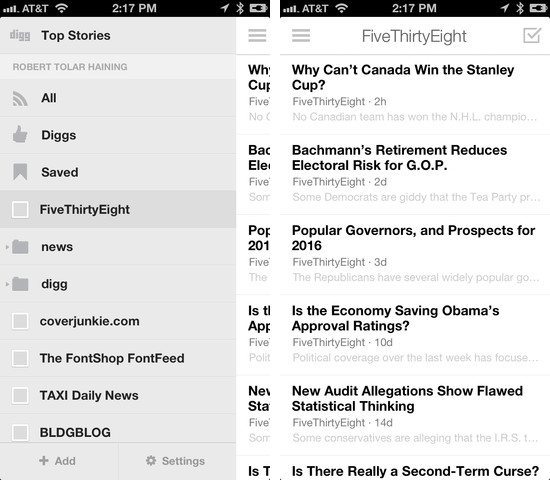
Digg Reader is a new feed reader that closely resembles Google Reader. There’s no Android app right now, but there is an iOS app. You won’t be able to plug Digg Reader into your favorite apps just yet, but an API is planned.

Betaworks, the company behind Digg Reader, has a history of working with products that track things on the web or help you discover the most popular stories. Bit.ly is a company of betaworks, as is recently acquired Instapaper. Betaworks created News.me, an iOS app that highlighted the best articles and videos your friends shared on Twitter. Today, News.me has stuck around as a service that delivers the day’s best stuff to your inbox. Betaworks also revived Digg, turning it into a handcrafted site that presents the web’s top stories.

Digg Reader is a modern take on Google Reader, integrating betaworks’ intimate knowledge of what’s popular from Digg into its core. Thus, the best feature is the popular view, which presents a list of the most popular unread articles from your feeds. The layout is very clean and simple, the reading experience being a prime focus for both the web and mobile apps. Digg Reader is much friendlier to look at and use on a daily basis than other alternatives.

The web app is currently the most robust and is very friendly to those who are accustomed to Google Reader’s keyboard shortcuts. You can share articles to Facebook or Twitter, and choose to save articles to apps like Instapaper, Pocket, and Readability. The things you Digg can also be publicly shared through a user specific URL. Like Feedly, Digg Reader lets you search for sites and discover something new in a variety of categories. The iOS app currently lacks the popular view, but it does have a darker theme for evening reading.

I recommend Digg Reader over Feedly if you read on your computer more often than your tablet or phone.

Digg on iOS has Digg Reader built-in. Download it here.


ReadKit and Slow Feeds Updated with Feed Wrangler Support

ReadKit

ReadKit

As I noted yesterday with Mr. Reader’s update, the upcoming shutdown of Google Reader has resulted in a fast uptake of third-party RSS services by existing clients for iOS and OS X, leading to a more variegate, rich ecosystem of apps that sync to different web services that aim at replacing Google Reader. Among the new contenders for the RSS throne there’s David Smith’s Feed Wrangler, which has become my favorite alternative to Google Reader and that, after Mr. Reader and the upcoming Reeder for iPhone update, is now supported by Slow Feeds and ReadKit. Read more


Indiegogo: Kreyos Meteor - A Voice and Gesture Enabled Smartwatch

The Kreyos Meteor is the latest wearable gadget to make its appearance on a crowd-funding platform, this time on Indiegogo. Claiming to be the only smartwatch with both voice and gesture controls, the Kreyos Meteor connects over Bluetooth to your iPhone, Android, or Windows 8 phone. With an iPhone, you can engage Siri through the watch, or use motion-based gestures like a wave of the hand to skip tracks, answer calls, or to have the watch read you a text message without pressing a button. The watch will even help you locate your misplaced phone.

More impressive are the litany of features that are built in for monitoring personal health. The watch could replace devices like the Fitbit or Jawbone UP, tracking overall activity and more with built-in heart rate and cycling monitors. And the Kreyos Meteor isn’t just limited to being a watch - it can be taken out of its watchband to fit into a lanyard or belt clip. It’s also waterproof, making it a great choice for swimmers who want to analyze their performance or for trail runners exposed to the elements.

Targeted at people who want a better way to receive notifications and individuals who are looking for an all in one sensor to track their performance, the Kreyos Meteor wants to keep the phone in your pocket. Just like the Pebble, the Kreyos Meteor will also give developers an opportunity to create new apps and gestures. Already exceeding its goal of $100,000, a contribution of $119 lets you pre-order you the watch in black, expected to ship this November. For an additional $10 you can pick your own color. You can learn more fund the campaign here.