Posts in Featured

Apple To Announce “GarageBand For E-Books”?

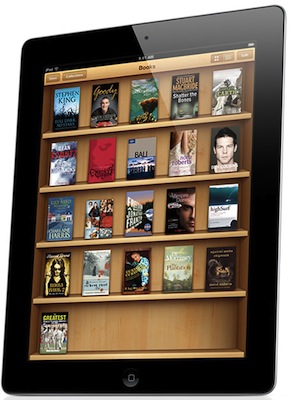
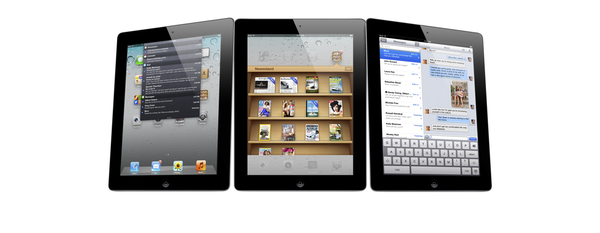
Apple is holding an education-themed media event at the Guggenheim Museum in New York on Thursday, with rumours suggesting it will heavily revolve around textbooks and the iBooks platform. Ars Technica is this morning reporting that part of the event will also be the announcement of a “GarageBand for e-books”.

The gist of this idea is that whilst anyone can create an ePub for iBooks distribution, the process is not simple - particularly if you want to go beyond the basics and add multimedia or other interactive elements. Ars Technica’s sources say Apple will announce a tool on Thursday that makes the process of creating iBooks easier. Ars points out that Apple doesn’t want to get in the textbook or book industry, just like they don’t want to enter the movie industry as content creators. Instead they have offered tools from GarageBand and iMovie to Logic and Final Cut Pro to allow anyone from consumers to professionals to create content.

The current state of software tools continues to frustrate authors and publishers alike, with several authors telling Ars that they wish Apple or some other vendor would make a simple app that makes the process as easy as creating a song in GarageBand.

Ars also believes that Apple will announce support for the ePub 3 standard in iBooks on Thursday. Apple had used the ePub 2 standard along with some HTML5-based extensions for further multimedia and interactive elements, but the new standard removes the need for the proprietary extensions - ensuring that ePubs are compatible across platforms.

[Via Ars Technica]

Access Extra Content and Perks

Founded in 2015, Club MacStories has delivered exclusive content every week for nearly a decade.

What started with weekly and monthly email newsletters has blossomed into a family of memberships designed for every MacStories fan.

Learn more here and from our Club FAQs.

Club MacStories: Weekly and monthly newsletters via email and the web that are brimming with apps, tips, automation workflows, longform writing, early access to the MacStories Unwind podcast, periodic giveaways, and more;

Club MacStories+: Everything that Club MacStories offers, plus an active Discord community, advanced search and custom RSS features for exploring the Club’s entire back catalog, bonus columns, and dozens of app discounts;

Club Premier: All of the above and AppStories+, an extended version of our flagship podcast that’s delivered early, ad-free, and in high-bitrate audio.

Learn more here and from our Club FAQs.


New Apps for 2012

With the new year, many people make up resolutions that often involve losing weight or spend less time checking email and Facebook. Whilst those are certainly noble resolutions, they don’t quite fit the goals that I have set for this year when I began thinking about 2012 and the things I’d like accomplish in the next 12 months. Instead of working more to make more money, I’d like to work less but work smarter, as Shawn recently mentioned in an episode of Shawn Today. I want to spend more time with my family and friends and use the “time for work” with better tools to get the same things done, but better. I’m working on a series of completely new projects, too, but I also would like to optimize my existing tasks to require less time yet yield better results.

Which means I have to get new tools and understand how to properly use the ones I already have.

So instead of making up new year’s resolution and give up on losing weight after three weeks as most people do (but won’t admit), I actually went ahead and got new tools. Which, in my case, means I bought new apps and gear to get work done.

I recently wrote about how I’ve switched from OmniFocus to Remember The Milk, Calendar and Todo.txt to effortlessly manage my tasks, events, and articles. I’d like to quote for the sake of context:

I don’t have access to my Mac 24/7 anymore. I work from different places, and 80% of the time I prefer to keep my iPad with me than a MacBook. Obviously, the tweaks and adjustments I had made on my Macs didn’t carry over to iOS devices.

Articles, app releases, website management and finances are all different kinds of tasks. I used to keep them in OmniFocus, and tweak the app and its view options to fit the way I worked. It turns out, having separate tools for different sets of tasks is helping me focus more and avoid distractions. Articles need research and are more text-oriented; app releases only need a quick ping or alert; finance and website management can go into a proper GTD app with lists, due dates, etc..

These are two key points: access and writing. I don’t have access to my Mac(s) 24/7 anymore and I have to give up on pretending my articles are tasks that need to be managed with tags and due dates. Writing is a creative process (even when I’m breaking news or analyzing a rumor, I try to offer a perspective for debate and analysis), and I don’t think creativity can be managed with strict rules and app badges.

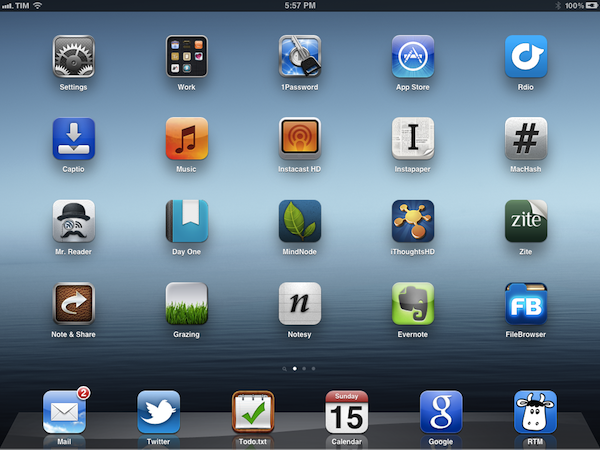
So here’s a short list of new apps that are helping me rethink my workflow. Some of them will stick around, others will probably be deleted – I don’t know. What matters is that taking a step back and reconsidering your work habits is a healthy practice (clearly better than telling your friends you’re going to lose weight or quit smoking) that, I believe, can lead to better relationships, a new knowledge of your workflows, and, ultimately, better results. Read more

Access Extra Content and Perks

Founded in 2015, Club MacStories has delivered exclusive content every week for nearly a decade.

What started with weekly and monthly email newsletters has blossomed into a family of memberships designed for every MacStories fan.

Learn more here and from our Club FAQs.

Club MacStories: Weekly and monthly newsletters via email and the web that are brimming with apps, tips, automation workflows, longform writing, early access to the MacStories Unwind podcast, periodic giveaways, and more;

Club MacStories+: Everything that Club MacStories offers, plus an active Discord community, advanced search and custom RSS features for exploring the Club’s entire back catalog, bonus columns, and dozens of app discounts;

Club Premier: All of the above and AppStories+, an extended version of our flagship podcast that’s delivered early, ad-free, and in high-bitrate audio.

Learn more here and from our Club FAQs.


The Thunderbolt Accessories of CES 2012

The Thunderbolt ports on our new MacBook Airs and MacBook Pros didn’t receive a lot of attention in 2011, with tech demos still carrying on through the mid-year as LaCie and Promise flexed their muscles at Computex. Seven months later at this year’s Consumer Electronics Show, several companies were finally prepared to unveil their products integrated with Thunderbolt technologies on the show floor (and we expect to see more at the upcoming Macworld | iWorld). Past the break we’ll take a look at ten new Thunderbolt accessories that offer connected solutions, speedy storage, and new possibilities for stellar gaming performance.

Read more

Access Extra Content and Perks

Founded in 2015, Club MacStories has delivered exclusive content every week for nearly a decade.

What started with weekly and monthly email newsletters has blossomed into a family of memberships designed for every MacStories fan.

Learn more here and from our Club FAQs.

Club MacStories: Weekly and monthly newsletters via email and the web that are brimming with apps, tips, automation workflows, longform writing, early access to the MacStories Unwind podcast, periodic giveaways, and more;

Club MacStories+: Everything that Club MacStories offers, plus an active Discord community, advanced search and custom RSS features for exploring the Club’s entire back catalog, bonus columns, and dozens of app discounts;

Club Premier: All of the above and AppStories+, an extended version of our flagship podcast that’s delivered early, ad-free, and in high-bitrate audio.

Learn more here and from our Club FAQs.


A Software Experiment

For the past couple of years, I’ve been using OmniFocus to keep track of my projects and tasks. I love OmniFocus: it is a trusted system from developers I respect with an amazing set of native apps, constantly updated to take advantage of the latest features Apple has to offer. Yet for as much as I’d trust OmniFocus to handle everything for me, when personal needs change, habits are re-imagined and your workflow has to be finely tuned in a different way, software that is not meant for the purpose can only cover so much before you figure out it’s time to move on.

In the past months, some things changed in my personal life, I started a couple of new projects (including the next two iterations of MacStories), hired new people, and started helping out my girlfriend more with her job, too. To keep track of all this, I used to rely on OmniFocus, which worked extremely well until I realized I wasn’t really following any GTD methodology anymore and I had tweaked the app and made compromises with the software that turned OF into a beast it really isn’t. At the same time, I realized a part of my job – writing for this site – just can’t fit into OmniFocus’ style, at least not in the way I work. Which is to say, my colleagues use OmniFocus to manage their articles, and it works pretty well for them.

I compromised because I love OmniFocus too much. I have a deep respect for The Omni Group – a piece of history in Apple’s third-party development scene – and I have spent hours just browsing the company’s forums to read more about how people use Omni Group apps to get things done. I have dedicated Evernote notebooks just for OmniFocus and OmniOutliner, full with tips, stories, AppleScripts and lots of other cool resources. But it comes a point when, even if a specific software is flexible enough to allow for a huge amount of customization, spending hours learning and tweaking isn’t worth it anymore, especially when you have actual work to get done and people to report to. And tweaking is not getting work done, although it can give you such illusion sometimes.

I’ve been working exclusively from my iPad and iPhone for the past two months. Most recently, I got back to writing full-time again and decided to use my iPad for that, too. In this short period of time, I have used a different set of tools than OmniFocus to get things done, and this ‘experiment’ seems to be working so far.

I don’t blame it on OmniFocus. Like I said that app is fantastic, and version 2.0 is on my wish list of apps I’m looking forward to this year. I kept denying this, but the way I work (and, more generally, live) has changed in the last months of 2011; the app I used to manage my tasks wasn’t the perfect tool for the job anymore. So I stopped tweaking and moved on.

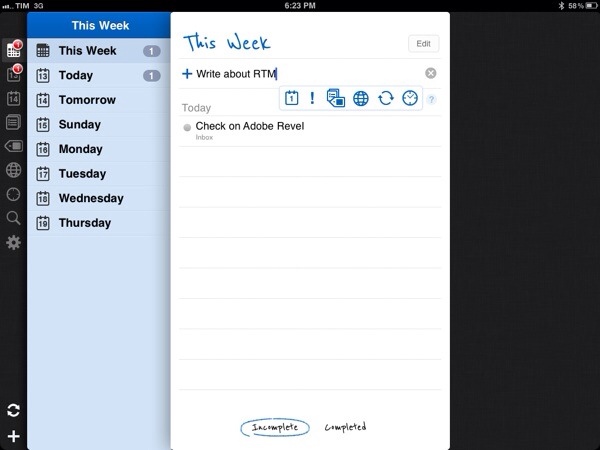
I’m now using a combination of Remember The Milk, Todo.txt and iCloud calendar. This setup is very simple, really, and I can assure you it’s more straightforward then what I had done with OmniFocus over the years. Read more

Access Extra Content and Perks

Founded in 2015, Club MacStories has delivered exclusive content every week for nearly a decade.

What started with weekly and monthly email newsletters has blossomed into a family of memberships designed for every MacStories fan.

Learn more here and from our Club FAQs.

Club MacStories: Weekly and monthly newsletters via email and the web that are brimming with apps, tips, automation workflows, longform writing, early access to the MacStories Unwind podcast, periodic giveaways, and more;

Club MacStories+: Everything that Club MacStories offers, plus an active Discord community, advanced search and custom RSS features for exploring the Club’s entire back catalog, bonus columns, and dozens of app discounts;

Club Premier: All of the above and AppStories+, an extended version of our flagship podcast that’s delivered early, ad-free, and in high-bitrate audio.

Learn more here and from our Club FAQs.


Mac Apps To Watch In 2012

Mac Apps To Watch In 2012

Mac.AppStorm has published a nice list of upcoming Mac apps to watch in 2012. The list includes some MacStories staff favorites like Coda, TextMate, Spotify and Caffeinated. Other new apps worth keeping an eye on are Mou (Markdown text editor), Wunderkit (from the creators of Wunderlist) and Chocolat.

Today we want to reverse things and start looking forward instead of reviewing what has already come. We’ll introduce you to ten apps that are going to make big waves in 2012. Interestingly enough, most of them happen to be geared towards designers and web developers so if you fit that description, you’ll definitely want to take a look! We’ll also look at an awesome new Google Reader app, what’s in store for Spotify and even get a glimpse of the gem that 6Wunderkinder has been keeping up its sleeve.

I had some additions I wanted to share, but I decided to run a quick poll among my Twitter followers first. Surprisingly, it appears we all share the same apps we’re looking forward to.

OmniFocus 2, confirmed in 2011.

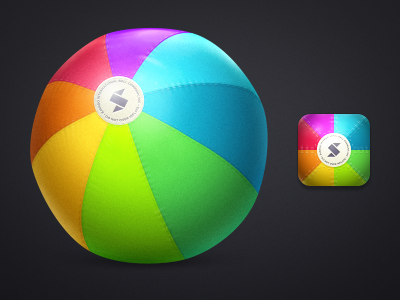
A new app by Bjango, aimed at designers (WIP icons above).

Alien Blue for Mac, confirmed months ago.

Two new music apps, Sonora and Enqueue, currently in beta.

OmniOutliner 4, also confirmed and possibly featuring new cloud syncing capabilities.

Someone even mentioned Things with cloud sync. There’s also an interesting list of “rumored” software, such as iBooks for Mac, a new iWork, Aperture 4, and Flipboard for Mac (or the web?).

2011 has been a great year for third-party Mac software. From the looks of things, I think 2012 is going to be fantastic.

Permalink

The Next Apple

John Biggs writes “Why Samsung Is The Next Apple”:

Then consider Samsung’s lead in cellphone sales. While many would argue that Samsung specializes in meh and me-too, 60 million cellphones sold in 2011 can’t be a fluke. This isn’t about Android or iOS or Windows Phone – it’s about Samsung making and selling millions of phones to millions of people. Samsung is mercenary. They’re happy to use anyone’s OS as long as it puts phones into boxes and boxes into shopping bags.

So you have two superlatives: biggest phone manufacturer and biggest TV manufacturer. Add in some tablets, some washing machines, and some acceptable software and you have a real and vibrant ecosystem. The next year will bring plenty of efforts to bring streaming media into the home, but the guy who is already there will win.

John Biggs surely has been to CES more times than I have (actually, I never have) and he knows this industry, but he’s plain wrong. On several fronts. John is looking at the problem from the tech nerd’s perspective – the one that considers gadgets alone, and probably tech specs, the most important factor in the ecosystem equation.

There are many issues with this way of thinking. First: “some acceptable software” and “some washing machines” alongside mobile devices and TVs are not enough to build a “real and vibrant ecosystem”. It’s a start – though we could argue on the washing machines – but it takes a lot more. Ask Apple, who’s the company Biggs is comparing Samsung to, that is been building an ecosystem and devices for more than 10 years and yet sometimes still struggles to keep it all together. Ask Google, who still can’t get their social act together after all these years spent indexing people’s search results and web behavior.

Samsung is huge. It’s a huge company with a huge array of devices in a variegated catalogue of different hardware. But it takes an awful lot of software to build ecosystems, and TouchWiz is a laughable foundation for a “real and vibrant” ecosystem.

Second, it takes experience. Apple and Google (and Microsoft, too) have been building ecosystems of apps, services and users for years. It’s not just the software itself, as in the operating system that runs on computers and smartphones. Does Samsung sell songs? Do they host millions of user accounts? Do they facilitate digital purchases thanks to a system that has millions of credit cards on file? Do they run the most popular email web service in the world?

The answer is they don’t, but they sell a lot of Galaxy S units, Smart TVs and consumer devices. Yet in the popular line that Biggs mentions, the smartphones, they don’t completely own the experience: for as much as they customize Android with their UI “innovations”, the OS is still being made and maintained by someone else. Samsung may be selling millions of smartphones and they’re undoubtedly on track for a successful 2012 with televisions, but I just don’t see how the millions of devices Samsung is selling now can nurture a vibrant ecosystem with just some acceptable software and washing machines.

Is there any doubt that owning the experience is key to building a real ecosystem?

Apple, Google and Amazon seem to agree with me. Also worth remembering: Samsung comes from an OEM perspective that’s always generally used software by others, or at least never fully committed to building real ecosystems with its own code. The three companies above have been preferring the integrated approach as of late, with only some exceptions (Google has its own OSes but lacks hardware; Amazon is doing its own hardware but still forks Android).

Third: Apple – which I mention because Biggs compared it to Samsung – doesn’t just sell millions of devices, build and own its software ecosystem and nurture customer lock-in (as loyalty is apparently defined these days) – they also have a direct, strong relationship with customers through a retail presence worldwide. The importance of retail stores in relation to the ecosystem can never be stressed enough – it’s overlooked sometimes, so I’ll just link to the actual numbers again. Retail stores have become the link between software ecosystems (which are intangible) and the real world, which is made of people. Does Samsung have any plans about that? They’re doing something, and they also have good taste in icons.

Last, I could illustrate the theory on Samsung doing pretty well as long as Apple designs great things, but I’ll just make the facts speak for themselves (again).

It takes years to build an ecosystem. And I don’t see how we can write Samsung “will be the next Apple” just yet.

Access Extra Content and Perks

Founded in 2015, Club MacStories has delivered exclusive content every week for nearly a decade.

What started with weekly and monthly email newsletters has blossomed into a family of memberships designed for every MacStories fan.

Learn more here and from our Club FAQs.

Club MacStories: Weekly and monthly newsletters via email and the web that are brimming with apps, tips, automation workflows, longform writing, early access to the MacStories Unwind podcast, periodic giveaways, and more;

Club MacStories+: Everything that Club MacStories offers, plus an active Discord community, advanced search and custom RSS features for exploring the Club’s entire back catalog, bonus columns, and dozens of app discounts;

Club Premier: All of the above and AppStories+, an extended version of our flagship podcast that’s delivered early, ad-free, and in high-bitrate audio.

Learn more here and from our Club FAQs.


Apple Confirms: Media Event In New York On January 19

According to The Loop, Apple has just sent out invitations to the press confirming the rumored media event for January. The event will take place in New York at the Guggenheim Museum on January 19. As provided by The Loop, the invitation reads “Join us for an education announcement in the Big Apple” of what appears to be a chalkboard background.

Earlier this month, it was reported Apple was working with publishers in the educational market for a “big media announcement”. Speculation has arisen suggesting that the event will see the unveiling of a new textbook option in iTunes and iBooks, something that was also hinted by Steve Jobs himself, more or less, in the authorized biography by Walter Isaacson. Of course, several rumors have appeared in the past weeks claiming that there will be a series of announcement regarding iBooks and eBooks in general, albeit today’s invitation email from Apple seems to be pretty clear about the fact that the event will be focused on education.

Speaking of iBooks, a notable omission in Apple’s eBook line up is a dedicated Mac app which, many have suggested, could only make sense for textbooks on portable Mac computers.

We’ll cover Apple’s media event on January 19 with a liveblog on the site’s homepage.

Access Extra Content and Perks

Founded in 2015, Club MacStories has delivered exclusive content every week for nearly a decade.

What started with weekly and monthly email newsletters has blossomed into a family of memberships designed for every MacStories fan.

Learn more here and from our Club FAQs.

Club MacStories: Weekly and monthly newsletters via email and the web that are brimming with apps, tips, automation workflows, longform writing, early access to the MacStories Unwind podcast, periodic giveaways, and more;

Club MacStories+: Everything that Club MacStories offers, plus an active Discord community, advanced search and custom RSS features for exploring the Club’s entire back catalog, bonus columns, and dozens of app discounts;

Club Premier: All of the above and AppStories+, an extended version of our flagship podcast that’s delivered early, ad-free, and in high-bitrate audio.

Learn more here and from our Club FAQs.


“Just Like A MacBook”

CES, the tech industry’s largest (and most crowded) trade show, is happening this week. By now, I’m sure you have already seen many of the important announcements, watched a couple of press conferences, and perhaps even read multiple tech blogs to get all the possible news from CES.

Good for you. Unlike previous years, I won’t be bothering skimming through all the headlines this time, because I’m seeing a trend that, at least for me but I believe for others too, is tiresome and deeply annoying.

As bloggers, we’re subject every day to shameless copies and imitations of Apple products. I’m not making this up. Watching CES from the outside these past few years (that is, reading from home) has been an initially ironic, then quickly annoying rush towards having to learn about the latest product from company X that is not an Apple product but looks like one. I swallowed the obvious shift in smartphone design and the hilarious copying of interface elements and tablets. Maybe those weren’t strictly related to CES, but I don’t care, because the underlying problem is the same, with the difference that during CES it’s all there in its shameless glory, rolled up in one week. We hear about these things all year. With CES 2012, I decided to stop paying attention.

Now I won’t rant and say that the tech industry doesn’t innovate. And I won’t even say that I stopped watching CES altogether, because I’ve had my fun with Ballmer and the Tweet Choir. Sony does have some amazing products (including, wait for it, two distinctive tablet designs) and they seem to be at least understanding what the concept of ecosystem is. Microsoft, Ballmer aside, has great taste with WP7 and, it appears, certain parts of Windows 8. Some guys made an awesome touch-based-whatever cooktop that doesn’t waste energy. Thunderbolt is looking more promising every day. The Nokia Lumia 900 is great.

There’s still some innovation going on in this industry, thank God. But the rest is bullshit.

Let’s see what CES offered, shall we? Acer unveiled a cloud-based service that looks somewhat familiar – where by “familiar” I mean look at those slides. The Ultrabooks – God bless Intel, it understands the market’s needs – were in full force at CES. They all look awfully familiar to the MacBook Air, which isn’t an “ultrabook” because Ultrabook is something the industry made up to justify the need for Windows computers that look just like MacBooks. So yeah, it looks like a MacBook but it’s not a MacBook. Get it? HP did a long time ago.

I mean, Sir Jony Ive must be proud. Even Vizio is now, well, being inspired by Jony’s creations and coming out with, again, familiar faces. Cheers to Vizio for being bold enough to announce the whole family.

We even have the computer that copies a purpoted Apple computer that doesn’t exist. They copied the patent.

Then there’s the mobile market. Smartphones and tablets. Man is it difficult to keep up with all those Android phones. Even Samsung, skilled player, must have thought this, as they have created a new category of their own so it’ll be easier to keep up with that. They call it “phablet”. Well okay Samsung, I guess I’ll take a padfone next. Oh wait. I’ll just settle for the UltraTab (No joke, I wouldn’t be surprised to see this coming out later this year). I can’t even count how many iPhone and iPad lookalikes I’ve seen on The Verge and Engadget. And don’t get me wrong, it’s their job to report on these things and I completely understand how you can get excited for the latest Android phone or 7-inch tablet. I, however, have stopped paying attention.

I personally don’t get people that purposefully buy gadgets that “look like insert name here, only to save a few bucks. Problem is, they might not even save those dollars anymore, because “a race to the bottom” has begun and Apple is winning. I blame those prices on the recession. Perhaps corrupted politicians, too.

It’s not all bad though. After all those clones, I look at the Nokia Lumia 900, Windows Phone 7 and OnLive and I’m reminded that there’s still hope. The innovators are out there, and there are some incredible companies working on amazing technologies that don’t make headlines at CES. There are even people who seem to get what I’m thinking here, more or less.

No one is defending the argument that folks like Samsung copy everything that Apple does. Or that Apple doesn’t copy certain trends sometimes. But the amount of shameless copying and blatant efforts of coming up with unoriginal marketing jargon going on at CES are just too much for me.

You can still find innovation. Just make sure you don’t get the Chinese rip-off.

Access Extra Content and Perks

Founded in 2015, Club MacStories has delivered exclusive content every week for nearly a decade.

What started with weekly and monthly email newsletters has blossomed into a family of memberships designed for every MacStories fan.

Learn more here and from our Club FAQs.

Club MacStories: Weekly and monthly newsletters via email and the web that are brimming with apps, tips, automation workflows, longform writing, early access to the MacStories Unwind podcast, periodic giveaways, and more;

Club MacStories+: Everything that Club MacStories offers, plus an active Discord community, advanced search and custom RSS features for exploring the Club’s entire back catalog, bonus columns, and dozens of app discounts;

Club Premier: All of the above and AppStories+, an extended version of our flagship podcast that’s delivered early, ad-free, and in high-bitrate audio.

Learn more here and from our Club FAQs.


Quick Review: Werdsmith for iOS

In the past couple of weeks, I’ve seen an increasing number of developers implement iCloud’s documents & data storage in iOS and Mac apps. From preference syncing (Consume, Instacast) to actual library storage (Day One), it appears developers are now fully realizing the potential of iCloud as an automatic syncing solution across Apple’s devices (iCloud isn’t without its flaws, many developers say, and I hope the upcoming release of iOS 5.1 will also bring this kind of fixes).

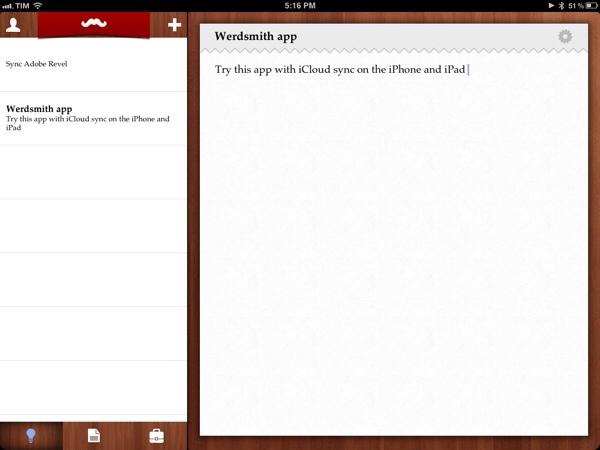
An area that’s been strangely absent from my App Store watch list of iCloud-enabled apps is that of text editors. Wildly popular when it comes to Dropbox sync (just to name a few: Elements, Notesy, Notely, Nebulous Notes), there hasn’t been a full-featured text editor to show up with iCloud sync yet. Instead, what I’m seeing is a trend towards simpler note-taking applications that allow you to jot down quick notes and have them synced on iOS and, sometimes, Mac clients with iCloud support. Such app is Werdsmith from Australian developer Nathan Tesler, free with in-app purchase to unlock more space and available as a universal app for iPhone and iPad (no Mac version yet).

Werdsmith features a very peculiar interface with a wooden tab bar and a creepily awesome ‘mustache banner’ at the top. This banner slides down when your list of ideas and projects is empty, but otherwise it’s got no specific use in the app. Overall, the design of the app is very clean, and reminds me of Wunderlist. There is an annoying bug with scrolling long lists on the iPhone that sometimes requires a complete restart of the app; I hope it’ll be fixed with an update.

In Werdsmith you can save ‘ideas’ and turn the most complex ones into ‘projects’. Werdsmith is aimed at writers, so a project will basically consist of a single note with a title and a goal – the latter being a minimum word count for your next essay, journal entry or blog post. You can save ideas as quick notes and leave them in your inbox, or you can make one a project and start writing against that word count. A percentage will indicate how far you’ve gone into completing your project, and when you’re done you can tap on ‘Finish’ to archive it.

Werdsmith is really simple, perhaps a little too simple for my tastes. You can’t export notes in any format (only email sharing, and that’s it), there is no support for Markdown formatting (a must-have these days) and you can’t tag, search, or move notes around. Keep in mind, though, that Werdsmith isn’t meant to be a text editor – rather, I see it as an iCloud-based scratchpad for writers, and it’s pretty decent at that. Werdsmith works fairly well if you’re up to accept its nature of simple utility; I’d like to see, however, the iCloud syncing engine rewritten to be more like Day One, as it’s not really immediate in this 1.1 version.

Even if you’re accustomed to more powerful solutions, you should take Werdsmith for a spin – it’s free and it works with iCloud. You can download Werdsmith here.

Access Extra Content and Perks

Founded in 2015, Club MacStories has delivered exclusive content every week for nearly a decade.

What started with weekly and monthly email newsletters has blossomed into a family of memberships designed for every MacStories fan.

Learn more here and from our Club FAQs.

Club MacStories: Weekly and monthly newsletters via email and the web that are brimming with apps, tips, automation workflows, longform writing, early access to the MacStories Unwind podcast, periodic giveaways, and more;

Club MacStories+: Everything that Club MacStories offers, plus an active Discord community, advanced search and custom RSS features for exploring the Club’s entire back catalog, bonus columns, and dozens of app discounts;

Club Premier: All of the above and AppStories+, an extended version of our flagship podcast that’s delivered early, ad-free, and in high-bitrate audio.

Learn more here and from our Club FAQs.