Federico Viticci

10776 posts on MacStories since April 2009

Federico is the founder and Editor-in-Chief of MacStories, where he writes about Apple with a focus on apps, developers, iPad, and iOS productivity. He founded MacStories in April 2009 and has been writing about Apple since. Federico is also the co-host of AppStories, a weekly podcast exploring the world of apps, Unwind, a fun exploration of media and more, and NPC: Next Portable Console, a show about portable gaming and the handheld revolution.

Official Vimeo iPhone App Now Available

Popular video service Vimeo finally released its long-awaited iPhone app in the App Store, it’s free and, from a first quick test, it seems packed with functionalities. Vimeo fans have been asking for months (years?) to have the possibility to browse videos in a native interface and upload media directly from their devices, but Vimeo delivered more than expected and it definitely appears the wait was well worth it.

Besides letting you browse Vimeo sections, your videos, likes and tags, the Vimeo app packs a full-featured video editor that allows you to record new material and edit it with transitions, titles, audio and video trimming support. The UI is quite polished and elegant, and the app feels responsive although not just as fast as Apple’s iMovie. The fact that Vimeo, however, managed to release an uploading tool that’s also a movie editor with lots of functionalities is just great. You can combine videos together and control volume levels, add music or your own recordings from the iPod library and decide whether videos should be saved to the camera roll or uploaded to Vimeo. The Project Summary panel in the video editor gives you additional details on the video you’re editing, such as the total amount of clips you’ve inserted, duration and resolution. Even pinch to zoom is supported. Furthermore, the Vimeo app gives you control over the quality of the uploads – you can send raw footage or edited videos in SD or HD off to the service’s servers. Last, uploads can be paused and resumed. I love this feature.

The “My Stuff” tab in the bottom toolbar lets you watch your video inbox, likes and watch later queue – perfect if you usually save a lot of videos for later from the desktop browser and you want to watch them on the iPhone whenever you want. Your own videos come with the stats you know and love like daily views, likes and comment, and you can also manage those videos by sending them to a specific group, channel or album. Sharing to Facebook, Twitter, Tumblr, WordPress, Email and SMS is supported, too.

The Vimeo iPhone app looks like a real gem, and I’ll be testing it with my iPhone videos throughout the week. It’s pretty clear however that lots of work went into this app, which brings the complete Vimeo experience to the iPhone with a sweet interface and several features previously only available on the desktop web browser. You can find Vimeo for iPhone in the App Store. More screenshots below. Read more


Camera+ 2.2 Released: Adds “Clarity” Photo Enhancement Feature

MacStories-favorite alternative image processing / photo taking app Camera+ by tap tap tap was updated a few minutes ago to version 2.2 – and this update, among a series of fixes that improve the stability and performance of the app, introduces a big new photo enhancement feature called “Clarity”.

Clarity is a big step forward from the HDR technique implemented by Apple in the default Camera application for iOS: it’s a 1-tap image enhancement that will make your photos look better in most scenarios (direct sunlight, low-light) and it doesn’t have the issues that usually come with multi-exposure HDR such alignement problems. Once you take your photos in Camera+ and jump to the lightbox (which, by the way, feels faster and more responsive in 2.2), all you need to do is edit, tap “scenes” then Clarity to improve your photo’s quality. Clarity will make more details come out, balance light and dark spots when necessary and, overall, give your photo a more “realistic” feel by re-adding the details and colors that might go missing with a standard digital shot. If you’re a Camera+ owner, just try it and you’ll see.

Version 2.2 also gives a whole new meaning the “+” in the apps’ icon as, finally, there’s a new way to activate focus and exposure controls in the camera view: the two-finger gesture is still there, but you can now tap on the “+” button to split between focus and exposure controls. It’s really handy and I like it.

Camera+ 2.2 is a great update, and the app is still available at $0.99 in the App Store. Camera+ is a powerful, yet intuitive, alternative to Camera.app, and it looks like tap tap tap are really serious about adding features that outperform Apple’s own implementation in reliability and speed. Recommended.

Some examples of Clarity compared to Apple’s HDR below. Read more


WWDC ‘11 Sold Out In Less Than 10 Hours

The WWDC 2011, announced earlier today, is already sold out, as you can see on Apple’s official webpage for the event. This year’s conference sets a new record for Apple and the developers community: last year, WWDC tickets sold out in 8 days. For the 2011 edition, Apple managed to sell all tickets (which start at $1,599) in less than half a day since the announcement this morning – which saw developers from all around the globe quickly buy tickets to secure their presence in San Francisco from June 6 to June 10.

As a quick recap, the WWDC 2011 will focus on “the future of iOS and Mac OS” with:

  • more than 100 technical sessions presented by Apple engineers on a wide range of technology-specific topics for developing, deploying and integrating the latest iOS and Mac OS technologies;
  • over 1,000 Apple engineers providing developers with code-level assistance, insight into optimal development techniques, and guidance on how they can make the most of iOS and Mac OS technologies in their apps;
  • the opportunity to connect with thousands of fellow iPad®, iPhone® and Mac developers from around the world;
  • Apple Design Awards which recognize iPad, iPhone and Mac apps that demonstrate technical excellence, innovation and outstanding design.


Obama Has An iPad

Obama Has An iPad

Sure the President knows how to sign iPads, but how about owning one? Even if it’s been called “a distraction” in the past? MarketWatch reports, indeed, President Obama has an iPad:

Do you have an iPad?” asked Ramos next.

I do have an iPad,” Obama replied, joking later about also having his own computer.

I mean, Jorge, I’m the president of the United States,” Obama said. “You think I’ve got to go borrow somebody’s computer?” said Obama to laughter. “Hey, man, can I borrow your computer? How about you? You’ve got one?

Obama also says he uses a BlackBerry phone. Perhaps RIM could trust him to have a preview unit of the PlayBook? There shouldn’t be problems with “leaks” at the White House anyway.

Permalink

Rumor: Siri “A Big Part” Of iOS 5, Demo At WWDC

Following this morning’s formal announcement from Apple about the WWDC ‘11, a number of reports surfaced indicating this year’s conference will be a software-related event, with the focus on iOS and Mac OS X Lion. Several bloggers and journalists have reported there won’t be a single hardware announcement at the WWDC, meaning a new iPhone – for the first time in years – won’t be announced at the June event.

Such an announcement, of course, lead many to speculate what features of iOS 5 (Lion has already been demoed and released as a preview to developers) will exactly make their way to the WWDC stage. TechCrunch now reports Siri, the startup bought by Apple last year, will play a big role in iOS 5 and a first demo of the integration of the technology will be shown at the WWDC.

Oh, and one more thing. Following our report on iOS 5, we heard a tiny bit more about it.

A year ago, Apple bought Siri, a virtual personal assistant startup that had released a very cool iPhone app. The Siri team and technology are now said to be a big part of iOS 5.

The use of Siri’s artificial intelligence and assistance technology is said to be deeply integrated into the OS for all the different services offered. And the team is now putting the finishing touches on the elements that will be demoed at WWDC, we hear. This tech may also be opened to developers for use in third-party apps — though that information isn’t quite as concrete.

The Siri iPhone app is still available in the App Store for free, and it allows users to “speak” to their iPhones to book restaurants, movie tickets, taxis and much more. Siri is undoubtedly a great piece of technology and this rumor, combined with previous reports of Apple looking to improve speech recognition functionalities and navigation in iOS, certainly backs up the theories of Cupertino engineers building a completely new OS focused on speech, new maps and more “human” interactions.

Another report by TechCrunch yesterday pointed to iOS 5 being released this fall with new location and music services. With an iOS 5 beta (likely) to become available at the WWDC in June and the time needed for developers to update their apps, it makes sense for Apple to wait until their usual September music event to launch the new OS and cloud services. In the meantime, you can check out the old Siri demo video and product description below. Read more


This Music Video Features iPhones with FaceTime

After the music video shot entirely using the iPad 2’s cameras, here comes another one – this time from Canadian band The Blue Stones – which features a couple of iPhone 4s and FaceTime. The video itself was recorded using an HD camera (you can tell from the 1080p option available in the Youtube embed), but band members had the idea to add a unique geek twist to the whole concept, and play the song back recording everything via FaceTime.

Duct tape was used to cover the FaceTime UI on the iPhones (pretty much like movie directors constantly modify the iPhone’s on-screen interface to maintain the “fiction” effect) and, overall, the result is interesting. If only because it shows how much popular iOS devices have become over the years and how FaceTime video quality is far from perfect most of the times (unlike Apple’s webpages suggests in the screenshots).

Check out the video below. [via TUAW]
Read more

LogMeIn for iOS: Remote File Transfer Made Easy

Reviewed a couple of times in the past by our editor Cody Fink, LogMeIn Ignition for iOS has been around for a while in the App Store. In fact, in spite of popular apps like Edovia Screens and iTeleport allowing users to remotely access their computers’ screens, thousands of users installed LogMeIn’s software for the iPhone (and later, iPad) on day one and never thought of going back to another app. That’s what Cody did, whilst I settled with Screens as my go-to app for displaying my Mac’s desktop on iOS devices. Recently, however, I decided to take LogMeIn Ignition for a spin, and I was surprised to find out the new features introduced in the latest update are exactly what I was looking for.

LogMeIn comes with VNC functionalities, but I will keep on using Screens for that. It’s a matter of a personal preference, and you can read more in my Screens review. Edovia’s elegant and simple solution to remotely connect to a Mac’s screen has incredibly useful, reliable and easy to configure for me, so I won’t switch over to LogMeIn as far as screensharing is concerned. Rather, I’ve been intrigued by LogMeIn “file transfer” option added in version 2.0, which aims at offering users a simple way to copy and move files across computers and iOS devices using LogMeIn’s desktop companion. Best of all, once you spend your 30 bucks to purchase LogMeIn Ignition in the App Store, screensharing and file transfer will be offered as free services with no need to buy an additional LogMeIn Pro subscription. Read more


Apple Store Grand Opening This Week in Dresden, Germany

[Above: the Altmarkt-Galerie in Dresden, Germany]

Apple’s retail expansion continues at a steady pace as a new grand opening is planned later this week in Dresden, Germany. Confirmed by Apple today, the new store will be located at the Altmarkt-Galerie and will follow an extended opening schedule throughout the week:

  • Thursday: 8 AM to 10 PM
  • Friday: 9:30 AM to 10 PM
  • Saturday: 9:30 AM to 12 AM

As the iPad 2 is reportedly sold out in several European countries, the new Dresden store might be a good opportunity for German Apple fans to find units available. Apple is working on dozens of grand openings for 2011: at least two new stores are planned for Italy; a new one in Anchorage (Alaska) and openings in Paris and Palo Alto are planned as well.


iPad 2 Reportedly Sold Out in Australia, Italy, UK, Canada

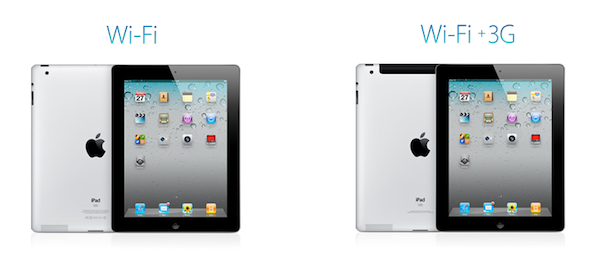
Attention, potential iPad 2 buyers: following the international rollout of the device across 25 countries last Friday, it appears that the device can’t be found anywhere. Every store has run out of iPads. The Apple online store reports a 3-4 weeks delay in many countries. Authorized resellers have run out of tablets, too. Apple fans worldwide are going crazy whilst Steve Jobs is enjoying an iPad 3 and an iPad 4 prototype in his home office.

Apple-related jokes aside, a number of reports in the past days have surfaced indicating several international Apple retail stores and resellers are completely out of stock. The Daily Mail says UK stores were sold out of iPads on Friday night / Saturday morning; rumor has it the same is happening in Italy, Canada and Australia. Of course Apple didn’t provide any detailed sales numbers and they haven’t issued a press release (yet), but basing on these initial reports it looks like the iPad 2 was off to a great launch.

Or, as some people speculate, the long lines around the globe and the multiple sell-outs were nothing but a clever marketing strategy to cover the fact that Apple is having production issues with the iPad 2 and large scale shipments. Stores are out of stock and Apple.com returns a 4-week long wait, but according to several bloggers this is due to the fact that Apple is having problems with the iPad 2 manufacturing chain – a rumor that was semi-debunked by Apple itself by launching the new tablet in March (rather than June) but that might still partially hold true if reports of these rapid sell-outs are real.

Reportedly sold out or not, if you’re really willing to get your hands on an iPad 2 now the best method is, yet again, the simplest one: drive to an Apple Store and ask. Then, leave a comment below and let us know.