Federico Viticci

10766 posts on MacStories since April 2009

Federico is the founder and Editor-in-Chief of MacStories, where he writes about Apple with a focus on apps, developers, iPad, and iOS productivity. He founded MacStories in April 2009 and has been writing about Apple since. Federico is also the co-host of AppStories, a weekly podcast exploring the world of apps, Unwind, a fun exploration of media and more, and NPC: Next Portable Console, a show about portable gaming and the handheld revolution.

Stylapps, A Beautiful Showcase of Stylish iPad Apps

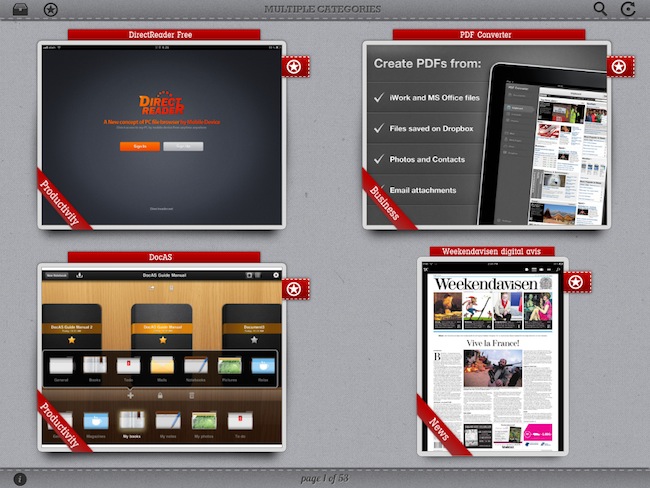
As a geek, I’m always excited about the next great app that may solve one of the annoyances in my workflow or provide a better solution to a problem I didn’t know I had. Whilst functionality is still king when it comes down to choosing the proper tools to administer our workflows and check things off our to-do manager, more often than not we’re also looking for beautiful software that meets our iOS expectations for elegant interfaces and intuitive navigation schemes. Stylapps, a free iPad app released in late June, aggregates “stylish iPad applications” that are becoming increasingly difficult to find in the tumultuous sea of daily App Store releases.

Stylapps starts up with an elegant grid of iPad screenshots placed against a light background that greatly contributes to enhancing the colors of the apps that are being presented on screen. The app comes with refresh and search buttons to find your way through specific releases, but more importantly there is a filter icon in the upper left corner that allows you to pick certain categories to check out new apps released on the App Store and hand-picked by Stylapps. So if you don’t want to learn about stylish new Games, but you’re in for a Productivity and Business treat, you can drill down into the aforementioned categories and start looking for new apps that may suit your needs. Screenshots in the main page are large enough to provide a quick preview of what you’re looking at, however you can also tap on a thumbnail to open a single-app view with description, iTunes screenshots, App Store button and a link back to the developer’s website. To go back to the main list, you just have to swipe your finger on screen; a two-finger swipe lets you jump 10 pages of app picks. A “star” button next to each thumbnail enables you to save an app to your favorites, a section that lives locally on your iPad to collect apps you may want to check out later.

Stylapps’ curated section of beautiful and stylish apps quite resembles my tastes, but in my tests I’ve found the app to be far from perfect as far as stability goes. I’ve experienced a few crashes when navigating between pages, and a bug with opening screenshots will sometime “freeze” the app into a lightbox overlay mode that will force you to quit and re-open.
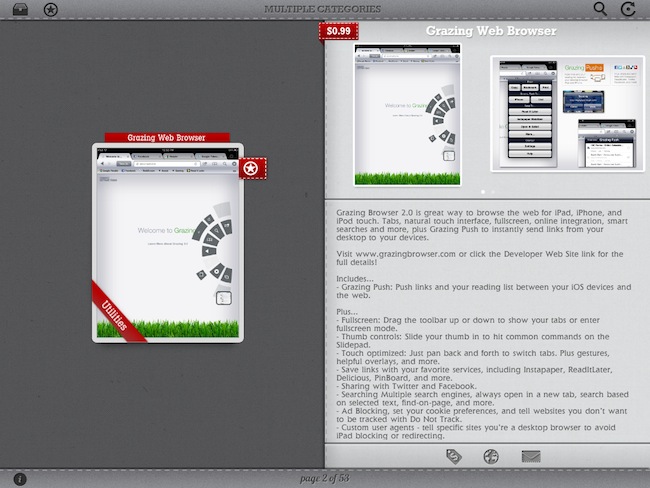
Still, these issues occurred rarely and I was able to browse the selection of software offered by Stylapps to find some interesting new apps I hadn’t covered here on MacStories. Stylapps is free, looks very nice on the iPad, and it’ll probably help you find the next gorgeous app you didn’t know about.

Airfoil, Reemote and AirPlay: A Multi-Speaker Wireless Setup

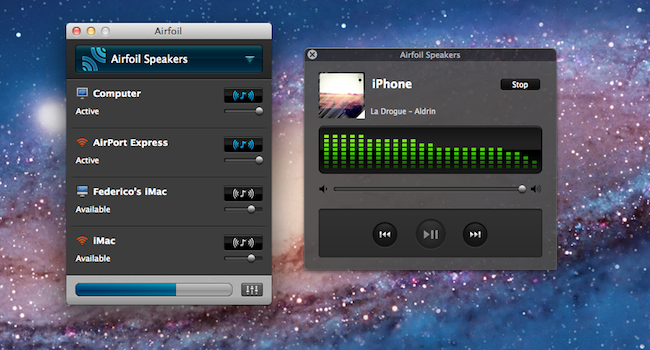
When I first covered the 4.5 update for Airfoil, which added extended AirPlay support and remote controls for compatible apps, a reader suggested an interesting hack or, better, workflow for wireless audio in the comments: given Airfoil’s capability of sending audio from a single source to multiple speakers or devices at once, it was possible to send audio from iOS to the Mac using AirServer, and then pass along data from AirServer (which acts as an AirPlay receiver on the Mac) to speakers recognized by Airfoil. Later, another reader chimed in to say that, considering Airfoil’s recent improvements, there was no need to install a separate app – Airfoil Speakers itself could handle the AirPlay stream from iOS to OS X, and then be used as an input source in Airfoil. When combined with an app like Reemote, this setup would allow you to send audio from an iPhone or iPad to the Mac wirelessly, from the Mac to another set of speakers or computers, and then control everything from iOS. Read more


Twitter and Google+ Polls: The iPad’s “Must-Have” & Top Productivity Apps

Over the past two months, I’ve run what I consider an interesting experiment with my Twitter and Google+ followers: I’ve asked them what their favorite iPad apps were, and noted down the results. More specifically, back in May I asked my Twitter followers what their “5 must-have” iPad apps were. That question included all the possible categories of the App Store, free and paid apps, universal and iPad-only apps – literally anything that could run natively on the iPad. I received dozens of replies, saved the results as “votes” in Evernote, and filed the note away for future usage. Then on July 13th, I asked about “top productivity apps” on Google+. This second poll was more specific: whereas the first one was just a matter of personal preference for any category and app type, the Google+ poll implied that people had to decide what they considered “productive” on the iPad. And because I was asking people, and not a computer-generated algorithm, the results of what people considered as “productive” were noteworthy. I waited a few days, saved the replies as votes, and created another note in Evernote.

The results are listed below but before you jump after the break, a disclaimer: by no means this is an official “poll” or “survey” – it’s just the results of two questions I asked with my personal accounts on Twitter and Google+. I don’t know each person that follows me on these social networks, but if I had to guess – I’d say they’re mostly geeks passionate about great apps and new software. For this reason the demographic of these polls is pretty much restricted to a certain category of App Store users – those who spend time browsing for new apps, care about the quality of design and, when possible, like solutions that are available cross-platform on the Mac and iOS.

That said, check out the Top Productivity Apps and Must-Have iPad Apps after the break. Read more


What Does An Image Leak Suggest About Next Week?


Over the past few weeks, a number of “leaks” from Apple’s supply chain and retail operations suggested the company was on track to launch the next major version of OS X, Lion, alongside new Macs this week, more specifically yesterday, July 14. According to the rumors, Apple was gearing up to unveil new MacBook Airs, Mac minis and white MacBooks all featuring updated Sandy Bridge processors from Intel and Thunderbolt connectivity. Whilst rumors about Lion immediately sounded fairly accurate as Apple seeded the “Golden Master” version of the OS to developers on July 1 (unless major issues are discovered, the GM version usually matches the public release’s build number and codebase) and the company said at the WWDC Lion would be available in July, speculation about new Macs generated from a series of factors that had been capturing the interest of the tech press since February. Read more


Apple Releases iOS 4.3.4 [Direct Links]

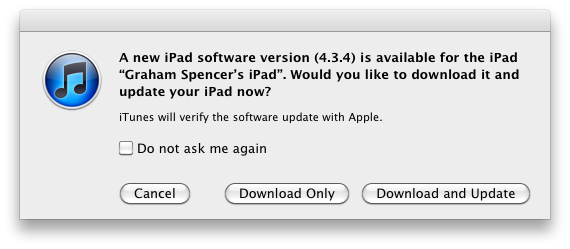
Apple has just released iOS 4.3.4 in iTunes. The new firmware should be available now if you check for updates, and it is supposed to fix an issue that allows jailbreaking an iOS 4.3.3 device through a PDF vulnerability. Apple describes the technical fixes in a  support document:

Impact: Viewing a maliciously crafted PDF file may lead to an unexpected application termination or arbitrary code execution

Description: A buffer overflow exists in FreeType’s handling of TrueType fonts. Viewing a maliciously crafted PDF file may lead to an unexpected application termination or arbitrary code execution.

Users who have jailbroken their devices using JailbreakMe will obviously need to stay away from the update if they want to keep Cydia and other installed jailbreak tweaks – Apple had already confirmed a fix was coming to patch the PDF security hole that could allow for other malicious exploits, not necessarily related to jailbreak.

Here are the direct links for iOS 4.3.4:

Apple has also released iOS 4.2.9 for the Verizon iPhone, which you can download here.


LogMeIn Updates: Full Lion Support, Ignition Gets Better File Manager

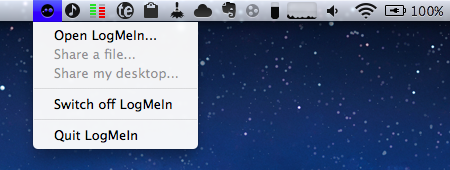
LogMeIn, the powerful remote desktop sharing tool that offers a variety of other services for professionals and businesses, released a series of updates in the past week to enhance support for file management in Ignition, the iOS app we’ve reviewed here on MacStories, and bring full OS X Lion support to LogMeIn Free, Pro and Ignition desktop users. With a blog post this morning,  the company has announced a compatibility update that resolves the issues when trying to connect to a machine running Lion, rumored to be publicly released next week. I have tested the update (which can be installed by opening LogMeIn’s preferences, then About->Check for Updates) on my two Macs running OS X Lion GM and I successfully managed to log in (both via screen sharing and file manager) from my iPad, iPhone, and the web. Read more


Tweetbot Gets Initial Push Notification Support

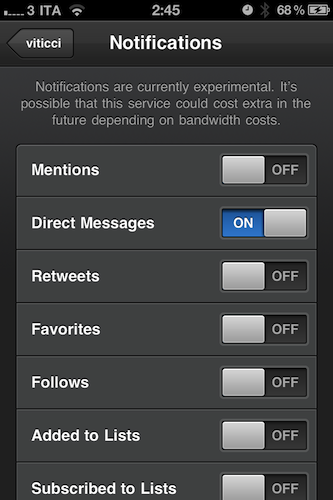
Tweetbot, the Twitter client “with personality” we reviewed a while ago and followed as the developers introduced new features and fixes, has received a major update to version 1.4 that adds a new important functionality, highly requested by the app’s userbase: push notifications. Alongside various bug fixes, selected tabs now remembered when switching accounts, and lists from Twitter users viewable as tweets, Tweetbot 1.4 comes with a new Push Notifications service in the Settings that allows you to be notified about incoming DMs, replies, follows and unfollows, and so forth. The supported Twitter services are many, however the developers have decided to limit the rollout of push notifications for now, mentioning scaling issues and API limitations from Twitter. As Tapbots wants to ensure an optimal experience for everyone, make sure their push notification servers hold up to the new traffic (enabling push notifications for an app – especially a Twitter client – isn’t as easy as most people think) and avoid delays in notification delivery, the initial rollout of Tweetbot push notifications will allow 1,000 users to sign up on a first come, first serve basis. In the following weeks, the limit will be raised to 10,000 users. Please keep in mind that right now – the app has just started propagating in the iTunes Store – notifications might take a while to become active as Tapbots set up the new service. Read more


Apple Approving Apps Updated for Lion

Earlier this week, Apple informed registered Mac developers that they could start submitting apps targeting the new features of OS X Lion – coming this month – such as full-screen mode, sandboxing, push notifications and new Aqua interface controls. In the email sent to developers, Apple wrote: ”OS X Lion, the eighth major release of the world’s most advanced operating system, will soon be available to millions of Mac users around the world. Submit your Lion apps for review now so they can be on the Mac App Store when Lion ships this month.” Whilst several rumors in the past had claimed Lion would be released today, July 14th, alongside new Mac hardware, such claims have failed to come true as the OS isn’t available to the general public yet. According to most recent speculation, minor issues with app resumes and restarts in Lion have forced Apple to “delay” the release – though it’s not clear how the company could delay something that was set for July, but wasn’t given a precise release date.

In the meantime, as first noted by OS X Daily, Apple has started approving apps updated for Lion. OS X Daily points out that Mac game WordCrasher was updated to support Lion’s full-screen mode and Resume; we’ve also found more Lion-ready app updates approved by Apple today. These updates either bring new features (as in the case of BusyCal) or minor bug fixes to ensure Lion compatibility.

WordCrasher

  • Full-screen. Use the full-screen button or press CONTROL + COMMAND + F to toggle fullscreen mode under OS X Lion.
  • Resume. Close WordCrasher at any time and resume your game right where you left it. Restart your Mac, and WordCrasher will resume straight away.

Harmony Worship

  • [Bugfix] Fix datamodel for OS X Lion
  • Include missing image in Mac App Store build

Shortcuts

  • System actions with CMD and ALT now work on Lion
  • User interface fixes

BusyCal

  • Lion compatibility.
  • Supports full screen mode on Lion.
  • Supports trackpad gestures on Lion.
  • Supports new scrollbars on Lion.
  • Supports Address Book yearless birthdays on Lion.

The four apps above were existing Mac App Store apps that have been updated to receive Lion fixes and support. The fact that all these updates were approved today leaves us wondering whether Apple wants to quickly get the Store ready for a Lion launch next week by approving apps that take advantage of the new OS – Lion will be exclusively distributed on the Mac App Store and, after it launches, new users may want to spend some extra money to get apps that work nicely with it. Since Apple began accepting Lion submissions this week many wondered whether the new OS could really come out today – if history is of any indication, it usually takes a week for Apple to begin accepting app updates and actually releasing a new major OS. According to a series of fresh claims, Lion is on schedule for a launch next week.


Apple Shuts Down OS X Downloads Page

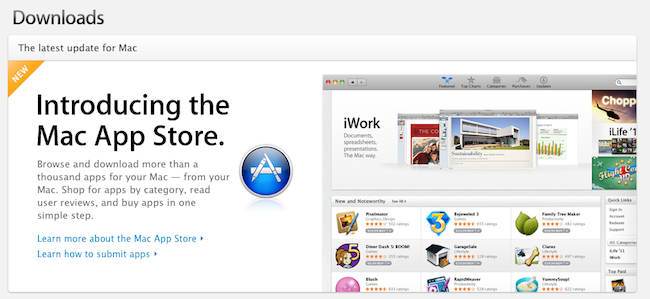
As announced back in December 2010, Apple has shut down [thanks, Daylen] the OS X Downloads page that used to list applications, widgets and utilities users could download for their Macs. Instead, Apple is now featuring the Mac App Store at the same URL, which you can find here (the old apple.com/downloads/macosx URL also redirects to the new page). It’s unclear when Apple made the change to the webpage, but the last time we checked a couple of weeks ago the Downloads website was still active and listing apps for OS X. With OS X Lion approaching its public release, the fact that Apple has replaced the Downloads website with a Mac App Store banner doesn’t come as a total surprise – after all, Lion is going to be distributed exclusively on the Mac App Store, and Apple wants it to become the most popular way to discover and install new software for OS X.

Back in December, an email from Apple to developers said:

Because we believe the Mac App Store will be the best destination for users to discover, purchase, and download your apps, we will no longer offer apps on the Mac OS X Downloads site. Instead, beginning January 6, we will be directing users to explore the range of apps available on the Mac App Store.

We appreciate your support of the Mac platform and hope you’ll take advantage of this new opportunity to showcase your apps to even more users.

The Downloads page used to be a good source of traffic and page views for developers willing to showcase their apps on Apple’s website, for free. Now, they’ll need to submit their apps to the Mac App Store, which is organized in categories and has a front page with featured software and staff picks, but can’t be accessed from a web browser.

As a side note, the Widgets site can still be accessed here. On the Downloads page, Apple is also featuring links to iOS Software Updates, Safari Extensions, Mac Software Updates, Safari 5 and iTunes 10.