Federico Viticci

10765 posts on MacStories since April 2009

Federico is the founder and Editor-in-Chief of MacStories, where he writes about Apple with a focus on apps, developers, iPad, and iOS productivity. He founded MacStories in April 2009 and has been writing about Apple since. Federico is also the co-host of AppStories, a weekly podcast exploring the world of apps, Unwind, a fun exploration of media and more, and NPC: Next Portable Console, a show about portable gaming and the handheld revolution.

Apple Updates FCP X With Multicam Editing, Enhanced XML

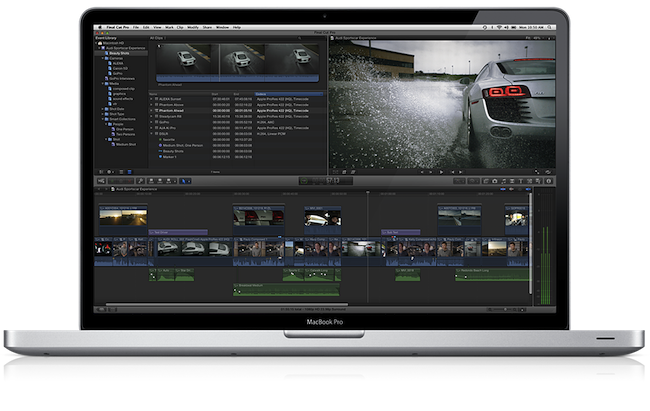
With a press release, Apple today announced a major update to its professional video editing tool Final Cut Pro X. The new version, 10.0.3, available as a free update on the Mac App Store, introduces several highly requested features and fixes, including multicam editing, enhanced XML 1.1 support, and advanced chroma keying. A free trial of Final Cut Pro X is available on Apple’s website.

Following a controversial launch in June (when the company even made an exception with refunds), Apple responded to negative FCP X feedback promising that more functionalities and improvements would be released in the following months. Today’s update brings multicam editing from up to 64 different angles of videos and photos, and XML for advanced interchange with different plugins and applications that support the Final Cut Pro X ecosystem, such as DaVinci Resolve, CatDV (color correction and media management), and the 7toX app from Intelligent Assistance which “uses XML to import Final Cut Pro 7 projects into Final Cut Pro X”.

Final Cut Pro X v10.0.3 includes a collection of groundbreaking new tools for editing multicam projects. Final Cut Pro X automatically syncs clips from your shoot using audio waveforms, time and date, or timecode to create a Multicam Clip with up to 64 angles of video, which can include mixed formats, frame sizes and frame rates. The powerful Angle Editor allows you to dive into your Multicam Clip to make precise adjustments, and the Angle Viewer lets you play back multiple angles at the same time and seamlessly cut between them.

Final Cut Pro X builds upon its robust, one-step chroma key with the addition of advanced controls including color sampling, edge adjustment and light wrap. You can tackle complex keying challenges right in Final Cut Pro X, without having to export to a motion graphics application, and view your results instantly with realtime playback.

The Loop has more details on Apple’s implementation of multicam editing using audio waveforms:

What’s really different in Apple’s implementation of multicam is how the company does its automatic syncing. Of course, you can sync camera angles by using the timecode or the less accurate method of using the time of day, but Apple has a new way of syncing camera angles — audio waveforms.

Townhill explained that with Final Cut Pro X, you can now sync scenes using the audio waveform captured with the camera. This doesn’t have to be the final audio used in the scene, but it can be used for syncing purposes. Of course, manually syncing cameras is still available at any time.

Furthermore, Apple states in the press release that ”broadcast monitoring in Final Cut Pro X is currently in beta and allows you to connect to waveform displays, vectorscopes, and calibrated, high-quality monitors to ensure that your project meets broadcast specifications. Final Cut Pro X supports monitoring of video and audio through Thunderbolt I/O devices, as well as through third party PCIe cards.” This update also allows users to import and edit layered Photoshop graphics, and import/export effect parameters through XML 1.1.

At the moment of writing this, the Mac App Store still reports 10.0.2 as the latest FCP X version available. The update should go live later today at this link.

The iOS-ification Of Apple’s Ecosystem

Today’s update to AirPort Utility for Lion reminds me of a topic I was willing to write about but eventually left in my nvALT queue due iOS 5 (review) and iCloud, various app releases, and the usual news from Apple in the past months. The iOS-ification of OS X is, at this point, inevitable, and anyone who doesn’t see it, or tries to neglect, is either software-blind or has some kind of interest in that way of thinking.

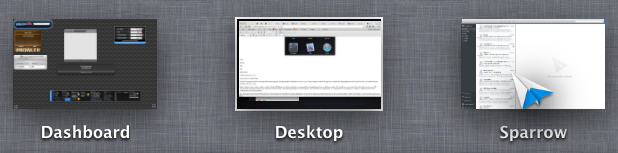
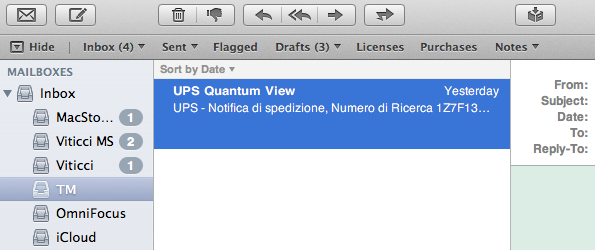
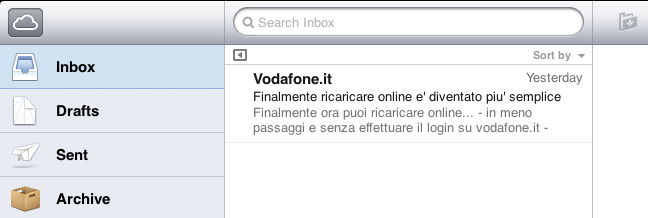
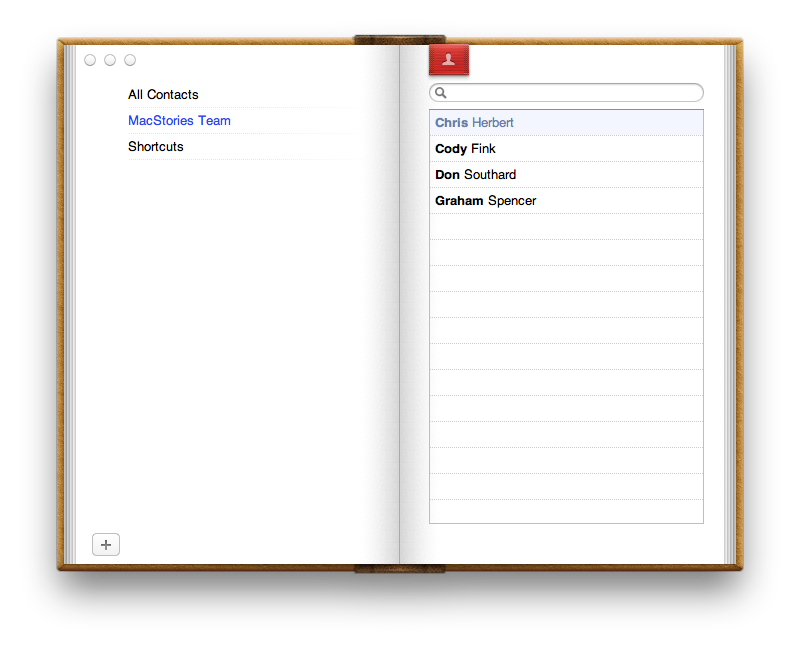
I am looking at my Mac’s screen right now, and I can count dozens of iOS-inspired elements now co-existing with “old school” Aqua interfaces and controls. This transition obviously started years ago, and in retrospect it’s hard to dig up the very first example of iOS-ification on the Mac, so let’s just take a general look at the things we have today:

iPhoto (updated in 2010);

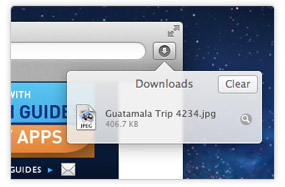
Safari’s popover for Downloads;

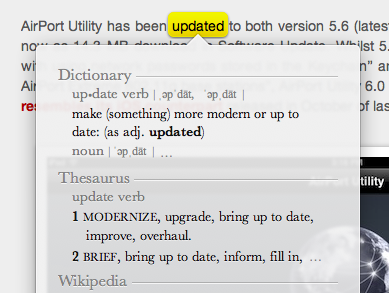
Safari’s tap-to-define;

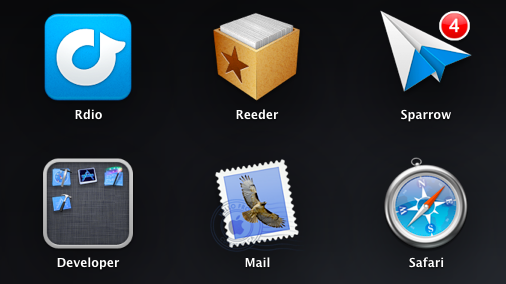
Launchpad;

Linen;

Settings;

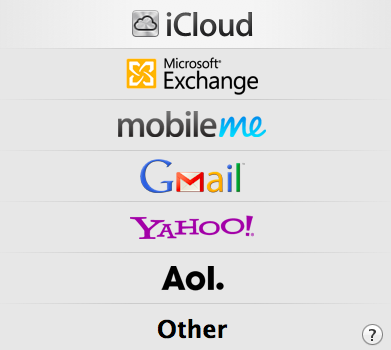
Mail;

iCal;

Address Book;

FaceTime (released in 2010);

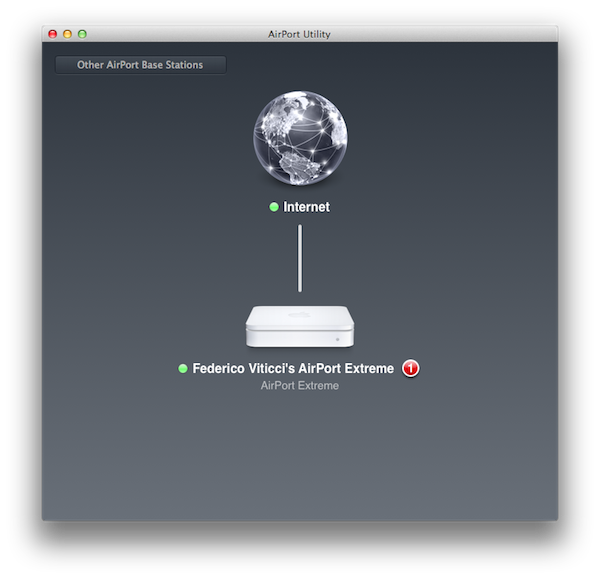
And now, the new AirPort Utility.

Of course, many great writers have already written about the general concept of graphical resemblance of Lion (our review) to, say, an iPad, noting how several iOS apps and UI schemes have been ported down to the last pixel to OS X. The screenshots above should provide some context.

Today’s (relatively minor) software update reminds me, however, that the iOS-ification goes far beyond simply converting graphics and updating apps from one platform to another. It is actually more a conversion of the entire Apple ecosystem to an iOS-inspired system of graphical elements, user interactions, business models, user experience paradigms, and functionalities. The iOS-ification isn’t simply visual, it’s a fundamental shift of strategy that, ultimately, I believe begins and ends with iCloud – something that I have discussed before.

Sure, many apps look the same across iOS and Lion now. Some features have worked the other way around, finding their way from OS X to iOS, such as Safari Reader and over-the-air software updates. Others weren’t ported – they were released at the same time across two platforms, such as Reading List (which fits in the bigger iCloud plan). From the user experience standpoint, there’s plenty of iOS goodness to go by in Lion: full-screen mode and Auto Save + Resume give users an iOS-like environment for working with apps and never lose data; natural scrolling and gestures have unified the way a user moves content around and interacts with the operating system; the Home user’s Library directory is not visible by default in Lion, eliminating an important piece of filesystem from the default configuration of the OS.

Then there’s the business side of the ecosystem. Both iOS and Mac apps have to be sold through the App Store, with Apple retaining a 30% cut off every transaction (Update: Mac apps can still be sold outside of the Mac App Store. Many have debated, however, that going forward the obvious path is the Mac App Store, with some feature such as iCloud integration being Mac App Store-only). Just like on iOS, Mac developers will soon be forced to implement sandboxing, which limits the access a third-party app has to the filesystem. And, obviously, boxed software is going away, leaving much retail room to Mac and iOS devices showcasing the App Store. Or shelves filled with iOS accessories.

iOS-ification isn’t merely graphical: I believe someday, very soon, almost every aspect of Apple’s operations will be iOS-inspired or iOS-unified: from hardware design to user interfaces and app distribution, from developer guidelines to marketing and the way people “see” Apple these days. Those who got to know Apple in the past five years likely already think of it as “the iPhone company”, and rightfully so for a business largely based on revenue coming from iOS.

There are many questions left unanswered and open to speculation. Will the Mac adopt iOS’ Home screen concept (and shortcomings) in the future? Will the next version of iWork for OS X look something along the lines of this? Will Mac-only applications (and thus Mac-like from a UI standpoint) like Aperture, Final Cut and iBooks Author ever be ported to iOS, triggering an iOS-based rewrite and redesign? We don’t know yet. But soon, maybe?

The complete iOS-ification of the ecosystem will be long and there will still be hardware features and design experimentations that will be tested on the Mac first. We can only assume that Thunderbolt will be made available for iOS devices in the future. Macs are still based on physical keyboards, and even if they (perhaps) don’t want to, Apple’s engineers are forced to test new apps with keyboard shortcuts and a different user interaction. Macs have bigger screens, which can lead to arguable design choices like a comically large Launchpad.

But the seed has been planted, and today’s software release is just another drip of water in a field ready to flourish in iOS-based similarities, like it or not.


Apple Releases iOS-like AirPort Utility 6.0 for Lion

Earlier today Apple pushed a series of updates for its AirPort Utility software, as well as a firmware update for AirPort Base Station and Time Capsule.

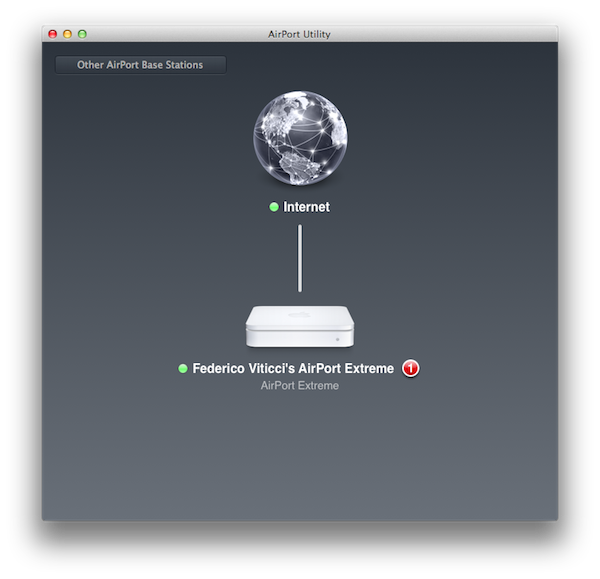
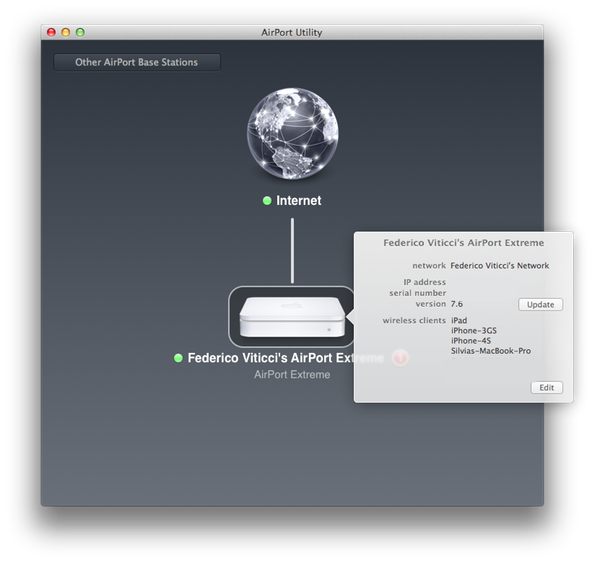
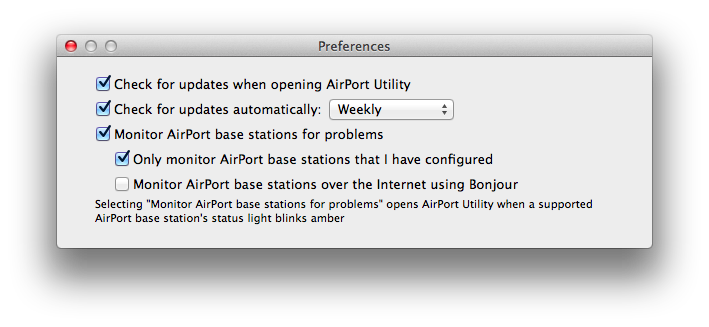
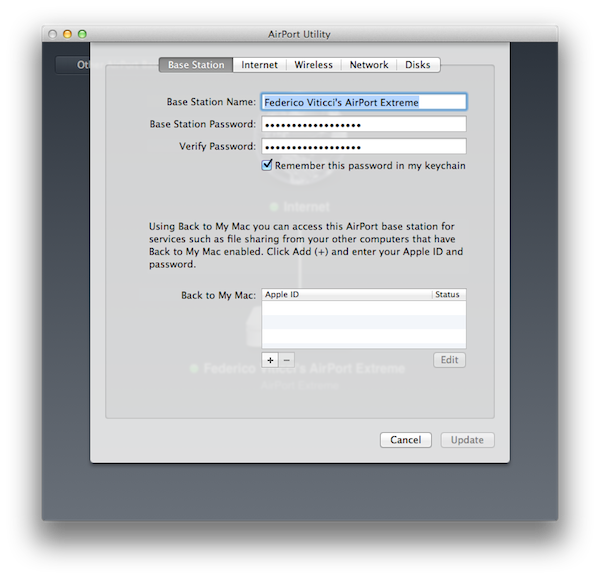
AirPort Utility has been updated to both version 5.6 (latest one was 5.5.3) and 6.0,the latter  available now as 14.3 MB download in Software Update. Whilst 5.6 is a minor update that ”resolves an issue with using network passwords stored in the Keychain” and ”works with AirPort Express 802.11g and AirPort Extreme 802.11g base stations”, AirPort Utility 6.0 is a major rewrite of the application that now resembles its iOS counterpart released in October of last year.

Above: AirPort Utility for iOS 5 on iPad. Below: the new AirPort Utility for Lion.

We’ll update this story with more details and screenshots in a few minutes. In the meantime, you can find the download links below. Apple also updated the AirPort Base Station and Time Capsule firmware, which reaches version 7.6.1 and brings the following changes:

This update is for all 802.11n AirPort Express, 802.11n AirPort Extreme and Time Capsule models. It fixes an issue with wireless performance and provides support for remote access to an AirPort disk or a Time Capsule hard drive with an iCloud account.

Direct links:

AirPort Utility 5.6 for Mac OS X Lion

AirPort Utility 6.0 for Mac OS X Lion

AirPort Base Station and Time Capsule Firmware Update 7.6.1


MacStories Reading List: January 22 - January 29

Another week gone by, another Reading List collection of great articles we’ve found around the web in the past seven days. This week saw the release of Apple’s Q1 2012 results, with an impressive 37 million iPhones sold and over $40 billion in revenue for the quarter. Interesting discussions, however, are still happening around iBooks Author, textbooks, and publishing tools. Not to mention The New York Times’ articles detailing Apple’s supply chain in China, and the experience of an Android user trying an iPhone for two weeks.

It’s time for another Reading List, so curl up with your favorite browser or read-later app, and enjoy the links we’ve collected for you. Read more


Quick Review: NewsFlash Aggregates The World’s Headlines

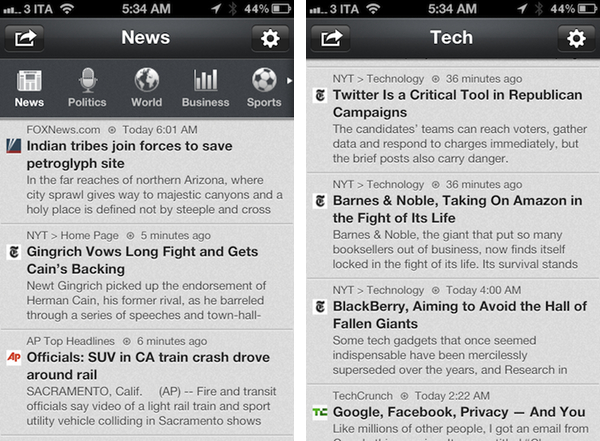
Even though I do most of news consumption in Instapaper, Twitter, and Zite these days, I still enjoy getting up to speed with “real news organizations” every once in a while. The majority of time that means getting to fire up some Italian website that delivers news (such as Ansa) or “big media” publications from the US, depending on what I’m looking for in that particular moment. Just as I was wondering why some sort of “Techmeme for Italy” doesn’t exist yet, an email dropped in my inbox pointing me at NewsFlash, a new universal app by Sollico, the same guys behind CurrencyPad for iOS.

NewsFlash is basically an RSS aggregator for the major news sources in the world – that is, some sort of “Techmeme for Italy only” for more countries, with “big media” websites aggregated by default and no relevance algorithm in the backend. In Italy, you can have news from the likes of Il Corriere Della Sera or Ansa; in the U.S. you’ll both find Reuters and Msnbc alongside TechCrunch and MacRumors. The app, in fact, is organized in sections that range from News and Politics to Sports, Technology and Gossip, providing a way to quickly change the topic you’re looking and get the facts, or at least what’s been written, about the latest news. It’s like Techmeme meets MacHash meets Tech News Tube meets Google Reader, only in a clean, intuitive app for iPhone and iPad.

The app obviously allows you to share stories via Facebook, Twitter (iOS 5 integration is supported), email and text message. NewsFlash doesn’t always load a website’s mobile view when jumping to stories (and that can actually be a good thing), but it offers font size controls and options to block ads and links to third-parties. News can be updated with the typical pull-to-refresh gesture, whilst a top toolbar is used to switch between countries and sections through a single swipe. Currently, NewsFlash comes with support for the following countries: Italy, UK, US, Germany (both in Deutsche and English), Japan, France (both French and English) and Israeli. The app’s preferences allow you to hide certain sections and add custom feeds (you can add literally anything that supports RSS, turning NewsFlash into a simple RSS reader), adjust fonts and change the app’s background. I like how the app automatically looks at your device’s language and tries to load news from that country.

NewsFlash is free, but you can disable iAd with a $1.99 in-app purchase. Give it a try if you’ve been looking for a nice app that aggregates “general” news, whilst keeping your real RSS subscriptions in a standalone Google Reader app.


Lion Full-Screen, New Tab Page Sneak Into Early Firefox 12 Build

One of the next versions of Firefox, Firefox 12, may feature a series of new interface elements and functionalities that should both appeal to OS X Lion users and introduce new navigation options for those who dont’ want to save their-most accessed websites in a bookmarks bar anymore. As first noted by ExtremeTech, an early version of a proposed new tab page design snuck into a nightly version of Firefox; per Mozilla’s multiple channel releases, users of Firefox can test different versions of the browser, which range from Nightly to Aurora, Beta, Stable, and those uploaded directly to Mozilla’s FTP servers.

ExtremeTech wrote about the new tab page:

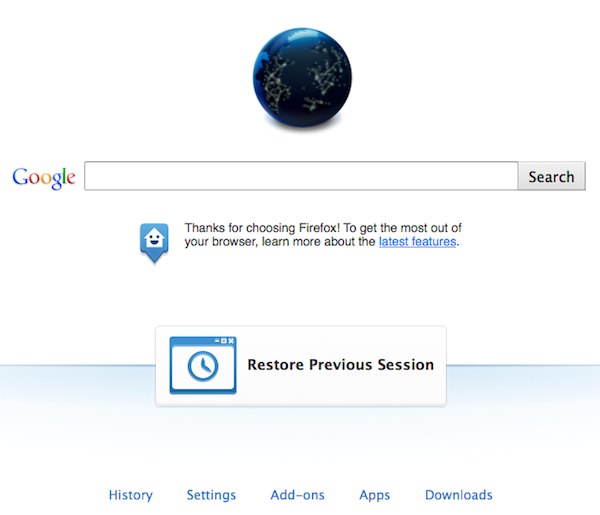
The Firefox home tab is a lot more exciting. Basically there are two phases: The first phase will add “launchers” at the bottom — one-click links to your downloads, settings, apps, and so on (pictured right). Phase two is a complete reworking of the home page paradigm, weaving in favorite apps, recent websites, and even instant messaging (pictured below). Phase one is expected to roll out with Firefox 12, but at the time of writing the code still hasn’t been committed.

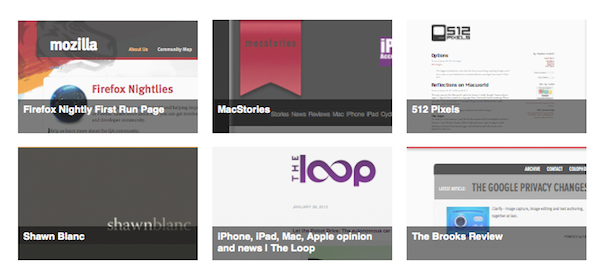
However, as also noted in an update to the original post, it appears Mozilla has pulled the functionality from the Nightly release of Firefox, leaving it in the “UX version” available for download on Mozilla’s servers. Upon comparing the standard Nightly build to the UX one, I noticed the latter already contains the grid design for top websites pictured above, and full-screen support for Lion.

I wasn’t able to activate ExtremeTech’s home tab page design with search, Top Apps, Top Sites and Chat in a single window; the current Firefox UX Nightly build features shortcuts along the bottom of the window to open History, Settings, Add-ons, Apps, and Downloads. A new “Restore Previous Session” button is also provided in case you haven’t set Firefox to automatically re-open previously open tabs on launch.

Changes that appear in Firefox Nightly builds typically carry over to the other stages of development and are further tweaked with refinements and bug fixes, but there could be changes in the features that Mozilla decides to implement once version 12 hits the beta channel. As for Lion support, Mozilla failed to deliver any significant optimization since the OS’ release back in July, unlike competitor Chrome which added new scrolling, full-screen support and gesture navigation (among other things) fairly quickly. A designer at Mozilla mocked up some ideas that the company could deliver in a future version of Firefox for Lion, but as of version 12 nightly (Firefox stable is currently at version 9) it seems those ideas haven’t been taken into consideration yet.


Scanner Makers Have Their Heads In The Cloud

Macworld: Scanner Makers Have Their Heads In The Cloud

James Galbraith reports from Macworld|iWorld 2012:

Don’t believe it when folks say that the Macworld | iWorld show floor is primarily filled with iOS accessories—the community of document scanner makers is quite well represented too. At least seven different companies have scanners on display at this week’s event.

Continuing a trend that we saw last year, many scanner companies are relying on their cloud capabilities rather than their hardware to differentiate themselves.

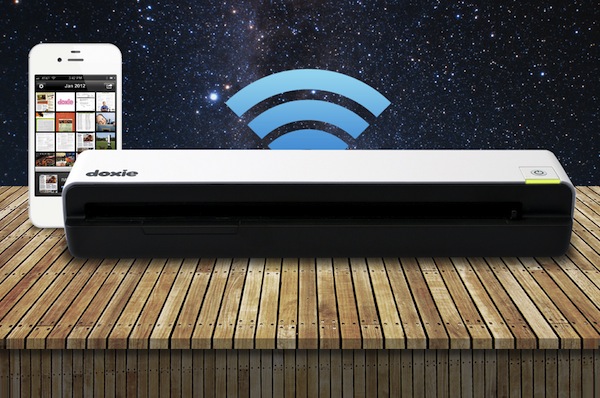
He mentions Doxie’s Go scanner, Neat Company’s NeatReceipts and NeatDesktop products (powered by subscription-based NeatCloud), Fujitsu’s ScanSnap scanners, and Ambir, which partnered with NewSoft for the Mac versions of the TravelScan Pro and TravelScan Pro Duplex. NewSoft also showed a Mac utility that scans the OS X Address Book and syncs with iCloud.

It’s interesting to see how scanners, a category of devices many would have called “boring” five years ago, has been revitalized by iOS devices and the cloud. Most of these products have cloud-related functionalities built-in, usually in the form of Dropbox and Evernote integration for publishing scanned documents, or backing up entire libraries of PDFs. They come with desktop and mobile applications, too, that often allow for wireless syncing through Eye-Fi cards, thus cutting the need for a cord entirely.

On the iOS side, another trend that can only grow as the hardware gets better is camera-based scanning software. The App Store is full of possible solutions to turn your iPhone into a scanner; because it’s software, developers can augment these apps with updates and new features at any time. iOS scanning tools will never be a replacement for “real” scanners if you need to go paperless with 10 years worth of documents, but they can serve as the primarily solution for many people that are starting now with only a few business cards and small receipts. I wouldn’t be surprised to see Apple coming out with its own scanning app in the future, as a cool hardware showcase for a new iPhone.

Personally, I bought a Doxie Go and I’m quite fond of it so far. Make sure to check out Shawn Blanc’s video and review if you’ve never heard of the Doxie before.

Permalink

The State Of iCloud-enabled Apps

Three months after the public launch of iCloud, I thought it’d be interesting to check upon the App Store and see how many developers have decided to enable iCloud integration for documents & data storage in their apps.

iCloud went live alongside iOS 5 and OS X 10.7.2 on October 12th, two days ahead of the iPhone 4S’ launch. In retrospect, iCloud’s public debut wasn’t without its issues and hiccups, but it was relatively smooth in the following days and Apple acted promptly to restore interrupted services for its users. Looking back, it’s just weird how many times iCloud Mail has been down, and continues to be unstable, whereas iCloud sync (for apps and data) has been fairly responsive and, at least on my side, always up. This says a lot about priorities, I guess.

In 107 days since iCloud went live, and 235 since Apple’s announcement at WWDC ‘11, it appears the majority of third-party developers are still considering whether or not iCloud is something worth investing their time – and customers’ money – or not. Those who have successfully implemented iCloud have done so in ways that require minimal user interaction, most of the times enabling sync capabilities through a single setting switch. Others have tried more complex solutions, often having to come up with separate tools to enable iCloud. Especially on the Mac, the fact that only apps sold through the Mac App Store can be directly integrated with iCloud isn’t helping developers who are still selling apps both on Apple’s App Store and their own website. Overall, there seems to be a shared trend among developers choosing to wait for Apple to clarify specific aspects of iCloud sync, improve the platform and fix some bugs that may prevent certain applications from being iCloud-enabled without requiring a major restructuring of the codebase on their end. Turning an iOS or Mac app into an iCloud-enabled app hasn’t turned out to be the 1-click process many, including me, wrongfully assumed when iCloud was previewed at WWDC last year.

Every app has its own way of storing local documents and user data. Some apps prefer keeping the original source of a document intact, say a .txt file, whilst others may apply their own file format to store documents and data internally in a proprietary database or multiple files, such as Evernote’s take on XML. There are pros and cons: keeping a universal file format such as plain text gets you more benefits in data portability; writing your own database structure allows you, as a developer, to do things exactly the way you want. What does this mean for iCloud?

Without getting too technical (also because my knowledge on the subject can only get you so far before I suggest you go read the developer documentation), the developers I’ve talked to explained that in the way iCloud syncs file, there may be some incompatibilities with apps that are based on complex databases and libraries. Apps that simply want to sync .txt files across multiple devices might be easier to port to iCloud, but then again there are always some aspects to consider such as conflicts, renaming a file, or getting a timestamp for the modification date when multiple devices are accessing iCloud. That’s not to say implementing iCloud is technically impossible for apps that are based on libraries, and not easily exportable files: below, I’ve collected some examples of apps that do just that, and quite cleverly too. However, getting to enable iCloud and make it reliable enough so that all kinds of apps can work with it without frustrating the user (who, in theory, never has access to the inner workings of iCloud) while at the same time providing the functionalities he or she expects. Read more


The Omni Group Previews OmniPlan for iPad, iCloud Sync Coming To iPad Apps

The Omni Group Previews OmniPlan for iPad, iCloud Sync Coming To iPad Apps

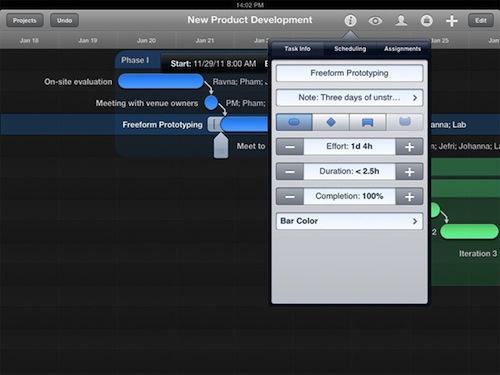
At Macworld|iWorld 2012, which kicked off yesterday in San Francisco, iOS and Mac developer The Omni Group offered a first preview of an initial build of OmniPlan for iPad, and detailed some of their upcoming plans for the suite of apps they offer to Mac, iPhone, and iPad users.

As reported by Ars Technica, an iPad version of The Omni Group’s project planning and management application, OmniPlan, should be released in the second quarter of 2012. That puts it right on schedule for a possible WWDC release, although The Omni Group’s CEO Ken Case didn’t commit to a specific ETA when commenting on the app’s release. Similarly, Case didn’t give any details on pricing, except that we should expect the same pattern that happened with the Mac versions of OmniFocus and OmniGraffle – the iPad apps being sold at roughly half the price, yet with equally powerful functionalities.

Chris Foresman writes:

When we spoke to Case at the Macworld Expo last year, he told us about the company’s plans to update OmniPlan on Mac OS X to version 2.0. That version included a major overhaul to the backend engine, which improved cloud syncing abilities and offered integration with the GTD-based task manager OmniFocus. OmniPlan for the iPad will use the same engine, making it possible for multiple users to update project plans simultaneously. Those changes can be reviewed, approved, or rejected using the iPad just as on the desktop.

The early build we saw this week wasn’t complete, but the UI made full use of pinch and swipe gestures to control how much of a project’s timeline was in focus at any given time. Multitouch gestures also make it easy to manipulate task times and connect tasks and milestones to others to establish dependencies.

For current Omni customers, Case has confirmed that iPad versions of OmniGraffle, OmniGraphSketcher and OmniOutliner will get a new document management interface with iCloud support. The change is much needed as Omni’s current document-based sync isn’t the most automatic or user-friendly out there, and iCloud would hopefully make everything easier and reliable, while still keeping the old webDAV and exporting options available.

Looks like it’s going to be another great year for The Omni Group.

Permalink