Federico
AppStories Episode 177 - What is Great App Design?
0:00
38:25
38:25
This week Federico and John consider what makes an app’s design great, the balance between form and function, and some of our favorite app designs.

Save articles for later and enjoy them when you have time
 What is Great App Design?
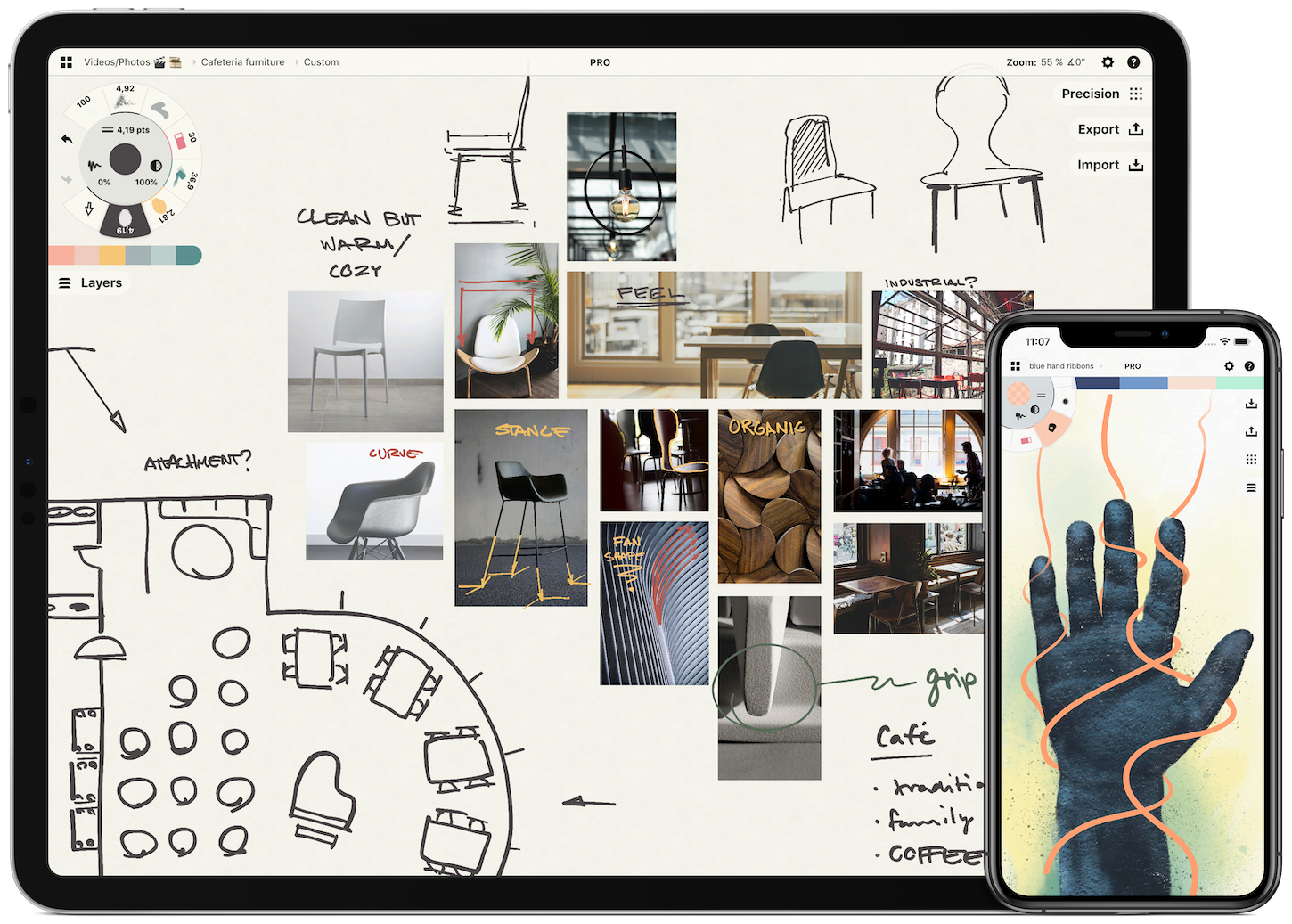
 Concepts is a powerful creative tool to help you think, explore, and sketch your ideas. Stretch your mind past the limits on an infinite canvas using liquid pens and brushes in designer COPIC colors. Used by creative professionals for visual thinking, note-taking, drawing, storyboarding, graphic design, product iteration, and architectural planning, Concepts lets you sketch, communicate and present your ideas with a flexible, customizable toolset.
Built from the ground up for iPad’s touch sensitivity, Concepts combines vectors with natural finger gestures to enhance your creative workflow. Everything you draw can be edited, moved, and reorganized, allowing you to interact with your ideas at a deeper level. Drag+drop images and objects for fast ideating, use layers and grid layouts to organize your work, and apply real-world scale for professional design work.
Concepts comes with a built-in Presentation Mode that lets you connect to a large display for graphic discussion and live sharing during events. It works with apps like Zoom for instant virtual whiteboarding. Once your work is final, export and share standard, high resolution, and vector file types for flexible work between teams and apps.
The app comes free as a basic sketching tool, with the ability to unlock 200+ libraries of brushes, objects, and services via subscription or one-time purchase. Sketch, explore, and share your ideas infinitely with Concepts.
Download Concepts today for free and give it a try. To learn more about how Concepts can help you explore your ideas, visit concepts.app.
Our thanks to Concepts for sponsoring MacStories this week.






Sponsored by Overdrop Weather – Weather Simplified
This week on MacStories Unwind:
 My Favorite First-Gen Catalyst Apps
 Catalyst got off to a rocky start in 2018. Apple’s original set of first-party apps left a lot to be desired, especially in terms of using standard controls and following traditional macOS conventions. With Catalina, the picture brightened a little. Podcasts, which debuted with Catalina’s release, was written entirely with Catalyst and, while not perfect,...
This week on AppStories, we bring back an AppStories classic: Pick 2, an in-depth look at two apps. In this installment, Federico explains why he has been revisiting Castro for listening to podcasts, and John covers the evolution of Grammarly into a terrific grammar and spell-checking app for writers.
Anyone new to a job has probably thought or even asked:
“Why do you do it that way?”
and gotten the age-old answer:
“Because that’s how we’ve always done it.”
It’s human nature to stick with a solution that works and is familiar. When a workflow is so ingrained that it’s a habit, that’s good because it allows the task to become less about the tools and more about what you’re creating.
Paradoxically, though, familiarity can also lead to inflexibility, a resistance to change that undermines the very productivity that the solution enabled in the first place. It’s an inertial force that’s hard to resist, but I think it’s important to push back against it. Not solely for the sake of efficiency, but also to improve the results of your efforts.
The trick is knowing when experimentation with new workflows is unproductive fiddling and when it’s meaningful exploration. I’ve seen too many people fall into the trap where improving the process becomes the goal itself.
Early last year, I decided I was finished with letting tasks dictate how I work. I work across the Mac, an iPad Pro, and an iPhone all day long. Some jobs are more suited to one device than another, and some I just prefer to do on a particular device. The point is, though, that it’s something I want to be my choice, instead of something foisted on me by the nature of the work itself.
I’m fortunate that most of what I do migrates effortlessly from one device to another. Still, I’ve historically had two weekly responsibilities where I’ve felt tied to a Mac.
The first was producing the Club MacStories newsletters using Mailchimp’s web app. As I wrote last January, Safari’s updates in iOS and iPadOS 13, which made web apps work roughly the same on my iPad Pro as on my Mac, solved that problem for me.
The second Mac-bound task was podcast recording and production. I recognize that there have been ways to accomplish podcasting on an iPad for a while. However, when it comes to recording in particular, I didn’t want to change the way I record episodes to work around the iPad’s limitations for the same reasons Federico articulated in Beyond the Tablet.
What made these two tasks frustrating is that they’re both tied to schedules that have limited flexibility. When I was traveling more, that left me with little choice but to take a Mac. I prefer to travel with my iPad Pro, but regardless, I’d rather pick how I work myself, even when I’m at home.
I’m not doing as much traveling now, but a recent road trip to Michigan led me to start thinking about my podcasting setup again. As with many trips in the past, I wound up taking my MacBook Pro along, in this case so I could record interviews for an episode of AppStories. The setup was perfectly fine, but it felt like too much equipment for recording a few short interviews. Plus, I took my iPad Pro because I prefer it for writing and wanted to stay connected to mobile data as I wrote a story in the car.
Ever since Jason Snell wrote about his iPad Pro podcasting setup on Six Colors early last year, and Federico adapted it for his setup when he can’t use his Mac mini, I’ve wanted to try something similar. What held me back, though, was a combination of the complexity, cost, and infrequency with which I assumed I’d use the setup.
I also held out hope that iPadOS 13 or 14 would include improved audio routing that would make it possible to talk on Skype and record a local audio track. That hasn’t happened. Although I expect Apple will add that functionality eventually, it’s been 18 months since Safari solved my Mailchimp problem. With only podcasting standing in the way of my goal of device independence, and no software solution from Apple in the early iPadOS 14 betas, I figured it was time to revisit my hardware options.
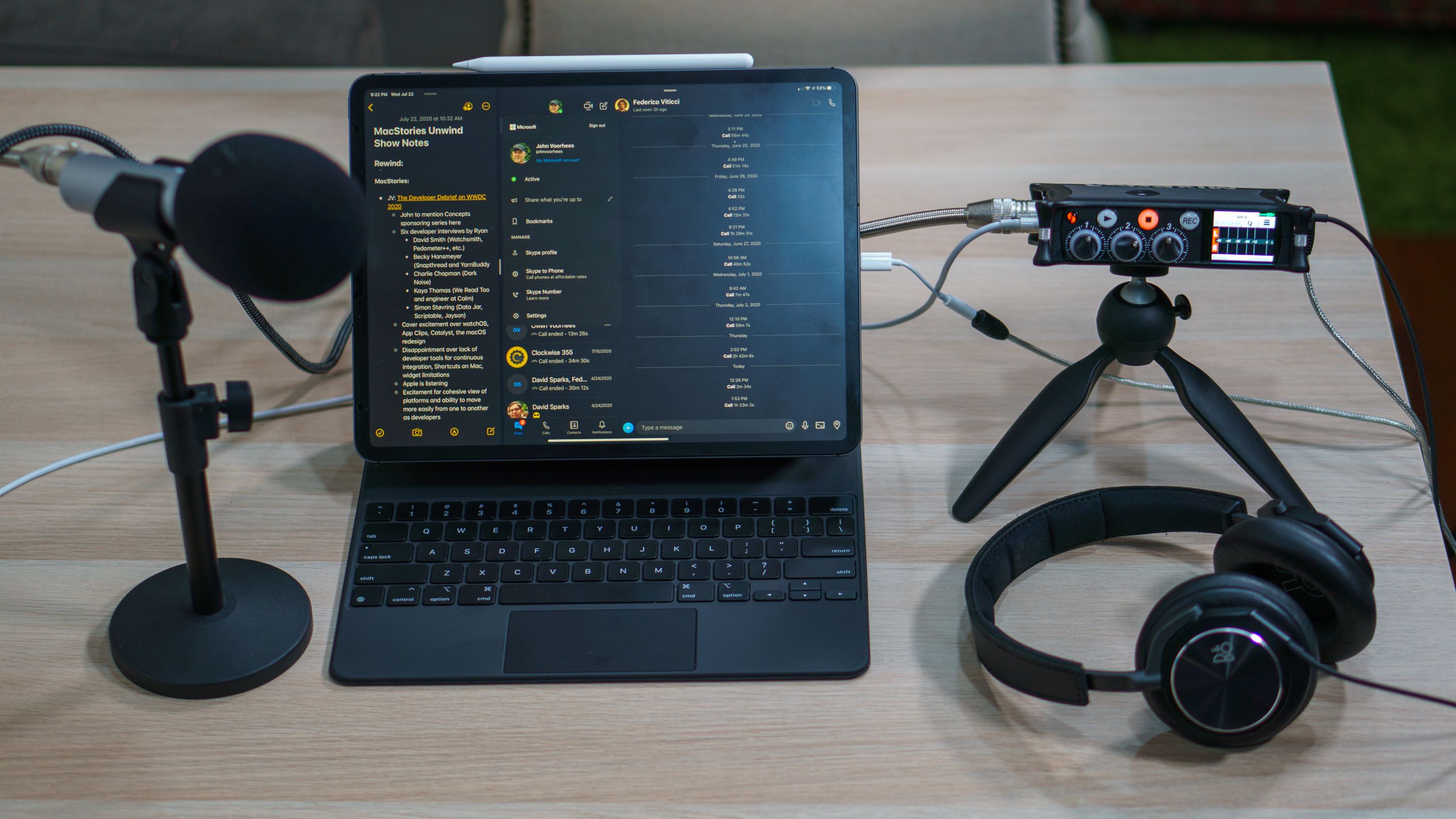
I wanted a solution that worked equally well when I’m sitting at my Mac or iPad, allowing me to talk over Skype and record myself locally. What I discovered was an incredibly versatile solution that accomplishes in a single device what Snell and Federico cleverly constructed from a field recorder and USB audio interface: the Sound Devices MixPre-3 II.
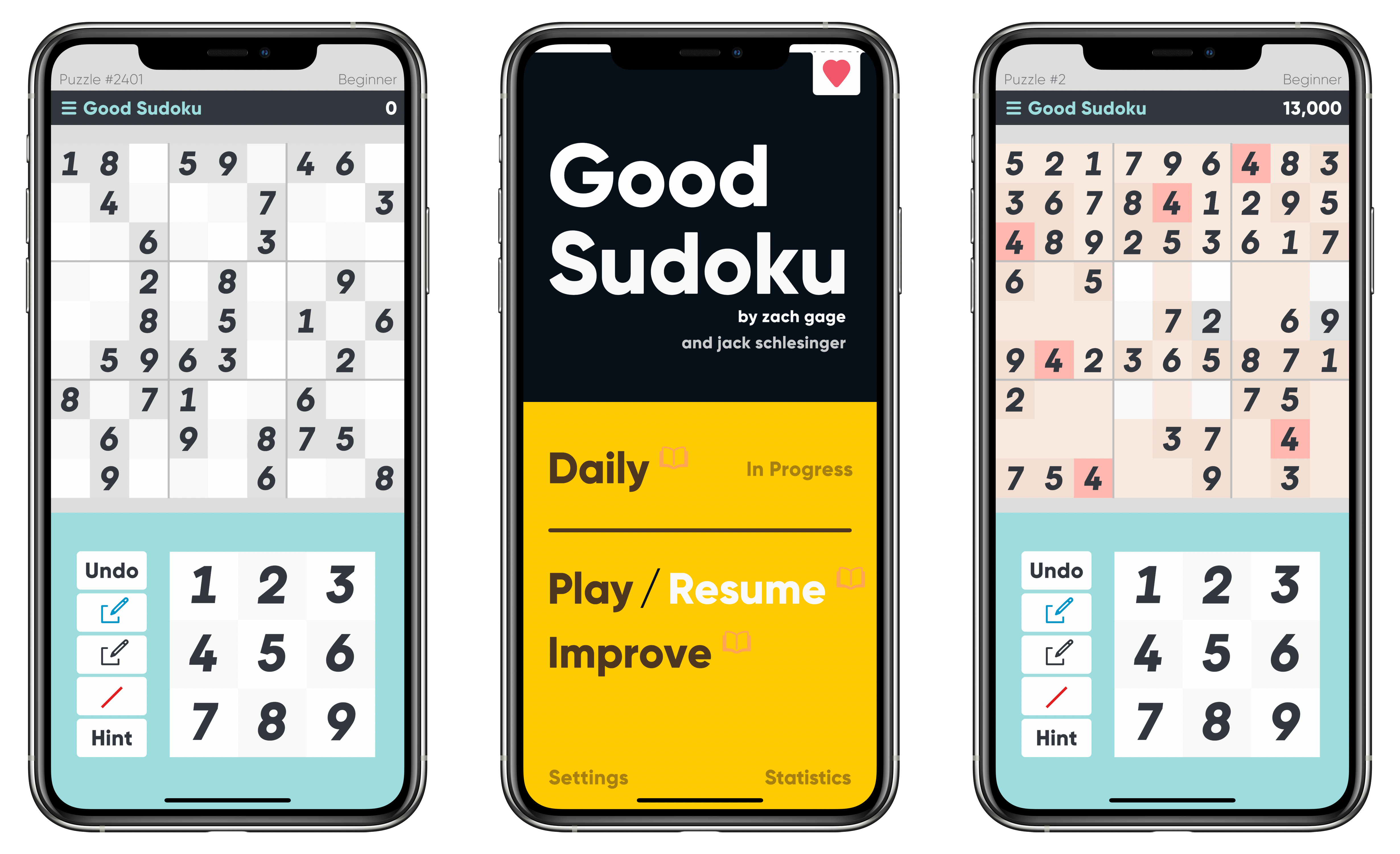
Zach Gage has a knack for giving classic games an interesting twist. Sometimes that means turning the rules upside down and inside out like Flipflop Solitaire or Really Bad Chess. Other times, it means removing the tedious and boring parts of games to breathe new life into them, which is precisely what he and Jack Schlesinger have accomplished with Good Sudoku.
I started with Good Sudoku as a novice. I’ve played sudoku before and knew the rules, but it’s not a game that has ever grabbed me and stuck. As a result, as much as I’ve enjoyed Gage’s other games, I approached Good Sudoku with a healthy dose of skepticism. However, after several days of playing the game, I’ve found that stripped of its tedious aspects, sudoku is engaging to the point of being addicting and a whole lot of fun.
Pick Two: Castro and Grammarly
This week Federico and John bring back an AppStories classic: Pick 2, an in-depth look at two apps. In this installment, Federico explains why he has been revisiting Castro for listening to podcasts, and John covers the evolution of Grammarly into a terrific grammar and spell-checking app for writers.
Sponsored by Magic Lasso Adblock – Block Ads, Trackers and Pop-Ups on Your iPhone, iPad, and Mac
This week, Federico and John celebrate World Emoji Day with big updates to Pixelmator Pro and Ulysses, a rundown of iOS 13.6 features, the Eve Cam, plus YouTube creator and movie Unwind picks.