This Week's Sponsor:

Copilot Money

The Apple Editor’s Choice App for Managing Your Money


Posts tagged with "featured"

My Must-Have iOS Apps & Web Services, 2016 Edition

2016 has been the year that I got used to iOS as my primary computing platform. After years of slowly transitioning from macOS, 2016 was all about optimizing my workflows and getting the most out of my iPhone and iPad.

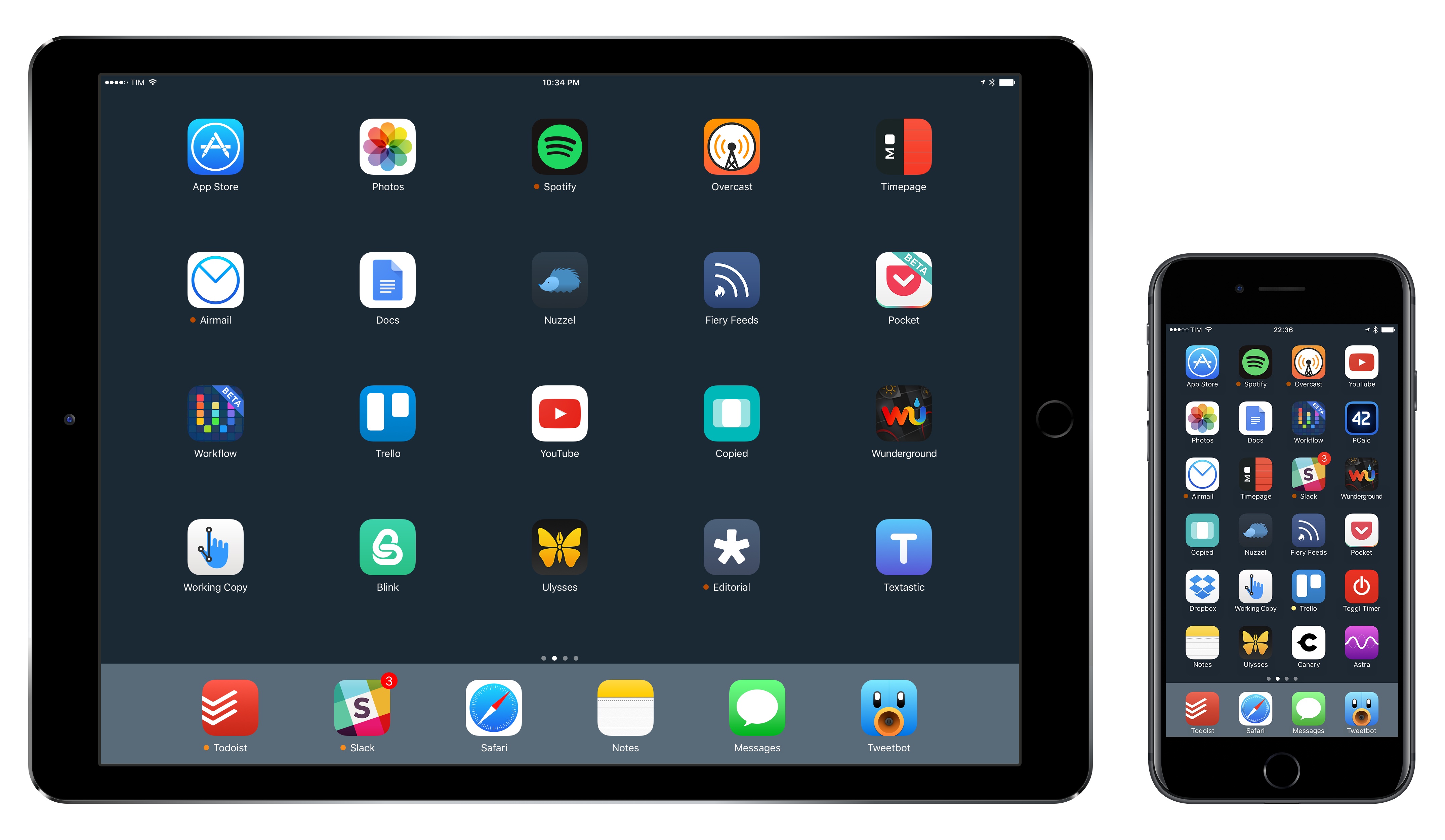
As I documented in two stories – one in February, the other last week – the consolidation of my iOS-only setup revolved around the iPad Pro. I see the 12.9-inch iPad Pro as the ultimate expression of iOS for portable productivity. With my 2011 MacBook Air now used three hours a week exclusively for podcasting, I invested my time in understanding the iPad platform at a deeper level. Thus, following two years spent assessing the viability of working from iOS, 2016 was characterized by the pursuit of better iOS apps for my needs. That effort was most notable on the iPad, but it also affected the iPhone, which I see as the mobile sidekick to my iPad Pro.

Two trends emerged once I began outlining a list of candidates for my annual Must-Have Apps roundup. First, the apps that define how I work on iOS haven’t dramatically changed since last year. As you’ll see in this year’s collection, the core of what I do on iOS is in line with last year; there are some new entries and apps that have left the list, but my overall app usage is consistent with 2015.

The second pattern is more interesting. To be able to accomplish more every week and automate more aspects of my routine, I have increasingly switched to web services in lieu of iOS-only apps. In looking back at the past year of MacStories, I realized that a good portion of new workflows were based on web services, web automations, and open APIs. Some of those web services also offer iOS clients; others are strictly web-only, but I integrated them with iOS apps through Workflow and Zapier.

For these reasons, you’ll notice a difference in the 2016 edition of my roundup. In addition to my must-have iOS apps, I’ve added a section for my must-have web services. Whether I primarily use them with iOS counterparts, in Safari, or via an API, these are the web services that have helped me handle more responsibilities for my two businesses at MacStories and podcasting duties at Relay FM.

As in previous years, you’ll find a series of personal awards at the end of the story. These include my App of the Year and Runners-Up, and, for the first time, a Web Service of the Year and winners in other iOS categories.

Read more


A Computer for Everything: One Year of iPad Pro

I wasn’t sure I needed a 12.9-inch iPad when Apple announced the iPad Pro in September 2015. And yet, over a year later, the iPad Pro is, by far, the best computer I’ve ever owned. I’ve never felt so satisfied with any other Apple device before – but the transition wasn’t easy.

After years spent adapting what I learned from the Mac to bring it to iOS, what I found on the other side was a more focused, efficient way of working and communicating with people. The iPad Pro accelerated my move to an iOS-only setup; today, I genuinely don’t know how to perform certain tasks on a Mac anymore.

I use my iPad Pro for everything. It’s my writing machine and favorite research tool, but I also rely on it to organize my finances, play games, read books and watch movies, program in Python and Workflow, and manage two successful businesses. While I’ve been advocating for such multi-purpose use of the iPad platform for a while, the iPad Pro elevated the threshold of possibilities, reaching an inflection point that has pushed others to switch to an iPad as their primary computer as well.

Much of the iPad’s strength lies in iOS and its app ecosystem. If Apple were to stop making iPads, I’d still prefer to work on a device that runs iOS rather than macOS. iOS is where app innovation happens on a regular basis with developers one-upping each other in terms of what software can achieve; I also prefer the structure and interactions of iOS itself. The iPad Pro is the purest representation of iOS: it’s a computer that can transform into anything you need it to be.

Even if this discussion was settled a long time ago, it bears repeating: millions of people today like working on iOS more than they do on macOS, and the iPad Pro is the best machine to run iOS. There is no sarcastic subtext about the Mac here, which is still a fantastic environment that many Apple users love and need for their line of work. The Mac and the iPad can coexist in a market where customers believe one is superior to the other. I prefer working on the iPad; others like their Macs more. And that’s fine because, ultimately, the Apple ecosystem as a whole grows stronger and we all reap the benefits.

Over the past year of daily iPad Pro usage, I’ve made it my personal goal to optimize my iPad workflows as much as possible. This is one of the best aspects of the iOS platform: competition between developers is fierce and you can always choose between different apps to get work done – apps that are improved on a regular basis and are constantly updated for the latest iOS technologies. With enough curiosity and patience, iOS rewards you with the discovery of new ways to work and save time.

Since my last iPad story in February, I’ve taken a hard look at my entire iPad setup and rethought the parts that weren’t working. I tried new apps, created new automations, and optimized every weak spot I could find. I improved how I collaborate with my teammates and produce weekly content for Club MacStories members. Thanks to the time I invested in understanding and fine-tuning my iPad Pro, I was able to embark on more projects, double MacStories’ growth, and manage a larger team.

As a result, my iPad Pro today is noticeably more capable than it was a year ago – all without the need for a hardware refresh.

Here’s what I’ve done.

Read more


    TV App Review

    Today Apple released tvOS 10.1 and iOS 10.2, both of which bring several additions to the operating systems. Chief among all additions, the clear centerpiece of these updates is a brand new app called TV. When Tim Cook announced this app onstage earlier this fall, he plainly stated its purpose: TV exists to create a unified TV experience, one place to access all TV shows and movies.

    Does it succeed? Is this the best television experience available today?

    Before answering those questions, it’s important to consider the history of underwhelming television endeavors that brought Apple to this point.

    Steve Jobs introduced the first Apple TV set-top box over ten years ago, in September 2006. That product unveiling came at the tail end of a keynote focused on the iPod and iTunes, where Jobs announced the additions of Movies and TV Shows to the iTunes Store. At its birth, the Apple TV was not meant to revolutionize television; it was made to support the iTunes ecosystem Apple was building.

    Throughout its first three iterations, the Apple TV was never a hallmark product like the iPod, Mac, or iPhone; it was simply a hobby for the company. It was Apple dipping its toes in the TV market. But the fourth generation Apple TV represented a shift. With modern hardware, a new operating system dubbed tvOS, and a vision that the future of TV is apps, Apple dove full force into the television market. It set out to create the best TV experience possible.

    The newly released TV app is a significant step forward in realizing that goal.

    TV is intended to address a modern issue. While the future of television may be apps, up until now Apple’s implementation of that vision has been lacking; it’s been lacking because the more video apps you have, the more navigating it requires to find the content you love. More time navigating means less time watching. TV was built to solve this problem.

    The TV app on tvOS and iOS centralizes content from a wide array of video apps in one place, presenting that content in a simple and familiar interface. No one wants to juggle an assortment of video apps, jumping from one app to another to find the content they’re looking for. We’ve all learned to tolerate it, but none of us wants it. So Apple built TV to be the new hub of our video-watching life.

    Read more


    Six Months with CarPlay

    One hallmark of most Apple products is the tight integration between hardware and software. By controlling everything from the device to the apps running on it, Apple can design unique experiences that competitors have a hard time matching. Nothing highlights the advantage of that hardware/software interplay better than one of the few products where it’s missing – CarPlay. It’s the exception that proves the rule.

    Don’t get me wrong – I prefer CarPlay to any auto manufacturer’s entertainment system that I’ve used, but the projection of a custom iOS interface onto my Honda’s laggy touchscreen reminds me every time I poke at it that I’m seeing a mirage. It looks like an Apple product on the surface, but the resemblance is only skin deep. As soon as you interact with CarPlay on Honda’s hardware, the spell is broken. Siri goes a long way to help maintain the illusion, but it’s a bridge too far that makes me long for an integrated solution that isn’t hamstrung by the Honda’s hardware.

    Read more


    The In-Between Macs

    The current MacBook Pro line is a little bit of a mess. Even after brushing aside the last-generation machines that are still for sale, the current offerings are confusing. Both 15-inch models come with the Touch Bar, but only two of the three 13-inch models offered do.

    That $1,499 non-Touch-Bar-but-still-in-the-new-skinny-case 13-inch MacBook Pro is what I’m typing on right now. It’s a great little laptop. The screen is gorgeous, battery life is great and it’s more than fast enough for what I need when I’m not in front of my 5K iMac.

    It’s a weird machine, though. I’m sure Apple left the Touch Bar — and two Thunderbolt 3 ports — out solely to hit the price point, which is already higher than the model it replaces.

    My guess is that this MacBook Pro will either drop in price or be replaced in the future as the Touch Bar trickles down.

    Until then, it’s in the ranks of some other modern-era Macs that were caught between other products or different eras of hardware design. Let’s look at some other examples.

    Read more


    Why I’m Considering Bear as a Notes App Replacement

    As I wrote in an issue of MacStories Weekly (exclusive to Club MacStories members), I recently moved my Club-related notes from the Apple Notes app to Trello. Because Club MacStories is a collaborative effort, it made sense to use Trello’s project management features to let the entire MacStories team see my notes. However, moving those notes to Trello considerably decreased my usage of Apple Notes, which left me wondering if it was time to consider an alternative app for my personal note-taking needs.

    I praised Apple Notes numerous times since its relaunch on iOS 9. I believe Notes and Safari are Apple’s two best iOS apps, and I recommend Notes to anyone planning a switch from Evernote or OneNote. Notes is surprisingly advanced and fast; its iCloud sync is reliable; it even received support for collaboration in iOS 10. I’ve used Notes as my only note-taking app for over a year now.

    After moving my most frequently accessed notes to Trello1, I looked at what was left in Notes, and I realized that I wanted to see if a different app could fill the gaps Apple didn’t address. For everything Notes gets right, there are several limitations that have required me to change how I work: Notes has no native Markdown support, no automation features, and its organization system based on folders could use a revamp. I accepted Notes’ shortcomings because I had no other choice; could a new app lure me away from it through the promise of features Apple would never ship?

    My transition from Notes to Trello couldn’t have come at a better time. I’ve been keeping an eye on Bear, a new note-taking app developed by Italian studio Shiny Frog, for the entire summer. Bear piqued my interest right away: like Notes, it was based on CloudKit sync, but Bear also strived to augment the experience for “online writers” thanks to Markdown, automation features, themes, tags, cross-reference links, and more.

    As Bear betas went out to testers, I told myself I wouldn’t need it because I was perfectly fine in Notes. But when I noticed that I was using Notes less frequently anyway, I took the plunge, moved my remaining personal notes to Bear, and put the app on my Home screen. This happened two weeks ago.

    Read more


    The New MacBook Pro: Our Complete Overview

    At yesterday morning’s Hello Again keynote event, Apple announced the long-awaited update to their professional laptop line. The new MacBook Pro comes in two sizes and features a thinner body and upgraded internals. It also comes equipped with Apple’s brand new Touch Bar, a Retina touchscreen display which replaces the row of function keys atop the keyboard, and a Touch ID sensor.

    These new machines mark the first significant spec advancements for the MacBook Pro since they moved to Haswell processors in 2014, and the first notable hardware changes since going Retina in 2012. As such, it’s no surprise that the new MacBook Pro is an improvement in nearly every way over previous models. This is truly the next generation of Apple’s flagship laptops.

    Read more