
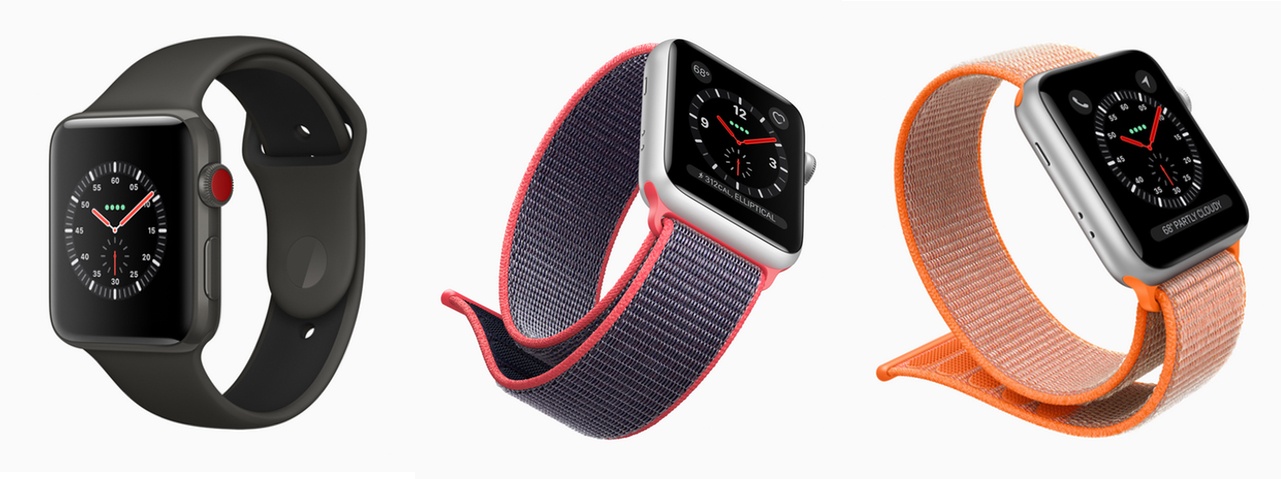
Today at a press event held at the Steve Jobs Theater in Apple’s Cupertino headquarters, the company unveiled the Apple Watch Series 3. The latest iteration of Apple Watch adds a new option to its lineup. Now the Apple Watch is available with an optional LTE radio that provides a network connection when out of range of its paired iPhone. The Series 3 is distinguished from its non-LTE siblings by a bright red dot on its Digital Crown. The Series 3 also features a new barometric altimeter that measures relative elevation, which Apple touted as perfect for skiers and snowboarders.
Posts tagged with "featured"
Apple Watch Series 3: Our Complete Overview
Apple’s September 12 Keynote by the Numbers

Today’s Apple keynote was one of the biggest in recent memory, and as always, the company filled it with loads of figures, stats, and numbers. Here are some of the highlights from Apple’s September 12 keynote at the Steve Jobs Theater.
Apple Announces iOS 11 to Launch on September 19th
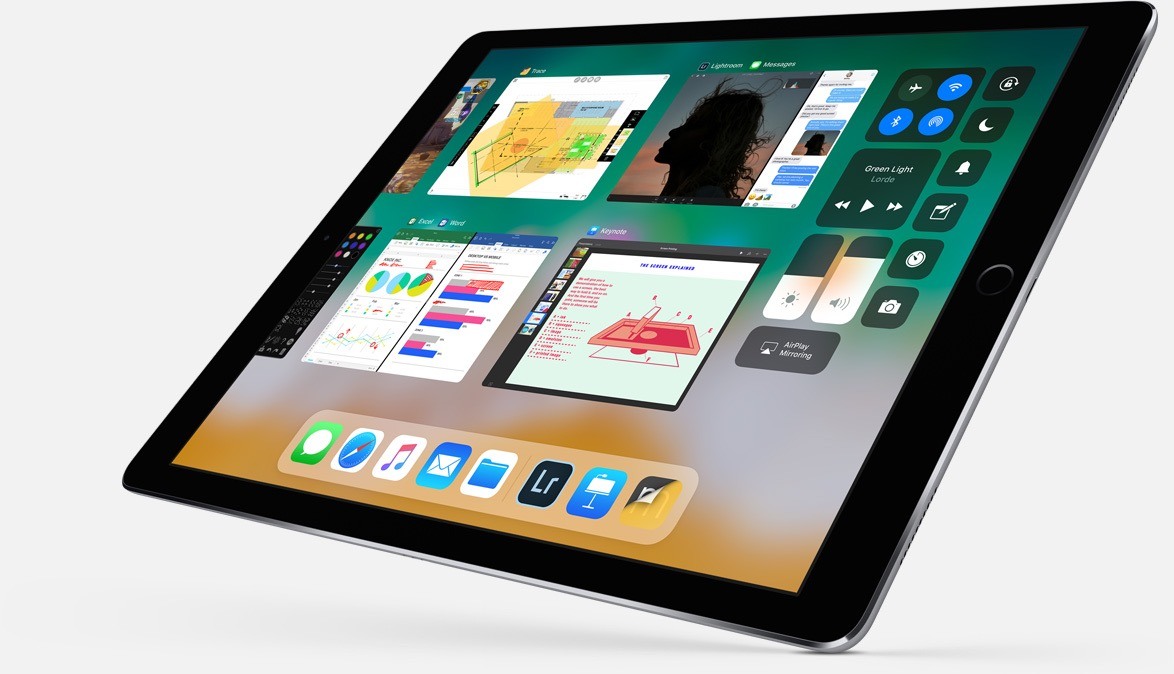
As had been widely expected, Apple confirmed the official release date of iOS 11 at a media event held today at the Steve Jobs Theater in Cupertino. iOS 11 will be released on September 19th.
Announced at WWDC in June, iOS 11 includes new and updated built-in apps and system features with a major focus on the iPad. With iOS 11, Apple has rethought multitasking on the iPad – revamping the dock, changing how Split View works, and introducing system-level features like drag and drop of files, text, photos, apps, and more. The changes include a new stock app called Files, which bears some resemblance to the macOS Finder but built for touch. Apple has also implemented more Apple Pencil-friendly features like system-wide document markup and inline note taking in Notes. The iPhone and iPad’s cameras play a big part in iOS 11 too, supporting document scanning in Notes and brand new augmented reality APIs for third-party developers.
Apple hasn’t announced a Golden Master seed of iOS 11 yet, but it will presumably be released to developers later today. Typically the last developer release before a public launch, the GM seed will allow developers to finalize their iOS 11 apps and submit them to the App Store for approval before iOS 11 is released publicly.
You can also follow all of our Apple event coverage through our September 12 hub, or subscribe to the dedicated September 12 RSS feed.
Weather Atlas: Weather Mapping for a Modern Day
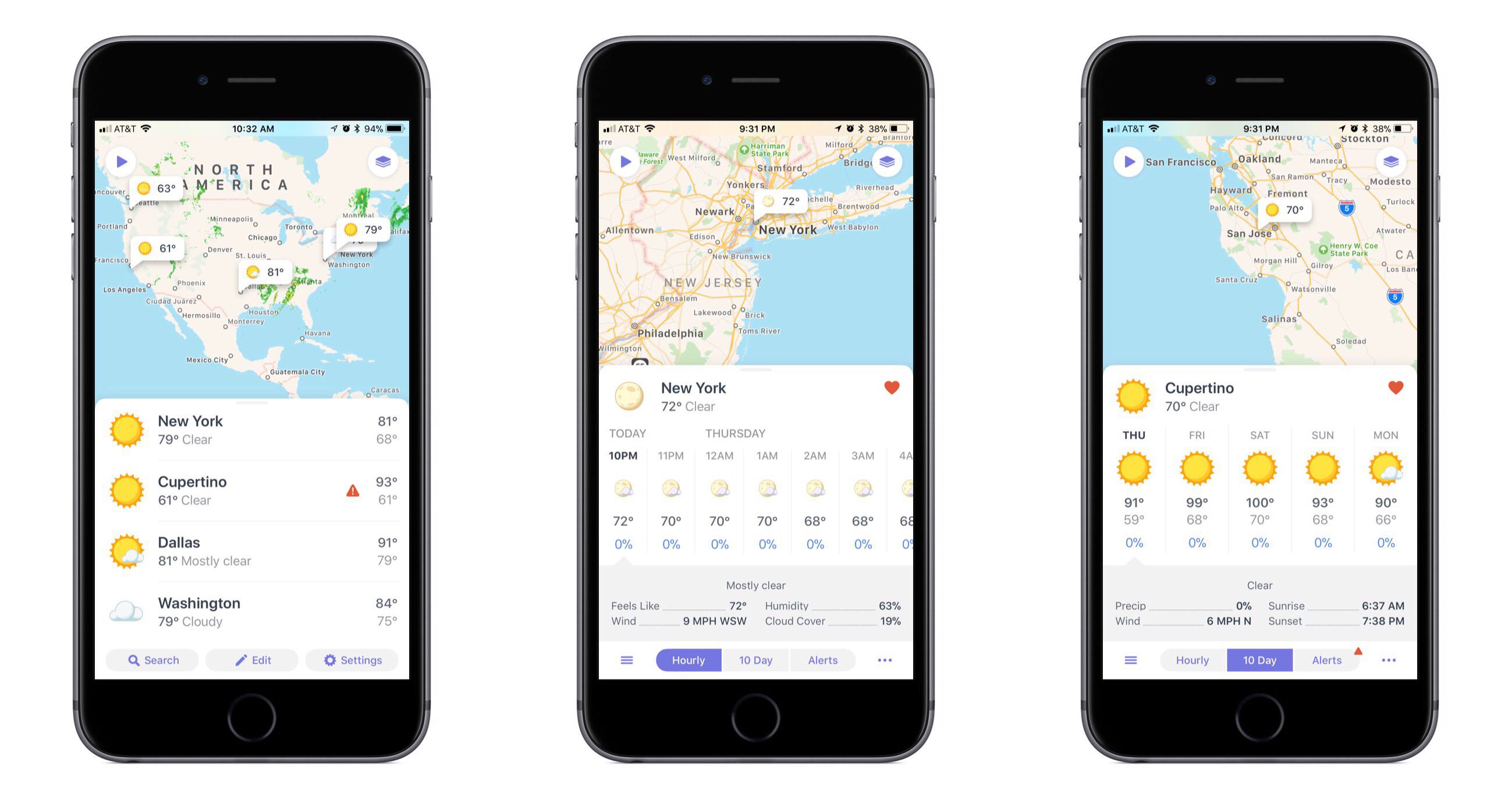
One of the app categories that’s always receiving new entries – and that I’m always pleased to try a new take on – is weather. Often weather apps share the same data sources, but their design and customization options make them stand out. The developers at Contrast are no strangers to the crowded weather app market, as creators of the now-retired Perfect Weather. But with the help of developer Greg Pierce, Contrast is introducing a fresh take on the modern weather app with Weather Atlas.
ETA Update Automatically Calculates Calendar Event Travel Times
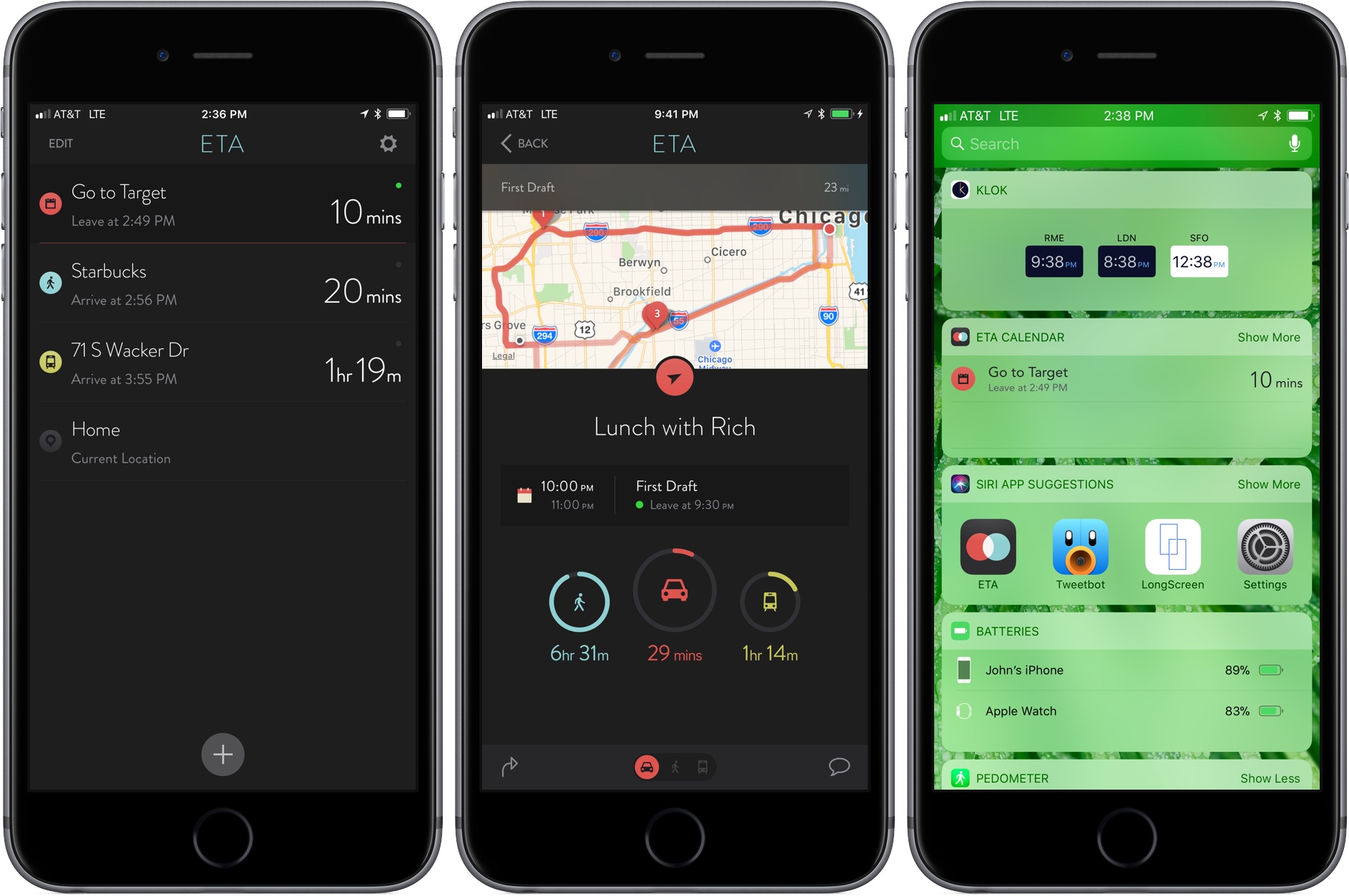
In the past, I rarely added locations to my calendar events unless I was going someplace I’d never been, but that’s changed since I started testing the update to ETA that was released today. The reason for the switch is a powerful new feature available as an In-App Purchase in ETA, which uses locations associated with events in your calendar to tell you when to leave for an appointment and how long it will take to get there.
Transmit 5 Review
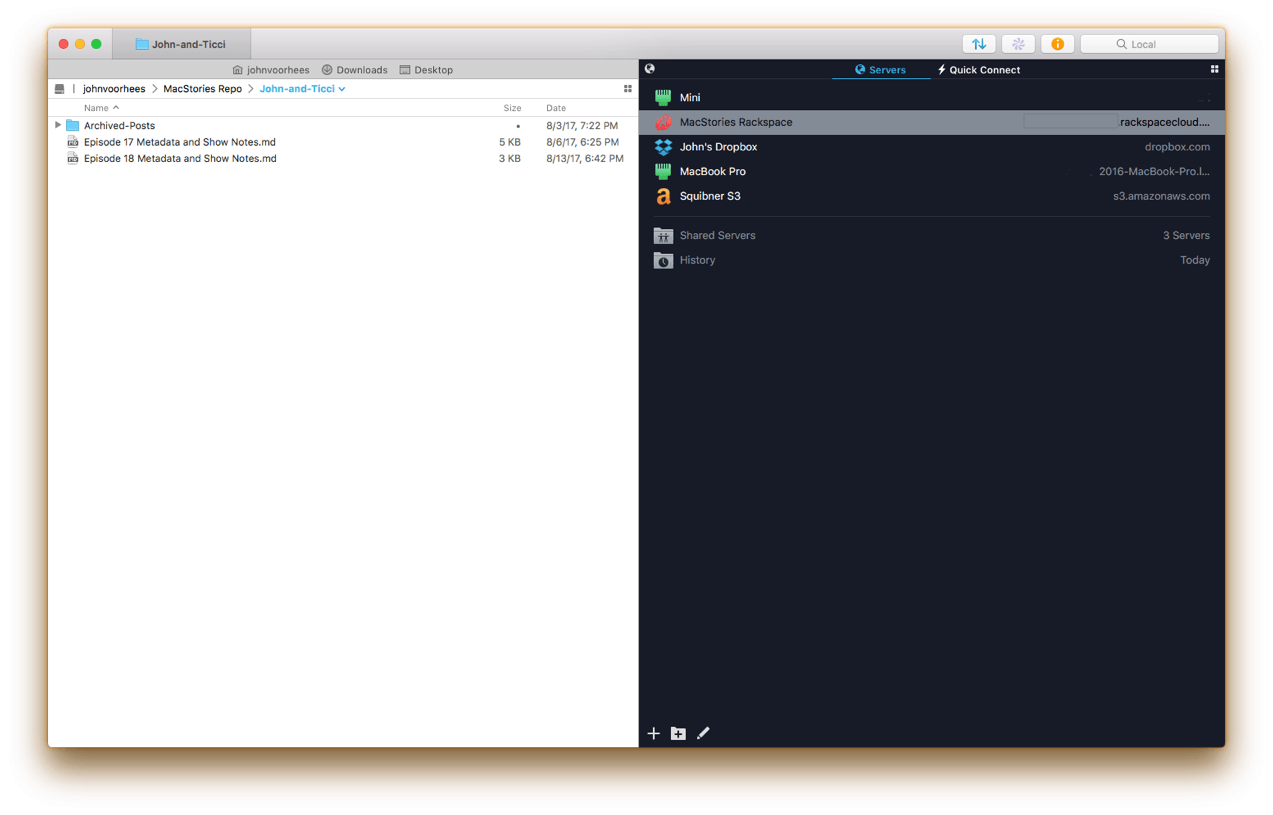
If you’ve used a Mac for a while, you’ve likely come across Panic’s file transfer app Transmit. Not long ago, I would have probably still described it as an FTP app even though it’s handled things like Amazon S3 file transfers for a while. However, with the recent release of version 5, Transmit for macOS has become much more than an FTP client adding support for ten cloud services. Moreover, Panic has taken the opportunity to rewrite its file transfer engine so that it’s faster, tweak virtually every feature, and update and streamline the app’s design. The result is an all-new Transmit that is both familiar and more capable than ever before.
iPhone 1.0: The 10th Anniversary MacStories Review
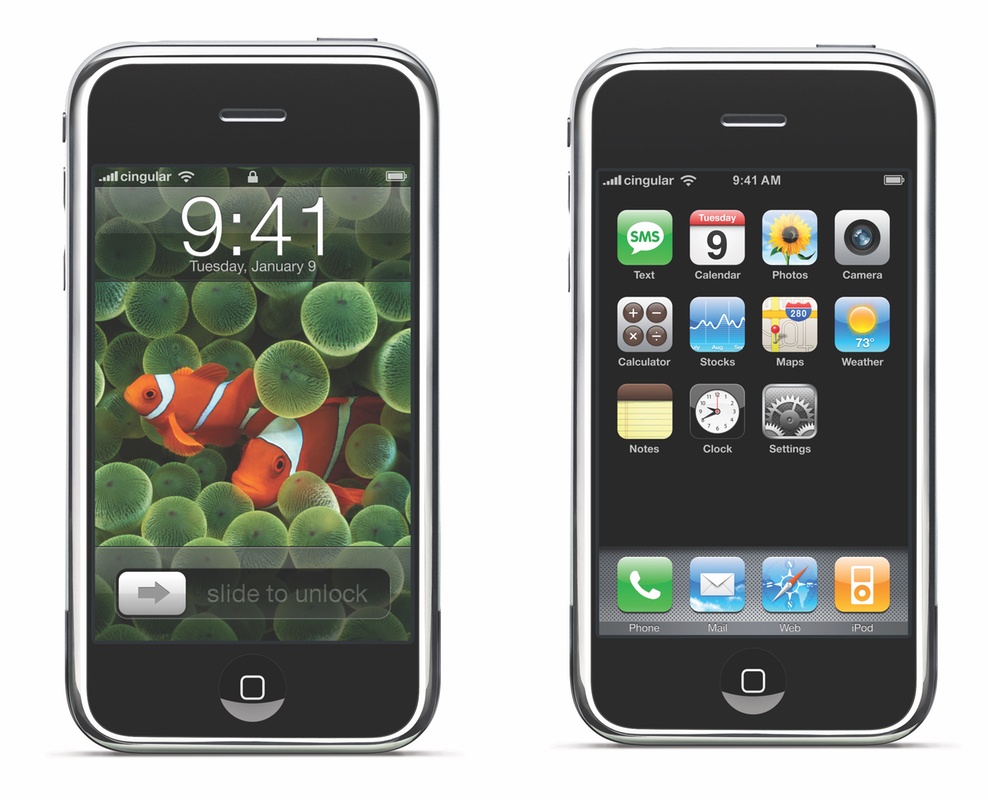
Author’s Note: When the iPhone was introduced in January 2007 at Macworld Expo, it was billed as a 3-in-1 device by Steve Jobs – a widescreen iPod with touch controls, a revolutionary mobile phone, and a breakthrough Internet communications device. The first two points were met with loud applause. Jobs was promising a better iPod and mobile phone – two things everyone understood and could get behind.
The third selling point - a breakthrough Internet communications device – was met with confused reactions. What did he mean? The answer was more broad and profound than the obvious candidates like email, SMS, or web browsing. The iPhone was a full-blown Internet-connected computer that you could put in your pocket and take with you wherever you went.
I don’t know of any product that’s had a bigger impact on so many people’s lives. Whether at work or play, the iPhone created opportunities big and small that were not possible before its launch. With a groundbreaking touch interface and intuitive design, the iPhone democratized technology and empowered people on a far greater scale than the desktop PC has managed by connecting people across the globe in a new and powerful way.
It’s hard to believe it’s been 10 years since the iPhone launched. I wasn’t there to review the iPhone when it debuted, and neither was anyone else at MacStories. Ten years ago, the founding of MacStories was still almost two years away, and I was in Adelaide, Australia visiting family.
I vividly remember staying up late in Australia to read the early reviews of the iPhone on the nearly useless WAP browser of my work-issued BlackBerry. I didn’t write about the iPhone then, so to mark the occasion of the 10th anniversary of its launch, I brushed off those old memories and wrote what I would have written in 2007.
Let’s go back in time.
The long wait is finally over. Just over six months ago, Steve Jobs took the stage at Macworld Expo to announce three products:
- a widescreen iPod with touch controls;
- a revolutionary mobile phone, and;
- a breakthrough Internet communications device.
What? Three new products in one keynote? No, not three devices – one. On January 9, 2007, after years of rumors and speculation, Steve Jobs introduced the world to the iPhone.
Jobs took the iPhone through its paces at Macworld, thrilling the crowd with feature after feature. It seemed impossible. How could OS X fit into a phone? Was Safari on the iPhone as full-featured as on OS X? Macworld raised as many questions as it answered.
It didn’t help that the iPhone wouldn’t launch until June. There were no more demos, no hands-on time for the press, just the iPhone encased in a transparent tube on the show floor for visitors to gawk at.
In the past few months, some of the press took to calling the iPhone the ‘Jesus Phone’ for its promise of salvation from WAP browsers and the broken UIs of self-proclaimed smartphones. With the launch of the iPhone today at 6:00 pm Eastern, just one day before the end of the promised June delivery deadline, we can finally judge whether the iPhone is five years ahead of any other mobile phone as Jobs proclaimed in January.
Of course, it’s impossible to judge where the smartphone market will be in five years. However, measured against the hype at Macworld, the answer seems to be yes, the iPhone does deliver, though not without some caveats and many risks that could limit its adoption by consumers. For early adopters willing to pay the price and live with some rough edges, though, the iPhone is far ahead of every other available option.
The 10.5” iPad Pro: Future-Proof

There’s something about the screen of the new 10.5” iPad Pro that feels immediately novel but quickly becomes normal, and something that seems obvious at first but reveals itself as a deeper change after a few days. As a heavy user of the 12.9” iPad Pro, I’ve been pleasantly deceived by this new iPad, and the more I think about it, the more I keep coming back to the display and the story behind its new form factor.
iOS 11: The MacStories Overview
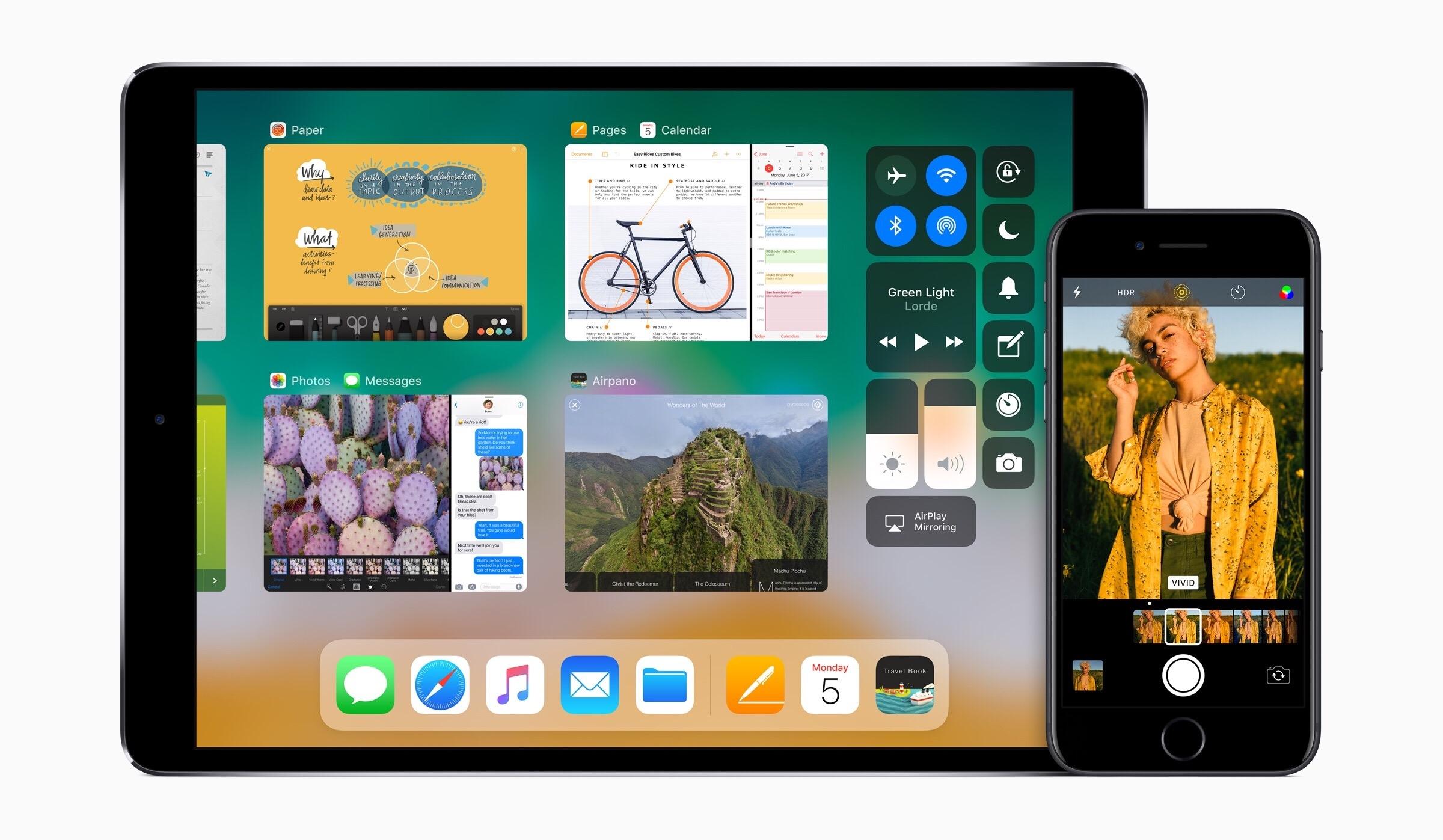
At this year’s WWDC keynote event, Tim Cook took the stage in San Jose to reveal the eleventh major version of Apple’s flagship mobile operating system. iOS 11 includes a number of improvements across the board, but with significant emphasis placed on increasing productivity for the iPad.
Alongside the storm of iPad-specific features, the next version of iOS will also bring advancements to the Lock screen and Control Center interfaces. Built-in apps and services such as Maps, App Store, Notes, Messages, Podcasts, Music, Siri, and more received individual updates — some more comprehensive than others. The new ARKit and Core ML frameworks were announced as well, giving us our first tangible examples of Apple’s investments in AR and developer-friendly machine learning.
Despite a decade in the wild, in many ways iOS is still a young operating system. It’s good to see Apple not resting on its laurels, but instead continuing to reevaluate and redesign the areas of the OS that need it — such as iPad productivity features and the App Store. The ground-breaking potential for iPad users in iOS 11 shows just how much that aspect of the system has been neglected, but many of the other changes show how Apple’s slow refinements over years are paying off.
Below you’ll find a detailed look at what Apple is unabashedly calling “turning iOS up to 11.”