Performance Improvements
Golden Gate’s performance gains were a big part of Apple’s pitch at WWDC this year. A “Snow Leopard” release had been rumored leading up to Apple’s developer conference, which turned out to be correct. When Federico and I sat down with Apple representatives for a briefing on the improvements along with other press people, it was Apple who mentioned Snow Leopard first. I was surprised, but when I got my hands on Golden Gate for the first time, I immediately understood why Apple leaned into the Snow Leopard vibes. The release really is faster.
This is going to be the shortest section of this review. Not because Golden Gate’s performance improvements aren’t important, but because my assessment is based on everyday use rather than benchmarks. Over the summer, I’ve noticed improvements across both my M1 Max Mac Studio and the M4 Max MacBook Pro Apple loaned me for testing.
Faster speeds have a tendency to start feeling like the new normal very quickly. You get used to them, and before long, it’s hard to tell whether you simply imagined the increases in the first place.
That’s not been entirely true with macOS 27. In fact, AirDrop still feels like magic compared to prior versions. I AirDrop screenshots to my Mac almost daily, and a multi-image send was often painfully slow, taking me out of the flow of putting my screenshots together for a story. Now, it’s so fast that it may as well be instantaneous in most instances, whether I’m sending images from my iPhone, iPad, or another Mac, all of which were on the betas this summer.
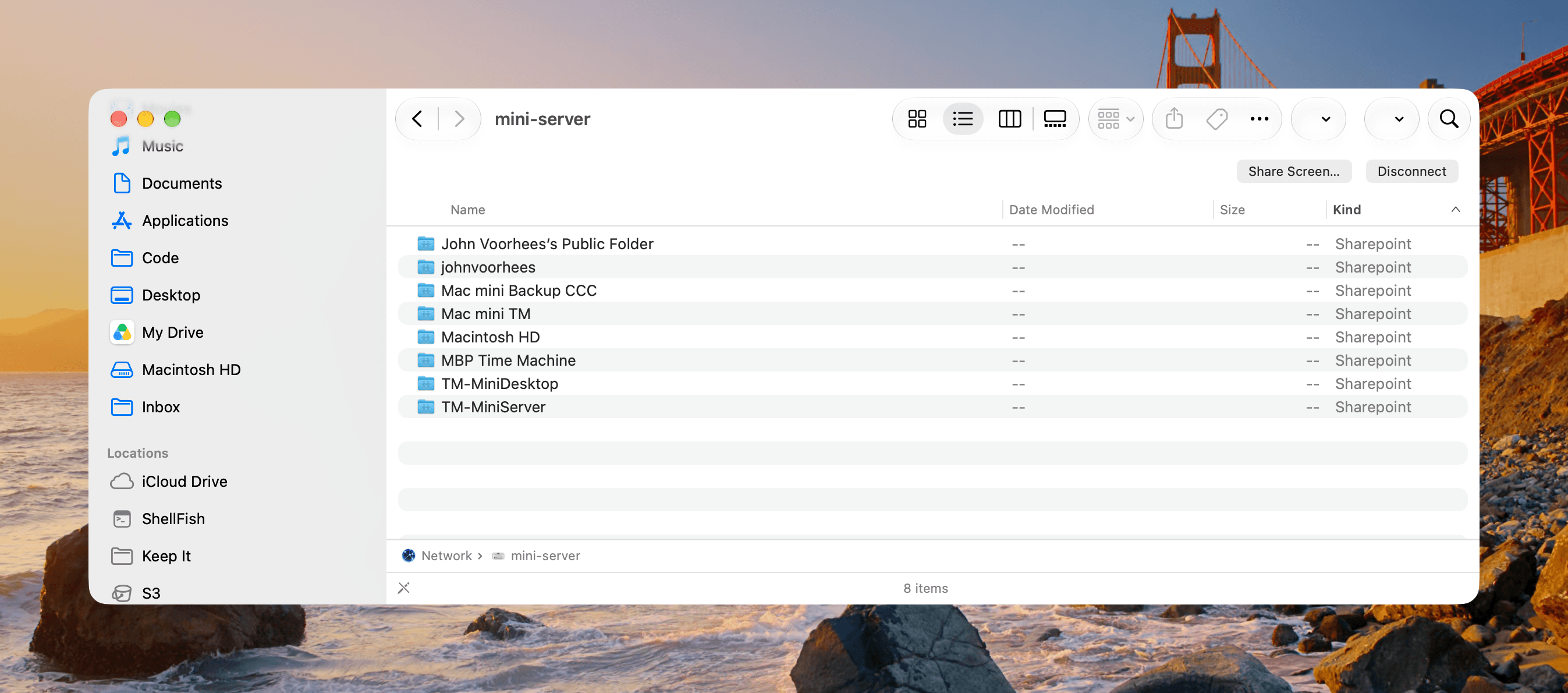
Browsing folders on my Mac mini server over Ethernet feels nearly as fast as browsing local folders.
Another area that is much faster is browsing networked storage. I’ve hung SSDs and hard drives off of an Ethernet-connected Mac mini in another part of my house. Regardless of the speed of the drive, listing the contents of a large folder across the network can be slow. That’s not been the case with Golden Gate. Accessing the files on my Mac mini server over Ethernet has been smooth and fast all summer long.
Apps launch faster under Golden Gate, too. Not every app launches instantly, especially those built on web technologies, but with native apps, the difference is real and noticeable.
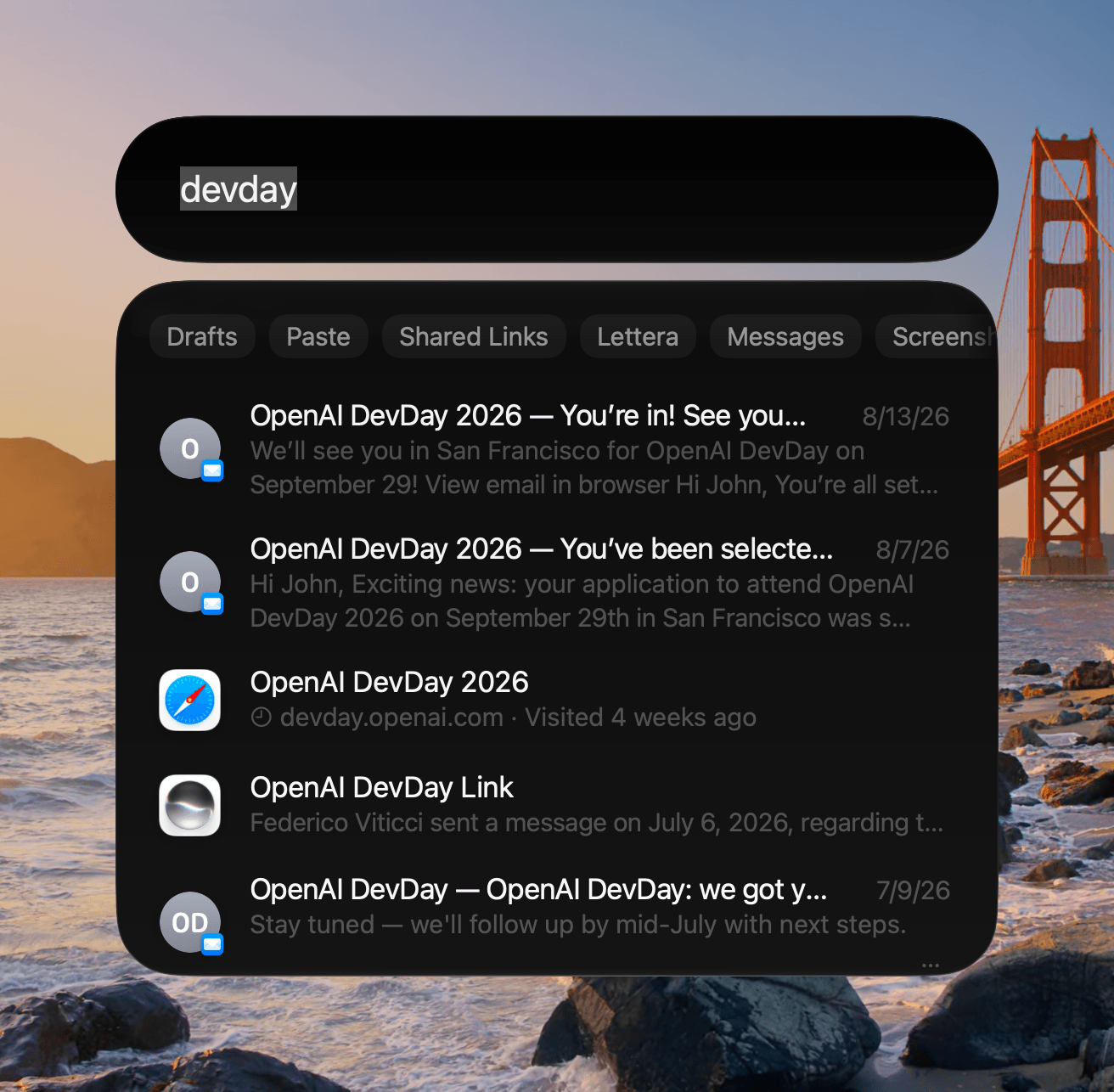
Other noticeable improvements include Spotlight indexing. After installing new betas throughout the summer, I often saw Spotlight indexing the next time I opened it, but it always finished quickly. Just as important, searching that index is much faster, too, with results displaying as quickly as I can type. That was not the case at all with some point releases of Tahoe where Spotlight got so badly bogged down that I went back to third-party launchers for a while.
In addition to speedier searches, Apple rebuilt the search foundation used by Spotlight, Photos, and Mail to ensure it’s more up to date and complete. Mail also adds a new ranking system that surfaces relevant emails in “Top Results,” while Spotlight offers more relevant search suggestions.
The same sort of search speed is found in Messages and Mail. Federico is handling the other new features of those apps in his iOS and iPadOS 27 review, but their search capabilities are worth reiterating here. There’s more to good search than speed, but it goes a long way, and with Golden Gate, I’ve had no trouble finding past messages and emails when searching in Messages and Apple Mail. Both apps have been quick and reliable, although I’m currently using Spark Mail more often than Apple Mail.
Scrolling and animations have felt smoother, too, although I notice the difference less now than when I first installed Golden Gate.
And that leads me to something that I think is important about these performance improvements to macOS 27. We’re living through dramatic price increases in memory and storage fueled by the AI data center boom. That makes improvements that help us get more out of the Macs we already own especially valuable. If an update makes an older Mac feel faster, it makes keeping it another year more appealing. With Golden Gate, Apple has breathed new life into your Mac, making it work more smoothly whether it’s a first-generation Apple silicon machine or a brand-new model. The company’s timing couldn’t be better, and it should be commended for helping users squeeze more out of every Mac it sells.
I also have a bit of advice for everyone who updates to Golden Gate. Bask in the glory of faster app launches, AirDrop transfers, and all the rest. As pronounced as the initial speedups felt when I first installed macOS Golden Gate, most became the new normal very fast, so appreciate them while you can.