Apps
Many of this year’s app updates span Apple’s platforms, so Federico and I have divided the coverage between our reviews. His iOS and iPadOS 27 review covers:
- Calendar
- Camera
- Clock
- Files
- Find My
- Journal
- Messages
- Music
- Notes
- Phone
- Photos
- Reminders
- Safari
- Shortcuts
For my part, I’m covering:
- iPhone Mirroring
- Sidecar
- Preview
- Image Playground
- Weather
- Maps
- Podcasts
- Home
- the Mac-only features of Notes and Freeform
- FaceTime
Before getting into the apps, two features announced at WWDC won’t be available at launch: automatic upgrades for weak or compromised passwords and suggested actions in Messages conversations.
iPhone Mirroring
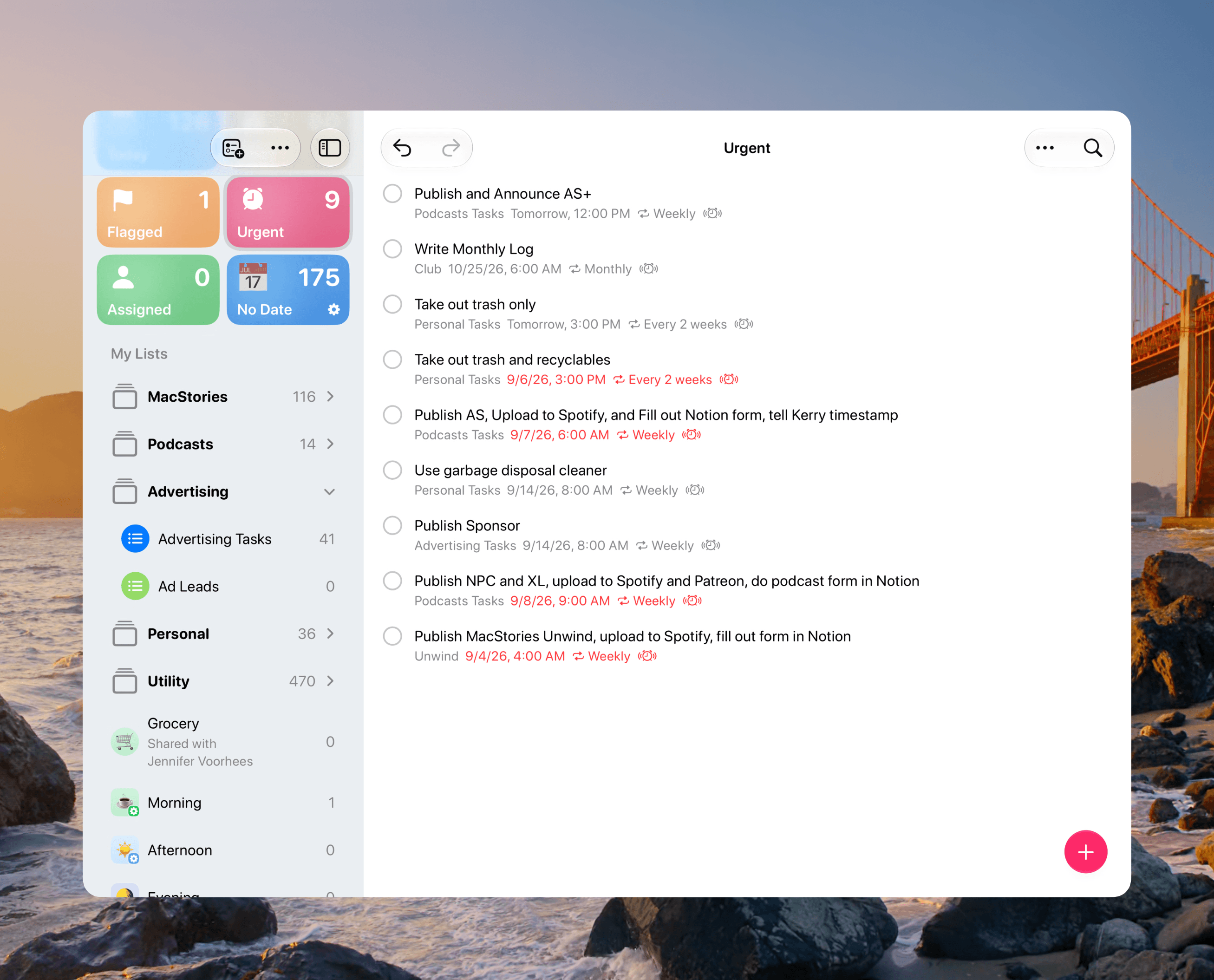
I’m a big fan of iPhone Mirroring. Until Nintendo released a web app, I used iPhone Mirroring almost weekly to listen to Nintendo Music on my Mac. But it’s become more than that. With iPhone notifications turned on so they appear on my Mac, it’s become an old habit to click on a notification, which opens iPhone Mirroring directly to the app that sent the message. I give it a quick check and then move on.
With macOS 27, iPhone Mirroring now supports adaptive layouts. That means you can resize the iPhone Mirroring window to many more sizes than were possible before. The connection to the iPhone Duo announced just last week is difficult to miss. Also, resizing apps like Weather and Reminders gives developers something of a preview of how Apple’s apps adapt to the iPhone Duo’s wider screen.
That said, it’s not a one-to-one comparison. Resizing a mirrored app doesn’t reproduce the Duo’s interface. At the Surprise and Shine Event, Apple also showed controls positioned along the sides of the Duo’s screen for easier thumb access.
Still, seeing widescreen versions of Apple’s iPhone apps over the summer was a fun exercise in imagining what apps on a folding iPhone would look like. Now, with the hardware revealed, it’s merely a more convenient way to experience your iPhone apps on a Mac. And why not? You have a big screen at your disposal, and adaptive layouts let iPhone apps that support them make better use of that display. I plan to use iPhone Mirroring even more as a result.
You can also play DRM-protected video via iPhone Mirroring. It’s not likely to work with every video service, but it’s a step in the right direction. Pretty nifty.
Sidecar
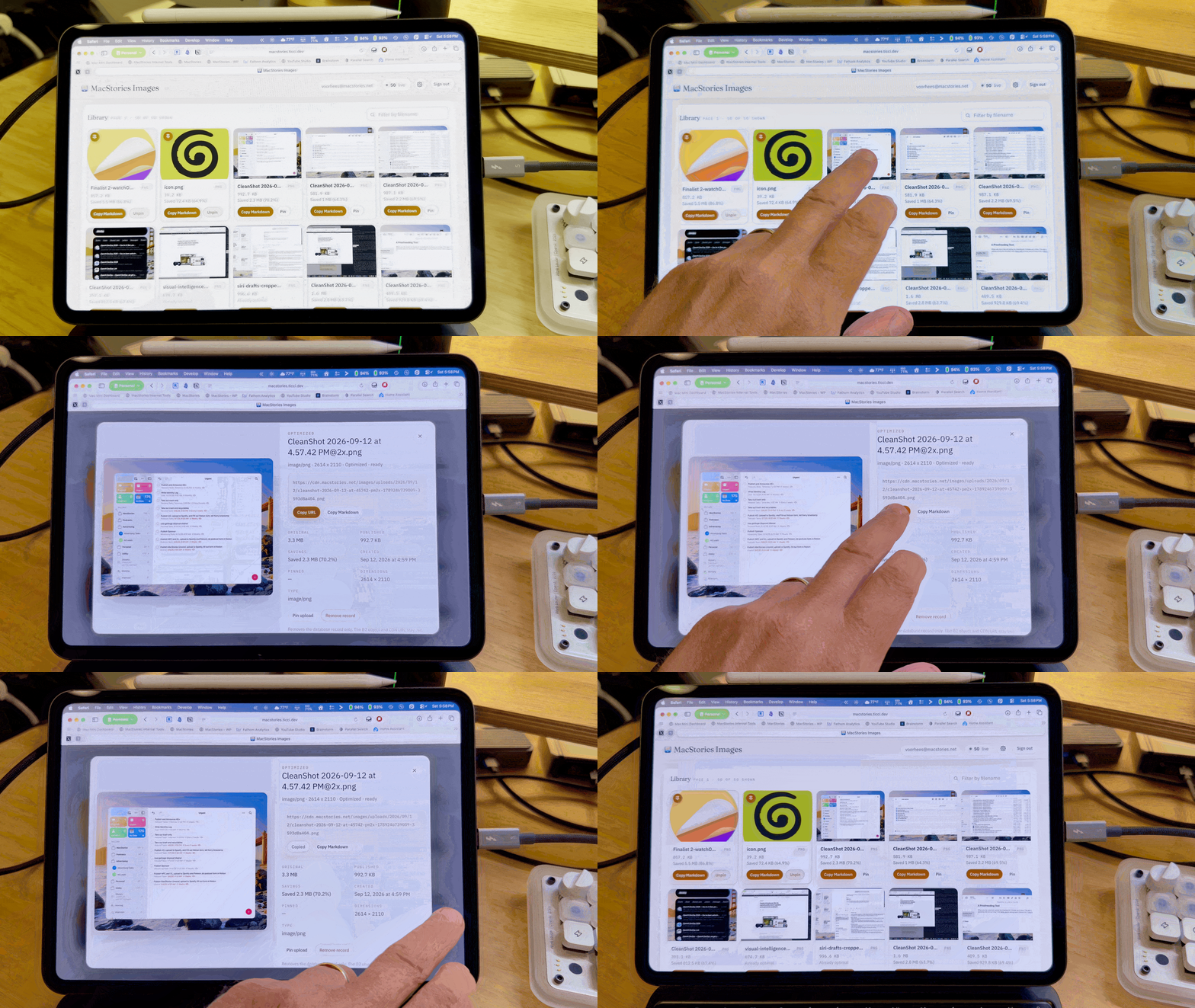
If ever there were an app that screamed “we’re working on a touchscreen Mac!” it’s Sidecar. Sidecar has been a great way to use an iPad as a second screen for your Mac for years now, but it hasn’t seen updates very often since its Catalina introduction.
This year is different because Sidecar now supports touch, letting you interact with your Mac’s interface with your fingers. And you know what? It’s not hard to do. The Mac has smaller UI targets than an iPhone or iPad, but those targets have been getting bigger and the UI more spread out for years. It started with Big Sur, as I noted in my review:
Whitespace is used by Big Sur to make information more glanceable, and windows feel more expansive too.
Tahoe had multiple examples of the trend, too, including taller buttons. macOS 26 also made buttons easier to identify without hovering, which also benefits touch, as I pointed out in that review:
Button groupings are always visible in Tahoe, whereas they only appear on hover in Sequoia.
Sidecar also gives users a chance to discover which Mac interactions work well with touch. And while I wouldn’t use touch for everything in Sidecar, scrolling and poking at buttons and menus is a lot easier than has been imagined in the past. I love that I can scroll a webpage with one finger, tap a Finder sidebar item, and choose toolbar commands without using my trackpad or mouse. So whether Sidecar portends touchscreen Macs or merely makes it easier to interact via a device that was designed for touch from the get-go, I’m here for it.
Preview
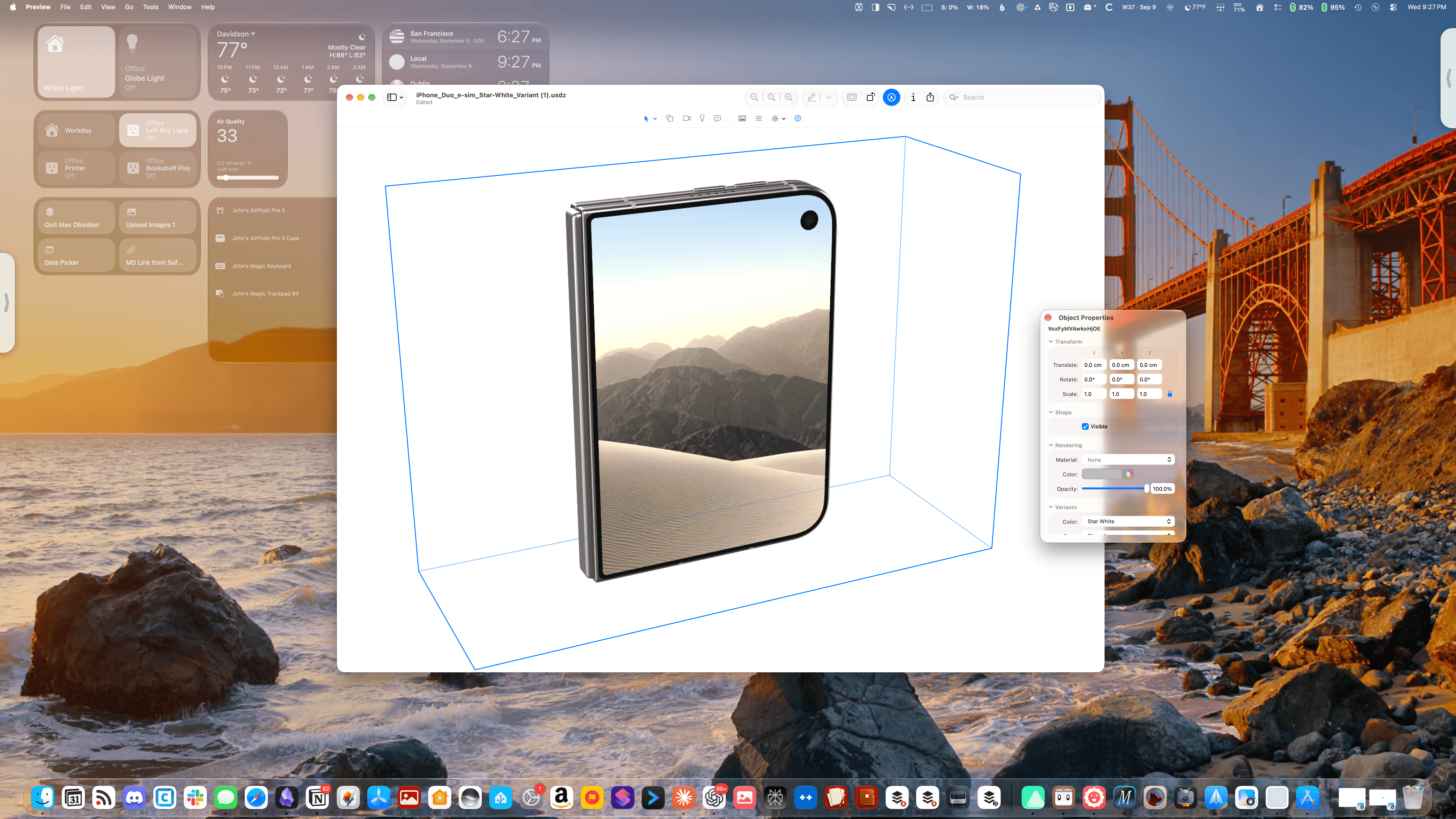
I didn’t go into WWDC with “Preview becomes a 3D editing tool” on my bingo card, but here we are. On the surface, it may seem curious, but Preview’s never been about just PDFs. It’s always been capable of editing a wide variety of images. Viewing 3D content isn’t new either, but this year macOS Golden Gate adds 3D editing.
The app allows users to manipulate objects, edit properties and lighting, explore scene hierarchies, and convert or compress assets. Rendering options include Apple’s own RealityKit, Storm, and a new raytracer, all with support for OpenPBR, a standard for describing how materials look and respond to light.
I’m so used to using Preview to do simple things like resize or crop an image or delete a page from a PDF that I was blown away by the depth of what Preview can do with 3D assets. This isn’t the sort of functionality that I expect to have a use for anytime soon, but I’m glad it’s there. It’s part of macOS and gives tinkerers a way to experiment with 3D assets without first learning a dedicated editing app. Making 3D tools more accessible could also encourage more people to experiment with assets for Apple Vision Pro. That’s pretty cool.
Image Playground

Images generated by Image Playground in Tahoe using ChatGPT (left) and Golden Gate using Apple’s Foundation Models (right).
I’m not a fan of generative image tools for a host of reasons, and even if I were, Apple’s haven’t been very good to date. Image Playground is substantially better than before, but even its new photorealistic images still look off to me. Generated images of people in my life have an uncanny valley feeling. I can tell who the image is meant to depict, but it’s only a rough approximation of them.
macOS 27’s update is about more than people, though. Image generation now runs on Private Cloud Compute, and the app offers more control over the results. You can preserve the parts of an image you like while replacing individual elements or choosing a different aspect ratio, for example.
In the name of science, I took Image Playground’s new generation and editing tools for a spin. While I’m still not a fan of the images it makes, they are undeniably more realistic. I’ve also been able to remove objects and change their colors reliably, which makes natural language editing more useful than before. I don’t see myself using Image Playground, but it’s there if you want it.
Also, Apple is using SynthID, which was developed by Google DeepMind, to watermark images created with Image Playground, so they can be identified as AI-generated.