Everything Else
There are a bunch of other little updates sprinkled throughout macOS 27 Golden Gate.
Accessibility
As I wrote in May, Apple is expanding accessibility in macOS 27, including several features powered by Apple Intelligence. Among the features I covered then are:
- VoiceOver image descriptions that allow Image Explorer to describe photos, scanned documents, and onscreen images in greater detail than ever.
- Accessibility Reader, which better handles complex documents, including multi-column layouts with images and tables, and enables summaries and translation.
- Generated video subtitles for everything from video taken with your iPhone to streaming services.
- Better pairing reliability for MFi hearing aids with handoff between devices and a better macOS setup experience.
- Support for the Sony Access controller.
External Displays
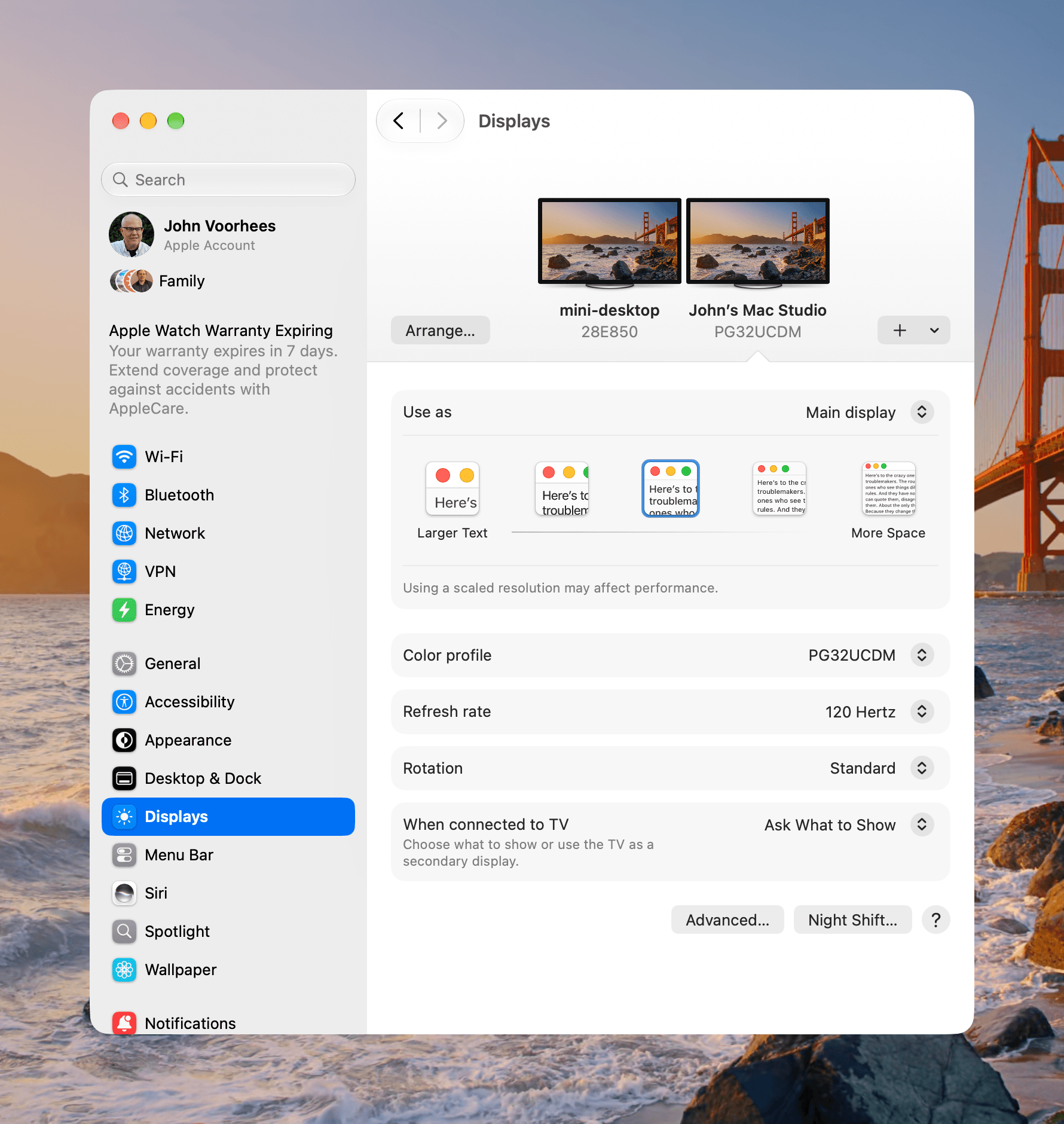
For those who use multiple displays and non-Apple displays, there’s good news in Golden Gate. macOS now restores window positions and Spaces and remembers which screen they belong to better than before. This is especially handy when connecting and disconnecting a laptop. I’m a one-display-at-a-time kind of guy, so I haven’t used this feature a lot, but in my limited testing it worked as described.
macOS now supports more resolutions and refresh rates than before. I can now run my 32-inch ASUS display at 4K and 120Hz. HDR can be turned on for photos, video, and Golden Gate’s UI, too.
Everyday Conveniences
There’s a new keyboard shortcut (⌘⇧F) to access Recents in Open and Save dialogs. In addition, Move and Resize controls now work with Open and Save dialogs that are independent windows.
Also, pull to refresh has been added to Safari, Mail, News, and Calendar and is triggered with a downward swipe on your trackpad. It’s another interaction that would feel right at home on a touchscreen Mac.
User Control
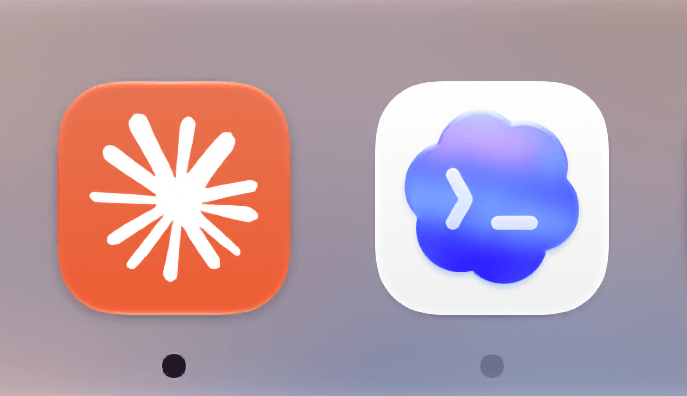
The Dock gets a change in macOS 27, too. If you quit an app and it is still running a background process, the indicator beneath its Dock icon turns to light gray. You can stop that activity by right-clicking on the app’s icon and picking “Stop Running in Background.” If you repeatedly stop an app’s background activity, Golden Gate will offer to prevent it from running in the background in the future.
I’m a little torn over this feature. On the one hand, I appreciate knowing which apps may still be using resources after I quit them and like the control this offers. Yet keeping those apps’ icons in the Dock adds clutter, and I don’t think most people will understand what the light gray indicator means. I know I didn’t at first, and I expect that some users might think something nefarious is happening in the background, which isn’t necessarily the case.
macOS 27 adds extensive new Screen Time controls for parents, including Time Allowances for app categories and Schedules for app access during certain times of the day. Ask to Browse lets kids ask permission to visit websites, and there are expanded protections against gore and violence, alongside existing nudity protections. If you have young children, these features are worth a closer look. My kids are all grown, so I haven’t had real-world experience with these controls myself. It’s also worth noting that the new Screen Time features require all devices in your Family Sharing group to be on Apple’s latest series of OSes.
Moving On
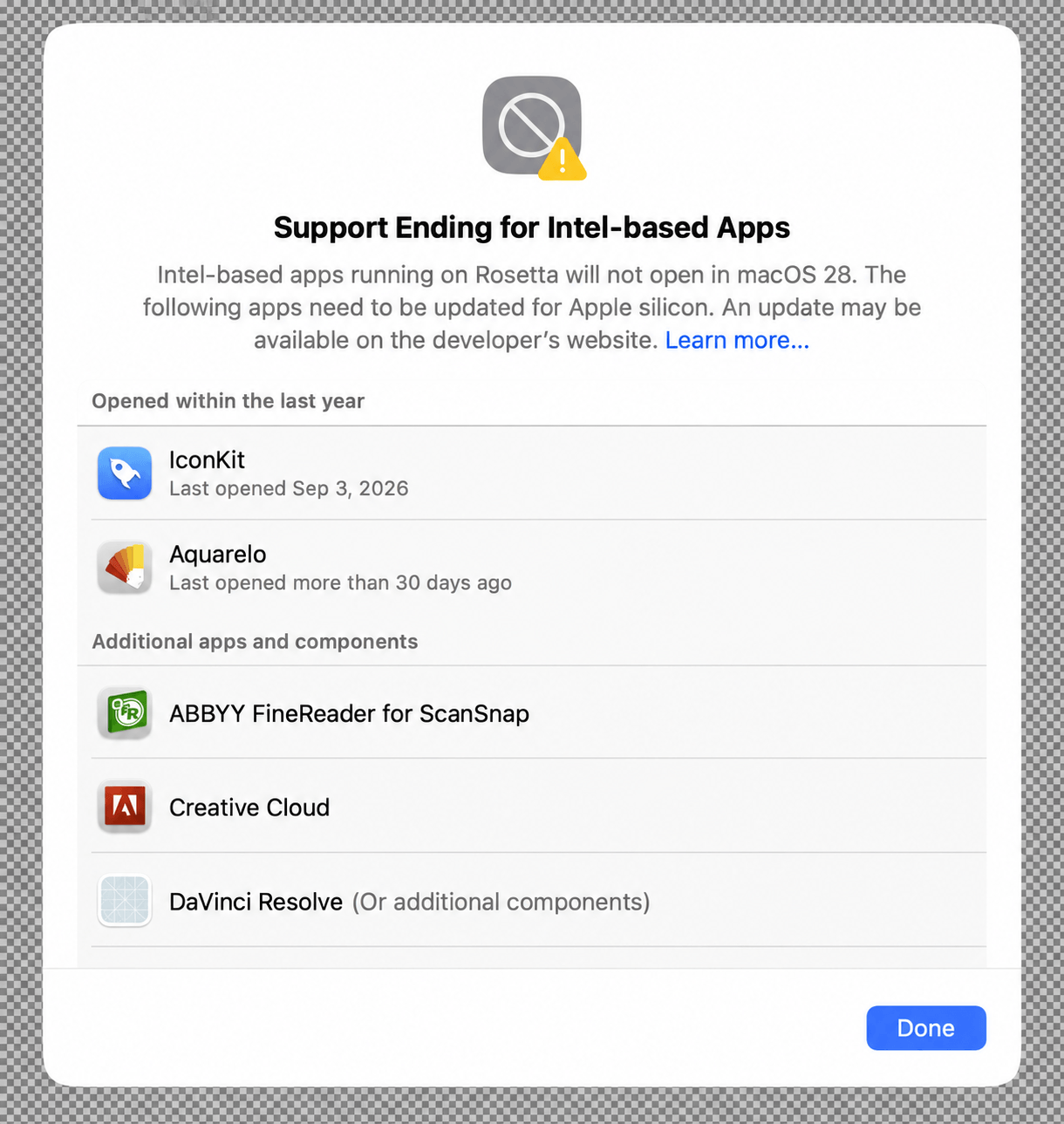
macOS 27 Golden Gate can’t run on Intel-based Macs. However, Intel apps can still run through Rosetta. With Golden Gate, you can visit System Settings → General → About → Intel-based Apps → Details to view the list of your Intel-based apps. I had a few old Intel-based apps that I have since removed from my Mac. Apple has also retired AirPort Utility. If you already have it installed, the app won’t disappear, but it’s no longer bundled with clean installs of macOS. Finally, if you want to get ready for next year, encrypted HFS+ volumes will no longer be supported starting with macOS 28.