Writing and Editing
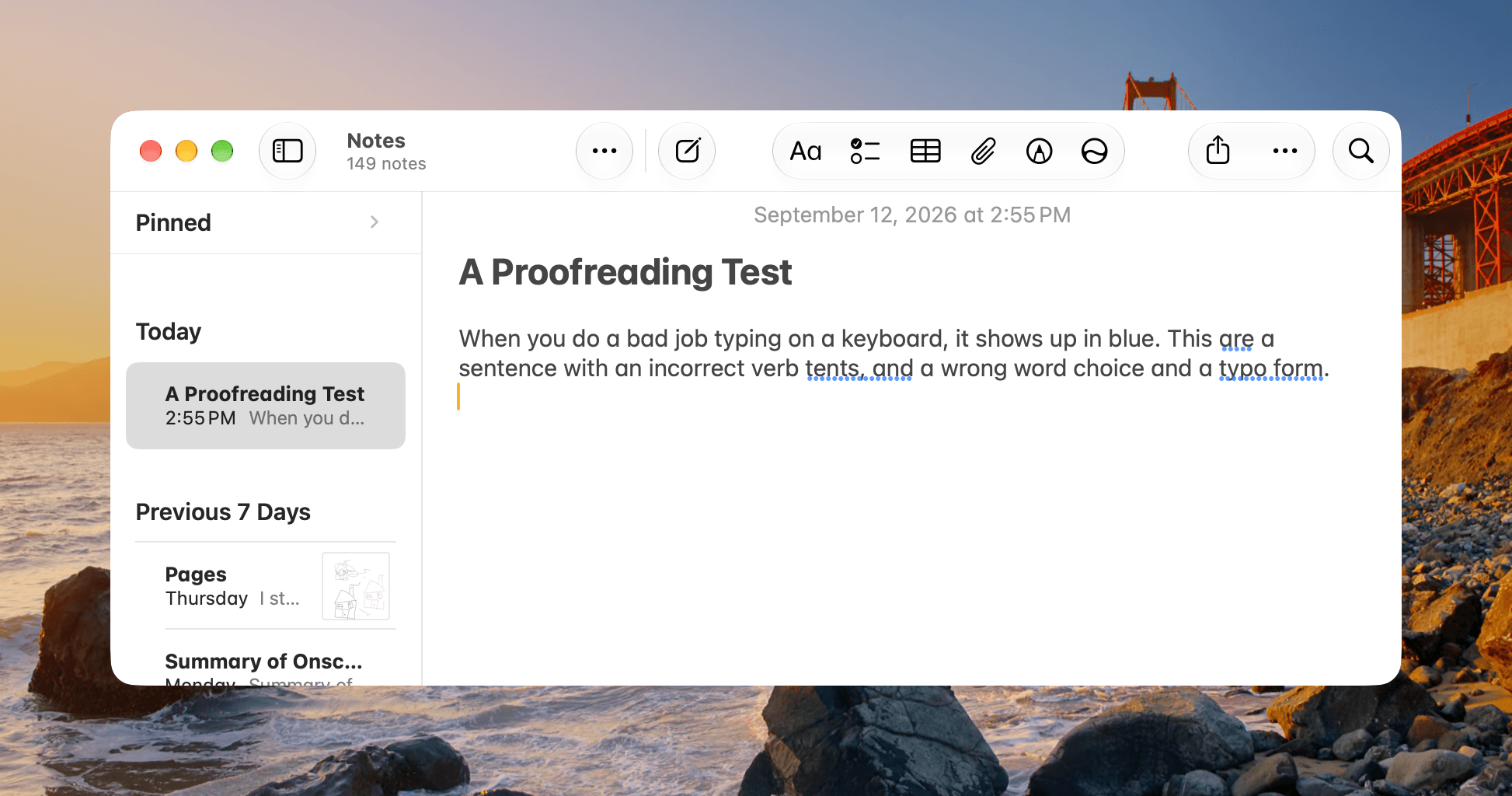
Apple’s writing and editing tools have been improved in a variety of ways. Automatic proofreading works well, although I have less use for the drafting and rewriting features. As you type, blue underlining will appear beneath misspellings and grammatical errors, letting you make corrections one at a time.
On my M1 Max Mac Studio, it can take a few seconds for the blue underlining to appear, but in practice, that delay isn’t problematic. I don’t typically go back to make corrections until I’m at a break point in the writing process.
What I like most about the proofreading suggestions is that they’re automatic. The blue lines simply appear, allowing me to quickly identify problem areas and step through them one at a time.
Siri has become a drafter and editor with Golden Gate, too. You can ask it to write something from scratch, adjust its tone, or rewrite something you wrote. While I don’t use AI-generated rewrites in my published work, I do have models create checklists, how-tos, and document workflows for me regularly. Having tried Golden Gate’s new tools to ask about the tone of my writing and do stylistic rewrites, I can report that they work as advertised, but I personally don’t like them. I’ve not seen a rewrite that I think is better than my own writing. However, I have found editing something like how-to instructions for conciseness is helpful.
Curiously, if you use Siri to change the style of your writing, you’ll get the side-by-side comparison of the original and edited version that Pages offers for proofreading, even if you’re using TextEdit or Notes. Why that comparison shows up for editing and not proofreading in some apps is a curious choice, and something I hope is made consistent in a future update.
Siri’s writing capabilities go a little further in Mail and Messages, offering suggested replies in your own voice. I’ve used a lot of apps that offer something similar and have never been comfortable with using them. Apple’s suggestions are on par with other apps I’ve used, but I don’t see myself ever using them.
On balance, Apple’s Siri writing and editing tools have made great strides from their origins. They are better integrated with the OS and system apps, and the quality of the text and edits they produce is better, too. When the tools were first introduced, I wouldn’t have recommended them to anyone. While I wouldn’t substitute them for a careful human editing pass, they’re useful for catching spelling and grammatical errors before you send an email.
Visual Intelligence
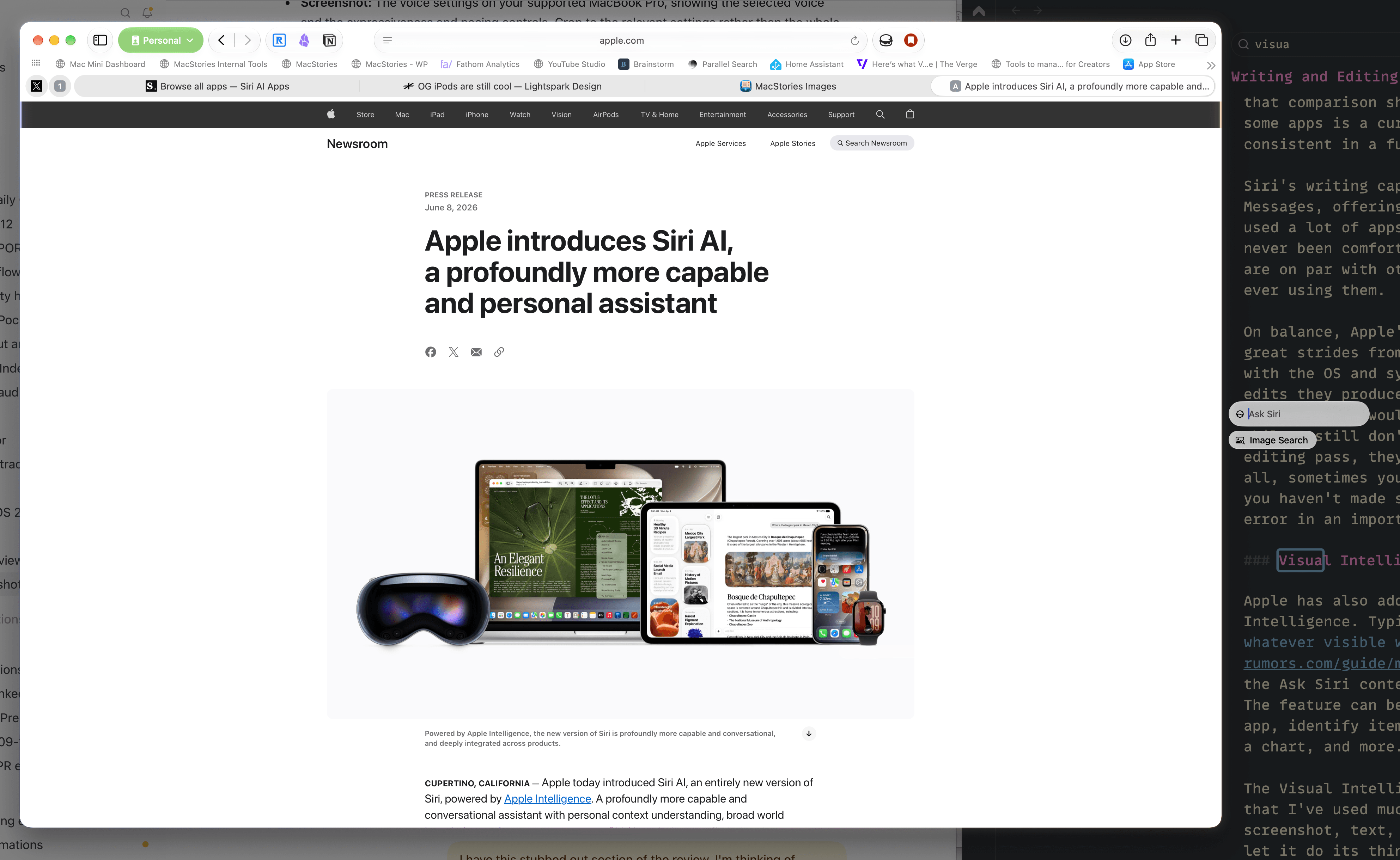
Apple has also added a keyboard shortcut for Visual Intelligence. Typing ⌘-⇧-Space invokes Siri, highlighting whatever visible window is under your pointer along with the Ask Siri contextual popup and a suggested action or two. The feature can be used to summarize or copy the text in an app, identify items in a photo, translate something, explain a chart, and more.
The Visual Intelligence shortcut is a cool trick but not one that I’ve used much in practice. More often, I grab a URL, screenshot, text, and other data, dump them into Codex and let it do its thing. The Siri app accepts text, images, and files, but it couldn’t retrieve contents webpages I gave it. So if you want to compare two iPhone models, for example, you’re either going to have to rely on Siri’s world knowledge (which is stronger on iPhones than on particular models of running shoes), extract the website content another way, or rely on something like Visual Intelligence.
Apple Intelligence for Automation
Apple has also brought its on-device and PCC models to the command line via the new fm tool, along with a Python library for accessing its on-device model. That makes it easy to incorporate the models into scripts run from Terminal.
These additions are great to see. There are a lot of automation use cases for Apple’s models, especially when you can process private data entirely on your Mac, so I’m glad Apple has made it easy to build them into your own workflows.
Apple Intelligence has made great strides this year on the Mac. The difficulty with assessing its capabilities lies in the fact that everyone uses these tools a little differently and any one person’s use case may not work as well as another’s. But having spent the summer with Siri and Apple’s other Intelligence features, I feel like they finally have some momentum. The AI models are capable enough to support the OS features, and they fit more naturally into the fabric of the OS and its apps.
There’s no denying that Siri is light years ahead of where it was just a year ago. It really is a useful tool that you should try. I think you’ll find that there are myriad little interactions throughout your day that it makes better. That’s quite an achievement by itself, but that’s not the only stick by which Siri should be measured.
Apple doesn’t need to match every capability of ChatGPT Work or Claude Cowork any more than Notes needs to match Notion. There’s room for products with different ambitions and audiences. But for everyday questions and tasks, Siri still competes directly with those companies’ free chatbots, and its reliability needs to measure up.
That’s why I hope Apple continues improving Siri AI as quickly as it did over the summer beta season. The AI world doesn’t wait for point releases, and Apple can’t afford to either. My hope is that PCC continues to improve through server-side updates and that on-device models are updated frequently, too.
Apple has built a much more stable foundation for its AI features with macOS 27 and its other OSes. That’s an important first step because it will set the stage for years to come. I’m a fan of Apple’s privacy and security approach and the way it has integrated Apple Intelligence more deeply into its OSes. With Golden Gate, Apple has turned a new page on Apple Intelligence, transitioning from a story of missed opportunities to one about everyday utility. What counts now is whether Apple builds on its progress quickly enough for Apple Intelligence to be relevant.