System-Level Apple Intelligence Features
Siri’s New Expressive Voices and Improved Dictation
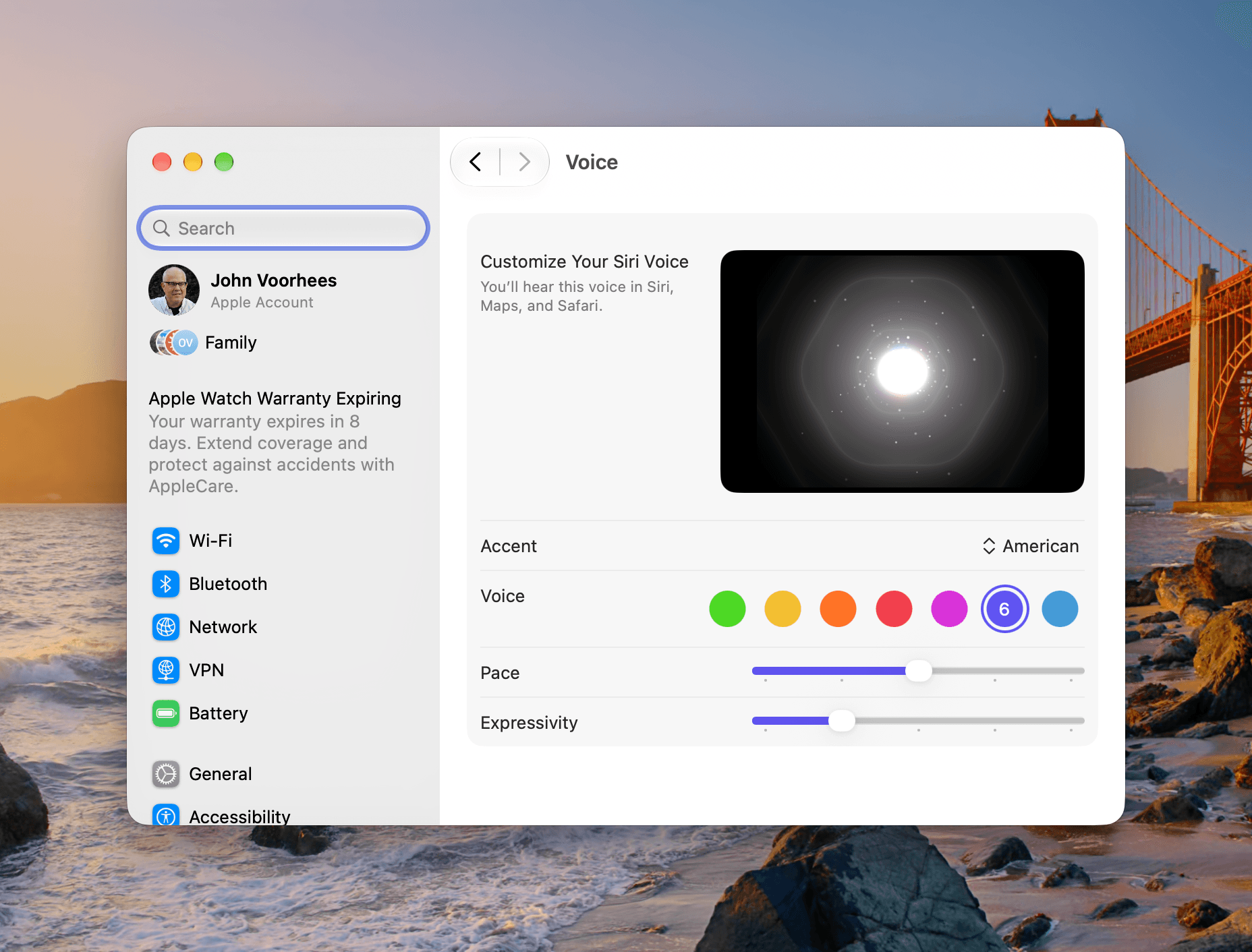
You can pick one of multiple expressive voices. For American English there are a total of seven voices, two of which are brand new. Other voices include Australian, British, Indian, Irish, and South African English, and both expressiveness and pace can be adjusted with a slider. The UI for this is in the Siri section of System Settings (which replaces Tahoe’s Apple Intelligence and Siri section) and is nearly identical to what you’ll find on the iPhone or iPad.
The new voices are excellent, and I appreciate the ability to dial in the pacing and expressiveness. I’ve found that with my iPhone, I prefer less expressiveness since I hear Siri far more via turn-by-turn directions while driving, but I’ve turned it up a little on my Mac. Likewise, I have increased the pacing a little on my Mac, but kept the default on my iPhone. Apple’s defaults are good, but it’s worth playing with the settings to see if a different configuration suits your tastes for different contexts like it did for me.
That said, I don’t use Siri’s voice features nearly as much with my Mac as I do my iPhone or Apple Watch. That’s because my older M1 Max Mac Studio doesn’t support the voices, and with the MacBook Pro I’ve been using, I’m more likely to be somewhere where I wouldn’t want to speak aloud to my laptop. Perhaps that will change when I update my desktop Mac, but for now, I’m content without the feature.
Apple has improved dictation accuracy, too. You won’t see any difference in System Settings or anywhere else. The changes are all under the hood. On supported Macs, dictation will work better automatically. I’ve tried this with my M1 Max Mac Studio, which doesn’t support the new dictation, and an M4 Max MacBook Pro, which does, and the difference is noticeable. Speaking quickly or quietly leads to frequent dictation errors on the M1 Max Mac Studio, but the M4 Max MacBook Pro reproduced my words exactly, making it a good choice for on-device dictation if you have a newer Mac.
Finder File Naming and Actions
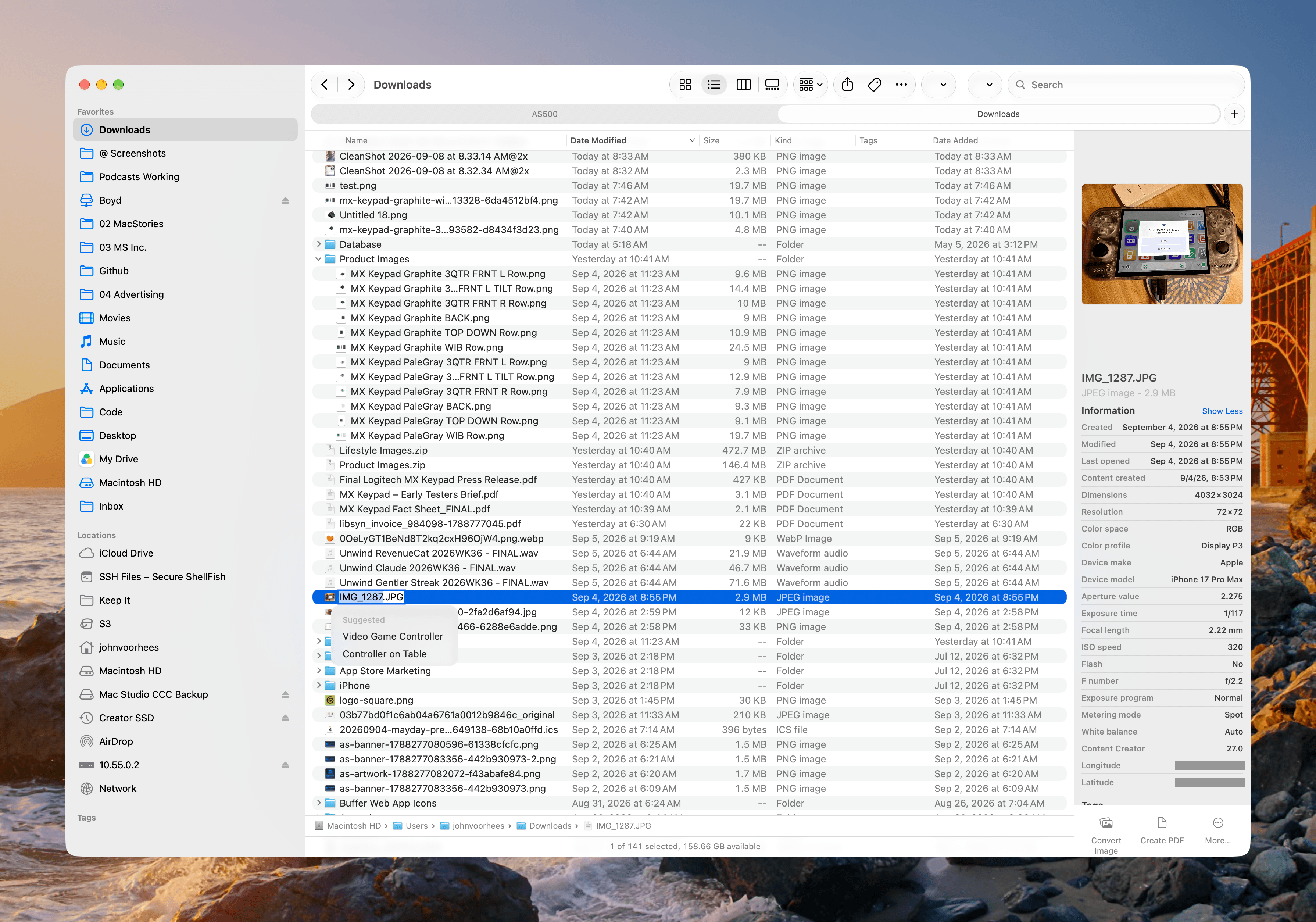
One of the low-key best Siri features of Golden Gate is its ability to suggest file names. If you’ve ever downloaded a PDF of a bill from a website, you probably have a collection of incomprehensible file names filled with seemingly random strings of numbers and letters. With the macOS 27 update, simply highlight the file name and Siri will suggest a couple of names using the content of the file. The feature also works inside document saving dialogs and with folders.
My experience with this feature has been good, but not perfect. Siri generally picks meaningful short titles similar to what I’d come up with myself, but once in a while it has suggested a calendar event instead if my file has a date in its name, which my screenshots often do. That said, this is a terrific feature I know I’ll use a lot.
You can also complete a handful of actions on files from Finder, including sending them via Mail or Messages, using either the contextual Ask Siri popup or Services menu. This is effectively the same limitation I covered above in the Siri app section, which is disappointing if you spend a lot of time wrangling files.