Take Action!
There’s more to Siri than just world knowledge, though. One of the headline features Apple promised at WWDC in 2024 was the ability of Siri to take actions for you based on personal context and draw on personal context to provide answers tailored to you.
Siri’s ability to perform actions on documents and other data in an app relies on App Intents, the framework that supports features across Apple’s OSes, from Shortcuts to interactive widgets. In its simplest terms, App Intents lets developers describe their apps’ content and actions, which are like the nouns and verbs of a sentence. The nouns are things like a PDF document, photo, text message, or event, while the verbs are actions like send, edit, or open. Siri interprets a natural language request and connects it to the relevant content and available actions.
That makes it sound simple, but it’s not. There’s a lot that can go wrong from request to action, and for a lot of the summer it did. Siri often failed, and few actions were available besides ones for built-in system apps, but that’s changed.
In the closing weeks of the summer beta season, Siri’s ability to take actions consistently and in apps other than system apps has really come together. That’s not to say it’s perfect or that every app I’d like to see adopt App Intents has, but I’m far more optimistic about Siri taking actions in apps than I was in June.
For example, I have a trip coming up at the end of the month. I asked Siri to remind me what day I’m leaving. It found the email confirming my flight and gave me the date and relevant flight information. Then I asked Siri if I had any plans while I was away and it found a different email confirming that I’m attending OpenAI’s DevDay. Finally, I asked it how long it would take to drive from where I’ll be staying to the DevDay event, and once again, Siri nailed it.
To bring the conversation with Siri together, I asked Siri to summarize the details in a note, assuming it would pick Apple Notes. I was pleasantly surprised to get a menu of options, including Apple Notes, Drafts, Parchment, Finalist, and Cheatsheet, none of which were open on my Mac. I picked Drafts and Siri created a note. The only disappointment was that I asked Siri to open the note and it said it couldn’t, even though it could and did when I asked a second time.
That last failure is instructive because Siri isn’t perfect. You’ll hit roadblocks, even when it comes to things that it has done for you before. How much of that is just the nature of LLMs and how much is attributable to Siri’s integration with apps is impossible to tell, but as with any chatbot, it’s important to recognize that Siri AI makes mistakes, too, so proceed with caution and verify what you’re told.
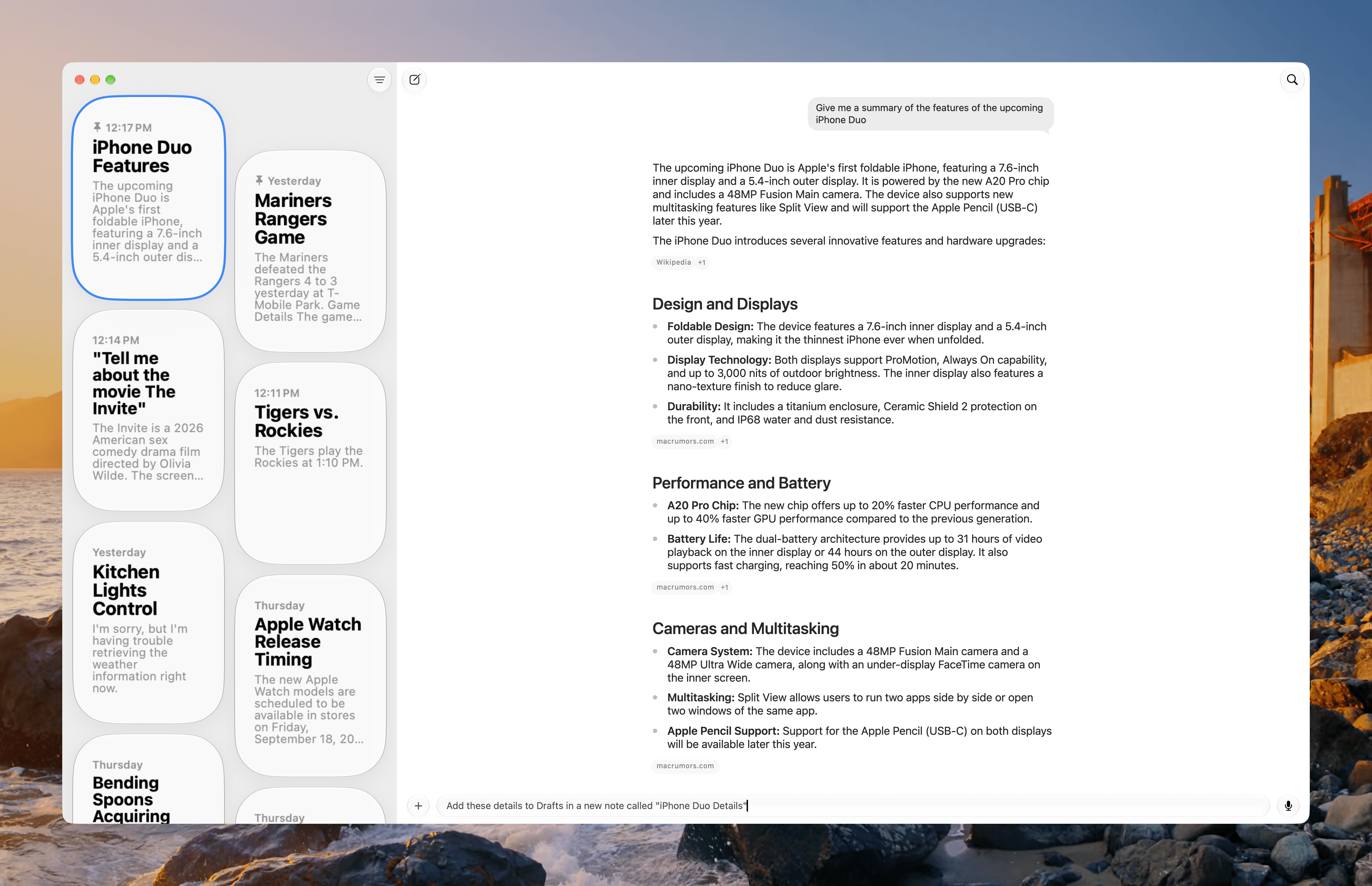
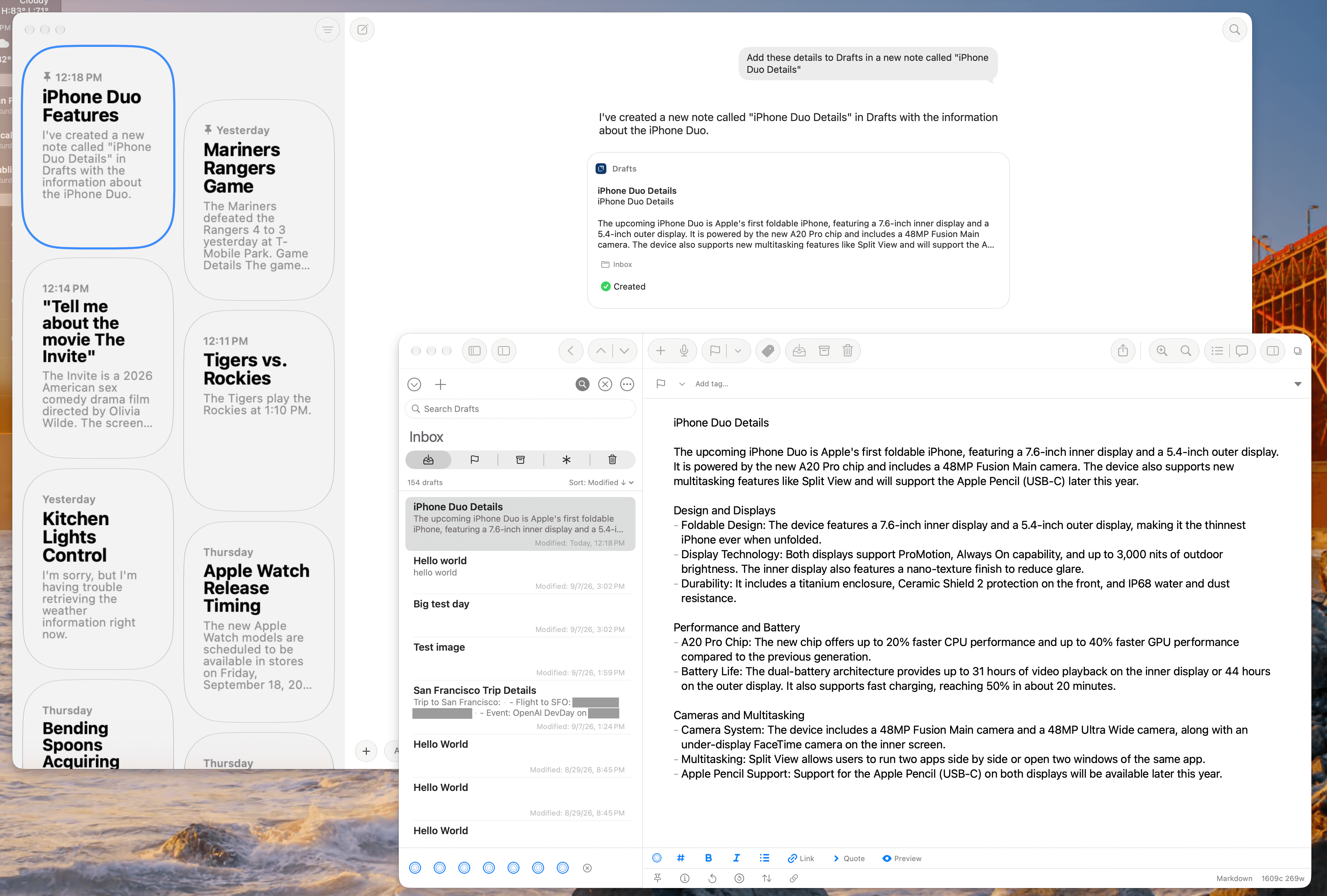
Another useful tool is Siri’s ability to pull information from whatever is onscreen. That can be an app like Safari that’s built into Golden Gate or a third-party app. In my testing, onscreen awareness works far better from Spotlight than it does from the standalone Siri app. For example, I’ve been able to gather information from multiple apps and summarize them in Apple Notes with no problem. However, when I tried the same thing with the Siri app, it was often confused by floating panels from apps like Dropover.
Your experience with asking Siri to perform actions in apps will vary depending on the apps you use. Siri integrates well with Calendar, Notes, Reminders, Mail, Messages, Maps, and Photos, although not perfectly. Venture beyond those apps and the experience depends largely on how their developers expose content to Spotlight and actions to Siri through App Intents.
Other apps, both from Apple and third-party developers, generally don’t work or only work in limited ways. As I edit this review in Obsidian, Siri is unable to tell me what my most recently edited document is, for example. And, if I ask Siri for the last email I received in Spark, it cheats a little, looking the information up in Apple Mail instead. That’s a useful workaround, but it’s still a workaround. If my MacStories email address wasn’t set up in both places, Siri would have been stuck.
That points out an important caveat about Siri that Apple can’t resolve alone. The ability for it to take actions in apps is limited by the developers who implement it. If you use apps that aren’t supportedf for messaging, email, and calendaring, you’ll miss out on a big part of what Siri can do until they ship support for modern App Intents.
However, what is in Apple’s control and merits more attention is the breadth and depth of Siri AI support for its own apps. For instance, I just asked Siri to name the most recent file in my Downloads folder, and it picked one from three hours and 18 files and folders ago. In my testing, the Siri app couldn’t rename files, move them, or duplicate them, although Apple Intelligence can suggest names in Finder.
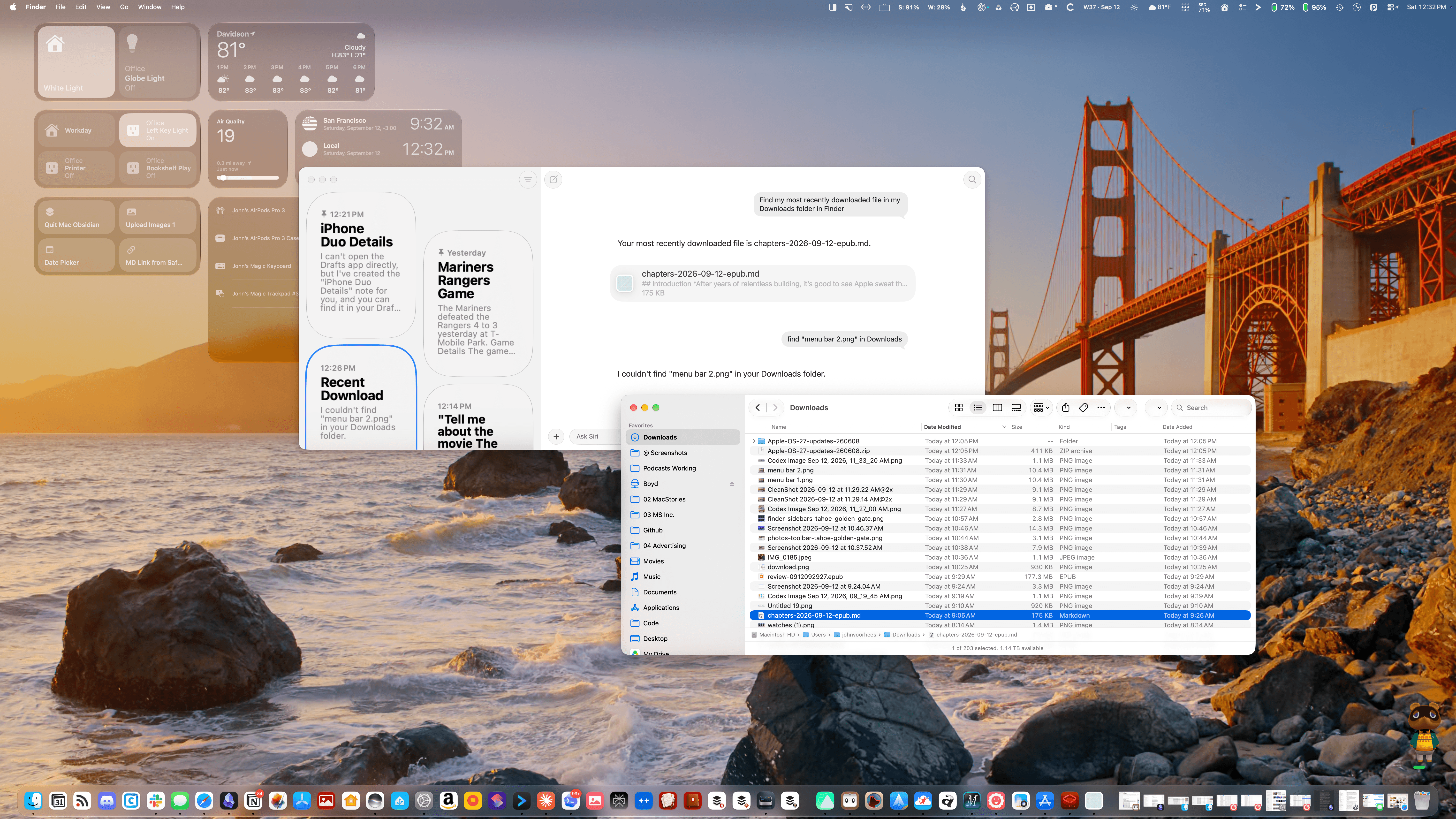
The most recent file Siri could find in my Downloads folder was from more than three hours and 18 files ago.
The same is true of Apple Music, which needs a lot of work. I asked how many songs I have in my Music library and was told “26.” I have thousands. I asked Siri to play Phoebe Bridgers’ latest album and instead of playing the album in Apple Music, an episode of Switched on Pop began playing, but the Podcasts app didn’t open and the Siri app didn’t show that it was playing something from Apple Podcasts. Once I realized I was listening to a podcast, I opened Apple Podcasts and saw that it was playing an episode about Phoebe Bridgers’ new album. Then I understood what was happening and could stop playback.
As I explained in my Golden Gate preview, this is frustrating because apps like Finder and Music include lots of useful metadata and work with a variety of automation tools. Some support seems to be available via existing Shortcuts actions, but not all of it, and unlike Shortcuts, the Siri app can’t use the command line or AppleScript as a way to extend what the app can do.
That said, I’m encouraged by what I’ve seen so far and optimistic about where App Intents is heading. Where Apple supports App Intents in Golden Gate, the experience has improved rapidly as the beta season comes to a close. It’s not perfect, but it’s reliable enough to make it a good solution for many people. Just as encouraging is the growing adoption by third-party developers, especially the indie developers we cover regularly.
As some of my examples demonstrate, there’s still plenty of room for improvement and expansion for Siri, but what’s out today is worth trying. I think you’ll find that in many cases, Siri will help you work more quickly and efficiently, which I love.