
 MacStories Weekly: Issue 299
MacStories Unwind: Shortcuts, Pixelmator Pro, the Apple Watch, and Special Deals on MacStories Pixel Icons







This week on MacStories Unwind:
MacStories
- The Curious Case of Apple’s Missing App Integrations for Shortcuts
- Exporting Links from Safari Reading List via Shortcuts for Mac
- Pixelmator Pro Updated with Background Removal, Subject Selection, and Select and Mask Tools
- David Smith Tests the Apple Watch Series 7’s Battery Life in the Scottish Highlands
- Apple Publishes Annual Holiday Ad: Saving Simon
- MacStories Shortcuts Icons and Perspective Icons: 40% Off from Black Friday to Cyber Monday
Club MacStories
- This Holiday Season, Give the Gift of Club MacStories, and If You’re a Club Member, Get Something Back For Yourself Too
- MacStories Weekly
- Marvis Pro
- A tip about how to change default apps for specific file types on macOS
- An iPad setup and a Reminders shortcut from readers
- MacStories Unplugged
- This month, Federico and John explore traditional American Thanksgiving dishes after Federico updates listeners on his plans for the Turkey Dinner Candy Corn that John left in Rome on this special holiday edition of MacStories Unplugged.
AppStories
Unwind
- Federico’s Pick:
- Pokémon Brilliant Diamond on the Nintendo Switch
- John’s Pick:
Access Extra Content and Perks
Founded in 2015, Club MacStories has delivered exclusive content every week for nearly a decade.
What started with weekly and monthly email newsletters has blossomed into a family of memberships designed for every MacStories fan.
Club MacStories: Weekly and monthly newsletters via email and the web that are brimming with apps, tips, automation workflows, longform writing, early access to the MacStories Unwind podcast, periodic giveaways, and more;
Club MacStories+: Everything that Club MacStories offers, plus an active Discord community, advanced search and custom RSS features for exploring the Club’s entire back catalog, bonus columns, and dozens of app discounts;
Club Premier: All of the above and AppStories+, an extended version of our flagship podcast that’s delivered early, ad-free, and in high-bitrate audio.
MacStories Shortcuts Icons and Perspective Icons: 40% Off from Black Friday to Cyber Monday
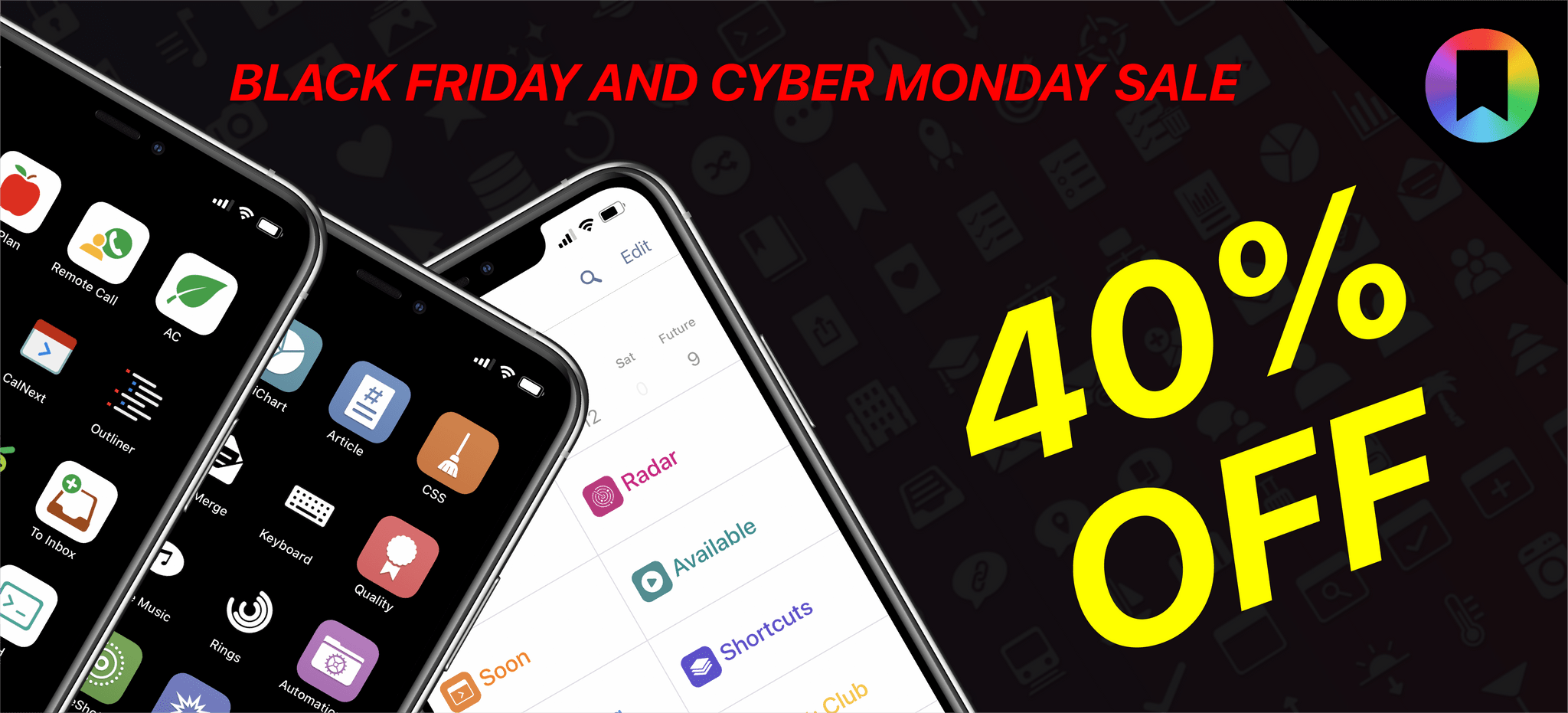
Black Friday and Cyber Monday are upon us, and we’ve prepared something truly special to celebrate the occasion at MacStories: starting today through Monday, November 29, MacStories Shortcuts Icons and Perspective Icons are available at 40% off their regular price.
To purchase MacStories Shortcuts Icons at $17.99 rather than the usual $29.99, click the ‘Buy’ button below:
To purchase our Perspective Icons at $14.99 rather than the usual $24.99, click the ‘Buy’ button below:
Access Extra Content and Perks
Founded in 2015, Club MacStories has delivered exclusive content every week for nearly a decade.
What started with weekly and monthly email newsletters has blossomed into a family of memberships designed for every MacStories fan.
Club MacStories: Weekly and monthly newsletters via email and the web that are brimming with apps, tips, automation workflows, longform writing, early access to the MacStories Unwind podcast, periodic giveaways, and more;
Club MacStories+: Everything that Club MacStories offers, plus an active Discord community, advanced search and custom RSS features for exploring the Club’s entire back catalog, bonus columns, and dozens of app discounts;
Club Premier: All of the above and AppStories+, an extended version of our flagship podcast that’s delivered early, ad-free, and in high-bitrate audio.
Exporting Links from Safari Reading List via Shortcuts for Mac
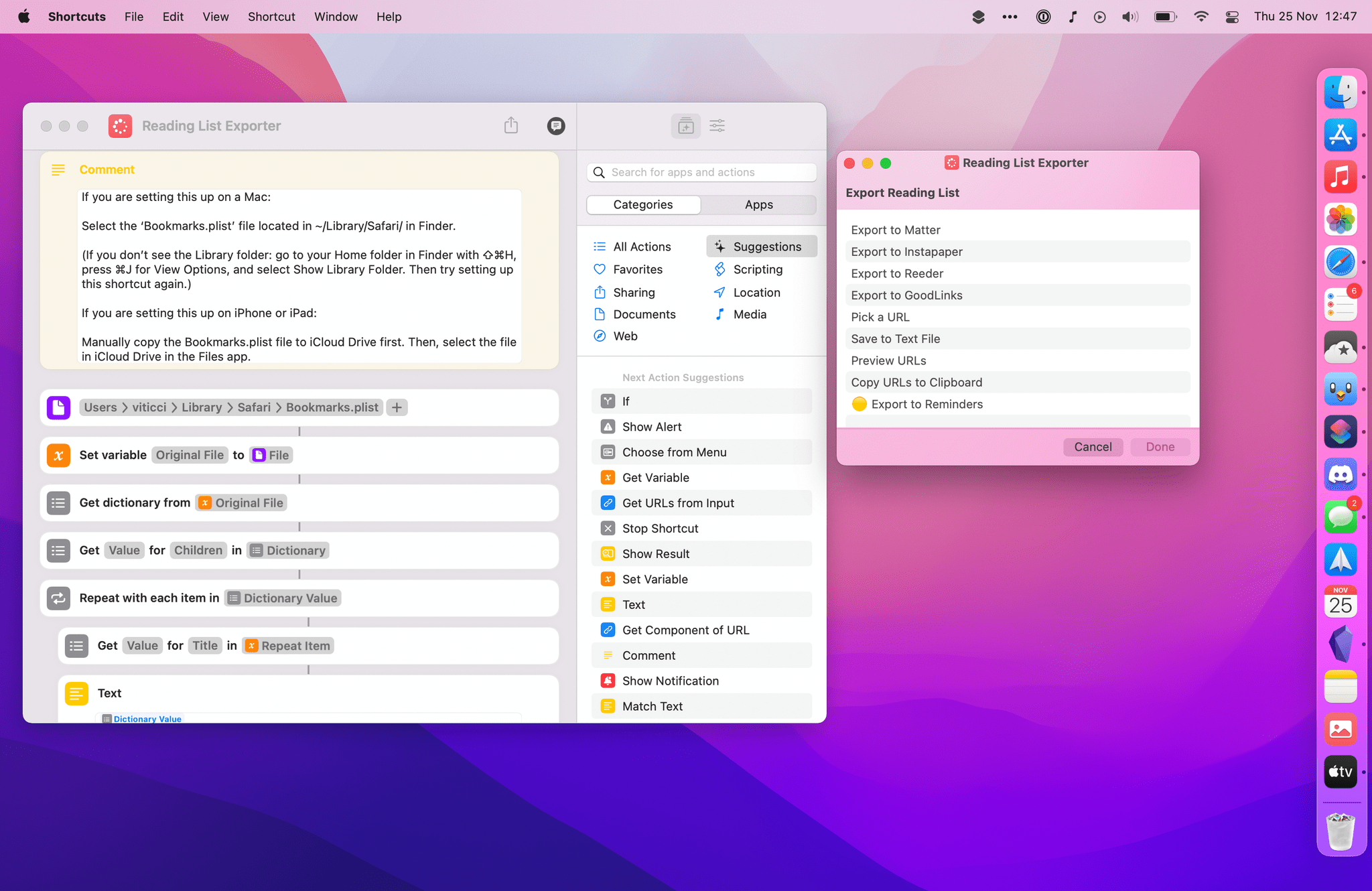
A few weeks ago in the second lesson of the Automation Academy for Club MacStories+ and Club Premier members, I wrote about how I’ve been using Reminders as a read-later app in addition to traditional task management. The full details are in the story, but to sum up: using a combination of shortcuts based on Apple’s native actions, I can use Reminders to choose between long and short stories whenever I’m in the mood to read something. I love this setup, and I’ve been using it for nearly three months now.
Earlier this week, however, I realized I still hadn’t re-imported old articles from Safari Reading List – my previous read-later tool – into Reminders. That immediately posed an interesting challenge. Sure, I could manually re-save each article from Safari Reading List to Reminders, but that sounded like a chore. Other read-later apps such as Reeder and GoodLinks have long offered Shortcuts actions to fetch links from their databases and process them in Shortcuts however you see fit; Reading List, like other Apple apps, doesn’t support any actions to get the URLs you previously saved. And that’s when I had an idea.
Now that it’s available on macOS, Shortcuts can get access to application support files that are kept private and hidden from users on iOS and iPadOS. More specifically, I remembered that Safari for Mac has long stored its bookmarks and Reading List items in a file called Bookmarks.plist, which folks have been able to read via AppleScript for years. Under the hood, a .plist file is nothing but a fancy dictionary, and we know that Shortcuts has excellent support for parsing dictionaries and extracting data from them.
The plan was simple, and I knew what to do.
Access Extra Content and Perks
Founded in 2015, Club MacStories has delivered exclusive content every week for nearly a decade.
What started with weekly and monthly email newsletters has blossomed into a family of memberships designed for every MacStories fan.
Club MacStories: Weekly and monthly newsletters via email and the web that are brimming with apps, tips, automation workflows, longform writing, early access to the MacStories Unwind podcast, periodic giveaways, and more;
Club MacStories+: Everything that Club MacStories offers, plus an active Discord community, advanced search and custom RSS features for exploring the Club’s entire back catalog, bonus columns, and dozens of app discounts;
Club Premier: All of the above and AppStories+, an extended version of our flagship podcast that’s delivered early, ad-free, and in high-bitrate audio.
Apple Publishes Annual Holiday Ad: Saving Simon

Every year, Apple publishes a heartwarming holiday ad that shows off its products in some way. This year, Saving Simon, directed by Jason Reitman, shows off the iPhone 13 Pro, which was used to film the three-minute spot.
Saving Simon tells the story of a small snowman that a girl saves from destruction in her yard by storing it in her family’s freezer. In the months that follow, the girl checks in on Simon, who lives in the freezer alongside the family’s frozen food.
When the winter comes again, the girl takes Simon back outside to the family’s front yard. I won’t spoil the ending, but it ends with the family coming together to help the girl and her snowman friend.
Access Extra Content and Perks
Founded in 2015, Club MacStories has delivered exclusive content every week for nearly a decade.
What started with weekly and monthly email newsletters has blossomed into a family of memberships designed for every MacStories fan.
Club MacStories: Weekly and monthly newsletters via email and the web that are brimming with apps, tips, automation workflows, longform writing, early access to the MacStories Unwind podcast, periodic giveaways, and more;
Club MacStories+: Everything that Club MacStories offers, plus an active Discord community, advanced search and custom RSS features for exploring the Club’s entire back catalog, bonus columns, and dozens of app discounts;
Club Premier: All of the above and AppStories+, an extended version of our flagship podcast that’s delivered early, ad-free, and in high-bitrate audio.
This Holiday Season, Give the Gift of Club MacStories, and If You’re a Club Member, Get Something Back For Yourself Too

More Club Gift Options Than Ever Before
The holiday season is upon us, and as you shop for gifts for friends and family, we wanted to remind everyone that Club MacStories memberships can be given as gifts all year long. Every tier of the Club extends what we publish at MacStories, which makes it the perfect gift for someone who wants more of the kind of in-depth app, automation, and other coverage you find on the site every day.
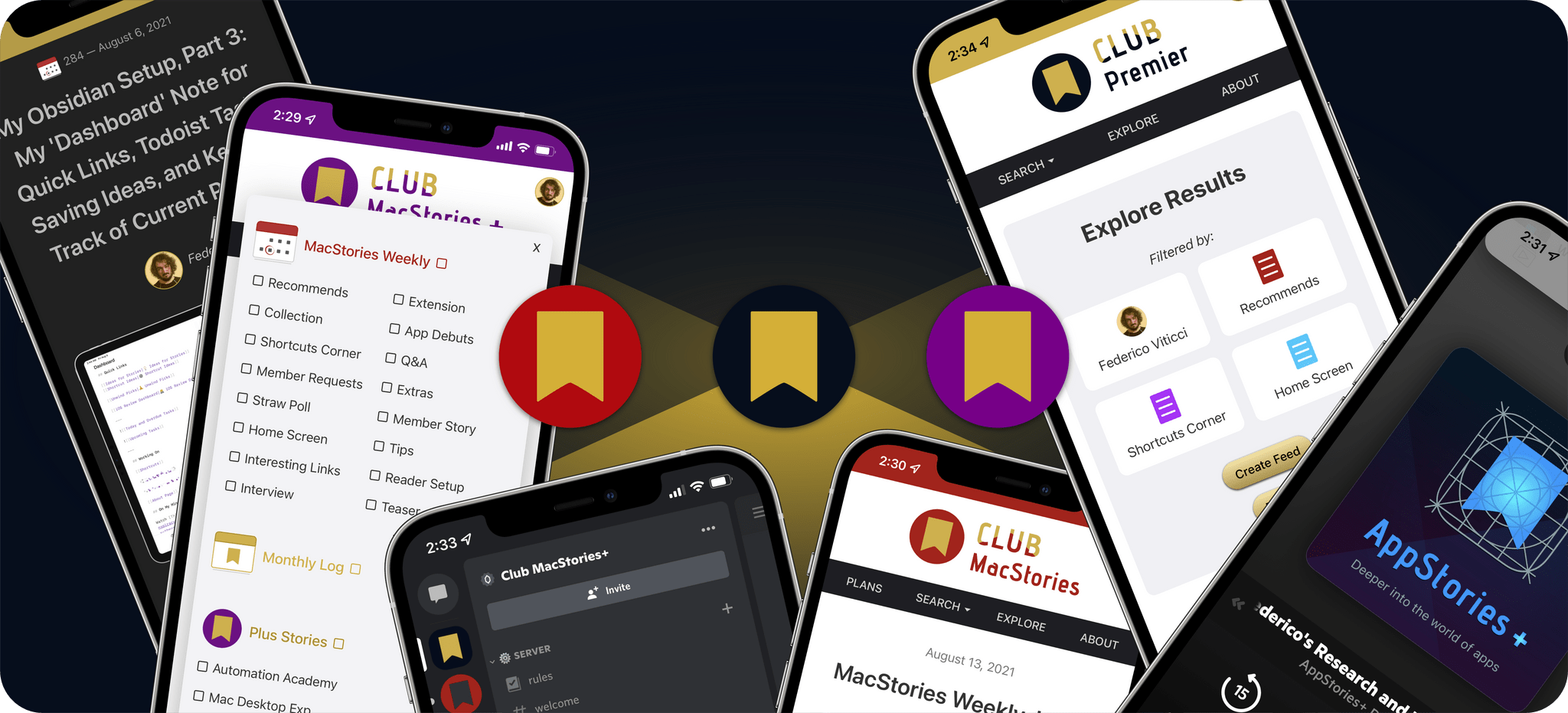
This year saw the introduction of Club MacStories+ and Club Premier, which join the original Club MacStories as gift options for this holiday season.

Pick a Plan
As always,Club MacStories delivers weekly and monthly newsletters by email and now, on the web, packed with our favorite apps, themed collections, tips, Shortcuts automations, and more. Club members also receive MacStories Unplugged, our monthly Club-only podcast, plus periodic giveaways, discounts, and downloadable exclusives like our annual iOS and iPadOS and macOS reviews.
Club MacStories+ offers bonus content, a brand new, powerful web app to read Club articles on the web with advanced search and RSS features, exclusive discounts, and a new Discord community.
Club Premier is the ultimate plan that includes all of Club MacStories, Club MacStories+, and the new extended, ad-free AppStories+ podcast in a single package. It is the best value and the easiest way to get access to everything we do. It is, effectively, the MacStories all-access pass.
To learn more about each tier, visit plus.club.
Gift an Annual Plan Through November 30th, and Extend Your Own Membership
This year we’re doing something new too. Gift accounts are available all year long. However, through November 30th, if you’re already a Club member at any tier and purchase an annual membership for someone as a gift, we’ll extend your membership one month.
The process is simple:
- Purchase an annual Club membership for someone
- Send us an email at [email protected] to let us know you gifted a membership and include the email address you use to log into the Club
That’s it. We’ll confirm your gift purchase based on your Club email address and extend your membership one month as a thank you from the MacStories team for helping spread the word about Club MacStories.
So, if you have a MacStories reader on your holiday shopping list this season, consider a Club MacStories membership that they can enjoy all year long.
Gift Memberships Are Available at All Tiers
Annual gift memberships can be purchased using the links below:
Annual Club Premier Gift Membership: $120
Annual Club MacStories+ Gift Membership: $100
Annual Club MacStories Gift Membership: $50
We also offer monthly gift memberships too, although they aren’t eligible for the special offer above, which can be purchased here:
Monthly Club Premier Gift Membership: $12
Monthly Club MacStories+ Gift Membership: $10
Monthly Club MacStories Gift Membership: $5
Finally, thanks to all our loyal Club members who have joined since the Club’s debut in 2015. You’re an essential part of what we do here at MacStories, and we hope you’ve enjoyed the Club as much as we enjoy creating its special content for you all year long.
Happy Holidays!
– The MacStories Team
Access Extra Content and Perks
Founded in 2015, Club MacStories has delivered exclusive content every week for nearly a decade.
What started with weekly and monthly email newsletters has blossomed into a family of memberships designed for every MacStories fan.
Club MacStories: Weekly and monthly newsletters via email and the web that are brimming with apps, tips, automation workflows, longform writing, early access to the MacStories Unwind podcast, periodic giveaways, and more;
Club MacStories+: Everything that Club MacStories offers, plus an active Discord community, advanced search and custom RSS features for exploring the Club’s entire back catalog, bonus columns, and dozens of app discounts;
Club Premier: All of the above and AppStories+, an extended version of our flagship podcast that’s delivered early, ad-free, and in high-bitrate audio.
AppStories, Episode 250 – Shortcuts for Mac Deep Dive→
This week on AppStories, we explain how Shortcuts for Mac differs from other automation tools, cover some of the roadblocks we’ve hit, and discuss how we’re adapting existing shortcuts to the Mac and building all-new ones.
](https://cdn.macstories.net/banneras-1629219199428.png)
On AppStories+, we cover the third-party apps we are using with Shortcuts for Mac and Federico explains his Mac shortcut that works like Split View on iPadOS.
We deliver AppStories+ to subscribers with bonus content, ad-free, and at a high bitrate early every week.
To learn more about the benefits included with an AppStories+ subscription, visit our Plans page, or read the AppStories+ FAQ.
The Curious Case of Apple’s Missing App Integrations for Shortcuts
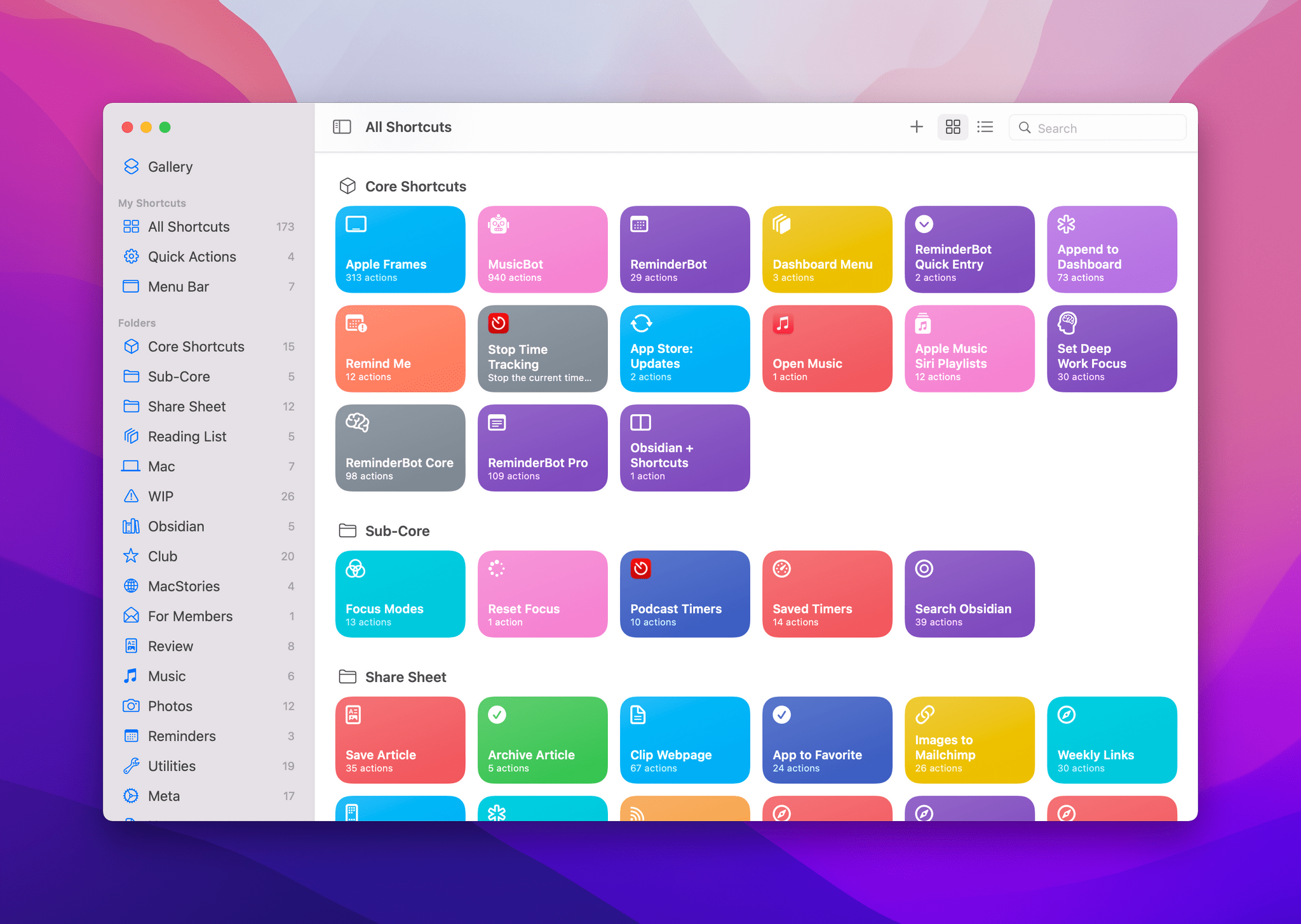
In researching topics for the Automation Academy over the past few months, I’ve been digging into all the details of Apple’s built-in actions and comparing them against older versions of the Shortcuts app as well as third-party options offered by developers. In doing this, I’ve realized something that has been bothering me for a while: there is a clear inconsistency between modern features in Apple apps and their associated Shortcuts actions. The gap between functionalities in apps and matching Shortcuts actions has expanded over the years, and I think it’s time Apple takes a serious look at its app actions to reverse this trend.
Access Extra Content and Perks
Founded in 2015, Club MacStories has delivered exclusive content every week for nearly a decade.
What started with weekly and monthly email newsletters has blossomed into a family of memberships designed for every MacStories fan.
Club MacStories: Weekly and monthly newsletters via email and the web that are brimming with apps, tips, automation workflows, longform writing, early access to the MacStories Unwind podcast, periodic giveaways, and more;
Club MacStories+: Everything that Club MacStories offers, plus an active Discord community, advanced search and custom RSS features for exploring the Club’s entire back catalog, bonus columns, and dozens of app discounts;
Club Premier: All of the above and AppStories+, an extended version of our flagship podcast that’s delivered early, ad-free, and in high-bitrate audio.
Pixelmator Pro Updated with Background Removal, Subject Selection, and Select and Mask Tools

Mac image editor Pixelmator Pro continues its streak of releasing machine learning-based tools that feel like magic, with a release that the Pixelmator team calls Abracadabra appropriately enough. The release of version 2.3 features tools to remove the background of an image, select just the subject of a photo, and a new Select and Mask feature for making fine-tuned selections.

When I first saw a demo of what Pixelmator 2.3 could do, I was a little skeptical that the features would work as well with my photos as the ones picked to show off the new tools. However, Pixelmator Pro’s new suite of related features is the real deal. With virtually no work on my part, I grabbed a photo of Federico and me from my trip to Rome, selected us, and after making a few refinements to the selection to pick up more of Federico’s hair (mine was perfect), I cut out the background, and replaced it with a photo I took in Dublin days before. After compositing the photos on separate layers, I color-matched the layers using ML Match Colors, so they’d fit together better.

The results aren’t perfect – the lighting and perspective are a little off – but those are issues with the photos I chose, not the tools I used. The photo of Federico and me was taken after the sun had set and was artificially lit, while the Dublin Canal was shot on a sunny morning, yet the composite image works incredibly well. What’s remarkable is what I was able to accomplish in just a few minutes. I also removed the background from one of the photos I took recently for my Stream Deck story, which worked perfectly with no additional work needed, which has interesting implications for product photography.
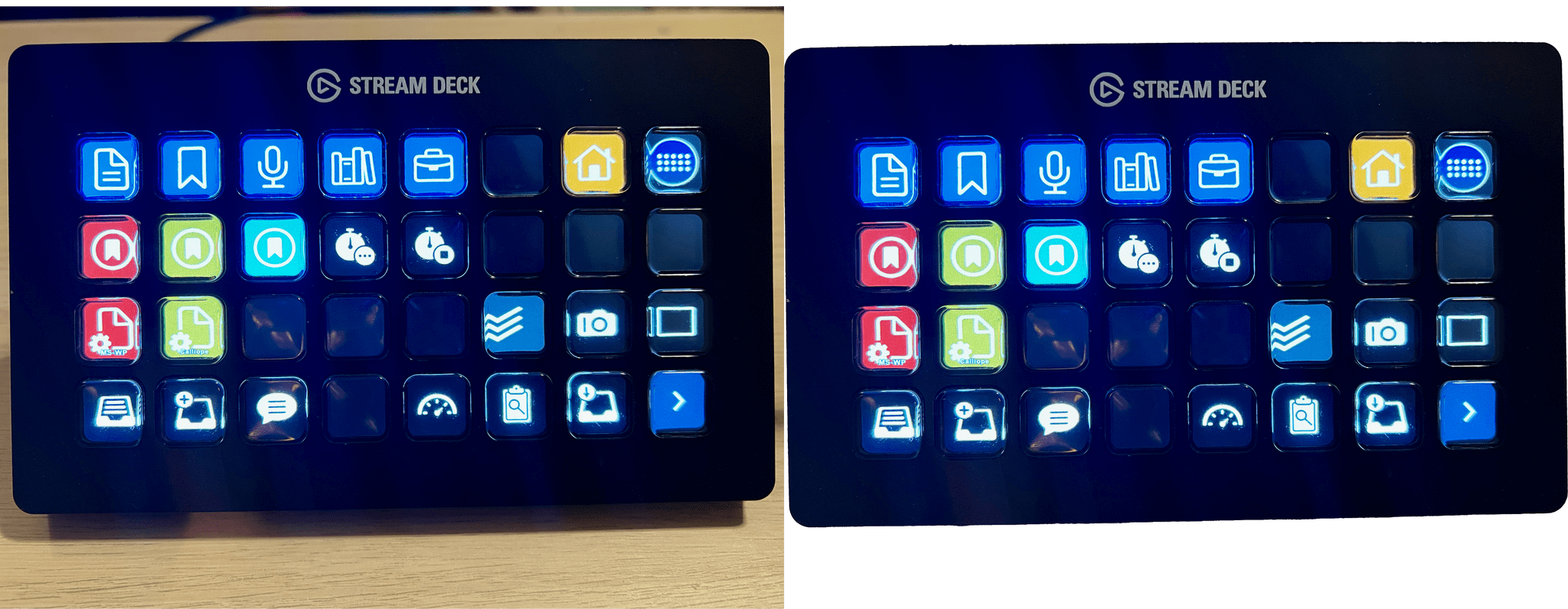
Remove Background takes advantage of Apple’s Core ML framework and works in just a few seconds. Select Subject works similarly but selects the subject of an image instead of erasing the background behind the subject. If you look closely at the masked selection below, you can see how well Pixelmator Pro did picking up the edges to get selection details like hair without any additional work by me. However, if an image needs a little selection touch-up, the Refine Edge Brush and Smart Refine feature make that sort of work easy too.

Pixelmator Pro’s new tools are available elsewhere in macOS, too, as Finder Quick Actions, Shortcuts actions, and AppleScript commands. I covered Pixelmator Pro’s Shortcuts actions earlier this fall, and they are some of the best available among Mac-only apps, so it’s fantastic to see those automation options continue to expand.
Pixelmator Pro has long been one of my must-have Mac apps. I don’t spend a lot of time editing images, but when I do, I appreciate that Pixelmator Pro makes the process easy and produces excellent results regardless of your experience with image editors.
Access Extra Content and Perks
Founded in 2015, Club MacStories has delivered exclusive content every week for nearly a decade.
What started with weekly and monthly email newsletters has blossomed into a family of memberships designed for every MacStories fan.
Club MacStories: Weekly and monthly newsletters via email and the web that are brimming with apps, tips, automation workflows, longform writing, early access to the MacStories Unwind podcast, periodic giveaways, and more;
Club MacStories+: Everything that Club MacStories offers, plus an active Discord community, advanced search and custom RSS features for exploring the Club’s entire back catalog, bonus columns, and dozens of app discounts;
Club Premier: All of the above and AppStories+, an extended version of our flagship podcast that’s delivered early, ad-free, and in high-bitrate audio.