Posts in news

AllThingsD: Apple Announcing New iPhone On September 10

According to Ina Fried at AllThingsD, Apple will announce a new iPhone at a media event on September 10:

Apple is expected to unveil its next iPhone at a special event on Sept. 10, sources told AllThingsD.

The launch comes at an important time for Apple, which continues to make a lot of money from the iPhone but has seen its global market share dip amid a growing wave of lower-cost Android devices as well as an intense battle with archrival Samsung.

AllThingsD has a solid track record with previous Apple event predictions, and it seems safe to assume this rumor will soon be backed by other well-connected sources.

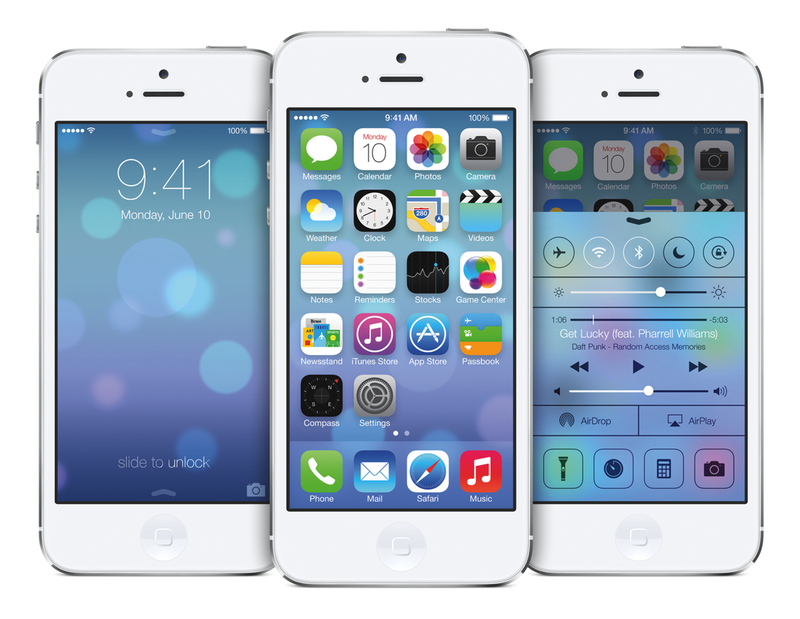
If true, this could set Apple’s pattern history to repeat itself with new phones being released with iOS 7 pre-installed, and the new OS on track for a release 7-10 after the media event. A Golden Master seed of iOS 7 could be released to developers on the day of the event, with Apple asking developers to start submitting iOS 7 apps to the App Store on the same day. In 2011, Apple released the GM seed of iOS 5 on October 4 and asked developers to start submitting apps on the same day; last year, Apple held a media event, released a GM build of iOS 6, and emailed developers on September 12.

New iOS versions are typically released on Wednesdays (iOS 5 was released on October 12, 2011, and iOS 6 on September 19, 2012 – both Wednesdays), which could mean a release of iOS 7 on September 18 (alongside iTunes 11.1, in beta right now) with the new iPhone to follow on September 20 in a few initial markets (new iPhones are usually released on Fridays).

There are differences between this year and 2011/2012 for Apple – most notably, the fact that iOS 7 is a major rethink of iOS that may require more than a week between a GM build and the public release. But there are several minor differences as well: a Dev Center outage that lasted three weeks; a rumor that claimed Apple was forced to “pull away” resources from the iPad team earlier this year to focus on iOS 7 for the iPhone; the fact that iOS 7 beta for iPad was, indeed, released two weeks after the iPhone beta, with recent reports suggesting that the iPad build still isn’t nearly as fast and stable as the iPhone one. And, besides iOS 7, this year’s most prominent rumor – a low-cost iPhone that may or may not see Apple more aggressively entering new international markets. But how many at launch? Will Apple keep growing the list of initial launch countries? Will the low-cost iPhone be introduced on September 10 as well? Will the successor to the iPhone 5 be called iPhone 5S?

We’ll find out, if Ina Fried is right, on September 10.

Rdio, Now With Better Stations And ‘You FM’

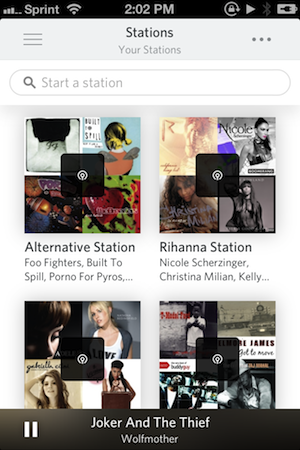
Rdio has always allowed you to play a mix of songs based on what you or your friends are listening to in their collections. Today, Rdio has updated their website and mobile apps with vast improvements to stations, allowing you to instantly listen to stations surrounding artists, songs, and genres.

Everything is a station

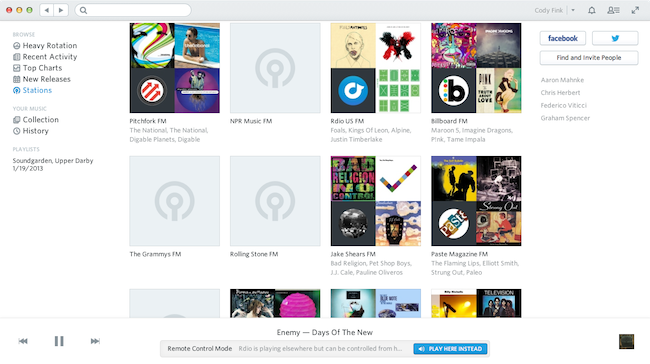
Rdio’s Stations is a response to both Spotify Radio and iTunes Radio. Drawing from a library of 20 million songs, Rdio hopes to turn anything into a custom Station. Your favorite pop radio song? That band you can’t stop listening to? By visiting Stations in the sidebar on your mobile device or desktop, you’re instantly greeted with a search bar and collections of music by your friends, stuff that’s in heavy rotation, and popular artists and genres. And no matter where you are in Rdio, you can also select songs and artists to make a station out of them as well.

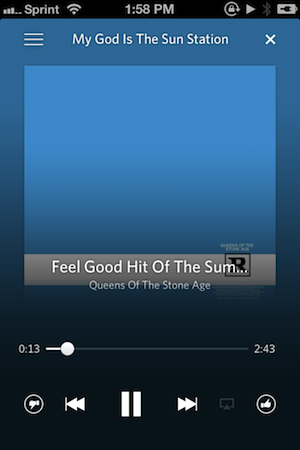
Just like the music player, the Stations Player puts album art front and center over a blurred background that provides some contrast for the scrubber and other controls. New to the Stations Player are like and dislike buttons that let you vote on your favorite tracks.

It’s about you (FM)

You FM is the biggest new thing here, which is Rdio’s way of curating stations based on what you do across your social networks. Rdio says they’ll look at who you follow on Twitter, things you like on Facebook, and things you thumbs up in Rdio to create Rdio stations of all your favorite songs and “related tracks.” So if you follow Nine Inch Nails and have your Twitter account hooked into Rdio you’ll hear a lot more Reznor in your Stations mixes.

It’s also about your friends

Then there’s your friends. There’s a People tab in Stations that’s supposed to highlight what your friends are listening to, which is basically their ‘You FM’ stuff. It’s the previous implementation on steroids. You’ll also find Stations in there like Pitchfork FM and Rolling Stone FM if you want indie or Top 40 Stations.

So if you like radio here you go

Rdio can be downloaded for free from the App Store, but requires a monthly subscription to use. Check out Rdio’s pricing here and read more about their Stations update on their blog page.


Twitter 5.9: It’s All About Login Verification and List Management


Twitter’s latest updates bring some significant changes to their official mobile apps, such as the ability to turn on login verification (different from SMS-based login verification) and create lists.

Login Verification

Login verification requires that you have your phone when logging into Twitter on your Mac or PC. To turn it on visit the Me tab, tap on the gear, tap on Settings, then tap on Security. Make sure to save the subsequent backup code in an app like 1Password for safekeeping.

Manage Lists

You can find your lists in the Me tab if you scroll down and tap on the list entry. You can now create your own lists from inside the app, and add / remove people by visiting a Twitter profile and tapping the user button.

Social Context when Searching

As you search Twitter will show you profiles, top photos, and suggestions, while also providing context as how you’re connected to other users based on your search. Your initial query result ends up looking a lot like what’s found in the Discover tab.

View Photo Galleries

Also seen in our header image, photo galleries let you view anyone’s profile and get all of their photos in a gallery view.

You can download the latest Twitter update for free on the App Store. Read about Twitter’s latest update here.


Apple Airs New iPhone 5 Commercial: “FaceTime Every Day”

Following commercials for the iPhone 5’s Music and Photos apps, Apple’s “Every Day” campaign is back today with a new television ad called “FaceTime Every Day”. As we expected, the commercial – available on YouTube and Apple’s website – focuses on FaceTime video calling.

The new commercial, similarly to Music Every Day, isn’t primarily aimed at highlighting the technology behind FaceTime or the features of the app; rather, it emphasizes how FaceTime can seamlessly fit into everyday life and turn remote “face to face communication” into something worth enjoying and remembering. Something as natural as talking to another person, but made possible by technology.

A girl shows her engagement ring to, perhaps, her mother or a friend who’s not there with her; a man sends a kiss to his significant other (after having made sure nobody is watching); bits of life around the world – fireworks, an empty apartment, kids playing in the backyard – are shared with FaceTime.

There is no feature checklist. There are no flying robots in a post-apocalyptic scenario or references to wives and Tegra chipsets. The simple idea of connecting people is the checklist. “Every day, more people connect face to face on the iPhone than any other phone”. There’s no mention of FaceTime in the commercial, because there doesn’t need to be: “FaceTime” may be in the ad’s name, but the iPhone experience is the product being advertised.

We have embedded the commercial below. Read more


Sponsor: PDFpen for iPad

Our thanks to Smile for sponsoring MacStories this week with PDFpen for iPad.

PDFpen for iPad is the mobile version of Smile’s award-winning PDFpen for Mac. With PDFpen for iPad, you’ll be able to sign contracts, make changes, and fill forms when you’re out of the office or on the go.

PDFpen provides iCloud and Dropbox support, so you can edit your PDFs seamlessly on your iPad, iPhone and Mac (you can also exchange documents via Box, Evernote, Google, and more). PDFpen lets you sign and return documents without printing or faxing, directly from your iPad – so, for instance, you’ll be able to fix typos or correct price lists immediately while an issue is foremost in your mind without having to wait to be at your desk with a Mac.

PDFpen for iPad is available at $14.99 on the App Store, and you can find out more about PDFpen for iPad here.


Feedly Launching Pro Version with Evernote Integration and Search

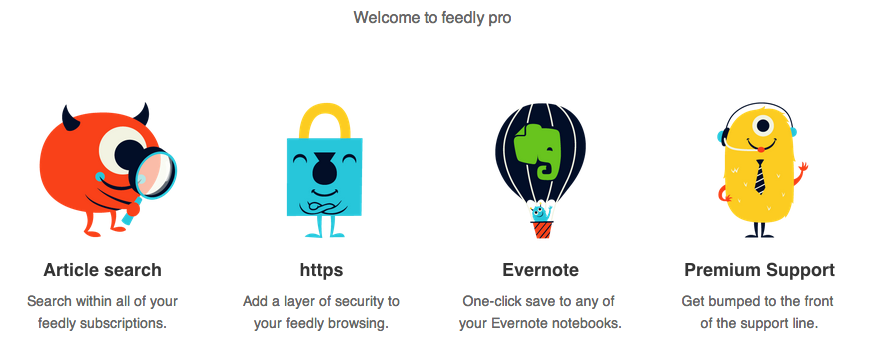
RSS service Feedly, one of the most popular alternatives to Google Reader that quickly hit 12 million users after the shutdown of Google’s service, has today started rolling out a Pro version that, starting at $5 per month, will enable search, Evernote integration, HTTPS navigation, and premium support for users. However, there’s a catch: Feedly Pro’s regular $5/month subscription ($45 annually) will be available publicly for everyone this Fall; today, the company has launched a $99 Feedly Pro lifetime membership that will unlock the Pro features, forever, for the first 5000 users.

As a daily Evernote user and fan of RSS apps that implement full article search, I was curious to try out the initial feature set of Feedly Pro, so I purchased the lifetime membership this morning. My first impression is that, overall, the Pro features will add value to the service for power users, but they will need several improvements and refinements. Feedly says that, in the future, Pro users will be able to directly vote for the features they want to see in the service. Read more


Pushpin 2.1 Adds iPad Support and Speed Enhancements

Pushpin

Pushpin

Pushpin already was my favorite Pinboard app on the iPhone: with a great 2.0 update that added a redesigned interface and saved feeds, Pushpin gained a spot on my Home screen as the app I would open to access the full Pinboard experience. From my review:

At $9.99, Pushpin 2.0 is a powerful Pinboard client for users who want to use Pinboard to add bookmarks, manage them, and discover new ones using the service’s (lightweight) social features. Pushpin 2.0 looks great on the Retina display, and new features like Saved Feeds, new tag filtering and suggestions, and improved web browsing strike a good balance between advanced functionality and general usability. Pushpin 2.0 can be used as your only Pinboard client on the iPhone, packing both management and browsing features, and I’m looking forward to an iPad version.

With last night’s 2.1 update, Pushpin is now optimized for the iPad and it looks just as good as the iPhone version. Navigation takes places in a main screen (not a sidebar) where you can find links to your bookmarks, community links, and saved feeds. The iPad version works out of the box with the URL scheme of the iPhone app, and the developer added support for opening links in Dolphin, which is a fine browser with direct Evernote integration (the best of its kind on the App Store).

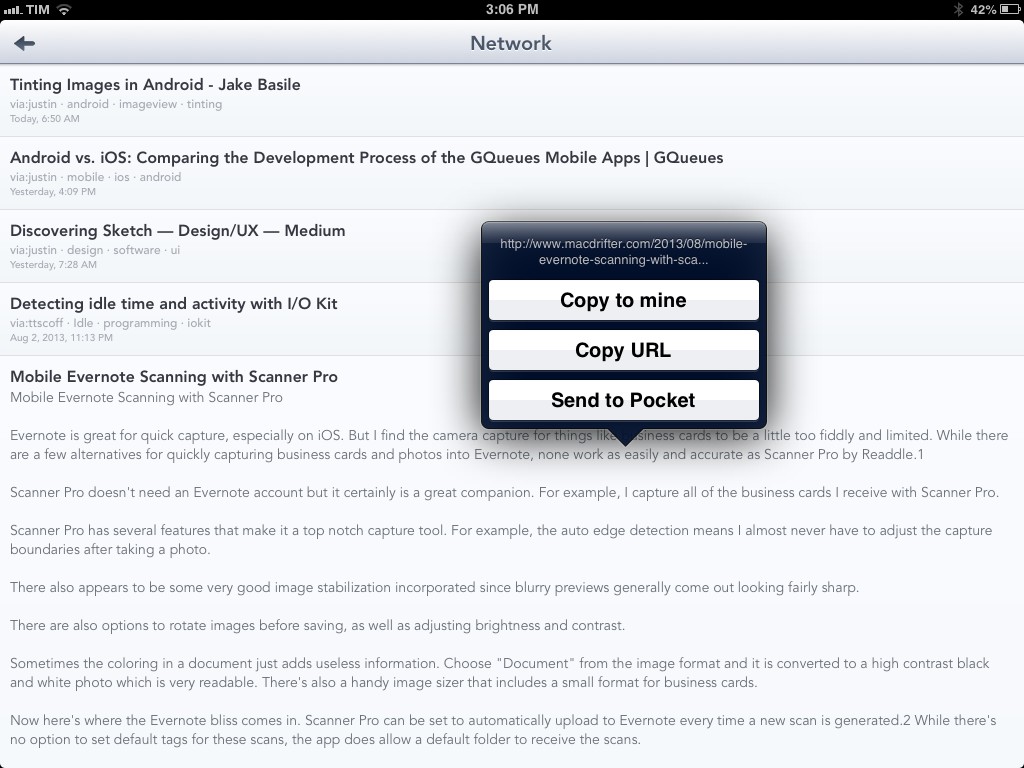
Pushpin benefits from the increased space of the iPad’s larger screen. For one, it’s much nicer to open links in the app’s built-in web view, and tapping & holding links in the list view opens a popover that doesn’t take over the entire screen; from the popover, you can easily copy a URL, copy a link to your account, or save an item to your read later service of choice.

Alongside speed improvements and bug fixes, saved feeds have been enhanced with support for from: tags: by combining these with regular usernames and tags, you’ll be able to see, for instance, what a specific user has saved from email or Twitter favorites – the app’s changelog on iTunes contains the full list of supported from: tags for your perusal.

Pushpin is a powerful all-in-one Pinboard app, and with an iPad version I can now enjoy the same experience on all my devices (I would like the ability to sync saved feeds, though). You can get Pushpin at $9.99 on the App Store.


Apple Q3 2013 Results: $35.3 Billion Revenue, 31.2 Million iPhones, 14.6 Million iPads Sold

Apple has published their Q3 2013 financial results for the quarter that ended on June 29, 2013. The company posted revenue of $35.3 billion. The company sold 14.6 million iPads, 31.2 million iPhones, and 3.8 million Macs, earning a quarterly net profit of $6.9 billion.

We are especially proud of our record June quarter iPhone sales of over 31 million and the strong growth in revenue from iTunes, Software and Services,” said Tim Cook, Apple’s CEO. “We are really excited about the upcoming releases of iOS 7 and OS X Mavericks, and we are laser-focused and working hard on some amazing new products that we will introduce in the fall and across 2014.

The company generated $7.8 billion in cash flow from operations during the quarter. Read more


Indiegogo: Canary is Your Connected Home Security Camera

Home security systems have a reputation for being a hassle to install, difficult to use, and expensive to boot. Instead of entrusting a company to monitor you home for a monthly fee, what if you could monitor your home yourself?

Canary is personal monitoring device with a focus on home security. Not dissimilar from a modern baby monitor, Canary uses its widescreen HD camera and microphone to keep an eye on your home. Combined with night vision, motion detection, and smartphone alerts, Canary quickly becomes an inexpensive tool for apartment dwellers or renters. The monitoring device also includes some sensors for monitoring temperature, air quality, and humidity, which could be useful for determining whether a fire has broke out in your home.

What makes Canary unique is how it informs you of changes in your homes environment. Notifications will inform you of movement in your home, letting you then sound an alarm and call 911. It can also send notifications for sudden changes, like if hears audio when nobody is normally home or if the temperature suddenly drops. Kind of like the Nest, Canary is supposed to build a profile that knows when you’re home and when you’re not, and can use the iPhone’s geofencing features to automatically enable and disable Canary as you leave and enter your home.

I think the main thing that people like about security systems is that they feel like they’re a deterrent. Doors beep when people enter and leave the home and the house alarm will sound if a someone intrudes while you’re away, hopefully letting the neighbors know something isn’t right. There’s also all sorts of sensors that can detect when a window is broken for example. For people who want full home security, Canary won’t offer that kind of stuff. You can, however, connect multiple Canary monitors together if you want more coverage. The current suggestion is to put Canary in a place that covers the most entrances or where multiple places converge. For people who don’t have the option of installing a traditional alarm in their condos or apartments, I think Canary covers all the right bases in a compact device. You simply buy the device and there are no subscription fees to use the app and its monitoring service. For people who want more, Canary will offer that down the road.

Canary does away with keypads and codes, turning a smart camera and a plethora of sensors into an IFTTT like service that engages when you go to work or head out to take care of errands. It’s available to pre-order for $199 in white or $249 in black or silver. The campaign has already raised $146,284 in contributions, already ahead of the $100,000 goal. Learn more and contribute here.