Posts in news

Google Play Music Now Available on the App Store

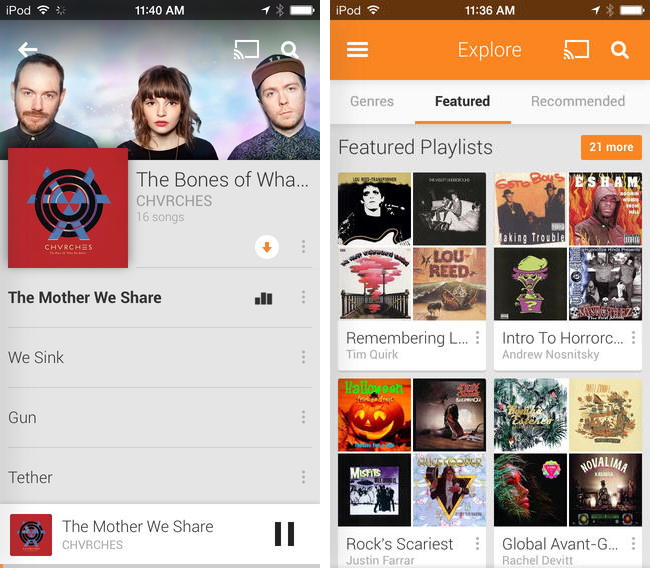
Joining the wealth of music streaming services such as Rdio and Spotify, Google Play Music is now available to download on the App Store. Formally announced in March, Google Play Music All Access originally let subscribers stream a collection of two million songs from the web and to Android devices for $9.99 a month. Similar to iTunes Match, Google also lets users match up to 20,000 songs from local music libraries for free, but like Spotify lets users listen to local music alongside streaming content.

Google Play Music for iOS brings all of All Access’ features to the iPhone, including unlimited streaming, ad-free custom radio stations with unlimited skips based on songs or artists, recommendations, and curated playlists. For streaming to speakers, the iOS app will stream over AirPlay and Chromecast.

Download Google Play Music from the App Store for free. A $9.99 monthly subscription is required to enjoy the service, but you can stream the first month for free.

[via 9to5Mac, The Verge]


iBooks 3.2 Flattens the Pages With New iOS 7 Design

iBooks was one of the most obvious examples of an app that made sense in Apple’s pre-iOS 7 world, when metaphors for describing real world objects were king. You had a shelf full of books, highlighting that looked like it was drawn by hand, and page curl animations that mimicked the feeling of flipping through a real book. The app was warm and inviting, providing a sense that you were browsing the modern equivalent of an actual book.

Apple has been staggering a lot of updates post-iOS 7, focusing on core product suites like iWork and iLife, coming back to apps like Remote at later time. I figured an app like iBooks would need some preferential treatment, given its importance to Apple’s ecosystem, their focus on education, and the relevance of the iBooks Store in the digital age. It would have been perfect to have on hand during this September’s Keynote, but maybe it would have been too much to announce on stage at once.

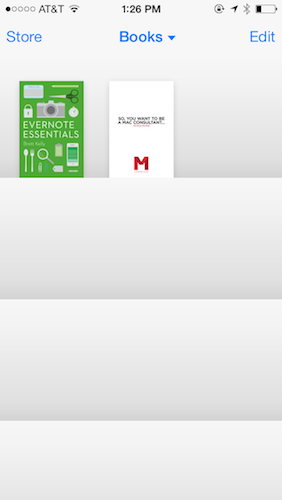
iBooks 3.2 features a brand new design that follows in the footsteps of Newsstand, with gradient rows replacing wooden shelves, leaving covers to stand out on their own. While some might have deemed all of the previous textures distracting, it’s almost a shame to see all of the rich design in the app stripped away. It’s still largely the same app as before, but it’s just been reduced to generic iOS 7-isms we’re all familiar with by now: textual buttons, straightened lines, and outline icons.

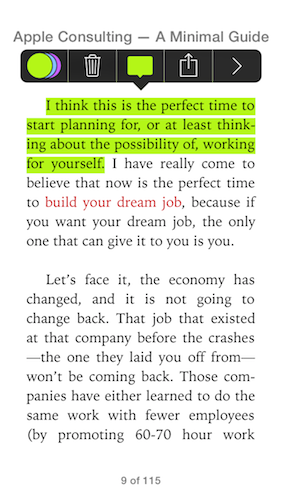
What’s gone is the charm — the new iBooks is strictly all business. Highlighting no longer has that ink-on-paper look to it, nor does inserting a note resemble a sticky or Post-it note. The app has received an iOS 7 inspired reskin, but what’s Apple doing to really show off this design’s potential? Developers such as Tapbots are taking iOS 7 design much further with apps like Tweetbot 3.

There’s also an update for iTunes U which is similar in design, using the same design language to describe courses and content.

iBooks and iTunes U are free updates from the App Store. Download them directly via the links below:


Apple Releases iOS 7.0.4


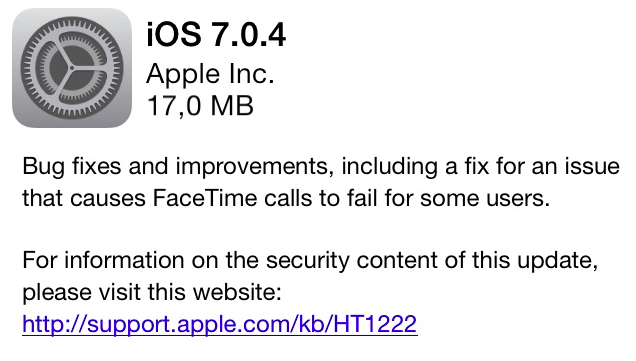
iOS 7.0.4 is currently propagating and should be available for download soon through Software Update. It includes bug fixes, various improvements, and fixes an issue with FaceTime calls.

The new update comes nearly a month after iOS 7.0.3, which was released on October 22nd and included iCloud Keychain, improvements to Spotlight, and changes to the Reduce Motion setting in Accessibility. iOS 7.0.4 is the third public update to iOS 7, which launched for all iOS devices on September 18.


Day One Updated for iOS 7 With New Design, Music Integration, Motion Activity

Day One

Day One

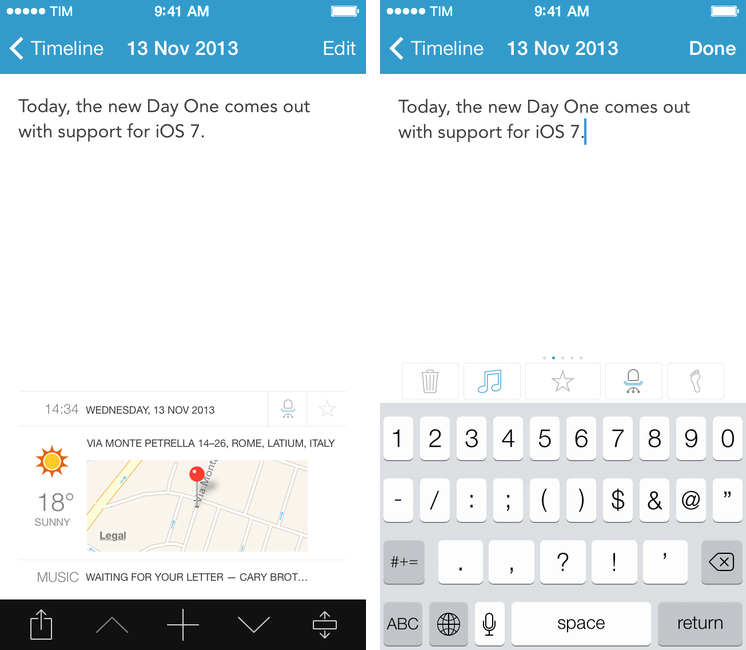
Day One, my favorite journaling app for iOS and OS X, has received an update today that brings a visual refresh for iOS 7, support for background fetch via Dropbox, and new data tracking sources.

Since its inception, Day One has been about adding context to your diary by using features of iOS and OS X that augment the classic journal in ways that paper never could. It was only last year, however, that Bloom Built’s vision could come to fruition with support for photos, weather data, and location information available right into your daily journal. Since then, Paul Mayne and his team have been hard at work to ensure that Day One could have feature consistency across platforms as well as take advantage of online data and Apple’s latest OSes and technologies.

Today’s new version for iOS is, again, all about data, sensors, and additional context for your journal entries, which are no longer limited to text and pictures but now span a bevy of tracking points such as date and time, tags, weather, location, activity tracking, and steps taken. Read more


iPad mini with Retina Display Available Today

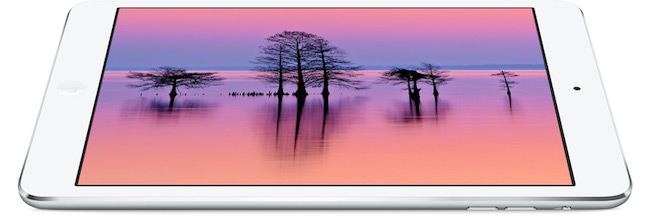
Following an update posted on the GSX website last night, Apple today launched the iPad mini with Retina display on its online store. The launch came as a surprise due to the lack of press releases to pre-announce the launch and product reviews from journalists who received a unit in advance. The launch followed rumors of a “delay” for the iPad mini due to supply constraints for the new Retina display.

As of this morning, the iPad mini with Retina display is available through the Apple online store with shipping times of 5-10 business days for both WiFi and WiFi + Cellular models. In a press release published a few minutes ago, Apple mentioned that it will also be available with Personal Pickup at Apple retail stores (in the United States at least):

iPad mini with Retina display is available to order through the Apple Online Store (www.apple.com) to ship or through Personal Pickup at Apple’s retail stores, and through AT&T, Sprint, T-Mobile, Verizon Wireless and select Apple Authorized Resellers.

From the press release:

The response to iPad Air has been incredible, and we’re excited for customers to experience the new iPad mini with Retina display,” said Philip Schiller, Apple’s senior vice president of Worldwide Marketing. “We think customers will love both of these thin, light, powerful new iPads, and we’re working hard to get as many as we can in the hands of our customers.

The iPad mini with Retina is Apple’s new 7.9-inch tablet that comes with a high-resolution display, A7 processor with 64-bit CPU, and all the other features of the larger iPad Air, in a lighter and smaller body.


MailMate Developer Launches Crowdfunding Campaign for MailMate 2.0

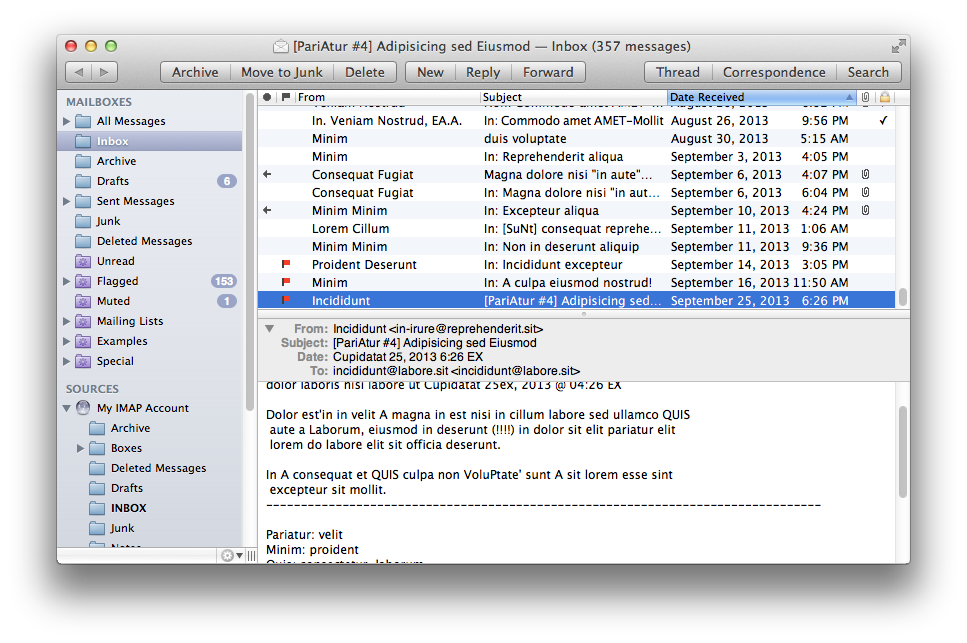
MailMate is a third-party email client for OS X developed by Benny Kjær Nielsen. The app was initially released in 2011 and it’s been actively developed for two years. Here’s a summary of the app’s features from the developer’s website:

MailMate is an IMAP email client featuring extensive keyboard control, Markdown supported email composition, advanced search conditions and drill-down search links, equally advanced smart mailboxes, automatic signature handling, cryptographic encryption/signing (OpenPGP and S/MIME), tagging, multiple notification methods, alternative message viewer layouts including a widescreen layout, and much more.

Today, Benny launched a crowdfunding campaign for MailMate 2.0. From his blog post:

The goal is now to fund the time needed to finish version 2.0 of MailMate. This requires a minimum of 6 months of 2014 and therefore I’ve set the initial fixed goal to $25,000. A fixed goal means that I get nothing if the goal is not reached. Anything beyond $25,000 increases the period I am guaranteed to work full time on MailMate. The exact period depends on daily sales, but a rough estimate is an additional month for every $5,000.

And from the campaign page:

I’m an academic by heart and to me MailMate is a never ending research project filled with challenging problems. To you I hope MailMate is one hell of a powerful email client — an email client worth paying for. I don’t ever expect MailMate to become a golden egg, but I have reached a point where MailMate has to put food on the table.

MailMate is a one-man business. I take care of development, support, homepage, marketing, sales, and now, crowd funding. It’s as personal a business as it can be. Supporting MailMate is to support me and my family. If you want to then you can read a bit more about me and the background for this crowd funding campaign.

Two weeks ago, I decided to start moving away from Gmail/Google Apps and go back to old-fashioned IMAP with Exchange support for iOS devices. I wanted to regain control of my email, and the fact that Mavericks’ Mail had serious issues with Gmail wasn’t helping. So I backed everything up, settled with Rackspace Email, and downloaded MailMate. I’ve been using MailMate intensively for the past week and I’m excited for the app’s future. Read more


Tweetbot 3.1 Brings Text Size Controls, Timeline Switcher, Quick Actions

Tweetbot 3.1

Tweetbot 3.1

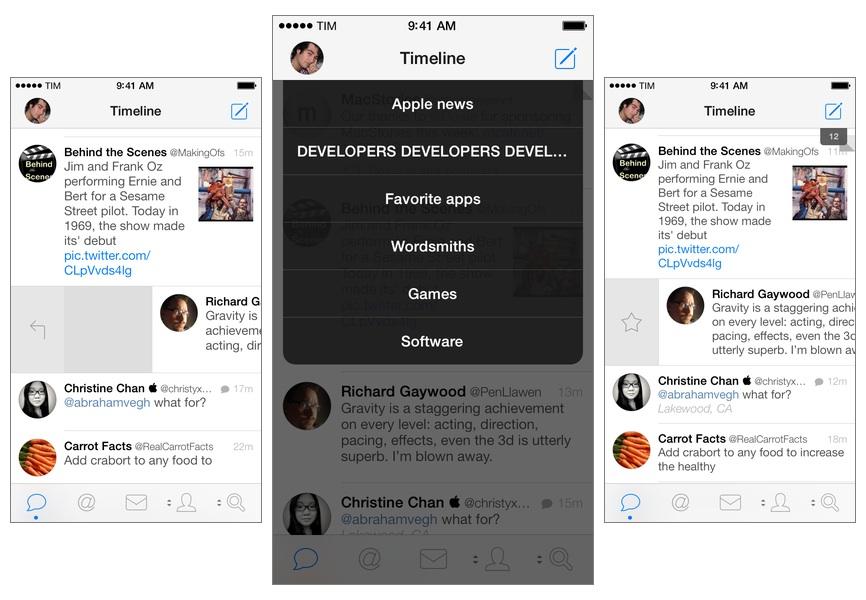
Tweetbot for iPhone may have grown up, but it hasn’t forgotten about the features and design decisions that made it a powerful and popular Twitter client among iOS users for the past two years. Tweetbot 3.1, available today on the App Store, improves upon last month’s major release by bringing back some old features of Tweetbot 2.x and introducing new ones, always taking advantage of iOS 7’s design and structure in interesting ways. Read more


Skitch for iOS Gets “Open In” Support, Maps, Other Enhancements

Skitch 3.0.4

Skitch 3.0.4

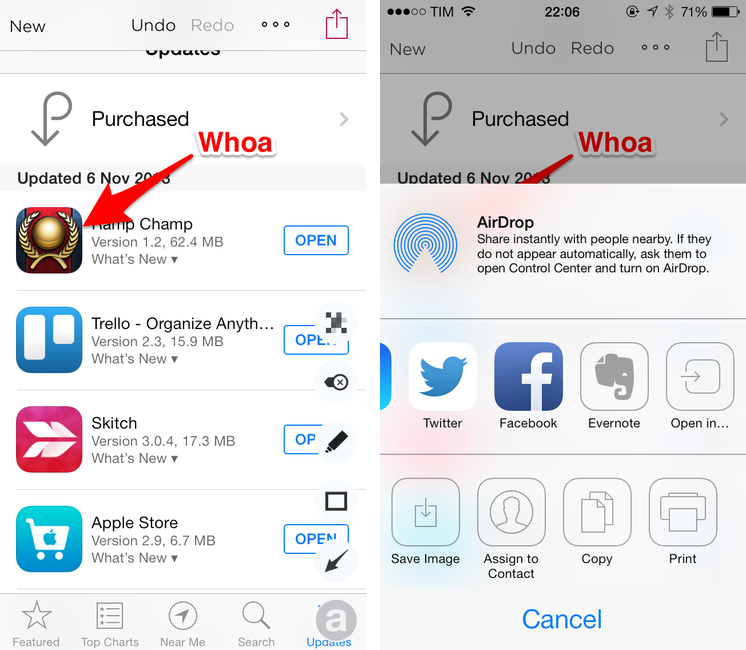
Released in late September, Skitch 3 for iOS was a great reimagination of Skitch, but it lacked some handy features like Maps integration and an Open In menu to send annotated images to other apps. I called Skitch 3 “a fun, quick annotation app with a lot of tools but a focus on speed and straightforwardness”, noting how it became my go-to image annotation app (again).

With today’s 3.0.4 update, Evernote has brought a series of minor but welcome enhancements that make Skitch more powerful and integrated with other iOS apps. Notably, an Open In option has been added to the sharing menu, allowing Skitch to send annotated images directly to iPhone and iPad apps (in my case, Droplr).

As detailed on the Evernote blog, other additions include an overflow menu that contains a Crop function and a “Clear All Annotations” shortcut; possibility to annotate your current location on a map view; and new controls for Evernote notebooks. While Skitch 3 wants to be an annotation app that can be used without Evernote sync, users who want to send images to Evernote can now choose a default notebook in the Settings.

I like today’s Skitch update, especially for Open In support (my Skitch > Droplr > Tweetbot is now much simpler). Skitch 3.0.4 is available on the App Store.


Doxie Flip: A Flatbed Scanner For Paperless Workflows

Doxie Flip

Doxie Flip

Disclaimer: The folks at Doxie purchased a MacStories sponsorship for this week and sent me a Doxie Flip as a gift. I didn’t promise any review or coverage in exchange for me selling the sponsorship and receiving the device. As always, this article contains my impressions and honest opinion.


Like many others, I’ve been trying to go paperless and get rid of paper documents as much as possible. Aside from the fact that paper is a waste of storage space, it’s easy to lose and it’s impossible to search: even with a solid archival system, it’s likely that you’ll eventually misplace an important receipt or lose hours trying to track it down only to find out it was in the drawer under your desk. And what about old photos or notebooks? Unless you take action and find a way to digitize them today, time will get ahold of them and they will be gone. I bet that you don’t have fancy equipment to preserve your personal documents and photos for decades (or centuries).

It’s much better to use a database that can hold digital copies of your documents, allowing you to trash the physical counterparts or, in general, have the peace of mind that time doesn’t destroy pixels (although it does come with a whole new set of problems). The barrier to entry to paperless workflows, though, is pretty high: while there are great “getting started” resources such as David Sparks’ book, there are many questions that follow the decision of going paperless. Which storage service should you use? Is it preferable to keep documents as PDFs or JPEGs? 300, 600 DPI, or more? Should you use a dedicated scanner or an iPhone app? Dropbox or Evernote? And so forth.

I decided to go paperless about a year ago and I’ve been tweaking and improving my workflow since then. I have scanned hundreds of health and work-related documents and when I thought that the system I had set up was future-proof, it miserably failed and I needed to rewrite it. I struggled to find iOS apps to scan receipts on the go, and I had to go back and reimagine several aspects of my workflow because apps that I relied upon were updated and their feature sets changed. If I haven’t detailed my paperless workflow on MacStories yet it’s because I’m still ironing out the kinks on the software side.

As far as hardware goes, I’ve been a satisfied Doxie user for almost two years now. We have two Doxie scanners at home (a Doxie Go and a Doxie One) that we regularly use to scan documents (paper sheets) and old photographs we want to keep on our computers or upload somewhere (usually Facebook). I think that Doxie makes good stuff and I like the company’s focus on enabling cordless and PC-free paperless workflows. The Doxie One and Go aren’t the world’s most powerful scanners, but they produce good quality, searchable PDFs and we like them because they don’t demand any desk space as they’re small and portable.

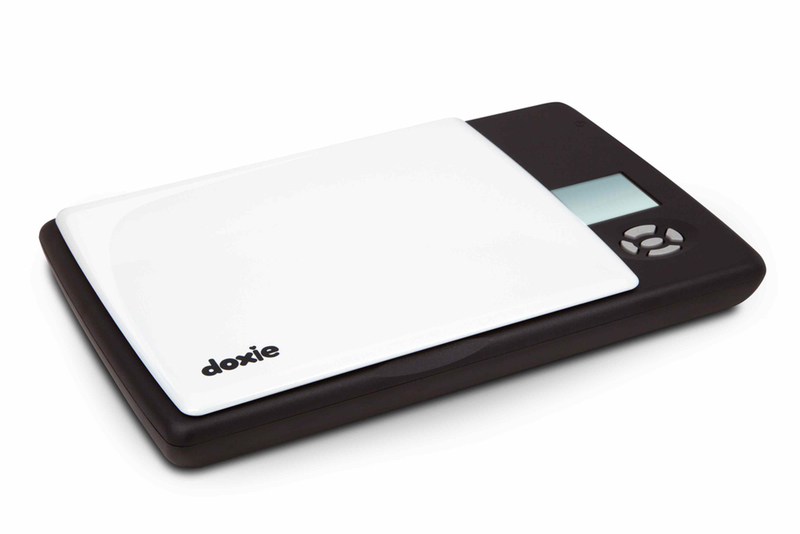
For the past few weeks, I’ve been trying the Doxie Flip, the company’s new flatbed scanner that, unlike the One and Go, is meant for pocket notebooks, old photos and postcards, books and magazines, and just about anything that you can put above the device’s 4x6” glass surface – or below, as you can remove the lid and flip the scanner over. The Flip retails for $149, and, like other Doxies, it saves images to an SD card that can be used in conjunction with a dedicated Mac app or on iOS through Apple’s Camera Connection Kit.

Read more