This Week's Sponsor:

Copilot Money

Copilot Money, The Best Money Tracker, Launches on the Web – Limited-Time: Get 26% Off + 2 Months Free


Posts in news

Starbucks Adds Voice with iOS Beta and Alexa Skill

Starbucks has started a limited beta test of voice-assisted ordering via its iOS app. The beta is currently limited to 1000 users but will expand through the summertime. Android support is slated for later this year.

The feature, called My Starbucks barista, is part of the Starbucks iOS app and gives customers the ability to order, make changes to their order, and pay via voice. The feature’s interface is reminiscent of a messaging app and lets you interact by typing into a text field if you prefer that to voice.

Starbucks also announced the Starbucks Reorder Skill for the Amazon Echo. Customers can say ‘Alexa, order my Starbucks’ to order items designated as their ‘usual’ food and beverage order.

What Starbucks is implementing in its iOS app isn’t possible with Siri yet. Hopefully, this sort of experimentation will push Apple to open Siri faster to avoid the fragmentation that could result in multiple solutions being implemented across many vendors.


Twitter Moves Trending, Moments and Other Features to New Explore Tab

Twitter has replaced the Moments tab in its official app with an Explore tab. Moments are collections of tweets on a particular topic that are picked by Twitter editors. Moments haven’t gone away, but they’ve been moved under the new Explore tab along with ‘Trending Now’ and ‘Explore More’ sections, and live video. Explore is also where you go if you want to search Twitter.

According to Twitter’s blog:

Over the past year, we’ve been exploring different ways to make it simpler for people to find and use trends, Moments, and search. During our research process, people told us that the new Explore tab helped them easily find news, what’s trending, and what’s popular right now.

Although the Explore tab is only now being rolled out to all Twitter users, it has been in testing and available to some users for a few months. Twitter says the new Explore tab is being made available to iOS users today and will be available to Android users in the coming weeks.


Flappy Bird Creator Releases New Ninja-Themed Game

Ninja Spinki Challenges!! is the new game from Flappy Bird’s famed creator, Dong Nguyen. The game puts players in the role of a ninja who must face a variety of mini-game-like challenges.

There are six types of challenges in total, ranging from avoiding a bouncing cat to throwing shuriken at creatures. Though six challenges don’t seem like many, beating one unlocks a more difficult version of that mini-game. In total there are five levels to each mini-game, so there are several opportunities to replay challenges.

The aspect of Ninja Spinki that aids replayability the most is Endless mode. Every time you beat each of the six main challenges, it unlocks the Endless mode for that mini-game. Endless mode is where the addictive, competitive element that made Flappy Bird famous comes in; it’s all about surviving as long as you can to obtain the highest score possible.

The game seems well-polished, and each of the mini-games is plenty of fun, particularly as you reach more challenging levels of each one.

Ninja Spinki Challenges!! is available on the App Store as a free download for iPhone and iPad.


Mac App Subscription Service Setapp Goes Live

MacPaw, makers of CleanMyMac, Gemini, and other apps, launched a public beta subscription service of hand-picked Mac apps last December called Setapp. Today the service, which aims to become the ‘Netflix of apps,’ was officially launched with a stable of 61 Mac apps.

For a flat subscription fee of $9.99 per month, customers can download any of the 61 apps and use them as long as they continue to make monthly payments. After MacPaw receives a 30% cut of customers’ subscription fees, developers who participate in Setapp are paid based on a formula that accounts for the price their apps are sold for outside the service and whether customers use the apps each month, which MacPaw tracks.

Read more


Upcoming watchOS 3.2 Includes New Theater Mode and Siri Improvements

Alongside beta versions of iOS, macOS, and tvOS, Apple today announced the release of the first beta of watchOS 3.2. The beta has yet to appear on Apple’s developer portal, but it should be available soon. Besides the standard bug fixes and performance improvements, this update includes a couple new features, one of which is called Theater Mode. From Apple’s developer release notes:

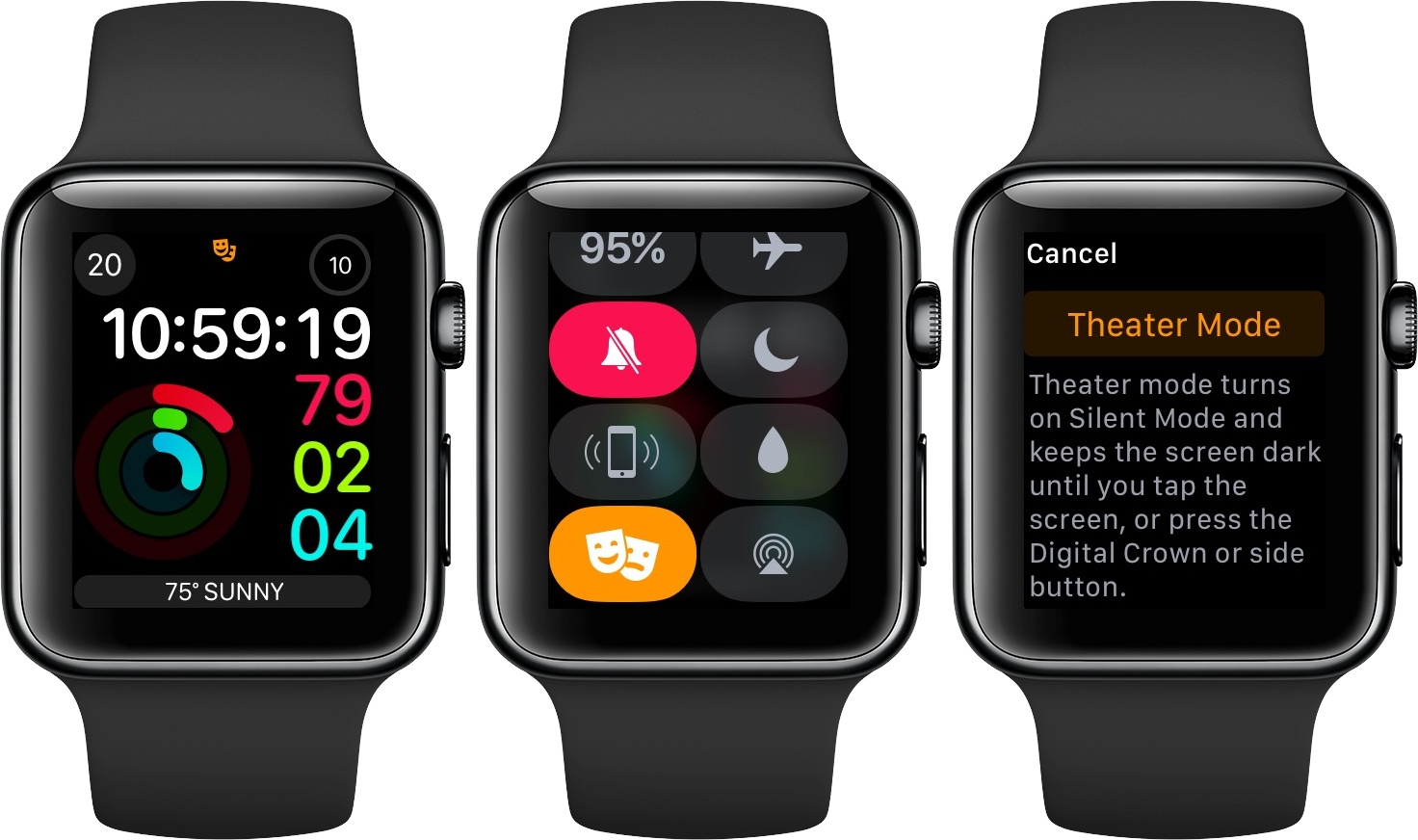
Theater Mode lets users quickly mute the sound on their Apple Watch and avoid waking the screen on wrist raise. Users still receive notifications (including haptics) while in Theater Mode, which they can view by tapping the screen or pressing the Digital Crown.

This sounds like an interesting new option that could be useful in scenarios besides being at the movie theater. Personally, I’m likely to use Theater Mode when I wear my Apple Watch overnight for sleep tracking. My normal practice is to turn off Raise to Wake in the Settings app before going to bed, but this could prove an easier method.

Besides Theater Mode, the most significant update in 3.2 is enhancements to Siri. Last year iOS 10 improved Siri by enabling it to handle queries from third-party apps that fit into specific categories:

  • Messaging
  • Payments
  • Ride booking
  • Workouts
  • Calling
  • Searching photos

Though all of those areas could be handled by Siri on iOS 10, Siri on Apple Watch was previously only able to direct you to your iPhone to perform those actions. But with watchOS 3.2, that is longer the case, as Siri on the Watch is now able to perform these third-party requests.

watchOS 3.2 will likely see a public release this spring, after a couple months of beta testing is complete.


iOS 10.3 to Standardize In-App Review Prompts, Developers to Gain Ability to Respond to Customer Reviews

With today’s release of the first iOS 10.3 beta for developers, Apple announced two changes that have been highly requested by iOS users and the developer community. iOS 10.3 will offer a developer API to standardize how apps can ask users to rate an app or write a review on the App Store, and developers will get the ability to directly respond to customer reviews on both the iOS and Mac App Store.

Read more


Night Shift Coming in macOS 10.12.4

Today Apple introduced new betas for several of its operating systems. Among those is the first beta of macOS 10.12.4, which brings Night Shift to the Mac for the first time.

Night Shift is a feature that first came to iOS in version 9.3 last spring. At the time, Apple published an informational page about the iOS update that included the following description:

Many studies have shown that exposure to bright blue light in the evening can affect your circadian rhythms and make it harder to fall asleep. Night Shift uses your…device’s clock and geolocation to determine when it’s sunset in your location. Then it automatically shifts the colors in your display to the warmer end of the spectrum, making it easier on your eyes. In the morning, it returns the display to its regular settings. Pleasant dreams.

The Sierra beta includes a toggle switch in Notification Center for quickly turning Night Shift on similar to the way you can turn Night Shift on from the Control Center on iOS. If Apple follows past practice, macOS 10.12.4 with Night Shift will likely be released to the public in early spring. For now, the beta is available only to members of Apple’s developer program, though it is possible that a public beta may be released in the coming days.


Apple Releases iOS 10.3 Beta to Developers with ‘Find My AirPods’, File System Conversion, Miscellaneous Improvements

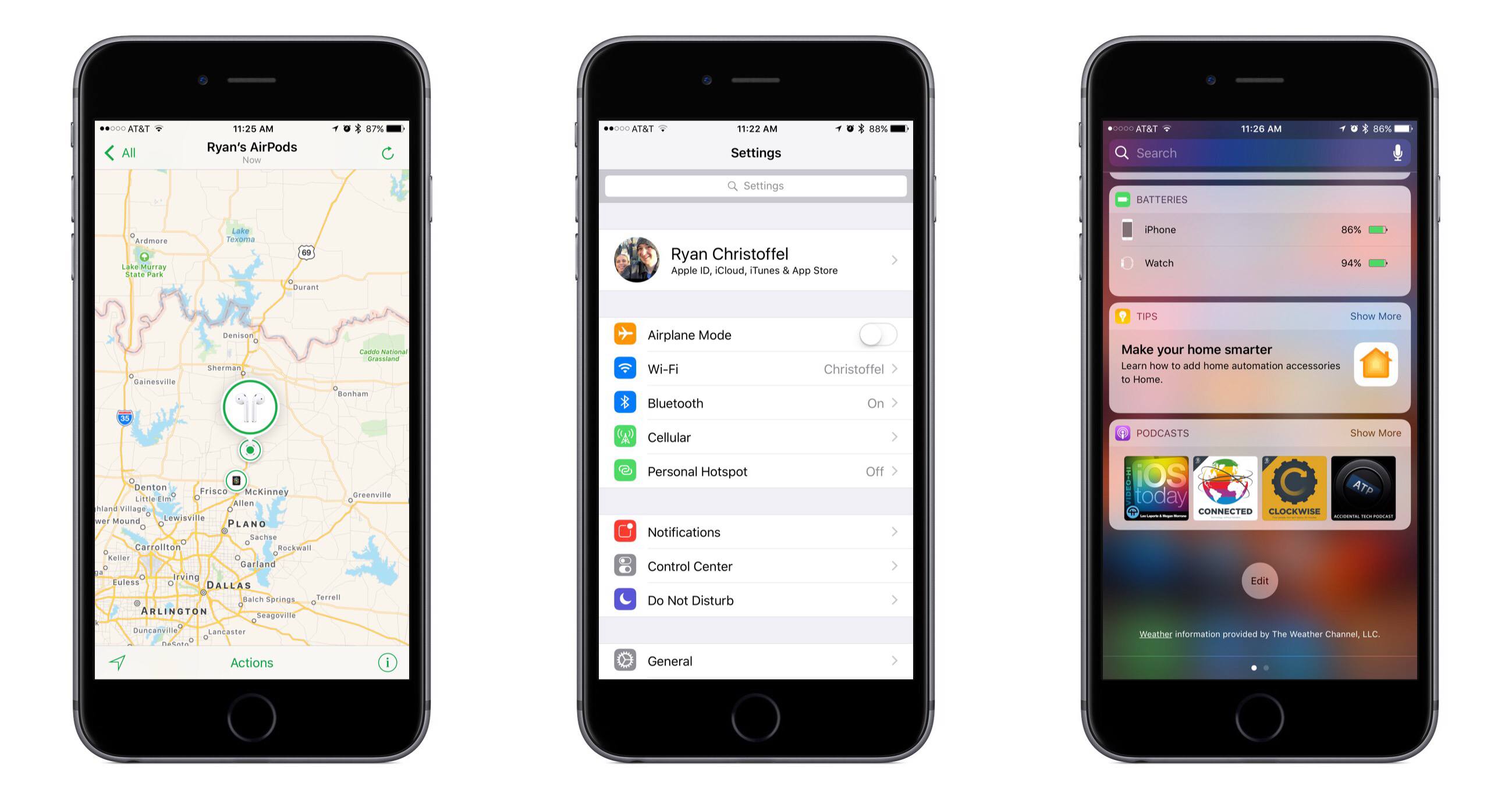
Find My AirPods in iOS 10.3.

Find My AirPods in iOS 10.3.

Apple seeded the first beta of its next major iOS update, iOS 10.3, to developers earlier today. Following updates that focused on photography and emoji, iOS 10.3 will bring a variety of enhancements and tweaks to system apps and services, although it appears to be lacking any meaningful (and highly anticipated) iPad improvements.

Read more


TextTool 2.0 Review

TextTool is a powerful text editor with an extensive catalog of built-in text transformations. Developer Craig Pearlman has rewritten the app from the ground up and released it as a new Universal app. With support for URL schemes, JavaScript, and an extension, TextTool’s flexibility has never been greater.

TextTool defies easy categorization. It’s a text editor, but not a place where text lives. You won’t find an archive of past text documents you’ve created. Instead, TextTool is a temporary place to write, edit, and manipulate text that ends up somewhere else.

Read more