Next Friday, July 16th, Alto’s Odyssey: Lost City is coming to Apple Arcade. Lost City is a special edition of the hit sandboarding game by Team Alto (a collaboration between Land & Sea and Snowman) that debuted on the App Store in early 2018, winning an Apple Design Award and Game of the Year in our inaugural MacStories Selects Awards. If you’re not familiar with Alto’s Odyssey, I recommend reading Federico’s review. It’s one of my favorite of his reviews because it so perfectly captures the charm and vibe that makes Alto’s Odyssey special.
First teased by Team Alto last month, the new trailer below provides a glimpse of what appears to be an ancient city through which Alto will race.
Knowing the team behind Alto’s Odyssey, I expect Lost City will be a great way for existing fans to get more out of the original game and new players to discover the fun that garnered the game such a loyal following three years ago.
Alto’s Odyssey: Lost City is already listed on the App Store, where Arcade subscribers can pre-order it, so they are notified when the game becomes available on July 16th.
Club MacStories: Weekly and monthly newsletters via email and the web that are brimming with apps, tips, automation workflows, longform writing, early access to the MacStories Unwind podcast, periodic giveaways, and more;
Club MacStories+: Everything that Club MacStories offers, plus an active Discord community, advanced search and custom RSS features for exploring the Club’s entire back catalog, bonus columns, and dozens of app discounts;
Club Premier: All of the above and AppStories+, an extended version of our flagship podcast that’s delivered early, ad-free, and in high-bitrate audio.
Club MacStories: Weekly and monthly newsletters via email and the web that are brimming with apps, tips, automation workflows, longform writing, early access to the MacStories Unwind podcast, periodic giveaways, and more;
Club MacStories+: Everything that Club MacStories offers, plus an active Discord community, advanced search and custom RSS features for exploring the Club’s entire back catalog, bonus columns, and dozens of app discounts;
Club Premier: All of the above and AppStories+, an extended version of our flagship podcast that’s delivered early, ad-free, and in high-bitrate audio.
The 20”x13” 2022 calendar features product photography shot using hardware from Stephen’s extensive collection and marks important milestones in Apple hardware history alongside the usual holidays. Backers who pledge $30 will receive the calendar, but there are also options for a set of digital wallpapers featuring the photography used in the calendar for $5 or more and the wallpapers plus 4”x6” prints of the photos for $16 or more. You can pledge $42 or more to get everything too.
It’s been fun to watch Stephen put this project together over the past few weeks, and it’s a fantastic way to show off his collection of vintage hardware and the photography he’s done over the years. Digital calendars are great, but they can’t brighten up your room like these wonderful photos will.
Club MacStories: Weekly and monthly newsletters via email and the web that are brimming with apps, tips, automation workflows, longform writing, early access to the MacStories Unwind podcast, periodic giveaways, and more;
Club MacStories+: Everything that Club MacStories offers, plus an active Discord community, advanced search and custom RSS features for exploring the Club’s entire back catalog, bonus columns, and dozens of app discounts;
Club Premier: All of the above and AppStories+, an extended version of our flagship podcast that’s delivered early, ad-free, and in high-bitrate audio.
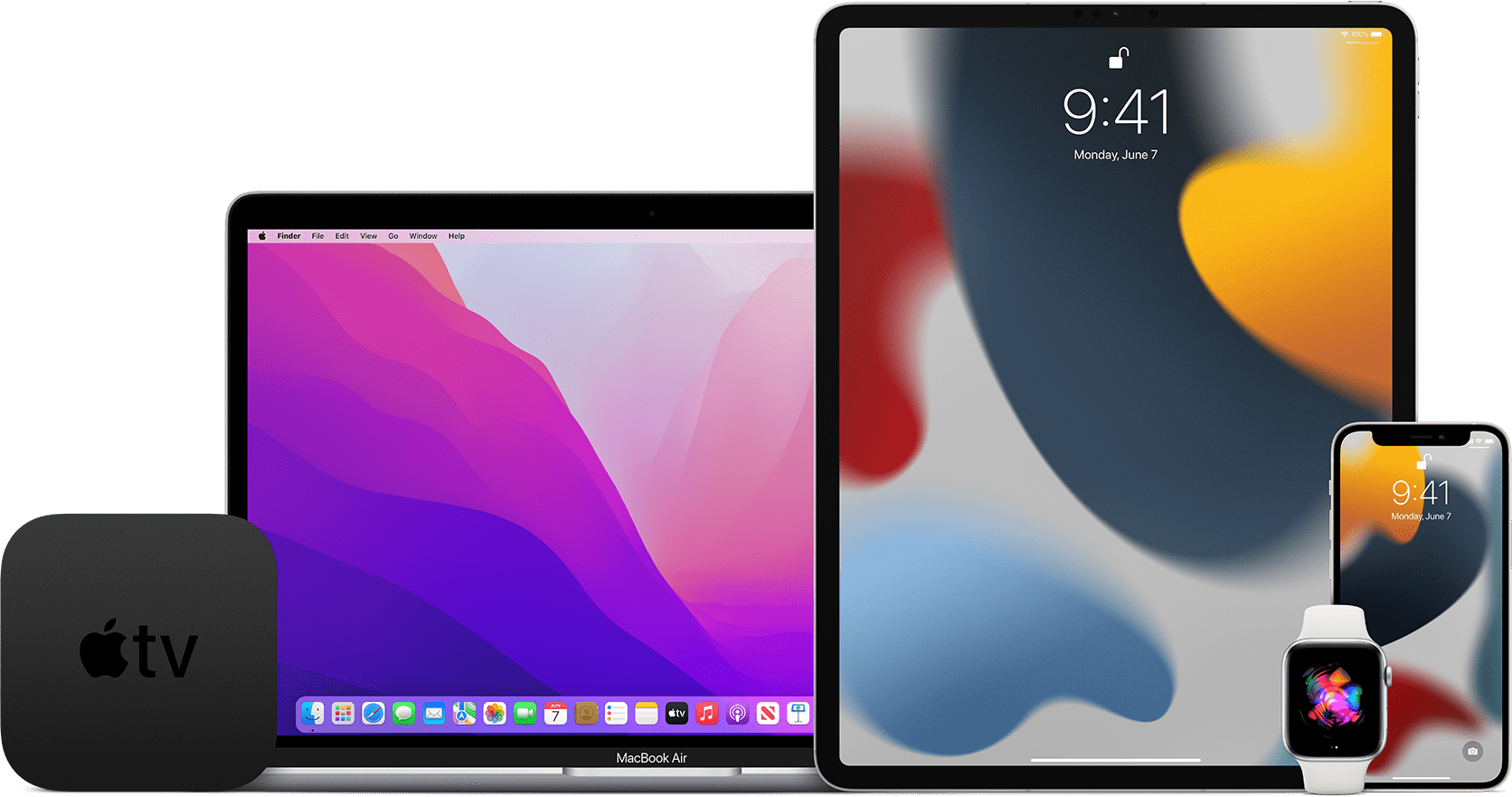
Apple has opened its public beta program for iOS 15, iPadOS 15, watchOS 8 and tvOS 15 on the Apple Beta Software Program website. macOS Monterey is not yet publicly available, but Apple’s beta site says it is ‘coming soon.’
Developers, who can access betas of Apple’s OS releases before the general public, received the first developer builds a few weeks ago during WWDC. If past practice is a guide, the public betas released today should be identical to the second developer beta released last week.
If you would like to sign up but haven’t, visit beta.apple.com and log in using your Apple ID. It should go without saying that you should only install betas on your devices after you’ve taken appropriate steps to protect your data and are willing to endure potentially buggy software.
Stay tuned for more over the summer too. The MacStories team is working on special preview stories that cover a wide range of features in the public betas as we approach the publication of our annual OS reviews this fall. Federico and I will also be doing special interview episodes of AppStories this summer to dig deeper into what the new OSes will mean to MacStories readers and the apps they love.
Club MacStories: Weekly and monthly newsletters via email and the web that are brimming with apps, tips, automation workflows, longform writing, early access to the MacStories Unwind podcast, periodic giveaways, and more;
Club MacStories+: Everything that Club MacStories offers, plus an active Discord community, advanced search and custom RSS features for exploring the Club’s entire back catalog, bonus columns, and dozens of app discounts;
Club Premier: All of the above and AppStories+, an extended version of our flagship podcast that’s delivered early, ad-free, and in high-bitrate audio.
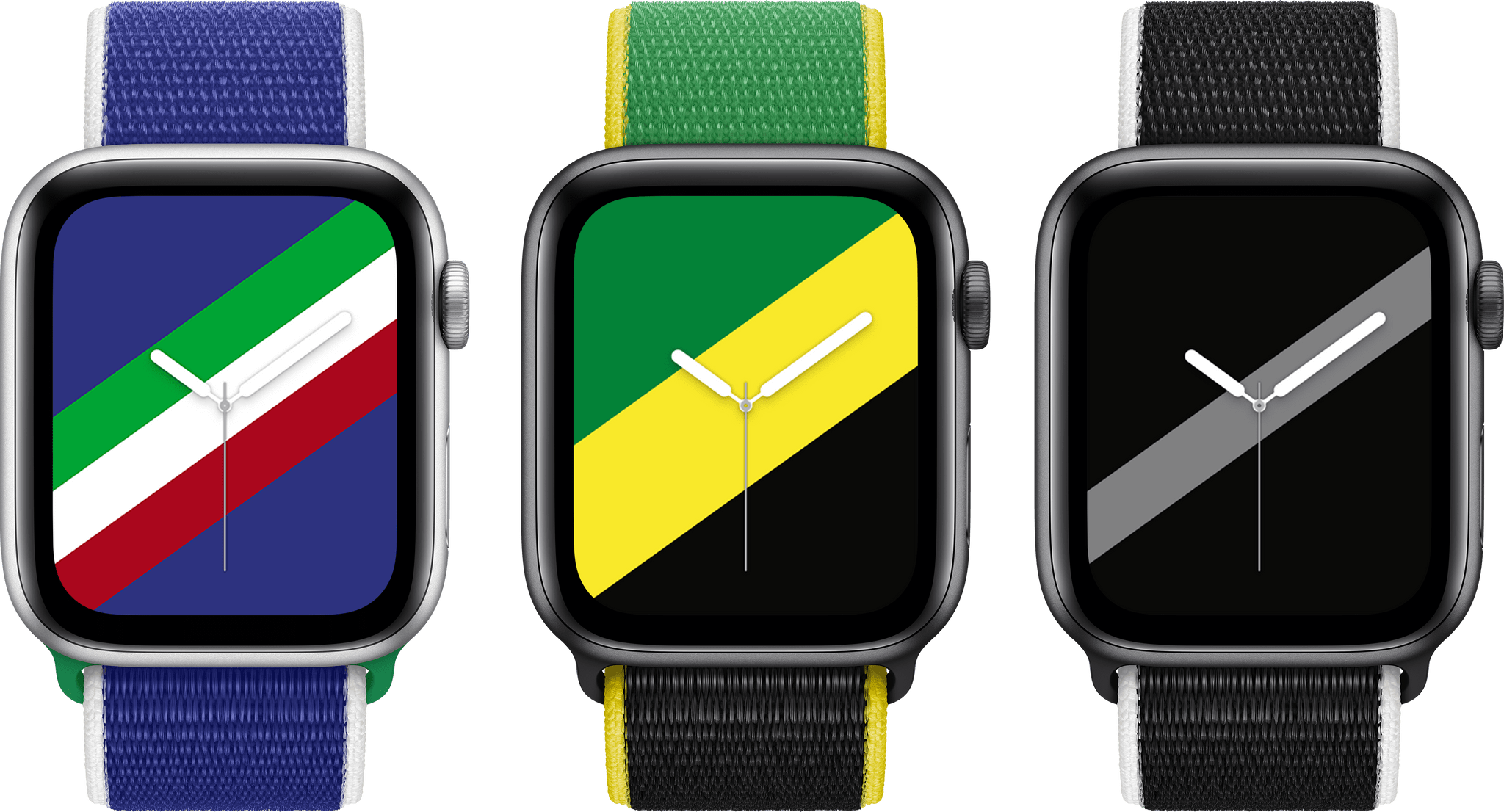
Apple has announced the Apple Watch International Collection comprised of 22 Sports Loop bands and downloadable Stripes watch faces that feature the colors of countries around the world.
The soft, breathable, and lightweight International Collection Sport Loop bands are available representing the following countries: Australia, Belgium, Brazil, Canada, China, Denmark, France, Germany, Great Britain, Greece, Italy, Jamaica, Japan, Mexico, the Netherlands, New Zealand, Russia, South Africa, South Korea, Spain, Sweden, and the US.
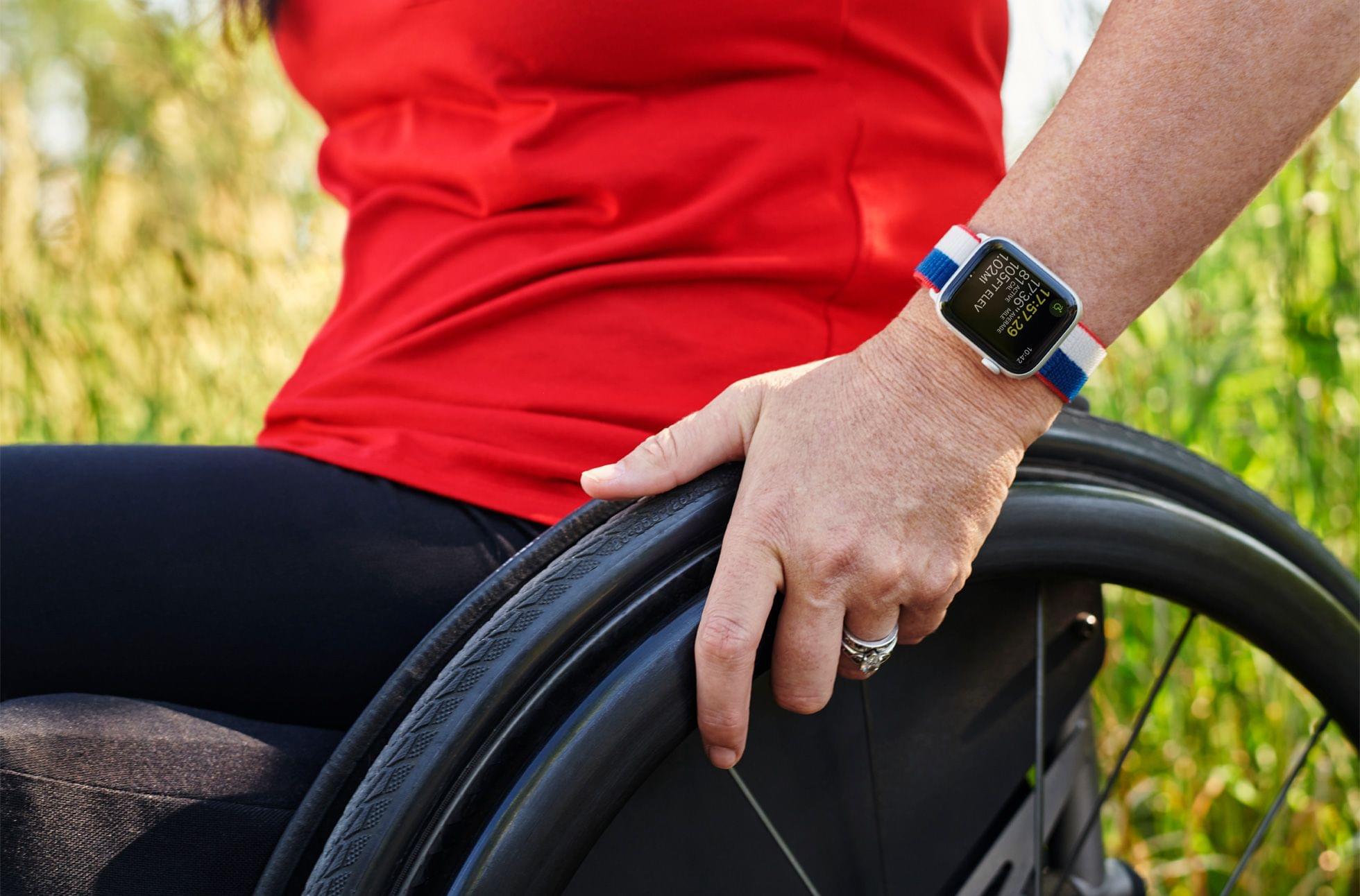
The US Sports Loop band from Apple’s International Collection modeled by Olympic gold medalist Amy Van Dyken.
Apple’s press release also features photos of Amy Van Dyken, a six-time Olympic swimming gold medalist and activist for the disabled community, showing off the US-themed band and watch face.
With the Olympics having been delayed until this summer, I suspect Apple has been sitting on these Watch band and face designs for a while. There are a lot of terrific color options available, so be sure to check out Apple’s press release or apple.com, to see all 22.
Club MacStories: Weekly and monthly newsletters via email and the web that are brimming with apps, tips, automation workflows, longform writing, early access to the MacStories Unwind podcast, periodic giveaways, and more;
Club MacStories+: Everything that Club MacStories offers, plus an active Discord community, advanced search and custom RSS features for exploring the Club’s entire back catalog, bonus columns, and dozens of app discounts;
Club Premier: All of the above and AppStories+, an extended version of our flagship podcast that’s delivered early, ad-free, and in high-bitrate audio.
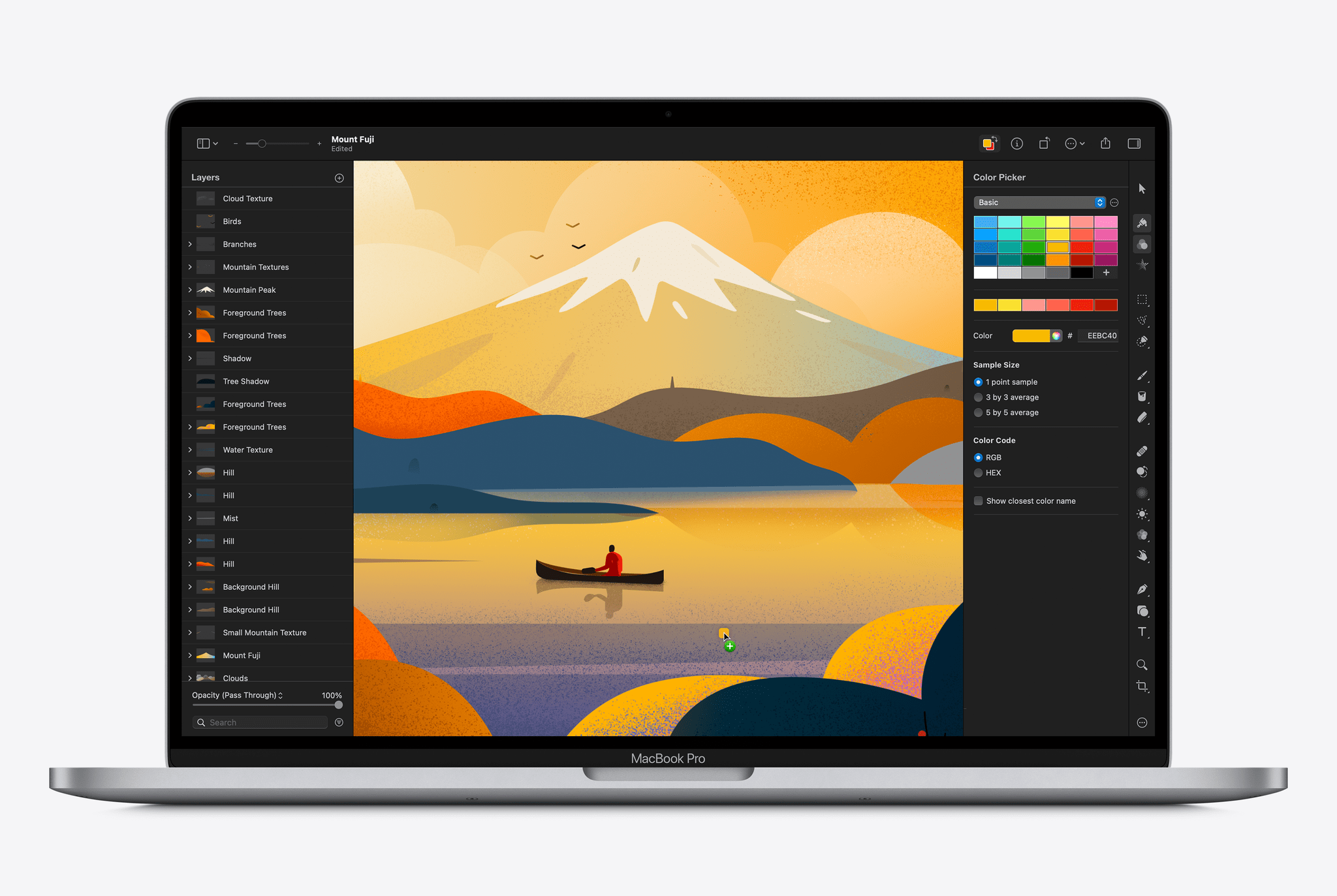
The team at Pixelmator has released an update to its Mac photo and image editing tool Pixelmator Pro that includes several new features.
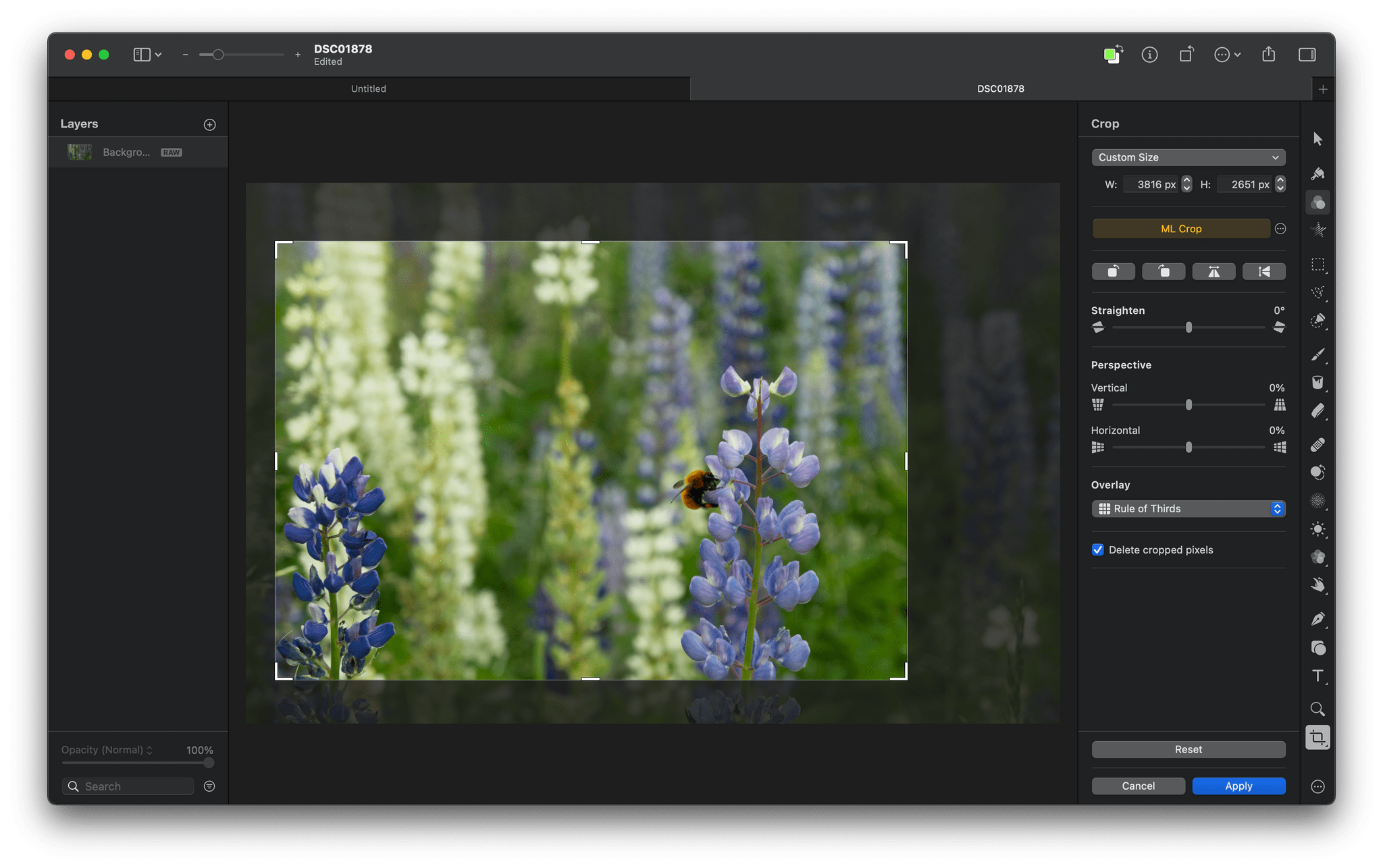
Teased last month, Pixelmator Pro 2.1 has been updated with ML Crop, a machine learning-based cropping tool that algorithmically suggests ways to crop your images. The feature joins several other machine learning-based features that the app has added in the past couple of years. In my limited testing, ML Crop works well, suggesting crops based on the subject of photos that are more dramatic and focused on the image’s subject. The entire cropping process is non-destructive, so even if you aren’t entirely happy with a suggested crop, it can be used as a starting point and easily tweaked manually.
Source: Pixelmator.
Pixelmator Pro has evolved into more than just a photo editor. The app includes powerful image creation tools that got an update today too. Quick Fill is a fast way to fill an image layer with color by simply dragging the color from the app’s new color well that also supports switching between foreground and background colors.
The app has added a Stroke with Brush feature that facilitates painting with the app’s brushes along the path of shapes and image layers too. The feature joins a new brush picker and an option for smoothing strokes. Also, the Type tool has been updated to add a slider that quickly resizes text and the ability to control paragraph spacing.
There are other smaller refinements throughout the app too. For instance, when you hover the pointer over a predefined crop, your image updates with a preview of what the new crop will look like. The feature works dynamically in tandem with ML Crop when that feature is turned on, and there are now multiple crop overlay options in the latest update like the Rule of Thirds, the Golden Ratio, the Golden Spiral, and others. Image perspective can be adjusted, and the background of the app’s editor can be changed too. For a quick demo of the highlights, Pixelmator’s announcement video is worth watching:
I haven’t had a chance to try all the new features of Pixelmator’s latest release yet, but I like what I’ve seen so far. The app’s machine learning-based features are fast, especially on an M1 Mac, and they work well in most circumstances. Even when the results aren’t exactly what I want, the app’s machine learning tools are a handy head start with editing.
Pixelmator 2.1 is a free update on the Mac App Store, and currently, the app is available for $19.99, which is 50% off of its usual price until July 6th.
Club MacStories: Weekly and monthly newsletters via email and the web that are brimming with apps, tips, automation workflows, longform writing, early access to the MacStories Unwind podcast, periodic giveaways, and more;
Club MacStories+: Everything that Club MacStories offers, plus an active Discord community, advanced search and custom RSS features for exploring the Club’s entire back catalog, bonus columns, and dozens of app discounts;
Club Premier: All of the above and AppStories+, an extended version of our flagship podcast that’s delivered early, ad-free, and in high-bitrate audio.
Club MacStories: Weekly and monthly newsletters via email and the web that are brimming with apps, tips, automation workflows, longform writing, early access to the MacStories Unwind podcast, periodic giveaways, and more;
Club MacStories+: Everything that Club MacStories offers, plus an active Discord community, advanced search and custom RSS features for exploring the Club’s entire back catalog, bonus columns, and dozens of app discounts;
Club Premier: All of the above and AppStories+, an extended version of our flagship podcast that’s delivered early, ad-free, and in high-bitrate audio.
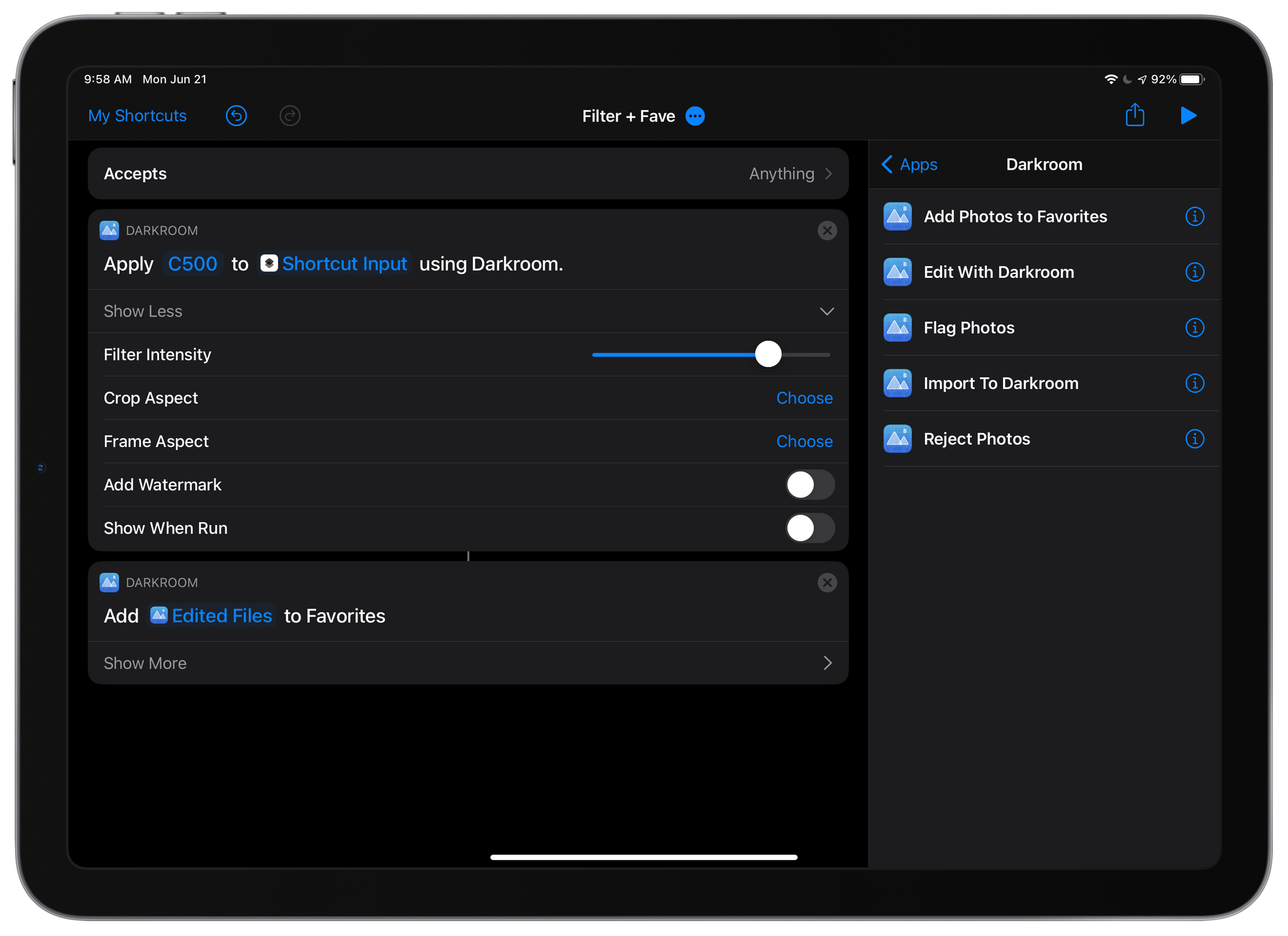
Photo editing and management app Darkroom, which added a new Clarity tool last month, has added substantial new Shortcuts actions to the app that allow users to automate a wide variety of its features for the first time. The update is notable because it allows Darkroom to work hand-in-hand with other apps, something which few photography apps do. For now, the shortcuts are available in Apple’s Shortcuts app on iPhones and iPads, but this fall, when macOS Monterey is released, the Darkroom team says that it plans to offer the same actions on the Mac.
The update features five Shortcuts actions:
Import to Darkroom
Flag Photos
Reject Photos
Add Photos to Favorites
Edit With Darkroom
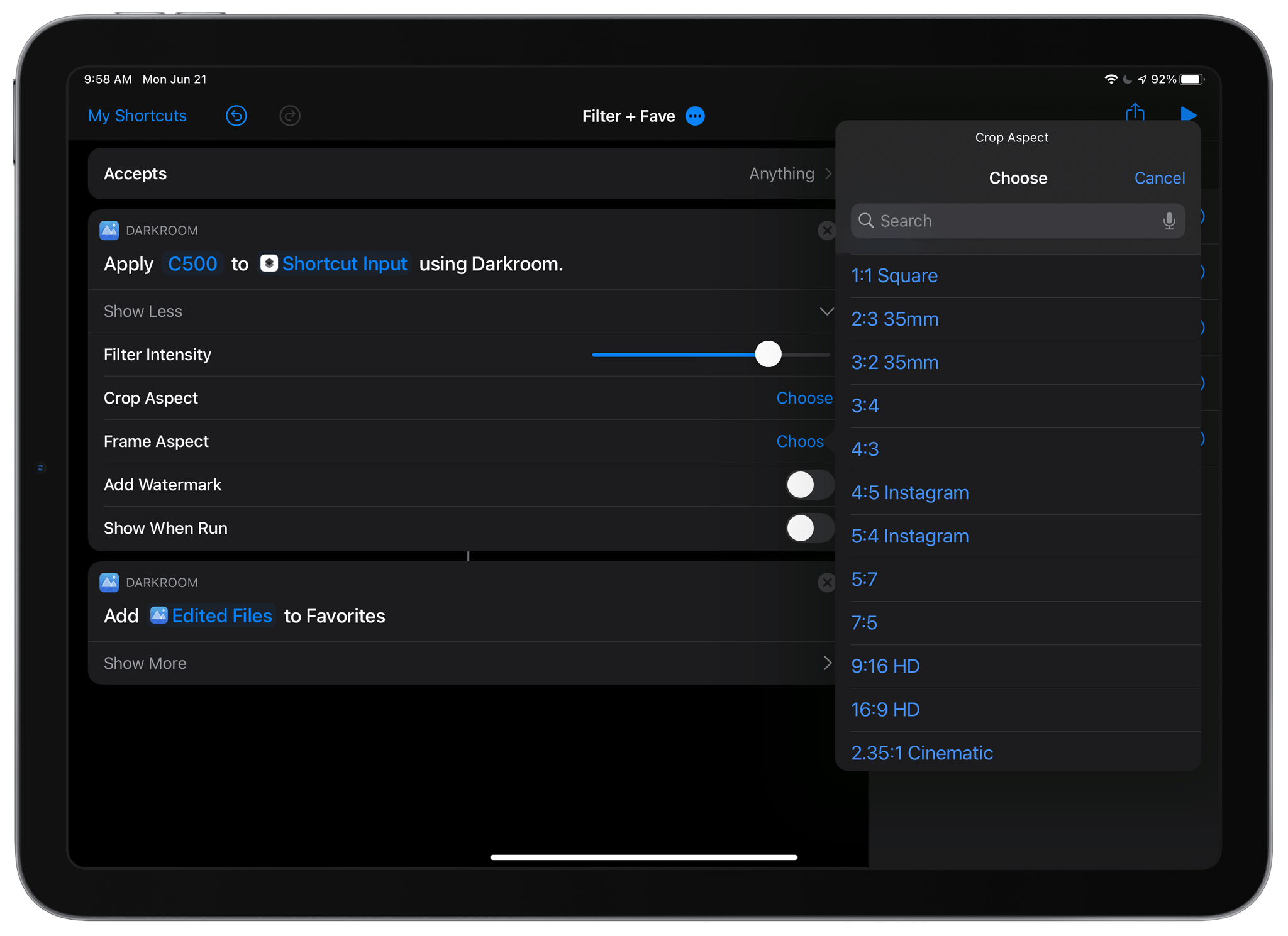
Darkroom can automate cropping to a long list of aspect ratios.
The Import to Darkroom action adds images to Darkroom and can simultaneously apply a filter with the intensity you choose, set a frame aspect ratio with an inset, and optionally prepare the processed image for export. The Edit With Darkroom action can also apply filters and apply a frame to an image and adds the ability to crop an image to any of a long list of preset aspect ratios and add a watermark to images, all without opening Darkroom. Cropping an image has also been added as an edit that can be pasted to multiple images inside the Darkroom app itself.
The Flag, Reject, and Favorite actions do as you’d expect, allowing you to mark images accordingly without doing so from inside Darkroom itself. Flagging and rejecting photos is a recent addition to Darkroom, which I previously covered on MacStories.
It’s fantastic to see Darkroom adding such deep support for Shortcuts. The app itself is one of my favorite photo editors. However, by freeing its core features from the app itself, Darkroom gains the advantage of becoming part of more complex photo-editing workflows, automatically processing images in multiple apps, without the images having to be opened sequentially in each app. I’ve just begun to scratch the surface of what Darkroom’s new Shortcuts actions can do, but the possibilities are intriguing.
Club MacStories: Weekly and monthly newsletters via email and the web that are brimming with apps, tips, automation workflows, longform writing, early access to the MacStories Unwind podcast, periodic giveaways, and more;
Club MacStories+: Everything that Club MacStories offers, plus an active Discord community, advanced search and custom RSS features for exploring the Club’s entire back catalog, bonus columns, and dozens of app discounts;
Club Premier: All of the above and AppStories+, an extended version of our flagship podcast that’s delivered early, ad-free, and in high-bitrate audio.
Sponsored by:
* MacStadium – The Developer Cloud for Mac.
This week on Unwind, John is joined by Alex Guyot to recap the week, including John’s story about the 5th anniversary of the App Store Review Guidelines comic book, milestones reached by Apple’s Shazam service, plus Apple Podcasts channels and subscriptions, developer reactions to WWDC, and TV and movie Unwind picks.
Club MacStories: Weekly and monthly newsletters via email and the web that are brimming with apps, tips, automation workflows, longform writing, early access to the MacStories Unwind podcast, periodic giveaways, and more;
Club MacStories+: Everything that Club MacStories offers, plus an active Discord community, advanced search and custom RSS features for exploring the Club’s entire back catalog, bonus columns, and dozens of app discounts;
Club Premier: All of the above and AppStories+, an extended version of our flagship podcast that’s delivered early, ad-free, and in high-bitrate audio.