Posts in news

Club MacStories Makes a Terrific Holiday Gift 

As you shop for holiday gifts for friends and family, we wanted to remind everyone that Club MacStories memberships can be given as gifts year-round. The Club extends what we publish at MacStories, which makes it the perfect gift for someone who wants more of the kind of app, automation, and other coverage you find on the site.

Club MacStories offers exclusive content every week including:

  • MacStories Weekly, a newsletter that is sent on Fridays and packed full of our favorite apps, themed collections, tips, Shortcuts automations, answers to reader questions, featured Home screens, interviews, and much more.
  • The MacStories Unplugged podcast, a monthly show featuring a discussion of what’s going on behind the scenes at MacStories, articles we’re working on, the gear we’ve been testing, and more.
  • The Monthly Log, a monthly newsletter that includes long-form and behind-the-scenes stories.
  • Access to giveaways, discounts, and other treats like eBook versions of Federico’s annual iOS review and other long-form stories.
  • The full archive of over 250 issues of MacStories Weekly and the Monthly Log.

All told, that’s around 60 newsletters and lots of other perks over the course of a year.

Now is also a great time to join the Club because we have a lot planned for 2020, including a special issue coming in January that will be packed with goodies for members.

So, if you have a MacStories reader on your holiday shopping list this season, consider a Club MacStories membership that they can enjoy all year long. Monthly ($5/month) and annual ($50/year) memberships can be given using the following links:

Also, thanks to all our loyal Club members who have joined since the Club’s debut in 2015. You’re an essential part of what we do here at MacStories, and we hope you’ve enjoyed the Club as much as we enjoy creating its special content for you every week.

Happy Holidays!

- The MacStories Team

Apple Announces Winners of the Inaugural Apple Music Awards

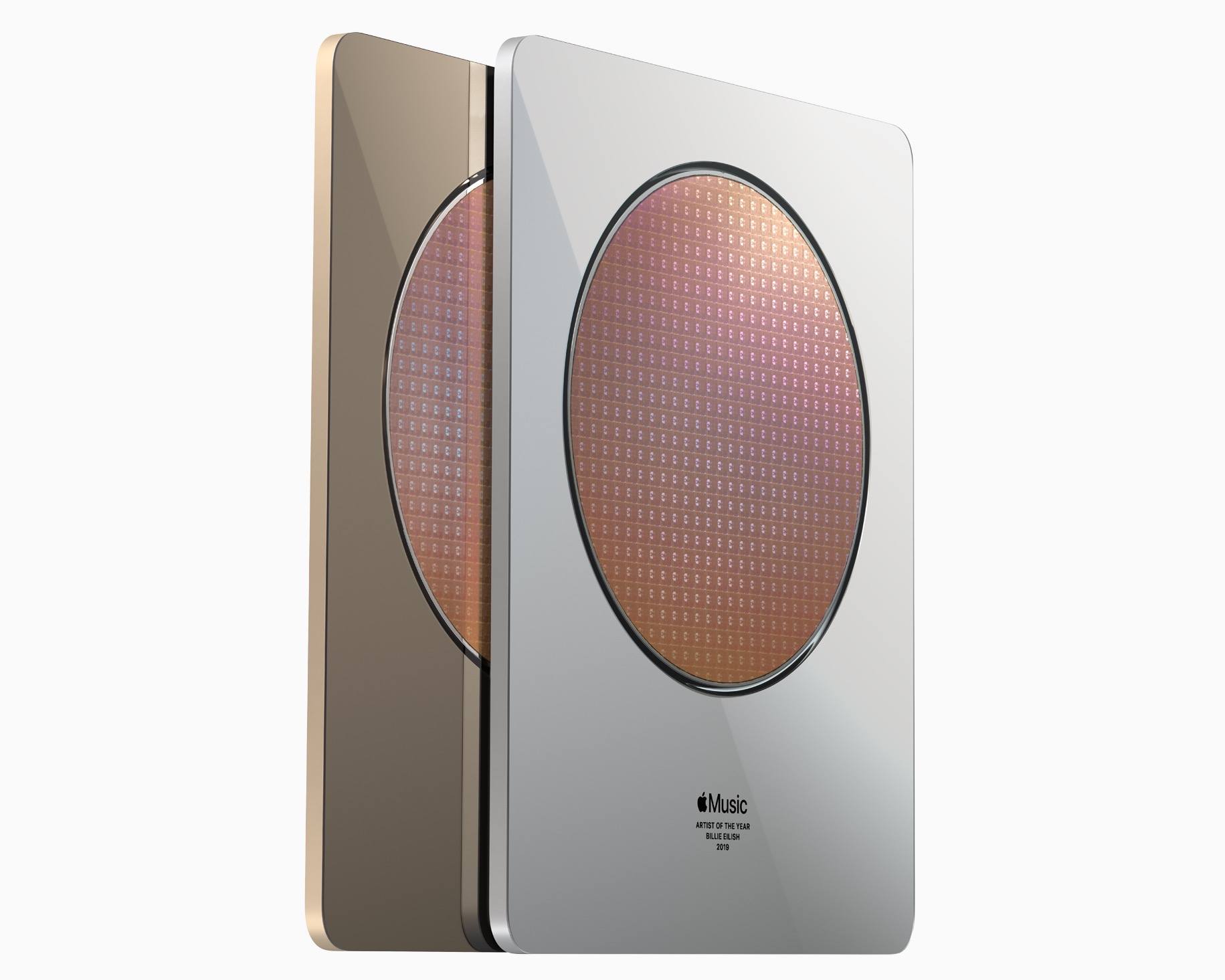
The custom-designed awards given to artists.

The custom-designed awards given to artists.

Apple has made a habit of honoring some of the top apps, music, books, podcasts, and more on an annual basis at year’s end, and this year is no different. However, one change to the format for 2019 is that Apple has split out music as its own separate awards category dubbed the Apple Music Awards. There are five distinct awards given, with some winners chosen by Apple’s editorial team while others are determined by streaming data:

The winners for Global Artist of the Year, Songwriter of the Year and Breakthrough Artist of the Year were hand-selected by Apple Music’s global editorial team of experts and tastemakers and given to artists who have true passion for their craft, who boldly defy conventions in the category and who embody a sense of humanity, where listeners are drawn as much to who they are as to their music. The awards for Album of the Year and Song of the Year are based on streaming data and reflective of what Apple Music customers have been listening to (on repeat) this year.

The 2019 Apple Music Awards winners are:

In addition to a dedicated Apple Music Awards page inside the Apple Music service itself, Apple will be celebrating the awards with a globally live-streamed performance from the big winner, Billie Eilish, whose breakout album was streamed on Apple Music over a billion times in 2019, the most of any album on the service. Eilish will be performing at the Steve Jobs Theater on December 4 at 6:30 p.m. PST.

The physical awards Apple designed for winners feature, of course, a few special touches. Apple explains:

Each award features Apple’s custom silicon wafer suspended between a polished sheet of glass and a machined and anodized aluminum body. The wafers start as a perfect 12-inch disc of silicon with nanometer level flatness. Copper layers are deposited and patterned by ultraviolet lithography to create connections between billions of transistors. The result of this multi-month process, before it is sliced into hundreds of individual chips, is stunning and distinctive. In a symbolic gesture, the same chips which power the devices that put the world’s music at your fingertips sit at the very heart of the Apple Music Awards.

2019’s Apple Music Awards could effectively be called the Billie Eilish Awards, so it will be interesting to see if a similar trend continues from year to year, with artists earning several of the limited number of award possibilities. It seems reasonable to expect Apple will try to avoid that moving forward, but since certain awards are determined entirely by popularity, I wouldn’t be surprised if it’s a regular occurrence. You never know which artists may have a major standout year.


Apple Announces ‘Best of 2019’ Lists for Apps, Books, and Podcasts

Apple today published its picks for the best media in 2019 across its various platforms and services. These include selections for best app on iPhone, iPad, Mac, and Apple TV, as well as top picks in books and podcasts. Alongside these editorial selections, Apple has published top charts for the year across the App Store, Apple Podcasts, and Apple Books. Separately, Apple announced the first-ever Apple Music Awards, which we’ve covered here.

Apple’s pick for the iPhone’s App of the Year is Spectre Camera, the long-exposure camera app from Lux Optics, which we reviewed in February when it was released. Lux Optics is also the maker of Halide, one of our favorite iOS camera apps.

The winner of iPhone Game of the Year is Sky: Children of the Light from thatgamecompany. From the makers of the popular console, and later iOS, game Journey, Sky is a social adventure game that shares a similar aesthetic with Journey.

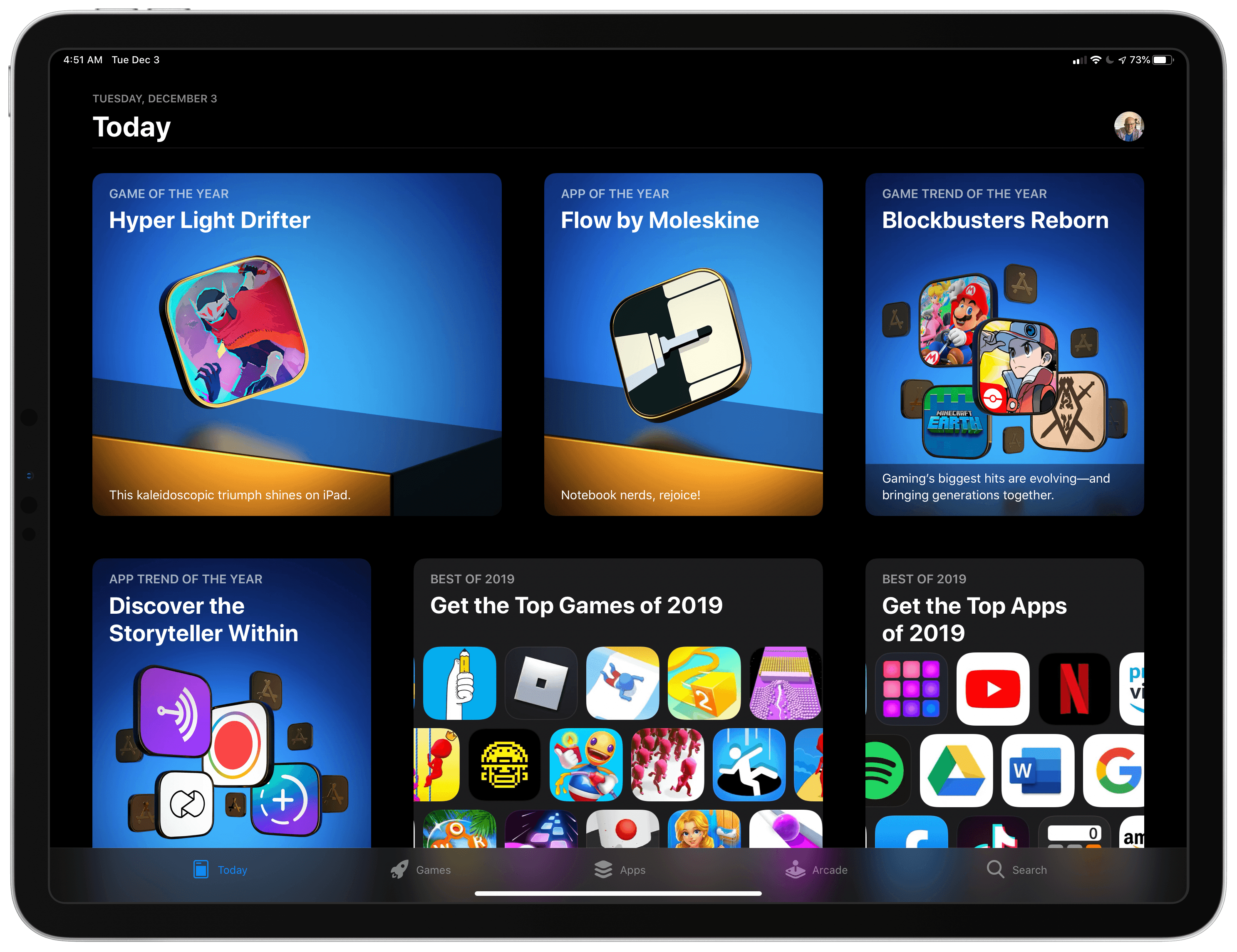
On the iPad, Apple picked Flow from Moleskine as App of the Year, which we reviewed here, and Hyper Light Drifter by Abylight as Game of the Year, while on the Mac, the company selected Affinity Publisher as the App of the Year and GRIS as the Game of the Year. The Apple TV’s App and Game of the Year, respectively, are The Explorers and Wonder Boy: The Dragon’s Trap. This year, Apple also added a new category: Apple Arcade Game of the Year, which it awarded to the excellent Sayonara Wild Hearts by Simogo, which you can learn more about here.

Like last year, Apple’s App Store editorial team highlighted two App Store trends too. The 2019 App Trend of the Year was ‘Storytelling Simplified,’ with Apple featuring apps focused on telling stories through a wide range of media, spotlighting Anchor, Canva, Unfold, Steller, Spark Camera, Over, and Wattpad. The Game Trend of the Year was ‘Blockbusters Reimagined,’ which highlighted well-known game franchises reimagined for mobile like Mario Kart Tour, Dr. Mario World, Minecraft Earth, Pokémon Masters, Assassin’s Creed Rebellion, Gears POP!, The Elder Scrolls: Blades, Alien: Blackout, and Call of Duty: Mobile.

In addition to apps, Apple also made editorial selections for other media categories, including best podcasts and books of the year. Rather than singling out individual overall winners, Apple highlighted a variety of its favorites, which can be found in the Browse section of Apple’s Podcasts app and the Book Store section of the Books app.


MacStories Shortcuts Icons: 50% Off for Black Friday and Cyber Monday

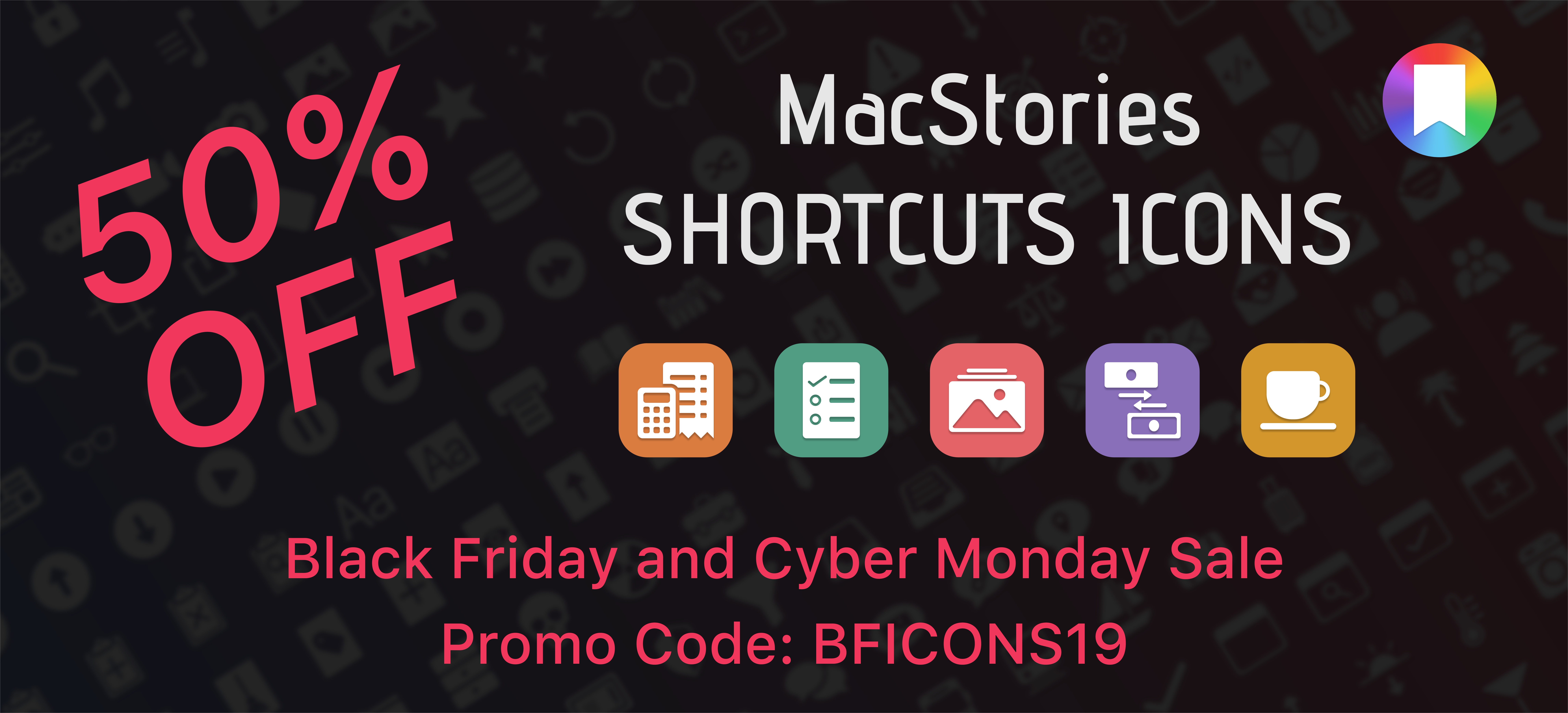
Black Friday and Cyber Monday are nearly upon us, and we’ve prepared something truly special to celebrate the occasion at MacStories: starting today through Monday, December 2, MacStories Shortcuts Icons will be available at 50% off the regular price.

To purchase MacStories Shortcuts Icons at $7.49 rather than the usual $14.99, tap the ‘Buy’ button below and enter promo code bficons19 at checkout.

All sales are final. You can read our license and terms of use here.

For those not familiar with MacStories Shortcuts Icons, they’re a set of 350 custom icons for shortcuts added to your iPhone and iPad Home screen. You can read more about them here. Designed specifically with Shortcuts users in mind, these icons expand upon the options provided by Apple in the Shortcuts app, bringing glyphs for task management, calendars and files, AirPlay, home automation, and lots more. With MacStories Shortcuts Icons, you’ll be able to personalize your iOS and iPadOS Home screen by pinning shortcuts whose icons are representative of their purpose. If you use the MacStories Shortcuts Archive on a regular basis, you’ll be happy to know that every shortcut from the archive is represented in MacStories Shortcuts Icons.

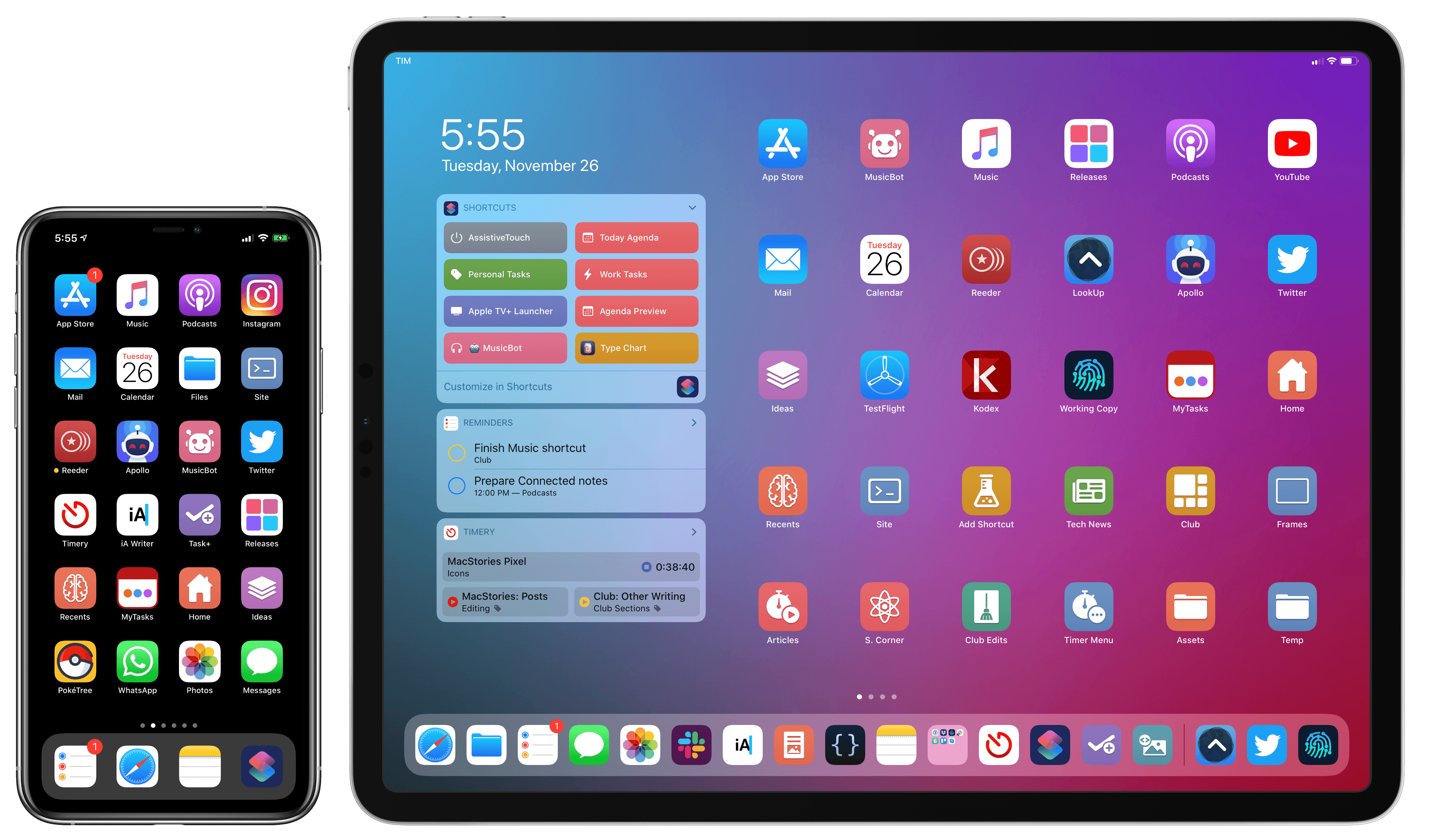
You can take a look at what MacStories Shortcuts Icons have enabled our Ryan to do with his iPad Home screen in this article. And you can take a look at my own iPad and iPhone Home screens below – both are based on MacStories Shortcuts Icons.

My Home screens, powered by MacStories Shortcuts Icons.

My Home screens, powered by MacStories Shortcuts Icons.

Both Silvia and I are incredibly humbled by the amazing response to MacStories Shortcuts Icons since we launched them in September. For this reason, we want to take Black Friday and Cyber Monday as an opportunity to let even more people enjoy the benefits of a Shortcuts-based Home screen powered by MacStories Shortcuts Icons.

MacStories Shortcuts Icons will be available at 50% off through Monday, December 2 at 11:59 PM Eastern. Once again, make sure to use promo code bficons19 at checkout for the deal to apply. You can purchase MacStories Shortcuts Icons here or by tapping the Buy button below.

All sales are final. You can read our license and terms of use here.

Apple Releases Annual Holiday Video ‘The Surprise’

It’s become a tradition for Apple to release a special holiday season video each year, and this year is no different. Today, the company revealed the 2019 version entitled ‘The Surprise.’

The storyline follows a family as they visit the mother’s father. The video chronicle’s the family’s journey and visit with their two young children. To appease the kids when they fight or get in the way, their parents hand them an iPad to watch movies and play games. However, the children’s use of the iPad evolves over the course of the video, which reveals they’ve used it to create an interactive story about their family and their grandfather’s wife who had passed away.

It’s a touching video packed with emotion that does an excellent job of showing off the kind of creative projects that are possible with an iPad and pulls it off without being overbearing. The video reminds me a lot of the Emmy award-winning video called ‘Misunderstood’ from the 2013 holiday season.


Adobe Previews Features Coming to Photoshop for iPad Through mid-2020

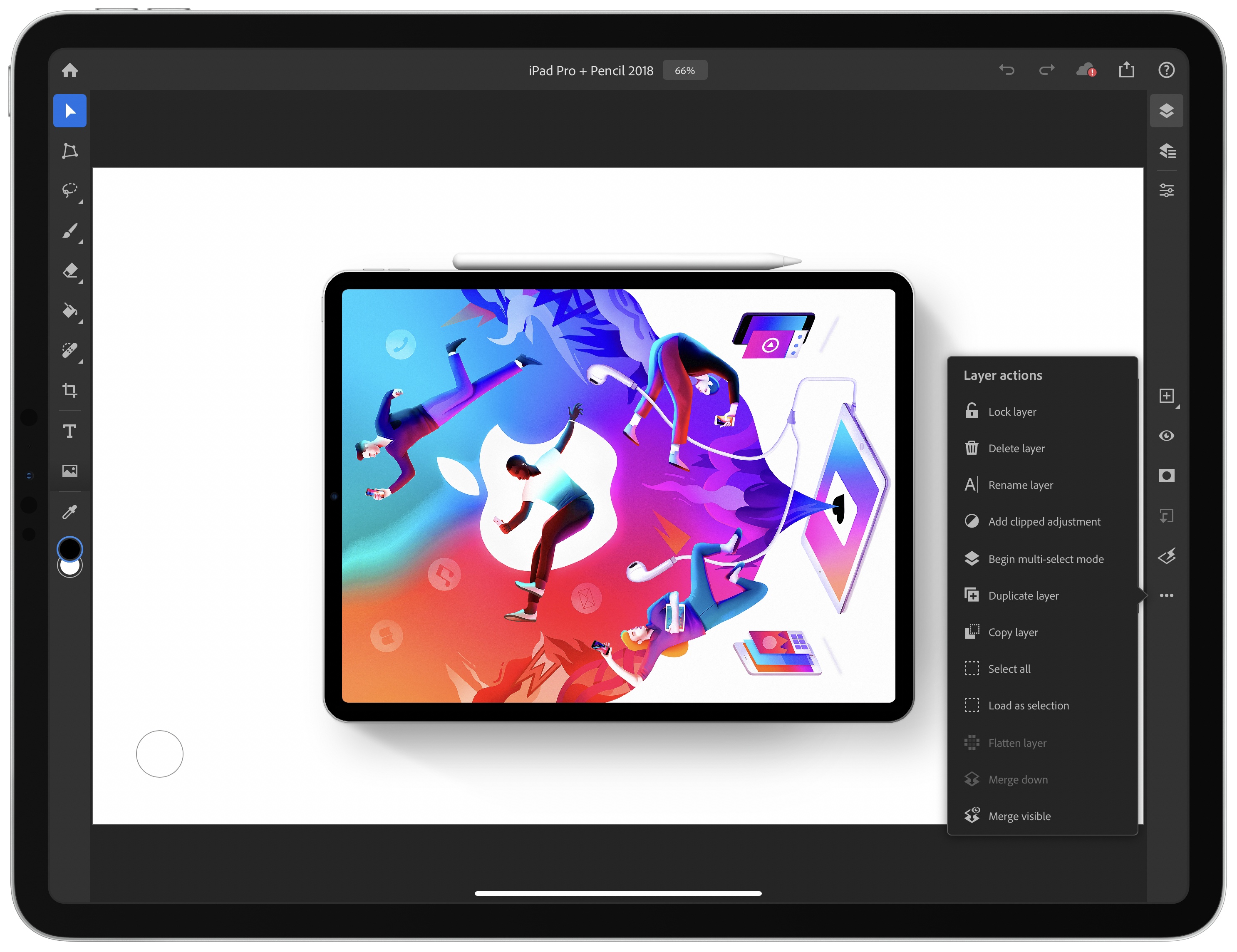
The long-anticipated release of Photoshop for iPad was met with disappointment by many users who felt that significant functionality was missing. Although Adobe explained at the time that version 1.0 was a foundation upon which it intended to build rapidly, the length of time it took to create that foundation left many people skeptical. Today, to try to dispel some of the doubts surrounding Photoshop for iPad, the company published a blog post previewing some of the features coming later this year and in the first half of 2020.

Before the end of 2019, Adobe says it will ship the ‘Select Subject’ feature that it showed off at the Adobe MAX Conference earlier this month. The feature takes advantage of the company’s Sensei AI machine learning technology to facilitate complex subject selection. Adobe also says that cloud PSD files will upload and download faster in December after it makes changes to its systems.

Selection tools will get another boost in the first half of 2020 with Refine Edge allowing for soft edge selections. Curves for tonal adjustments and new adjustment layer options will be available too. Adobe also plans to bring features over from apps like Fresco, including brush sensitivity and canvas rotation. Finally, Adobe says it will integrate Photoshop with Lightroom for iPad, so you can process RAW images in Lightroom and use them in compositing projects in Photoshop.

With the reaction at Photoshop for iPad’s launch, I’m glad Adobe chose to showcase these new features in advance. It makes competitive sense too, given that alternative iPad apps that compete with at least some aspects of Photoshop continue to move forward rapidly. It’s that sort of competition that I expect will make pro iPad apps interesting to watch in 2020.


Connected, Episode 270: Best Trees in the Country

On this week’s episode of Connected:

Federico and Stephen each attempted to use HomeKit Secure Video, and it didn’t go well. Myke is excited about a new folding phone, and the whole crew orders iPhone 11 Pro battery cases before solving many mysteries presented in photos of Apple’s new Mac Pro factory.

You can listen below (and find the show notes here).

0:00
01:42:10

Connected, Episode 270

Sponsored by:

  • Squarespace: Make your next move. Enter offer code CONNECTED at checkout to get 10% off your first purchase.
  • PDFpen, from Smile : The ultimate tool for editing PDFs on the Mac.
  • Freshbooks: Online invoicing made easy.
Permalink

Timery for Toggl Updated with Shortcut Parameter Support and a Refreshed Design

Timery for Toggl continues to add new iOS 13 features with the release today of version 1.05, which includes improved Shortcuts support and new design elements.

The most significant addition to Timery is support for shortcut actions with parameters and data output. Now users can start a project with a description, tags, and its billable status. The action outputs Time Entry Details, which makes the project name, task, description, tags, start time, duration, billable status, and entry name available.

Projects and tags can be added to the ‘start timer’ action from your list of saved projects and tags when you set up a shortcut or from another source like a user prompt. Any tags applied by a shortcut action that don’t already exist will be added to your Toggl account, but using an incorrect project name will result in an error. Timery also supports adding multiple tags to an entry, although they must be separated by commas or on their own lines. Time is output in total numbers of seconds, in ‘00:00:00’ format, or written out like ‘1 hour, 45 minutes, and 32 seconds.’ The time entry name that the shortcut action generates is a combination of the project name and description. A separate action for stopping a timer outputs the same data.

The other available actions allow users to check the time logged for:

  • The current time entry
  • The current day
  • A project
  • A project with a description and tags

Each of these actions returns duration data in the three formats described above for time logged on the current day only. One thing I’d like to see added in the future is a parameter to adjust the time period reported, so I could use a shortcut to check the total time logged for a project this week or month, for example.

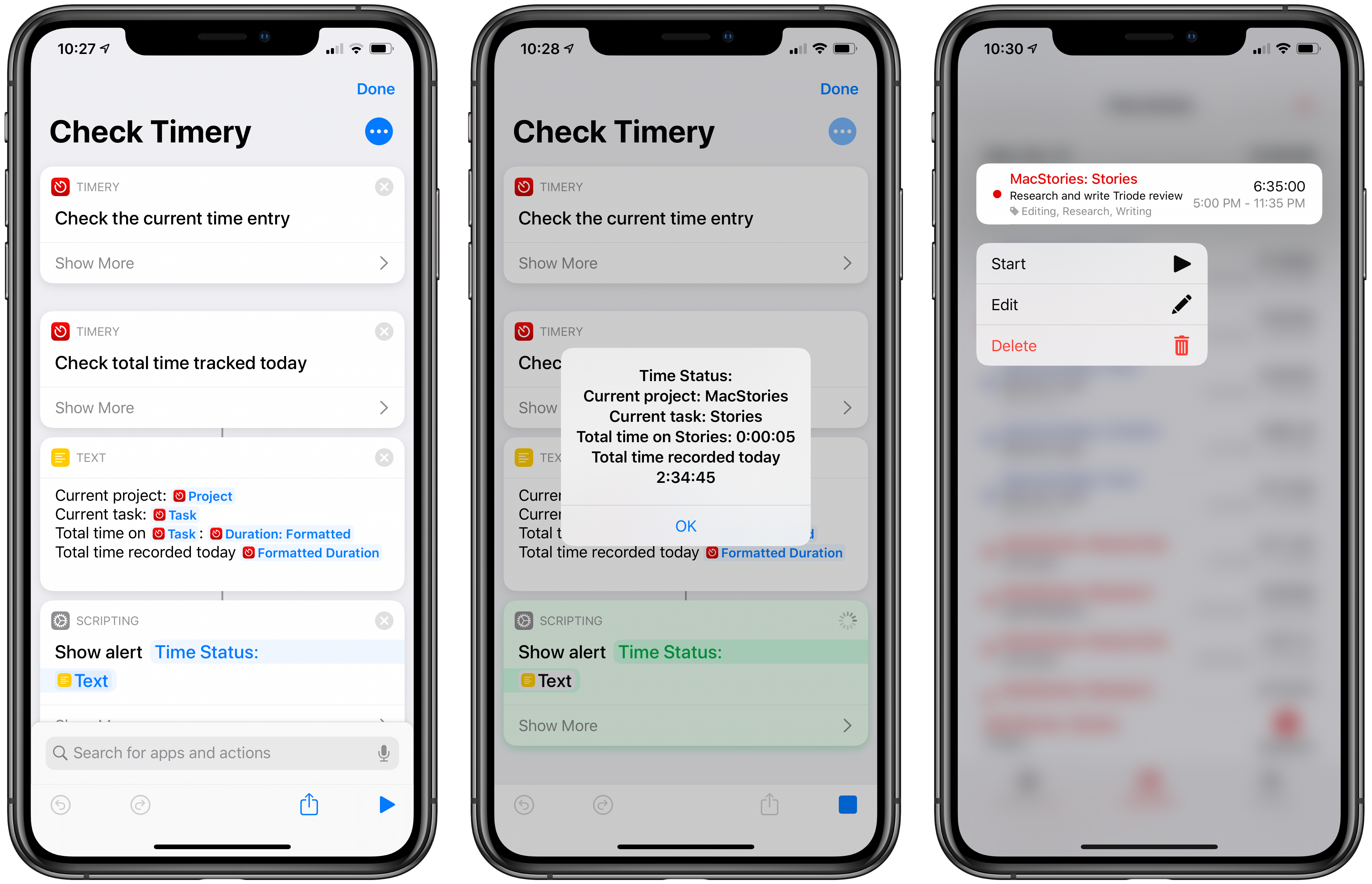
The new shortcut actions open up a lot of interesting possibilities, including the ability to do things like send time tracking data to apps like Numbers, which could be used to create charts. A simple shortcut that I’ve found to be effective is one that checks the current timer I have running and reports back with its elapsed time and the total time tracked today. It’s the sort of shortcut that’s handy to stick in the Shortcuts widget or on your Home screen for a quick time check that doesn’t require opening Timery itself.

Check Timery

Check your currently-running timer and total time logged for the day. Timery for Toggl is required for this shortcut.

Get the shortcut here.

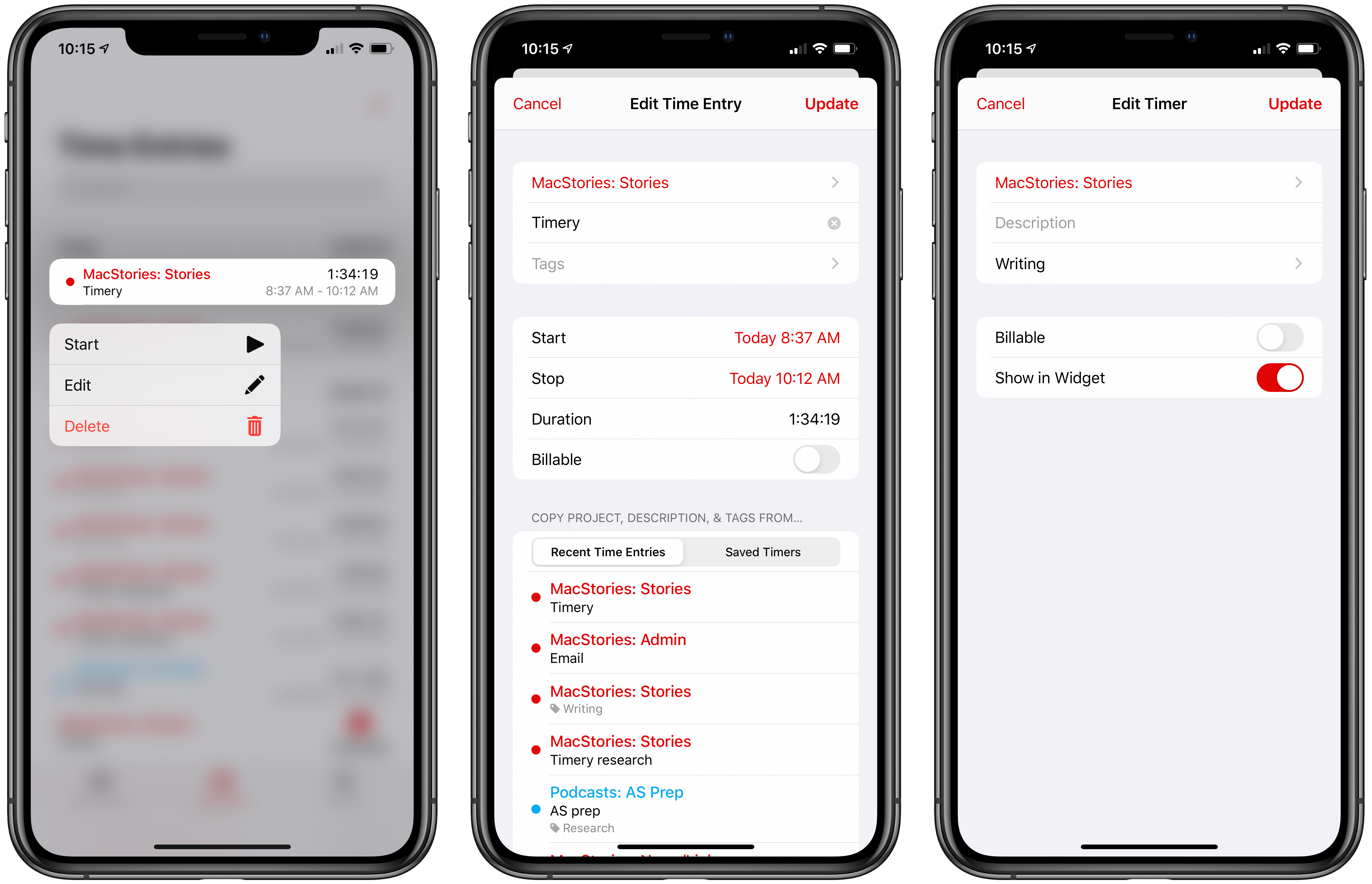
From a design standpoint, Timery has added context menus, which serve as an alternative to swiping left and right on saved timers and time entries, to play, stop, and delete timers and entries. Although the addition doesn’t extend the functionality of the app, I personally prefer context menus to swiping to reveal options and will be using this feature a lot, especially on my iPhone, where using the context menu provides a nice bit of haptic feedback.

New context menus and refreshed UI for editing saved timers and existing time entries.

New context menus and refreshed UI for editing saved timers and existing time entries.

Timery has also made use of inset grouped table views, the card-like UI seen throughout iOS 13. Editing a saved timer or an existing time entry pulls up the card-like UI from the bottom of the screen with the same editing options I covered in my review of version 1.0. Again, the change doesn’t affect the functionality of Timery, but it serves to align the app with current design trends, which prevents it from looking dated.

As I explained in a MacStories Weekly column for Club MacStories members recently, Timery has had a significant impact on the way I work every day. Whether or not you track time for billing purposes, Timery is a valuable tool for anyone curious about how they spend their time. As a result, I’m glad to see it continue to be refined with the latest frameworks and APIs. I particularly appreciate the addition of shortcuts with parameters, which provide a lot more flexibility than was previously possible.

Timery for Toggl is available on the App Store as a free download with certain features available via a subscription.


Apple Releases Smart Battery Case for iPhone 11 and 11 Pro with Dedicated Camera Button

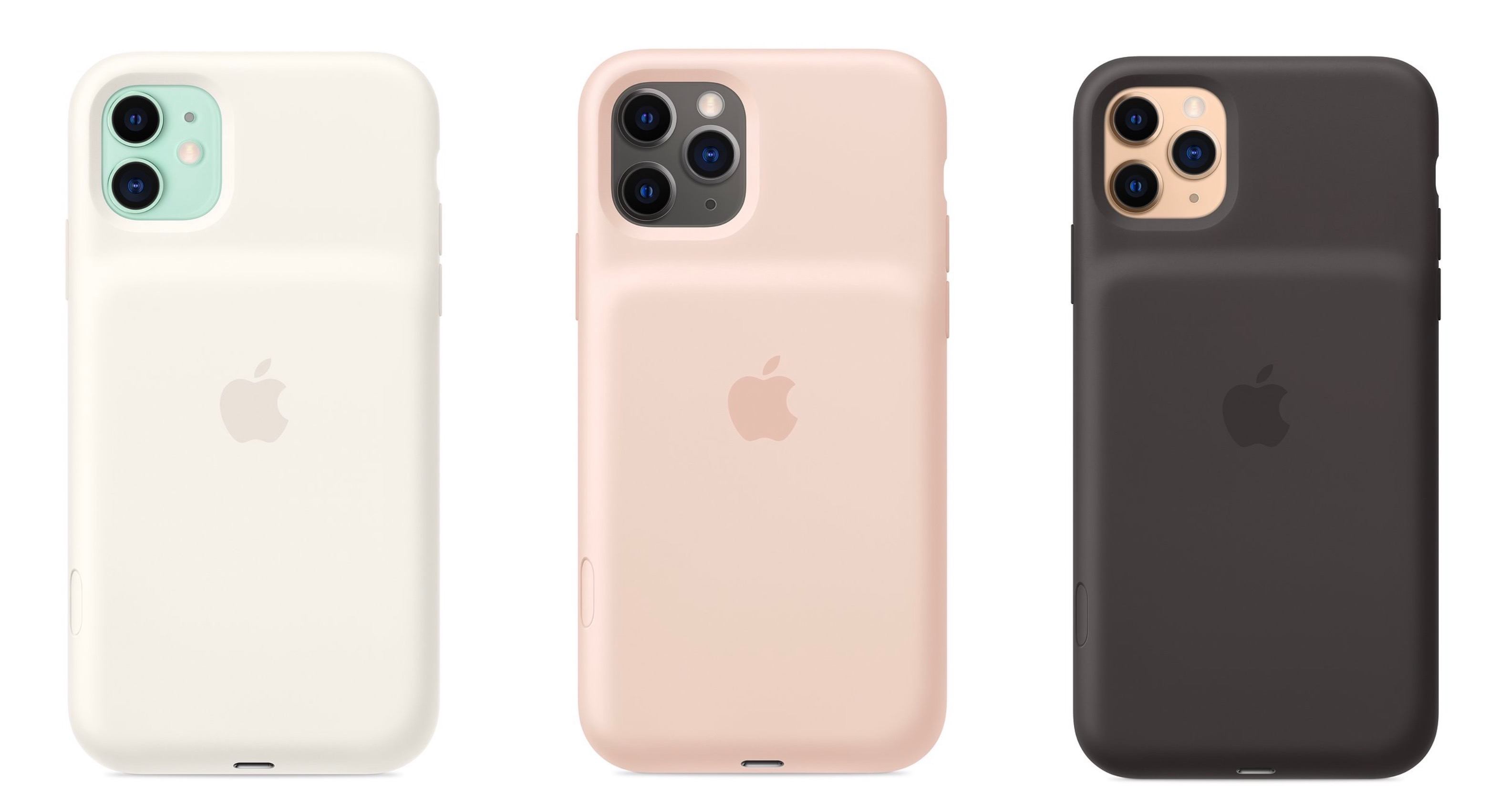
Today Apple has launched new versions of its Smart Battery Case for the latest iPhone models, the iPhone 11, 11 Pro, and 11 Pro Max, which are available to order now from the company’s website with November 25 delivery, which is the same date the case will be available in local stores.

Like previous editions of the Smart Battery Case, the case’s exterior is made of silicone. There are three color options for the 11 Pro and 11 Pro Max case: Pink Sand, White, and Black. The standard 11 case, however, is only available in Soft White and Black. All different versions of the Smart Battery Case are available at the same price: $129.

Links:

Each version of the Smart Battery Case offers a quoted 50% longer battery life, making the already-excellent battery life of this year’s iPhones even better. They also all come with a new feature not available with any other previous case: a dedicated button for launching the camera, which sits on the lower-right side of the case.

From the product listing:

The case features a dedicated camera button that launches the Camera app whether the iPhone is locked or unlocked. A quick press of the button takes a photo and a longer press captures QuickTake video. It works for selfies, too.

This is a very intriguing development, and one that’s particularly fitting for the iPhone 11 lineup due to its heavy emphasis on cameras. Now with the Smart Battery Case, you can shoot photos and videos for much longer than before without killing your battery, while also gaining more convenient access to the Camera app than is possible without the case.