Posts in news

Spark Updated with Multiwindow and Dark Mode Support and a Design Refresh

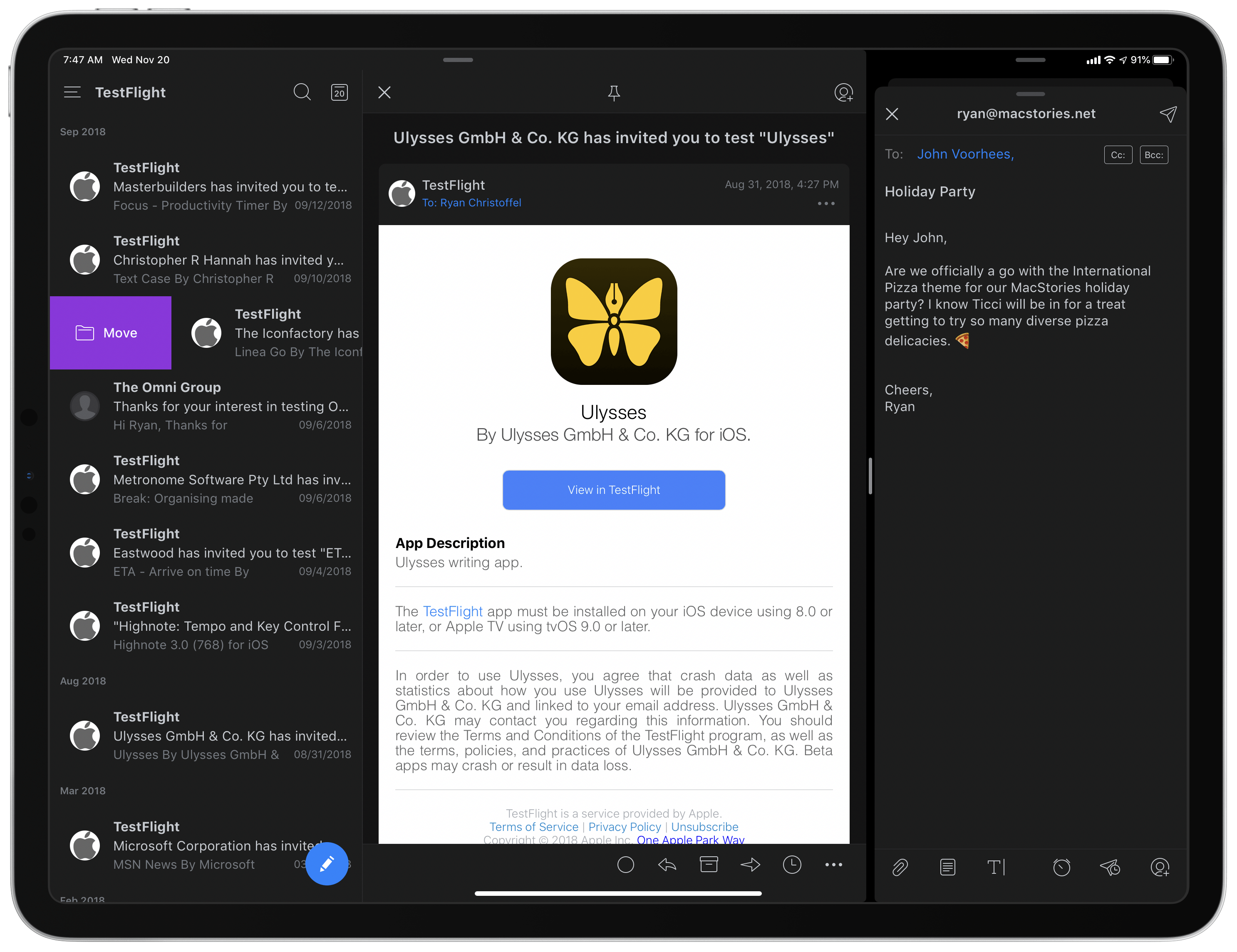
Two Spark windows open in Split View.

Two Spark windows open in Split View.

Spark, the email client from Readdle, received a strong update today that adds support for the latest iOS and iPadOS features, dark mode and multiwindow, while also introducing a design refresh that refines, rather than reimagines what was already there.

Multiwindow on iPad is excellent to have in an email app. I’ve been using Apple Mail in multiple windows since iPadOS first launched, and it’s especially handy for composing a message while still viewing other messages in your inbox, or that you’ve saved for later. Spark is no exception here: the flexibility to browse the app while writing a message, or even compose multiple messages at once, is fantastic. Where apps like the official Gmail client don’t even support Split View yet(!!), I’m happy to see Spark follow Apple Mail’s example in making multiwindow a core functionality.

Unlike many other apps that have added support for iOS 13’s dark mode this fall, today’s update for Spark is especially noteworthy because the app didn’t formerly offer a dark mode option at all. Now, Spark supports both light and dark modes and follows the system setting by default, though you can choose to perpetually keep the app in a single mode. I was happy to find that you can choose from both grey and true black themes, both of which look especially nice with the app’s blue accent colors; the only drawback is that just the grey theme can currently follow iOS’ system setting, so if you want to use true black, the app will stay in that mode until you manually change it.
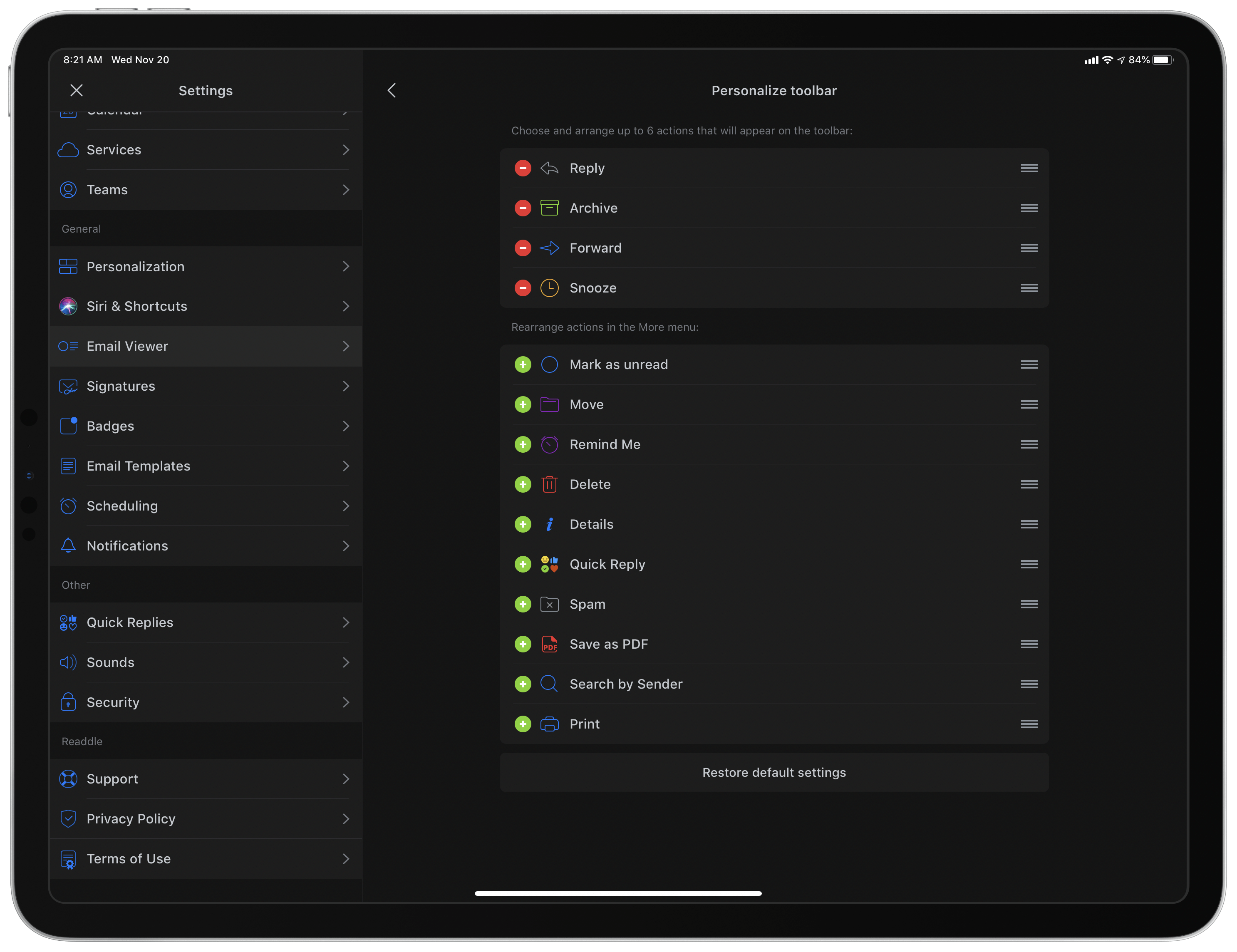
Customizing Spark's toolbar.

Customizing Spark’s toolbar.

Dark mode comes alongside a design refresh for Spark. While the app will still look entirely familiar to existing users, I think the tweaks to font details, spacing, and layout result in a better experience overall. The biggest standout of the redesign is that Spark can now display avatars next to messages, similar to what the official Gmail client offers, which I really value. Also, there’s a new option to customize the toolbar actions when viewing a message. Spark has always been great at providing customization tools, so it’s nice to see yet another added to the app.

Spark is one of the best email options on the App Store, and I especially recommend it for teams. Federico, John, and I use its team features to share and comment on emails together, which is an extremely valuable aid to collaboration. If you’ve tried Spark before and it’s not for you, there may not be enough different in today’s update to tempt you, but if you use an iPad at all, don’t underestimate how nice it can be to employ multiple windows while working through email.



Spotify Announces New ‘Your Daily Podcasts’ Algorithmic Playlist

Spotify aims to do for podcasts what it’s done for music recommendations with today’s announcement of a new algorithmic podcast playlist.

One of the music streaming service’s greatest strengths is the analysis it does of users’ listening habits, which it uses to recommend new tracks through playlists like Discover Weekly and Daily Mix. According to Spotify, its new ‘Your Daily Podcasts’ playlist will analyze recent episodes you’ve streamed and the shows you follow to make recommendations tailored to the type of shows that match your interests. For example, for story-based sequential shows that you haven’t tried before, Spotify will offer the trailer or first episode of a show, while for daily, news-based podcasts, the playlist may include a recent, topical episode.

The addition of ‘Your Daily Podcasts’ is not surprising given remarks by Spotify CEO Daniel Ek when the company acquired Gimlet Media and Anchor. At the time, Ek said Spotify would offer improved ‘curation and customization’ for users and ‘better discovery, data, and monetization to creators.’

Podcast discovery remains an area that a number of companies are working to improve. As Spotify’s share of the podcast listener market increases, its ability to anticipate the podcasts and individual episodes that subscribers will enjoy has the potential to rival what has already made it such an attractive service for many music fans. Given its dominance of podcasting, it will also be interesting to see if Apple counters by enhancing its own discovery tools in the future.

Spotify says that the new playlist is available to subscribers in the US, UK, Germany, Sweden, Mexico, Brazil, Canada, Australia, and New Zealand who have listened to at least four podcasts in the past 90 days.


AppStories, Episode 139 – Interview: How Soulver Reimagined the Calculator with Its Creator, Zac Cohan

This week, we are joined by developer Zac Cohan, the creator of Soulver, a combination notepad and calculator that reimagines how calculations are made on the Mac and iOS.

Sponsored by:

  • Luna Display – Turn any Mac or iPad into a wireless second display.
  • MacStadium – Get 50% off your first two months of a Mac mini subscription now with code APPSTORIES, or get started with MacStadium’s new Orka private cloud.
  • Linode – High-performance SSD Linux servers for all of your infrastructure needs. Get a $20 credit.

Permalink

Apple to Hold Awards Ceremony Celebrating Its Favorite Apps and Games on December 2nd

Apple unexpectedly announced today that it will hold a ceremony in New York City on Monday, December 2nd to honor its favorite apps and games. No other details are currently available, except those in the invitation that was received by some members of the tech press including, as reported by MacRumors, Lance Ulanoff:

Apple’s annual Design Awards at WWDC have served the purpose of recognizing outstanding apps in the past, but an event like this at the end of the year that wraps up the best of 2019 makes a lot of sense and gives the company an opportunity to shine a light on the best offerings from third-party developers in a way that goes beyond the year-end recap lists it has done in the past.


NoiseBuddy: Control Noise Cancellation and Transparency Modes of AirPods Pro on a Mac

Earlier this week, Guilherme Rambo released a new Mac utility called NoiseBuddy that toggles between the noise cancellation and Transparency modes of AirPods Pro and the Beats Solo Pro headphones when they’re connected to a Mac. The app can place an icon in your Mac’s menu bar or on the Touch Bar and uses the same noise cancellation and Transparency iconography found in Control Center on iOS and iPadOS. The app’s settings allow you to run NoiseBuddy in the menu bar, on the Touch Bar, or in both places. To switch modes, simply click the icon in the menu bar or tap the Touch Bar button.

The Touch Bar in transparency mode.

The Touch Bar in transparency mode.

This isn’t Rambo’s first time working with Bluetooth headphones and the Mac. He also created AirBuddy, which we covered previously. AirBuddy is a Mac utility that displays the charge status of AirPods and Beats headphones that use Apple’s proprietary wireless chips. The app also allows users to connect those headphones to their Macs via Bluetooth with a single click.

NoiseBuddy’s menu bar app in transparency mode.

NoiseBuddy’s menu bar app in transparency mode.

NoiseBuddy is the kind of Mac utility that I love. It takes overly fiddly aspect of interacting with macOS and makes it dead simple. The free app is available from Rambo’s GitHub repo, where it can be downloaded as a ZIP archive and then dragged into your Applications folder.


Triode: Internet Radio from The Iconfactory with AirPlay 2, Apple Music Integration, and CarPlay

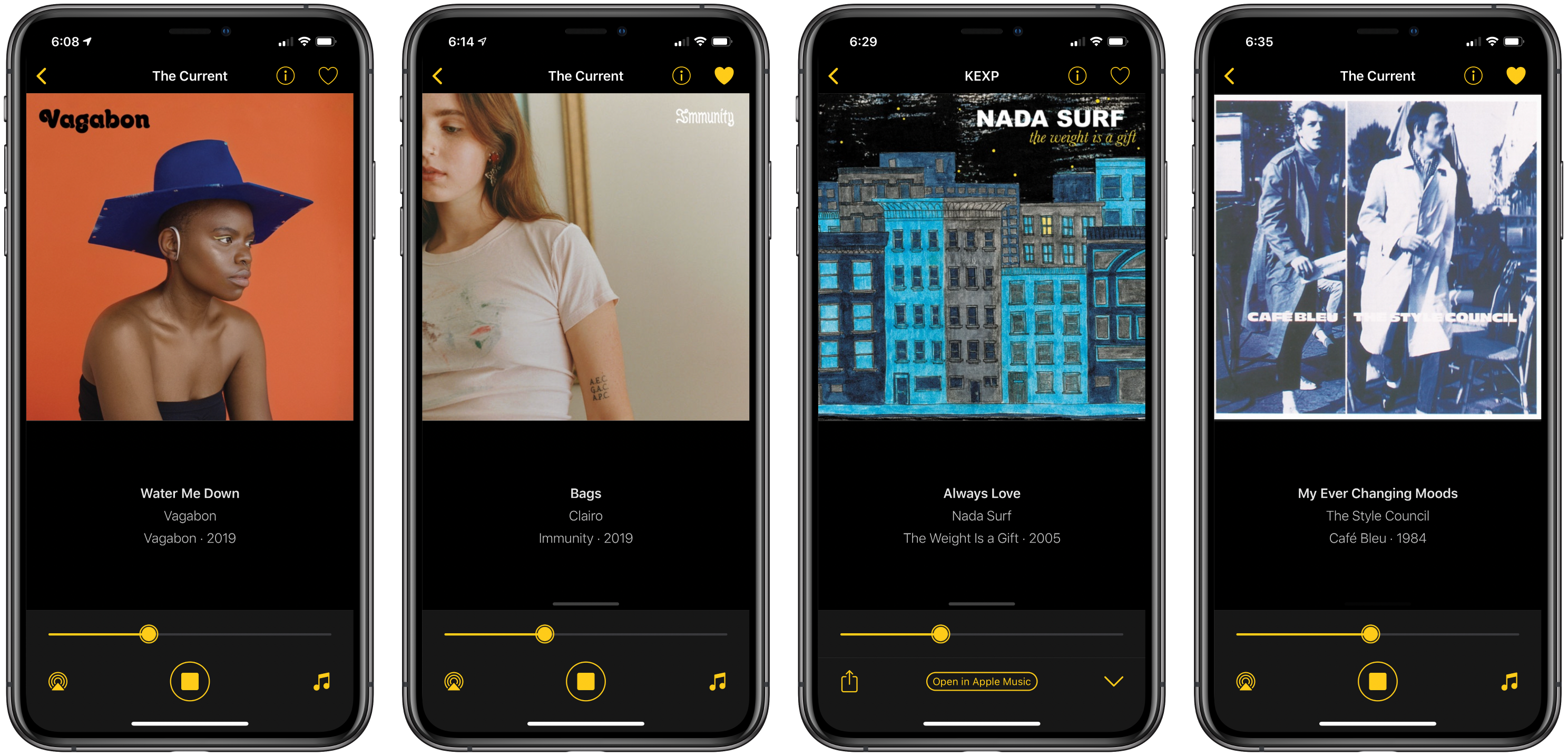
Triode is a new Internet radio app from The Iconfactory for iOS and iPadOS, the Mac, and Apple TV that fills a niche all but abandoned by Apple. Internet radio stations used to claim a more prominent place in iTunes, but in Apple’s new Music app, they have been mostly abandoned in favor of Apple’s own radio stations. A handful of third-party broadcast stations are available in Music, the HomePod can play many more stations, and you can open any station’s stream on a Mac if you know the URL, but that’s it. Triode fills the gap with support for iOS, iPadOS, the Mac, and tvOS, plus CarPlay via the app’s iOS app.

As someone who hasn’t listened to the radio in years, I was a little skeptical of the utility of an Internet radio app at first, but Triode immediately won me over. The app is beautifully-designed, as you’d expect from The Iconfactory, and easy to use. Coupled with Apple’s latest technologies and a set of 31 hand-picked stations, the combination makes for a compelling way to discover new music.

Read more


Apple Debuts New Research App, Launches Health Studies for Women’s Health, Hearing, and Heart and Movement

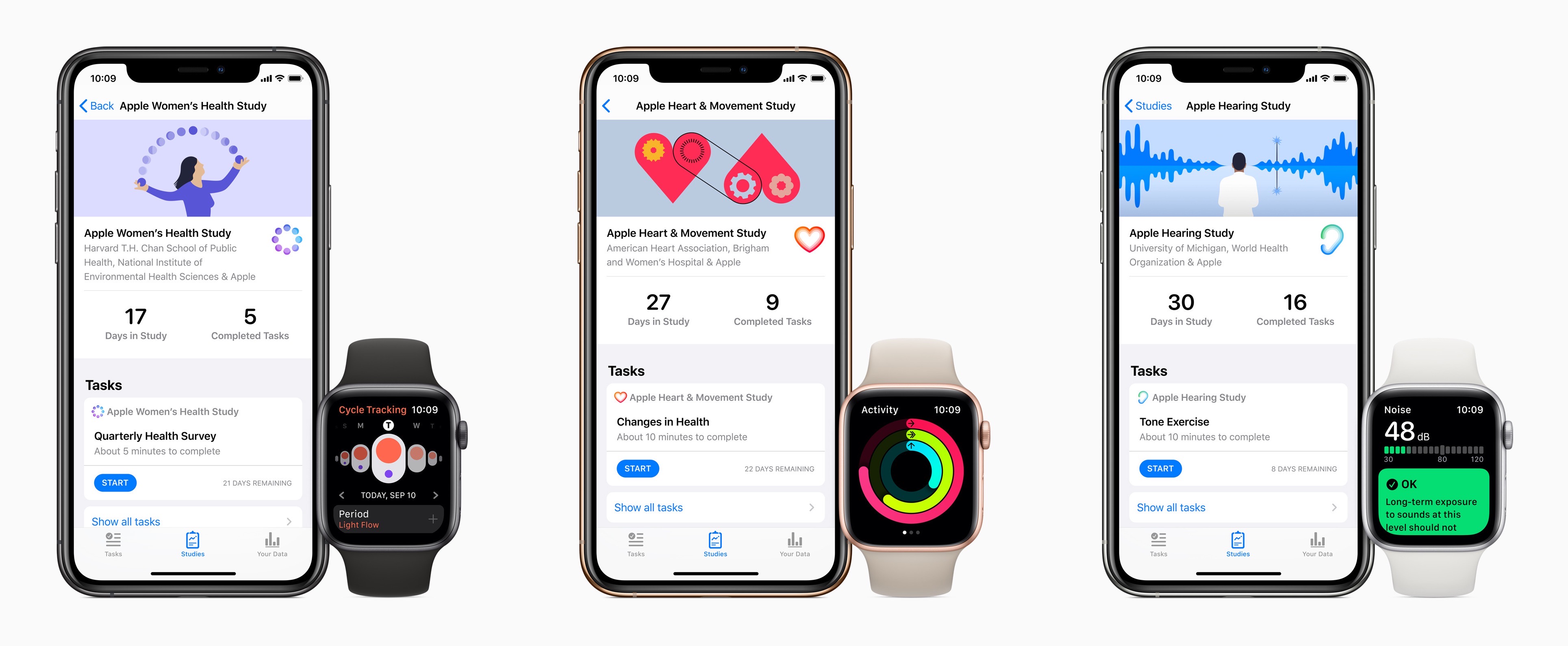
Today Apple announced the next phase of its efforts in medical research studies. Following the Heart Study which debuted in late 2017 and shared its first results earlier this year, Apple now has three new studies it’s launching at once, which users can sign up for through a brand new Apple Research app.

“Today marks an important moment as we embark on research initiatives that may offer incredible learnings in areas long sought after by the medical community,” said Jeff Williams, Apple’s chief operating officer. “Participants on the Research app have the opportunity to make a tremendous impact that could lead to new discoveries and help millions lead healthier lives.”

Users can enroll in one or more of the new studies: the Women’s Health Study, Heart and Movement Study, and Hearing Study. Each of these uses an iPhone and Apple Watch to collect certain data for the purpose of aiding medical advancements.

Anything health-related can come with plenty of privacy concerns, so the Research app’s on-boarding flow includes a very clear privacy commitment, stated in four points:

  1. Your data will not be sold.
  2. You decide which studies you join, and you can leave the study at any time.
  3. You control which types of data you share, and you can stop sharing your data at anytime.
  4. Studies must tell you how your data supports their research.

Tim Cook on multiple occasions has sought to emphasize how important the issue of health is to Apple. Far from a mere hobby, he’s said he believes health will end up being Apple’s most significant area of contribution to mankind. Studies like these are one way to help push the needle on that goal.


HomeRun Adds Thousands of Icons for Customizing Your Watch HomeKit Triggers

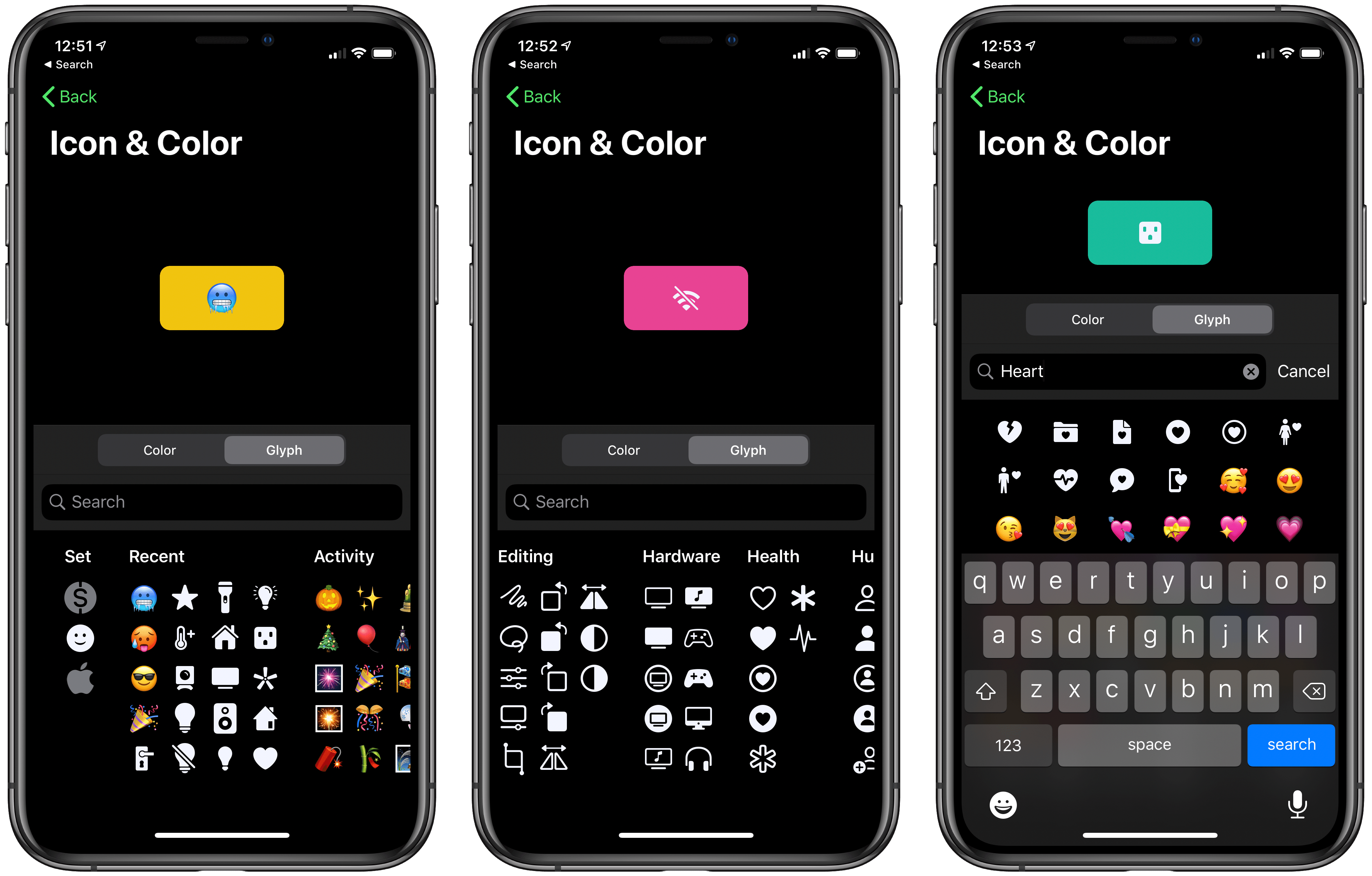
Browsing custom icons in HomeRun's iPhone companion.

Browsing custom icons in HomeRun’s iPhone companion.

Customization options have never hurt an app, and in many cases they make apps far more functional and endearing. Today HomeRun, the Apple Watch app for running HomeKit scenes, has expanded its customization options immensely by adding over 4,400 new icons that can be used for configuring the app’s grid of HomeKit scenes, and also for adorning your watch face via HomeRun’s complications.

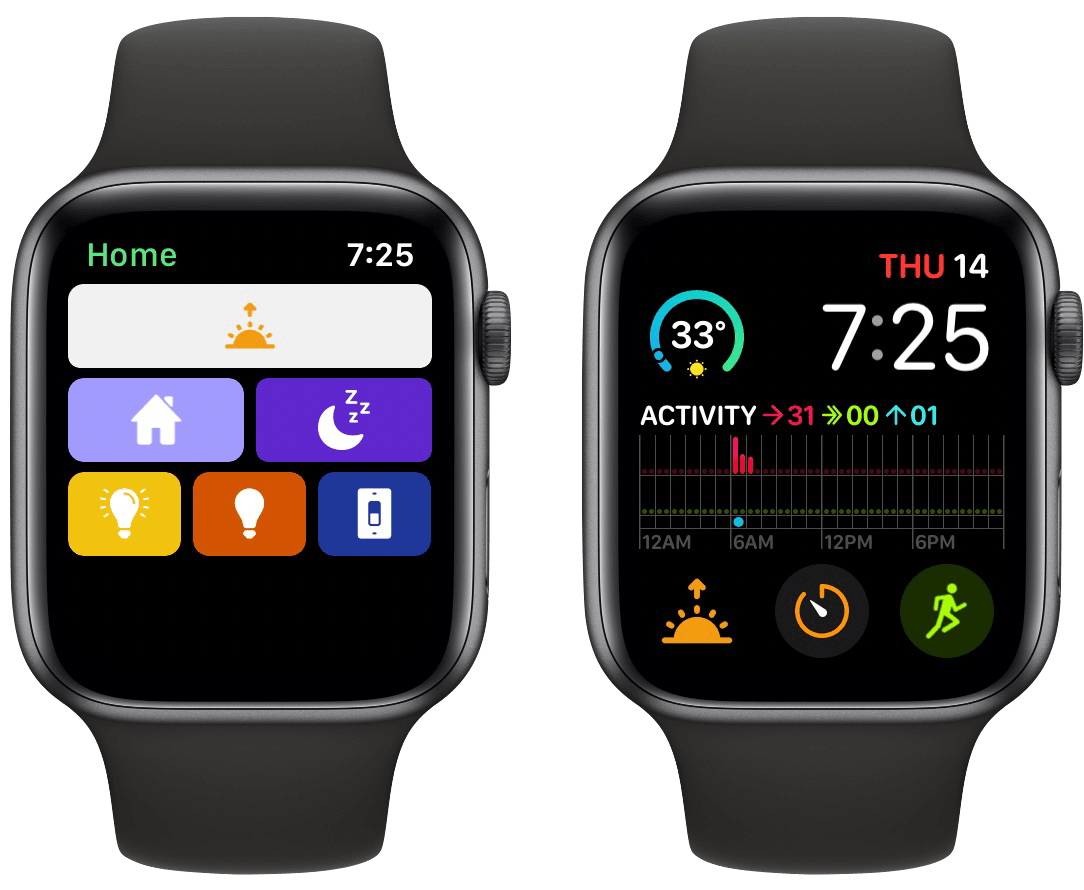
HomeRun debuted last November as the best option for running HomeKit scenes from your Apple Watch. Unlike Apple’s own Home app, which only displays two scene triggers on-screen at once, with HomeRun you can fit up to 12 on-screen with a 44mm Watch, plus create complications for those scenes that run on a user-set schedule, so the right scene complication is always present at the right time.

HomeRun's scene grid (left) and custom complication (right).

HomeRun’s scene grid (left) and custom complication (right).

Previous releases enabled customizing HomeRun’s scene grid, which makes up the app’s main UI, by choosing from different colors and glyphs for each of your HomeKit scenes. The number of options was fine before, but now it’s much more than fine. Developer Aaron Pearce has added thousands of new icons by including the full set of Apple’s SF Symbols, the full set of Simpaticons, plus emoji options. The over 4,400 icons can be browsed inside HomeRun’s companion iPhone app, where a search option has thankfully been included.

I love that these new options work not only inside HomeRun’s grid, but also for configured complications. The sole exception is emoji, since they don’t fit watchOS’ design standards for complications. That slight drawback aside, this is a fantastic release for HomeRun that ensures I have no reason to ever look elsewhere for HomeKit scene control on the Apple Watch.

HomeRun 1.3 is available now on the App Store.


Apple Announces New 16” MacBook Pro with Redesigned Keyboard, Thinner Display Bezels, and Updated Processors

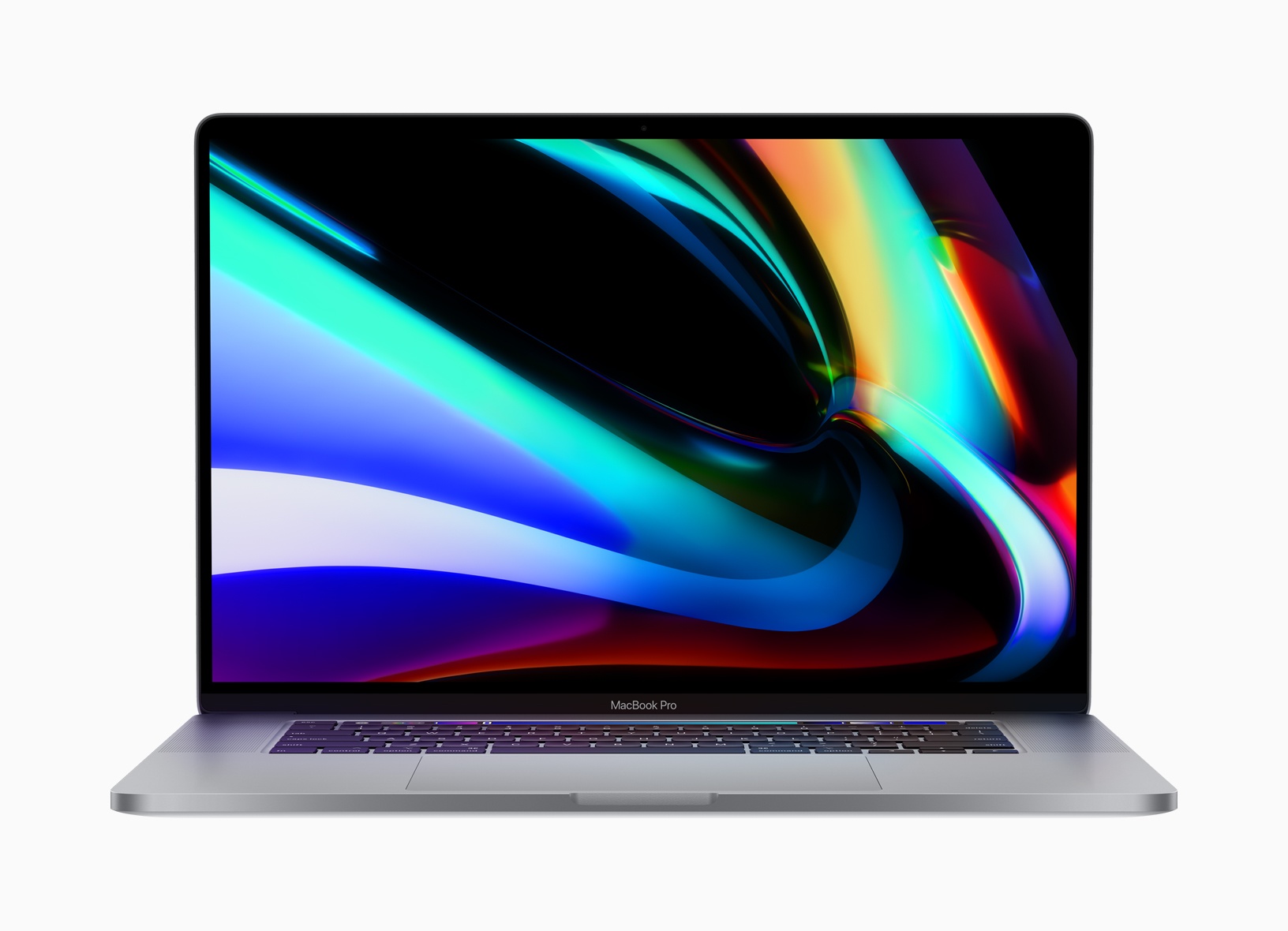
Apple has announced a new 16-inch model of the MacBook Pro that features a redesigned keyboard with keys that use a scissor mechanism, a larger screen with thinner bezels, and 9th generation Intel Core i7 and i9 processors. The new model replaces the existing 15-inch MacBook Pro.

Rumored since early this year, the new laptop is almost identical in size to the 15-inch MacBook Pro, which is 0.61 inches (1.55 cm) tall, 13.75 inches (34.93 cm) wide, and 9.48 inches (24.07 cm) deep. In contrast, the new 16-inch model is 0.64 inches (1.62 cm) tall, 14.09 inches (35.79 cm) wide, and 9.68 inches (24.59 cm) deep. The new MacBook Pro is also heavier, weighing in at 4.3 pounds (2.0 kg) compared to the 15-inch laptop, which is 4.02 pounds (1.83 kg).

The slight increase in size is thanks primarily to the reduction of the new MacBook Pro’s display bezels, which have been virtually eliminated. The laptop features a new high-resolution display too, which Apple lists as 3072 x 1920 pixels with a 226 ppi pixel density. The display is driven by new AMD Radeon Pro 5000M series graphics. Also, the MacBook Pro boasts significantly-improved 6-speaker setup and high-quality microphones to capture less background noise when recording.

Apple has also returned to a scissor mechanism for the new MacBook Pro’s keyboard. It remains to be seen whether the updated design is an improvement over the butterfly mechanism used for the past few years in Apple’s laptops. Before the company moved to the butterfly mechanism, which allowed for reduced key-travel and, consequently, thinner devices, a scissor keyboard mechanism was used in the MacBook Pro.

The keyboard on Apple’s latest pro-level laptop is also notable because it features the return of a physical escape key. The escape key was eliminated in Touch Bar-enabled MacBook Pros in favor of a software escape key on the Touch Bar, but the latest model shortens the Touch Bar to make room for a physical escape key, which many users missed. The new keyboard also features an inverted-T arrow key layout. Apple says:

The 16-inch MacBook Pro features a new Magic Keyboard with a refined scissor mechanism that delivers 1mm of key travel and a stable key feel, as well as an Apple-designed rubber dome that stores more potential energy for a responsive key press. Incorporating extensive research and user studies focused on human factors and key design, the 16-inch MacBook Pro delivers a keyboard with a comfortable, satisfying and quiet typing experience. The new Magic Keyboard also features a physical Escape key and an inverted-“T” arrangement for the arrow keys, along with Touch Bar and Touch ID, for a keyboard that delivers the best typing experience ever on a Mac notebook.

The 16-inch MacBook Pro also features an updated Intel 9th generation i7 and i9 processors with up to 8 cores. The base model runs at 2.6 GHz, which users can upgrade. RAM starts at 16GB and is configurable up to 64GB. Storage starts with a 512GB SSD, which can be increased to as much as 8TB.

To learn more about the new MacBook Pro, listen to episode 271 of Upgrade from Relay FM where Six Colors founder Jason Snell interviews Apple’s MacBook Pro Product Manager Shruti Haldea.

The new laptops are already available to order on apple.com and with the Apple Store app starting at $2,399, the same price as the old 15-inch model, with deliveries beginning later this week. Apple also notes that the Mac Pro will be available to order in December.