Posts in news

Disney+ Available Now, Integrated with Apple’s TV App But Not as a Channel

Today Disney has launched what’s almost certain to become one of the most successful streaming services over time: Disney+. Apple users can enjoy the new streaming service through the Disney+ app for iPhone, iPad, and Apple TV. You can subscribe directly inside the app to start a 7-day free trial, after which it costs $6.99/month or $69.99/year. Disney is also offering a bundled option, where Disney+, Hulu (with ads), and ESPN+ are available for a single $12.99 monthly fee; to sign up for that bundle, you need to visit disneyplus.com.

Disney+ features an enormous back catalog of Disney favorites, from classic animated films to the worlds of Star Wars, Marvel, Pixar, and National Geographic. Not only that, but Disney has prepared a healthy slate of originals to accompany the launch, the clear standout of which is the Star Wars-based The Mandalorian. Combining originals and catalog fare, Disney+ is unquestionably the strongest content debut ever for a streaming service.

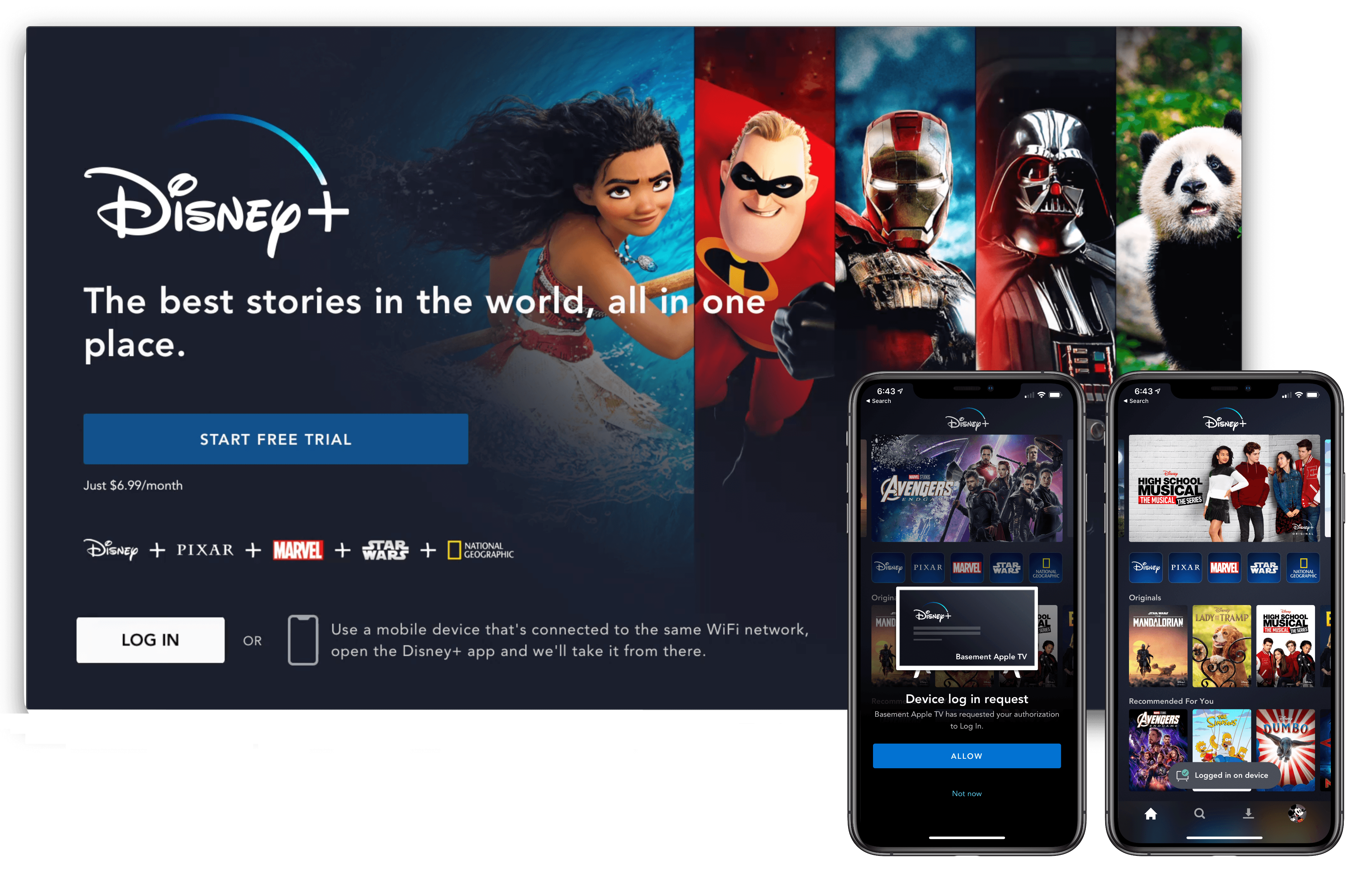
The app experience of Disney+ seems at least as good as other streaming services, and in some cases even better. As seen in the image above, Disney+ on the Apple TV offers an easy way to log in if you’ve already set up your account on an iPhone or iPad. Unlike most other streaming apps, which require entering a code on your TV, the Disney+ app can automatically log you in on your Apple TV when you have the mobile app open on the same Wi-Fi network.
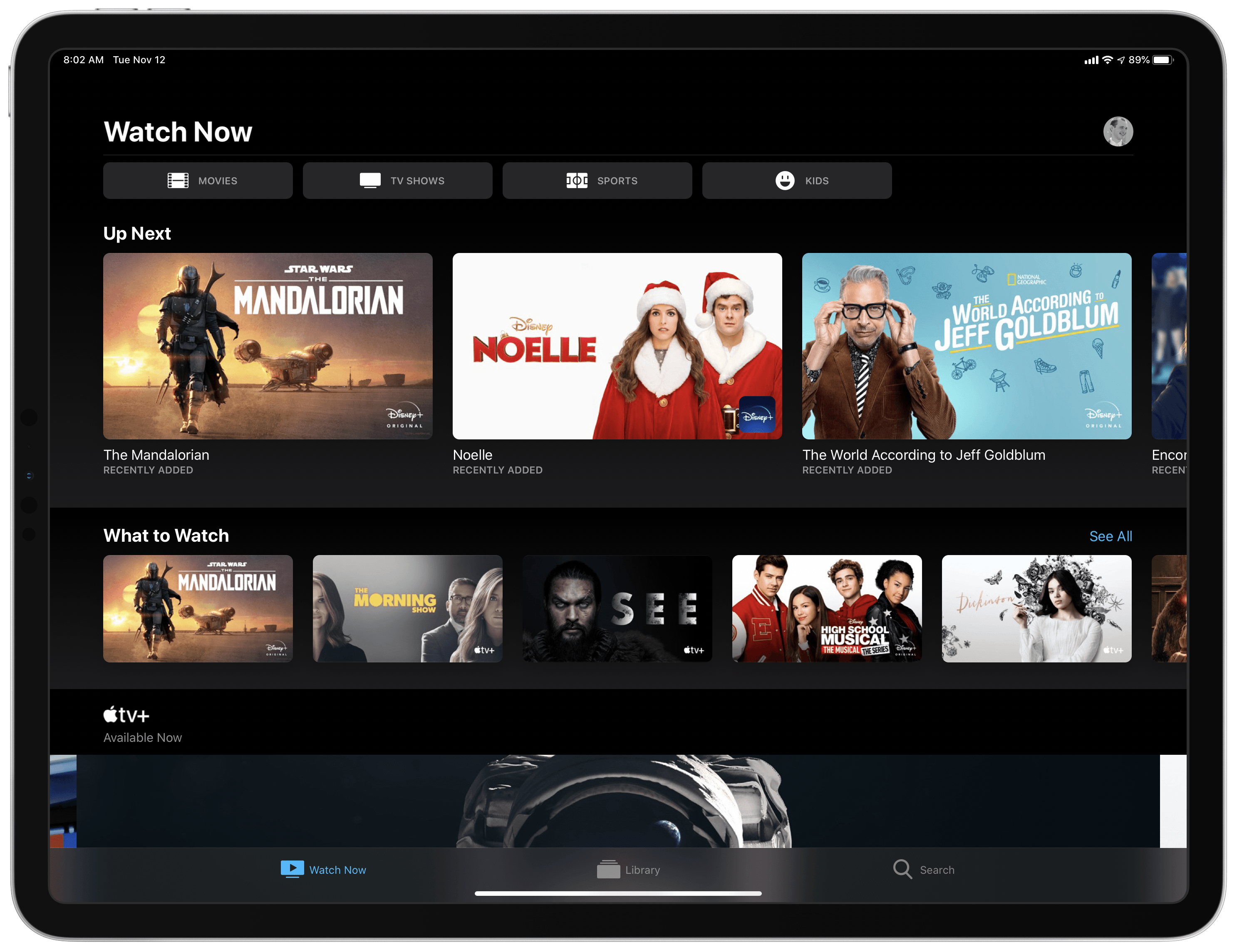
Disney+ content inside Apple's TV app.

Disney+ content inside Apple’s TV app.

You can also connect the Disney+ app to Apple’s own TV app, enabling you to track everything you’re watching from Disney inside the TV app’s Up Next queue. You’ll see Disney+ shows and movies advertised inside TV’s Watch Now tab, where they can be added to your queue. This way, content from Disney+, Apple TV+, HBO, and other sources can all reside in one universal hub.

Unfortunately, Disney+ isn’t available as a channel inside the TV app, it only offers an app integration. What this means is that you’ll have to download the Disney+ app on all your devices to play the service’s content, whereas with channels content you can watch without needing a separate app. Also, whenever you initiate playback in TV you’ll be bumped out to the Disney+ app, making for a clunkier playback experience than you would have if the service was available as a channel.

The streaming wars are only just now starting to heat up, and the launch of Disney+ is a significant moment in those wars. While for some, the new service represents yet another video subscription they’re asked to pay for, it truly is remarkable that the dream of unbundling content from expensive cable or satellite packages is finally coming true.

Apple Reveals Major Update to Its Privacy Webpage

Privacy and everything it entails is not easy to explain. Under the hood, it’s driven by complex mathematics and code. However, in practice, app privacy starts with how apps are designed. Some are designed to collect information about you, and others aren’t. With Apple’s update to its privacy page today, the company has created a site that explains how privacy drives the design of its apps in clear, concise language. However, for anyone who wants to understand the nitty-gritty details, Apple has also published white papers and linked to other materials that provide a closer look at the issues that the main page addresses.

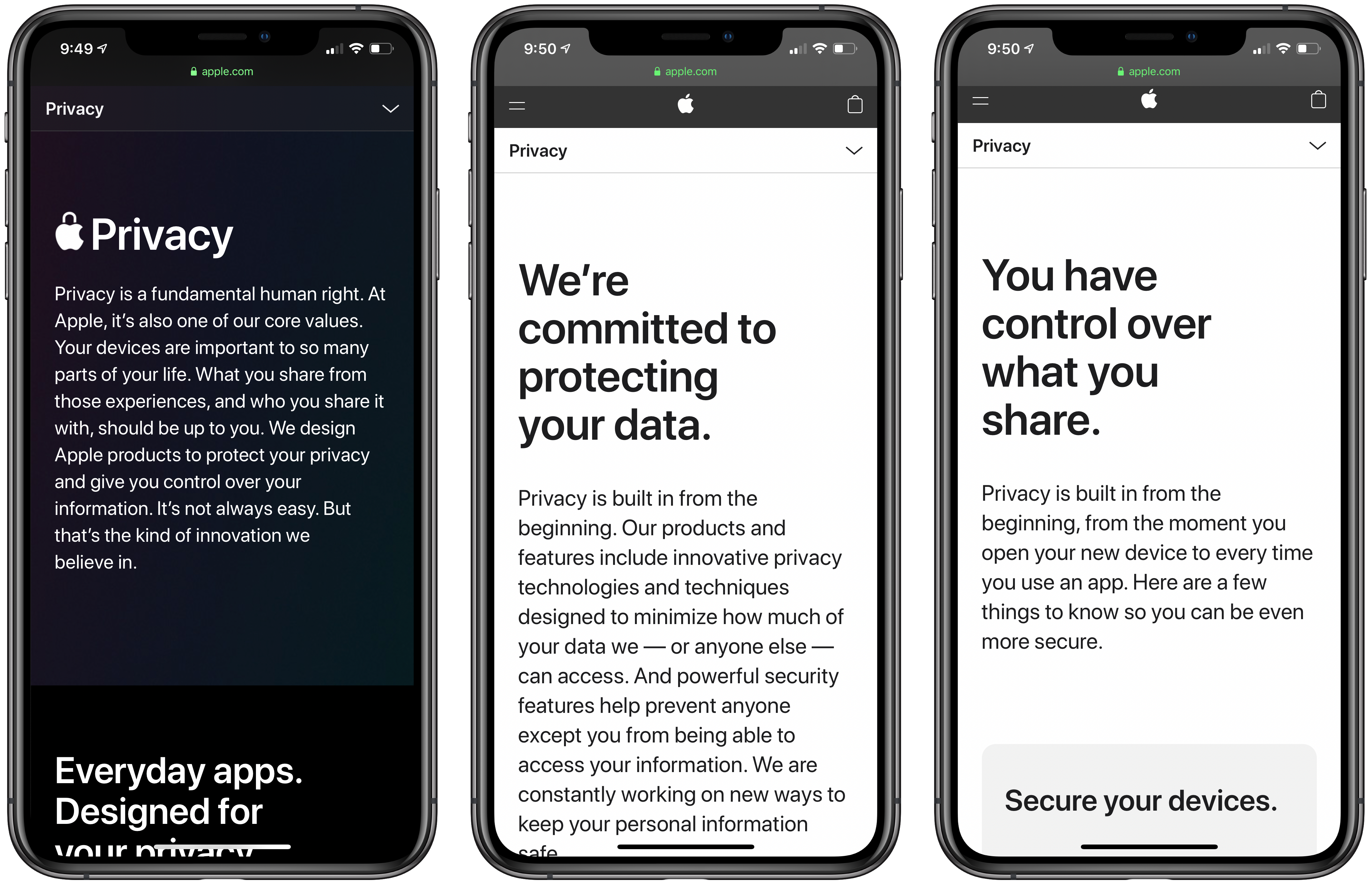
Apple’s Privacy webpage starts with a declaration of the company’s position on privacy:

Privacy is a fundamental human right. At Apple, it’s also one of our core values. Your devices are important to so many parts of your life. What you share from those experiences, and who you share it with, should be up to you. We design Apple products to protect your privacy and give you control over your information. It’s not always easy. But that’s the kind of innovation we believe in.

What follows is an app-by-app explanation of how each is designed to give users control over what they share and limit what Apple collects. Safari, Maps, Photos, Messages, Siri, News, Wallet, Health, Sign On with Apple, and the App Store are all covered with playful animations and a short explanation of what they do to protect your privacy.

Additional information about each app, their underlying technologies, plus iCloud, CarPlay, Home, education and children’s privacy, and other features follow under the Features tab. Included among the more detailed materials are white papers that go even deeper on Safari, Location Services, differential privacy, iOS security, and Face ID security. There is also a tech brief on Photos and links to additional materials about Ask Siri, Siri Suggestions, Apple Pay, ResearchKit and CareKit, Apple News, Apple Music, the Apple TV app, Apple Arcade, iCloud, Screen Time, Family Sharing, security in education, Apple’s student privacy pledge, and your data and privacy page. That’s a lot of information, but it’s presented in a thoughtful, compelling way that lets you go deeper if you want without being confusing or difficult to navigate.

The final new tab is called Control. Some of these tips and guides were available before, but the page has been updated with new practical suggestions on how you can make your Apple devices more secure. The page covers passcodes, Touch ID and Face ID, two-factor authentication, Find My, the alerts that explain the information third-party apps request, using your data and privacy page, advertising, analytics, and more. It’s an excellent place for users looking for ways to take command of the security of their devices.

I know that a lot of MacStories readers care strongly about their privacy and the security of their devices, and many are aware of at least some of what’s covered on Apple’s privacy page. However, it’s still worth a visit because privacy and security are part of so much of what Apple does now, that I expect there are at least a few tidbits on this new page that will be new to everyone. It’s also a great page to share with family members and friends who may not be as aware of the privacy issues related to their devices.


Apple Releases Trailer for The Banker Arriving in Theaters December 6th and Streaming on Apple TV+ in January 2020

Apple has released a trailer for its upcoming movie, The Banker, on its Apple TV YouTube channel. The company describes the film as follows:

Based on a true story, “The Banker” centers on revolutionary businessmen Bernard Garrett (Anthony Mackie) and Joe Morris (Samuel L. Jackson), who devise an audacious and risky plan to take on the racially oppressive establishment of the 1960s by helping other African Americans pursue the American dream. Along with Garrett’s wife Eunice (Nia Long), they train a working class white man, Matt Steiner (Nicholas Hoult), to pose as the rich and privileged face of their burgeoning real estate and banking empire – while Garrett and Morris pose as a janitor and a chauffeur. Their success ultimately draws the attention of the federal government, which threatens everything the four have built.

The film, which is rated PG-13, will be released in theaters December 6th and stream Apple TV+ in January 2020 following a similar pattern to The Elephant Queen and Hala which are also Apple Original movies. It’s an interesting approach and one that is likely designed to ensure the films are eligible for awards like the Oscars, while simultaneously creating marketing opportunities and viewer awareness in advance of their debut on TV+.


Microsoft Previews New Office Mobile App, Unifying Word, PowerPoint, Excel, and More in a Single App

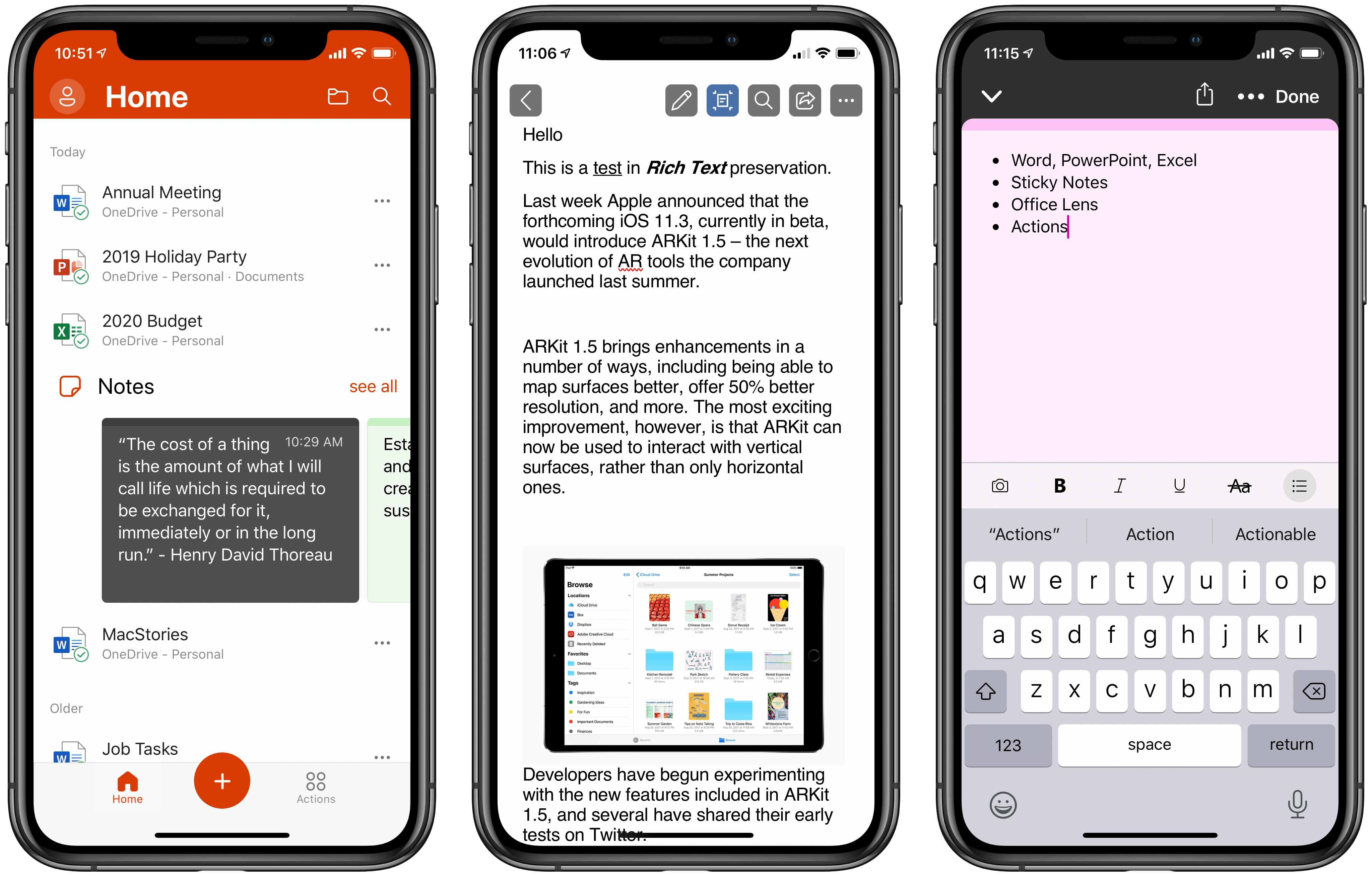
Today Microsoft previewed a fascinating new experiment in mobile: a brand new iOS app, simply dubbed Office, that houses versions of Word, PowerPoint, and Excel in one place, integrated with OneDrive, while also including Sticky Notes, Microsoft’s OCR-powered Office Lens camera, and a variety of mobile-friendly actions. Until test slots are full, you can sign up to access the beta version of the app through TestFlight.

For now, the beta version of Office is iPhone-only, but Microsoft states it “will bring this experience to tablets as well.” It will be interesting to see how that pans out, since currently Microsoft requires Office 365 subscriptions to edit in its Office apps on iPads over a certain size, while devices under that size can edit documents for free. It’s likely the new Office app will follow the same restrictions, but we’ll have to wait to find out.

I’ve spent a little time working with the beta version of Office, and I think Microsoft may be on to something here.

Read more


Adobe Creative Cloud App Brings Thousands of New Fonts to iPhone and iPad

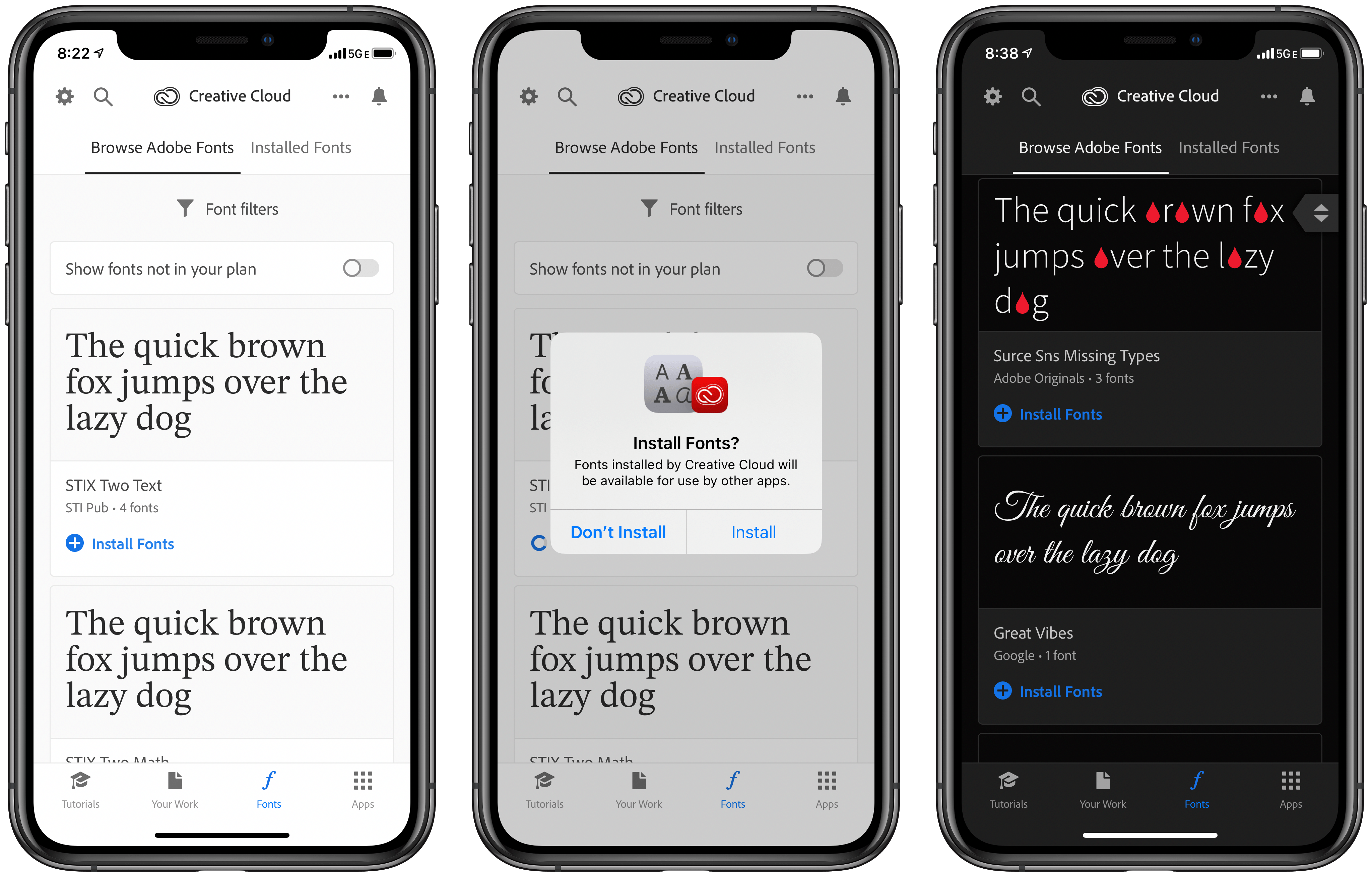
Today Adobe released an update to its Creative Cloud app on iPhone and iPad which introduced a set of thousands of fonts that can now be installed on those devices via the new font provider system Apple added in iOS and iPadOS 13. Once installed, fonts from Creative Cloud can be used within any other app that supports custom fonts. The Creative Cloud app is a free download, and all users can download 1,300 fonts in the app for free; users with a Creative Cloud subscription, however, have access to a whopping 17,000 fonts.

Read more


Apple TV+ Now Available: Here’s Its Full Launch Lineup

Apple TV+ is now available, a video subscription service that Apple has been working on for over two years now. The new streaming service debuts in over 100 countries, and can be accessed now inside the TV app on iPhone, iPad, Mac, Apple TV, Roku and Amazon Fire TV devices, and select smart TV manufacturers, as well as from tv.apple.com.

Apple TV+ costs $4.99 per month, but all users are offered a 7-day free trial; also, anyone who has purchased a new iPhone, iPad, Mac, Apple TV, or iPod touch since September 10 will receive a free year of service. Finally, even if you don’t subscribe at all, Apple has made the first two episodes of all of its series available for free viewing in the TV app.

While the cost of entry is low for Apple TV+, what you get for the price is also fairly limited at the moment. Apple has branded TV+ “the first all-original video subscription service,” which means there’s no back catalog of legacy content, only brand new shows and movies that have never been released before. This angle could be spun as a positive thing in some respects, because many streaming consumers these days care most about new content, but it also means you can quickly watch everything TV+ has to offer and be stuck waiting for more content.

Here’s the full lineup of everything Apple TV+ offers today:

Read more


Apple Updates the HomePod with Multi-Voice Support and Ambient Sounds, Plus iPhone Handoff, Shortcuts, and HomeKit Functionality

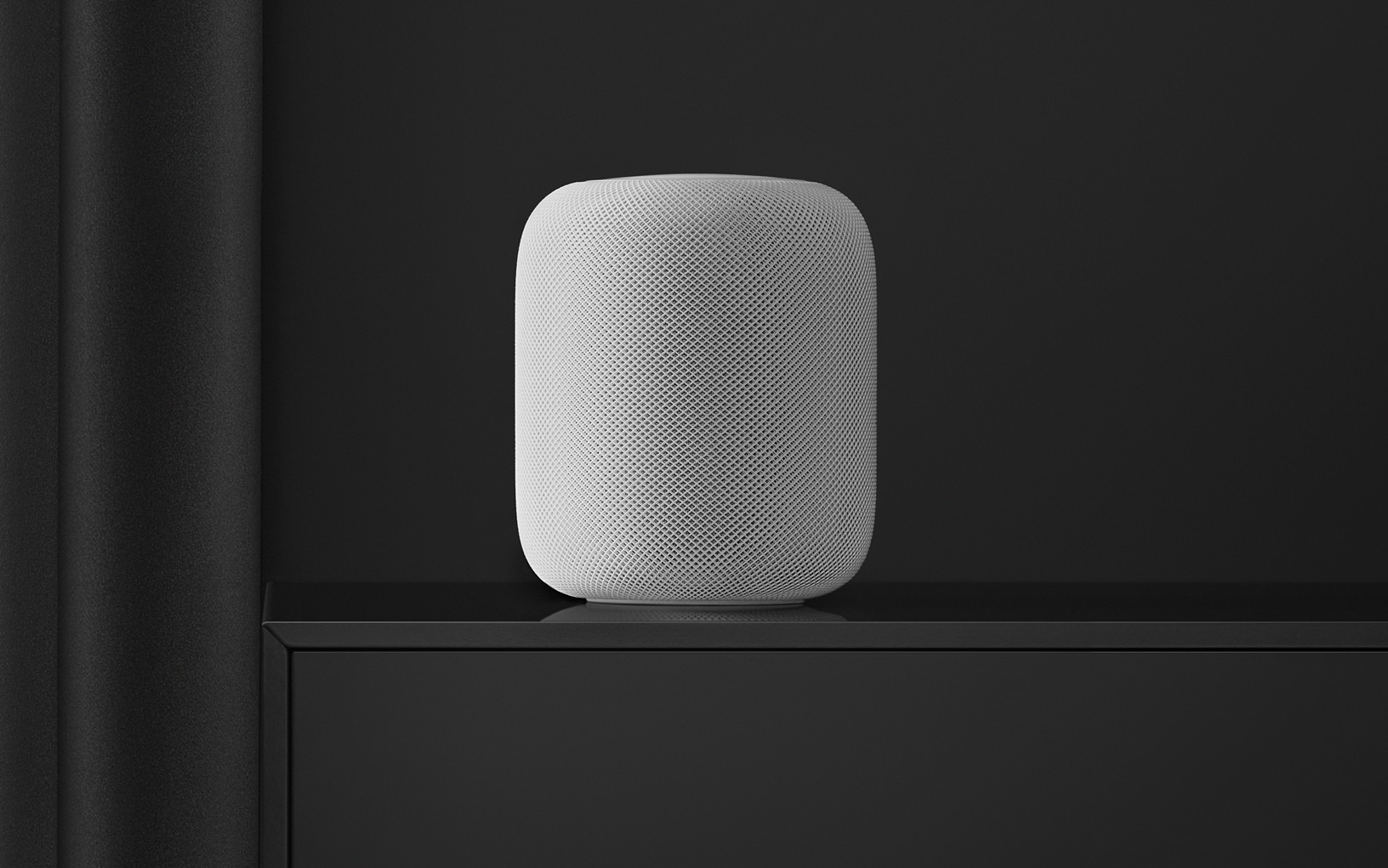
On Monday, Apple released audioOS 13.2 for the HomePod and before the end of the day US-time pulled it when users started reporting that it was bricking their HomePods. In addition to bricking some HomePods, other users, myself included, had trouble setting up multi-voice support. I also heard from others who had trouble getting the update to install in the first instance. Today, shortly after Apple’s earnings call concluded, the company released audioOS 13.2.1, which includes the same features and presumably fixes the issues users experienced.

Read more


Apple Q4 2019 Results - $64 Billion Revenue

Apple has just published its financial results for Q4 2019. The company posted revenue of $64 billion. Apple CEO Tim Cook said:

“We concluded a groundbreaking fiscal 2019 with our highest Q4 revenue ever, fueled by accelerating growth from Services, Wearables and iPad,” said Tim Cook, Apple’s CEO. “With customers and reviewers raving about the new generation of iPhones, today’s debut of new, noise-cancelling AirPods Pro, the hotly-anticipated arrival of Apple TV+ just two days away, and our best lineup of products and services ever, we’re very optimistic about what the holiday quarter has in store.”

Estimates and Expectations for Q4 2019 and the Year-Ago Quarter (Q4 2018)

Apple’s revenue guidance for Q4 2019 fell between $61 billion and $64 billion, with gross margin estimated to be between 37.5% and 38.5%.

Going into today’s earnings call, Marketwatch says:

Analysts surveyed by FactSet see the company posting revenue of $63 billion, nearly flat from $62.9 billion a year ago. The report will cap off a fiscal year in which Apple’s earnings and revenue are both expected to decline from a year earlier, which has happened at Apple only once since 2001.

In the year-ago quarter (Q4 2018), Apple earned $62.9 billion in revenue. During that quarter Apple sold 46.9 million iPhones, 9.7 million iPads, and 5.3 million Macs. As announced on Apple’s Q4 2018 earnings call, however, the company no longer reports unit sales for any of its products.

Read more


Sebastiaan de With Explains Why the iPhone 11 Camera Is Such a Big Leap Forward

Sebastiaan de With, part of the team behind the camera app Halide has published part 1 of a multi-part breakdown of the iPhone 11 camera. It’s a fantastic analysis of what makes the new camera different from past versions and goes into great depth while remaining accessible, even if you have only a passing familiarity with photography.

To put this year’s camera into perspective, de With recaps what Apple did with last year’s iPhone cameras explaining how Smart HDR works and its shortcomings. The iPhone 11 features Smart HDR too, but as de With explains, Apple has significantly improved how it handles the dynamic range of an image.

Another aspect of the improvement is in the camera sensor hardware. Despite its diminutive size, the iPhone 11’s image sensor can resolve more detail than any iPhone camera before it.

However, many of the iPhone 11’s camera improvements come down to better software. The new camera post-processes each component of an image differently, applying different noise reduction to the sky, a face, hair, and clothing, for example. Apple calls the feature Photo Segmentation, and it’s aided by machine learning.

One of my favorite features of the new camera is Night Mode. As de With notes:

In the iPhone 11 Night Mode, you can also see detail vanish in some areas. Except that it really seems to only affect parts of the image that you don’t really care that much about. Night Mode has a remarkable if not uncanny ability to extract an image that is sometimes even sharper than the regular mode, with strong sharpening and detail retention occurring in areas that are selected by the camera during processing.

The iPhone 11’s camera is also the first one de With thinks rivals standalone cameras:

In the past, iPhones made great photos for sharing on social media, but blown up on a big screen, the shots didn’t hold up. It’s why I frequently still pack a ‘big’ camera with me on trips.

With these huge improvements in processing, the iPhone 11 is the first iPhone that legitimately challenges a dedicated camera.

There are many more details in de With’s article, including a close look at the iPhone 11’s ultra wide lens. Every section of the post has photos and side-by-side comparisons that illustrate the analysis too, which makes the full post a must-read].

Permalink