
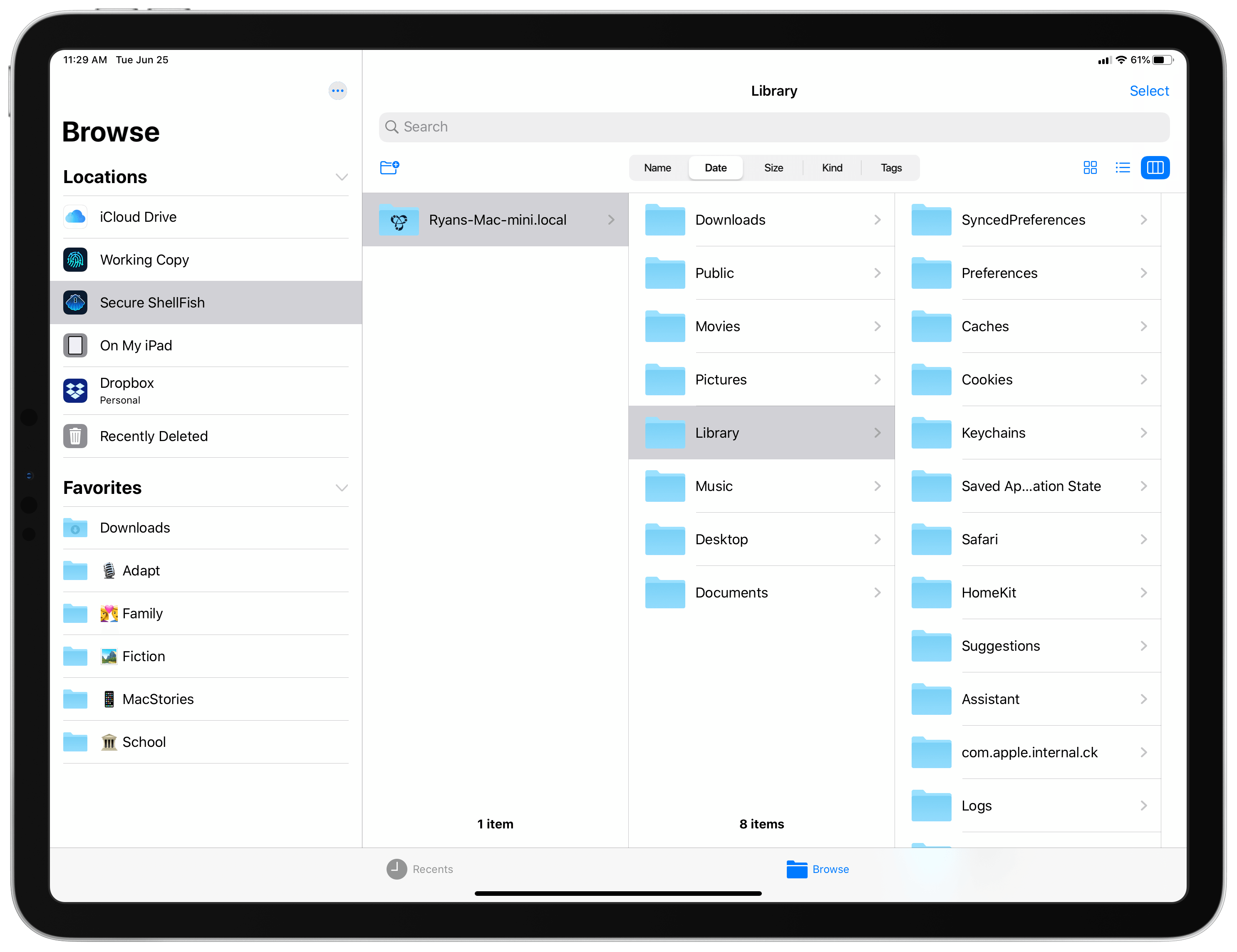
All my cards on the table: until I tried Anders Borum’s new app, Secure ShellFish, I had no idea what an SSH or SFTP server even was. I’ve never had the need for a file server, and have thus considered it one of those technical computing concepts that’s over my head and exists only for a certain type of user. My guess is that many other people feel the same way, not just because of the concept of servers itself, but also because the tools available for configuring and accessing servers can tend to be overly complex. Secure ShellFish, on both iPad and iPhone, aims to be the opposite: it makes configuring servers easy, and accessing them even easier because it’s built around integration with Apple’s Files app.
Posts tagged with "featured"
Secure ShellFish Review: Adding Your Mac, or Another SSH or SFTP Server, to Apple’s Files App
Catalyst Can Rescue the Mac and Grow the iPad
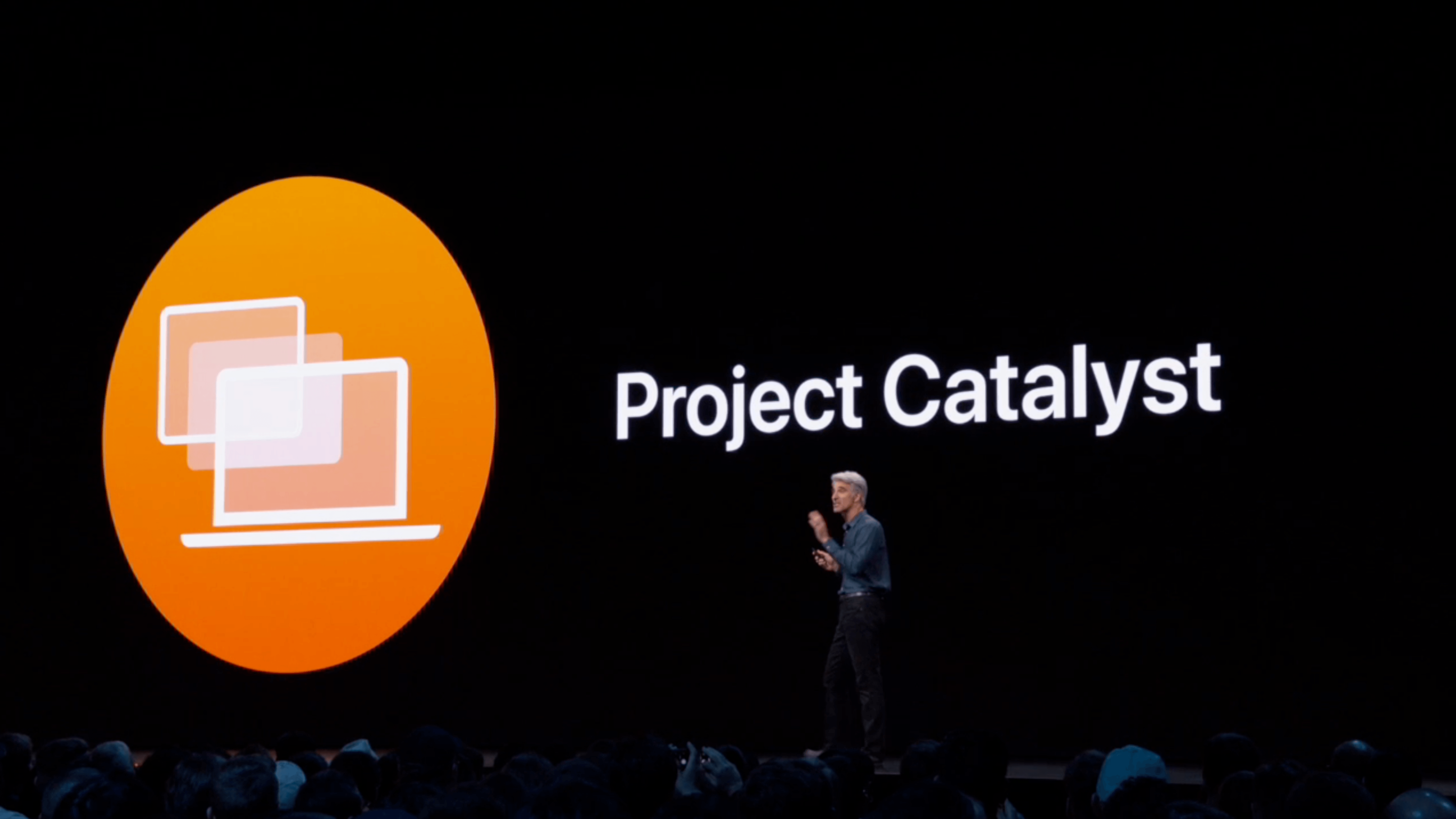
At WWDC 2018, Craig Federighi provided a sneak peek at what everyone was calling Marzipan: an as-yet-unnamed way for iPad app developers to bring their apps to the Mac. So, it came as no surprise when Federighi retook the stage in 2019 and revealed more details about the project and its official name: Catalyst.
What caught a lot of developers off guard though was SwiftUI, a declarative approach to building user interfaces that was also announced at WWDC this year. SwiftUI, known before the conference as Amber, its rumored project name, was on developers’ radar almost as long as Catalyst, but it’s fair to say that few anticipated the scope of the project. The purpose of SwiftUI is to allow developers to build native user interfaces across all of Apple’s hardware platforms – from the Apple Watch to the Mac – using highly-readable, declarative syntax and a single set of tools and APIs. If that weren’t enough to get developers’ attention, using SwiftUI carries the added advantage of providing features like dark mode, dynamic type, and localization automatically.
The message from WWDC was clear: SwiftUI is the future, a unified approach to UI development designed to simplify the process of targeting multiple hardware platforms. It’s a bold, sprawling goal that will take years to refine, even if it’s eagerly adopted by developers.

AppStories Episode 117 - Catalyst to the Rescue
0:00
39:37
39:37






However, SwiftUI also raises an interesting question: what does it mean for Catalyst? If SwiftUI is the future and spans every hardware platform, why bother bringing iPad apps to the Mac with Catalyst in the first place? It’s a fair question, but the answer is readily apparent from the very different goals of the two technologies.
SwiftUI serves the long-term goal of bringing UI development for all of Apple’s platforms under one roof and streamlining it. It won’t take over immediately though. There’s still work to be done on the framework itself, which Apple will surely expand in capability over time.
By contrast, Catalyst is a shorter-term initiative designed to address two soft spots in Apple’s lineup: the stagnation of the Mac app ecosystem, and the slow growth of pro iPad apps. The unstated assumption underlying the realignment seems to be that the two app platforms are stronger tied together than they are apart, which ultimately will protect the viability of their hardware too.
The impact of Catalyst on the Mac and iPad remains murky. It’s still too early in the process to understand what the long-term effect will be on either platform. There’s substantial execution risk that could harm the Mac or iPad, but despite some troubling signs, which I’ll get to in due course, I’m convinced that Catalyst has the potential for meaningful improvements to both platforms, especially the Mac. Let’s take a closer look at what those could be.
Initial Thoughts on iPadOS: A New Path Forward
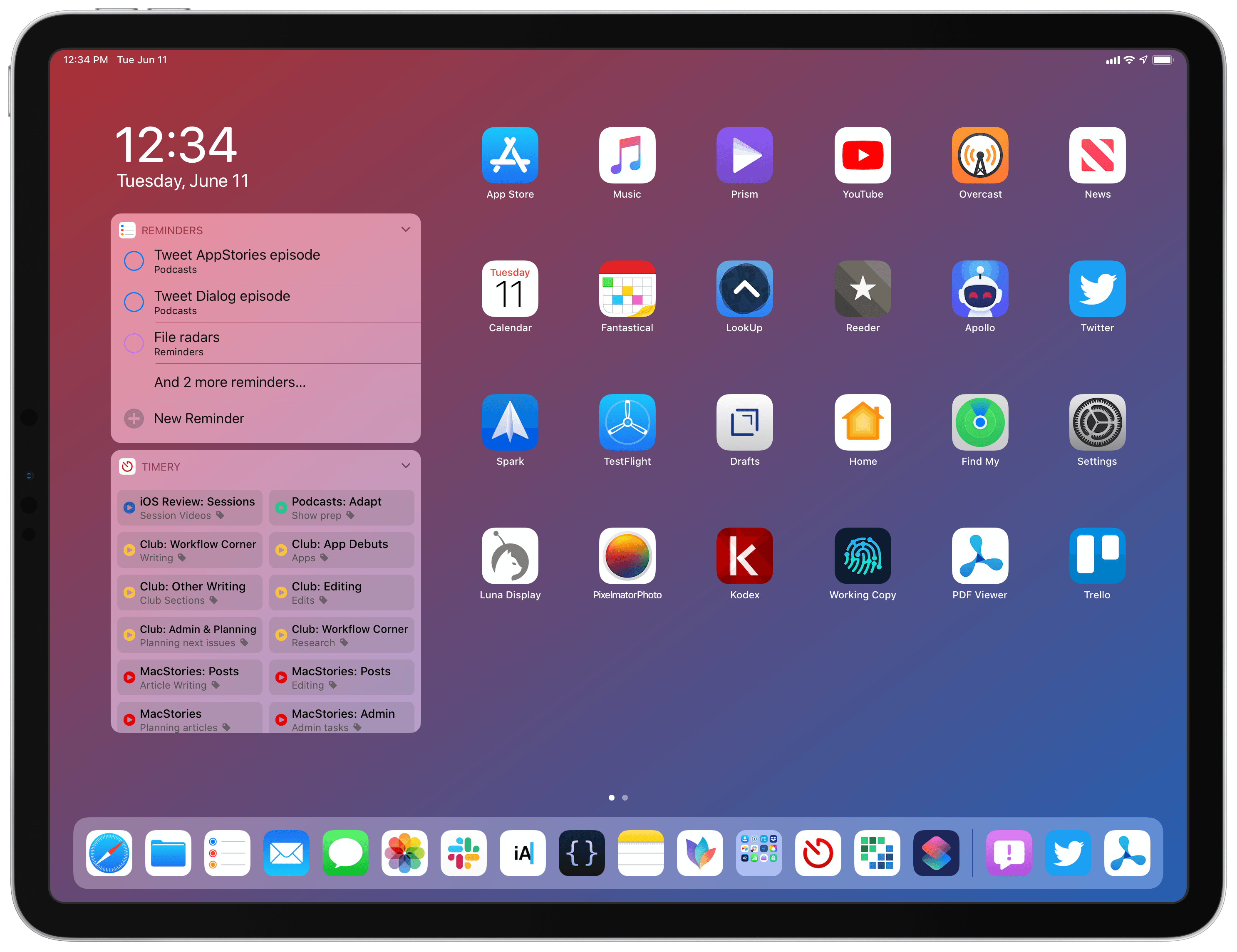
When I published my Beyond the Tablet story a few weeks ago, I was optimistic we’d get a handful of iPad-related features and optimizations at WWDC. I did not, however, foresee an entire OS designed specifically around iPad. And the more I think about it, the more I see iPadOS as a sign of Apple’s willingness to break free from old assumptions and let the iPad be what it’s best at: a portable computer inspired by the Mac, but based on iOS.
Craig Federighi: The AppStories Interview
It’s been an exciting week at WWDC. Despite rumors and leaks going into the keynote on Monday, the presentation was full of surprises and fulfilled many of the wishes of Mac and iOS developers and users.
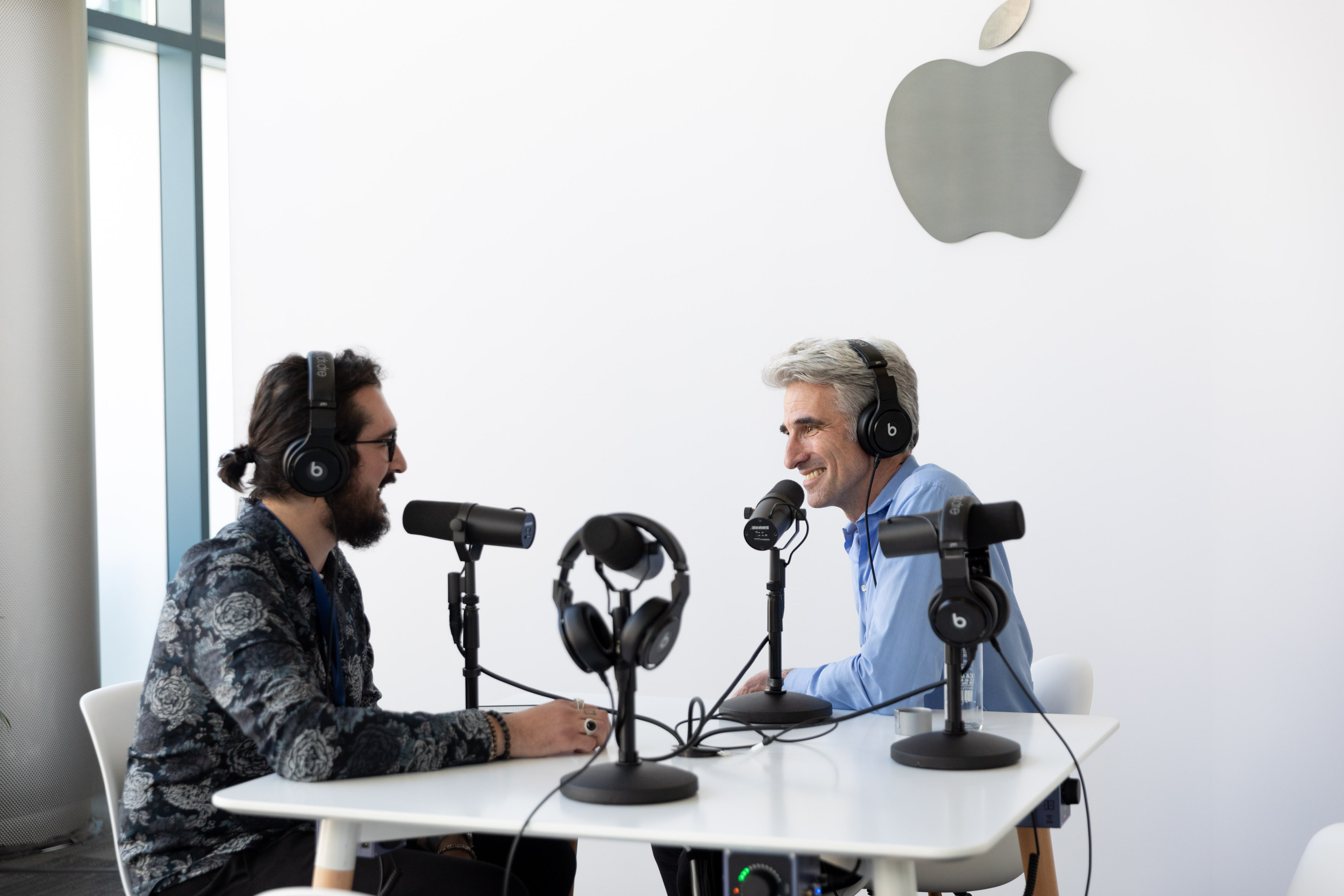
Federico and I arrived in San Jose last weekend and planned to record an episode of AppStories that would begin to sift through the huge stack of announcements made by Apple. Those plans were almost immediately cast aside when a unique opportunity presented itself.
Federico is attending WWDC this week, and Apple graciously offered to schedule a time for him to interview Craig Federighi, the company’s Senior Vice President of Software Engineering. With a WWDC packed with announcements that will affect app development for years to come, we of course agreed immediately.
When you step back from the details of what was announced in the keynote and since, I expect that WWDC 2019 will be remembered as the event when a new vision for apps on all of Apple’s platforms from a tiny Watch face to a Mac Pro driving a 32-inch Pro Display XDR began to come into focus. The tools made available to developers – like Catalyst for bringing iPad apps to the Mac, and SwiftUI, a new declarative way to build app UIs with less code – promise new efficiencies and capabilities to help developers build apps on every Apple platform. Combined with powerful new features coming to the iPad in iPadOS and an extensive Shortcuts update, there’s an opportunity for a future with deeper, pro-level iPad apps and experiences, a more diverse Mac app ecosystem, and tighter integration across Apple’s entire hardware lineup.
Against that backdrop, Federico sat down with Craig Federighi for a special episode of AppStories, one of MacStories’ growing lineup of podcasts, to explore the impact of developer tools like Catalyst and SwiftUI and the new iPadOS on the apps we use today and the apps these technologies will enable in the future.
Thank you to Apple for arranging the interview, Craig Federighi for participating, and as always, thank you for listening to AppStories. We hope you enjoy the show.
You can find the episode here or listen through the AppStories web player below.
Sponsored by:
iOS 13: The MacStories Overview
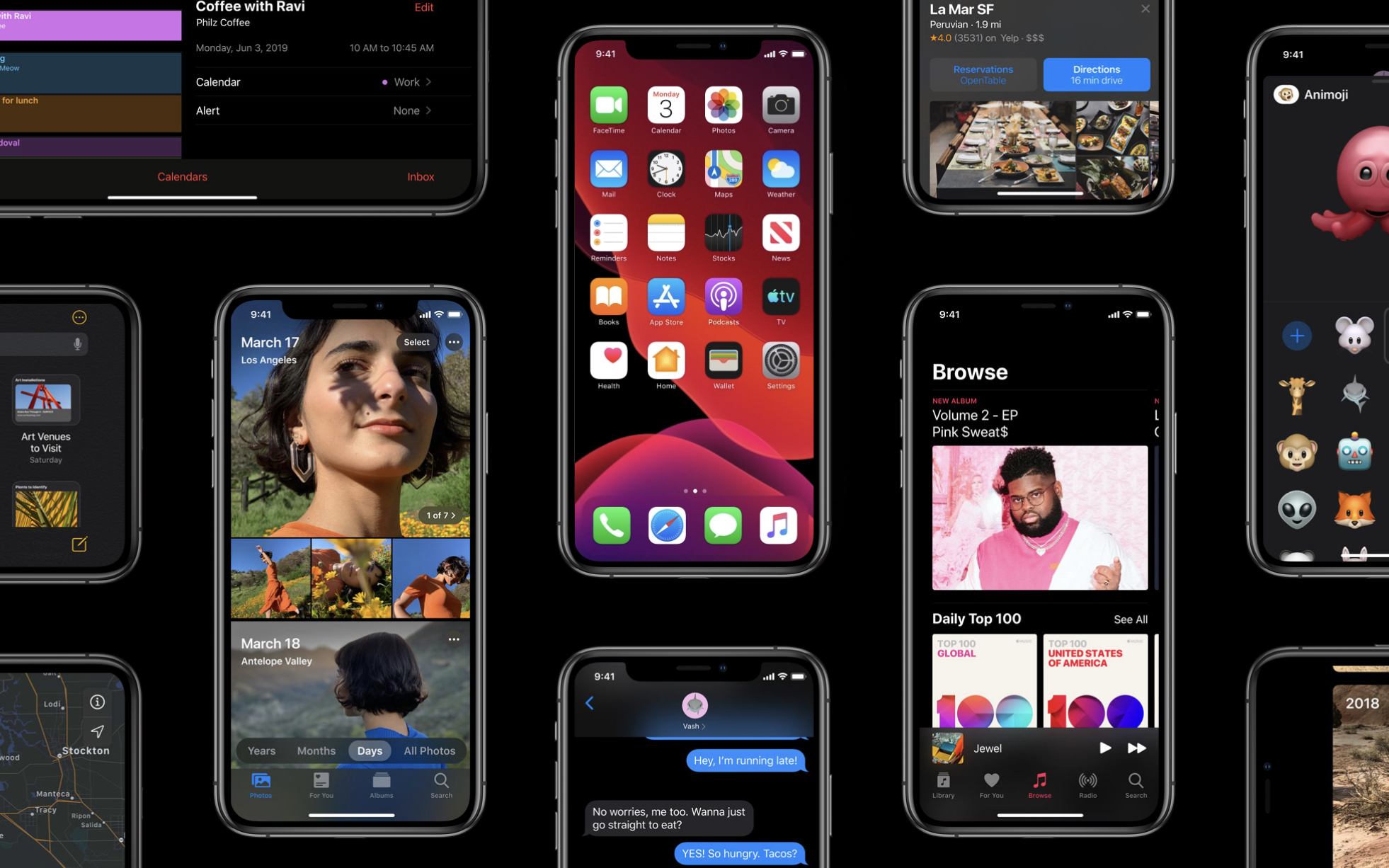
iOS 13 is the latest major version of Apple’s mobile software platform, unveiled earlier today during the company’s WWDC keynote. Contrasting with last year’s iOS 12, which focused largely on performance improvements and brought fewer new features than usual, iOS 13 promises to continue the theme of strong performance while also adding a wide array of enhancements across the board. From a systemwide dark mode, updates to Shortcuts, a long-awaited redesign for Reminders, enhancements to an unprecedented number of system apps, and much more, there is a lot to take in here.
What’s not included in iOS 13 is iPad-specific updates, but that’s because Apple has split off the iPad’s version of iOS into its own dedicated software platform: iPadOS, which you can read our complete overview of here.
As for iOS 13, despite not including the variety of iPad improvements Apple has built, it remains a substantial release meant to take the mobile computing experience to a whole new level. Let’s dive in.
Apple Shows Off New Mac Pro and Pro Display XDR Coming in the Fall
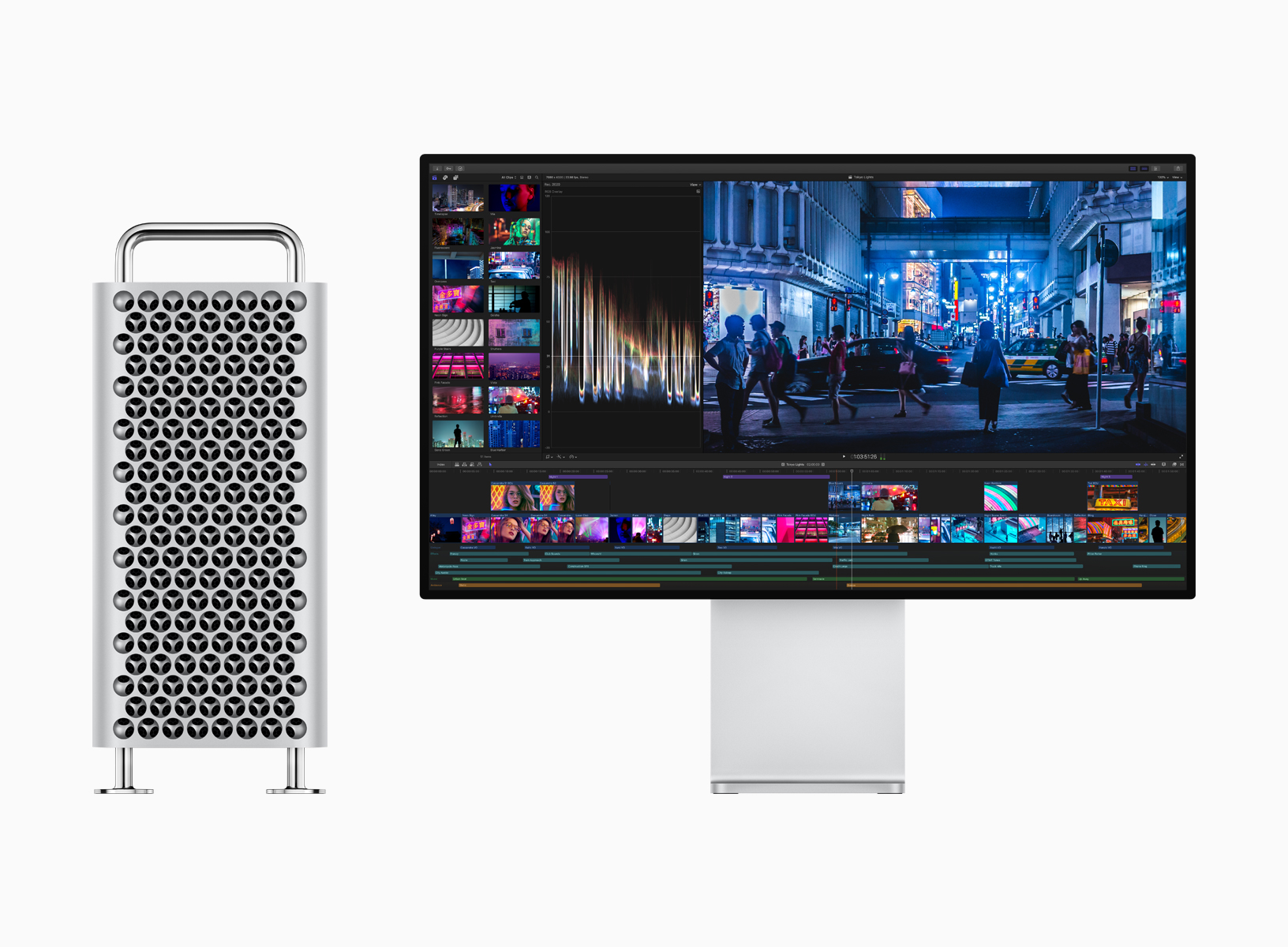
During the keynote presentation at WWDC today, Apple previewed the long-awaited Mac Pro alongside a new 32-inch pro display. Both hardware announcements are aimed at professionals in fields like video compositing, 3D rendering, photography, and audio engineering.
Mac Pro
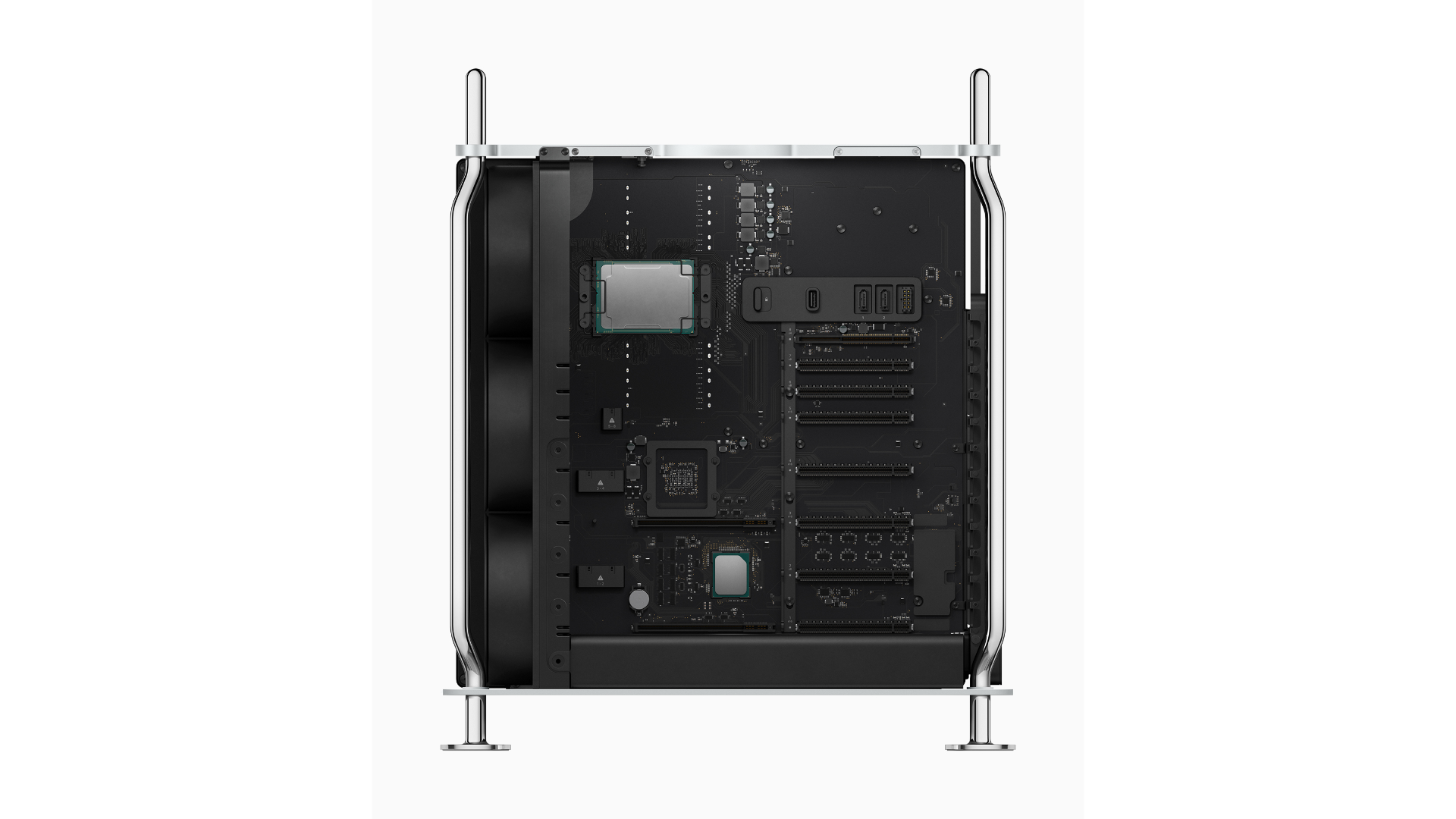
The Mac Pro is designed with performance and customization in mind. The computer’s design echoes the classic ‘cheese grater’ Mac’s shape, vent system, and handles. The frame of the Mac Pro is built from stainless steel, and the casing is aluminum. With a twist of a latch on the top of the computer, users can lift the case off using the two stainless steel handles to access internal components from all sides and install expansion cards.
The case also incorporates a lattice pattern to maximize airflow through the case. According to Apple, the three-dimensional interlocking hemisphere pattern simultaneously assists with airflow by maximizing surface area and makes the case rigid but lightweight. Optional wheels can be added to the case to make it easier to transport in a workspace.
iPadOS: The MacStories Overview
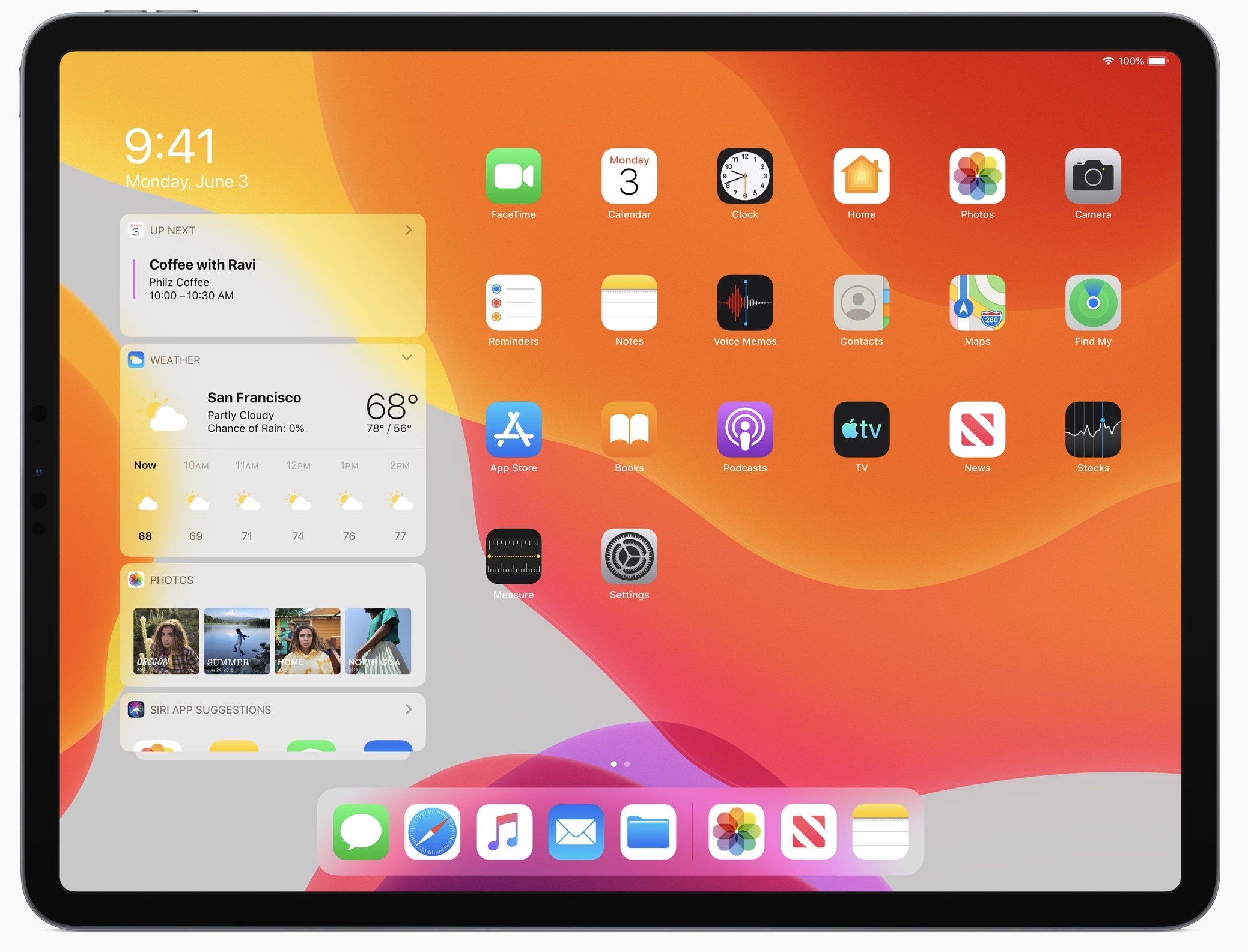
Today during the WWDC keynote, where Apple unveiled the next major version of its mobile software platform, iOS 13, the company also had a big surprise to share: iOS is now exclusive to the iPhone and iPod touch and has given birth to a new, dedicated operating system for the iPad, named iPadOS.
iPadOS includes all the existing features of iOS, including the host of updates coming in iOS 13, but adds to it a long list of enhancements that address common pain points among iPad Pro users. From an updated Home screen to multitasking improvements, Files upgrades including USB drive support, a desktop-class Safari, and much more. All of these features aim to make the iPad a more capable full-time computer than ever before.
Introducing a New MacStories Podcast: Dialog, Where Creativity Meets Technology
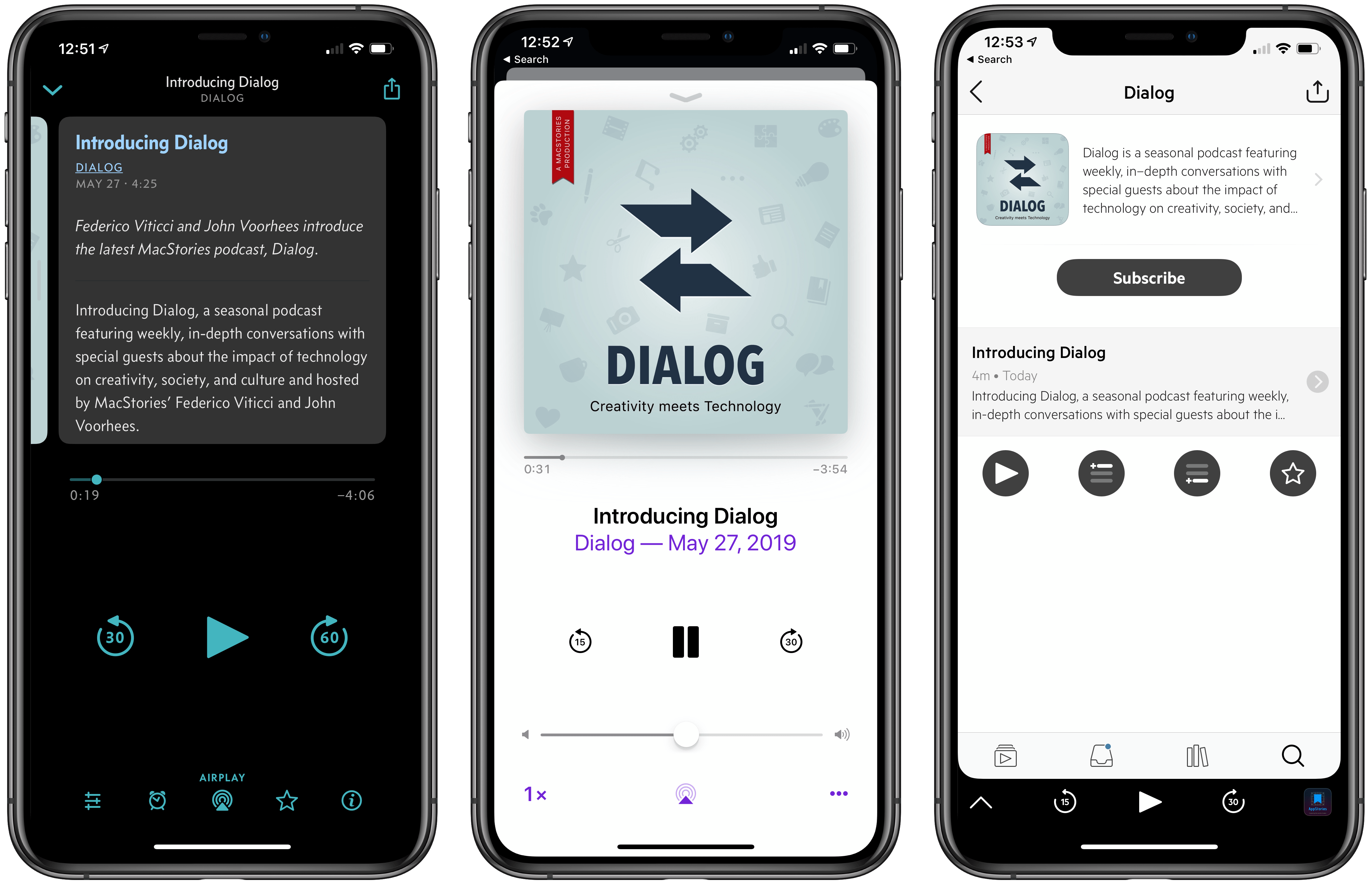
Federico and I are excited to announce a new MacStories podcast called Dialog. The show is a seasonal podcast featuring weekly, in-depth conversations with special guests about the impact of technology on creativity, society, and culture.
You can subscribe here and listen to the first episode on Apple Podcasts.
You can also listen to the first episode on the Dialog website here.
Each season will be organized around a central theme and include in-depth discussions with guests with expertise in the season’s topic. To kick things off, season 1 is all about writers and writing. You’ll hear from a combination of familiar and unfamiliar voices, all of whom are accomplished writers with backgrounds in journalism, songwriting, fiction, screenwriting, and more. Since we began recording episodes, it’s been fascinating to hear guests share their unique perspective on writing, the creative process, and the business of writing and discover areas of overlap between very different kinds of writing.
Seasonal Format and Future Guests
Dialog is a sort of spin-off of AppStories, our podcast about the world of apps. The interviews we’ve done on AppStories are some of the most popular episodes we’ve produced. However, over time, we realized that AppStories’ format is too constrained to do justice to many of the interviews we want to do. The self-imposed time limit of that show and its topical focus became a barrier.
That led me to sketch out the contours of what would become Dialog during our annual MacStories winter holiday break. To overcome AppStories’ constraints, I decided we needed to flip that show on its head both structurally and topically.
Structurally, Dialog’s conversations with guests are far more in-depth than we could accomplish in a 30-minute AppStories interview. Dialog’s interviews will run as long as two hours but will be split over two episodes to keep each episode to about one hour long. It’s a format that also provides headroom for Federico and me to participate more fully in each episode; less like a traditional interview and more of a conversation with our guests.
Topically, Dialog’s focus is also broader than any interview we’ve done on AppStories. Of course, you can expect Federico and me to come at each season from a tech angle, but that’s the lens through which each season will be viewed more than it is the subject matter of the seasons themselves.
Although Dialog is different than anything we’ve done before, its roots are also firmly grounded in MacStories’ character. We enjoy the apps and hardware we try every day, but what we love the most is telling the stories of the people who make those things, exploring how they empower creativity, and reflecting on their impact on the world around us. Dialog is a natural extension of our approach to technology.
The first episode of Dialog, which you can listen and subscribe to here, introduces the topics we will cover this season. Federico and I talk about our backgrounds in writing, how we got started, our approach to writing at MacStories, the business of writing online, and a lot more.
Next week, we’ll be joined for a two-part conversation by our first guest, John Gruber of Daring Fireball, who will be followed by singer-songwriter Frank Turner, and other guests throughout the summer. At the end of the season, Federico and I will wrap up what we’ve heard and learned from the writers we’ve talked to before taking a break to plan season 2.
WWDC, A Wish List (2019 Edition)
Way back in 2016, in the era of iOS 9, I laid out the tentpole features I wanted to see come to iOS and the Mac. Now, three years later, so many things from that wishlist have become a reality that it’s probably a good time to revisit the topics that haven’t yet come to pass, and plan a new wishlist for the years to come. I originally planned this list to have a Developer/User split, but it became clear that the two go hand-in-hand; if you’re doing complex things on iOS today, using the various automation apps, you are but steps away from needing the same things that developers do.