
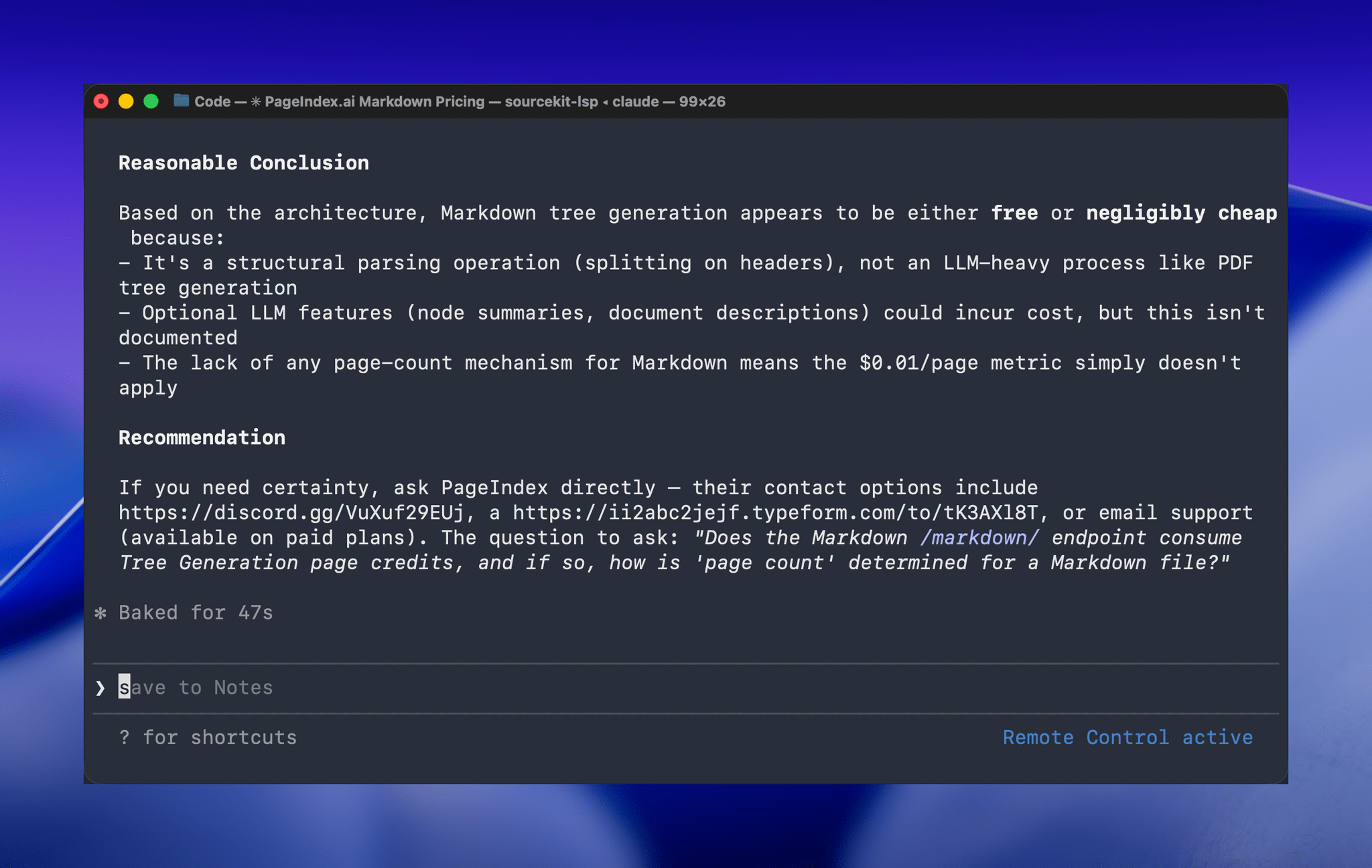
One of the greatest frustrations I’ve had with Claude Code is feeling tied to my desk or being stuck in a macOS Screen Sharing window. Claude Code’s new Remote Control feature, which was introduced late yesterday, promises to eliminate that frustration entirely. Here’s how it works.
Posts tagged with "developer tools"
Hands-On with Claude Code Remote Control

Access Extra Content and Perks
Founded in 2015, Club MacStories has delivered exclusive content every week for nearly a decade.
What started with weekly and monthly email newsletters has blossomed into a family of memberships designed for every MacStories fan.
Club MacStories: Weekly and monthly newsletters via email and the web that are brimming with apps, tips, automation workflows, longform writing, early access to the MacStories Unwind podcast, periodic giveaways, and more;
Club MacStories+: Everything that Club MacStories offers, plus an active Discord community, advanced search and custom RSS features for exploring the Club’s entire back catalog, bonus columns, and dozens of app discounts;
Club Premier: All of the above and AppStories+, an extended version of our flagship podcast that’s delivered early, ad-free, and in high-bitrate audio.
Apple’s Xcode 26.3 Release Candidate Adds Agentic Coding Tools for Developers
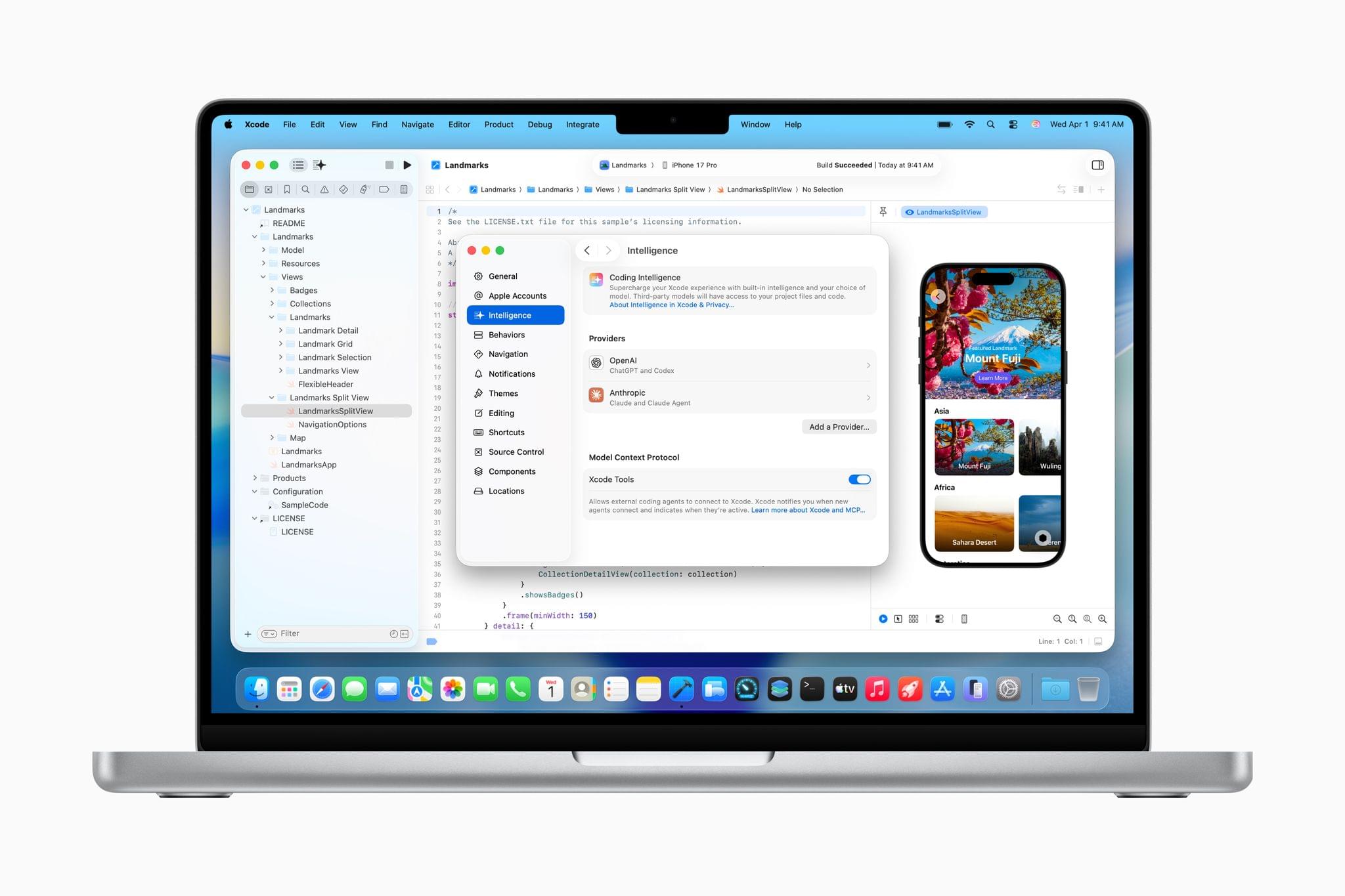
The Release Candidate of Xcode 26.3 is rolling out as we publish this with brand new agentic coding capabilities. With the update, developers can connect to either OpenAI’s Codex or Anthropic’s Claude Agent to assist their development work.
The agent sits in Xcode’s sidebar where developers can use it to plan new features, implement them, and review the results. As developers work, the agent generates a transcript of its actions, which lets developers follow along and interact with it. For example, code snippets will appear in the sidebar that can be clicked to take developers directly to the spot in the file where the agent made a change. Code updates can also be simultaneously previewed. Plus, by building OpenAI and Anthropic’s agents into Xcode, the agents have the benefit of the latest Apple APIs and documentation, which should result in better, more modern code.
Xcode 26.3 also integrates with Model Context Protocol, the open standard used to connect coding agents to other tools. That will allow any MCP-compatible agents to work with Xcode, running inside or outside Xcode, which broadens the possibilities for developers even further. Having watched a short demo of Codex assisting in the development of features in Xcode, version 26.3 looks as though it has a lot of potential to make experimentation easier and to iterate more quickly on ideas.
I’ve been building a couple of different apps recently, mostly from Terminal, which works but isn’t ideal. There are lots of apps out there that try to solve the agentic coding problem, including Visual Studio Code and Codex, which I covered yesterday. However, having seen a demo of Xcode in action, it’s jumped to the top of my list to try. After all, it’s an app with which I’m already familiar, and with Apple’s documentation and API knowledge baked in, my hope is that it speeds up my workflow even further.
For developers who want to learn more, Apple is holding a code along session Thursday covering the update.
Access Extra Content and Perks
Founded in 2015, Club MacStories has delivered exclusive content every week for nearly a decade.
What started with weekly and monthly email newsletters has blossomed into a family of memberships designed for every MacStories fan.
Club MacStories: Weekly and monthly newsletters via email and the web that are brimming with apps, tips, automation workflows, longform writing, early access to the MacStories Unwind podcast, periodic giveaways, and more;
Club MacStories+: Everything that Club MacStories offers, plus an active Discord community, advanced search and custom RSS features for exploring the Club’s entire back catalog, bonus columns, and dozens of app discounts;
Club Premier: All of the above and AppStories+, an extended version of our flagship podcast that’s delivered early, ad-free, and in high-bitrate audio.
OpenAI Launches Codex, a Mac App for Agentic Coding
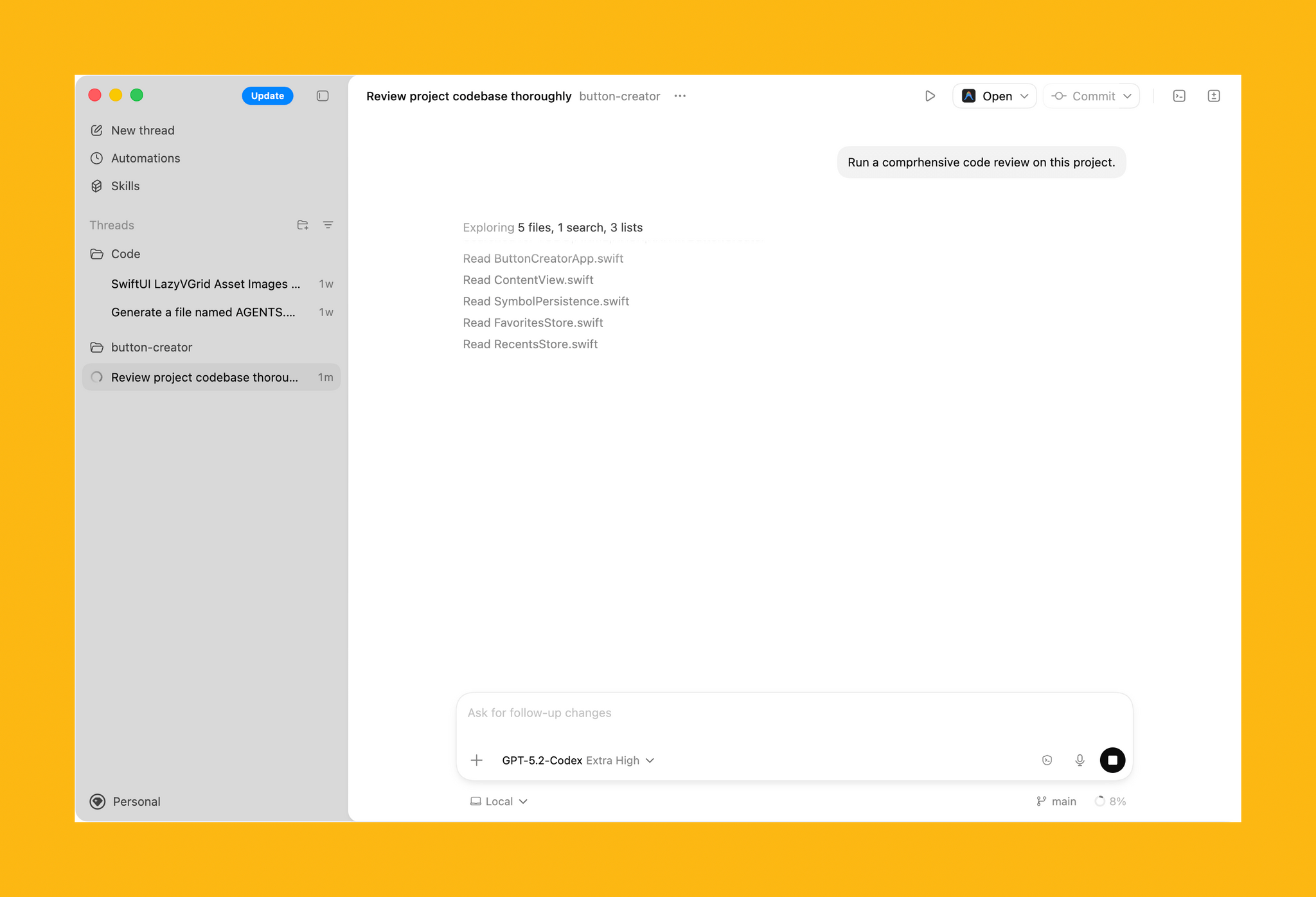
Today, OpenAI released Codex, a Mac app for building software. Here’s how OpenAI describes the app in its announcement:
The Codex app changes how software gets built and who can build it—from pairing with a single coding agent on targeted edits to supervising coordinated teams of agents across the full lifecycle of designing, building, shipping, and maintaining software.
On first launch, Codex requests permission to access the file system. I granted it access to a subfolder where I stored all my projects, along with the folder that houses an app I’ve been building in my spare time. Those folders and projects live in the left sidebar, where each can be expanded to reveal chat sessions for that project.
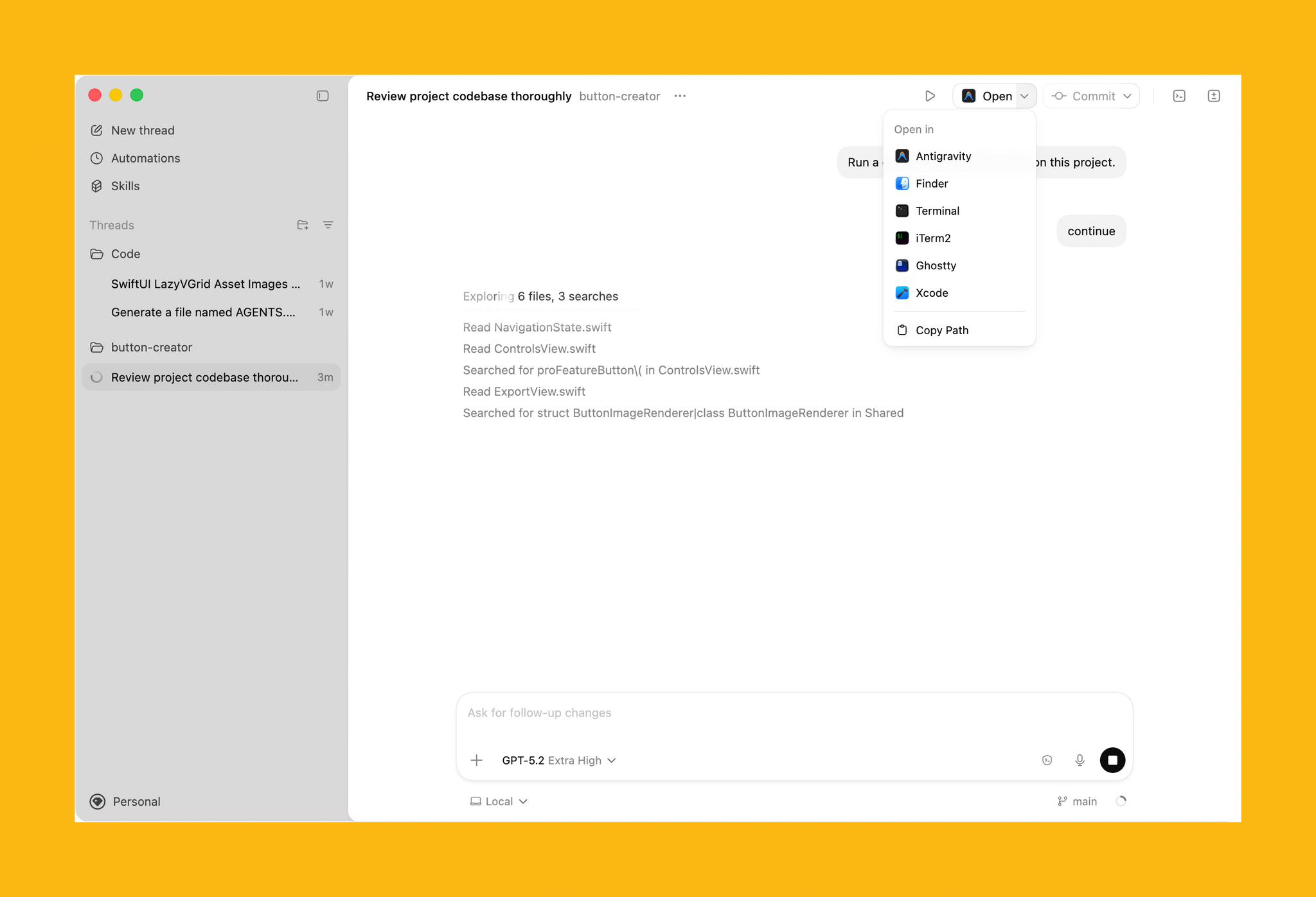
In the toolbar is an Open button for accessing other development tools installed on your Mac, a Commit button for managing version control, a button that reveals a terminal view that expands up from the bottom of the window, and a diff panel for reviewing code changes. In settings, you’ll find additional customization options, along with tools to hook up MCP servers and integrate skills.
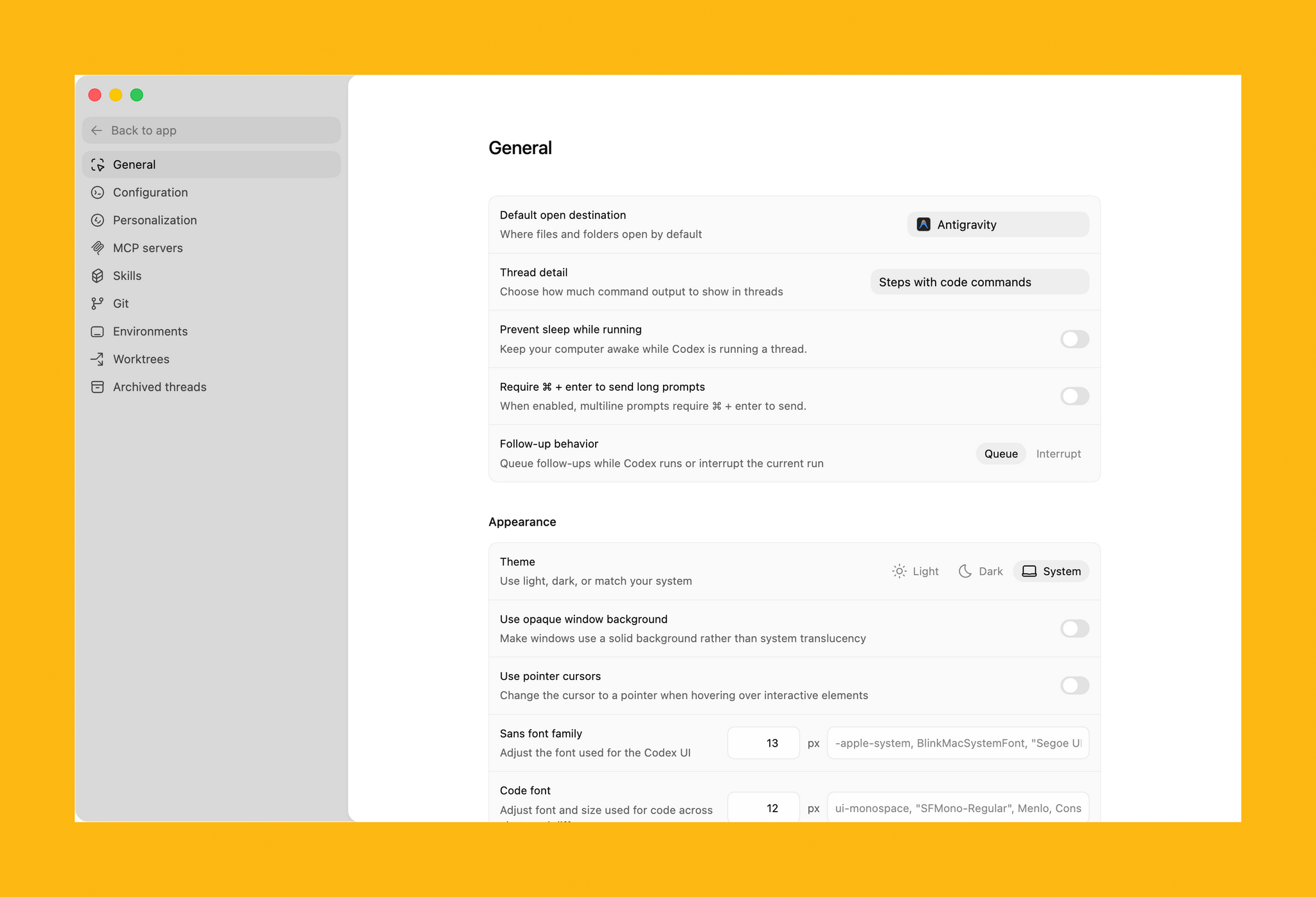
Codex is not your traditional IDE. Agents are front and center, which in an app that is far more natural to use if you’re new to agentic coding, but the model is similar. While I write this article, Codex has been grinding away in the background performing a code review of my app. After spending time reviewing all the files, Codex asked permission to run commands to do things that it can’t accomplish inside its sandboxed environment.
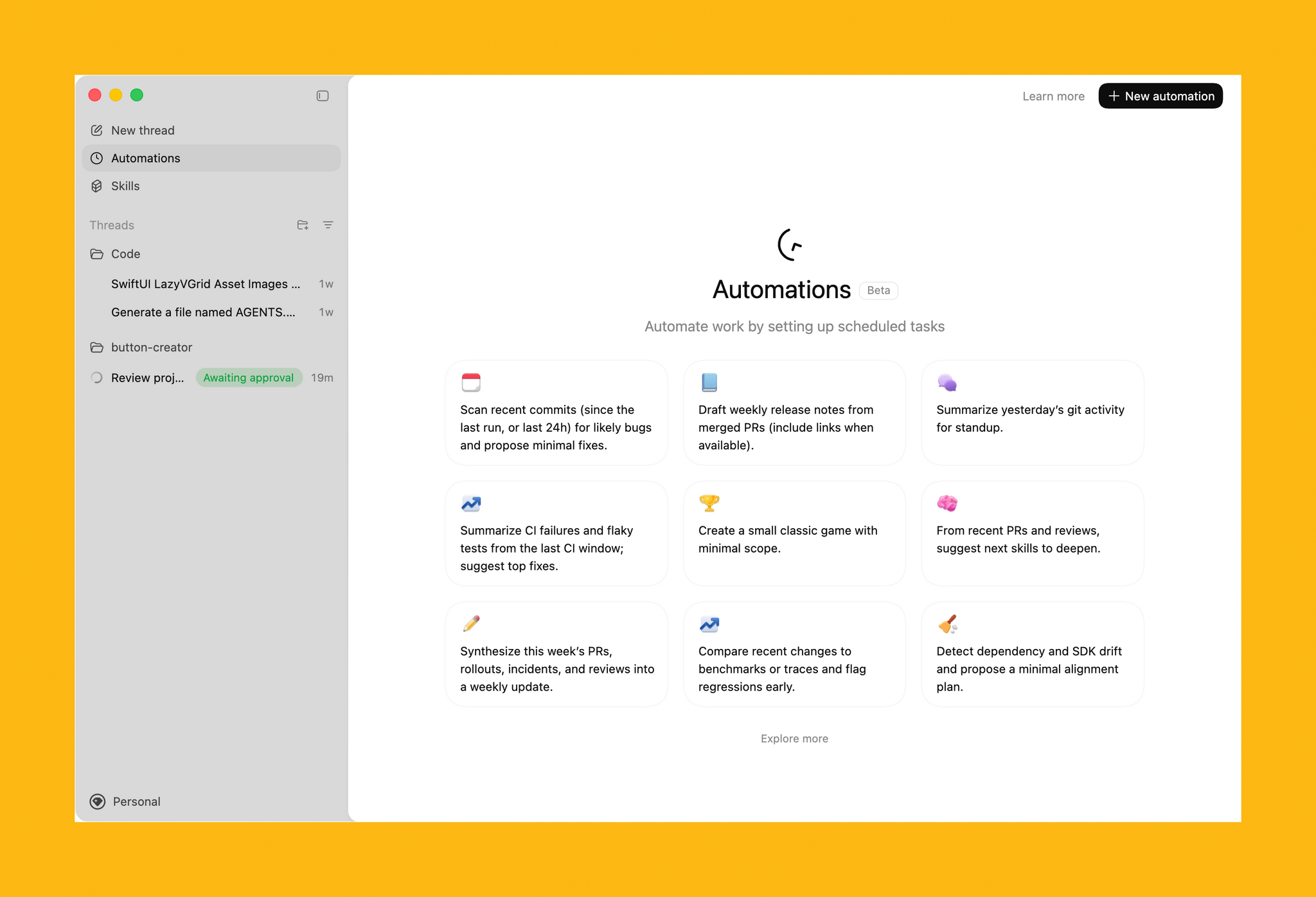
The capabilities of Codex are enhanced by skills. OpenAI is kicking off the launch of Codex with a bunch of skills that you can access via its open-source GitHub repo. The app includes a selection of pre-built Automations for repetitive tasks, too.
All in all, Codex looks excellent, but it will take me some time to get a sense of its full capabilities. If you’re interested in trying Codex, you can download it from OpenAI here. For a limited time, the company is making the tool available to Free and Go subscribers, for whom rate limits have been temporarily doubled, as well as Plus, Pro, Business, Enterprise, and Edu users.
Access Extra Content and Perks
Founded in 2015, Club MacStories has delivered exclusive content every week for nearly a decade.
What started with weekly and monthly email newsletters has blossomed into a family of memberships designed for every MacStories fan.
Club MacStories: Weekly and monthly newsletters via email and the web that are brimming with apps, tips, automation workflows, longform writing, early access to the MacStories Unwind podcast, periodic giveaways, and more;
Club MacStories+: Everything that Club MacStories offers, plus an active Discord community, advanced search and custom RSS features for exploring the Club’s entire back catalog, bonus columns, and dozens of app discounts;
Club Premier: All of the above and AppStories+, an extended version of our flagship podcast that’s delivered early, ad-free, and in high-bitrate audio.
LLMs Have Made Simple Software Trivial→
I enjoyed this thought-provoking piece by (award-winning developer) Matt Birchler, writing for Birchtree on how he’s been making so-called “micro apps” with AI coding agents:
I was out for a run today and I had an idea for an app. I busted out my own app, Quick Notes, and dictated what I wanted this app to do in detail. When I got home, I created a new project in Xcode, I committed it to GitHub, and then I gave Claude Code on the web those dictated notes and asked it to build that app.
About two minutes later, it was done…and it had a build error.
And:
As a simple example, it’s possible the app that I thought of could already be achieved in some piece of software someone’s released on the App Store. Truth be told, I didn’t even look, I just knew exactly what I wanted, and I made it happen. This is a quite niche thing to do in 2026, but what if Apple builds something that replicates this workflow and ships it on the iPhone in a couple of years? What if instead of going to the App Store, they tell you to just ask Siri to make you the app that you need?
John and I are going to discuss this on the next episode of AppStories about the second part of the experiments we did over our holiday break. As I’ll mention in the episode, I ended up building 12 web apps for things I have to do every day, such as appending text to Notion just how I like it or controlling my TV and Hue sync box. I didn’t even think to search the App Store to see if new utilities existed: I “built” (or, rather, steered the building of) my own progressive web apps, and I’m using them every day. As Matt argues, this is a very niche thing to do right now, which requires a terminal, lots of scaffolding around each project, and deeper technical knowledge than the average person who would just prompt “make me a beautiful todo app.” But the direction seems clear, and the timeline is accelerating.
I also can’t help but remember this old rumor from 2023 about Apple exploring the idea of letting users rely on Siri to create apps on the fly for the then-unreleased Vision Pro. If only the guy in charge of the Vision Pro went anywhere and Apple got their hands on a pretty good model for vibe-coding, right?
How I Revived My Decade-Old App with Claude Code
Every holiday season, Federico and I spend our downtime on nerd projects. This year, both of us spent a lot of that time building tools for ourselves with Claude Code in what developed into a bit of a competition as we each tried to one-up the other’s creations. We’ll have more on what we’ve been up to on AppStories, MacStories, and for Club members soon, but today, I wanted to share an experiment I ran last night that I think captures a very personal and potentially far-reaching slice of what tools like Claude Code can enable.
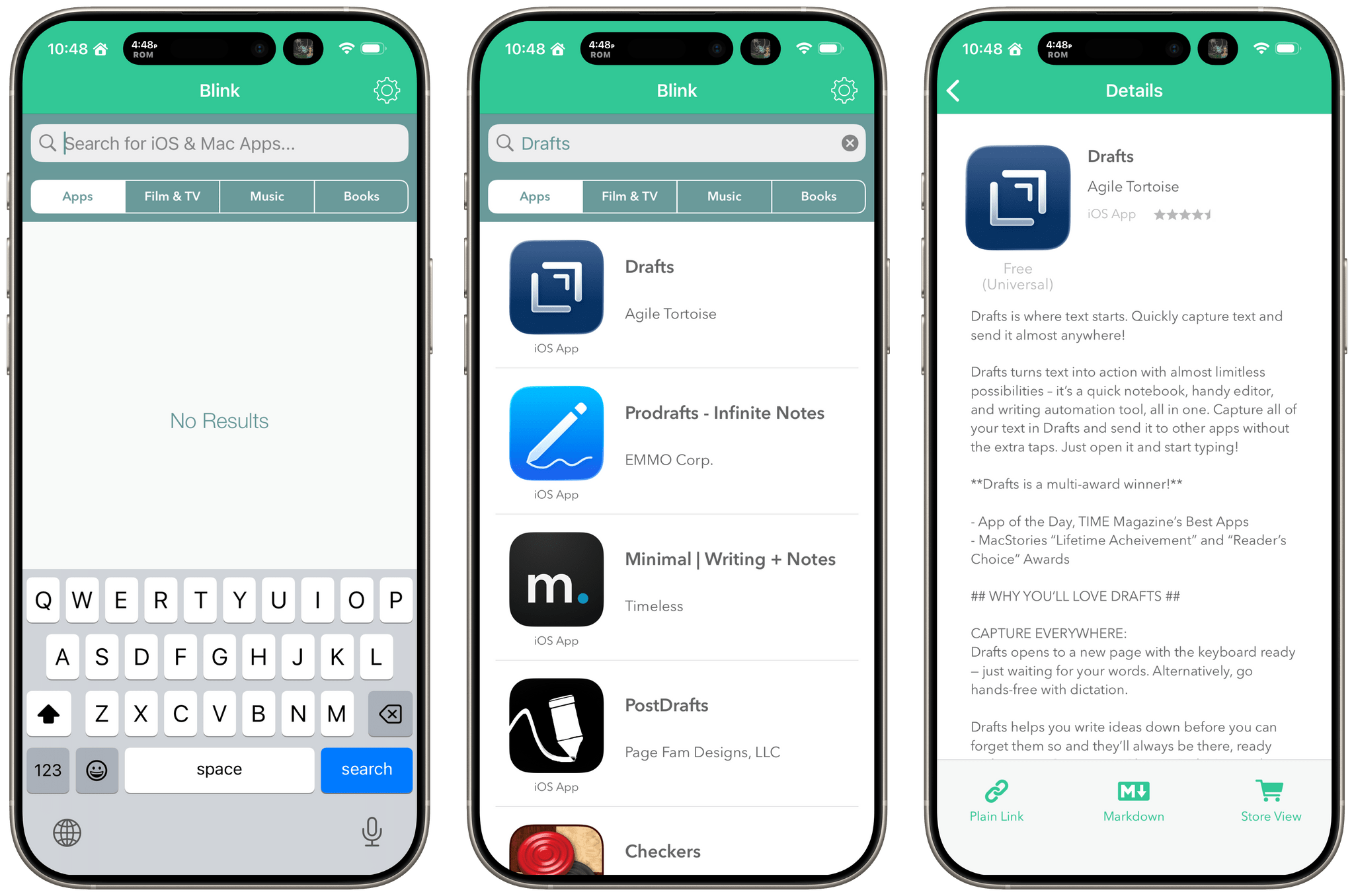
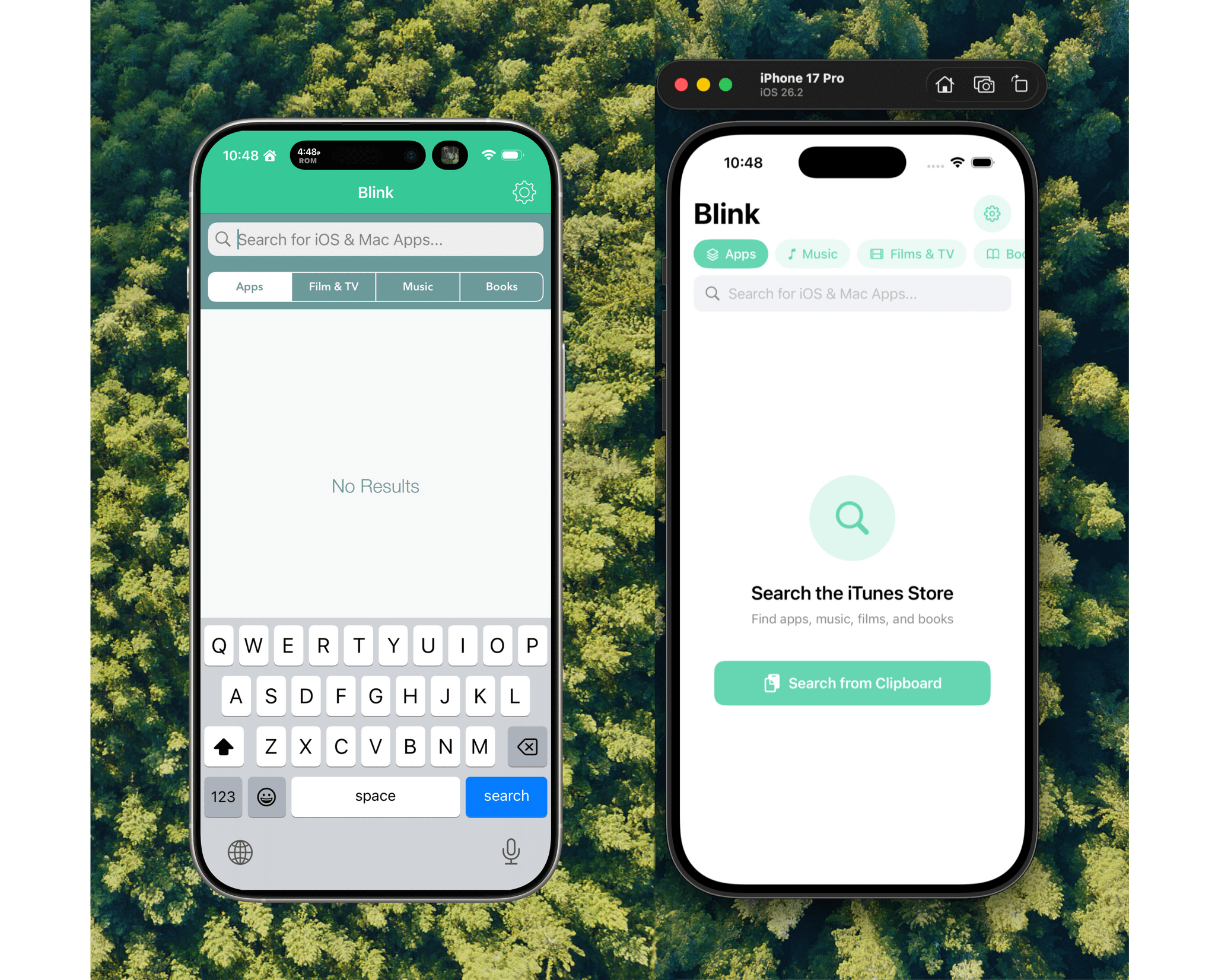
Before I wrote at MacStories, I made a few apps, including Blink, which generated affiliate links for Apple’s media services. The app had a good run from 2015-2017, but I pulled it from the App Store when Apple ended its affiliate program for apps because that was the part of the app that was used the most. Since then, the project has sat in a private GitHub repo untouched.
Last night, I was sitting on the couch working on a Safari web extension when I opened GitHub and saw that old Blink code, which sparked a thought. I wondered whether Claude Code could update Blink to use Swift and SwiftUI with minimal effort on my part. I don’t have any intention of re-releasing Blink, but I couldn’t shake the “what if” rattling in my head, so I cloned the repo and put Claude to work.
Access Extra Content and Perks
Founded in 2015, Club MacStories has delivered exclusive content every week for nearly a decade.
What started with weekly and monthly email newsletters has blossomed into a family of memberships designed for every MacStories fan.
Club MacStories: Weekly and monthly newsletters via email and the web that are brimming with apps, tips, automation workflows, longform writing, early access to the MacStories Unwind podcast, periodic giveaways, and more;
Club MacStories+: Everything that Club MacStories offers, plus an active Discord community, advanced search and custom RSS features for exploring the Club’s entire back catalog, bonus columns, and dozens of app discounts;
Club Premier: All of the above and AppStories+, an extended version of our flagship podcast that’s delivered early, ad-free, and in high-bitrate audio.
How Stu Maschwitz Vibe Coded His Way Into an App Rejection and What It Means for the Future of Apps→
This week on AppStories, Federico and I talked about the personal productivity tools we’ve built for ourselves using Claude. They’re hyper-specific scripts and plugins that aren’t likely to be useful to anyone but us, which is fine because that’s all they’re intended to be.
Stu Maschwitz took a different approach. He’s had a complex shortcut called Drinking Buddy for years that tracks alcohol consumption and calculates your Blood Alcohol Level using an established formula. But because he was butting up against the limits of what Shortcuts can do, he vibe coded an iOS version of Drinking Buddy.
Two things struck me about Maschwitz’s experience. First, the app he used to create Drinking Buddy for iOS was Bitrig, which Federico and I mentioned briefly on AppStories. His experience struck a chord with me:
It’s a bit like building an app by talking to a polite and well-meaning tech support agent on the phone — only their computer is down and they can’t test the app themselves.
But power through it, and you have an app.
That’s exactly how scripting with Claude feels. It compliments you on how smart you are, gets you 90% of the way to the finish line quickly, and then tortures you with the last 10%. That, in a nutshell, is coding with AI, at least for anyone with limited development skills, like myself.
But the second and more interesting lesson from Maschwitz’s post is what it portends for apps in general. App Review rejected Drinking Buddy’s Blood Alcohol Level calculation on the basis of Section 1.4, the Physical Harm rule.
Maschwitz appealed and was rejected, even though other Blood Alcohol Level apps are available on the App Store. However, instead of pushing the rejection with App Review further, Maschwitz turned to Lovable, another AI app creation tool, which generates web apps. With screenshots from his rejected iOS app and a detailed spec in hand, Maschwitz turned Drinking Buddy into a progressive web app.
Maschwitz’s experience is a great example of what we covered on AppStories. App creation tools, whether they generate native apps or web apps, are evolving rapidly. And, while they can be frustrating to use at times, are limited in what they can produce, and don’t solve a myriad of problems like customer support that we detail on AppStories, they’re getting better at code quickly. Whether you’re building for yourself, like we are at MacStories, or to share your ideas with others, like Stu Maschwitz, change is coming to apps. Some AI-generated apps will be offered in galleries inside the tools that created them, others will be designed for the web to avoid App Review, and some will likely live as perpetual TestFlight betas or scripts sitting on just one person’s computer, but regardless of the medium, bringing your ideas to life with code has never been more possible.
Swift Assist, Part Deux
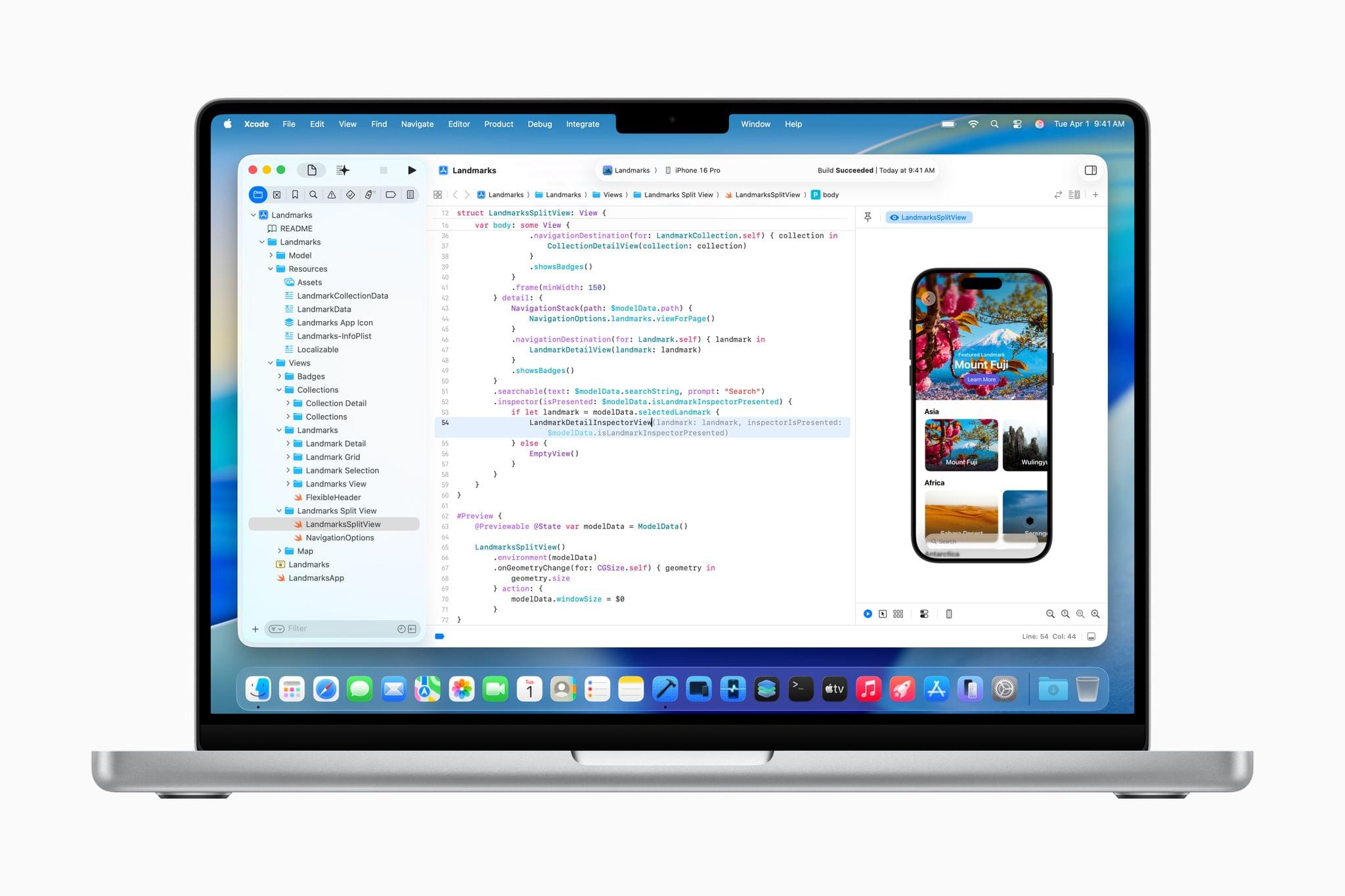
At WWDC 2024, I attended a developer tools briefing with Jason Snell, Dan Moren, and John Gruber. Later, I wrote about Swift Assist, an AI-based code generation tool that Apple was working on for Xcode.
That first iteration of Swift Assist caught my eye as promising, but I remember asking at the time whether it could modify multiple files in a project at once and being told it couldn’t. What I saw was rudimentary by 2025’s standards with things like Cursor, but I was glad to see that Apple was working on a generative tool for Xcode users.
In the months that followed, I all but forgot that briefing and story, until a wave of posts asking, “Whatever happened to Swift Assist?” started appearing on social media and blogs. John Gruber and Nick Heer picked up on the thread and came across my story, citing it as evidence that the MIA feature was real but curiously absent from any of 2024’s Xcode betas.
This year, Jason Snell and I had a mini reunion of sorts during another developer tools briefing. This time, it was just the two of us. Among the Xcode features we saw was a much more robust version of Swift Assist that, unlike in 2024, is already part of the Xcode 26 betas. Having been the only one who wrote about the feature last year, I couldn’t let the chance to document what I saw this year slip by.
Access Extra Content and Perks
Founded in 2015, Club MacStories has delivered exclusive content every week for nearly a decade.
What started with weekly and monthly email newsletters has blossomed into a family of memberships designed for every MacStories fan.
Club MacStories: Weekly and monthly newsletters via email and the web that are brimming with apps, tips, automation workflows, longform writing, early access to the MacStories Unwind podcast, periodic giveaways, and more;
Club MacStories+: Everything that Club MacStories offers, plus an active Discord community, advanced search and custom RSS features for exploring the Club’s entire back catalog, bonus columns, and dozens of app discounts;
Club Premier: All of the above and AppStories+, an extended version of our flagship podcast that’s delivered early, ad-free, and in high-bitrate audio.
Hands-On: How Apple’s New Speech APIs Outpace Whisper for Lightning-Fast Transcription
Late last Tuesday night, after watching F1: The Movie at the Steve Jobs Theater, I was driving back from dropping Federico off at his hotel when I got a text:
Can you pick me up?
It was from my son Finn, who had spent the evening nearby and was stalking me in Find My. Of course, I swung by and picked him up, and we headed back to our hotel in Cupertino.
On the way, Finn filled me in on a new class in Apple’s Speech framework called SpeechAnalyzer and its SpeechTranscriber module. Both the class and module are part of Apple’s OS betas that were released to developers last week at WWDC. My ears perked up immediately when he told me that he’d tested SpeechAnalyzer and SpeechTranscriber and was impressed with how fast and accurate they were.
It’s still early days for these technologies, but I’m here to tell you that their speed alone is a game changer for anyone who uses voice transcription to create text from lectures, podcasts, YouTube videos, and more. That’s something I do multiple times every week for AppStories, NPC, and Unwind, generating transcripts that I upload to YouTube because the site’s built-in transcription isn’t very good.
What’s frustrated me with other tools is how slow they are. Most are built on Whisper, OpenAI’s open source speech-to-text model, which was released in 2022. It’s cheap at under a penny per one million tokens, but isn’t fast, which is frustrating when you’re in the final steps of a YouTube workflow.
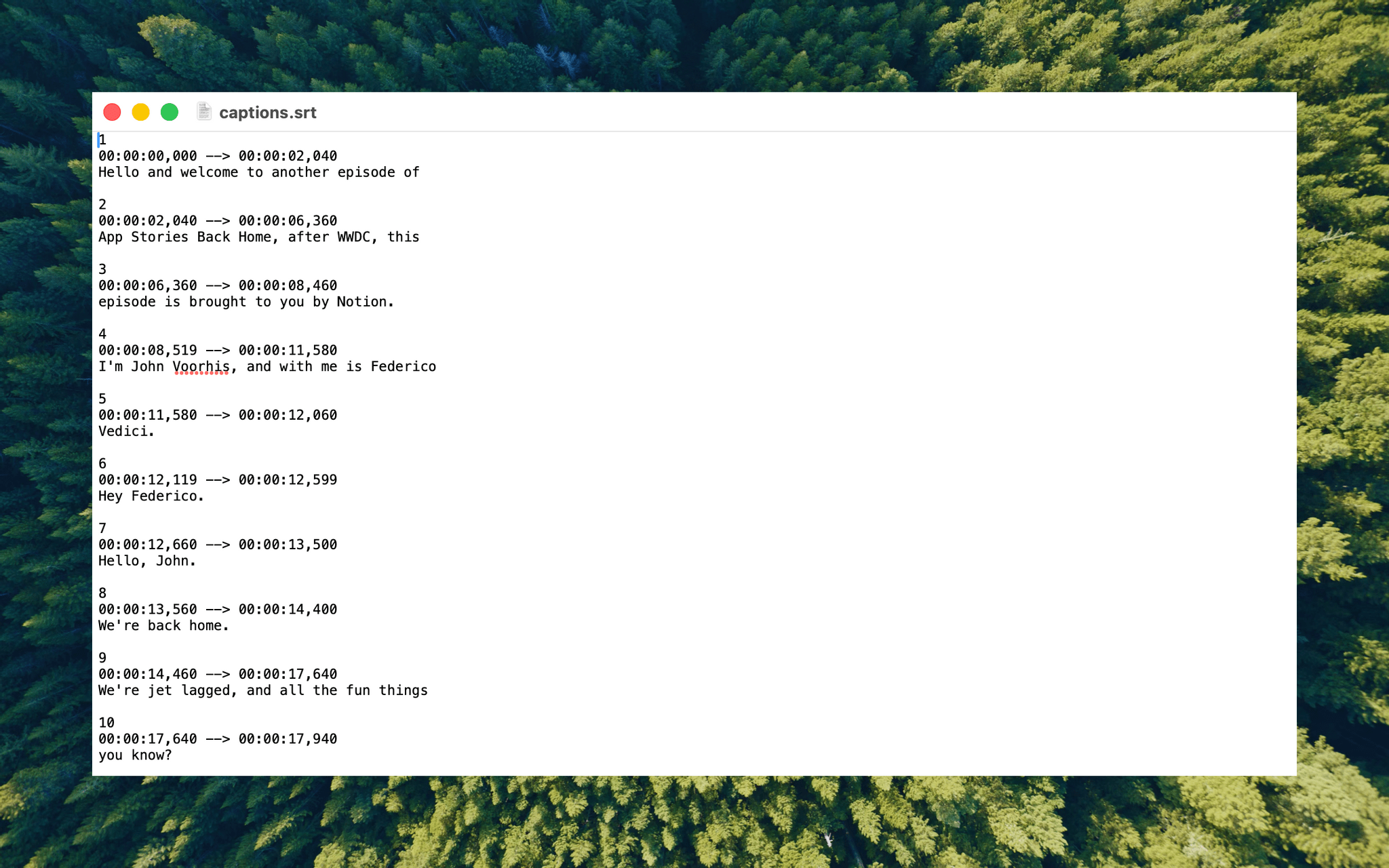
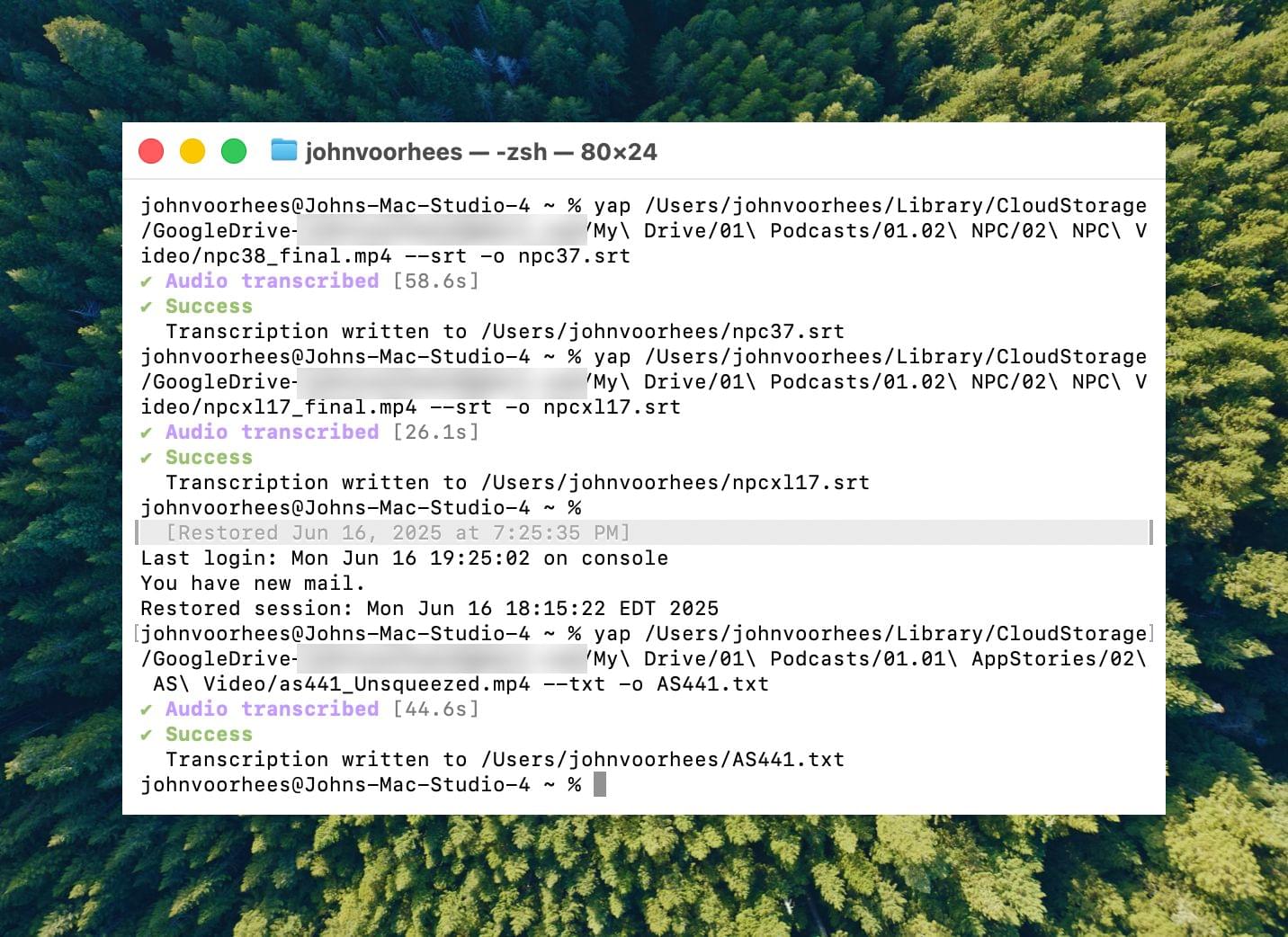
I asked Finn what it would take to build a command line tool to transcribe video and audio files with SpeechAnalyzer and SpeechTranscriber. He figured it would only take about 10 minutes, and he wasn’t far off. In the end, it took me longer to get around to installing macOS Tahoe after WWDC than it took Finn to build Yap, a simple command line utility that takes audio and video files as input and outputs SRT- and TXT-formatted transcripts.
Yesterday, I finally took the Tahoe plunge and immediately installed Yap. I grabbed the 7GB 4K video version of AppStories episode 441, which is about 34 minutes long, and ran it through Yap. It took just 45 seconds to generate an SRT file. Here’s Yap ripping through nearly 20% of an episode of NPC in 10 seconds:
Replay
Next, I ran the same file through VidCap and MacWhisper, using its V2 Large and V3 Turbo models. Here’s how each app and model did:
| App | Transcripiton Time |
|---|---|
| Yap | 0:45 |
| MacWhisper (Large V3 Turbo) | 1:41 |
| VidCap | 1:55 |
| MacWhisper (Large V2) | 3:55 |
All three transcription workflows had similar trouble with last names and words like “AppStories,” which LLMs tend to separate into two words instead of camel casing. That’s easily fixed by running a set of find and replace rules, although I’d love to feed those corrections back into the model itself for future transcriptions.
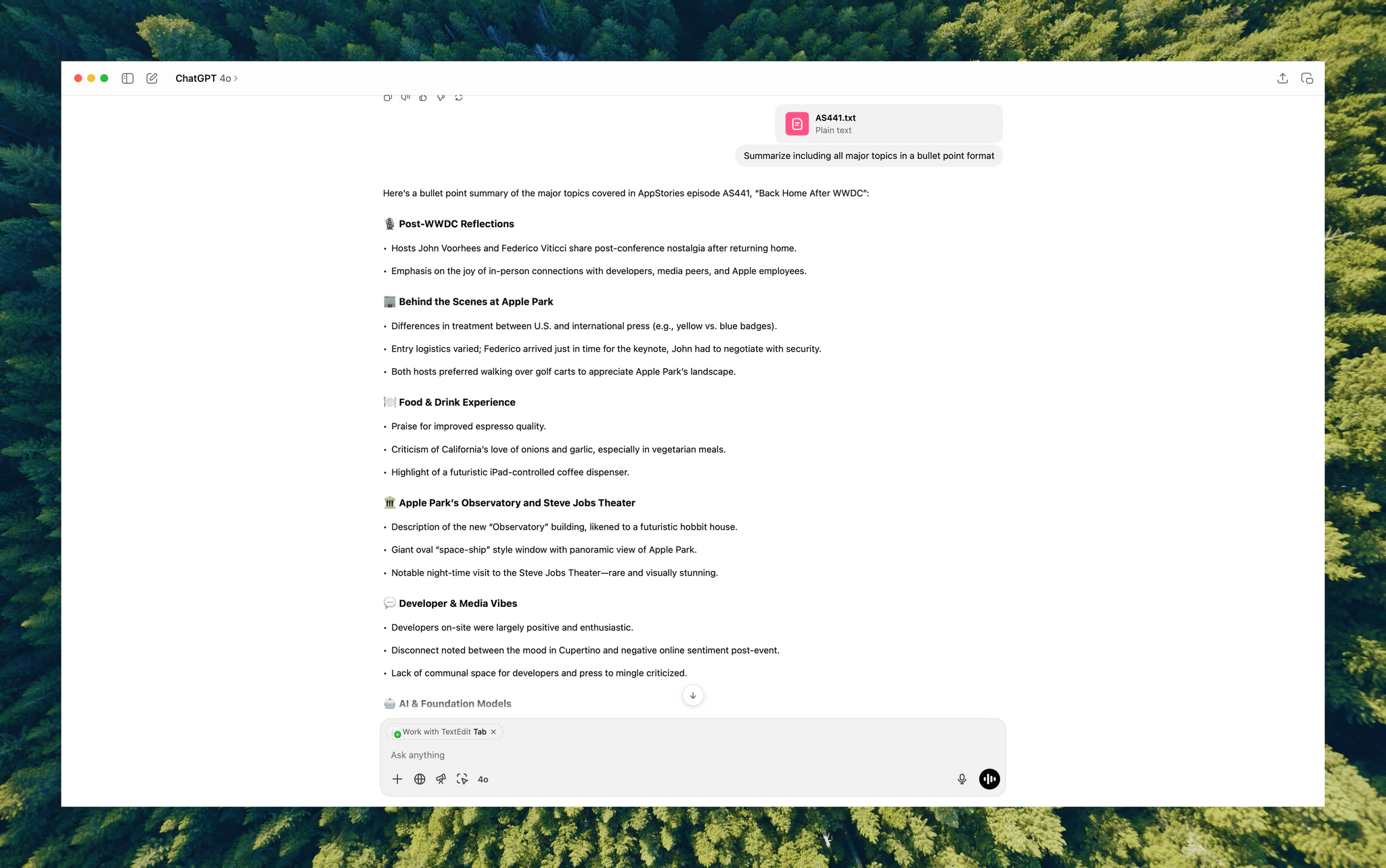
What stood out above all else was Yap’s speed. By harnessing SpeechAnalyzer and SpeechTranscriber on-device, the command line tool tore through the 7GB video file a full 2.2× faster than MacWhisper’s Large V3 Turbo model, with no noticeable difference in transcription quality.
At first blush, the difference between 0:45 and 1:41 may seem insignificant, and it arguably is, but those are the results for just one 34-minute video. Extrapolate that to running Yap against the hours of Apple Developer videos released on YouTube with the help of yt-dlp, and suddenly, you’re talking about a significant amount of time. Like all automation, picking up a 2.2× speed gain one video or audio clip at a time, multiple times each week, adds up quickly.
Whether you’re producing video for YouTube and need subtitles, generating transcripts to summarize lectures at school, or doing something else, SpeechAnalyzer and SpeechTranscriber – available across the iPhone, iPad, Mac, and Vision Pro – mark a significant leap forward in transcription speed without compromising on quality. I fully expect this combination to replace Whisper as the default transcription model for transcription apps on Apple platforms.
To test Apple’s new model, install the macOS Tahoe beta, which currently requires an Apple developer account, and then install Yap from its GitHub page.
Access Extra Content and Perks
Founded in 2015, Club MacStories has delivered exclusive content every week for nearly a decade.
What started with weekly and monthly email newsletters has blossomed into a family of memberships designed for every MacStories fan.
Club MacStories: Weekly and monthly newsletters via email and the web that are brimming with apps, tips, automation workflows, longform writing, early access to the MacStories Unwind podcast, periodic giveaways, and more;
Club MacStories+: Everything that Club MacStories offers, plus an active Discord community, advanced search and custom RSS features for exploring the Club’s entire back catalog, bonus columns, and dozens of app discounts;
Club Premier: All of the above and AppStories+, an extended version of our flagship podcast that’s delivered early, ad-free, and in high-bitrate audio.
Apple Spotlights Four of the Distinguished Swift Student Challenge Winners

Earlier this year, Apple selected 350 students from around the world as winners of its annual Swift Student Challenge. From that talented pool, Apple picks 50 Distinguished Winners whose projects stand out from the others. Today, Apple highlighted the work of four of them: Taiki Hamamoto, Marina Lee, Luciana Ortiz Nolasco, and Nahom Worku.

Taiki Hamamoto built an app playground to teach people about the Hanafuda, a Japanese card game that he discovered many of his friends didn’t know. According to Apple’s press release:
While Hamamoto stayed true to the game’s classic floral iconography, he also added a modern touch to the gameplay experience, incorporating video game concepts like hit points (HP) that resonate with younger generations. SwiftUI’s DragGesture helped him implement dynamic, highly responsive effects like cards tilting and glowing during movement, making the gameplay feel natural and engaging. He’s also experimenting with making Hanafuda Tactics playable on Apple Vision Pro.

Marina Lee, is a computer science student at the University of Southern California. A call from her grandmother who was alerted to evacuate her home because of wildfires in the L.A. area inspired Lee to create EvacuMate to help users prepare an emergency checklist in case of evacuations like her grandmother’s. In addition:
Lee integrated the iPhone camera roll into the app so users can upload copies of important documents, and added the ability to import emergency contacts through their iPhone contacts list. She also included resources on topics like checking air quality levels and assembling a first-aid kit.

Luciana Ortiz Nolasco built BreakDownCosmic:
a virtual gathering place where users can add upcoming astronomical events around the world to their calendars, earn medals for accomplishing “missions,” and chat with fellow astronomers about what they see.
Ortiz Nolasco who is 15 and from Nuevo León, Mexico will attend WWDC with the other Distinguished Student Winners and plans to continue work on BreakDownCosmic when she returns home with the goal of releasing it on the App Store.
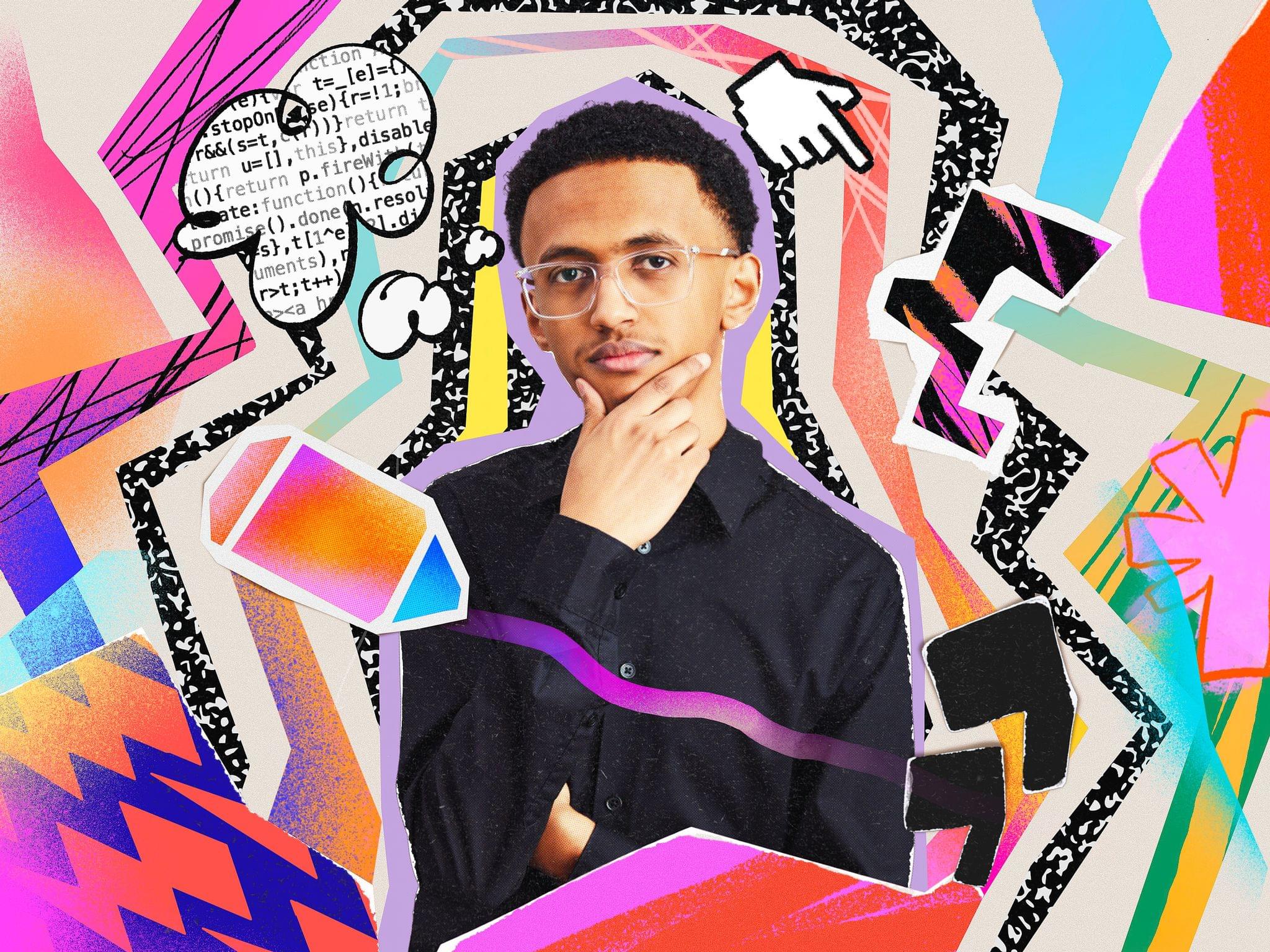
Nahom Worku grew up in Ethiopia and Canada and learned to code during the pandemic. Worku’s submission for the Swift Student Challenge app playground, AccessEd, is designed to offer educational resources in places where Internet connectivity doesn’t exist or is spotty.
Built using Apple’s machine learning and AI tools, such as Core ML and the Natural Language framework, the app recommends courses based on a student’s background, creating a truly personalized experience.
Congratulations to all of this year’s Swift Student Challenge winners. I’m always impressed with the projects we’ve learned about through Apple’s press releases and past interviews we’ve done on AppStories. It’s always a pleasure to watch a new generation of kids learn to code and become the developers whose apps I know we’ll cover in coming years on MacStories.
Access Extra Content and Perks
Founded in 2015, Club MacStories has delivered exclusive content every week for nearly a decade.
What started with weekly and monthly email newsletters has blossomed into a family of memberships designed for every MacStories fan.
Club MacStories: Weekly and monthly newsletters via email and the web that are brimming with apps, tips, automation workflows, longform writing, early access to the MacStories Unwind podcast, periodic giveaways, and more;
Club MacStories+: Everything that Club MacStories offers, plus an active Discord community, advanced search and custom RSS features for exploring the Club’s entire back catalog, bonus columns, and dozens of app discounts;
Club Premier: All of the above and AppStories+, an extended version of our flagship podcast that’s delivered early, ad-free, and in high-bitrate audio.