The Siri App
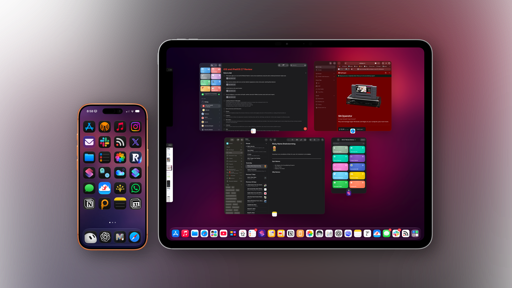
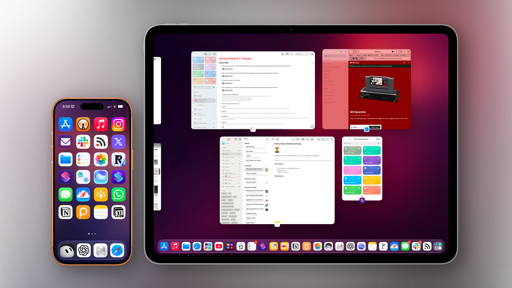
The new Siri is no longer just a voice assistant on iOS and iPadOS: it’s also a full-blown app with an icon on your Home Screen. The app holds all of your conversations with Siri and allows you to keep expanding a conversation after your original request, meaning two things: Siri is now also a traditional chatbot, and your Siri sessions are no longer ephemeral since they can be reviewed and continued later.
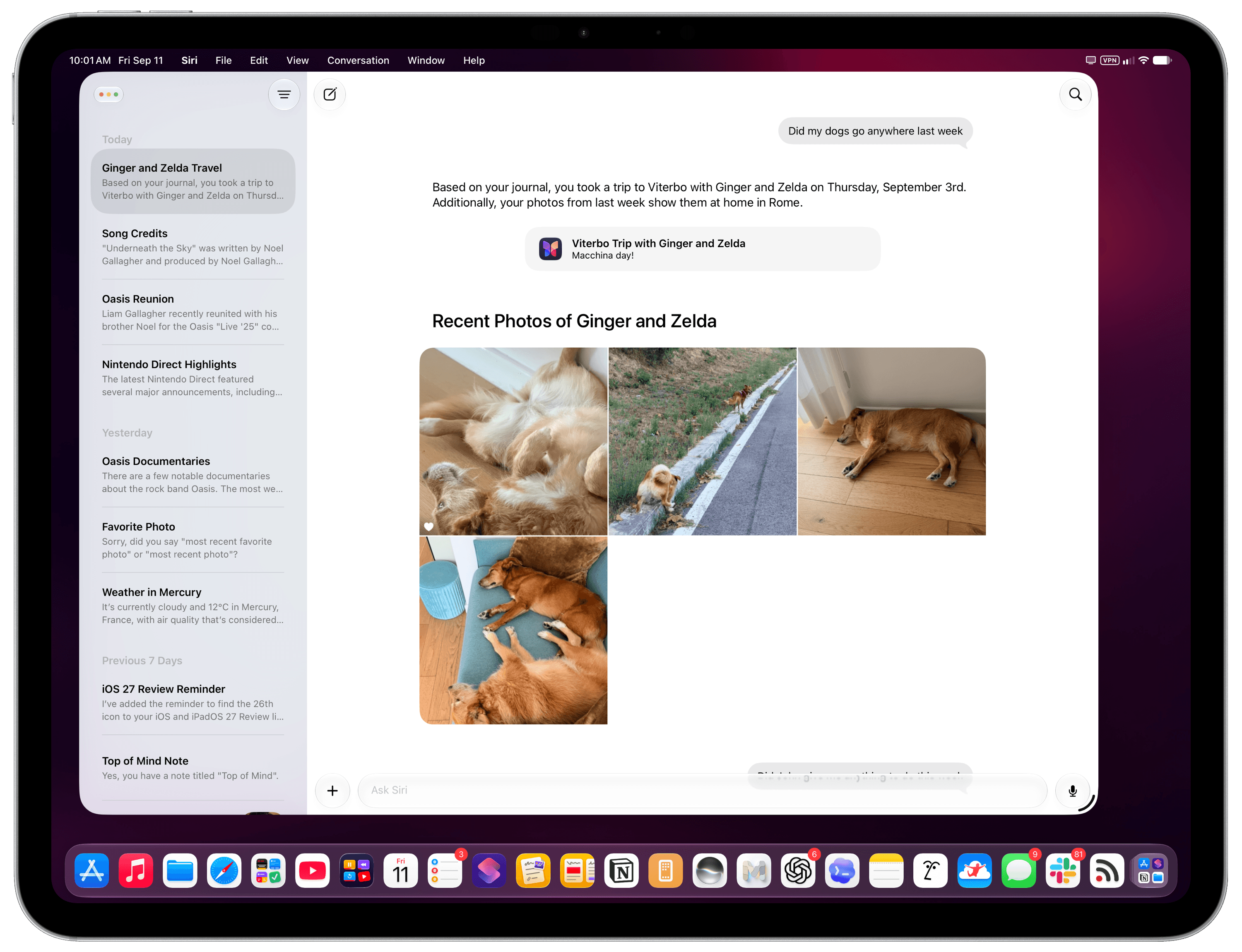
The problem is that the Siri app is, quite frankly, a pretty bad app. It is extremely barebones compared to the rest of the AI industry and their chatbot offerings, lacking all kinds of integrations and features that people have gotten used to having in ChatGPT or Gemini. It feels like using GPT-4 in ChatGPT from a couple of years ago. Furthermore, it performs badly, with slow animations, visual previews that are frequently missing on screen, and other technical issues that do not meet Apple’s standards of excellent iOS apps (such as Notes, Safari, Reminders, or Journal).
Really, there isn’t much to say about the Siri app other than it’s nice to have a place where you can revisit and resume previous conversations. By default, the app opens with a “cascading” grid layout that looks great in screenshots but is the most uncomfortable layout I’ve ever used in practice if you want to find a specific chat. Thankfully, you can revert to a classic list mode by tapping a button in the top-right corner of the app.
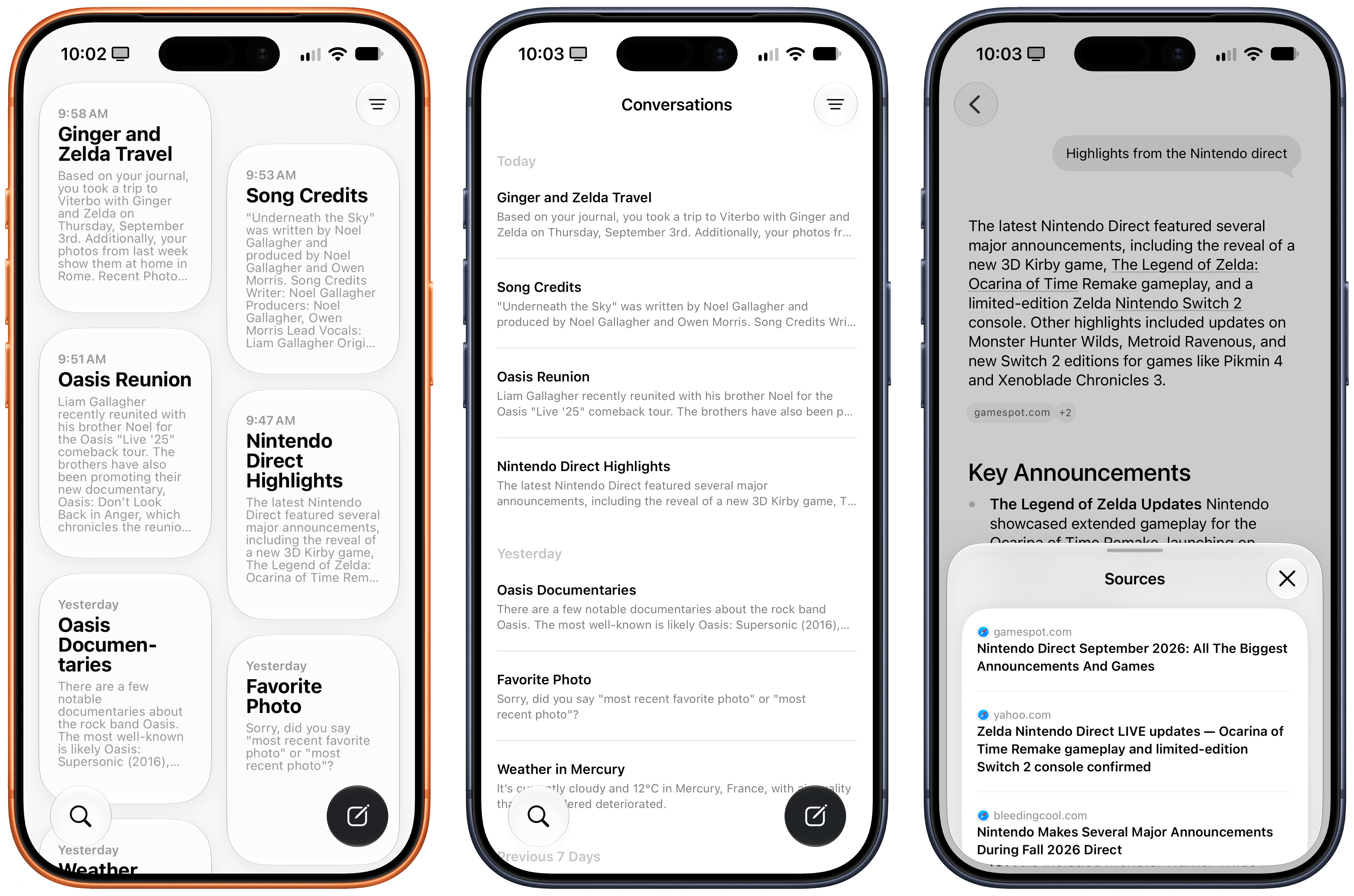
You can then rename, pin, or delete conversations, and you can tweak three settings for the Siri app in Settings → Siri:
- You can choose to open the app to recent conversations or a new conversation
- You can keep conversations forever or have them automatically deleted after 30 days or 1 year (there is no custom option)
- You can set the preview text for the main view from ‘None’ to five lines of text
Inside conversations, you can long-press a response to share it as a PDF, copy it, or have Siri’s voice read it aloud (with a nice mini audio player inside the app); you can attach files and photos; and you can press a microphone button to alternate between text and voice input.
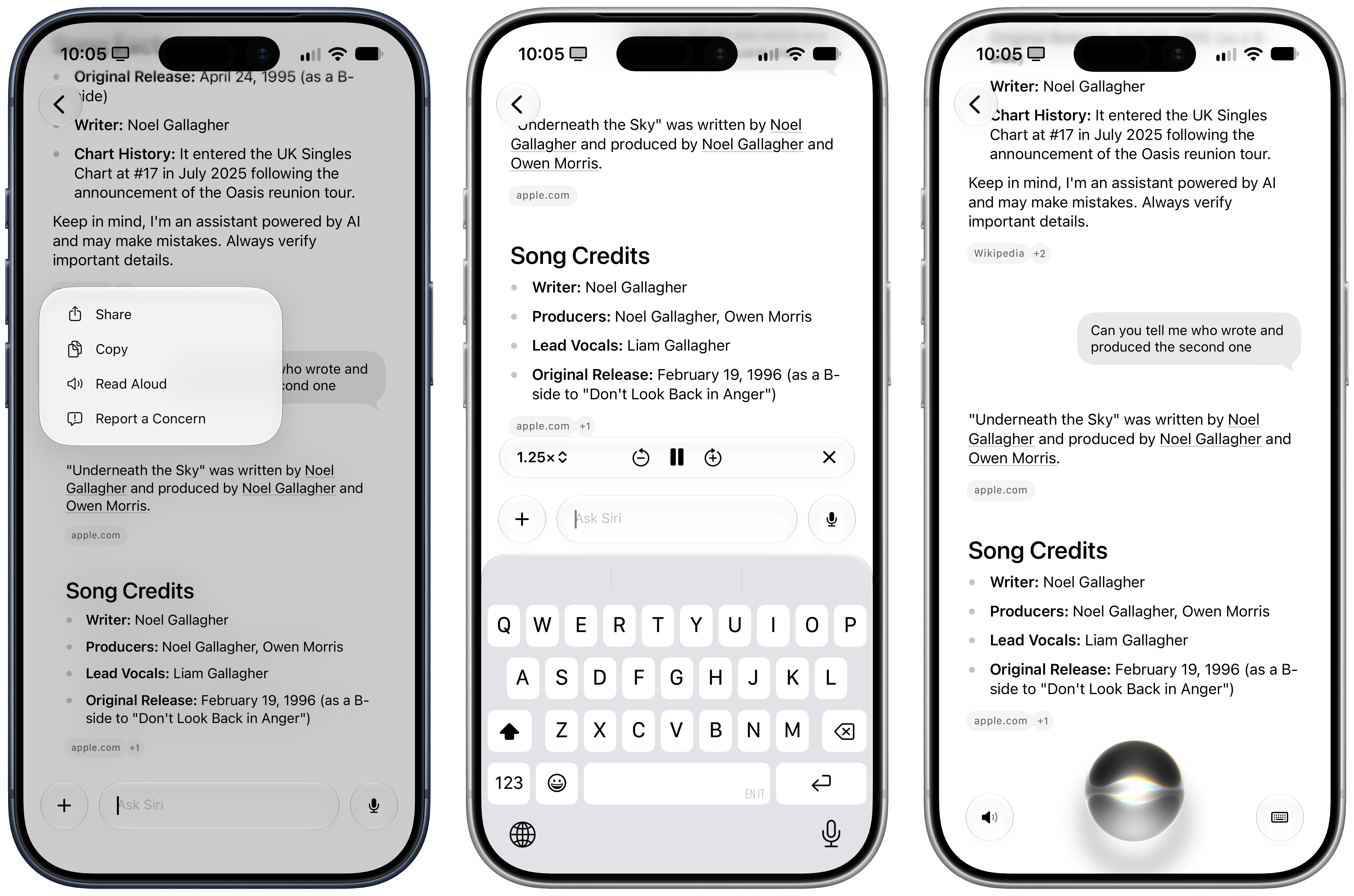
And…that’s basically it. Coming from ChatGPT, Gemini, Claude, Grok, or any of the Chinese LLMs such as Kimi and GLM, the Siri app feels like an overly simplistic product that was almost built out of spite, even though Apple had more than two years to put this together. You cannot organize chats in folders or tags. There is no support for reusable commands and instructions in the form of skills. Given Apple’s invisible approach to context, there is no support for any kind of personalization or user-reviewable memory whatsoever. Want to tweak Siri’s writing style? You can’t. Want to review what Siri knows about you? That’s not possible.
I may be used to working with frontier AI models more than the average user, but it’s hard to deny that this app feels very primitive by any modern standard. Even more annoyingly, Siri isn’t aware of itself at all: Siri AI cannot search and find its previous conversations with you, so while you can resume a conversation later, start a new one and ask “hey, did we ever talk about this topic?”, and Siri AI has no idea what you’re talking about.
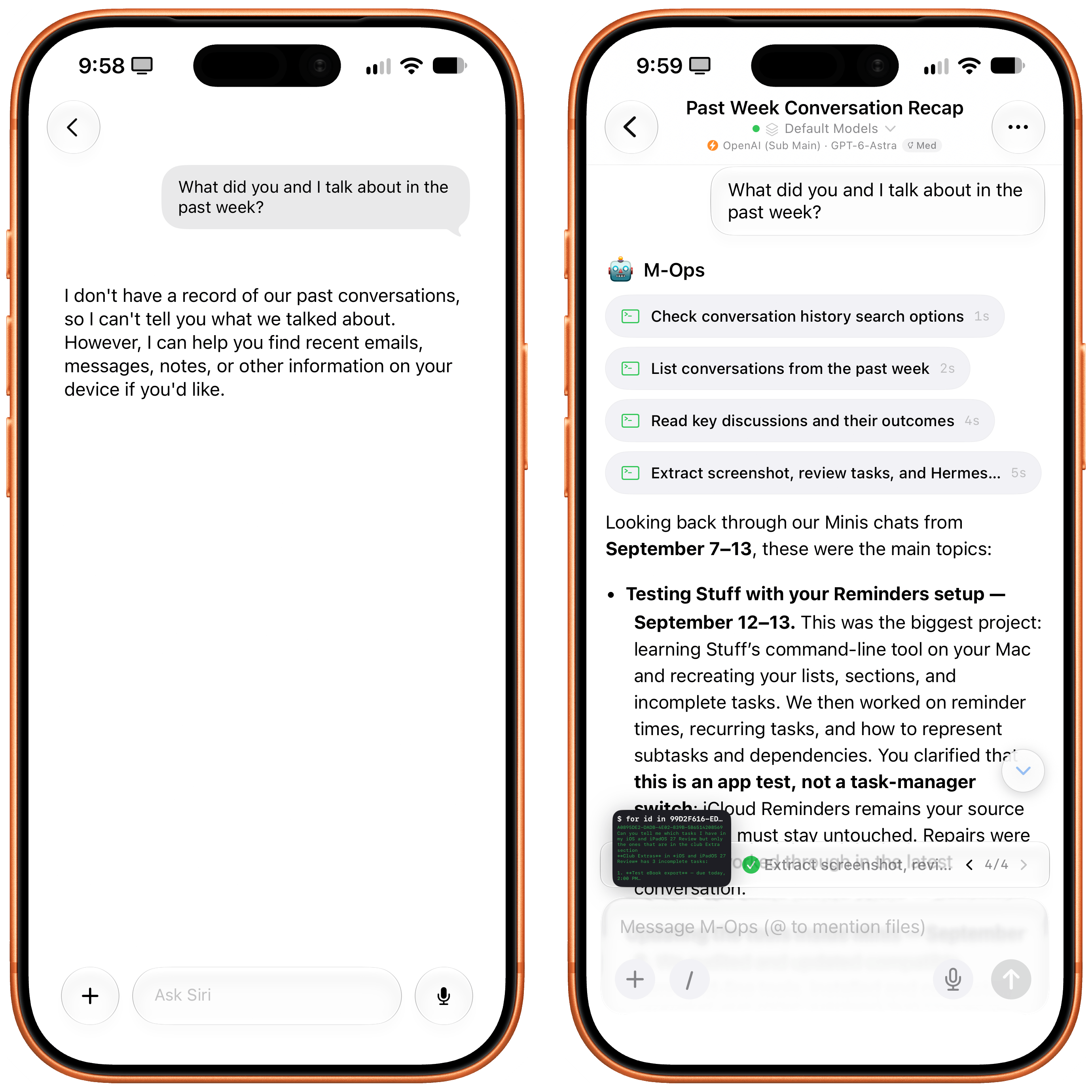
Unlike an agentic assistant such as Open Minis (right), Siri AI has no idea about its previous context or session history.
This all goes back to a longstanding issue with Apple’s product philosophy: the “it just works” approach can be amazing when everything goes as expected, but it can be detrimental to the user experience when something breaks, or when the user wants to have slightly more control over a particular app. Historically, in my iOS and iPadOS reviews, I’ve pointed out many such examples, from last year’s barebones launch version of Local Capture (which was later improved), to the Home app’s automatic grouping in iOS 13 and the lack of app labels in multiwindowing for iPadOS 13.
I think the Siri app, and Siri AI in general, suffer from this very issue: in an era where users demand to be able to inspect and tweak what AI knows about them and how it operates for them, Siri AI and its app expose no such controls. I mean, it is literally a product where you can ask questions about apps on your device…and there is no picker to visually @mention those apps in a chat.
Some might say that I’m too hard on Apple, and that I should be happy that Siri finally has an app. Let me be clear: I’m very glad that Siri can now be accessed as a persistent application on your Home Screen that lets you keep the same chat going for multiple days. But even if we set aside the more cutting-edge aspects of competing AI services, the new Siri app launching with iOS 27 feels instantly outdated. I expected more after a two-year wait.
Visual Intelligence and the Siri Camera
When Visual Intelligence debuted with iOS 18.2, it did so with little fanfare as a hidden feature that required you to long-press the also semi-forgotten Camera Control button to trigger it. Over the past two years, I have never seen anyone in real life use Visual Intelligence, and I think that’s going to change with iOS 27 and Apple’s decision to rebrand it as just “Siri” and put it front and center in the Camera app.
You can still activate The Feature Formerly Known as Visual Intelligence by long-pressing the Camera Control button, but you don’t have to: just open the camera, then swipe from the default Photo mode to Siri (which has been prominently placed before Portrait mode), and you’ll be able to freeze-frame and start asking questions as before.
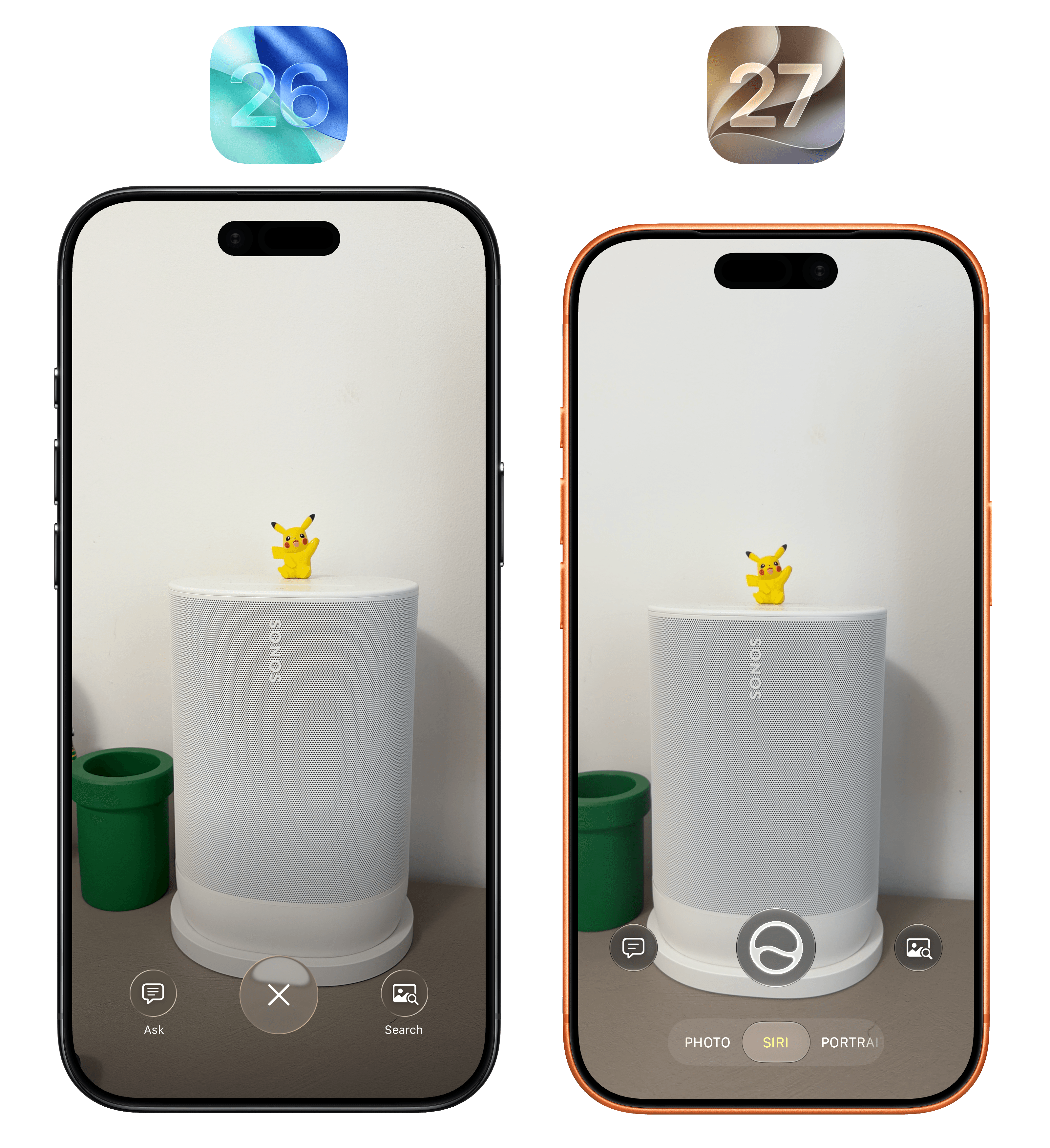
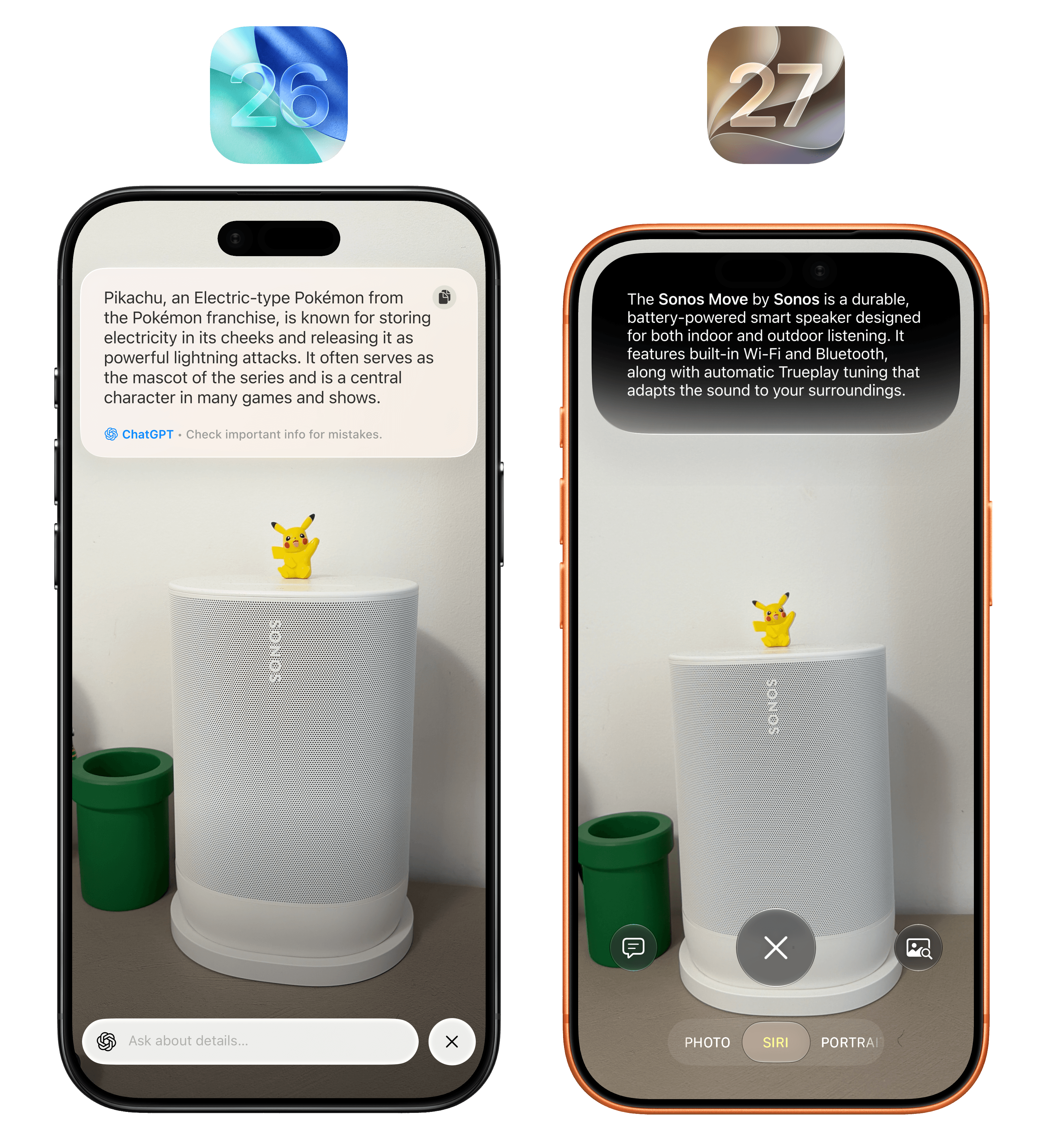
It’s interesting to note what ChatGPT in iOS 26 and Apple Intelligence in iOS 27 thought was the main subject of the picture in Visual Intelligence.
Despite the fresh coat of paint, the underlying mechanics of the feature are the same. You can freeze-frame on any subject, and Siri will give you an automatic response based on what you’re looking at. The Siri camera, as before, supports a variety of data detectors for text, units, and other symbols recognized on screen, and it allows you to either follow up by typing a question or check out related image results with extensions, with Google Images still being the default provider.
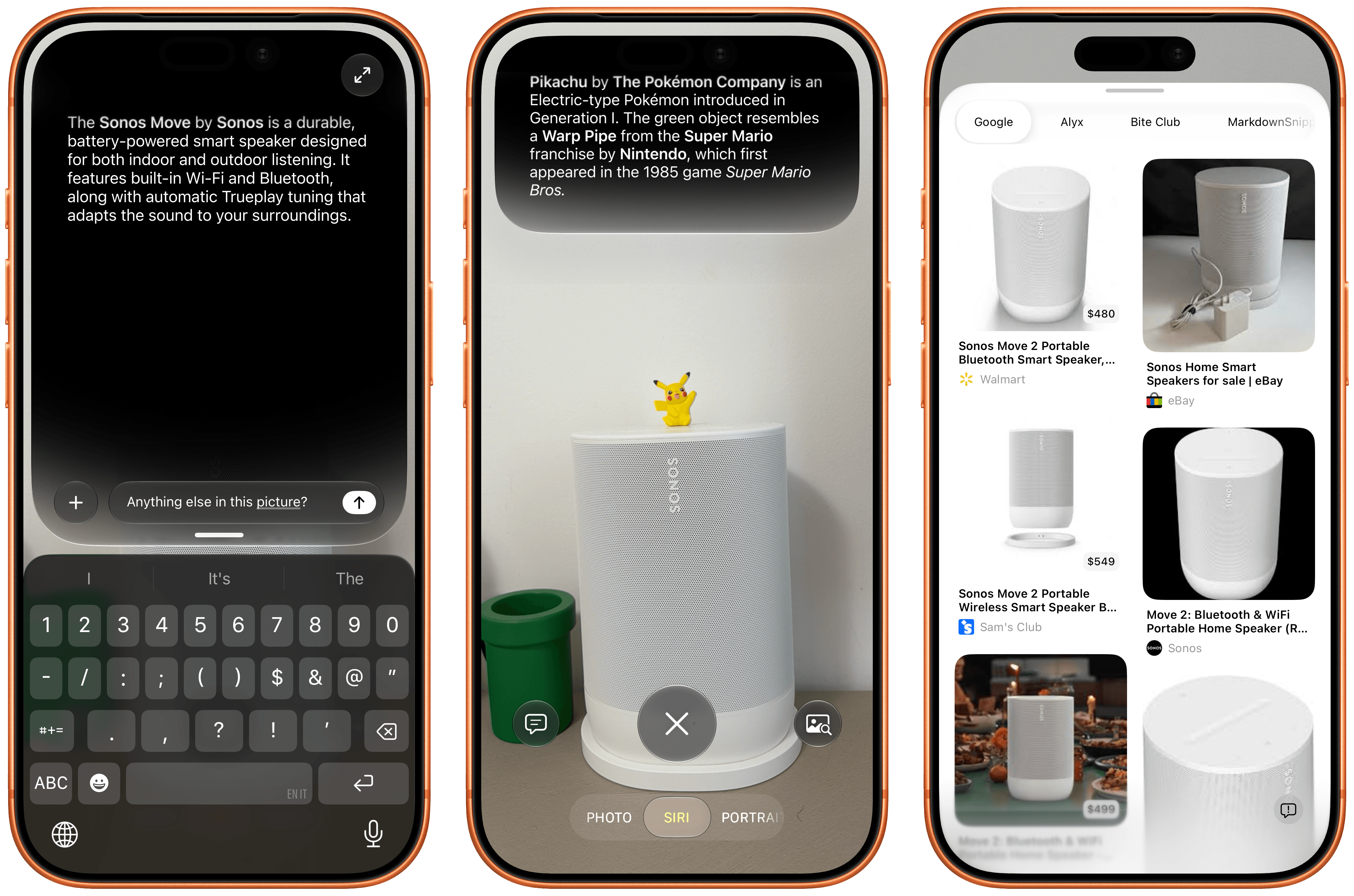
The most important difference from iOS 26 is that answers in the Siri camera will be provided by the new Siri AI, not ChatGPT. And that means that you can integrate this new Siri surface with everything else on your device. A few months ago, our building manager posted a notice with the dates for the mosquito spraying that happens every couple of weeks during the summer. Every year, we want to make sure we remember this is happening so we can close our windows beforehand. When I saw it, I opened the Siri camera, pressed the side button to invoke Siri inside the camera, and asked it to add those dates to our Family calendar. Siri froze the frame, found the dates, and created about a dozen events with the right time inside the calendar that I share with Silvia.
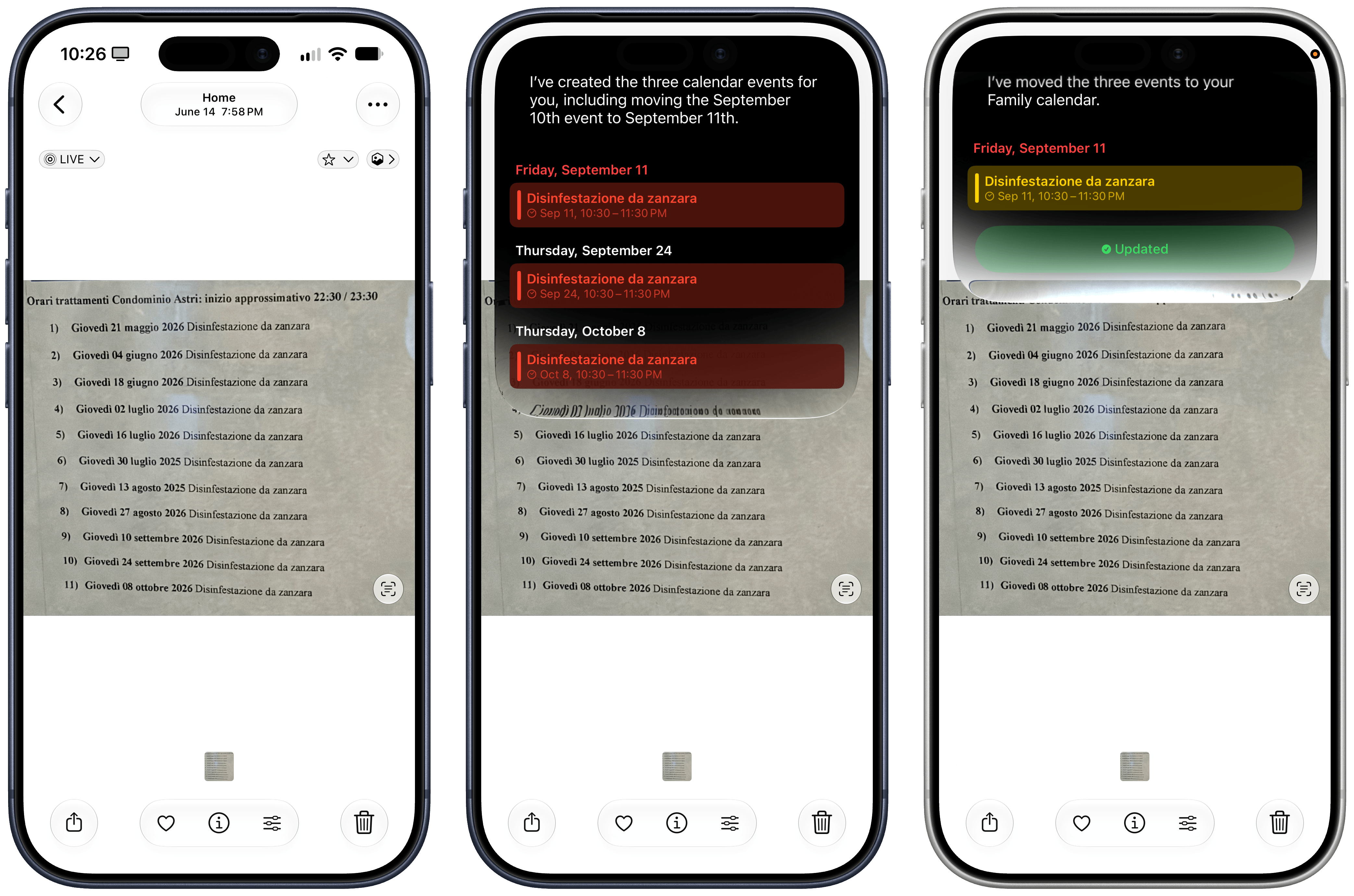
This kind of interaction is terrific with Siri AI – and it proves that the model is inherently multilingual, even if it’s launching as English-only.
Earlier this summer, I spent a few days in Gaeta, and as we were walking to dinner one night, we spotted this huge vessel docked in front of the restaurant. Typically, I would have taken a picture, started a new ChatGPT thread, uploaded the image, and asked a question about it. This time, I simply held down the Camera Control button (which now defaults to Siri AI mode in the Camera app) and captured a photo. A few seconds later, Siri AI told me I was looking at the Palinuro, a three-masted barquentine that serves as a training vessel for the Italian Navy – which was spot-on. An interaction that would have taken 20-30 seconds with ChatGPT was reduced to a five-second affair with Siri AI. Better still, I was able to ask follow-up questions from Siri AI’s floating overlay as well as find the chat in the Siri app later, where I continued asking questions about the ship’s history and usual locations.
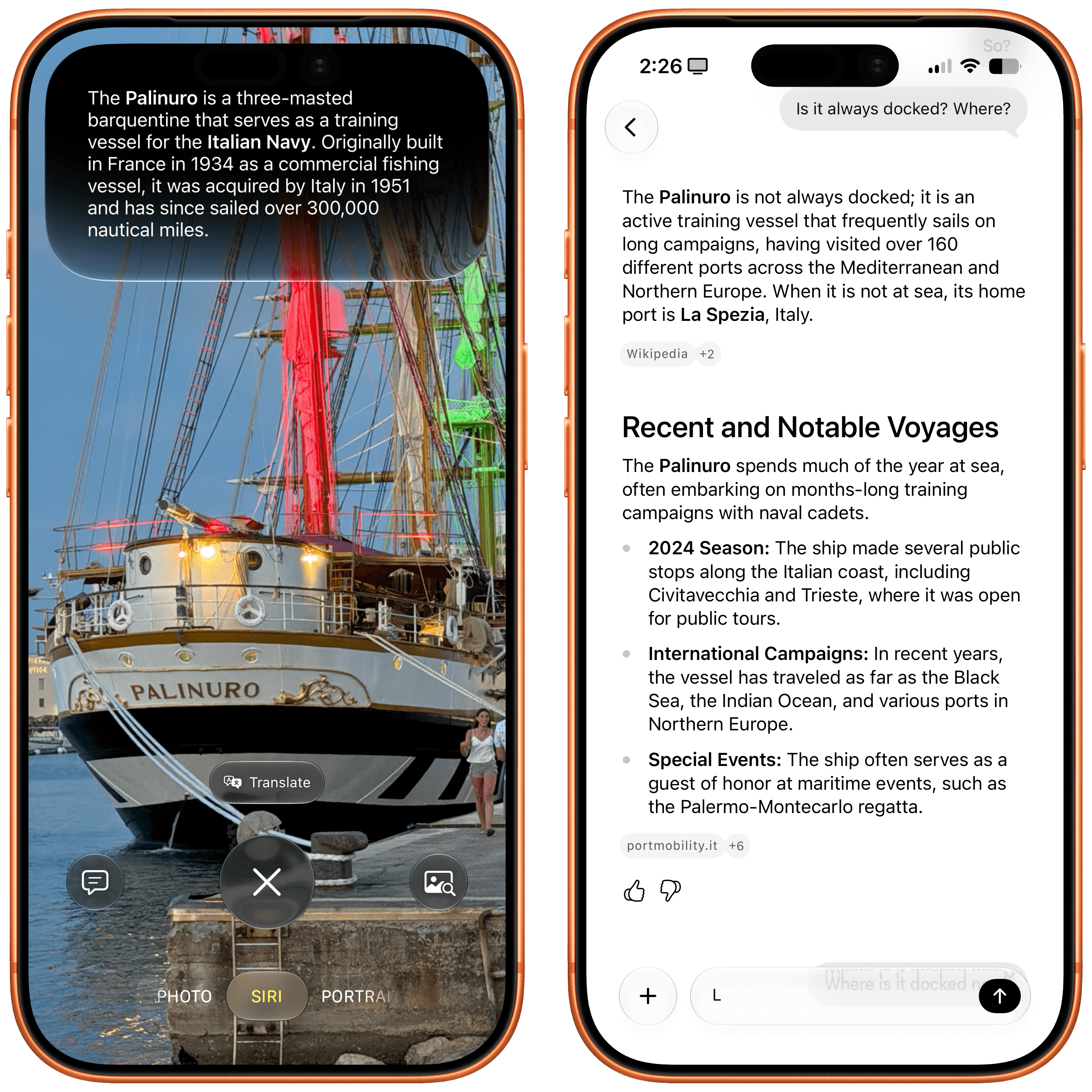
The ability to go from Siri in the Camera to a longer conversation in the dedicated Siri app is one of my favorite aspects of Siri AI.
These are just two examples of the kind of integration that you can have between the Camera app and Siri, and it would be impossible for me to cover all of them. As you may have noticed with my recent coverage of AI products and features, my job is becoming more about explaining the foundation and harness of AI tools rather than what they can accomplish – because they can achieve almost anything. And so depending on what apps you use and what you need from Siri, perhaps you’ll use the Siri camera to translate a restaurant menu and send it over iMessage to a friend; maybe you’ll want to point the camera at a book and ask Siri to create a note about it in Apple Notes; perhaps you’ll point the camera at a monument in Florence and ask Siri to tell you more about its history. All of these use cases will work, and this AI feature – like everything else – will be what you make of it.
Write with Siri and Context Menus
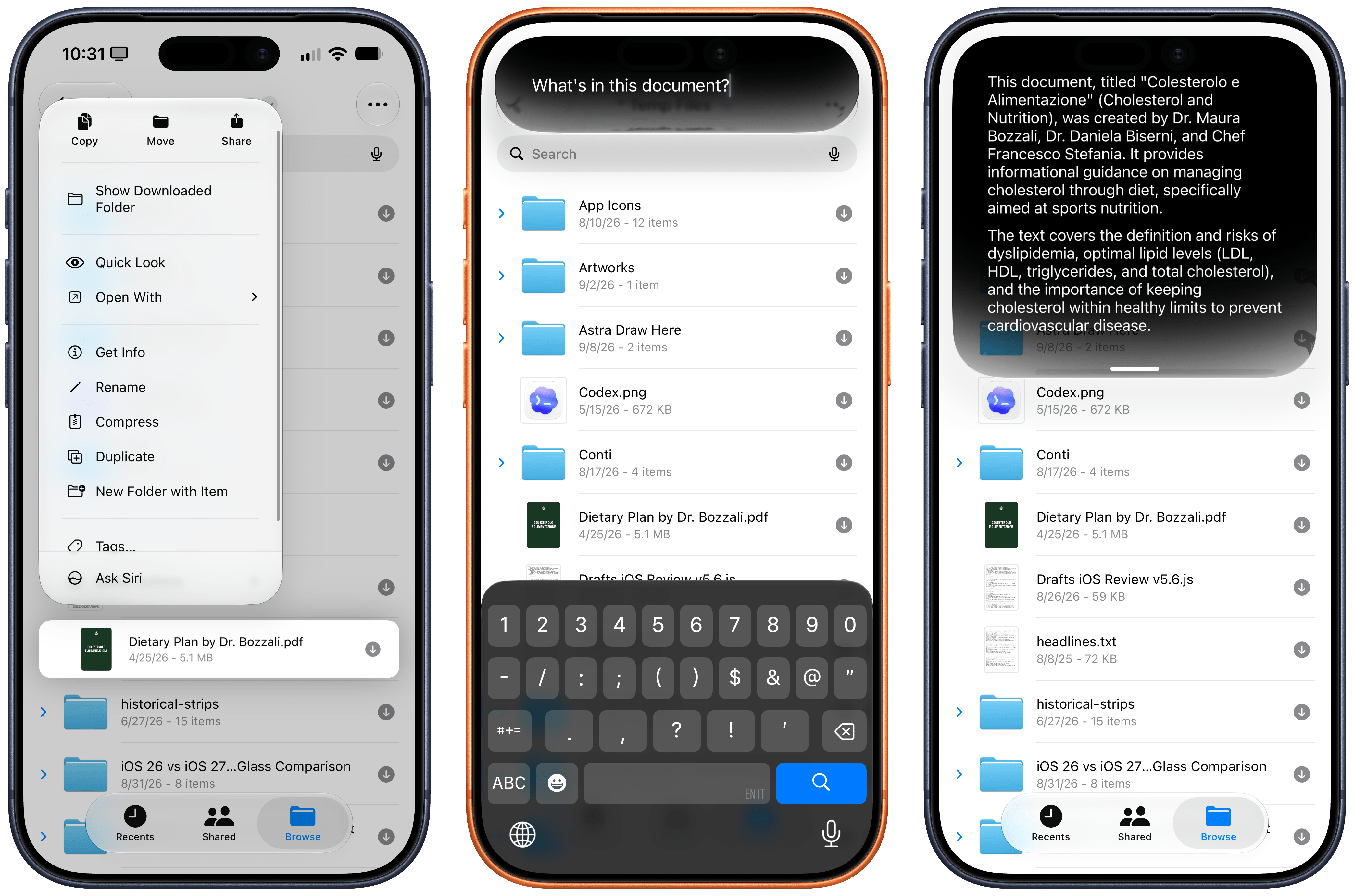
There are two more Siri AI surfaces I want to cover. The first one is ‘Ask Siri’, a permanent fixture of every context menu in iOS and iPadOS 27 that lets you instantly pass whatever item you’ve selected – whether it’s a file, some text, a note, or a link – to Siri as input, so you can ask something about it. This isn’t a particularly special feature, but it highlights the kind of pervasive integration Siri AI now has at a system level.
The other integration is ‘Write with Siri’, a system-wide replacement for Writing Tools that eschews Writing Tools’ menu and options in favor of a more freeform interaction with Siri.
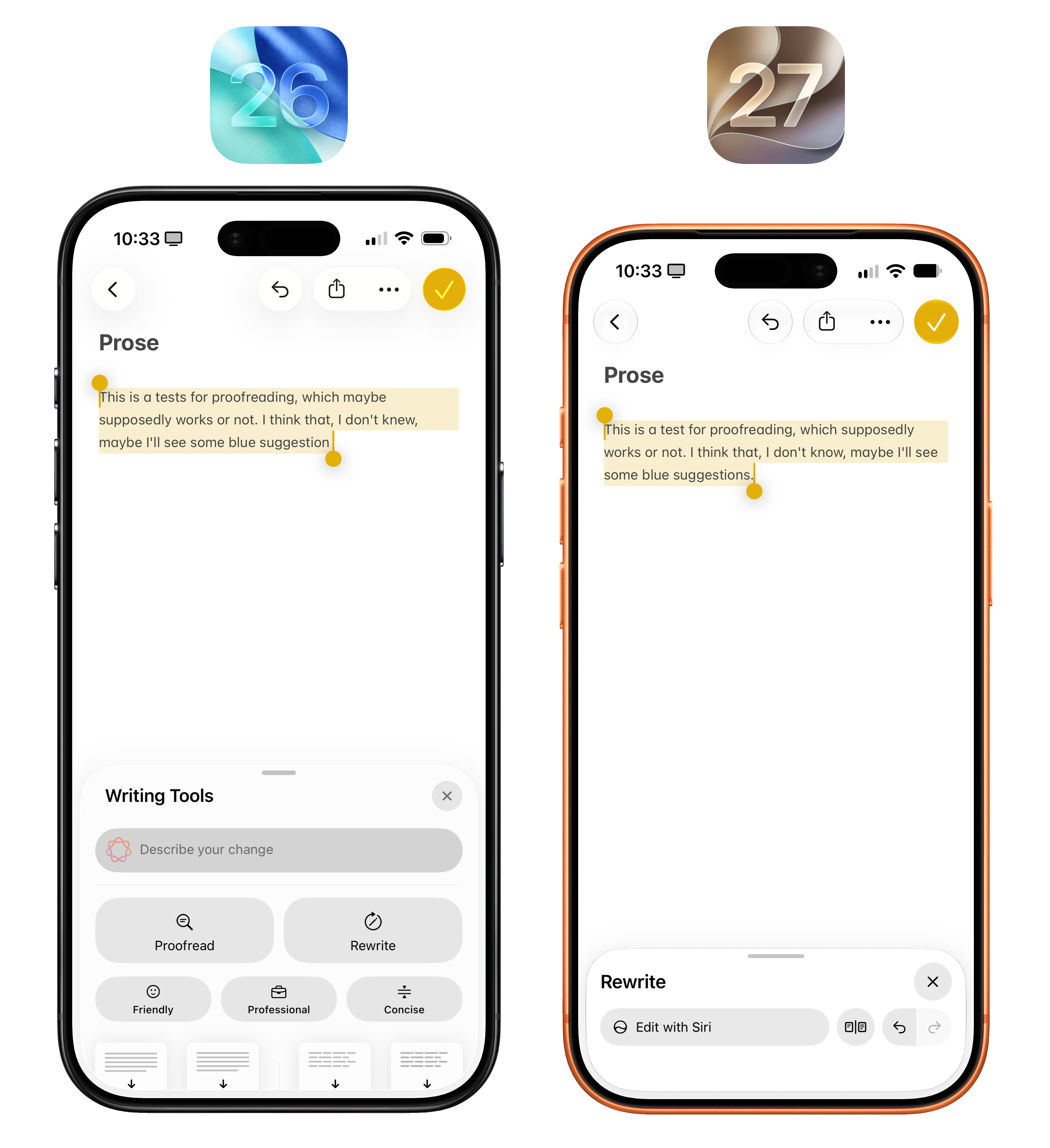
You can access Write with Siri via the Siri button above the keyboard on the left, or by selecting the Siri icon in the action menu when some text is selected. With an active text selection, default ‘Proofread’ and ‘Rewrite’ options will also appear in the QuickType bar.
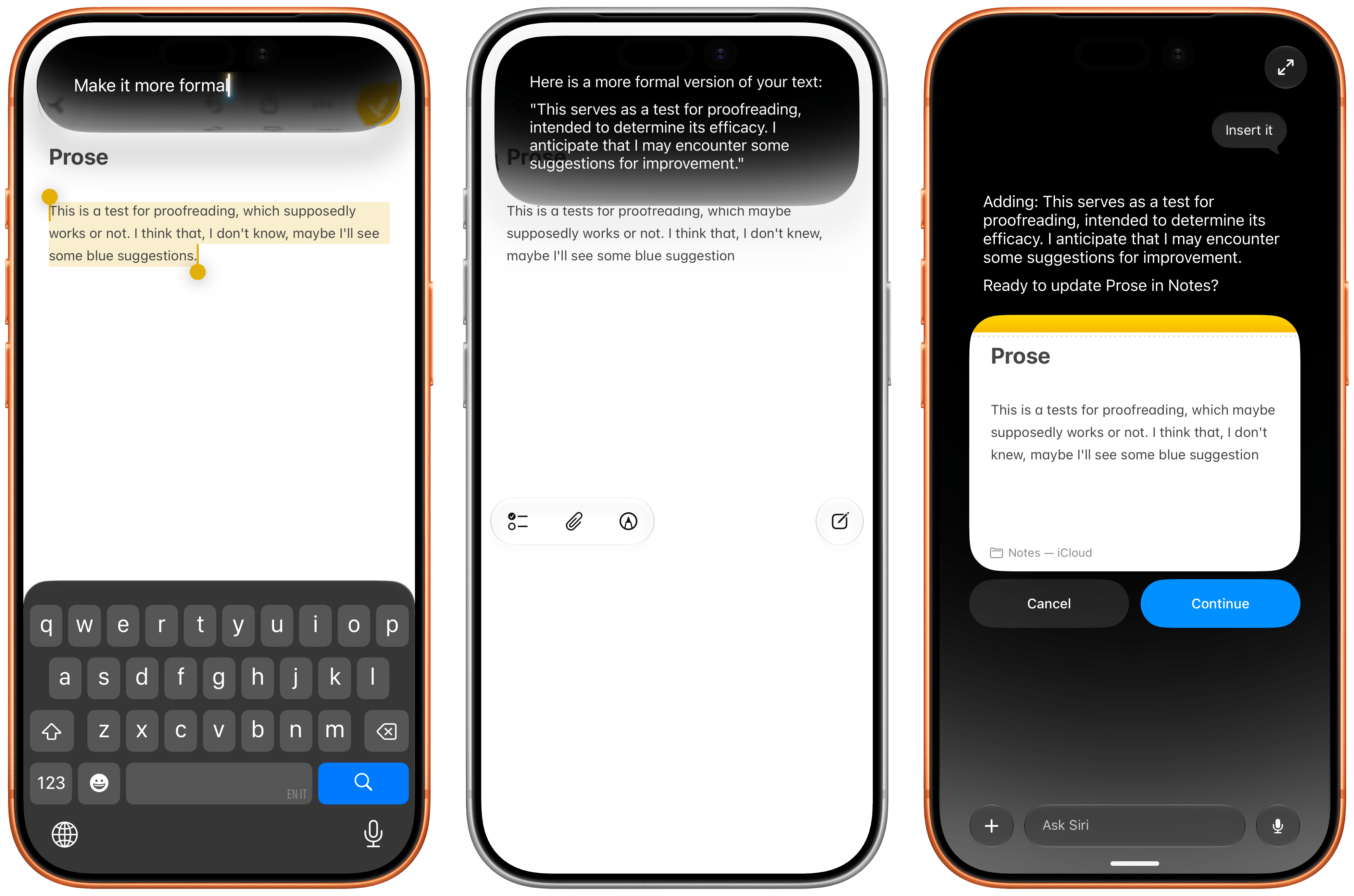
No matter the activation method, there’s no longer a “static” UI for how you want text to be modified or generated: you can just ask Siri. That’s how LLMs work – you ask, they do – so why limit this feature to three writing styles or four formatting options, as it used to be in iOS 26, when you can just prompt the model to write or format text in any way you want?
Now, I’ve never been a huge Writing Tools fan, so I don’t have a strong opinion about the rebrand in iOS 27, but I think the new design works and makes sense given the stronger abilities of Siri AI. I like that you can compare before/after changes with inline, swipeable cards at the bottom of the screen, and I like that you can ask it to edit anything as long as you’re in a text field. I’m not going to use this much, but for quick typo checks or making an email sound more formal, I find the new feature more versatile and capable than before.
Using Siri AI
I’ll be honest: I’m not one of those people claiming they have completely stopped using ChatGPT or other agents in favor of Siri AI.
The new Siri is not an agentic product that is able to carry out long-running tasks to completion, and it would be downright absurd to compare Siri AI to the likes of ChatGPT Work, Claude Cowork, Grok Bot, Hermes Agent, Open Minis, or OpenClaw. I would love for Siri AI to become that kind of experience, and Apple seems to think it now has a foundation in place to enable agentic behavior at some point. But as things stand now, given my reliance on Notion, Slack, and Superhuman for work, and given the simpler, less intelligent nature of Siri AI, I can’t imagine using Apple’s assistant for productivity purposes. In the making of this review, I never used Siri AI once; research work, editing, asset management and video production, database organization, and coding tasks all took place in either Codex with GPT-6 Astra, Claude with Fable 5.1, and Open Minis on iOS.
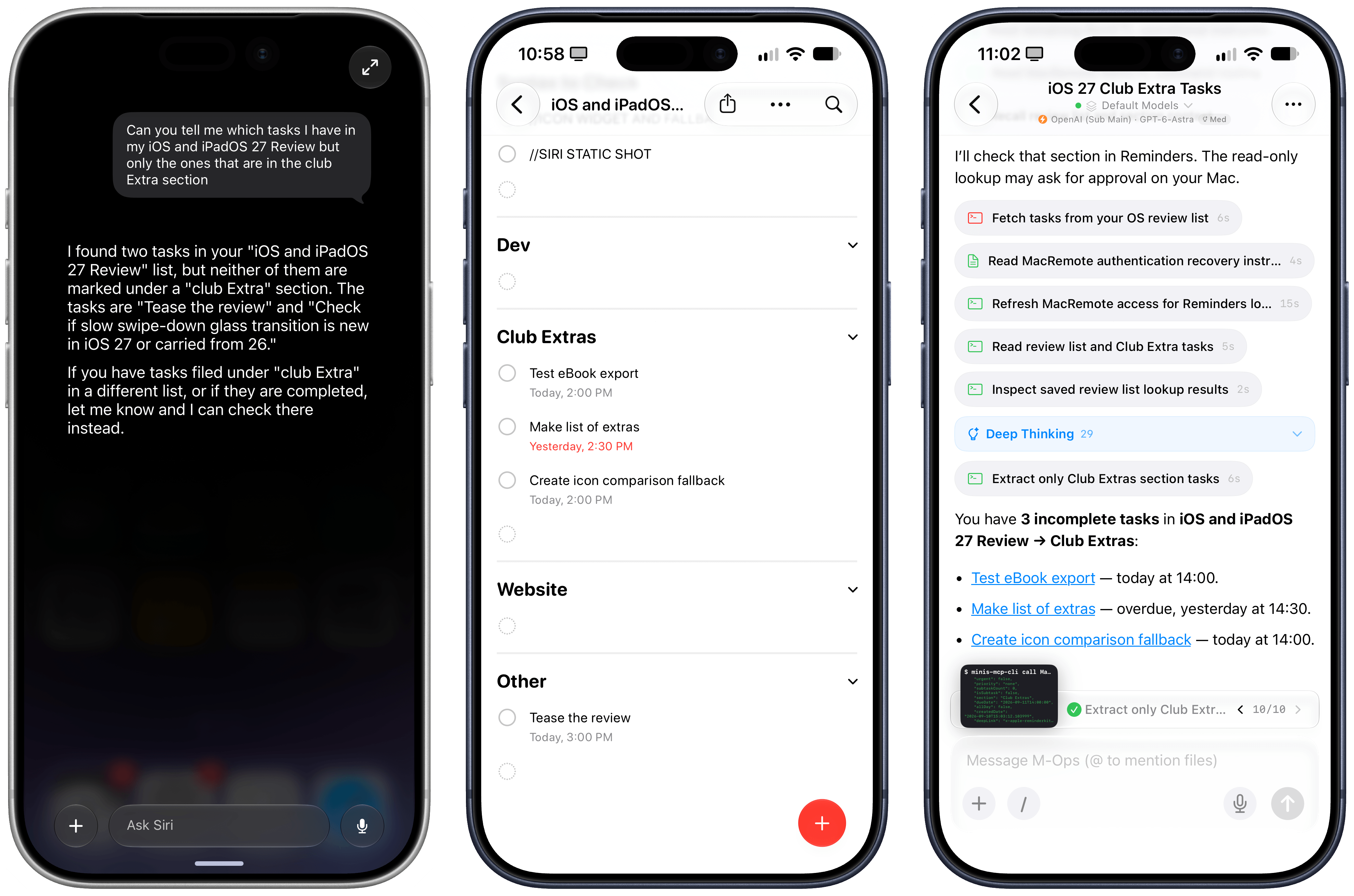
This is what I mean by not being able to use Siri AI for work. The same question could not be handled by Siri in Reminders, whereas my agent with Open Minis completed it just fine.
Instead, I’ve come to appreciate Siri AI for what it is – a much better, smarter Siri that doesn’t aim to replace your favorite agent (yet) – without being upset that it’s not something more.
I’ve thoroughly enjoyed using Siri with Apple Notes, Reminders, HomeKit, and third-party apps such as AskPlay, Monologue, Alyx, MusicBox, and LookUp. I’ve found Siri AI to be best at quick, one-off interactions that perhaps involve a couple of follow-ups, but not anything much longer than that. If I realize that a question I have requires deeper research and more back-and-forth, that’s where I fall back to ChatGPT or the excellent Open Minis for iOS.
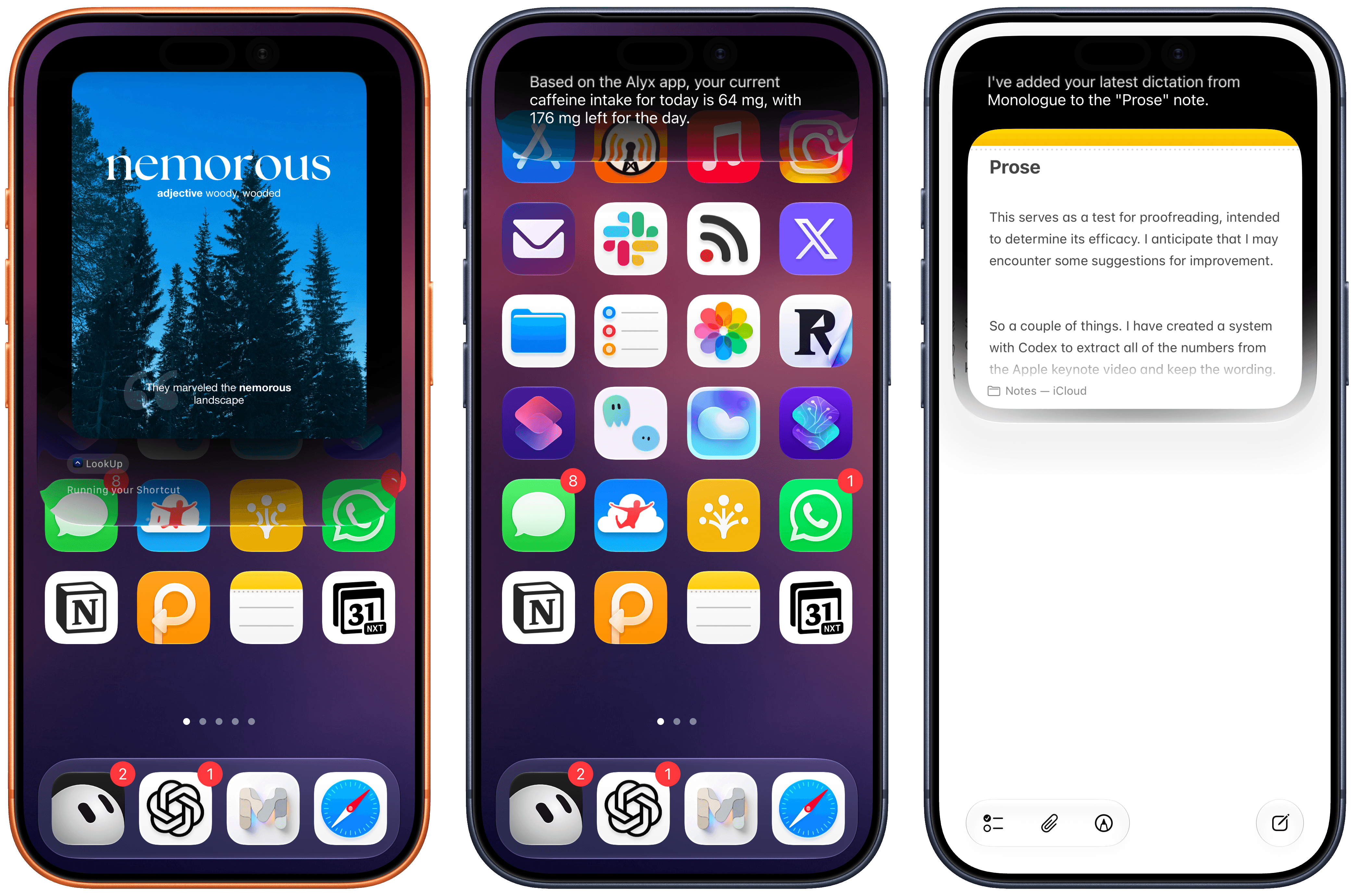
Siri AI integration worked well for me with LookUp, Alyx, and Monologue. It’s also nice to chain output from one app onto another, such as getting a dictation from Monologue and asking Siri to add it to a note.
As I’ve outlined across this entire chapter, there are pros and cons everywhere with Siri AI. Put another way: Apple’s belated effort has paid off, but there’s still so much work to be done. For starters, I think it’s bewildering that Apple hasn’t been able to work with the EU and offer Siri AI in more regions and languages. The fact that Siri AI is still not multilingual is the single reason I still have a ChatGPT Voice shortcut on my Lock Screen, and I continue to believe that if Apple can’t swallow their pride and figure out how to build AI tools for the EU, they will only drive more users to competitors who have learned to work under European regulations.
Second, Siri AI still exhibits old behaviors such as slow performance, requests that time out, or “sorry, something went wrong” messages that aren’t helpful and do not inspire confidence in the product. There are new issues, too. I’ve discovered, for instance, that I can ask Siri to perform two things at the same time – such as setting a timer and turning on a light – but not three. If I ask for three things in the same question, the third one will be silently dropped. Indexing remains a mystery: sometimes I can find messages with Silvia or John from two years ago, but if I ask for something they texted me yesterday, Siri AI can’t find anything.
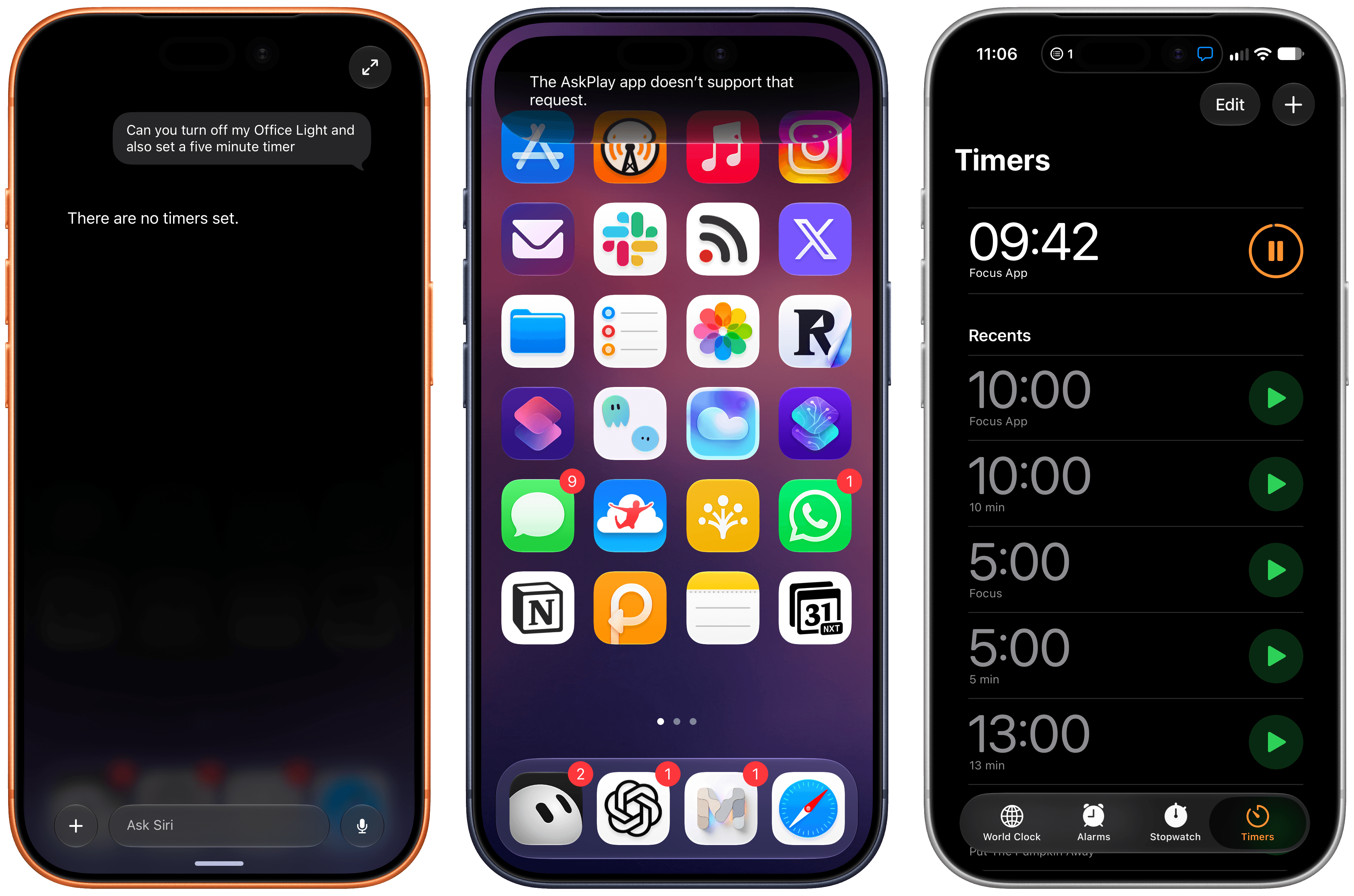
If my experience is any indication, expect to see a lot of strange errors involving third-party apps and multiple requests in Siri AI.
The system also gets confused with names of third-party apps, which remain my biggest question mark and will need more coverage as more apps add support for Siri AI and App Intents. I was using Focus, a timer app, which added support for Siri AI; every time I asked Siri to start a timer in the Focus app, it kept creating a timer labeled ‘Focus’ in the Clock app instead. The model and system orchestrator also appear to exhibit the typical tells of Gemini models, inherited through distillation. Apple’s Foundation models can often be lazy at tool calling and will consider a question answered after doing the bare minimum. In one test I did, I asked whether I had recently been on any trips, and since the Mercury Weather app exposes the ability to search for trips, Siri AI defaulted to Mercury Weather, which had no recent trips in my library. Only when I pushed back and added “you have to look in Photos too” did Siri AI realize that I’d indeed been on vacation two weeks before.
If you’ve ever used Gemini models with external integrations, this kind of behavior may sound familiar. And if you plan on using Siri AI with lots of apps on your device, expect to issue very detailed prompts to get the kind of result you want. Unlike large frontier models, Apple’s models aren’t able to infer user intent unless you are very clear about what you’re seeking.
Once I understood these limitations, I started having a considerably nicer experience with Siri AI, and I accepted that I shouldn’t expect it to be an alternative to ChatGPT Work or Hermes Agent. Instead, Siri AI is a great “quick answer assistant” that happens to work with native apps and – importantly – can be activated from anywhere and can see my screen. I’ve become a heavy user of on-screen awareness to capture all kinds of things in Notes; I like using Siri AI to quickly summarize articles in Safari; in general, I find myself context-switching between the app I’m using and ChatGPT less because Siri AI can give me a pretty good answer right there.
ChatGPT is for projects, Siri AI is for quick actions and fast answers. This is how I think about these AI products, and I’m happier now that I’m not trying to force Siri AI into being something it can’t be.
Siri AI permeates iOS 27, and that’s a threat to OpenAI and the hundreds of millions of people using ChatGPT for free with GPT-5.5 Instant. I don’t think Apple’s Foundation models are as good as GPT-5.5 Instant, but Siri AI is the more ergonomic and integrated product. When the underlying chatbot and its world knowledge capabilities are good enough, and they can also be invoked via voice, text, the Camera app, context menus, or keyboard shortcuts, why would I open a siloed chatbot when I can use Siri AI and get a comparable answer more comfortably? If you’re a casual user of ChatGPT and do not pay for it, I think Siri AI can be a very compelling product that provides similar answers and, unlike OpenAI’s chatbot, integrates with the iPhone apps you already use. I don’t think it’s a coincidence that OpenAI is now following in Anthropic’s footsteps to monetize the business and enterprise markets rather than the consumer one.
At the same time, my concern is that we may be collectively assuming that “normal people” won’t see the differences between the capabilities of ChatGPT and Siri AI. In this industry, we have a tendency to sell “normal people” short and paint them as some perplexed bunch of occasional smartphone users who somehow passively accept any technology that is thrown at them. I strongly disagree with that. Maybe those people don’t care about ChatGPT Work, Codex, or Fable (yet?), but they can tell when an AI assistant is useful and when it’s not. People will compare the utility of ChatGPT to Siri AI, and I worry that Apple’s 1.0 product will feel like it’s too little, too late – especially since Siri AI will be launching in select regions and in English only.
In the AI scene, companies move fast and break things. Apple needs to move fast without breaking anything – not anymore, at least. That’s a tough challenge, but here we are.