Siri as a General Assistant
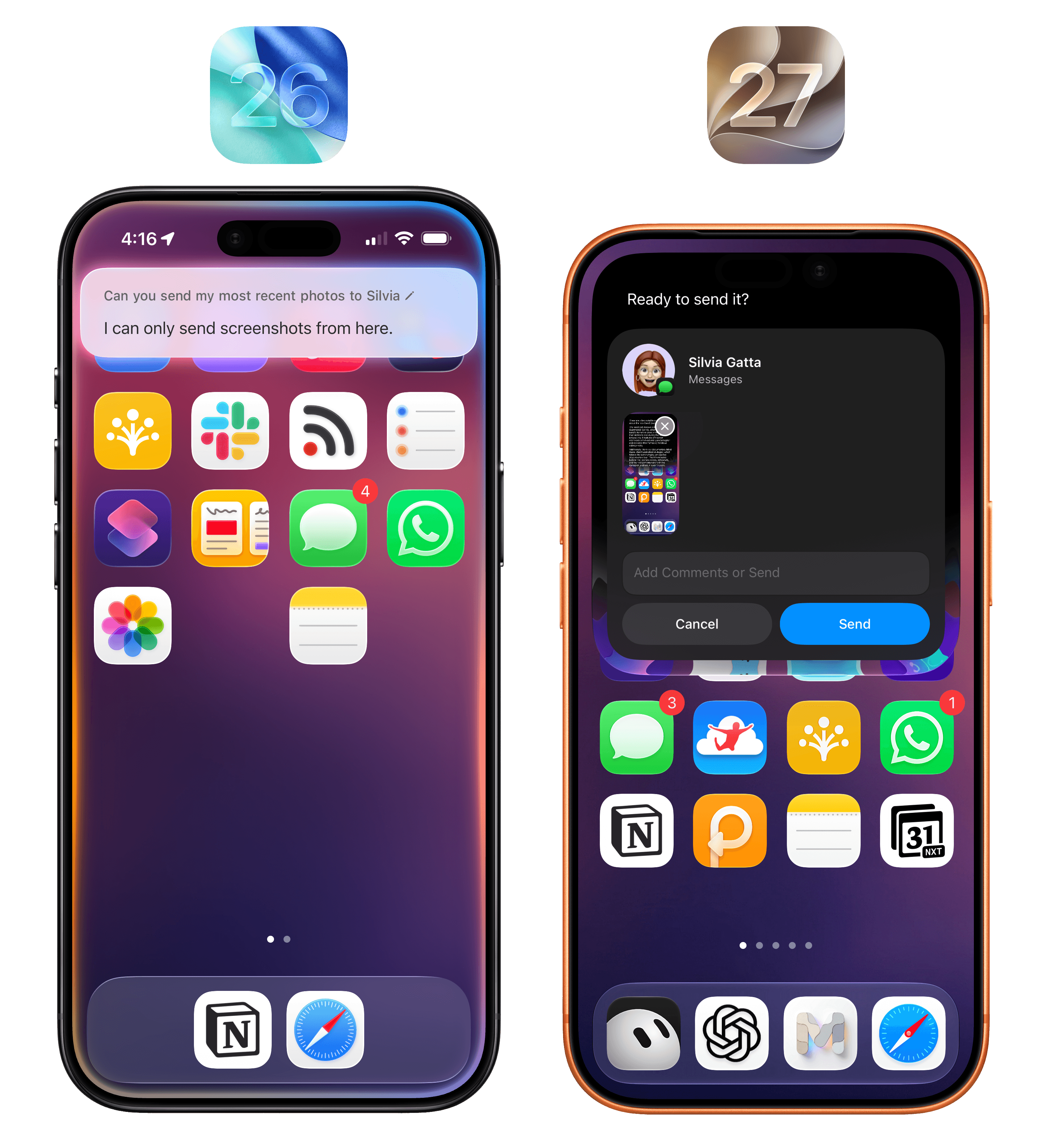
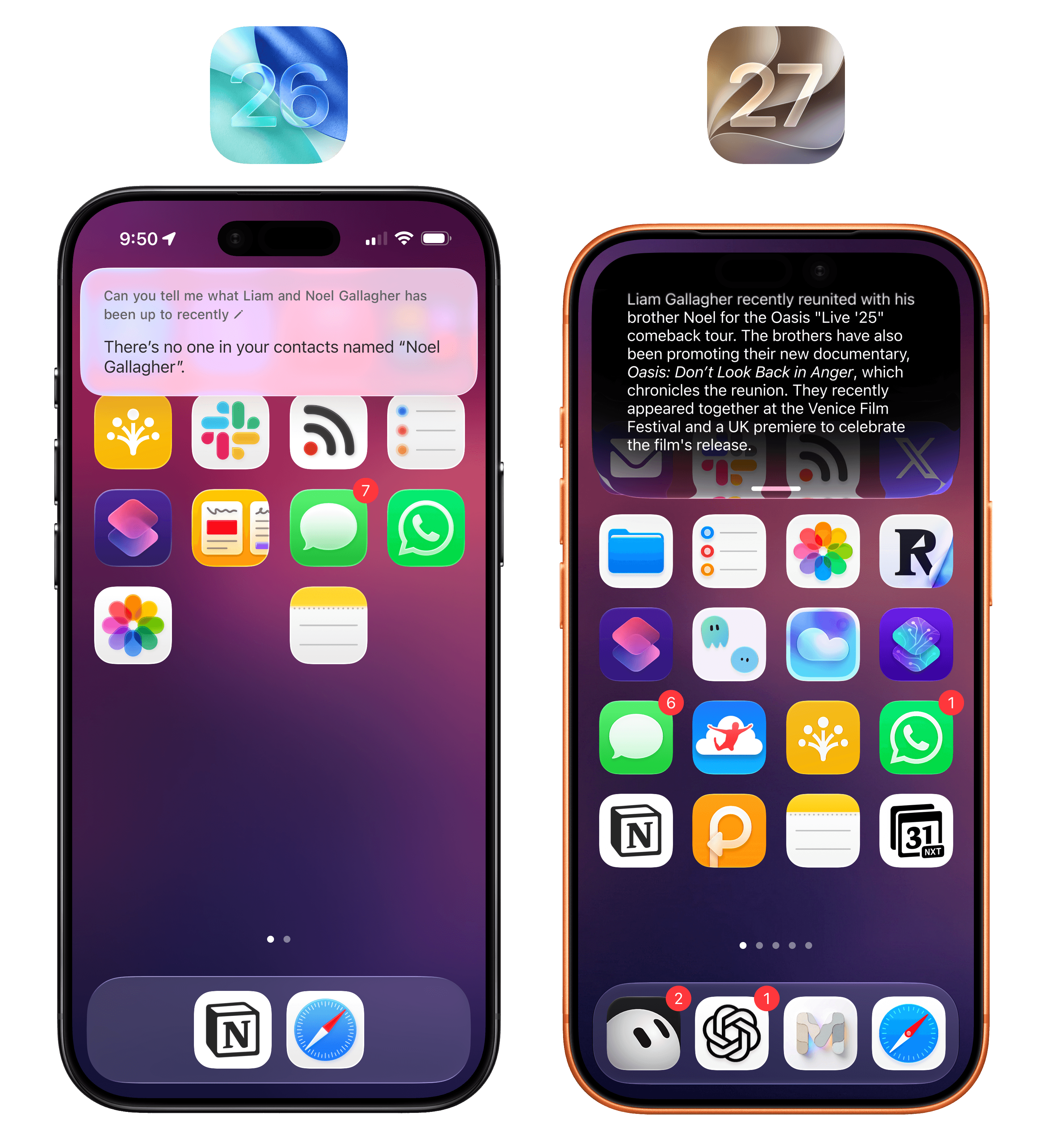
Put simply: Siri is smarter overall for most things and has pretty good and up-to-date world knowledge baked in. When I ask something like “what tasks do I have today”, the new Siri gives me both my reminders and calendar events, which the old Siri couldn’t. Last week, I asked about what Liam and Noel Gallagher had been up to recently, and after a few seconds, Siri rightly pointed out they’d just attended the Venice Film Festival and that rumors of a 2027 Oasis tour were circulating. When I ask Siri to send my most recent photo to Silvia, the assistant prompts me to pick a recent photo, then prepares an iMessage preview, and confirms with me that I want to send it. As we’ll see in a later section, working with Siri AI and apps can be a remarkably efficient experience, and – once again – it’s leagues above what the old, dumb Siri used to be.
As a result of all this, I find myself defaulting to Siri AI for most “quick questions” about on-device things or web searches that I would have completed with Google AI overviews before. Since Apple’s world knowledge graph is good and up-to-date enough, whenever I have a question that doesn’t need a deep research report, I use neither ChatGPT nor Google anymore: I just ask Siri. If I want to go deeper on a topic, then, yes, I tend to switch back to another agent, but for any simple factual question, Siri AI is my default search engine now.
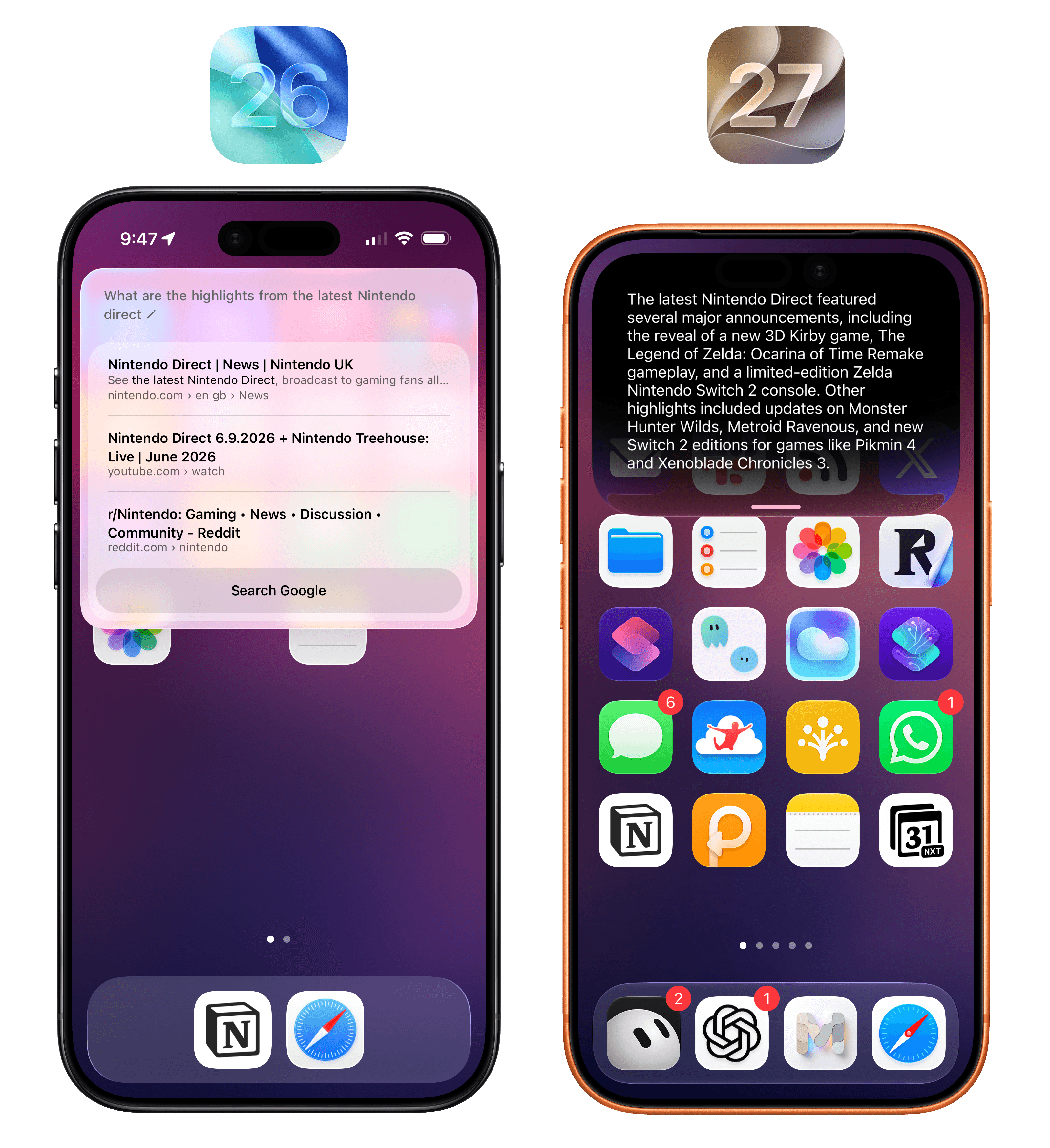
Apple’s world knowledge engine supports recent results, and it’s a dramatic improvement for quick web searches compared to the old Siri.
When writing this review, I frequently had to go back and test the old Siri in iOS 26 and, let me tell you: after using Siri AI in iOS 27, I was shocked to re-experience just how bad Siri was. The effect is quite dramatic: the new Siri is no longer plagued by those useless “I found these on the web” results like before, nor does it go off to ChatGPT to get some additional help. In most scenarios, the new Siri just answers and provides you with a good-quality response. If you have multiple Apple devices, I suggest leaving one on iOS/iPadOS 26 for a short while so you can have some fun comparing the two versions of Siri side by side, which will make you appreciate the new one even more.
Beyond system-wide access, new voices, and superior world knowledge compared to iOS 26, Apple’s big bet with Siri AI is going past what other self-contained agents and chatbots can do. When you’re using ChatGPT Work or Claude Cowork, or perhaps even more complex products such as Hermes Agent or OpenClaw, you are always recreating your profile, workspace, and preferences in a silo. This is why memory is such a sought-after currency in the AI market: by locking users into their ecosystem, different AI providers can make it less enticing to switch to a competitor. If you’re OpenAI and aiming to build an operating system, it makes a lot of sense to lay a foundation in the form of memories, computer history, and other personalization tools that make users feel like they can’t switch to anything else.
Despite the efforts of AI labs over the past year to go beyond chatbots and ship a semblance of a platform, the truth is that only Apple and Google actually have a platform where AI can be deeply embedded and serve as an app-agnostic assistant layer. In simpler terms:
Apple thinks you’re going to be using Siri AI because it works with any app on your phone, gathers context about you automatically from any app, and can also see what’s on your screen no matter the app you’re using.
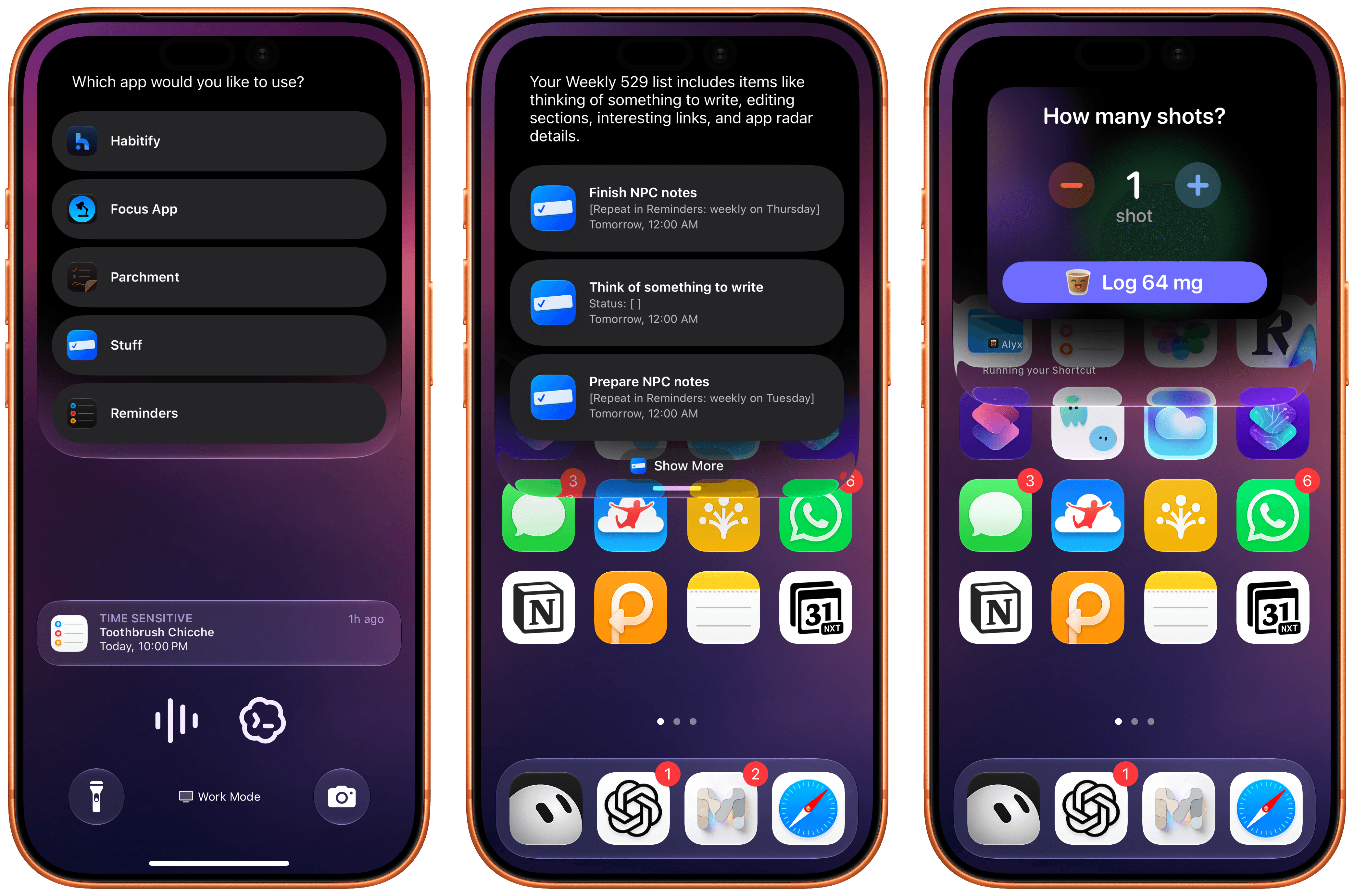
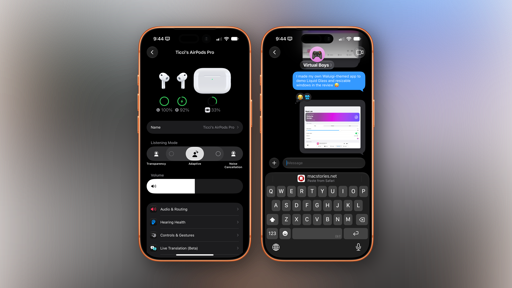
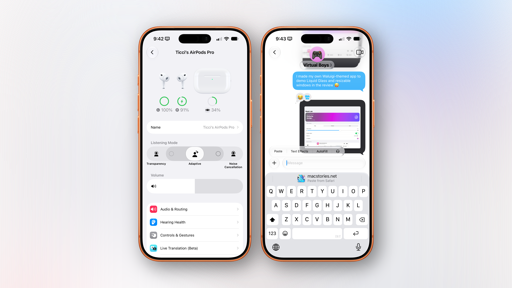
Siri AI can regularly ask you to confirm which app you want to use as default for any particular domain (left). In these examples, I asked for some tasks in Stuff and logged an espresso in Alyx.
These capabilities are what Apple refers to as on-screen awareness and personal context, and although I’ve experienced some issues with them, I’m also very excited about their potential: they’re the features that have made Siri AI stand out the most for me.
On-Screen Awareness and Personal Context
The idea of on-screen awareness is straightforward enough: Siri can now see what’s on screen and act on it. It may not sound like a big deal, but that would be a wrong assumption: the system Apple has built around on-screen awareness is a great example of how we can weave AI features throughout the interactions we have every day.
At a high level, whenever you’re looking at something on-screen and want to ask Siri a question about it, you can invoke the assistant and just ask. Being able to ask Siri questions about the current state of an app visible on screen isn’t new – in fact, it was introduced in iOS 9 with the ability to say “Remind me about this”. What’s different now is that we have the power of an LLM to process not just a deeplink to an app’s screen, but an entire set of annotated data points (provided that app developers support them) that give Siri plenty of information about what’s visible on the user’s device.
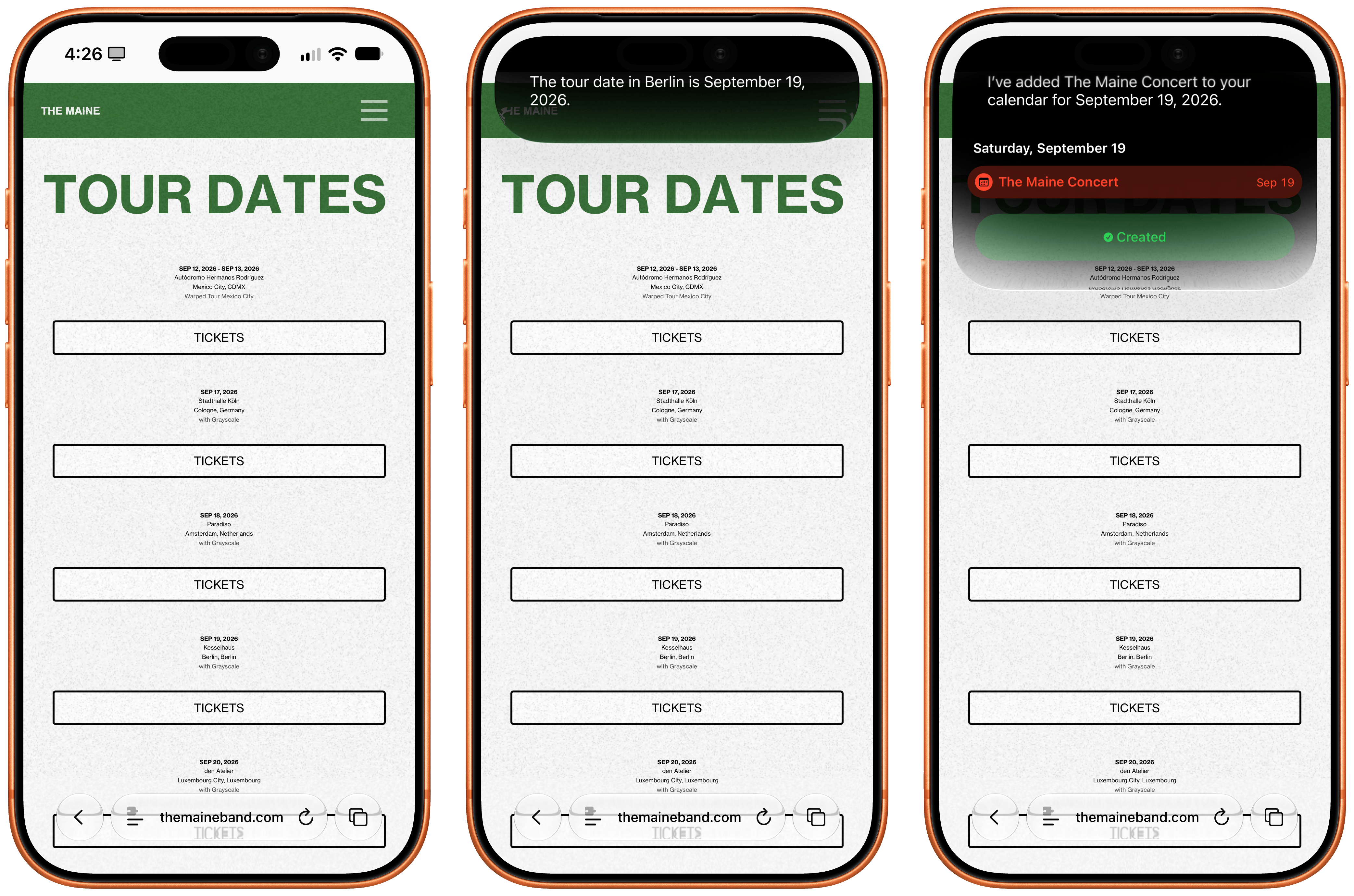
Under the hood, iOS 27 apps can embed invisible annotations about any content shown on screen, so that Siri AI gets direct metadata from each compatible app instead of merely taking a screenshot and performing OCR on it. For instance, if you’re looking at a page that mentions an event, you can say “add this to my calendar”, and Siri will know what you mean and create an event with the title and dates extracted from the visible page. But it goes deeper than that. Say that you’re looking at an album in the Music app, and you want to play a specific song but can’t tap the screen. Say “play the third one” and Siri will know that you mean the third one in the list and start playback immediately because it’s not screenshotting what’s on screen and then searching for the song: the song is an entity that’s been annotated with an identifier that tells Siri exactly what to play.
Once you understand the flexibility of this on-screen system in Apple’s own apps (and, hopefully, lots of third-party ones soon, too), you can start mixing and matching requests, which is where the fun begins. I was in the Music app, and I wanted to know more about a specific song of an album, so I asked: “Did the first one also come out as a single, not as part of this album?” Sure enough, Siri AI saw that I was looking at Oasis’ The Masterplan, that the first song was Acquiesce, and that it was, in fact, originally released as a B-side to the Some Might Say single.
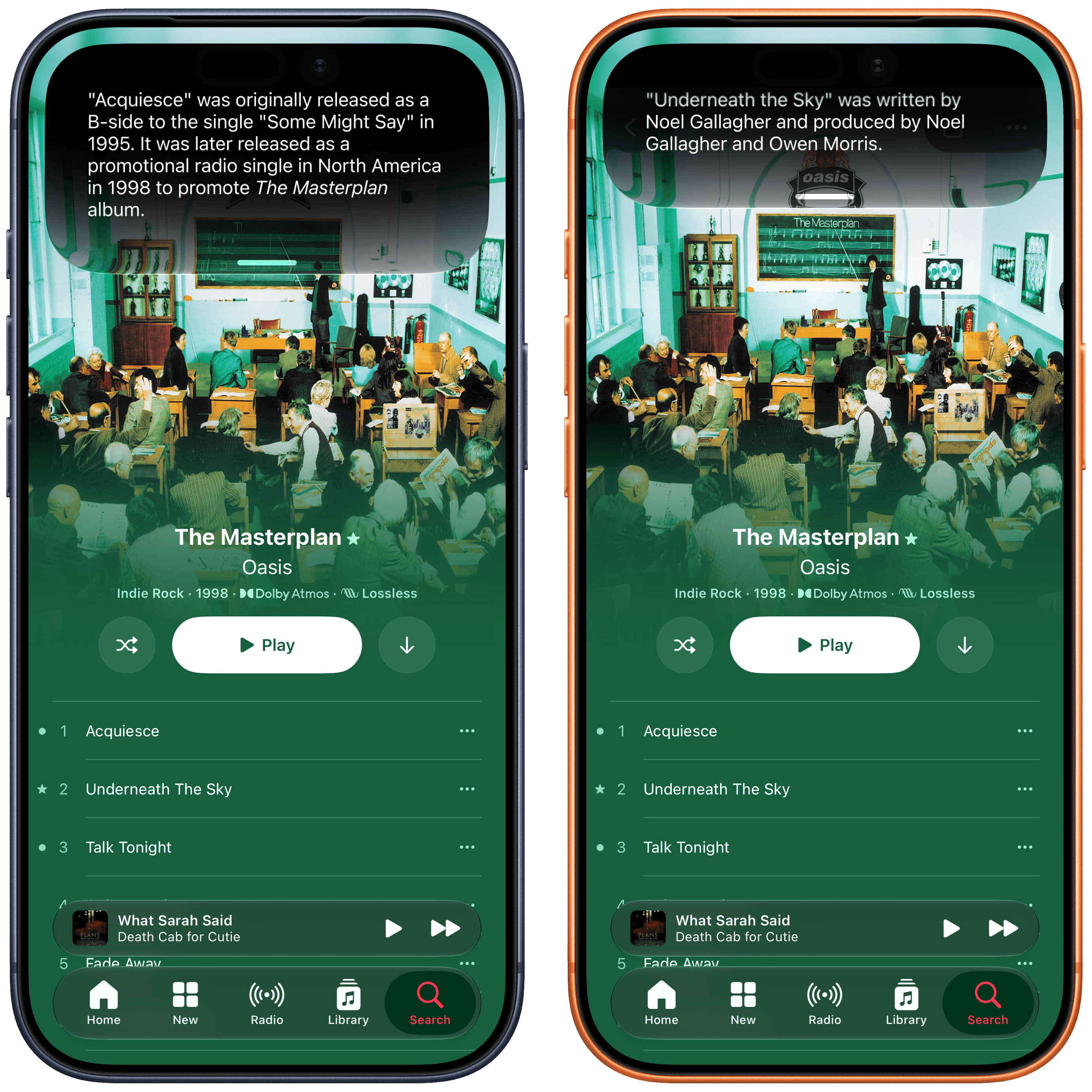
Here, I asked for more information about “the first one” and “the second one”. Siri AI knew what I meant.
Combining on-screen awareness with additional search queries or actions is one of my favorite aspects of Siri AI, and I think Apple’s engineers have done an outstanding job integrating this in their apps and creating APIs for developers to do the same. When looking at a text in the Messages app, you can say “love that last message” and Siri AI will add a heart Tapback to it; in Files, you can say stuff like “send the third document to John” and Siri will know from your context (more below) and on-screen awareness that you mean a specific person and the third item in a list.
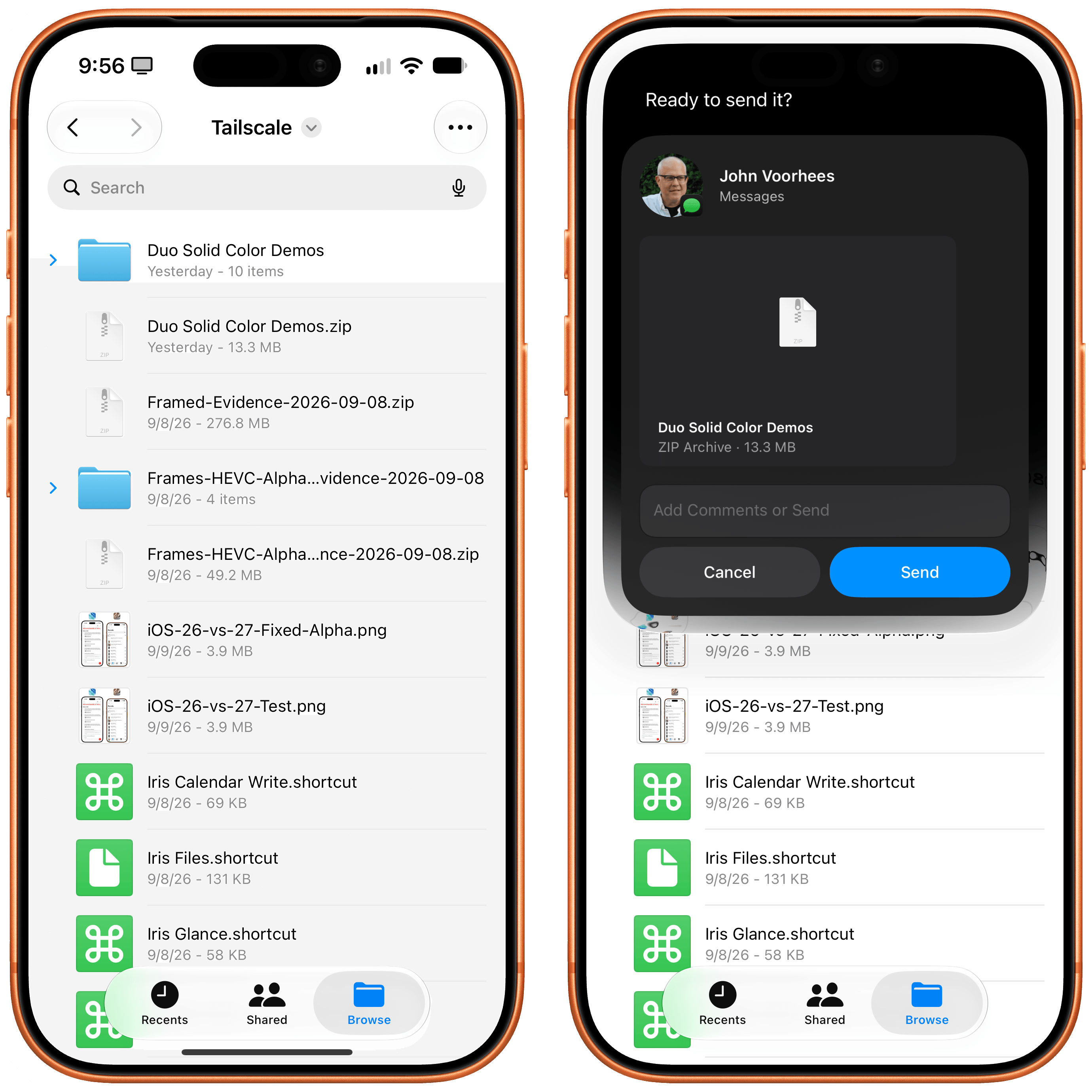
How effective on-screen awareness turns out to be will depend on how well third-party developers support it. From what I have seen in Apple’s apps so far, though, I believe pervasive, reliable on-screen awareness has the potential to reshape how we think of Siri. It takes a while to accept that Siri can be this good and versatile: I still struggle sometimes to remember that, when looking at Reminders, I can say “mark the second one as done”, or that I can look at a calendar event and say “email the participants that I’ll be 10 minutes late”, and Siri will draft a message with Mail about it. I think others will go through a similar “reset phase” as they figure out that Siri is actually pretty great for this stuff now.
Personal context is the trickier Siri characteristic to explain, as well as the area where Siri AI has struggled the most for me over the past three months.
The theory is the following: by building an index of your apps and data, Siri AI is able to draw from your personal context and answer questions without you having to mention an app by name, specify a time period, or be too precise about your question. This is not meant to be proactive assistance (which Siri AI cannot do and is currently the holy grail for AI labs alongside recursive self-improvement); personal context is more like an automatic “enrichment” of answers that doesn’t require you to ask.
A popular example used by both Apple and Google is the flight one: ask about when you’re supposed to pick up a friend at the airport, and Siri will tell you that Myke’s flight lands at 3 PM because it has that context from iMessage. In my tests, I’ve seen personal context in action in a handful of ways. One time, I asked where my dogs went the day before, and Siri told me that Ginger was at the beach, which it knew because it had a Ginger album from Photos and indexed photos of her taken at the beach. My query was generic, but the answer was precise. Likewise, when I asked “Did John tell me things I have to do this week?”, Siri gave me a list of things John previously told me over email and iMessage.
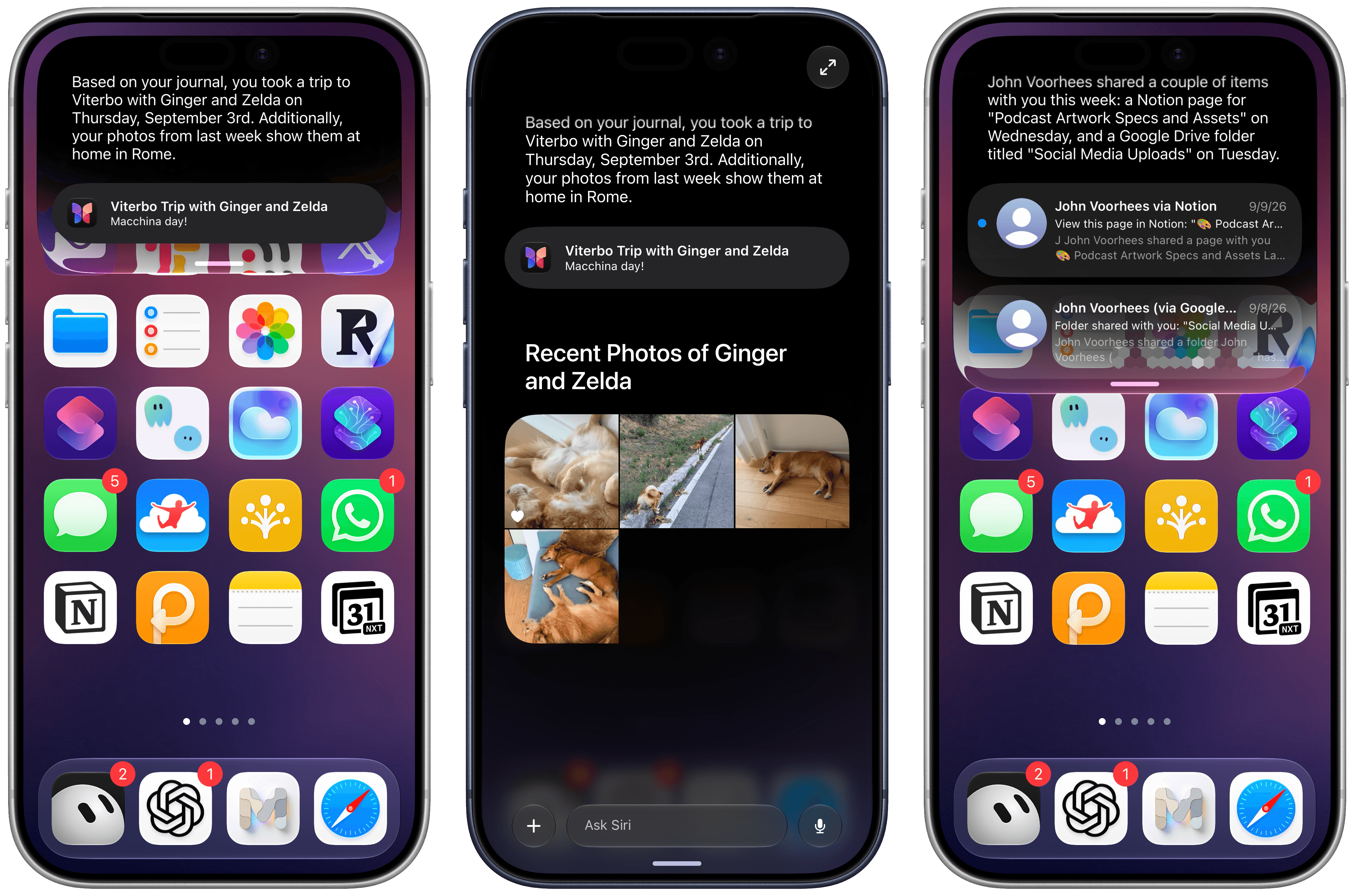
Examples of personal context in action. You can always expand Siri snippets to go full-screen and continue typing, chatbot-style.
You’re not supposed to know that personal context is working, and that can be both a blessing and a curse. When Siri AI does bring up a useful piece of information about you, unprompted, it feels amazing, and it perfectly encapsulates Apple’s competitive advantage in AI: unlike other companies’ assistants, Siri AI can know everything about you as long as you keep using Apple devices.
On the other hand, I’ve frequently run into scenarios where a question I knew had data to back it up in iMessage couldn’t be answered by Siri AI at all, or where the context about me was simply stale. This, I believe, is a byproduct of Apple’s on-device indexing approach: results don’t get indexed immediately, and the entire thing can feel like a mysterious black box.
As a result, my mind hasn’t been blown by personal context in Siri AI yet, but I remain hopeful that Apple is on the right track from a strategic perspective. I wonder if more capable hardware and future model updates will be able to help in this regard, letting the index be refreshed more frequently and proactively suggesting more details in new Siri chats.