The New Siri
Let’s talk about the actual product.
The new Siri presents itself across five different surfaces:
- Voice
- Text
- Siri app
- Camera
- Contextual menus in apps
I’ll save the Siri app for later; I want to focus on the system-wide Siri experience for now.
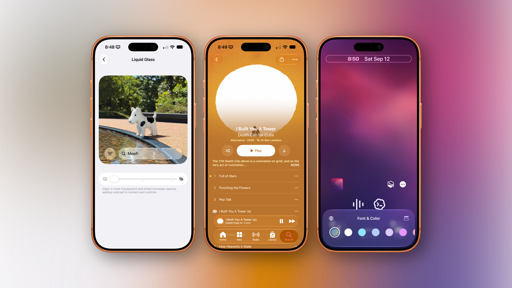
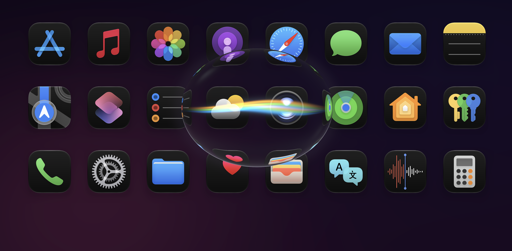
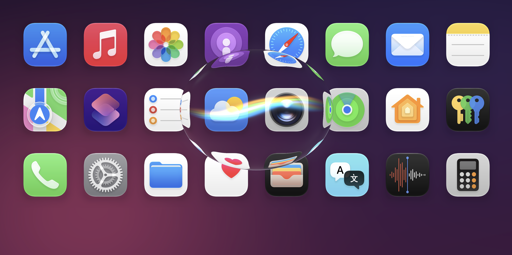
At its most basic level, you’ll immediately recognize the new Siri by its design. The old glowing animation around the device’s bezels is gone, replaced by a floating dark orb made out of Liquid Glass that, on iPhone, smoothly descends from the Dynamic Island to listen to you. The orb pulses slightly to indicate it’s listening, and as you speak your requests to Siri, its multicolor waveform (the only place where Siri kept its former colors) reacts in real-time. The fluidity and responsiveness of the animations are top notch, which shouldn’t come as a surprise from the team that gave us the Dynamic Island, Liquid Glass’ morphing transitions, and the iPhone Duo’s flavor of iOS.
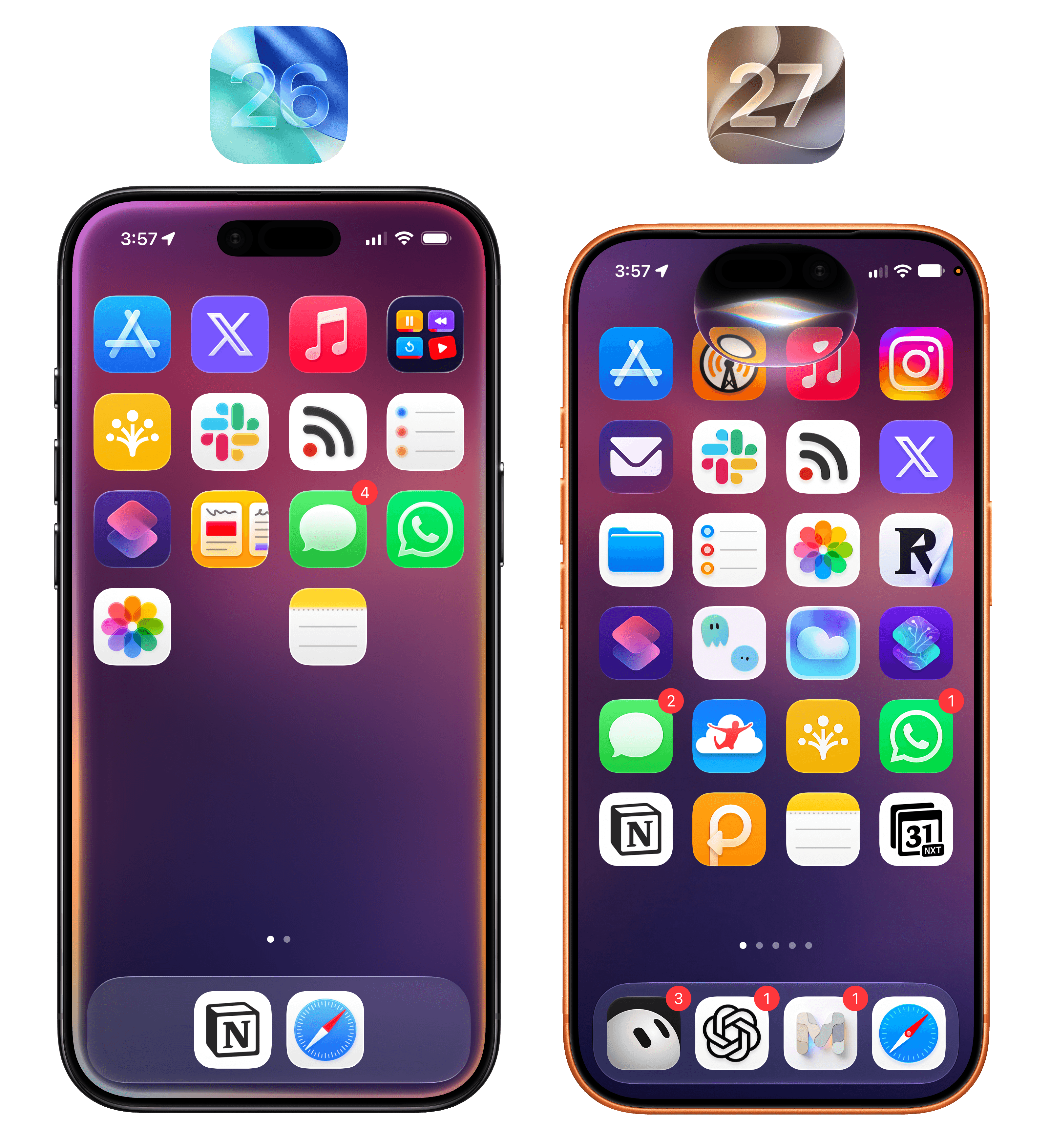
The new Siri animation.Replay
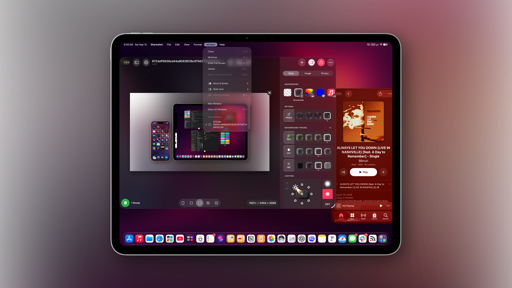
The new Siri animation is even more impressive on iPad, where the orb “comes out” of the device’s bezel like a drop of liquid that lands at the top of the screen and, since it’s made of glass, beautifully refracts whatever is underneath. Even better, this fluid transition can be triggered from anywhere in the iPad status bar:
I can’t stop staring at this.Replay
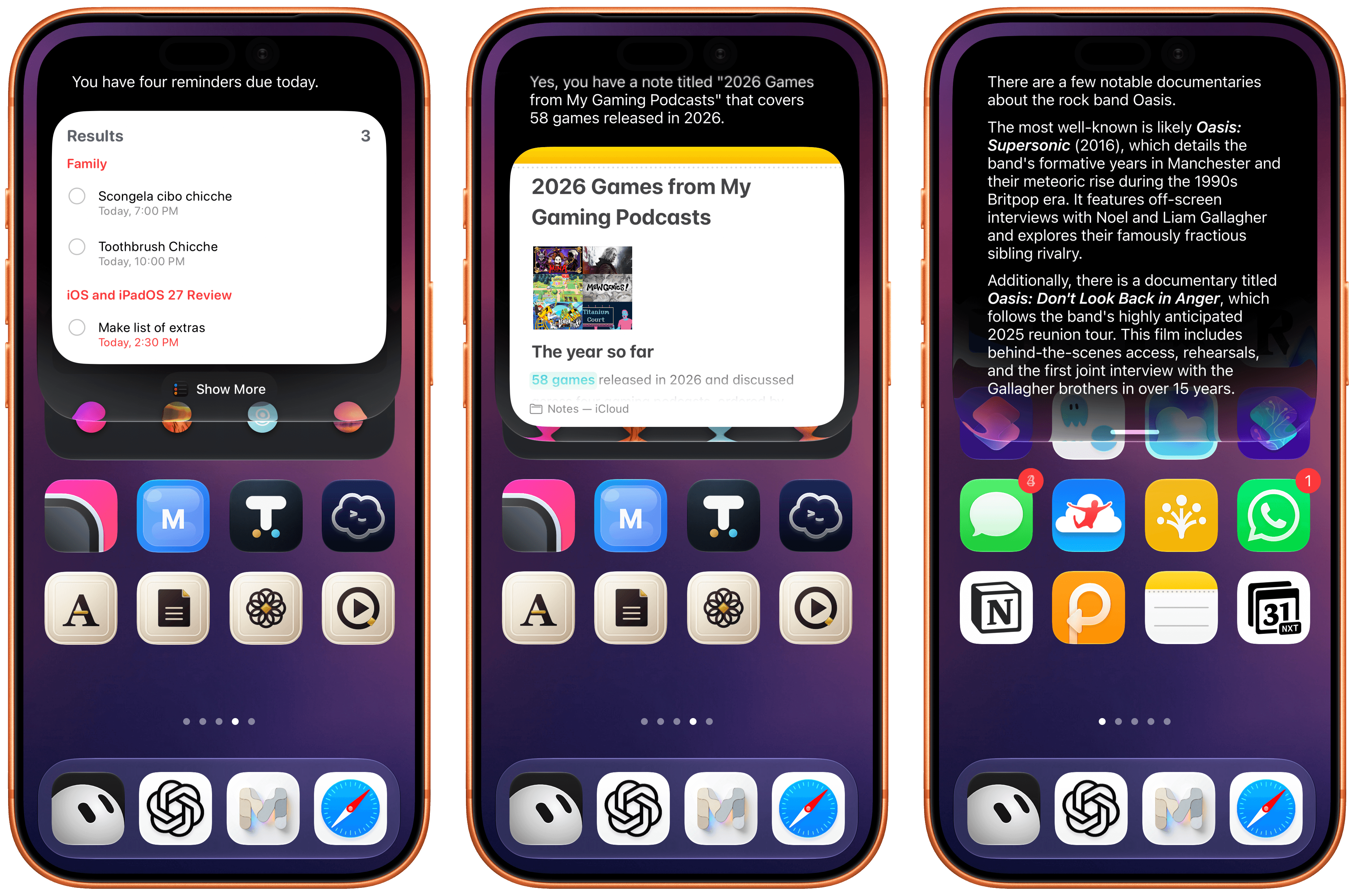
As you talk to the new Siri, you’ll see the orb dynamically shrink into a “thinking” activity with a loading indicator, then expand again into a dark, translucent overlay that, unlike other chatbots, presents results visually with a combination of text, images, and custom UIs belonging to the apps whose data is being fetched thanks to Apple’s App Intents framework. Ask for your tasks, and you’ll see a Reminders snippet; ask for where you went today, and you’ll get a grid of photos; if you want to quickly save an idea, ask Siri to make a note, and you’ll be presented with an inline Notes card at the end. You get the idea.
At any point during a conversation with the new Siri, you can switch to text input by swiping down on the Siri response and start typing. This is part of a larger story in iOS 27: system-wide access to Siri and the unification of Siri and Spotlight. The assistant and the system’s search feature have been merged into the same UI element – a floating search field that can be activated from anywhere by swiping down on the Dynamic Island. Doing this will reveal the new call-to-action for this box: Search or Ask.
Just as with the previous Spotlight, you’ll see some suggestions for apps you can launch or other activities; the difference is that now the system can determine whether you’re searching for something or formulating a request for Siri. If the latter mode is detected, Spotlight search results will be collapsed, and ‘Ask Siri’ will appear next to your query, indicating that you can hit Return to ask Siri AI a question instead of searching with Spotlight.
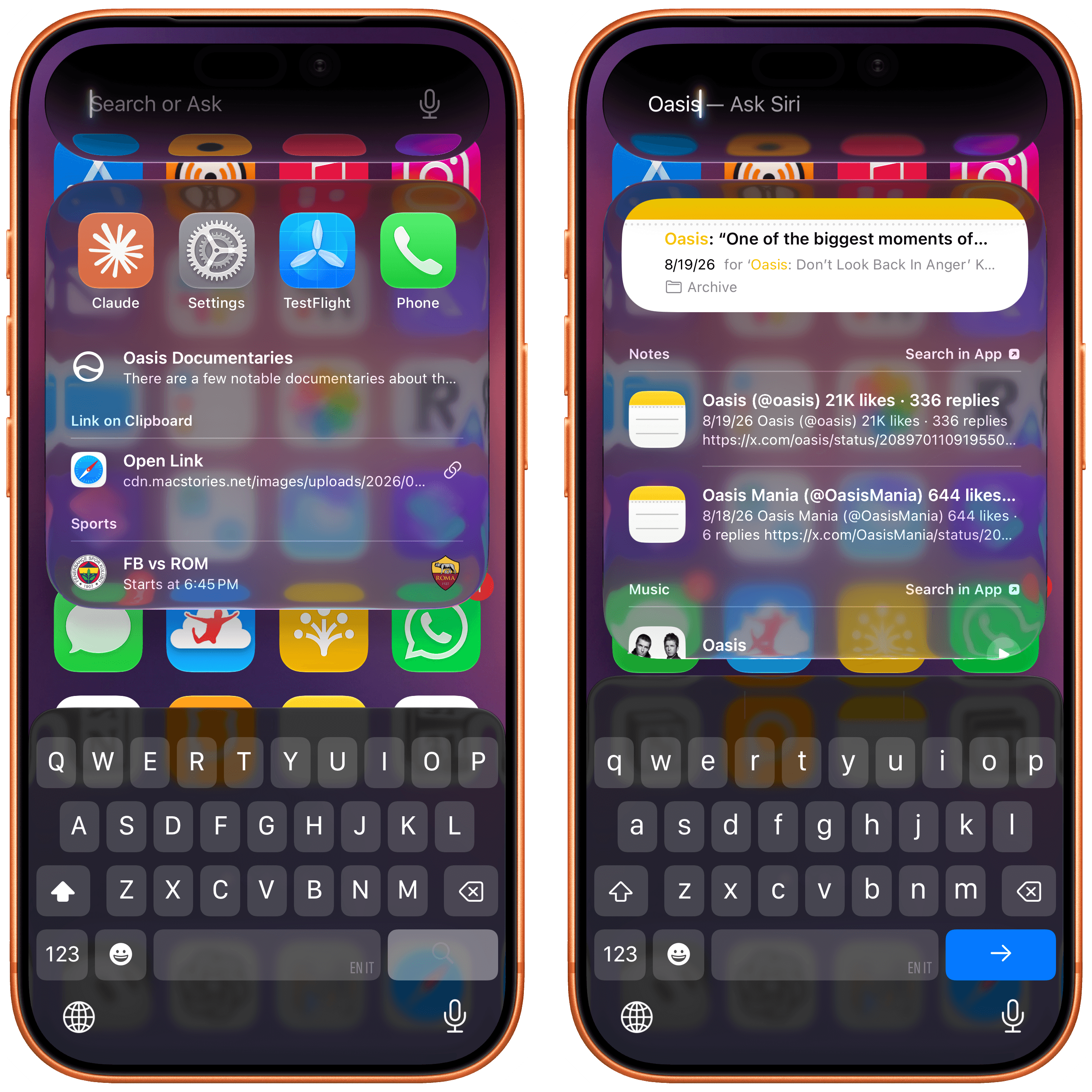
It takes a while to get used to the idea that you can now search and ask questions from anywhere on your iPhone without using your voice, and it’s awesome. iPhone users never had the ability to invoke Spotlight from outside the Home Screen when using apps; in the three months I’ve spent using iOS 27, I can’t tell you how accustomed I’ve become to jumping between apps or searching inside them without leaving the app I’m in.
When using the new Siri and alternating between search and ask modes, you’ll never be able to tell which local model is being used or if Siri is going off to the cloud and picking one of the two models running there. You can infer what’s going on (if a request is taking a bit longer, the underlying Siri orchestrator probably decided to use extended reasoning in the cloud), and there are ways to inspect your Siri AI reports later, but – by design – all complexity is abstracted from the experience when Siri AI is visible to the user.
What you will notice, however, is the new Siri voice.
The New Siri Voice
The new expressive voices for Siri AI are powered by Apple’s larger on-device model and, as such, are exclusive to more recent devices. They are a substantial jump in terms of voice quality and expressivity compared to the older Siri voice in iOS 26: tone and cadence feel more natural, enunciation sounds less robotic than before, and, most of all, the voices can be customized.
Once you have the new Siri AI, head over to Settings → Siri → Voice, and you’ll be presented with a gorgeous new voice preview and personalization screen that lets you pick from a selection of unlabeled voice types across six English accents (American, Australian, British, Indian, Irish, South African). You can tap the colored dots to preview each voice, and Siri will speak a longer demo sentence than iOS 26. Amusingly, a part of the sentence is about the fact that otters hold hands so they don’t drift apart. I did not need to know this, and I can’t stop thinking about this fact now.
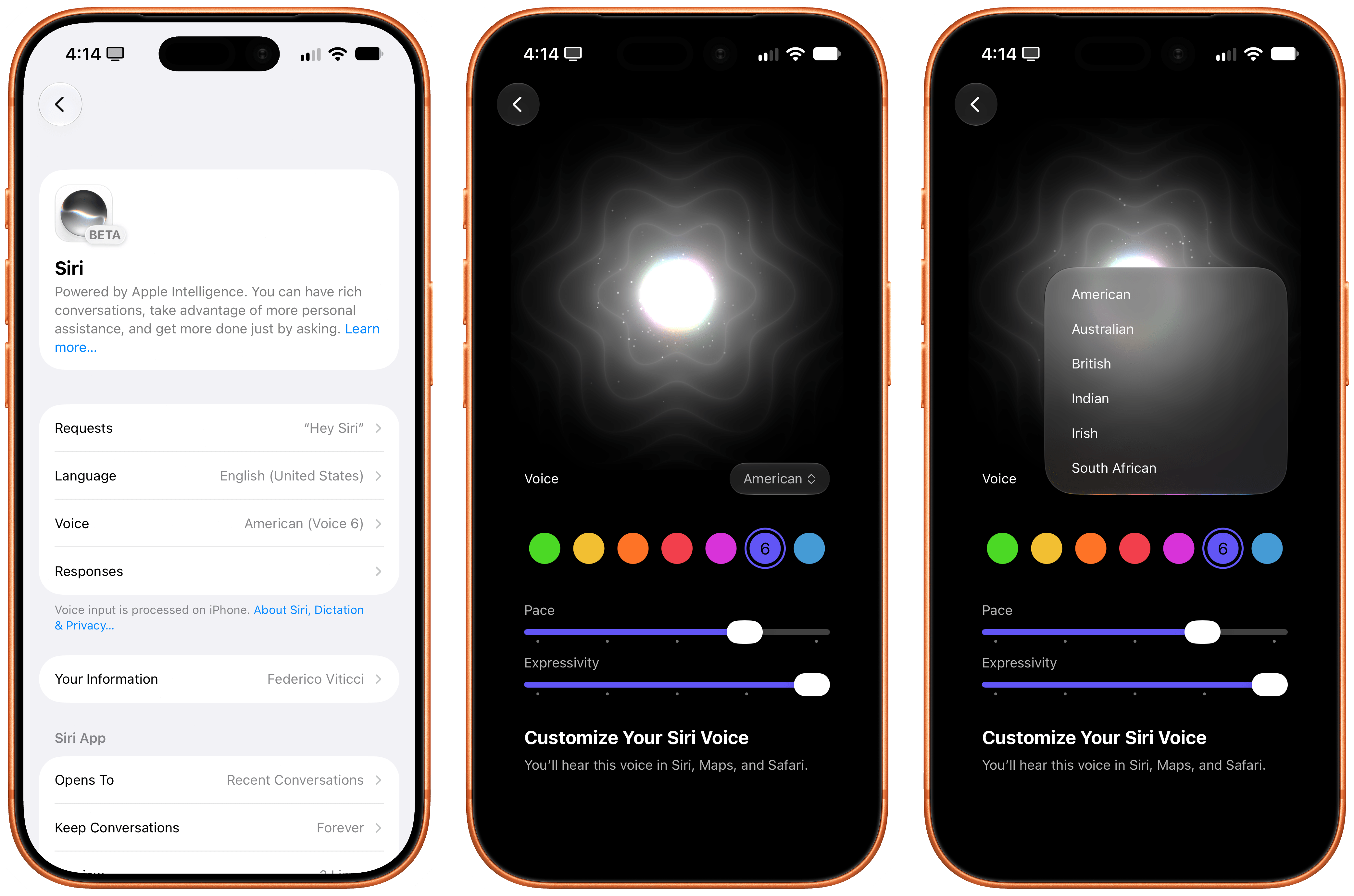
Anyway, only American and British voices support personalization in the form of pace and expressivity sliders. Pace is easy to understand: drag it all the way to the right to make it go fast. For my taste, I have set the pace to the fourth notch of the slider. Expressivity is a little trickier to understand: it sets the voice’s underlying tone and how the assistant switches intonation between different phrases. Personally, I’ve set mine all the way to the right.
There is no denying that the new Siri voices are vastly superior to what Siri sounded like before. Here, let’s do a comparison between Siri in iOS 26 and Siri in iOS 27:
Make sure to watch until the end for a…surprising response. (Sound on.)Replay
The new voices are impressive for something that is being generated on-device, and I think most iPhone users upgrading to Siri AI now will notice the difference and think that Siri sounds better than ever. It’s remarkable that all of this is being generated locally across multiple accents.
In the context of the broader AI industry and voice experiences, however, the new Siri voice still trails the frontier. As far as voice itself is concerned, ElevenLabs’ v3 model sounds more natural than Siri AI and was introduced over a year ago in June 2025. I would argue that even Kokoro, an open-weight text-to-speech model with 82 million parameters that supports more voices and the ability to create custom ones, sounds nicer than Siri. (You can listen to this very paragraph generated with Kokoro.) And then there’s GPT-Live, the frontier bidirectional voice model by OpenAI that powers ChatGPT Voice, introduced earlier this year. GPT-Live is, by all measures, the current state of the art for natural assistant/person conversations since it supports interruptions, real-time tone and cadence adjustments (you can ask ChatGPT to slow down or whisper), and long-running back-and-forth conversations that Siri AI is simply not designed for.
This is an important point: if you think that Siri AI will allow you to ramble to a digital assistant for 10 minutes and have a “conversation” with it like you can with ChatGPT Voice, you’re going to be disappointed. Siri AI is not capable of that kind of voice interaction yet. Siri AI’s voice experience is still based on the classic “ask question/wait/listen to answer” pattern from the older Siri. It’s slightly more conversational, and it sounds better than ever, but it can’t hold a prolonged conversation: you can’t go for a walk and start talking to Siri AI to brainstorm with it like many folks do with ChatGPT Voice.
To give you even more context, here’s a comparison between Siri AI and ChatGPT Voice, recorded using the GPT-Live-1 model for paid users:
Siri AI and ChatGPT Voice are two fundamentally different products, and OpenAI’s advantage in voice is obvious…until I switch languages. (Sound on.)Replay
Comparisons between Siri and other AI-based voice experiences are a good indicator of where things stand right now. Apple is still behind the top American labs when it comes to sheer model quality, and can’t yet enable experiences we’ve seen in other chatbots. Over a billion people can chat for free with GPT-5.5 Instant and GPT-Live-1-mini in ChatGPT, and both models are superior to Apple’s roster of five Foundation models – not to mention that they are available worldwide and are multilingual by default. Siri AI is only launching in English, despite the two-year delay. The comparison to the rest of the industry isn’t even fair.
At the same time, not everyone is interested in or trusts the likes of OpenAI and Anthropic for their digital assistant needs. In fact, I’m willing to bet that there are hundreds of millions of people who just wanted a better Siri because, frankly, the old one was an awful product that Apple should have been embarrassed by.
The new Siri is a much smarter, more capable, and nicer Siri than before. On a scale from “awful” to “state-of-the-art AI frontier”, Siri AI sits comfortably in the middle. It is a solid product that finally gives Apple users a good digital assistant that works well enough for most requests. At the same time, it is a product that will not “wow” AI power users and proves that Apple still has a lot of work to do if they want to compete in this space, especially if their newfound rival (and defendant) enters the hardware market in the near future.
And since multiple things can be true at the same time (and people can hold multiple opinions – what a concept), it is also undeniable that Siri AI delivers a “good” experience across the more challenging spectrum of an entire operating system, which neither OpenAI nor Anthropic can currently match.
But how is it better?